


If you’ve ever spent hours tweaking a clip only to feel “something’s off,” you’re not alone. Short-form success isn’t magic; it’s a repeatable process. In this friendly, real-world guide, we’ll walk through a five-step workflow that turns raw footage into scroll-stopping stories. Along the way, you’ll get practical settings, pacing tips, and pro shortcuts you can actually use today-plus a clear sense of when a professional polish saves you even more time and stress. By the end, tiktok video editing will feel less like guesswork and more like a confident routine.
Before we dive in, a quick reality check: short-form video continues to dominate social feeds in 2025, with TikTok ranking among the top platforms for traffic and audience growth in multiple industry studies. That’s why building a reliable, creator-friendly workflow is worth it-it compounds with every video you make.
Step 1: Plan a 6–9 second hook and storyboard your 30 seconds
Why a tighter premise makes editing faster (and better)
The most common editing problem isn’t software-it’s a vague premise. Start by scripting a punchy first line or visual that lands in 2–3 seconds, then outline a mini-story that resolves by 25–30 seconds. This forces meaningful cuts and prevents “padding,” which is what usually tanks completion rate. Think of your opening shot as a promise: what will viewers learn, feel, or gain if they stay?
Map shots to beats before you hit record
A simple three-beat storyboard-hook, build, payoff-helps you shoot with purpose. On paper or in your notes app, write each beat and the exact shot you’ll use to deliver it. This way, when you sit down to edit, you’re not hunting for a story; you’re assembling one. Planning also makes it easier to pace clips tightly, which aligns with TikTok’s own creative guidance around clear, front-loaded messaging in successful short-form creatives.
Internal read next: Curious what a pro polish looks like for short-form brand content? Explore our Social Media Video Editing Services to see real-world use cases.
Step 2: Shoot for the edit-frame vertical, protect the “safe zones”

Capture vertical masters and keep key elements centered
Recording in vertical (9:16) ensures your footage fills the frame natively. Keep faces, titles, and products within central “safe zones” so captions, buttons, or overlays don’t cover them. TikTok’s ad and creative documentation recommends vertical assets and provides safe-zone templates because UI elements and longer captions can crop edges-good advice for organic posts, too.
Use exposure and audio habits that save hours later
Lock exposure where possible and monitor audio at capture-bad audio is the #1 time sink in post. If you need B-roll, capture 2–3 options for each beat rather than dozens of random shots. That discipline cuts review time in half and gives you enough variety to match pace with music later.
External resource: For up-to-date specs (aspect ratios, durations, and file types) used across TikTok’s ad ecosystem, see TikTok’s Business Help Center guidelines.
Step 3: Cut for rhythm-tighten the first 3 seconds, then earn every beat
Build a spine cut before you decorate
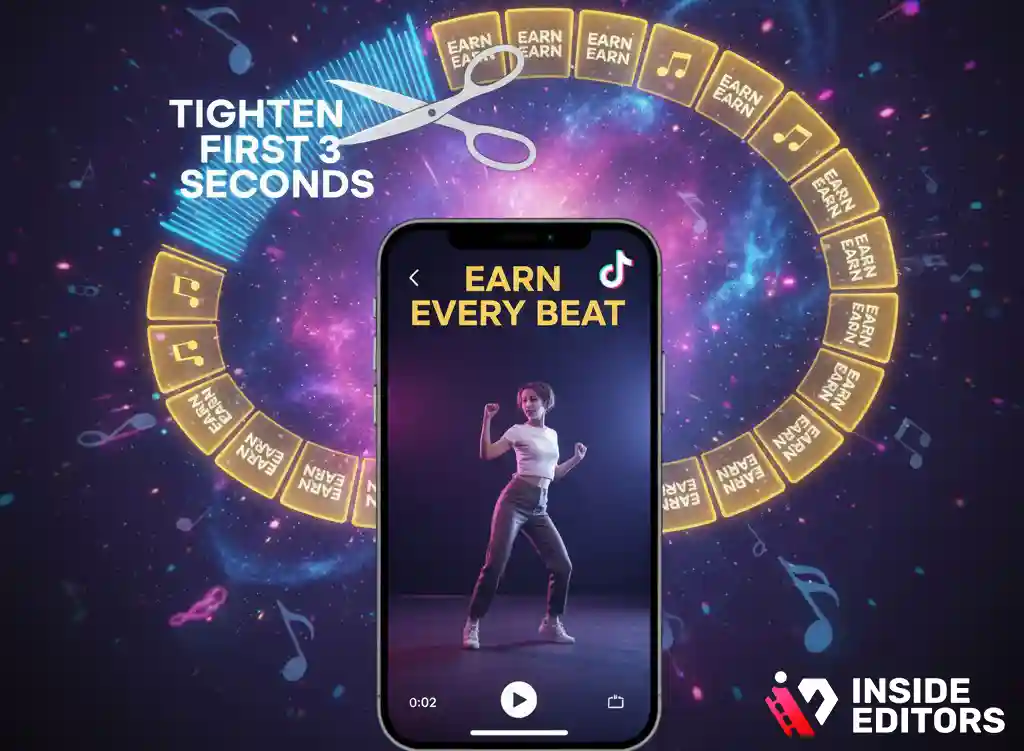
Import your A-roll and assemble a spine cut that delivers your promise with zero effects-just the clean sequence of beats. Trim silences, stack jump cuts to remove filler language, and align your turning points with downbeats if you’re using music. Only after the spine “clicks” should you add overlays, text, or motion.
Add captions early; design for sound-on and sound-off
A significant share of viewers still consume short-form with audio off at least part of the time, so captions increase comprehension and retention. TikTok introduced auto-captions to streamline this, and multiple 2025 guides show practical ways to enable or refine them quickly. If you caption early, you’ll avoid re-timing later when you add effects. Keep on-screen text large, high-contrast, and brief-prefer phrases over sentences.
Internal example: See how our TikTok Video Editing Services integrate branded captions and motion templates without slowing your workflow.
Step 4: Style with intention-effects, color, and sound that serve the story
Use effects to clarify, not distract
Transitions, speed ramps, and keyframed push-ins are powerful when they emphasize a point or reveal. But overuse signals “editing for editing’s sake.” Aim for one “hero” effect per video and let the rest stay invisible. Color should be consistent across shots; a gentle S-curve and white balance match are often enough.
Music, SFX, and VO: choose the lead and mix around it
Decide whether voiceover or music leads. If VO leads, keep music −18 to −12 LUFS integrated, ducking it 3–6 dB under speech. If music leads, keep VO short and decisive. TikTok’s creative playbooks emphasize clarity, quick value delivery, and native “made-for-TikTok” aesthetics-think bold text timing, quick reveals, and authentic voice.
External insight: Multiple 2025 social video reports continue to show short-form as a top driver of site traffic and engagement, reinforcing the value of clear, on-message styling for performance.
Step 5: Export smart-optimize for quality, speed, and metadata
Use platform-friendly settings that won’t choke upload quality
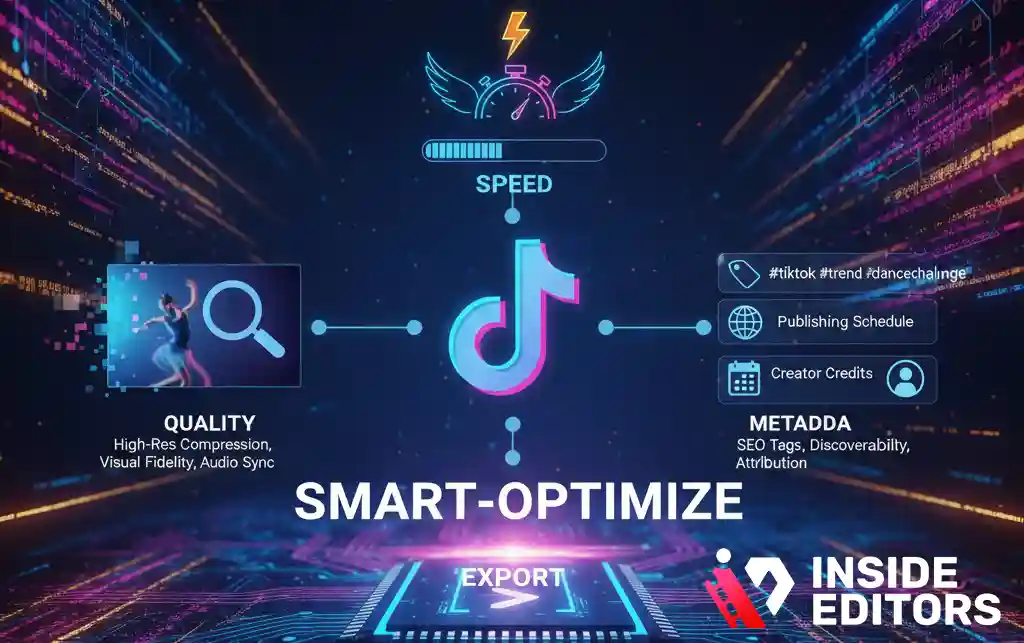
Export vertical 9:16 at 1080×1920 or higher, H.264/265 with a healthy bitrate to avoid compression artefacts after upload. TikTok’s business specs list 9:16 as recommended and suggest 21–30 seconds as a sweet spot for many ad creatives-useful guidance for organic content aiming for quick comprehension. Keep file sizes reasonable for mobile upload.
Write captions that carry the click
Your first line of the post caption should repeat your video’s promise in natural language, then add one clarifying benefit. Hashtags can be a mix of branded, topical, and niche-avoid stuffing. Publish during your audience’s active windows, then monitor retention and re-watch rates to inform your next cut. This iterative loop-plan, shoot, cut, style, export-turns into muscle memory fast.
Internal next step: If you’re scaling across platforms, our Facebook Video Editing Services adapt vertical stories for each feed without losing pace or clarity.
The creator’s toolbox: which editor fits your workflow?
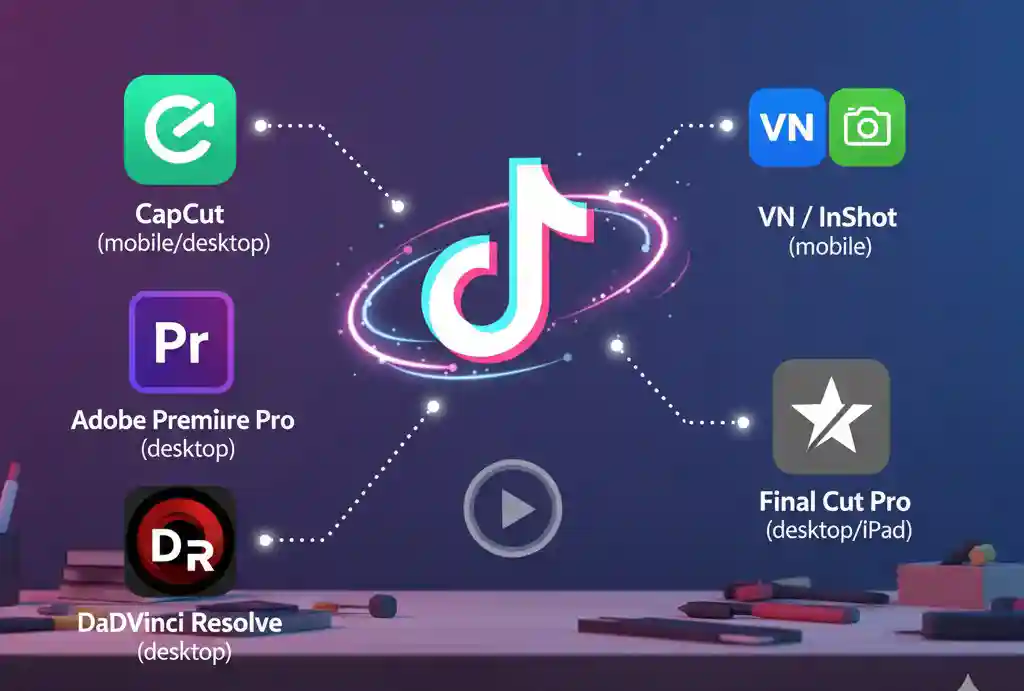
Why picking the right app saves you hours each week
Choosing software isn’t about finding the “best overall” – it’s about identifying the fastest and most intuitive path from idea to publish that fits your unique workflow. The right tool aligns with your creative rhythm, supports your preferred content style, and minimizes friction, letting you focus on quality and speed. Here’s a quick, at-a-glance comparison to help you decide which platform empowers your process best.
| Editor | Best For | Standout Strengths | Watch-outs |
| CapCut (mobile/desktop) | Trend-driven edits, fast captions | Native TikTok focus, templates, decent motion tools | Heavy templates can look generic if overused |
| Adobe Premiere Pro (desktop) | Brand campaigns, multi-track control | Deep color/audio, team workflows | Steeper learning curve, subscription cost |
| DaVinci Resolve (desktop) | Color-critical projects | Elite grading, robust free tier | Heavier hardware needs |
| VN / InShot (mobile) | Quick personal edits | Fast UI, easy overlays | Limited advanced color/audio |
| Final Cut Pro (desktop/iPad) | Apple-centric creators | Fast performance, magnetic timeline | macOS/iPadOS only |
If you’re just starting and want speed, CapCut is a great gateway with TikTok-friendly features and beginner-to-pro education resources updated for 2025. For brand or client work, Premiere Pro or Resolve pay off with versioning, precision, and color control.
Internal resource: Planning a campaign calendar? Our Lifestyle Video Editing Services ensure your brand stays cohesive and visually consistent across every sprint, maintaining quality, tone, and engagement throughout your content cycle.
Performance cues for 2025: what the numbers suggest
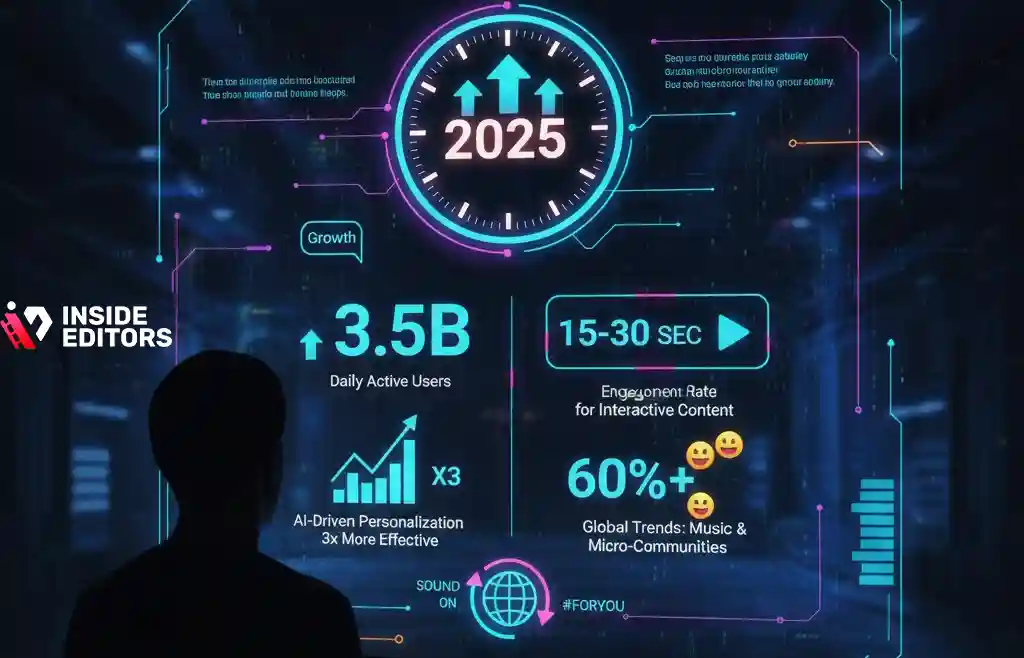
Why short form still wins attention
Recent analyses and industry reports highlight short-form’s continued dominance in driving engagement and growth in 2025, with TikTok consistently ranking among the top platforms. European MAUs alone crossed the 200-million mark in 2025, underscoring scale even amid regulatory noise. While downloads ebb and flow across apps, time-spent and completion rates are where short-form shines-precisely why a tight, five-step edit workflow pays off.
What this means for your day-to-day editing
Treat your first three seconds as sacred. Design for sound-off as much as sound-on. Keep visual clarity in the center of frame and resist clutter around UI hot zones. These principles reflect platform documentation and data-backed creative guidance, and they travel well across Reels and Shorts, too. TikTok For Business
External reference: For current size and format guidance used by many creators as a baseline, review up-to-date 9:16 recommendations compiled in 2024–2025 spec roundups.
Common pitfalls-and quick fixes that make a visible difference
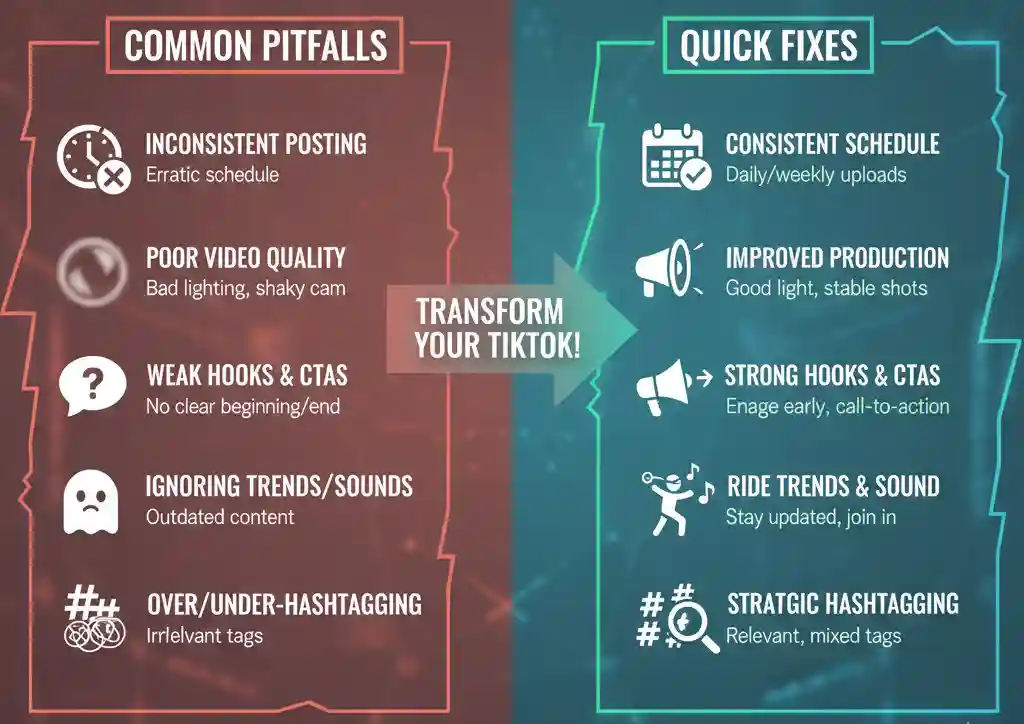
Overstuffed frames and unreadable text
If everything moves, nothing matters. Limit on-screen elements to what supports the beat. Use 3–5 words per text card, large fonts, and high-contrast backgrounds. Keep key subjects away from the bottom caption area and right-side UI strip; safe-zone awareness prevents accidental crops.
Weak openers and slow setups
If your hook doesn’t say “why stay” within two seconds, reshoot or rewrite. Start with the payoff and then rewind, or begin with a bold claim you can prove fast. The faster your “why,” the tighter your edit will be all the way through.
Internal link: Want a second set of eyes on your structure? Our Home Video Editing Services help families and solo creators turn personal footage into crisp, shareable stories without losing authenticity.
A practical mini-workflow you can try today
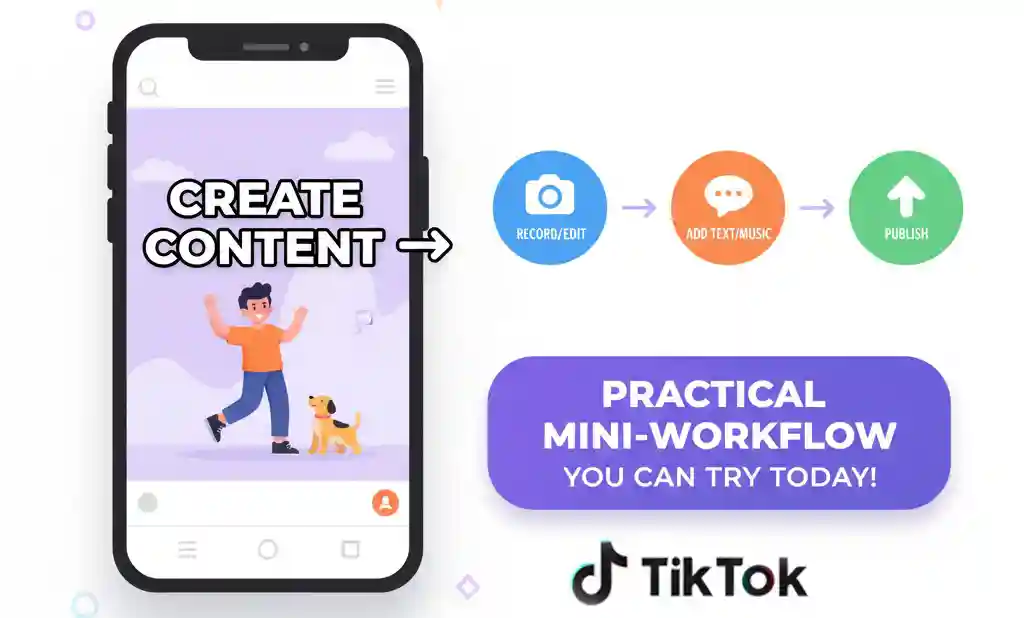
From idea to publish in under an hour
Pick a single tip your audience cares about. Script a 10-word hook and two supporting beats. Shoot three vertical shots for each beat-face cam, insert, product/scene. In your editor, assemble a 25–30 second spine cut, trim every pause, add captions, and use one judicious transition to highlight the payoff. Export at 1080×1920 and post with a natural caption that repeats the promise. Iterate on your next upload based on retention.
Why this works
It bakes in every step of this guide: purpose, safe framing, rhythm, clarity, and platform-friendly export. As you repeat the loop, you’ll spend less time guessing and more time telling sharper stories-exactly what short-form audiences reward.
External context: TikTok’s Creative Center and playbooks have been fully updated for 2025, offering comprehensive guidance, trend analyses, creative examples, and pacing insights-valuable resources for refining hook styles, storytelling, and content strategies across niches.
When to call in a pro (and what you’ll notice right away)
If you’re juggling launches, partnerships, or multi-channel calendars, outsourcing the edit lets you keep the creative vision while someone else maintains the technical polish. A pro editor builds reusable presets for your brand fonts, colors, caption styles, and sound mix, so consistency doesn’t cost you creative freedom. You’ll notice steadier retention curves, fewer re-exports, and a smoother path from script to publish. If you’re ready to take your videos from simple to stunning, Inside Editors’ TikTok Video Editing Services can help bring your ideas to life-smoothly, affordably, and with expert precision.
Final takeaway: Top 5-Step TikTok Video Editing Guide
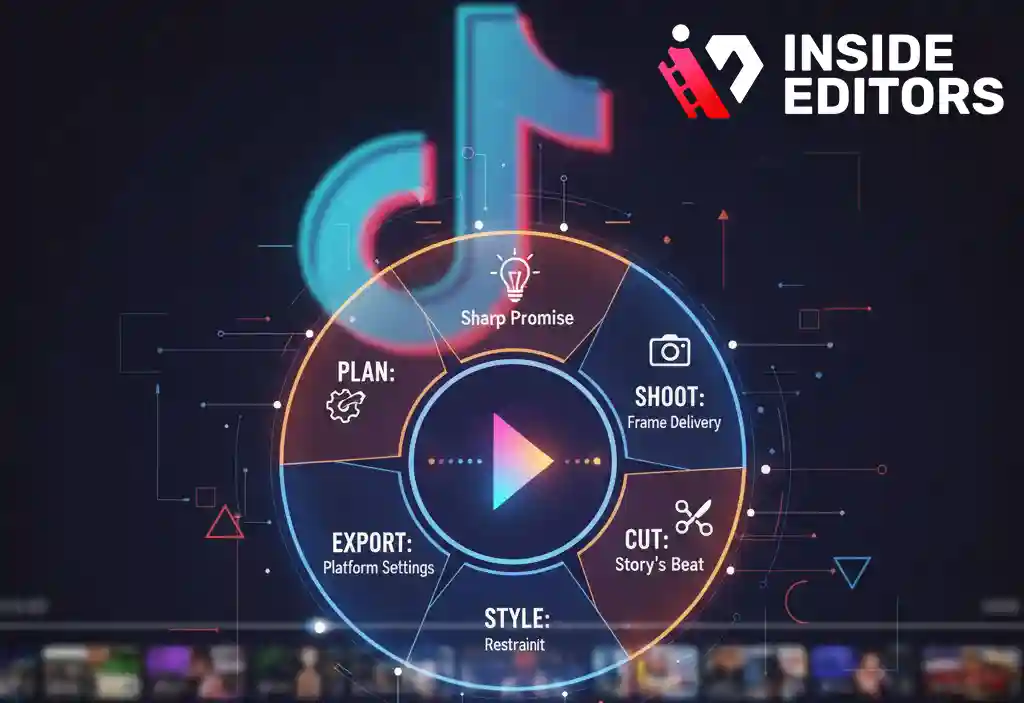
Great short-form editing is a system, not a scramble. Plan a sharp promise, shoot for the frame you’ll deliver, cut to the beat of your story, style with restraint, and export with settings that play nicely with the platform. Repeat that loop, and each upload gets cleaner, faster, and more watchable. If you want a partner to accelerate that curve, we’re here to help.
FAQs for “Top 5-Step TikTok Video Editing Guide | Best Creator’s Choice”
How do I know I can trust the quality of your edits?
We show process, not just portfolios: clear storyboards, style frames, and timed drafts you can review. Every tiktok video editing project follows a checklist for pacing, captions, and safe-zone layout. You’ll see rationale for each change, not vague “polish.” If anything misses the brief, we revise with specific, time-coded fixes.
What guarantees do you offer on quality and revisions?
Each package includes defined revision rounds (typically 2–3) with time-coded notes. If we miss a documented requirement, we correct it at no cost within 7 days. For subjective tweaks, we provide options-A/B intros, color variants, or caption styles-so you choose confidently. Clear scope + version control keeps quality predictable.
Who owns the final video and project files?
You own the final renders, plus licensed assets purchased for your project. On request, we deliver editable timelines (Premiere Pro/Resolve) and exported captions (.srt/.ass). Third-party music or plugin licenses remain bound by vendor terms. We outline ownership in writing before editing starts to avoid surprises.
How do you protect my privacy and unpublished ideas?
We sign NDAs on request and restrict access to need-to-know editors only. Source files live in encrypted storage with time-limited links. We never reuse your drafts, brand kits, or raw footage in marketing without written consent. When a project closes, we can purge files on a defined schedule.
Which editing tools do you use-and why?
For speed and social-native effects, we use CapCut or VN; for brand work, Premiere Pro or DaVinci Resolve provide deeper audio/color control. We match the tool to your goal: fast trend cuts vs. color-critical campaigns. You’ll get a short rationale in your edit plan so tool choices feel transparent.
Should I edit myself or hire a pro for TikTok videos?
DIY is ideal for quick tests and low-stakes posts; a pro helps when consistency, brand polish, or tight deadlines matter. Editors automate color balance, captions, and sound mixing-tasks that drain time. If you’re scaling weekly uploads or ads, pro tiktok video editing typically lifts retention and reduces re-exports.
What packages or tiers do you offer?
Most clients pick Starter (1–2 videos/week), Growth (3–5/week), or Campaign (ad sets + variants). Tiers differ by deliverables-hooks, A/B intros, captions, aspect ratios-and by revision depth. We also offer monthly retainers with rollover hours for seasonal spikes. A short intake call aligns you to the right tier.
How much does TikTok video editing cost?
Typical ranges: $120–$250 for simple 15–30s edits, $250–$600 for polished hooks with motion text, and $600+ for multi-variant campaigns. Prices exclude premium music or paid plugins unless specified. You’ll receive a written scope listing what’s included (captions, color, mix) and what’s optional (subtitles in multiple languages).
What’s the usual turnaround time?
Standard turnaround is 48–72 hours per 30–60s video after we receive assets. Rush options-6, 12, or 24 hours-are available with a 20–60% surcharge depending on complexity. Dependencies like missing brand fonts or VO delay the clock, so we confirm “assets complete” before timing starts.
What do I need to send to start a project?
Send raw clips (vertical preferred), brand kit (fonts/colors), logo, and any reference links. A simple three-beat outline-hook, build, payoff-helps us cut faster and cleaner. If you have previous posts with strong retention, share them; we’ll mirror pacing and captions that already work for your audience.
Can you revise captions, color grading, and pacing?
Yes. Captions can be restyled for legibility and brand voice; color grading (creative look) aligns shots; pacing tightens beats and trims filler. We provide a version with visible time-codes so you can request exact changes in one pass. That keeps revision cycles short and focused.
Will the edits work across Reels and Shorts too?
Usually yes. We export in platform-friendly specs and adjust safe zones so UI elements don’t block text. Minor tweaks-length, cover frame, or CTA phrasing-make the same cut perform on multiple feeds. Ask for a cross-platform bundle if you publish widely.


