


If you’ve ever tried to edit gameplay footage on a sluggish laptop, you know the pain: stuttering timelines, fans screaming like a jet engine, and exports that take longer than the match you just played. The good news? A well-chosen gaming video editing laptop can absolutely handle both 120 FPS sessions and smooth 4K timelines – if you know what to look for.
In this guide, we’ll walk through the key specs that actually matter, then break down our top 5 gaming laptops for video editing in 2025, with real-world pros, cons, and use-case tips.
Why the Right Gaming Laptop Makes Video Editing So Much Easier

Gaming power alone isn’t enough for smooth editing
It’s easy to think, “If it runs Cyberpunk, it’ll crush Premiere.” Not quite. Modern games lean heavily on the GPU, while video editing tools like Adobe Premiere Pro and DaVinci Resolve hit CPU, GPU, RAM, and storage all at once. Adobe’s own system guidelines highlight the importance of a strong multi-core CPU, enough RAM, and a capable GPU to keep editing responsive and stable.
In practice, this means a laptop with an RTX 4070 that only has 16GB of RAM and a tiny SSD might game well, but start to choke when you stack multiple 4K clips, color grades, and effects. Editors working in 4K are generally better off with 32GB RAM and at least 1TB NVMe SSD storage, which independent hardware guides also recommend as a sweet spot for 4K workflows.
So when you’re choosing a gaming rig for editing, think beyond FPS numbers and look at how balanced the whole system really is.
The core specs to prioritize for a gaming video editing laptop
If you’re working in Premiere Pro, DaVinci Resolve, or similar tools, there are a few non-negotiables: a modern multi-core CPU, a GPU with enough VRAM, fast SSD storage, and plenty of memory. Both Adobe and Blackmagic emphasize that GPU VRAM and RAM capacity are crucial once you move into higher resolutions and more complex effects.
As a quick mental checklist for most creators in 2025:
- Aim for Intel Core i7 / i9 or AMD Ryzen 7 / 9 (or newer “Ultra/AI” variants).
- Look for NVIDIA RTX 4060 or better if you’re serious about GPU-accelerated effects.
- Treat 32GB of RAM as ideal for 4K editing, especially with Fusion, heavy color work, or multicam timelines.
- Go for 1TB SSD minimum if you regularly work with large footage or multiple projects at once.
This is the baseline we’ll use when we evaluate each laptop in the top-5 list.
Why display quality and cooling are secret deal-breakers
A lot of people focus on CPU and GPU, but for editing, your display and thermals can make or break your day. Many of the laptops in this guide use high-refresh OLED or high-quality IPS panels with strong color coverage and resolution options up to 3K or 4K, making them more suitable for grading than typical budget gaming screens.
On the thermal side, high-end CPUs and GPUs generate serious heat. Laptops with better cooling (bigger vapor chambers, intelligent fan profiles, or tri-fan setups) sustain performance longer, which means your export times stay fast even on big projects. Devices like the ROG Zephyrus G14 and Legion Pro 7i specifically advertise advanced cooling systems for sustained gaming and creative workloads.
Once you understand these fundamentals, the next step is matching the right machine to your workflow.
Matching a Gaming Video Editing Laptop to Your Workflow
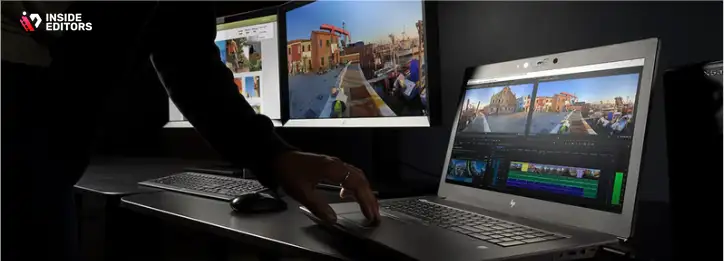
Casual creators, stream highlights, and short-form content
If you’re mostly cutting Twitch highlights, TikToks, or YouTube Shorts, your projects tend to be shorter and lighter. You can absolutely get away with a mid-range GPU like an RTX 4060, 16-32GB of RAM, and a solid 1080p or 1440p panel with decent color coverage.
For this kind of creator, portability and price matter as much as raw power. Laptops like the Acer Nitro 16 or HP Omen Transcend 14 sit in that sweet spot where you can enjoy 1080p/1440p gaming at good frame rates while still having enough horsepower to cut, color, and export gameplay videos without constant stutters or crashes.
If that sounds like you, pay attention to battery life, weight, and keyboard comfort too – you’ll likely be using the same machine for school, work, or travel.
Serious YouTubers, freelancers, and multi-platform creators
Once you’re publishing long-form YouTube videos, monetized content, or client work, you’ll feel the difference between “can edit” and “edits effortlessly.” At this level, 32GB RAM, higher-tier GPUs (RTX 4070/4080), and better displays start to become less of a luxury and more of a quality-of-life requirement.
This tier includes laptops like the Lenovo Legion Pro 7i Gen 9 and ASUS ROG Zephyrus G14/G16, which combine powerful CPUs with high-refresh QHD or 3K OLED displays and strong cooling. They’re designed to run demanding games at high settings, and that same horsepower translates beautifully to smoother scrubbing, faster renders, and more stable timelines.
If you’re also producing branded content, product videos, or comparison videos, this is where you’ll really appreciate professional editing support. You can always lean on services like Inside Editors’ product video editing when deadlines stack up and your laptop alone can’t carry the entire workload.
Aspiring pros working in 4K, HDR, and complex effects
Working with 4K 10-bit footage, heavier color grades, VFX, or multicam, you’re in “mobile workstation” territory. Hardware guides for Premiere Pro and DaVinci Resolve highlight that more VRAM, more cores, and larger RAM pools significantly improve stability and performance in these scenarios.
Here, laptops like the Razer Blade 16 (2025) or a maxed-out Legion Pro 7i with RTX 4080/4090 tier GPUs, 32GB RAM, and high-end displays begin to make sense. The Blade 16, for example, can be configured with an RTX 5090 GPU, an advanced OLED 240 Hz panel, and top-tier CPU options – a level of power aimed squarely at serious gamers and creators willing to pay for premium performance.
If you’re regularly working on commercial campaigns, cinematic edits, or high-stakes brand content, you may eventually pair such a laptop with an external monitor and a professional editing service like Inside Editors’ business video editing for consistent, scalable quality.
Top 5 Gaming Video Editing Laptops in 2025 (Expert Picks)
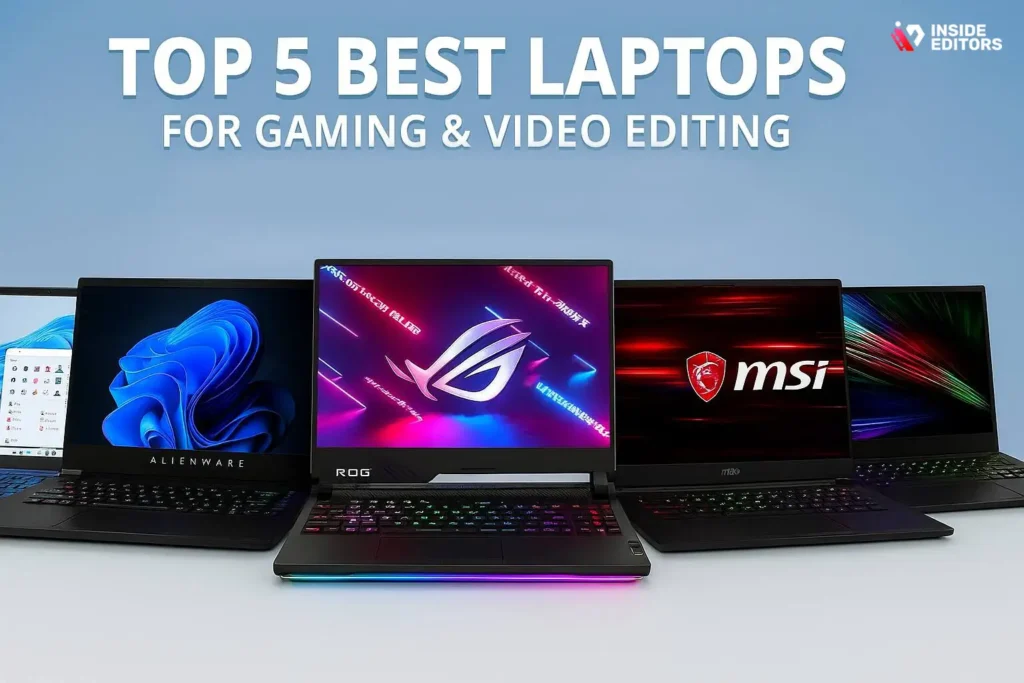
Now let’s get into the fun part: specific machines. Below are five laptops that balance strong gaming performance with excellent video editing capability. We’ll look at how each one handles real-world creator needs rather than just repeating spec sheets.
Before we dive in, here’s a quick side-by-side snapshot:
| Laptop | CPU (example config) | GPU | RAM | Display | Best For |
| Razer Blade 16 (2025) | AMD Ryzen AI 9 HX-series | RTX 5090 | 32GB+ | 16″ 2560×1600 OLED 240 Hz | Premium gaming & heavy 4K+ editing WIRED+1 |
| Lenovo Legion Pro 7i Gen 9 | Intel Core i9-14900HX | RTX 4080 | 32GB | 16″ 2560×1600 240 Hz IPS | Balanced esports + 4K editing Lenovo+2LaptopMedia+2 |
| ASUS ROG Zephyrus G14 (2024) | Ryzen 9 8945HS | RTX 4070 | 32GB | 14″ 3K OLED 120 Hz | Portable creators, travel & gaming @ROG+2Best Buy+2 |
| HP Omen Transcend 14 (2024) | Intel Core Ultra 7/9 | RTX 4060/4070 | Up to 32GB | 14″ 2.8K OLED 120 Hz | Mid-range OLED editing & gaming bestvsbetter.com+3RTINGS.com+3TechRadar+3 |
| Acer Nitro 16 (2024) | Ryzen 7 7840HS / 8845HS | RTX 4060 | 16GB-32GB | 16″ 165 Hz IPS WUXGA/QHD+ | Budget-friendly gaming + edits Trusted Reviews+4Projector Review+4Creative Bloq+4 |
Let’s unpack what these specs actually mean when you’re rendering gameplay montages at 2 a.m.
Razer Blade 16 (2025) – For creators who want no-compromise power
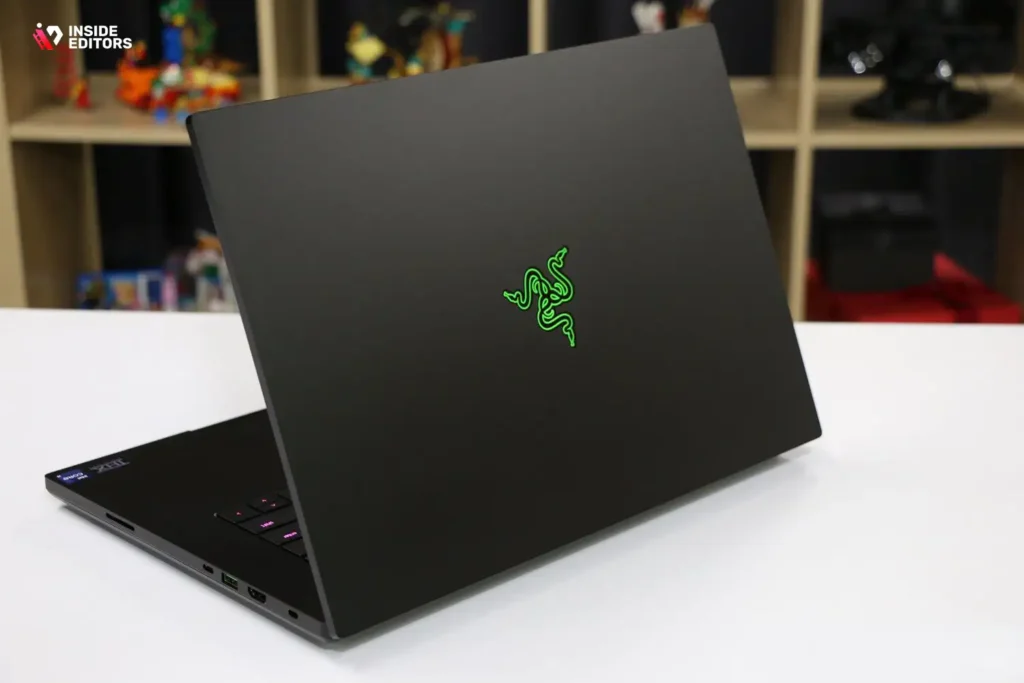
If money is less of a concern and you want one machine that does everything at a very high level, the 2025 Razer Blade 16 is the obvious “flex” choice. In its top configuration, it combines an AMD Ryzen AI 9 HX-series CPU with NVIDIA’s RTX 5090 GPU and a 16-inch 2560×1600 OLED 240 Hz display.
For gaming, that means ultra settings at high frame rates in modern AAA titles. For editing, the combination of a powerful CPU and a massive next-gen GPU gives you ridiculous headroom for 4K and even 8K workflows, AI-driven upscaling, noise reduction, and more. The high-refresh OLED screen doesn’t just look pretty; its color accuracy and contrast make grading and previewing your footage much more reliable than a typical gaming display.
There are trade-offs, of course. Reviews consistently point out that the Blade 16’s battery life isn’t its strongest suit, and the top-end configurations are among the most expensive gaming laptops on the market. But if you’re a high-earning creator, agency editor, or serious streamer who wants a halo-tier gaming video editing laptop, this is the closest thing to a portable powerhouse.
If your content involves cinematic intros, complex product showcases, or polished gaming edits, you can also pair the Blade with Inside Editors’ gaming video editing services to offload the most time-consuming polish while you focus on gameplay and storytelling.
Lenovo Legion Pro 7i Gen 9 – A balanced beast for 4K editing and esports
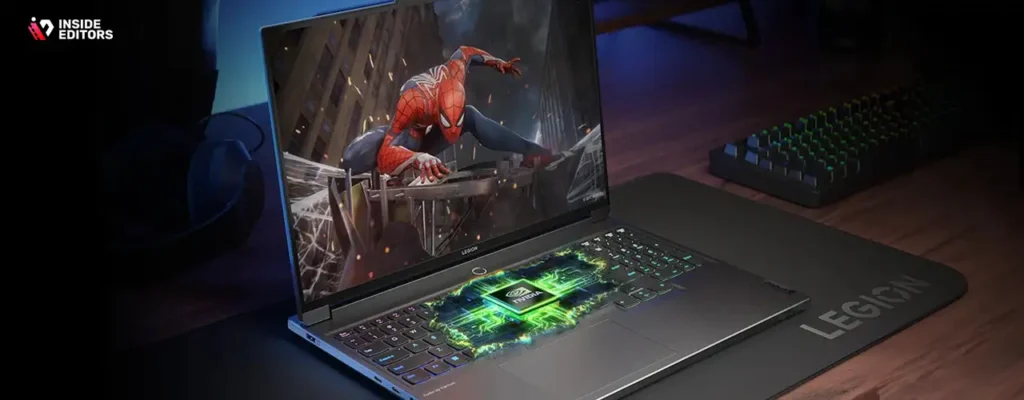
If the Blade 16 is the exotic supercar, the Lenovo Legion Pro 7i Gen 9 is the high-end performance sedan: powerful, practical, and surprisingly good value for what it delivers. Typical 2024/2025 configurations pair an Intel Core i9-14900HX with an RTX 4080 laptop GPU, 32GB DDR5 RAM, and a 16-inch 2560×1600 240 Hz IPS display.
For gaming, this setup absolutely rips through esports titles and modern AAA games at QHD+ resolutions, especially when paired with that fast 240 Hz panel. For editing, the i9 plus RTX 4080 combo sits in a sweet spot where 4K timelines, multicam edits, and heavy color correction feel fluid, not fragile. Long-term reviews also praise its cooling and sustained performance, which matters when you’re rendering a 30-minute video instead of just running a 15-minute benchmark.
The downsides? Like most performance laptops, the Legion Pro 7i isn’t light, and battery life under load is limited. But if you mostly work at a desk and want a system that handles both ranked matches and client edits without drama, it’s one of the best all-rounders available. Add a decent external monitor and you’ve basically got a hybrid gaming rig and editing workstation in one.
ASUS ROG Zephyrus G14 (2024) – Portable OLED beauty for creators on the move
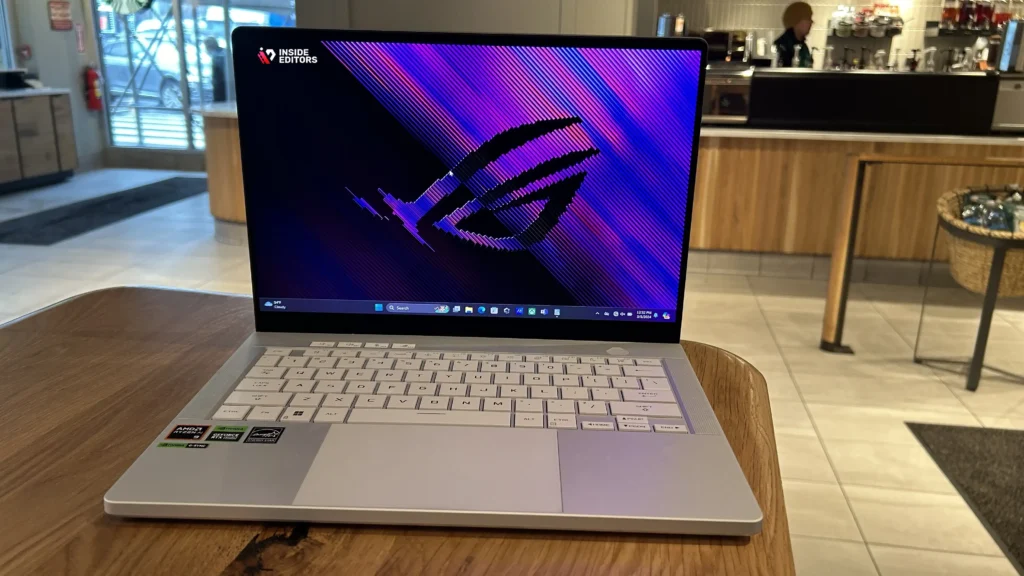
If you travel a lot, film vlogs, or just love working from cafés, the ASUS ROG Zephyrus G14 (2024) hits a very sweet spot. The latest version can be configured with an AMD Ryzen 9 8945HS CPU, an RTX 4070 laptop GPU, up to 32GB RAM, and a 14-inch 3K OLED 120 Hz “Nebula” display in a chassis that’s around 3.3 lbs (1.5 kg). @ROG+2Best Buy+2
That display is a huge deal for editing: 3K resolution, fast response, deep blacks, and strong HDR capabilities give you a much better feel for contrast and color than a typical mid-range IPS. It makes grading travel, adventure, or fashion content feel more precise and cinematic. Reviews do note that because the chassis is so thin, the RTX 4070 doesn’t always hit its absolute peak potential compared to thicker machines, but it’s still more than capable for both modern gaming and serious editing workloads.
If your content leans toward travel vlogs, outdoor adventures, or lifestyle content, you might combine a Zephyrus G14 with services like Inside Editors’ travel video editing or adventure video editing when you’re on the road and need polished edits delivered while you keep shooting.
HP Omen Transcend 14 – Compact OLED power for mid-range creators
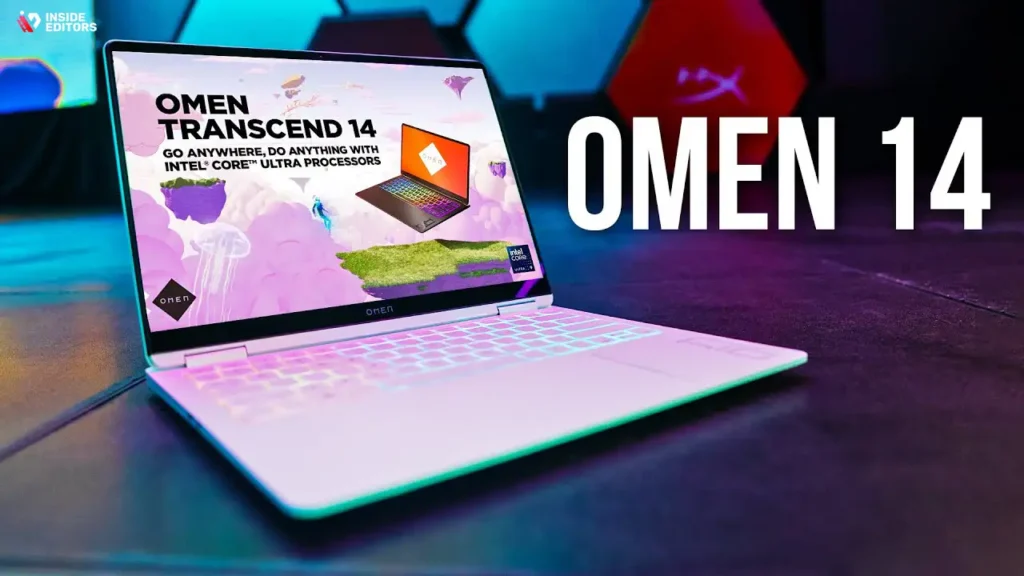
If you like the idea of the Zephyrus G14 but want a slightly different vibe, the HP Omen Transcend 14 is a fantastic alternative in the mid-range “portable + OLED + gaming” category. Current models offer Intel Core Ultra 7 or Ultra 9 CPUs, NVIDIA RTX 4050-4070 GPUs, up to 32GB RAM and 2TB SSD storage, plus a 14-inch 2.8K OLED 120 Hz display.
For gaming, that means smooth 1080p/1440p performance with rich contrast and vibrant colors. For editing, that OLED panel is the real star: 2.8K resolution, HDR support and deep blacks make it much easier to judge exposure and color than on a cheap IPS screen. Reviews consistently praise the Transcend 14’s display and portability, while calling it solid value for a stylish, creator-friendly gaming laptop.
There are a couple of trade-offs you should know. Thin-and-light designs often run their GPUs at lower wattages than big, chunky gaming machines, which slightly limits sustained performance. Battery life, especially while gaming or rendering, is also just “okay,” not outstanding.But if you want a gaming video editing laptop that looks professional in meetings, travels easily, and still edits 4K footage without a meltdown, the Omen Transcend 14 is a very compelling pick.
Acer Nitro 16 – Budget-friendly way into gaming and editing
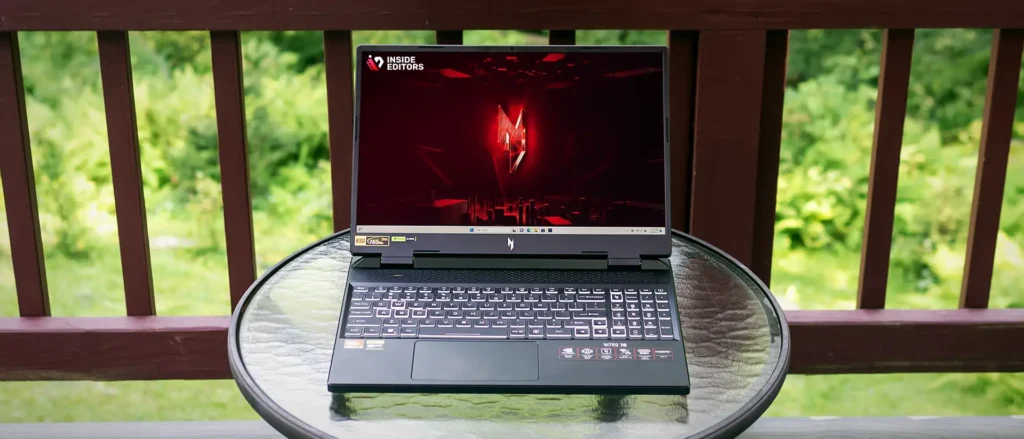
Not everyone wants to drop “flagship money” on their first editing rig. If you’re working with a tighter budget but still want a laptop that can game and handle real editing work, the Acer Nitro 16 is worth a serious look. Typical configurations pair an AMD Ryzen 7 7840HS or 8845HS with an RTX 4060 laptop GPU, 16GB DDR5 RAM, and a 16-inch 165 Hz IPS display at 1920×1200 or QHD+.
For the price, that’s a lot of machine. The RTX 4060 plus Ryzen 7 combo handles modern games at 1080p/1440p comfortably, and the fast screen makes everything feel responsive. For editing, you’ll want to upgrade RAM to 32GB and storage to at least 1TB if you can, but even the stock configuration can cut 1080p and lighter 4K projects in Premiere Pro or DaVinci Resolve without constant frustration. Creative-focused reviews describe it as a “capable though not exceptional” device – which is exactly what many creators actually need at this price.
Of course, there are compromises. Plastic build quality, average color accuracy on some display options, and weaker battery life are commonly mentioned cons.But if you’re upgrading from a non-gaming laptop or an older machine, the Nitro 16 will feel like a rocket ship in both games and timelines – and it’s one of the most affordable ways to get a gaming video editing laptop that can genuinely pull double duty.
Common Mistakes When Choosing a Gaming Video Editing Laptop

Focusing only on FPS and ignoring creator workloads
A very common mistake is buying purely on gaming benchmarks and ignoring how the laptop behaves in Premiere Pro, DaVinci Resolve, or your editor of choice. A system might pump out high FPS in Cyberpunk because the GPU is strong, but struggle in editing if it has limited RAM, a weaker CPU, or a small SSD that fills up within weeks. Adobe’s documentation and independent testing both show that video editing performance relies heavily on CPU threads, RAM, and storage speed, not just GPU muscle.
So when you compare laptops, don’t just ask “How many FPS in Valorant?” Ask: How smoothly will this scrub a 4K 60fps timeline with basic color correction and some text overlays? That mindset shift alone can save you from buying a laptop that looks great on paper but feels sluggish in your editor.
Underestimating RAM, storage, and future proofing
Another big trap is assuming 16GB RAM and a 512GB SSD is “plenty.” For light editing, that’s usable. But once you’re stacking multiple 4K clips, using motion graphics, or running Chrome, Discord, OBS, and your editor together, 16GB can become a hard ceiling very quickly. Hardware recommendations for creative tools increasingly treat 32GB of RAM as the sweet spot for 4K workflows, with 1TB or more SSD recommended for active projects.
If you’re on a budget, it’s often smarter to buy a slightly lower-tier GPU (say, RTX 4060 instead of 4070) and invest the difference into more RAM and storage. In real life, that often feels faster and more stable than a “GPU heavy, everything else light” configuration – especially when your main goal is to get videos edited, exported, and uploaded with minimal drama.
Ignoring display quality, ports, and upgradability
The last set of mistakes is more subtle, but just as important. For editing, a good display (color coverage, brightness, resolution) is not a luxury. Laptops like the Zephyrus G14 and Omen Transcend 14 stand out because their OLED panels offer better color and contrast, which matters if you’re delivering professional content or brand work.
Ports also matter. A single USB-C and one USB-A feels fine on day one, but once you plug in an external SSD, a capture card, and a mouse, you’ll wish you had more. Finally, check whether RAM and SSD are upgradable. Being able to add another 16GB stick or drop in a larger NVMe drive later can extend the life of your gaming video editing laptop by years. Before you click “buy,” it’s worth skimming the spec sheet or a detailed review – or even reading official pages like Adobe’s recommended system requirements for Premiere Pro to sanity-check your choice.
When a Professional Editor Is the Real Upgrade (Not Just the Laptop)
Turning good footage into great stories
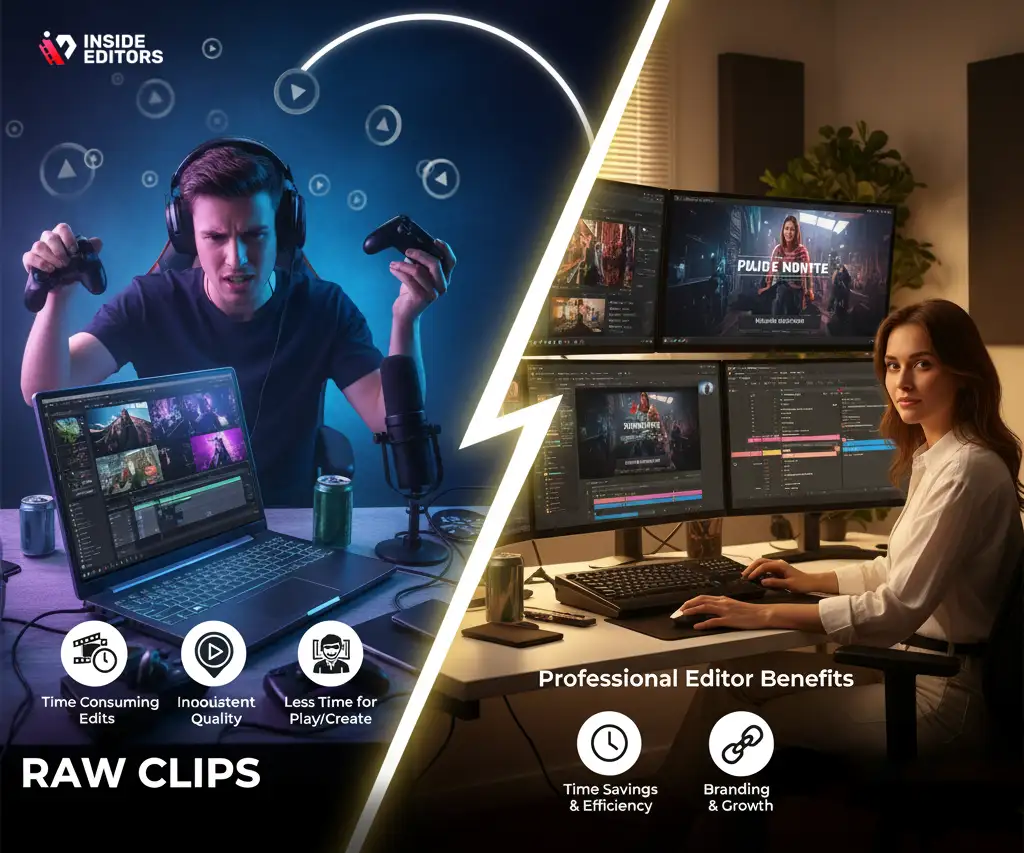
Here’s the honest truth: even with an amazing gaming laptop, storytelling and structure are what make your videos memorable. You can have buttery 4K 120fps footage, but if the pacing drags or the message isn’t clear, your audience will quietly click away. That’s where professional editors can be a secret weapon.
Teams like Inside Editors specialize in turning raw clips into polished narratives – whether that’s highlight reels, comparison videos, product showcases, or reaction content. Instead of burning your weekend tweaking cuts and transitions, you can focus on gameplay, scripting, or recording voiceovers while an experienced editor handles the polish. If you create a lot of reactions or breakdowns, you might find our reaction video editing services particularly useful for keeping pacing tight and engagement high.
Saving time so you can create (or play) more
Another underrated benefit of handing off some of your editing is time. A complex 20-minute gaming montage can easily eat 10-20 hours of editing, depending on your standards. A professional editor with a dedicated workflow can often handle that much more efficiently, especially if they’re working on a powerful desktop setup with calibrated displays.
That doesn’t mean you stop editing altogether. Many creators keep control of rough cuts, then bring in a service like Inside Editors’ comparison video editing or business video editing when a project needs that extra level of polish. Think of it as having a co-pilot: your gaming video editing laptop gets you most of the way there, and a professional editor helps you land the plane smoothly.
Consistency, branding, and long-term growth
As your channel or brand grows, consistency becomes just as important as raw quality. Viewers start to expect a certain style of intro, lower thirds, transitions, color palette, and pacing. Building and maintaining that style manually on every single project can be exhausting – especially if you’re still doing everything on a laptop between matches or work shifts.
A professional editing partner can help you lock in templates, motion graphics, and branding elements so every upload feels on-brand without starting from scratch. Services like Inside Editors’ gaming video editing are designed specifically for creators who want their content to look “channel-ready” every time, without having to obsess over keyframes at 2 a.m.
Final Thoughts: Choosing the Laptop That Fits Your Story
By now, you’ve seen that there isn’t a single “best” gaming video editing laptop – there’s the one that best fits your reality.
If you want all-out power and don’t mind paying for it, the Razer Blade 16 is a portable monster that laughs at 4K timelines. If you want serious performance without going full ultra-luxury, the Lenovo Legion Pro 7i offers a fantastic balance of gaming and editing muscle. For creators who travel or work in tight spaces, the ASUS ROG Zephyrus G14 and HP Omen Transcend 14 bring gorgeous OLED displays and strong performance into surprisingly compact bodies. And if you’re building your first real setup on a budget, the Acer Nitro 16 is a smart, upgrade-friendly way to start editing and gaming on the same machine.
The key is to match your choice to your workflow: resolution, project length, how often you publish, and how much time you actually want to spend editing. Once you understand your needs, the specs on the page start to make sense instead of feeling like alphabet soup.
And remember: the laptop is just one part of the puzzle. Great content comes from a mix of good tools, clear storytelling, and consistent execution. If you ever feel like your ideas are bigger than your editing time, that’s exactly when a professional team can help. If you’re ready to take your gaming videos from “pretty good” to “wow, I’d watch that again,” you can explore Inside Editors’ gaming video editing services and let us help bring your footage to life – smoothly, affordably, and with the same care you put into every match.
FAQs : About Gaming Video Editing Laptops & Services
Are gaming laptops good for video editing or do I need a workstation?
Modern gaming laptops are powerful enough for serious editing, as long as they have a strong CPU, a recent RTX-class GPU, at least 16-32GB of RAM, and a fast NVMe SSD. A desktop workstation still offers better cooling and upgrade options, but it isn’t mandatory. If you travel, stream, or game on the go, a well-specced gaming video editing laptop is often the most flexible choice.
How do I know if I can trust a remote video editing service with my gameplay footage?
Look for clear policies on data security, non-disclosure, and how long files are stored after delivery. A trustworthy editor or studio will explain their workflow, show real client examples, and be transparent about who can access your footage. Reviews, case studies, and direct communication (email or call) are usually better trust signals than just a polished website.
Who owns the final edited gaming videos and project files?
Most professional services state in their contract that you retain full ownership of the raw footage and final exports once the invoice is paid. Some keep project files (like Premiere or Resolve timelines) as internal assets, while others can deliver them as an optional add-on. If project files matter to you, ask upfront so your usage rights and future editing plans are completely clear.
What happens if I’m not happy with the first edit – do you offer revisions?
Reputable editors normally include at least one or two rounds of revisions in the base package, focused on timing, text, music, or small structural changes. Larger changes, such as adding new clips or completely reworking the concept, may be billed as extra. The key is to share clear notes or timestamps so revisions are fast, focused, and aligned with your vision.
Is my gameplay footage and voice chat audio kept private and secure?
A good editing service will only store your footage on secured drives or cloud platforms with restricted access, and will delete or archive it after an agreed period. They should be comfortable signing an NDA, especially if you work with unreleased games, sponsorships, or client materials. If privacy is critical, ask exactly where files are stored and how backups and deletions are handled.
Should I edit my gaming videos myself or hire a professional editor?
Editing your own content is cheaper and gives you full control, but it can easily consume 10-20 hours per video once you add cutting, color grading, captions, and thumbnails. A professional editor brings speed, consistency, and storytelling experience, which usually leads to higher watch time and better branding. Many creators use a hybrid approach: rough-cut themselves, then send the project to a pro for polishing and pacing.
How much does professional gaming video editing usually cost?
Pricing varies widely based on length, complexity, and deliverables, but many editors charge somewhere between $80-$300 for a polished 10-20 minute gaming video. Simple highlight cuts with minimal effects sit at the lower end, while videos with motion graphics, heavy sound design, or multiple revisions cost more. Always check what’s included–things like thumbnails, subtitles, or shorts repurposing are often quoted separately.
How long does it take to edit a gaming video, and are rush options available?
A typical 10-20 minute video with clean footage and clear instructions can take 2-5 business days, depending on the editor’s queue and complexity. Bigger projects, like full comparison videos or multi-cam recordings, may need a week or more. Many services offer rush delivery for an extra fee, but fast turnarounds still depend on footage quality, required effects, and how quickly you approve drafts.
What specs should I look for in a gaming video editing laptop?
For a balanced gaming video editing laptop, aim for a recent Intel Core i7/i9 or AMD Ryzen 7/9 CPU, an NVIDIA RTX 4060 or better GPU, at least 16GB (ideally 32GB) of RAM, and 1TB of NVMe SSD storage. A 15-16″ 1440p or 3K display with good color coverage makes grading much easier than a basic 1080p panel. If you regularly edit 4K gameplay, prioritize extra RAM and a higher-tier GPU over purely cosmetic features.


