

Finding the best laptop for gaming, video editing, and coding can feel overwhelming, especially when each task demands a different kind of performance. Gamers want high frame rates and smooth graphics. Video editors need strong CPUs, fast SSDs, and accurate displays. Coders look for stability, long battery life, and the ability to run multiple tools or virtual machines without lag. If you’ve ever wondered whether a single machine can do all three well, you’re not alone – and the good news is yes, it absolutely can. Today’s high-performance laptops have become powerful all-rounders, giving creators, gamers, and developers the flexibility they need in one device.
Before we dive into the top models, it helps to understand what actually matters when choosing a laptop that fits all three workloads. Gaming stresses the GPU, video editing hits both the CPU and storage, while coding focuses on multi-tasking efficiency and sustained performance. When these needs overlap, the result is a laptop built for real versatility – something many users overlook when shopping based on only one requirement. By understanding these layers, you’ll be able to choose confidently and find a laptop that supports your creative work, daily coding, and weekend gaming without compromise.
Why Hybrid Users Need a Different Kind of Laptop

Balancing GPU Power With CPU Efficiency
Most people compare laptops purely on GPU strength or RAM numbers, but a hybrid user – someone who games, edits, and codes – needs far more balance. Gaming benefits from powerful GPUs like NVIDIA RTX or Apple’s M-series graphics engines. Video editors, however, depend on CPU cores for rendering, color grading, and timeline scrubbing. Coders need stability and sustained performance for compiling code, running Docker, or working with AI tools. When you put these three needs together, any laptop with one strong component and one weak link quickly becomes a bottleneck.
A strong example is choosing between an RTX 4050 and RTX 4060 laptop. The GPU is great for gaming, but if it’s paired with a low-power CPU, your video editing performance suffers – especially in programs like Premiere Pro or DaVinci Resolve. This is where well-balanced systems like the ASUS ROG Zephyrus or the Apple MacBook Pro shine, because they deliver consistent performance across graphics, processing power, and thermals. By understanding this, your decision becomes less about chasing the “most powerful” laptop and more about choosing the “most reliable under pressure.”
Why Thermals Matter More Than Specs
Another important factor hybrid users often overlook is thermals. A powerful GPU or CPU will only perform well if the laptop can keep temperatures under control. Gamers experience it during long sessions, editors feel it during rendering, and coders notice it when compiling large projects and running emulators. Poor cooling leads to throttling, and throttling leads to slowdowns – no matter how impressive the specs look on paper.
Laptops like the Legion Pro, Razer Blade, and MacBook Pro stand out because of their thermal performance. They maintain consistent speed throughout your workflow, which means you get predictable results whether you’re rendering a 4K timeline or playing a AAA game. Once you understand this connection, choosing the right model becomes easier because you’re looking beyond the spec sheet and evaluating real-world reliability.
How Coding Workloads Shape Your Laptop Choice
Coding seems simple compared to gaming and video editing, but it actually demands more than people think. Developers frequently run web servers, browser stacks, APIs, and virtual machines all at once. If you’re learning AI or machine learning, then CUDA cores, unified memory, and GPU acceleration matter. Even front-end developers benefit from fast SSDs and responsive displays.
This is why a hybrid machine must handle coding as smoothly as gaming or editing. A laptop that struggles with multi-tasking or sustained performance might still be good for gaming, but it won’t meet the needs of someone jumping between tasks all day. Understanding this helps guide your decision toward systems that are purpose-built for versatility.
Top 5 Laptops That Excel at Gaming, Editing, and Coding

1. Apple MacBook Pro 16 (M3 Pro / M3 Max)
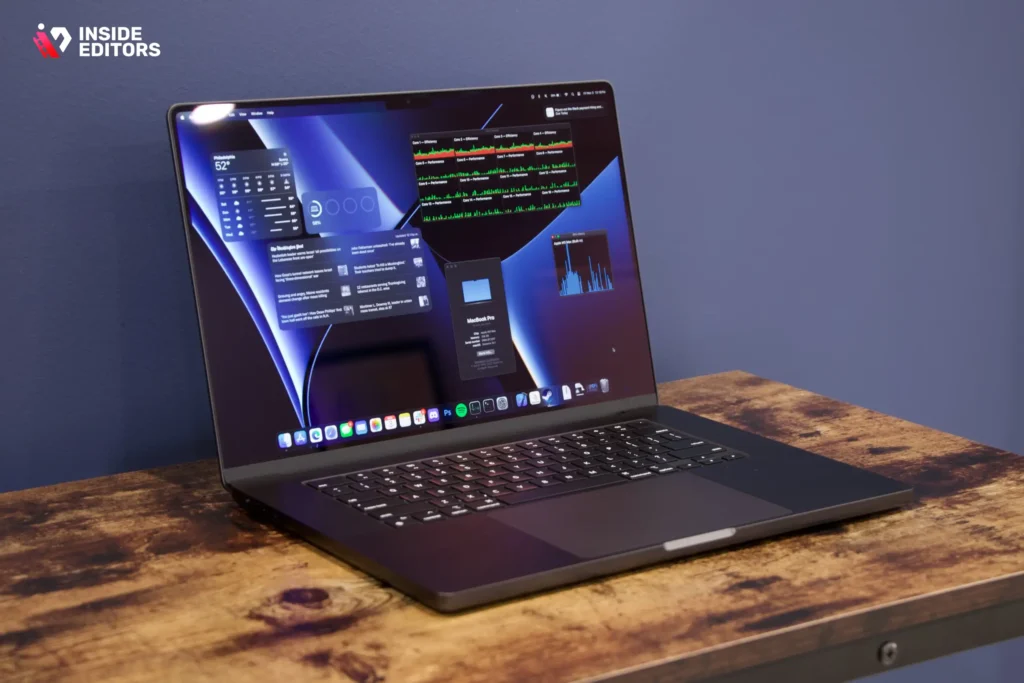
If you’re looking for the most well-rounded machine for creators and developers, the MacBook Pro 16 remains the gold standard. Its M-series chips excel in video editing thanks to unmatched optimization in Final Cut Pro and fast exports in Adobe Premiere. The high-brightness mini-LED display also makes color work exceptionally accurate, something editors truly appreciate when refining footage. For coding, the MacBook Pro’s unified memory system, battery life, and stability make it a joy for long projects, especially for developers working with Swift, React, or cloud tools.
In gaming, the MacBook Pro isn’t traditionally the first choice, but Apple has made surprisingly big improvements. With the newer Game Porting Toolkit and better GPU optimization, users can now play many AAA titles smoothly at medium-to-high settings. While it may not outperform a dedicated RTX laptop in raw gaming power, it delivers a balanced, highly polished experience across editing, coding, and casual gaming – making it ideal for creatives who prioritize workflow over pure FPS.
One detail many users underestimate is the MacBook Pro’s thermal system. It maintains consistent performance even during long rendering sessions, something that cheaper Windows machines often struggle with. If you’re someone who edits 4K or 6K footage, works on multiple coding projects, and plays games occasionally, this system offers one of the most stable experiences available.
2. ASUS ROG Zephyrus G16 (RTX 4060 / 4070)
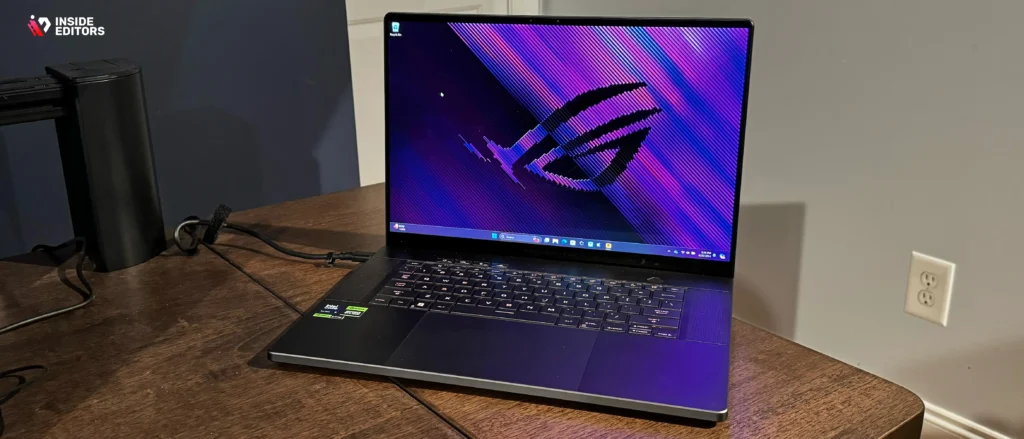
The Zephyrus G16 is a favorite among hybrid users because it blends gaming performance, editing power, and portability in a way few laptops manage. With NVIDIA’s RTX 40-series GPUs, the Zephyrus handles gaming beautifully – delivering smooth frame rates and ray-tracing support for modern titles. For video editing, the combination of a powerful CPU, strong GPU, and fast DDR5 RAM makes timeline performance incredibly smooth. NVIDIA Studio drivers also give creators extra stability, which is a major advantage when working with color grading or rendering tasks.
For coding, this laptop is especially appealing because of its lightweight design and long battery life compared to other gaming laptops. Many developers prefer it over bulkier models like the Strix Scar or MSI Raider because it’s easier to carry and quieter during everyday tasks. The vibrant color-accurate display also makes a noticeable difference for editors who need reliable visuals.
One thing users often appreciate is the balance between power and portability. It’s strong enough for 4K editing and high-FPS gaming, yet slim enough to use in classrooms, offices, or coffee shops. If you want a Windows machine that doesn’t feel like a tank but still performs like a powerhouse, the Zephyrus G16 is a near-perfect fit.
3. Lenovo Legion Pro 7i (RTX 4080 / 4090)
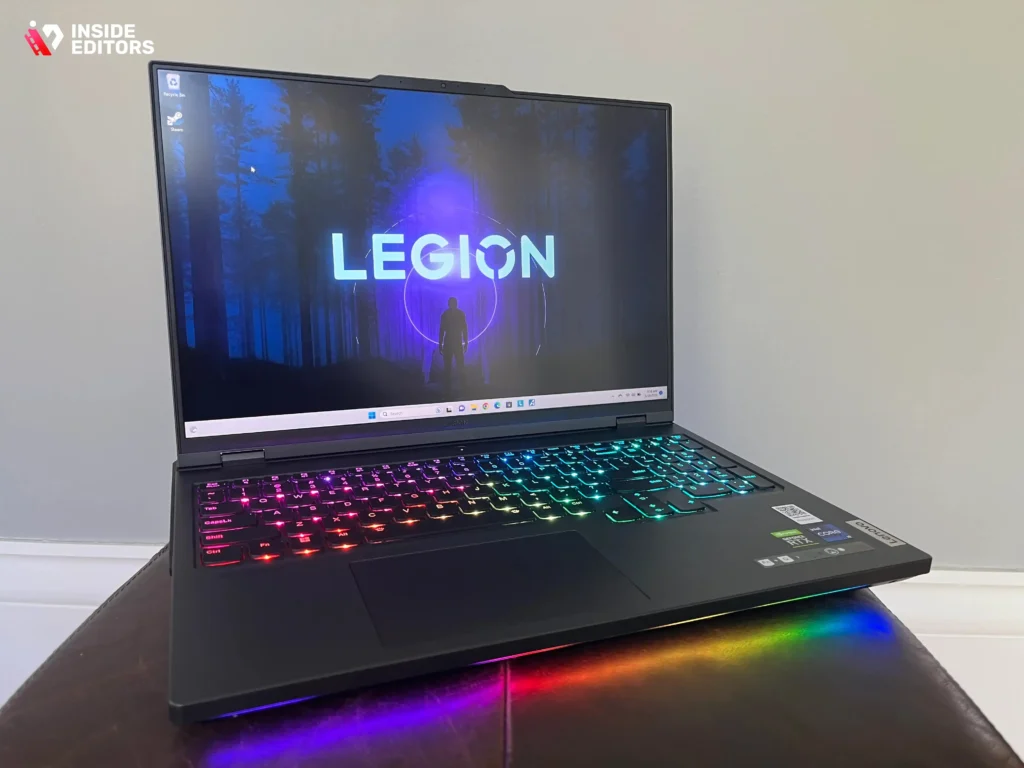
If raw performance is your priority, the Lenovo Legion Pro 7i is one of the most powerful Windows laptops available today. It is built for users who want to push graphics to the limit in AAA gaming, while also having enough CPU horsepower to handle multi-layer video editing timelines and intense coding workloads. This laptop’s cooling system is one of the best in its class, which means it maintains higher sustained performance than many competitors. For hybrid users who hate thermal throttling, the Legion Pro 7i often comes out as the most reliable machine under pressure.
In gaming, the Legion Pro 7i delivers exceptional frame rates thanks to its high-wattage RTX 4080 or 4090 GPU. Titles like Cyberpunk 2077, Red Dead Redemption 2, and Elden Ring run smoothly even at higher resolutions. For video editors, the machine’s strong CPU/GPU combination, paired with high-speed DDR5 RAM and fast PCIe Gen4 storage, makes 4K and RAW footage much easier to manage. It’s also NVIDIA Studio certified, giving editors extra stability in Adobe Premiere Pro, DaVinci Resolve, and Blender.
What makes the Legion Pro 7i especially appealing to coders is its ability to run multiple virtual machines, backend servers, and containerized workflows without breaking a sweat. Developers who work with AI or machine learning frameworks benefit from the GPU acceleration as well. If you’re a power user who wants speed above all else, this machine is built to handle anything you throw at it – day after day, hour after hour.
4. Dell XPS 15 (Intel / RTX 4050 / RTX 4060)
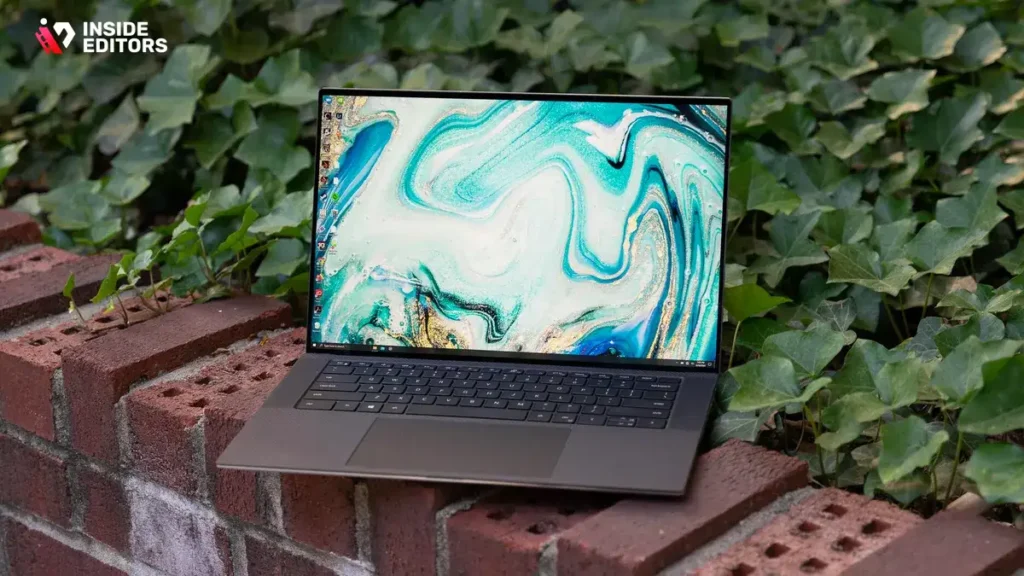
The Dell XPS 15 is often overlooked in gaming lists, but for hybrid users who need reliable performance, premium build quality, and a color-accurate display, it’s one of the smartest choices available. While it’s not a dedicated gaming laptop, the XPS 15 performs surprisingly well thanks to its RTX 4050 or 4060 GPU options. The sleek design makes it feel more like a professional workstation than a heavy gaming machine, which is why many editors and coders prefer it for everyday use.
For video editing, the XPS 15’s OLED display is a game-changer. Editors who care about color accuracy immediately notice how helpful it becomes during color grading and precision work. The combination of a strong Intel processor and dedicated GPU also makes it capable of handling 4K footage easily, especially in Adobe Premiere and DaVinci Resolve. This makes it a strong choice for YouTubers, content creators, and students who want a device that feels both premium and practical.
When it comes to coding, the XPS 15 shines in its balanced performance and battery life. It handles web development, software engineering, and cloud workflows without lag, and its keyboard is one of the most comfortable for long coding sessions. Developers who often travel or work remotely appreciate the lightweight, compact build because it’s easier to carry compared to traditional gaming laptops. While it may not match the Legion Pro’s raw gaming power, the XPS 15 provides an excellent mix of performance, portability, and build quality – something many hybrid users value.
5. ASUS TUF A15 (Best Budget Option)
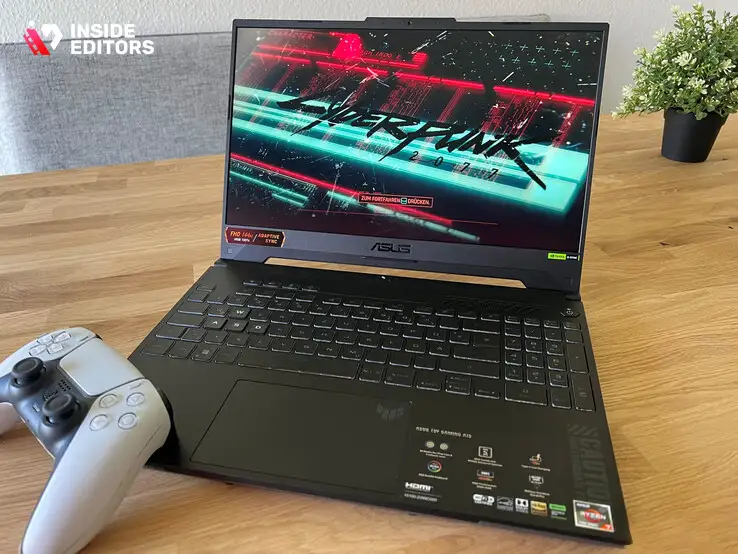
Not everyone needs a premium flagship laptop, and that’s where the ASUS TUF A15 becomes a standout choice. For users working with a tighter budget, this machine offers impressive performance without the premium price tag. Powered by AMD Ryzen processors and NVIDIA RTX 40-series GPUs, the TUF A15 handles gaming, editing, and coding far better than most laptops in its price range. It’s built with durability in mind, making it a reliable companion for students, beginners, or rising creators.
In gaming, the TUF A15 delivers smooth performance at 1080p, and with the right settings, many modern games run at high frame rates. For video editing, the combination of fast RAM, strong CPUs, and an efficient GPU means you can comfortably work with Full HD and 4K footage. While it may not match the export speeds of more expensive laptops, it performs consistently enough for most editing tasks.
Coders also appreciate the TUF A15’s multitasking strength. It handles IDEs, emulators, and backend tools smoothly, making it ideal for both beginners and intermediate developers. The battery life isn’t as strong as the XPS 15 or MacBook Pro, but for the price, the performance-per-dollar value is outstanding. If you want the “best laptop for gaming video editing and coding” on a budget, this model deserves a top spot on your shortlist.
Comparison Table: The Top 5 at a Glance
Below is a quick comparison to help you evaluate which laptop fits your specific needs. This helps reinforce your decision-making process and gives you a clearer picture before diving into details.
| Laptop Model | Gaming Performance | Video Editing Strength | Coding Experience | Best For |
| MacBook Pro 16 (M3 Pro/Max) | Medium-High | Excellent | Excellent | Creators & developers |
| ASUS Zephyrus G16 | High | Excellent | Very Good | Balanced users |
| Lenovo Legion Pro 7i | Excellent | Excellent | Excellent | Power users |
| Dell XPS 15 | Medium-High | Very Good | Excellent | Professional creators |
| ASUS TUF A15 | Medium | Good | Good | Budget users |
This table gives you a quick snapshot of where each machine excels, but choosing the right laptop still depends on your personal workflow, budget, and long-term goals. Once you understand these priorities, it becomes easier to narrow down the list and pick the perfect machine.
How to Choose the Right Laptop for Gaming, Editing, and Coding

Understanding Your Primary Use Case
Even though all five laptops on this list are great all-rounders, your ideal choice depends on what you do most often. If your day is filled with video editing and occasional gaming, the MacBook Pro or Dell XPS 15 might be better. If you’re a gamer who edits on the side, the Legion Pro 7i or Zephyrus G16 will deliver faster frame rates. For students or budget-conscious users, the ASUS TUF A15 offers impressive value without sacrificing reliability.
Thinking about your main workload helps prevent overpaying for features you don’t actually need. It also ensures the laptop’s strengths align with your goals, whether that’s becoming a full-time creator, improving your gaming setup, or building your coding career.
Why Storage and RAM Matter More Than You Think
Many hybrid users underestimate the importance of fast SSDs and sufficient RAM. Video editing requires fast read/write speeds, gaming loads textures smoothly with higher bandwidth, and coding tools often open dozens of files and processes at once. The difference between 16GB and 32GB of RAM is huge when you’re running multiple workloads simultaneously, especially if you edit 4K footage or load heavy development environments.
Similarly, choosing a laptop with a Gen4 SSD ensures faster boot times, smoother project loading, and reduced waiting during export or compile operations. These small details add up and can save you hours of time throughout your workflow.
The Display Matters More for Creators
If you edit videos or spend hours coding, the display becomes one of the most important factors. Color accuracy affects how your final videos turn out, and eye comfort affects productivity during long coding sessions. OLED and mini-LED displays offer better brightness, contrast, and color accuracy, which is why models like the MacBook Pro and Dell XPS 15 stand out.
A great display isn’t just a luxury – it directly impacts the quality of your work and the comfort of your daily experience, especially if you spend hours in front of the screen.
Final Verdict: Which Laptop Should You Buy?

Choosing the best laptop for gaming video editing and coding ultimately comes down to your balance of needs. If you want world-class video editing performance and stable coding workflows, the MacBook Pro 16 remains unmatched. For a balanced Windows experience that handles everything well, the ASUS Zephyrus G16 is nearly perfect. If you demand raw power for gaming and rendering, the Legion Pro 7i is the top choice. The Dell XPS 15 is ideal for professional creators who want premium hardware without a gaming-heavy design, while the ASUS TUF A15 offers excellent performance on a budget.
What matters most is choosing a system that fits your daily workflow – not just the specs. By understanding your own needs and avoiding common mistakes, you’ll end up with a laptop that performs beautifully across gaming, editing, and coding without compromise.
If you’re ready to elevate your content even further, Inside Editors is here to help transform your raw footage into professional, polished videos that truly stand out.
Whenever you’re ready to optimize your workflow or enhance your videos, we’re here to support your creative journey.
FAQs
1. What makes a laptop good for gaming, video editing, and coding at the same time?
A strong hybrid laptop needs a balanced combination of CPU power, dedicated GPU performance, fast SSD storage, and at least 16-32GB of RAM. Gaming stresses the GPU, while video editing relies on CPU and storage speed, and coding requires multi-tasking stability. Choosing a well-cooled device ensures consistent performance across all three workflows. This balance is more important than chasing the highest benchmark number.
2. Is a MacBook Pro better than a Windows laptop for editing and coding?
A MacBook Pro delivers exceptional video editing performance thanks to its optimized M-series chips and color-accurate display. However, Windows laptops with RTX GPUs offer better gaming performance and broader software compatibility. The choice depends on whether your priority is editing and coding efficiency or high-FPS gaming. Both are great options for hybrid users, just optimized for different strengths.
3. Do I need a dedicated GPU for video editing and coding?
A dedicated GPU greatly improves playback smoothness, export speed, and effects rendering in programs like Premiere Pro or DaVinci Resolve. Coding doesn’t always require a GPU, but developers working with AI, machine learning, 3D engines, or GPU-accelerated tasks benefit from it. Integrated GPUs can work for beginners, but hybrid users get the most longevity from an RTX or M-series graphics setup. It’s usually worth the upgrade for long-term performance.
4. How much RAM and storage do I need for a hybrid laptop?
For gaming, video editing, and coding in one machine, 16GB is the minimum but 32GB is strongly recommended. Storage should be at least 1TB NVMe for 4K footage, large game files, and multiple development environments. Faster Gen4 SSDs noticeably reduce loading, rendering, and compile times. Choosing enough RAM and storage upfront avoids costly upgrades later.
5. Are gaming laptops good for video editing and coding too?
Modern gaming laptops perform well in editing and coding because they offer strong GPUs, high-core CPUs, and excellent thermal systems. The main trade-off is portability – gaming machines are often heavier and louder than creator laptops. If you prioritize raw power and high FPS, they’re a great fit; but if you travel often, a thinner creator laptop may suit you better. Both can handle hybrid workloads effectively.
6. How long do these laptops usually last?
A well-built hybrid laptop typically lasts 4-6 years with proper care, depending on how demanding your workload is. Video editing and modern games push hardware harder than coding, so selecting stronger specs helps extend its usable life. Good cooling also plays a major role in longevity. Investing in balanced, high-quality components ensures smoother performance over time.
7. What is the average price of a laptop good for gaming, video editing, and coding?
Prices usually range from $1,000 to $3,000 depending on GPU tier, CPU generation, RAM, and display quality. Budget models like the ASUS TUF A15 start near the $1,000 mark, while premium choices like the MacBook Pro or Legion Pro 7i can exceed $2,500. Higher pricing often includes better thermals, faster SSDs, and color-accurate screens. The best value comes from matching your needs-not overspending on unused features.
8. How long is the turnaround time for video editing if I outsource it?
Most professional editors deliver projects within 48-72 hours, depending on complexity and footage length. Rush delivery options can speed this up to 12-24 hours for an additional fee. Larger projects with multiple revisions or advanced color grading may take longer. Clear instructions and organized footage help reduce turnaround times significantly.


