

If you’ve ever tried editing a gaming video only to end up frustrated by slow rendering, limited features, or giant watermarks, you’re not alone. Choosing the right editor can feel overwhelming-especially when you want something powerful yet completely free. That’s exactly why this guide exists. In this Inside Editors 2025 breakdown, we’ll walk through what makes an editor truly “the best,” how different tools compare, and how to decide which free gaming video editing software fits your workflow. Along the way, you’ll learn practical tips, common mistakes to avoid, and expert insights from creators who edit gaming content every day.
Before diving into tools, it’s important to understand what separates average software from the best gaming video editing software free. This isn’t just about fancy effects. It’s about speed, usability, export quality, and the flexibility you need to turn raw gameplay into compelling stories. As we explore each section, think about your own workflow-your hardware, the games you play, and how much control you want over the final cut. Once you understand these factors, choosing the right editor becomes far easier.
Why Choosing the Right Video Editor Shapes Your Entire Gaming Workflow
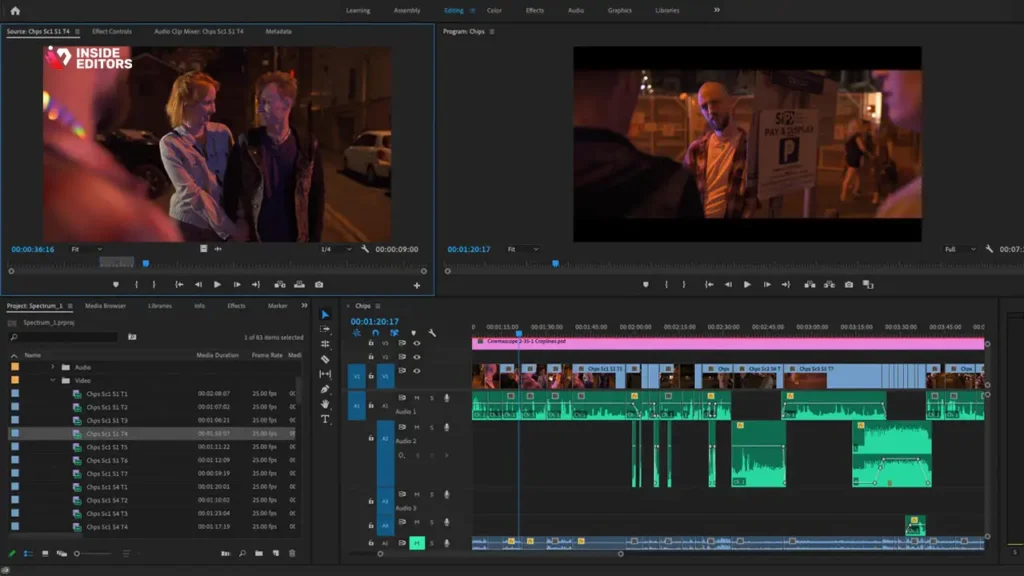
The first thing most beginners do is download whatever free editor pops up in search results. But the difference between a basic tool and a well-optimized editor can be dramatic-saving you hours of frustration and unlocking a level of quality you didn’t realize was possible. When you pick the right tool from the beginning, you start editing with clarity instead of confusion, and this sets you up for smoother progress as your projects grow.
How Editing Tools Influence Your Game’s Visual Storytelling
Great gameplay doesn’t automatically become a great video. A good editor helps you shape the experience-trimming dead space, adding punchy cuts, balancing audio, or weaving in transitions that highlight momentum. Think about a high-intensity match in Apex Legends, for example. What looks chaotic in raw footage can become a tight, adrenaline-filled montage when edited properly. Without tools that support keyframing, audio-sync, or color correction, you lose that edge. This is why a capable editor matters: it essentially becomes your storytelling partner.
Why Speed and Stability Matter More Than Fancy Effects
Most free editors feel slow the moment you add multiple layers or high-resolution clips. If your software struggles to preview footage smoothly, you’ll constantly fight freezes and delays. Even worse, long rendering times can drain your motivation. That’s why stability matters more than flashy filters. A fast, reliable editor keeps you in the creative zone, helping you finish projects without unnecessary friction. Professional editors-even those at Inside Editors-prioritize responsiveness and workflow speed long before exploring stylistic add-ons.
How the Right Editor Helps You Grow Across Platforms
You might start editing for YouTube, but soon you’ll want to create short-form content for TikTok, Instagram, or Shorts. Good editors make it easy to switch between aspect ratios, export settings, or templates. Free tools that support multi-format exporting give you the flexibility to expand without switching software later. This adaptability is something creators value, especially when building a consistent style across platforms.
Once you understand the importance of the right software, the next logical step is deciding which features truly matter when comparing editors.
The Key Editing Features That Make Your Gaming Videos Stand Out
Before choosing your software, it’s helpful to understand what separates beginner-friendly editors from those capable of delivering professional results. Free or not, you want tools that empower your creativity-not limit it. Exploring these features will help you spot the strengths and weaknesses of each option.
Essential Tools Every Gaming Editor Should Have
At its core, great editing revolves around control. You need the ability to trim clips precisely, adjust timing, synchronize audio, and drop in transitions that feel purposeful rather than gimmicky. Without these foundations, advanced tools become meaningless. For example, if you’re editing long recordings from games like Elden Ring or Destiny 2, timeline control is everything. Clean, intuitive trimming allows you to shape lengthy gameplay into focused segments your audience actually wants to watch.
Advanced Effects That Add Professional Polish-Even in Free Software
Some free editors surprise beginners with powerful features like keyframing, motion blur, chroma key, and speed ramping. When used thoughtfully, these effects elevate your storytelling rather than distract from it. Imagine slowing down a critical Valorant kill, adding motion blur, and syncing the moment to music. These touches make your videos more engaging and signal a level of craftsmanship viewers appreciate. The best gaming video editing software free doesn’t just offer basic tools; it opens the door to creative expression usually seen in professional suites.
Export Quality and Rendering Speed-The Hidden Difference Makers
You can have the best edits in the world, but if your export looks blurry or compressed, the impact disappears. Export settings matter-bitrate, FPS consistency, and resolution all determine how clean your final video looks. Free editors that allow manual control offer a major advantage. Smooth 1080p60 or 4K exports make your gameplay shine and help your content compete with higher-production creators. Think of it this way: viewers expect crisp visuals, especially for fast-paced games like Fortnite or Rocket League. The right export options ensure your content meets that expectation.
With these essentials covered, the next stage is understanding how popular free editors compare-something many readers want before making a final decision.
Comparing the Top Free Gaming Video Editors in 2025
Choosing a free editor isn’t just about features. You also need to consider your hardware, editing style, and long-term goals. A lightweight editor might be perfect for casual creators, while more ambitious editors may prefer a software with deeper controls. Comparing tools side by side helps you visualize which one fits your workflow best.
How CapCut, DaVinci Resolve, VN, and HitFilm Stack Up
Each editor has its strengths. CapCut is incredibly user-friendly, making it ideal for fast edits and social media formats. DaVinci Resolve is the powerhouse-perfect for creators with strong hardware and a desire for advanced control. VN sits comfortably in the middle, offering polished editing tools without overwhelming beginners. HitFilm provides strong effects and motion graphics tools, especially useful for montage creators. These differences matter because your choice should align with the kind of content you enjoy making.
Where These Editors Offer Clear Advantages Over Paid Tools
Many free tools today rival paid editors in quality. For example, DaVinci Resolve’s color grading suite is used in Hollywood, and CapCut’s AI-driven features outperform some subscription-only apps. VN’s templates help beginners achieve polished results quickly, which is invaluable when you want to post consistently. What these editors offer is accessibility: professional-level features without a financial barrier. This empowers new creators to experiment, learn, and grow without sacrificing quality.
When Free Software Isn’t Enough-And What to Do Next
At some point, creators often outgrow free editors, especially when handling complex projects, large files, or professional collaborations. When that time comes, it’s worth considering premium tools-or even outsourcing to experienced editors. This is where services like Inside Editors can help. Whether you’re producing gaming montages, reaction videos, or branded content, professionals streamline the process and ensure your videos look exceptional. More importantly, they save you time-a priceless advantage when your focus is creating more content.
How to Choose the Best Free Editor Based on Your Hardware and Goals
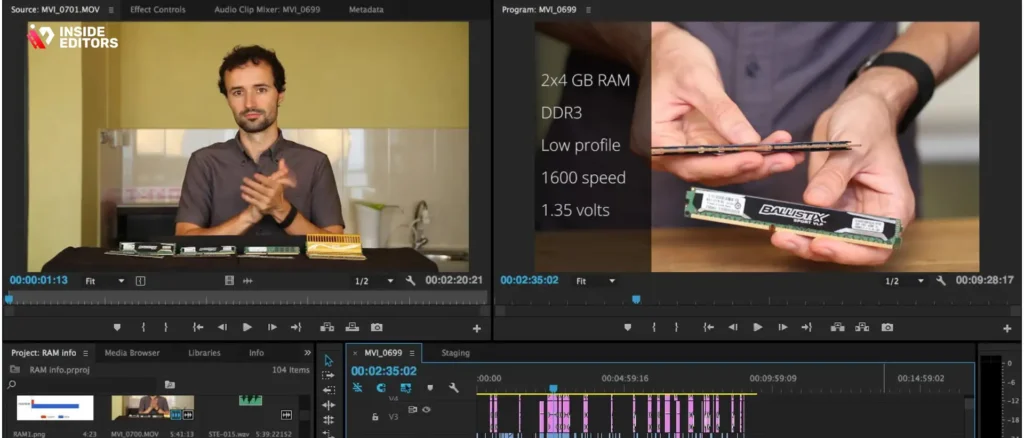
Even the most feature-rich software will feel frustrating if it doesn’t match your system’s capabilities. That’s why choosing the right editor isn’t just about what the software can do-it’s about what your computer can handle. When your tools align with your hardware, editing becomes smoother and far more enjoyable. This is one of the biggest differences between casual creators and editors who actually stick with the craft long-term.
Which Editors Run Best on Low-End and Mid-Range Devices
If you’re working with older hardware, a lightweight editor can make the editing process much smoother. Tools like CapCut and VN are surprisingly efficient because they’re designed to run seamlessly on devices with modest processing power. Their interfaces are clean, their effects run without demanding a GPU, and their exports finish quickly. This speed encourages creativity; you’re able to experiment without waiting on constant buffering or freezes. Many beginners appreciate this flexibility, especially when editing long gameplay recordings from titles like Minecraft or Roblox.
On the other hand, if your device is mid-range and can handle a bit more stress, software like HitFilm Express becomes a viable option. It offers more advanced effects than mobile-oriented apps while remaining accessible to users who may not be ready for premium tools. This middle ground is ideal for creators who want to elevate their videos without investing in heavy hardware upgrades.
When High-End PCs Unlock More Professional Tools
If you’re one of the lucky creators with a strong CPU, plenty of RAM, and a dedicated graphics card, DaVinci Resolve becomes a top contender. Its advanced color grading, motion graphics, and audio tools give you the power to craft polished, cinematic content. For creators working on competitive gameplay, skill montages, or cinematic edits, this level of detail makes a noticeable difference. The ability to fine-tune lighting, contrast, and visual effects can elevate an everyday clip into a memorable moment.
Once you understand how your hardware affects your editing choices, the next step is learning how to use these tools effectively. Even with the best software, beginners often fall into a few common traps.
Common Editing Mistakes Gamers Make-and How to Avoid Them
Every creator has experienced moments where a video didn’t turn out quite how they imagined. Maybe the pacing felt off, the audio sounded unbalanced, or the visuals looked flat. These issues aren’t signs of failure; they’re simply part of the learning process. Knowing what to watch out for can help you improve much faster-and create gaming videos that look far more professional.
Overusing Effects That Distract from the Gameplay
Many beginners fall in love with flashy transitions or layered filters. While these tools can be fun, using too many can overwhelm viewers and pull attention away from your gameplay. A smooth crossfade or subtle zoom effect often works better than a complex animation. When editing games with rapid action, such as Valorant or Fortnite, clean transitions help keep the pacing consistent. The rule of thumb is simple: effects should enhance the story, not become the story.
Ignoring the Importance of Clean, Balanced Audio
A video’s visual quality matters, but audio determines whether viewers stay. Loud background music, uneven commentary volume, or unclear in-game sound can make even the best gameplay hard to follow. Most free editors include tools for audio leveling, noise reduction, and EQ adjustments. Using these features helps maintain clarity and professionalism. If you’ve ever watched a YouTuber whose voice suddenly spikes in volume, you know how disruptive audio inconsistencies can be.
Not Structuring Videos for Viewer Attention and Engagement
Modern viewers have short attention spans. Start with a strong moment from your gameplay-like a clutch win, unexpected twist, or funny interaction. Then pace out your clips to maintain variety. Sudden cuts, small pauses, and tension-building edits help keep viewers engaged. This technique is particularly effective for long games with slower moments such as RPGs or story-driven titles. A well-structured edit turns casual viewers into subscribers who want more.
Once you understand these common mistakes, you’re ready to explore the specific strengths of the top free editors available today-helping you make a confident, informed choice.
A Side-by-Side Comparison of the Top Free Editors for Gamers
Below is a quick breakdown of how the most popular free editors compare across performance, features, and ease of use. This helps you visualize differences quickly and decide which tool aligns with your needs.
| Software | Best For | Performance | Key Strengths |
| CapCut | Fast edits & social media formats | Excellent on low/mid devices | Simple UI, strong AI tools, smooth exporting |
| DaVinci Resolve | High-end cinematic edits | Strong hardware recommended | Pro-level color grading & audio mixing |
| VN Editor | Beginners & mobile creators | Very smooth | Templates, transitions, clean UI |
| HitFilm Express | Effects-heavy montages | Moderate hardware | Great VFX tools and advanced effects |
This table gives you a bird’s-eye view, but your final choice should still depend on personal workflow, editing goals, and the type of content you want to create.
With comparisons in mind, let’s explore how these tools fit into the bigger picture-and when it might make sense to bring in professional support.
When Professional Editing Services Help You Level Up Faster
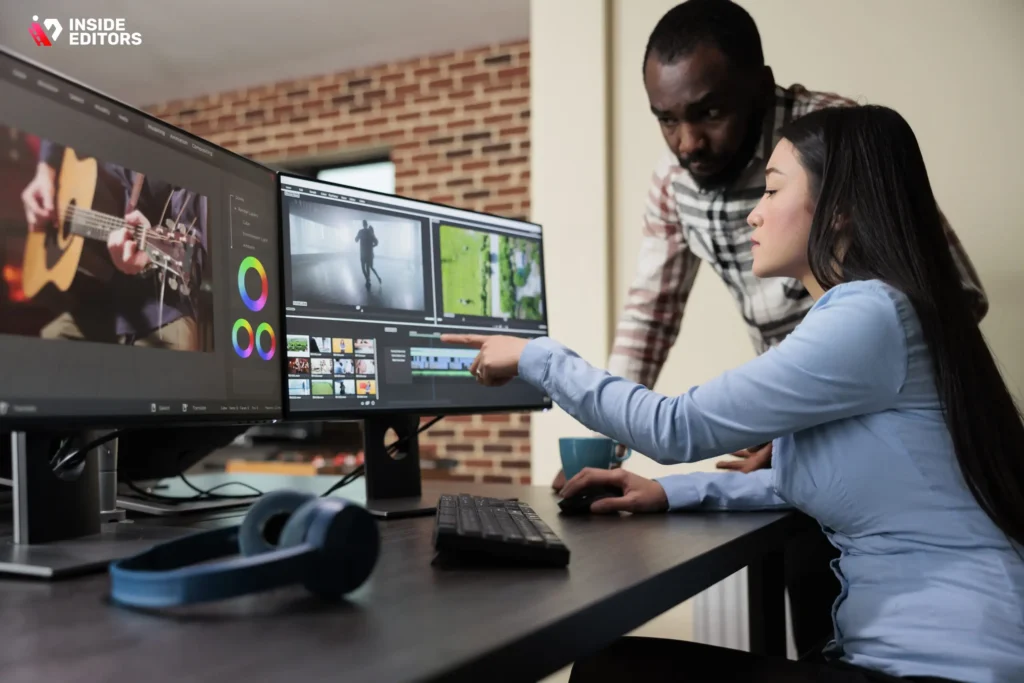
Free software can take you far, but there comes a moment when creators want more consistency, speed, or visual polish. That’s where professional editors step in. Working with experienced editors-like our team at Inside Editors-saves you time and guarantees a level of quality that’s hard to achieve on your own, especially when juggling gameplay, editing, and content planning.
Why Professional Editors Bring Your Gameplay to Life
Gaming videos aren’t just about clips-they’re about storytelling. Professional editors help shape your gameplay into a narrative your audience connects with. Whether it’s a high-energy montage, story-driven adventure, or long-form Let’s Play, editors understand pacing, rhythm, and visual flow. These details create videos that retain attention longer and feel more cinematic. Many creators also appreciate having a consistent editing style that strengthens their brand identity.
How Inside Editors Helps Content Creators Stay Ahead
Inside Editors specializes in editing everything from action-packed montages to reaction videos and gaming reviews. This experience means we know how to handle fast gameplay, long sessions, and multi-camera footage. More importantly, we know what keeps viewers engaged. As you grow your channel or gaming brand, having an expert team by your side can make all the difference.
If you’d like to explore options or outsource parts of your workflow, you can start with our gaming services page here:
https://insideeditors.com/gaming-video-editing-services/
It’s all about giving you more time to create while ensuring your videos look polished and professional.
Final Thoughts: Choosing the Editor That Matches Your Vision
By this point, you’ve explored what makes an editor great, how different tools compare, and how to avoid common editing mistakes. You’ve also seen how the best gaming video editing software free can help you produce impressive results without investing in paid tools. The next step is simple: pick the editor that feels right for your workflow, experiment with its features, and focus on consistent improvement.
Remember, great editing isn’t about having the most advanced tools-it’s about understanding how to use them to tell compelling stories. As you grow and refine your skills, you’ll discover which features matter most to you and how each tool supports your creative process. And when you’re ready to take your videos even further, Inside Editors is here to help transform your ideas into polished, engaging visual experiences.
If you’re excited to elevate your gaming content-with better pacing, smoother cuts, or more cinematic style-professional editors can help bring your vision to life.
Explore Inside Editors’ video editing services and discover what’s possible:
https://insideeditors.com/gaming-video-editing-services/
FAQs
Q1: Is free software good enough to make professional-looking gaming videos?
Free tools can absolutely produce professional-looking results-especially for YouTube, Shorts, and social clips-if you choose software with precise timeline controls, export settings, and audio tools. The best gaming video editing software free options (like DaVinci Resolve for color and CapCut for social edits) let you achieve high-quality visuals without cost, though complex VFX or collaborative workflows may eventually benefit from paid tools or pro help.
Q2: How should I choose between free gaming editors?
Start by matching the editor to your workflow: prioritize stability and export options if you stream in 60fps, or template-driven ease if you post short-form content daily. Compare performance on your machine, available features (keyframing, chroma key, audio mixing), and how well the editor supports the formats you use-this pragmatic approach narrows choices among the best gaming video editing software free.
Q3: Should I edit my gaming videos myself or hire a pro?
DIY editing is ideal for learning, controlling creative choices, and saving initial costs; hiring a pro is best when you need consistent branding, faster turnaround, or cinematic polish. If your channel earns revenue or you’re scaling output, outsourcing some tasks (montages, color grading, or sound mixing) to a service like Inside Editors speeds growth while keeping your workflow efficient.
Q4: Who owns the final video and what about revisions and privacy?
Ownership typically belongs to the client unless a contract states otherwise-confirm rights and usage in writing before work begins. Reputable editors offer 1-3 rounds of revisions in their standard packages; for higher privacy needs, request NDA clauses and file-transfer protocols (SFTP or password-protected cloud links) to ensure your footage and source files remain secure.
Q5: What price ranges should I expect for professional gaming editing services?
Basic packages for short-form edits often start at $25-$75 per video, mid-tier packages (montages, overlays, color grading) commonly range $100-$400, and full-service edits or episodic work may run $500+ depending on complexity. Always check what’s included-revisions, project files, source footage cleanup-and ask whether rush delivery or rights transfers add extra fees.
Q6: How long does editing usually take, and are rush options available?
Typical turnaround for a single short-form video is 24-72 hours, while longer montages or multi-segment episodes commonly take 3-10 business days depending on complexity. Many editors (including services like Inside Editors) offer rush options for an extra fee; timeline depends on current queue, source quality, and whether additional services (color, VFX, subtitles) are requested.
Q7: Can I edit gaming videos on a low-end PC or a phone?
Yes-mobile-first editors like CapCut and VN are optimized for phones and lower-power laptops and can handle trimming, simple effects, and exports efficiently. For complex tasks (4K edits, heavy VFX, or multi-cam timelines), a mid-to-high-end PC with a dedicated GPU is recommended-otherwise expect longer render times and occasional stuttering during playback.
Q8: What’s the simplest workflow for exporting videos to YouTube and TikTok?
Edit using your chosen timeline (16:9 for YouTube, 9:16 for TikTok/Shorts), then export with platform-friendly settings-H.264 codec, appropriate resolution (1080p/2160p), and bitrate tuned to the platform (e.g., 10-20 Mbps for 1080p). Many free editors include presets for YouTube and TikTok; use them to avoid compression issues and check audio loudness (around -14 LUFS for streaming platforms).


