


Creating TikTok videos has never been easier, and if you’ve been curious about how today’s creators are producing polished, fast-paced short videos at scale, you’re not alone. The rise of the AI TikTok Video Generator has changed the landscape completely. Whether you’re trying to grow a personal brand, expand a business account, or simply keep up with social trends, AI-assisted video creation can simplify the process and make content creation far more enjoyable. In this guide, we’ll break down what these tools actually do, how they work behind the scenes, and how to use them in a way that elevates your creative style rather than replacing it.
TikTok thrives on speed, storytelling, and creativity. If you’ve ever struggled to edit videos quickly enough to keep up with trends, you’ll quickly see why AI tools are becoming essential. And the best part? You don’t need advanced editing skills or professional gear – just an idea and a willingness to experiment. As we go through this article, you’ll also see where professional editors (like the team at Inside Editors) can step in when you need that extra level of polish that AI alone can’t provide.
What an AI TikTok Video Generator Really Does
Why These Tools Have Become Essential for Modern Creators
If you’ve ever spent hours trimming clips, syncing audio, or adjusting transitions only to end up with a video that still feels a bit “off,” you’ll understand why AI generators are becoming so popular. These tools take the heavy lifting out of editing by automating tasks that traditionally require trained skill. They analyze your script, images, or existing footage and assemble a TikTok-ready clip with the right pacing, transitions, captions, and music – often in under a minute.
This matters because TikTok rewards consistency and rapid posting. The more frequently you share engaging content, the more likely you are to show up on users’ For You Pages. AI tools help creators keep up without burning out. Instead of worrying about technical details, you can focus on ideas, storytelling, and trends – the areas that truly make content resonate.
Another reason these tools are gaining traction is accessibility. Not everyone has the time or budget to learn professional editing software. AI shortens the learning curve, making high-quality editing accessible to beginners. At the same time, experienced creators use these generators as a starting point, refining the results manually or passing the footage to professional editors for finishing touches.
How AI Converts Scripts, Images, or Ideas Into Complete TikTok Videos
At the heart of every AI TikTok Video Generator is a combination of language models, image analysis, and template-based visual design. When you input a script or topic, the system analyzes the emotional tone and context of your words. It then selects visuals, animations, transitions, and background music that match the pacing and style typical of TikTok’s most popular videos.
If you upload images or footage, the tool identifies key subjects and frames, arranging them in a sequence that flows naturally. The system may add zooms, pans, and motion effects – techniques often seen in trending videos – to keep viewers engaged. Many generators also include auto-captioning, which has become essential because TikTok’s audience expects readable, fast-paced text on screen.
The result isn’t simply a slideshow or stitched video. It’s a dynamic, algorithm-aware clip optimized for short-form viewing. And while the output is impressive for an automated system, creators often enhance these videos with personal touches or transitions to create something truly unique. That’s where professional services like our TikTok Video Editing Services at Inside Editors can help turn AI outputs into scroll-stopping content.
Real Benefits of Using AI for TikTok Videos

Why These Tools Save Hours Without Sacrificing Quality
Time is the biggest advantage. If you’ve ever tried keeping up with TikTok trends, you know that by the time you finish editing one video, the trend may already be gone. AI tools generate content in minutes. They remove the repetitive tasks – trimming clips, aligning audio, formatting captions – and replace them with automated, accurate workflows.
At the same time, quality doesn’t suffer. In fact, it often improves. AI generators are trained on thousands of top-performing videos, so the pacing and styling naturally align with what performs best on TikTok. This doesn’t replace creativity, but it does remove friction. Instead of losing momentum in editing, you can stay focused on your message or brand story.
Many creators describe AI as a creative assistant rather than an editor. It handles the “busywork,” giving you a rough cut that you can personalize. For small businesses or influencers who need consistent posting schedules, these tools can even help maintain brand style using pre-set templates or color schemes. And if you need the polish of cinematic transitions, custom animations, or brand-aligned effects, a professional editor can elevate the AI-generated base into premium content.
How AI Helps You Create Videos You Never Had Time to Make Before
One of the biggest surprises for creators is how easy it becomes to experiment once the time barrier disappears. You can turn a blog post into a TikTok explainer, convert a product description into a promo video, or transform a few photos into a trend-ready clip. Because the process is fast, you can test multiple styles or hooks in a single afternoon, helping you learn what resonates with your audience.
Imagine running a small online shop. With AI, you could generate daily TikTok videos featuring product highlights, customer testimonials, behind-the-scenes clips, or seasonal promotions – without hiring a full-time editor. It’s like having a creative team on standby. And when a video begins gaining traction, that’s the perfect moment to bring in a professional editor to refine future versions and maintain that momentum.
AI also helps creators stay authentic. By removing the stress of editing, you can focus on grabbing your phone, filming clips, and speaking naturally – the heart of TikTok’s appeal. The technology fades into the background, supporting your creativity instead of dictating it.
Comparing Popular AI TikTok Video Generator Tools
What Different Platforms Offer – and How to Decide Which One Fits Your Style
While most AI TikTok Video Generators follow similar principles, each platform offers different strengths. Some excel at text-to-video conversion, others shine in lip-sync capabilities, and a few stand out for brand templates or trend-based suggestions. To help you navigate the landscape, here’s a quick comparison of some of the most popular options:
| Tool | Best For | What Makes It Unique | Limitations |
| InVideo AI | Script-to-video generation | Strong templates, voiceovers, auto captions | Less flexibility for custom transitions |
| CapCut AI Tools | TikTok-native creators | Direct integration with TikTok, trending effects | Results can feel generic without manual editing |
| VEED.io AI | Fast promotional videos | Clean UI, quick exports, brand kits | Watermark on free plan |
| Pika Labs (AI Video) | Experimental/creative visuals | AI-generated motion effects | Not ideal for polished business content |
| Canva Video AI | Beginners and small businesses | Easy drag-and-drop interface | Limited advanced editing features |
Each tool has its place, and the right choice depends on your goals. If you want a fast way to convert scripts into short videos, InVideo or Canva may be enough. If you prefer more polished, human-guided storytelling, combining AI with a professional editing service like Inside Editors can give you higher-quality results, especially for business or long-term branding.
How AI Fits Into Your TikTok Workflow
Turning Raw Ideas Into Polished, Platform-Ready Stories
The biggest shift creators experience when using these tools is how quickly raw ideas become shareable stories. Instead of setting aside an entire afternoon for editing, you can record a few clips on your phone, feed them into the generator, and get a structured draft within minutes. This new workflow gives creators the freedom to react to trends instantly. You might have an idea while scrolling, film a quick clip, and upload it seconds later – all without losing momentum.
There’s also a creative benefit here. When editing doesn’t feel like a chore, you become more willing to explore new formats. A personal creator might experiment with educational explainers, behind-the-scenes content, or storytelling edits they never attempted before. Businesses, on the other hand, can stay consistent with product highlights, customer testimonials, or seasonal campaigns. And when you’re ready to polish your most successful ideas, that AI draft becomes the perfect starting point for a professional editor who can add dynamic transitions, pacing improvements, or branded motion graphics.
As you build this workflow, the AI tool becomes part of your routine rather than a novelty. You start thinking less about how to edit and more about what to say – a shift many creators find liberating. And this balance of automation plus creativity is what makes these tools so powerful today.
Top AI Creator Mistakes and How to Fix Them
Preventing Your Content From Looking Too “AI-Generated”
A frequent concern among creators is that AI tools might make all videos look similar. And that can happen – but only if you rely entirely on default templates without adding personal touches. TikTok thrives on personality. Your voice, tone, humor, and style are what make people follow you, not perfectly synchronized transitions or glowing captions.
The most common mistake is letting the tool determine everything, from pacing to visuals. AI is great at structure, but it doesn’t understand your brand identity the way you do. Instead, use the AI output as a foundation. Adjust the hook, refine the script, or swap visuals that don’t feel right. Even small edits – like adjusting color tones or customizing captions – create a more authentic final product.
Another mistake is ignoring TikTok’s best practices. AI can generate beautiful videos, but you still need a strong hook in the first two seconds. You also need engaging facial expressions, consistent branding, and relevant audio. Think of AI as the assistant that assembles your ideas, not the strategist who shapes them. When you blend automation with intentional creative decisions, your content feels human – which is exactly what TikTok rewards.
And finally, remember that viewers appreciate authenticity. Even with the most advanced editing, people connect with creators who speak honestly and show a bit of imperfection. AI should support that connection, never replace it.
Key Ethical and Platform Guidelines to Follow
Staying Transparent and Using AI Responsibly on TikTok
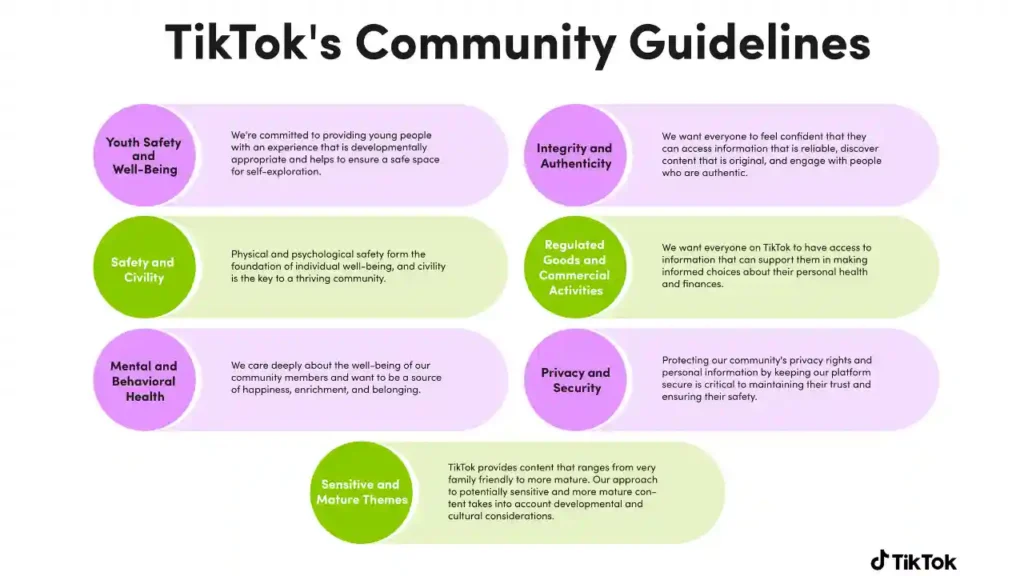
As AI-generated content becomes more common, platforms like TikTok and regulators around the world are paying closer attention to transparency. While TikTok hasn’t mandated labeling all AI-generated videos, it does require disclosure when content involves synthetic humans, deepfakes, or manipulated media that could mislead viewers. If your content uses realistic AI avatars or voice clones, it’s important to follow those guidelines.
But for most creators using simple AI automation – like script-to-video tools and template-based editing – you won’t run into compliance issues. Still, being open with your audience can build trust. Many successful creators mention that AI helps speed up their editing, and viewers respond positively because it shows smart workflow, not deception.
Another ethical consideration is avoiding overuse. If every part of your content is automated, your voice may get lost. Think of AI as a supplement to your creativity, not a substitute for it. As a creator, your stories, experiences, and personality are irreplaceable – AI just helps you express them more efficiently.
When used responsibly, AI tools democratize content creation, helping people with limited resources produce videos that would’ve required large budgets only a few years ago. And that’s where the true opportunity lies: combining your unique perspective with the speed and power of modern video automation.
When to Bring in a Pro Editor
Why Human Creativity Still Makes the Difference in High-Impact Content
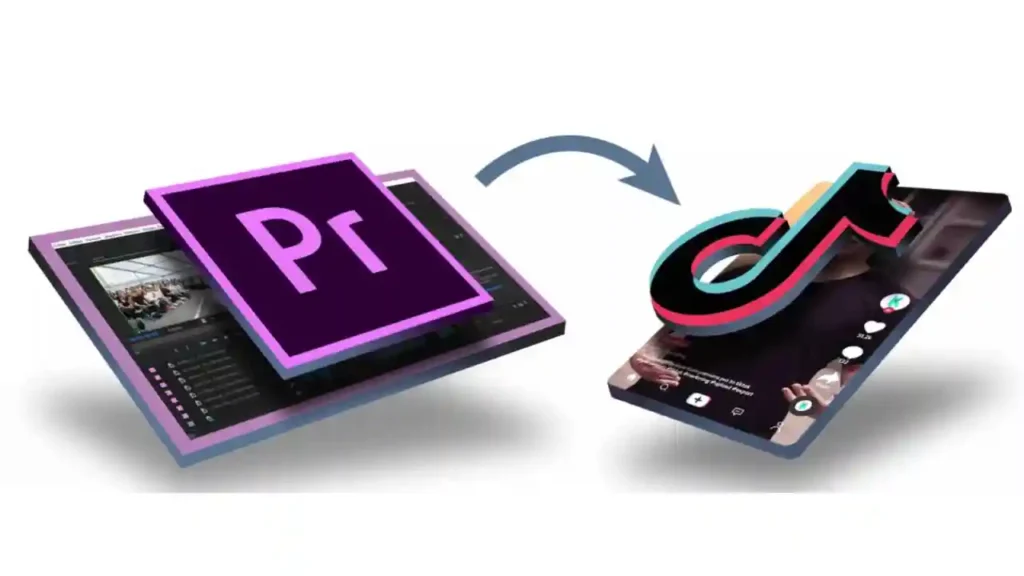
While AI tools are excellent for daily posts, trend responses, and rapid experimentation, there are moments when human expertise becomes invaluable. For example, if you’re building a brand, launching a product, or running a business account, you’ll want your TikTok videos to reflect a consistent visual identity. AI templates can’t fully replicate the nuance of color grading, storytelling, pacing strategy, or emotional sequencing that a skilled editor brings.
Professional editors know how to turn an AI draft into something exceptional. They refine transitions, balance sound, design custom motion graphics, and ensure your brand aesthetic is consistent across every video. This not only elevates quality but also increases viewer retention – a key metric in TikTok’s algorithm.
For creators scaling their presence or businesses investing in short-form content, working with a professional isn’t a luxury – it’s a competitive advantage. And this is where our team at Inside Editors thrives. We work with influencers, brands, coaches, and everyday creators to transform raw clips or AI-generated drafts into polished videos that feel cinematic, intentional, and uniquely yours. With expert storytelling and a deep understanding of platform behavior, we help your content stand out in a crowded feed.
If you want to explore what human-led editing can do for your videos, you can learn more through our dedicated service page.
Real-World Scenarios Where AI and Professional Editing Work Best Together
Creating a Balanced Workflow for Long-Term Growth
Consider a creator who produces daily educational clips. They might use AI to structure the initial draft, generate subtitles, and align visuals with their script. Once a video performs well, they send the best-performing ideas to a professional editor to develop into high-quality series or ads. This hybrid approach ensures both volume and polish.
Or take a small business promoting products. AI helps them create quick demos and feature highlights, but their seasonal campaigns – Black Friday, Eid promotions, year-end sales – require a more cinematic touch. In those cases, professional editing elevates their brand image and increases viewer trust.
Even influencers benefit from this approach. AI helps maintain posting consistency, while human editors handle brand deals, sponsored content, and long-form storytelling. It’s a smart combination that maximizes output without sacrificing quality.
The goal isn’t to choose between AI and human editing – it’s to combine them in a way that aligns with your creative goals and long-term growth.
Conclusion: Why Creators Are Switching to AI-Fast
AI TikTok Video Generators aren’t just a trend – they’re a practical solution for modern creators who want speed, consistency, and creative freedom. They shorten the editing process, remove technical barriers, and make high-quality video production accessible to everyone. Whether you’re just starting or already growing a loyal audience, these tools help you stay active, explore new ideas, and produce content that resonates.
But the best results come when you balance automation with human creativity. AI generates drafts, but your voice, vision, and personality give them meaning. And when you’re ready to take things further, professional editors – like the team at Inside Editors – can elevate your content into something memorable, polished, and brand-aligned.
If you’re exploring next steps, feel free to browse our services:
Explore Inside Editors’ Video Editing Services
You’re now equipped to use AI intelligently, creatively, and confidently – and that’s the secret to standing out in the crowded world of TikTok.
FAQs : AI TikTok Video Generator
Q1 – Can I trust AI TikTok video generators to produce high-quality content?
AI TikTok video generators can produce polished, platform-ready clips quickly because they’re trained on top-performing short-form formats, but quality varies by tool and input. Expect clean auto-captions, pacing, and music matching, yet you’ll usually need to tweak tone, brand colors, or hooks to match your voice. For brand-critical content, use the AI draft as a starting point and add a human pass for consistency and nuance.
Q2 – What about revisions: can I edit AI-generated videos easily?
Most platforms let you edit generated drafts – change clips, adjust captions, swap music, and re-time transitions – with simple drag-and-drop tools or a secondary export into professional software. Revision limits depend on the plan; free tiers often restrict exports or add watermarks, while paid tiers include unlimited edits and higher-resolution exports. If you require many rounds of fine-tuning, factor that into your tool or service choice.
Q3 – Who owns the content created by an AI TikTok video generator, and is my footage private?
Ownership usually depends on the platform’s terms: many grant you commercial rights to the final video but may retain usage or processing rights for training – always review the EULA. Privacy varies: reputable services encrypt uploads and delete files after a set period, while some may retain assets for model improvement unless you opt out. When in doubt, keep sensitive footage off shared templates or use services that offer explicit “no-retention” or enterprise privacy options.
Q4 – How do AI tools compare to hiring a professional editor (DIY vs. pro)?
AI tools give speed and scale – generate drafts in minutes and test more ideas – while professional editors bring storytelling, advanced color grading, and brand polish that boost retention and conversions. For daily trend posts or A/B testing, AI is cost-effective; for campaigns, ads, or long-term brand assets, a pro editor returns higher viewer engagement and consistency. Many creators use AI for volume and pros for flagship pieces.
Q5 – Which AI TikTok video generator tools are worth trying in 2025?
Popular options include Canva Video AI for quick branded clips, CapCut’s AI features for native TikTok workflows, InVideo AI for script-to-video, and VEED.io for clean exports and subtitles. Each tool balances speed, template quality, and export limits differently – try a free tier to evaluate output quality and watermark policies before committing. If you want recommendations tailored to your budget and use case, I can suggest 3–4 tools that match your needs.
Q6 – What should I expect to pay (pricing ranges and what’s included)?
Entry-level plans are often free or $0–$15/month with watermarks and basic exports; mid-tier subscriptions ($20–$50/month) include HD exports, brand kits, and faster processing; pro or enterprise plans ($100+/month) add team seats, advanced privacy, SLA, and API access. Many platforms also charge per-video credits for high-resolution or commercial licenses. Always compare included export formats, caption accuracy, and revision limits.
Q7 – How long does it typically take to get a finished TikTok video from AI – and are rush options available?
Basic drafts are usually ready in 30–90 seconds for short scripts or image sets; more complex edits, longer clips, or higher-resolution renders can take several minutes or longer depending on server load and plan tier. Rush or priority processing is commonly offered on paid plans, and professional editor turnarounds vary (24–72 hours typical for revisions). If timing matters, choose a paid tier with priority rendering or schedule human edits in advance.
Q8 – What’s a simple, skimmable workflow to create a TikTok using AI?
Start with a clear 15–45 second script or a hook-first sentence, gather 3–6 short clips or images, then upload to the AI tool and choose a TikTok template or vertical aspect ratio. Review and edit captions, swap music if needed, preview at full speed, then export in MP4 9:16; if it’s a key piece, send the draft to a pro editor for a final pass. This process helps you publish frequently while keeping quality controllable.


