

The world of content creation is booming, and at its heart lies gaming video. From fast-paced highlight reels to cinematic story arcs, video is the lifeblood of platforms like YouTube, Twitch, and TikTok. If you are looking to enter this dynamic field, becoming a professional gaming video editor offers a challenging yet highly rewarding career path. This role requires technical skill, creative vision, and a deep understanding of gaming culture.
This guide provides a comprehensive, proven workflow to help you master the craft of being a successful gaming video editor. We will break down the essential skills, the technical requirements, and the step-by-step process used by industry professionals to turn raw footage into viral content.
The Foundation: Understanding the Role of a Gaming Video Editor
A gaming video editor is much more than someone who cuts clips together. They are storytellers, pacing experts, and technical wizards who transform hours of raw gameplay into engaging, digestible narratives. Their primary goal is to maintain viewer attention, maximize emotional impact, and ensure the final product aligns perfectly with the creator’s brand.
Defining the Core Responsibilities
The responsibilities of a professional editor extend beyond basic trimming. They involve strategic decisions that directly affect audience retention and engagement.
“Editing is not merely a job; it’s the final rewrite of the script. In gaming content, that means finding the narrative arc within the chaos of the gameplay.” – Walter Murch, paraphrased for digital content
A great editor must understand the difference between various types of gaming content, such as long-form reviews, short-form highlights, competitive esports montages, and narrative let’s plays. Each format demands a unique approach to pacing, sound design, and visual effects.
Essential Skills Beyond Software Proficiency
While mastering software is crucial, the best editors possess a strong set of soft skills that elevate their work. These include keen attention to detail, excellent communication for collaborating with creators, and the ability to manage large volumes of media efficiently. Furthermore, understanding current internet trends and meme culture is often necessary to inject timely humor and relevance into the edits.
For creators who find the technical demands or time commitment overwhelming, professional services offer a powerful alternative. Inside Editors provides comprehensive video editing services tailored specifically for content creators. Our professional editing team, boasting over 10 years of experience, specializes in transforming raw footage into polished, high-quality videos. This allows creators to save time, focus on generating content, and ensure a consistent, professional brand style across all their videos.
Mastering the Technical Toolkit and Software Selection
Choosing the right tools is the first critical step in establishing an efficient workflow. While the principles of editing remain constant, the software you use dictates your speed and capability.
Evaluating Industry-Standard Editing Software
The market offers several robust non-linear editing (NLE) applications. The choice often comes down to budget, system compatibility, and specific feature needs.
| Feature | Adobe Premiere Pro | DaVinci Resolve | Final Cut Pro |
|---|---|---|---|
| Platform | Windows/macOS | Windows/macOS/Linux | macOS Only |
| Cost Model | Subscription (Creative Cloud) | Free/One-time Purchase (Studio) | One-time Purchase |
| Strengths | Industry standard, integration with Adobe suite, vast tutorials | Best-in-class color grading, powerful free version | Optimized performance on Apple hardware, fast rendering |
| Learning Curve | Moderate to High | High (due to complexity of features) | Moderate |
For a serious gaming video editor, familiarity with at least two of these platforms is highly recommended. Premiere Pro and DaVinci Resolve are particularly dominant due to their cross-platform compatibility and extensive feature sets.
Audio and Visual Enhancement Tools
Video editing is only half the battle; sound and color are equally important. Successful gaming content often relies heavily on dynamic sound effects and clear voiceovers.
- Audio Editing: Tools like Adobe Audition or Audacity are used to clean up background noise, normalize volume levels, and apply equalization to commentary tracks.
- Color Correction: Even raw gameplay benefits from minor color adjustments to ensure visual consistency and mood setting. DaVinci Resolve is particularly renowned for its advanced color science.
“If the sound is bad, the viewer assumes the whole video is bad. Audio quality is arguably more important than video quality for retention.” – Anonymous YouTube Creator Manager
The Proven Workflow: From Ingestion to Export
A professional gaming video editor adheres to a strict, repeatable workflow. This structure ensures consistency, prevents file loss, and minimizes time spent on repetitive tasks.
1. Ingestion and Organization (The Pre-Edit Phase)
The editing process begins long before the first cut. Proper organization is the key to managing the massive file sizes associated with high-resolution gaming footage.
- Ingest and Backup: Transfer all raw footage, audio tracks, and supplementary assets (graphics, music) onto a dedicated fast drive (preferably SSD). Immediately create a backup copy.
- Project Structure: Create a standardized folder structure (e.g., Footage, Audio, Music, Graphics, Exports). This structure should be used for every single project.
- Synchronization: Synchronize the primary video feed (gameplay) with the secondary feeds (webcam, face cam) and separate audio tracks. Use timecode or audio waveforms for accurate alignment.
2. The Rough Cut: Finding the Narrative
The rough cut is where the editor identifies the key moments and establishes the video’s pacing. This is the most time-consuming stage.
- Eliminate Dead Space: Remove long loading screens, quiet moments, and irrelevant chatter. In gaming content, the action must move quickly.
- Identify Highlights: Mark or subclip the most exciting, funny, or narrative-critical moments. These are the building blocks of the final video.
- Establish Pacing: Determine the rhythm. A competitive montage requires rapid cuts (0.5-1 second per shot), while a story-driven game demands slower, more deliberate pacing.
3. The Fine Cut and Enhancement
Once the structure is solid, the editor focuses on polishing the details and adding creative flair.
Sound Design and Mixing
Sound is critical for immersion. Editors must layer sound effects (SFX) to emphasize actions-like a satisfying clink for a headshot or a dramatic whoosh for a transition. The final audio mix must balance the game sound, the voiceover, and the background music so that the commentary is always clearly audible.
Visual Polish and Graphics
This stage involves adding lower thirds, text overlays, and motion graphics to emphasize jokes or statistics. Color correction ensures all footage looks consistent. If the content involves complex visual effects, this is the time to integrate them.
4. Review, Feedback, and Final Export
No edit is complete without client or creator review. Effective feedback loops are essential for professional work.
- Export for Review: Export a low-resolution draft with a visible watermark. Use timestamped comments for specific feedback points.
- Revisions: Implement feedback efficiently. Professional editors aim for minimal revision rounds by being precise and proactive.
- Final Export Settings: Export the final video using the optimal settings for the target platform (e.g., H.264 codec, specific frame rate, and resolution for YouTube).
Navigating the Challenges of High-Volume Editing
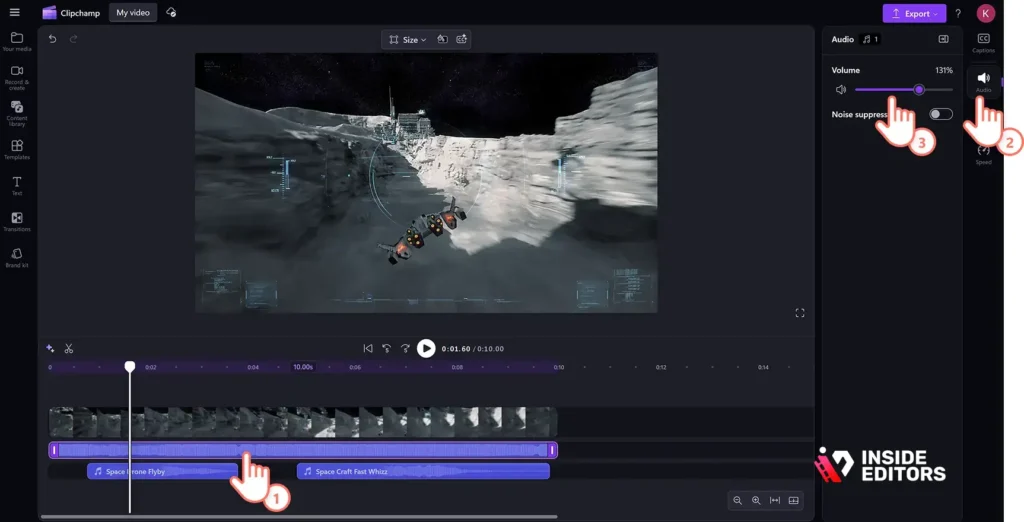
Becoming a successful gaming video editor often means handling large volumes of footage under tight deadlines. This demands efficiency and smart resource management.
The Challenge of Data Management
Gaming footage, especially 4K and 60fps recordings, consumes massive amounts of storage. A single project can easily exceed 500GB.
Pros and Cons of Proxy Editing
| Feature | Pros | Cons |
|---|---|---|
| Proxy Editing | Allows smooth editing on less powerful computers; faster scrubbing and rendering; reduces strain on CPU/GPU. | Requires extra time for proxy generation; doubles storage requirements during the project phase; adds complexity to the workflow. |
Proxy editing (creating low-resolution versions of the footage for the editing phase) is a non-negotiable technique for high-volume content creators and editors.
Avoiding Burnout and Maintaining Quality
The demand for content is relentless. Editors must set realistic expectations and manage their time effectively to avoid burnout.
“Consistency beats intensity. It is better to deliver high-quality content reliably than to occasionally produce a masterpiece and then disappear.” – Industry Content Strategist
If a creator is struggling with the sheer volume of content required to maintain a daily or weekly upload schedule, outsourcing the editing process is a strategic move. Inside Editors offers fast turnaround times-typically 24 to 72 hours-and unlimited revisions until satisfaction, providing a scalable solution for growing channels. Our affordable pricing, starting at $29 per video, makes professional editing accessible to creators at all levels.
Career Path and Growth for the Gaming Video Editor
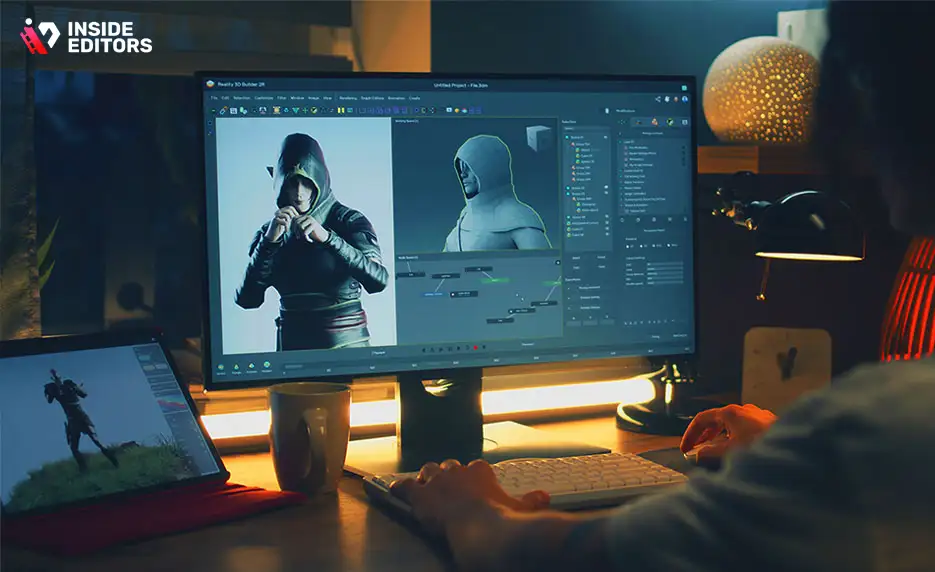
The path to becoming a highly paid and respected gaming video editor involves continuous learning and strategic networking.
Building a Killer Portfolio
Your portfolio is your resume. It must showcase variety, technical skill, and storytelling ability.
- Variety is Key: Include examples of different content types: fast-paced montages, cinematic narratives, comedic highlights, and educational content.
- Before-and-After: Showcasing the raw footage alongside the final product demonstrates the value you add.
- Niche Expertise: If you specialize in a specific game (e.g., competitive shooters or simulation games), highlight that expertise.
Pricing Your Services and Professionalism
As you gain experience, understanding how to price your work is vital. Most editors charge based on one of three models:
- Per Hour: Best for unpredictable or highly complex projects. Rates vary widely based on experience (often $25-$75+ per hour).
- Per Project: A fixed price based on the estimated final video length and complexity. This is preferred by many creators for budget predictability.
- Retainer/Monthly: Ideal for high-volume clients requiring consistent weekly output. This provides stable income for the editor and guaranteed availability for the client.
When to Hire a Professional Service
For many content creators, the decision to hire a professional editing service is a turning point that unlocks significant growth. If you are spending more time editing than creating, or if the quality of your current output is inconsistent, it’s time to delegate.
Choosing a service like Inside Editors ensures that you benefit from a professional editing team with a proven track record. We handle the technical complexities, including color grading and audio enhancement, delivering professional quality that builds trust with your audience. This partnership allows you to save time and focus entirely on content creation, knowing your brand style remains consistent across all videos.
For those looking for professional video editing services, Inside Editors offers a reliable solution. Our team is dedicated to providing high-quality, fast-delivery editing that meets the unique demands of the gaming content space.
Conclusion: The Future of the Gaming Video Editor
The role of the gaming video editor is evolving rapidly alongside platform demands and audience expectations. Success in this field requires more than just technical mastery; it demands creative insight, efficient workflow management, and a deep passion for gaming culture.
By adopting a structured workflow, mastering industry-standard tools, and continuously refining your storytelling skills, you can establish yourself as an indispensable asset in the content creation ecosystem. Whether you choose to edit full-time for a major creator or manage your own content, the demand for skilled, professional editors will only continue to grow.
If the complexities of editing high-volume gaming footage become a bottleneck, remember that scalable solutions are available. Inside Editors provides professional video editing services designed to deliver quality and speed, allowing creators to maintain their momentum and focus on what they do best: entertaining their audience
Frequently Asked Questions
What software is best for gaming video editing?
Adobe Premiere Pro and DaVinci Resolve are the industry standards for gaming video editing. Premiere Pro is subscription- based and robust, while DaVinci Resolve offers a powerful free version suitable for beginners. Choosing the right software depends on your budget and the complexity of your desired gaming content.
How long should the editing process take?
The editing timeline varies greatly based on the raw footage length and the desired final quality. A general rule for a 10-minute polished video is 4-8 hours of dedicated editing time. Efficiency improves significantly once you establish a consistent gaming video editor workflow, focusing on batch processing and using keyboard shortcuts.
What is the most crucial step in the workflow?
The most crucial step is the initial review and logging of footage, often called the ‘ingest’ phase. This is where you identify the best moments, mark timestamps, and discard unusable clips. Effective logging saves hours later during the assembly edit, ensuring the final product is engaging and fast-paced.
Can I use copyrighted music in my gaming videos?
No, using copyrighted music without proper licensing will likely result in copyright strikes or demonetization. Always use royalty-free music platforms like Epidemic Sound or Artlist. This ensures your gaming videos comply with platform rules and protects your channel’s monetization status.
Should I edit sound or video first?
You should prioritize the video assembly edit first, focusing on pacing and visual flow. Once the video structure is locked, move to the sound design phase. This includes mixing levels, adding sound effects (SFX), and mastering the final audio track, which is essential for professional gaming content.


