


For content creators, educators, and viewers alike, having offline access to YouTube videos is often essential. While YouTube offers a Premium subscription that simplifies this process, many users seek reliable, free alternatives. The core question remains: How to Download a YouTube Video Without Premium safely, legally, and effectively?
This comprehensive guide breaks down the methods, tools, and legal considerations involved in obtaining video content for personal, offline use. We will explore various techniques, focusing on software solutions and web-based tools, ensuring you understand the risks and rewards of each approach. By the end of this article, you will have the expert knowledge needed to confidently answer How to Download a YouTube Video Without Premium for your specific needs.
Why Downloading Videos Isn’t Always Simple?

Before diving into the practical steps, it is crucial to understand why YouTube and Google discourage direct, unauthorized downloading. YouTube’s Terms of Service explicitly prohibit downloading content unless the platform provides a specific download link (which is typically reserved for Premium users or specific content types).
The primary reason for this restriction is revenue. YouTube relies on advertising revenue and Premium subscriptions. When a video is downloaded, it bypasses the ad delivery system, impacting the creator’s and YouTube’s income. Therefore, any method detailing How to Download a YouTube Video Without Premium operates outside the official ecosystem.
Legal and Ethical Considerations for Offline Content
When you download content, you must adhere to copyright law. Most videos are protected by standard copyright, meaning you can only download them for personal, non-commercial use, and only if permitted by local law (Fair Use/Fair Dealing). Distributing, modifying, or re-uploading downloaded content is illegal and unethical.
“Copyright law is designed to protect the creator’s investment in their work. While personal backups might fall under fair use in some jurisdictions, mass distribution or commercial use of downloaded content is a clear violation.” – Eleanor M. Fox, Legal Scholar specializing in Antitrust and Intellectual Property
If your goal is to repurpose content for commercial use-perhaps creating a compilation or using clips in a documentary-you must obtain explicit permission from the original creator. For complex projects requiring professional quality and compliance, consider leveraging expert services.
Method 1: Use Desktop Software for Reliable Downloads
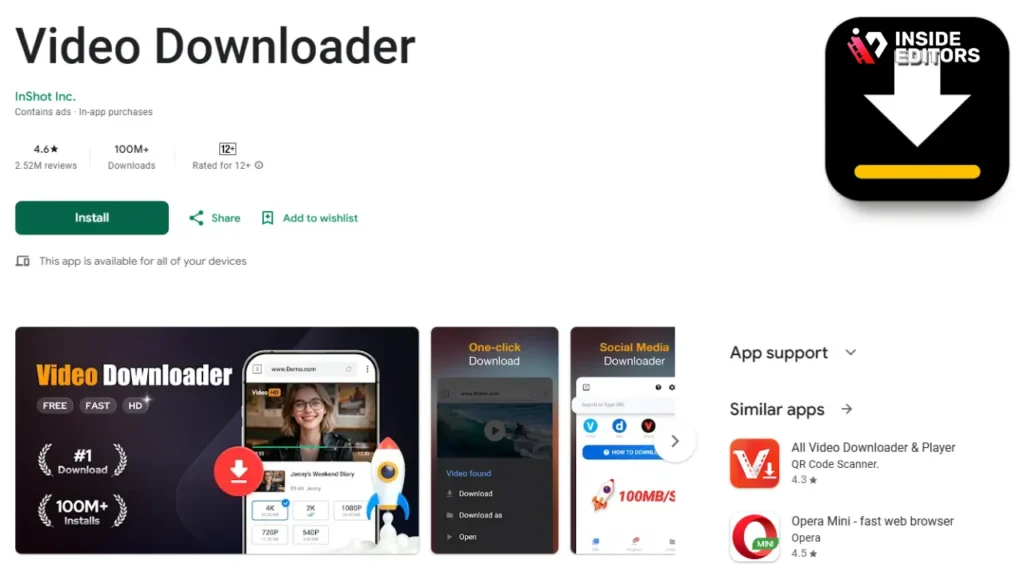
The most robust and reliable way to figure out How to Download a YouTube Video Without Premium is through dedicated desktop software. These applications offer superior control over resolution, format, and batch processing, making them ideal for users who frequently need to save content.
Choosing the Right Video Downloader Application
When selecting desktop software, prioritize tools known for security, frequent updates, and comprehensive feature sets. Look for software that offers malware protection and supports high-resolution downloads (up to 4K or 8K).
Key Features of Top Desktop Downloaders:
- Batch Downloading: Ability to queue multiple videos or entire playlists.
- Format Conversion: Built-in tools to convert files (MP4, MOV, AVI, MP3).
- Resolution Selection: Control over output quality (1080p, 720p, etc.).
- Subtitle Support: Option to download accompanying closed captions/subtitles.
Step-by-Step Guide Using Desktop Software
This process generally applies to most reputable desktop download managers:
- Install the Software: Download and install the chosen application from the official developer website.
- Locate the Video URL: Navigate to YouTube and copy the full URL of the video you wish to download.
- Paste and Analyze: Open the desktop software and paste the URL into the designated input field. The software will analyze the link.
- Select Output Settings: A menu will appear allowing you to select the desired video quality (e.g., 1920×1080) and file format (MP4 is standard).
- Initiate Download: Click the “Download” button. The software will process the video and save it to your specified local folder.
This method provides the highest quality results, addressing the core need of How to Download a YouTube Video Without Premium while maintaining control over the file specifications.
Method 2: Web Tools and Browser Extensions
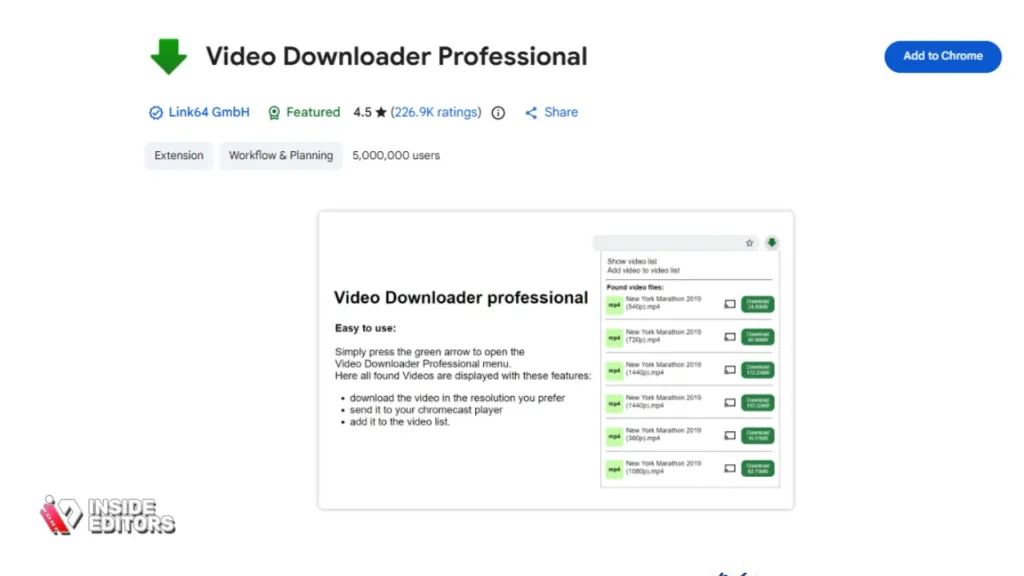
For users who only occasionally need to download a video and prefer not to install dedicated software, web-based tools and browser extensions offer a quick solution. These methods are generally faster for single-file downloads but often come with more limitations regarding quality and security.
The Trade-Offs of Online Downloaders
Online tools require you to paste the URL directly onto a third-party website. While convenient, these sites are often heavily monetized through intrusive pop-up ads and redirects, which can sometimes lead to malware. Exercise extreme caution and use an ad-blocker when employing this method.
“The convenience of web-based tools often masks underlying security risks. Users should be highly skeptical of sites that aggressively push pop-ups or require excessive permissions.” – TechRadar Review, 2023 Security Analysis
How to Use a Web-Based Downloader
- Copy the YouTube URL: Get the link from the browser address bar.
- Visit the Online Tool: Navigate to a reputable online video downloader website.
- Paste the Link: Paste the URL into the site’s input box.
- Choose Quality and Format: The site will typically generate several download links corresponding to different resolutions (e.g., 360p, 720p). Choose your preferred option.
- Click Download: Be prepared to close one or two pop-up windows before the actual file download begins.
Browser Extensions: A Mixed Bag
Browser extensions (for Chrome, Firefox, etc.) used to be a popular answer to How to Download a YouTube Video Without Premium, but major browser stores (like the Chrome Web Store) have largely banned extensions that violate YouTube’s terms of service. Any extension that remains available is often unstable, short-lived, or potentially malicious. Use these only if you fully trust the developer and understand the associated risks.
Method 3: Use Open-Source Command-Line Tools
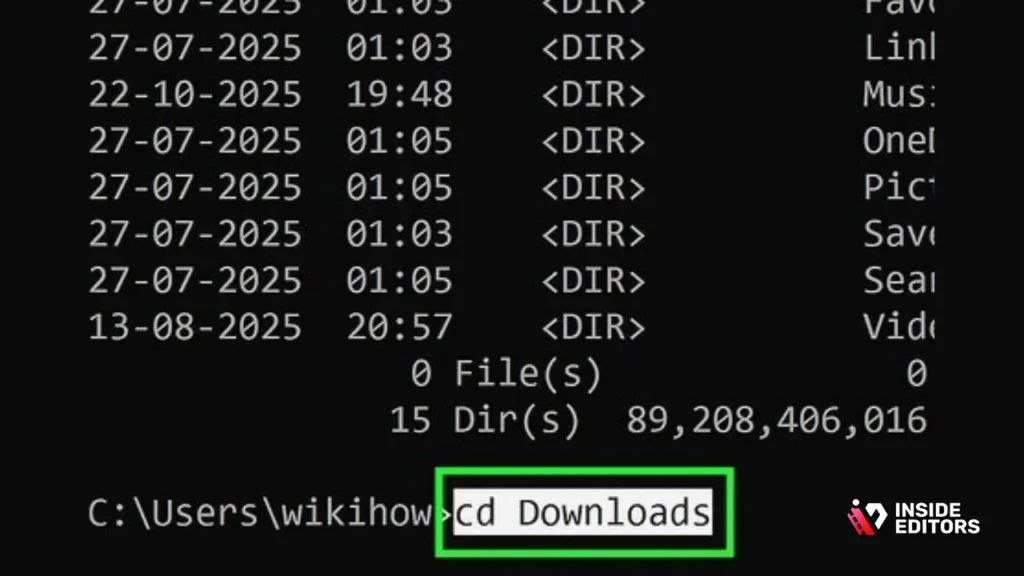
For the technically inclined, open-source command-line tools represent the most powerful, flexible, and secure way to download YouTube videos. Tools like yt-dlp (a fork of the classic youtube-dl) are favored by developers and advanced users because they are constantly updated and offer unparalleled customization.
Why Command-Line Tools Excel
Command-line tools bypass the need for a graphical user interface (GUI) and are generally free from the bloatware and advertisements found in commercial software. They provide granular control over every aspect of the download, including custom file naming, specific time range downloads, and advanced format merging.
Essential Steps for Command-Line Downloading
- Install Python: Ensure you have Python installed on your system (required for
yt-dlp). - Install the Tool: Use the package manager (like
pip) to installyt-dlp. - Execute the Command: Open your terminal or command prompt and run a command specifying the URL and desired parameters.
Example Command Structure: yt-dlp -f "bestvideo[ext=mp4]+bestaudio[ext=m4a]/best[ext=mp4]/best" [YouTube URL]
This method is the definitive answer for advanced users seeking the highest quality and most reliable solution for How to Download a YouTube Video Without Premium.
Desktop vs. Web vs. Command-Line: A Quick Comparison
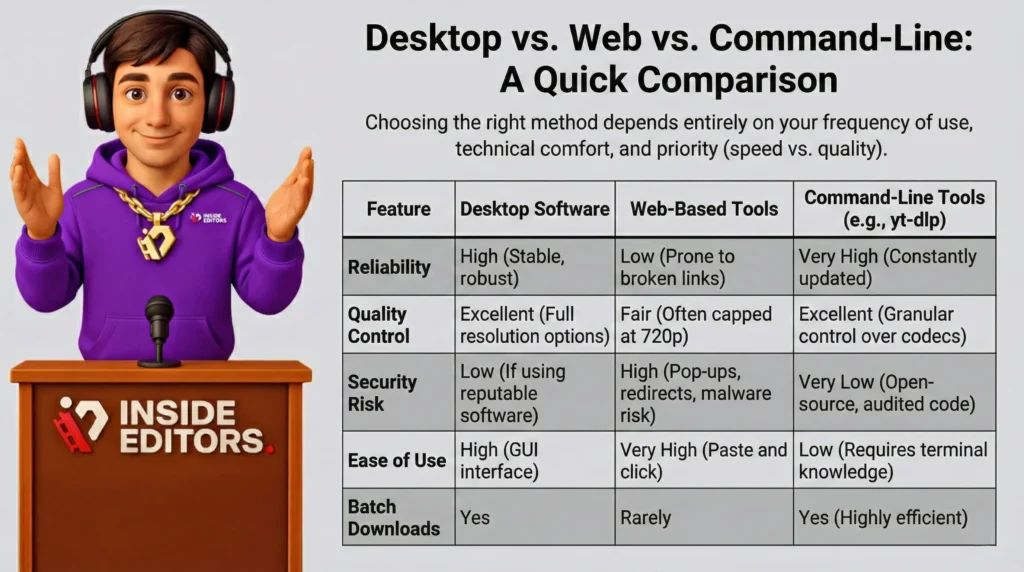
Choosing the right method depends entirely on your frequency of use, technical comfort, and priority (speed vs. quality).
| Feature | Desktop Software | Web-Based Tools | Command-Line Tools (e.g., yt-dlp) |
|---|---|---|---|
| Reliability | High (Stable, robust) | Low (Prone to broken links) | Very High (Constantly updated) |
| Quality Control | Excellent (Full resolution options) | Fair (Often capped at 720p) | Excellent (Granular control over codecs) |
| Security Risk | Low (If using reputable software) | High (Pop-ups, redirects, malware risk) | Very Low (Open-source, audited code) |
| Ease of Use | High (GUI interface) | Very High (Paste and click) | Low (Requires terminal knowledge) |
| Batch Downloads | Yes | Rarely | Yes (Highly efficient) |
Pros and Cons of Downloading Methods
Desktop Software
- Pros: High-quality output, reliable performance, batch processing capabilities, built-in conversion features.
- Cons: Requires installation, potential cost for premium features, takes up local storage space.
Web-Based Tools
- Pros: Instant access, no installation required, very fast for single downloads.
- Cons: Security risks (malware, phishing), lower quality options, intrusive ads, frequent site downtime.
Command-Line Tools
- Pros: Ultimate control and flexibility, zero ads, open-source security, handles complex formats easily.
- Cons: Steep learning curve, requires comfort with terminal commands, not suitable for beginners.
Handling Quality and Format Issues in Downloads
One common issue when learning How to Download a YouTube Video Without Premium is inconsistent video quality or incompatible file formats. YouTube streams video and audio separately for high-resolution content (1080p and above). Many basic downloaders fail to merge these streams correctly, resulting in video files without sound or vice versa.
The Importance of Format Merging
Advanced desktop and command-line tools automatically handle the complex process of downloading the separate video stream (e.g., VP9 or AV1 codec) and the separate audio stream (e.g., Opus or AAC codec), and then merging them into a single, playable MP4 or MKV file. If you use a simple web-based tool, you may be limited to lower resolutions (like 720p) where the streams are already combined.
Post-Download Editing and Enhancement
Once you have successfully downloaded your video, you might find that the quality, color grading, or audio levels need adjustment, especially if you plan to use the footage professionally or integrate it into a larger project.
This is where professional expertise becomes invaluable. If you are a content creator or a business focused on maximizing your channel’s impact, spending time fine-tuning downloaded clips distracts from creating new content.
Inside Editors specializes in transforming raw footage-whether downloaded or newly recorded-into polished, high-impact videos. Our Video Editing Services are designed for YouTube creators, businesses, marketing teams, and course creators who need professional results without the hassle.
We offer professional editing teams with over 10 years of experience, ensuring your content meets industry standards. Our features include color grading, audio enhancement, and unlimited revisions until you are completely satisfied. By outsourcing the technical and creative burden of editing, you save time and focus on content creation. We offer fast turnaround times (24-72 hours) and affordable pricing starting at $29/video.
If you are struggling with the post-production phase after figuring out How to Download a YouTube Video Without Premium, let us handle the heavy lifting. Our professional quality builds trust and ensures a consistent brand style across all your videos.
Common Pitfalls and Security Warnings
The pursuit of answering How to Download a YouTube Video Without Premium often leads users into risky digital territory. Awareness of these pitfalls is essential for maintaining digital security.
1. Malware and Adware Bundles
Many free desktop downloaders bundle their software with optional (or mandatory) adware, toolbars, or even malware during installation. Always read the installation prompts carefully, decline any third-party offers, and download software only from highly reputable sources.
2. Phishing Scams and Fake Sites
Online downloaders are frequently used as fronts for phishing campaigns. You might click a “Download” button only to be redirected to a page asking for personal information or payment details. Never provide sensitive information to a site whose primary function is simply to download a video.
3. Outdated Tools
YouTube constantly updates its streaming protocols and encryption methods. Tools that are not regularly maintained quickly become obsolete. Using an outdated tool will result in failed downloads or corrupted files. This is why open-source tools like yt-dlp are popular-they rely on a large community for rapid updates.
4. Downloading Private or Restricted Content
No third-party tool can legally or reliably download private, age-restricted, or paid-access content. If a tool claims to bypass YouTube’s login requirements for these videos, it is highly suspicious and should be avoided.
Final Thoughts on Downloading YouTube Content

The ability to access content offline is a major convenience, and knowing How to Download a YouTube Video Without Premium empowers users. However, this power comes with the responsibility of respecting copyright and prioritizing digital security.
For quick, one-off downloads, a carefully vetted web-based tool might suffice. For regular, high-quality downloads, investing time in learning a desktop application or a command-line tool like yt-dlp offers the best long-term solution.
Remember that the highest quality video requires not just a successful download, but also professional post-production. If your goal is to create compelling, professional content from your downloaded footage, consider leveraging expert services. Inside Editors provides the expertise, speed, and quality assurance needed to elevate your videos, allowing you to focus on your creative vision while we handle the technical execution.
By choosing reliable methods and maintaining awareness of copyright laws, you can confidently answer the question: How to Download a YouTube Video Without Premium and utilize that content effectively for personal use.
Frequently Asked Questions
Is it legal to download YouTube videos?
Downloading YouTube videos violates the platform’s Terms of Service. Legality depends on local copyright laws; generally, downloading for personal, non-commercial use might be acceptable under Fair Use, but redistribution is illegal. Always check the specific copyright status of the content.
How to Download a YouTube Video Without Premium safely?
The safest methods for How to Download a YouTube Video Without Premium involve using reputable desktop software or open-source command-line tools like yt-dlp. Avoid obscure web-based tools that are often riddled with malware or intrusive ads.
Do I need special software for high-quality downloads?
Yes. To download videos in 1080p or 4K, you need software that can correctly merge the separate video and audio streams provided by YouTube. Basic web tools often cannot handle this complex merging process.
Can I download entire YouTube playlists at once?
Many dedicated desktop applications and command-line tools support batch downloading, allowing you to queue and download entire playlists or channel content efficiently. This is a key advantage over simple web downloaders.
What is the best file format to choose?
MP4 is the universally recommended file format. It offers excellent compression and compatibility across virtually all devices and editing software. Ensure you select the highest available resolution within the MP4 container.
Why do some downloaded videos have no sound?
This happens when the downloading tool fails to merge the separate high-quality video stream and the separate audio stream into one file. Use a more advanced downloader, like desktop software, to ensure proper stream merging.
Are browser extensions reliable for downloading?
Browser extensions are generally unreliable for How to Download a YouTube Video Without Premium. Major browser stores prohibit them, and available extensions are often unstable, short-lived, or pose significant security risks due to lack of regulation.


