


The visual quality of a video is often the first thing an audience notices. While good cinematography captures the scene, it is the final polish-the color work-that truly defines the mood, tone, and professional quality of the final product. If you’ve ever wondered how blockbuster movies achieve their signature looks, or how a simple corporate video can look so polished, the answer lies in understanding What is Color Grading in Video Editing.
This comprehensive guide will take you from the fundamental principles of color correction to the advanced techniques of creative color grading. We will explore the tools, the philosophy, and the practical steps required to transform raw footage into visually stunning narratives. Understanding What is Color Grading in Video Editing is essential for anyone serious about video production, whether you are a filmmaker, a marketer, or a content creator aiming for professional results.
Color Grading in Video Editing: The Basics

To truly grasp the advanced concepts, we must first establish a clear definition and differentiate between the two main stages of color work: correction and grading.
Color Correction vs. Color Grading: A Critical Distinction
Many newcomers confuse color correction and color grading, but they serve distinct purposes in the post-production workflow.
Color Correction is the technical, foundational step. Its primary goal is to make the footage look natural, accurate, and consistent across all clips. This involves fixing exposure issues, balancing white levels, ensuring skin tones are accurate, and matching the look between shots taken at different times or with different cameras. It is about achieving a technically perfect, neutral baseline.
Color Grading, on the other hand, is the creative, artistic step. Once the footage is corrected, grading applies a specific aesthetic or “look” to evoke an emotional response or establish a narrative tone. This is where you might apply the famous teal-and-orange look, a desaturated gritty feel, or a bright, vibrant commercial aesthetic. Color grading tells the audience how they should feel about the scene.
“Color correction is about fixing problems; color grading is about telling a story.” – Walter Murch, Film Editor
The Purpose of Color Work in Modern Video Production
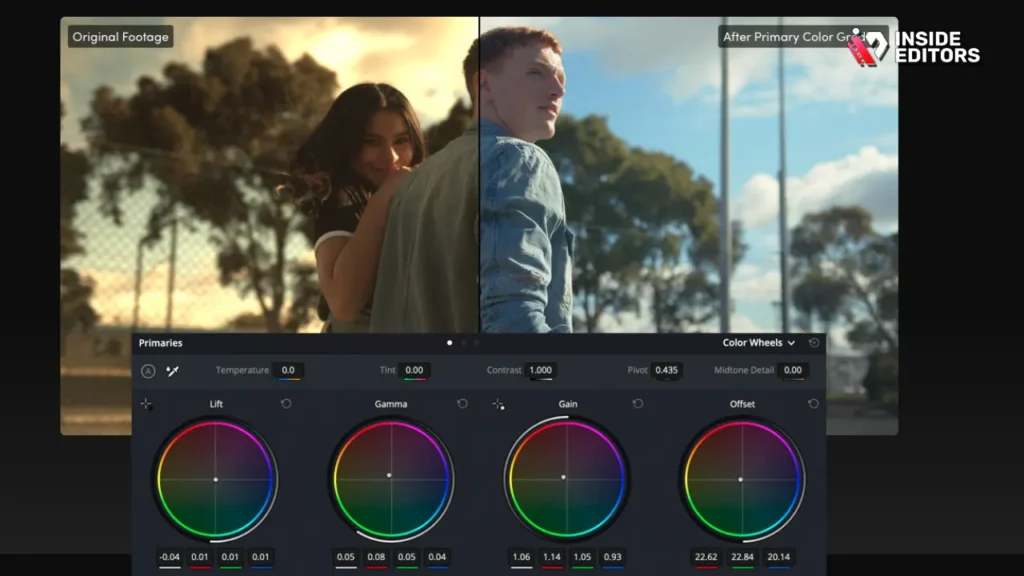
The answer to What is Color Grading in Video Editing goes beyond just making things look pretty. It serves three crucial functions:
- Consistency and Continuity: It ensures that a scene shot over several hours, days, or locations appears seamless. If a character walks from a sunny exterior into a dark room, color correction ensures the transition is smooth, and grading maintains the overall mood.
- Emotional Impact: Color is a powerful psychological tool. Warm tones often suggest comfort, romance, or danger, while cool tones might imply isolation, sadness, or technology. Grading manipulates these psychological associations to enhance the story.
- Branding and Style: For businesses and content creators, color grading can establish a signature look that is instantly recognizable. Think of the distinct, high-contrast look of a Netflix documentary versus the soft, ethereal look of a wedding video.
The Essential Tools and Workflow for Color Work
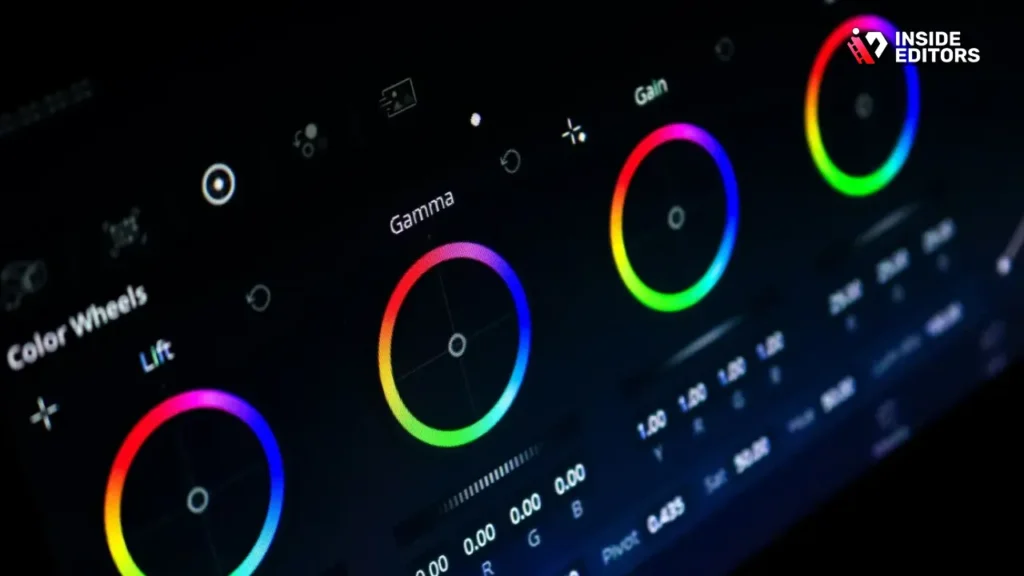
Before diving into the creative application of color, you need to understand the tools used to measure and manipulate the video signal. These tools are universal across professional editing platforms like DaVinci Resolve, Adobe Premiere Pro, and Final Cut Pro.
Understanding Video Scopes
Professional color work relies on objective data, not just what looks good on your monitor. Video scopes translate the color and luminance information into measurable graphs.
| Scope Name | What It Measures | Primary Use in Color Correction |
|---|---|---|
| Waveform Monitor | Luminance (brightness) from black (0) to white (1023 or 100 IRE) | Setting proper exposure; ensuring blacks are crushed and whites are not clipped. |
| Vectorscope | Hue and Saturation | Checking skin tones (the I-line) and ensuring colors are not over-saturated. |
| RGB Parade | Luminance of Red, Green, and Blue channels separately | White balancing; matching color levels between different shots. |
| Histogram | Pixel distribution across the tonal range | Quick check of overall contrast and dynamic range. |
The Standard Color Workflow: A Step-by-Step Guide
A professional colorist follows a specific, repeatable process to ensure maximum quality and efficiency.
- Project Setup and Calibration: Ensure your monitor is calibrated and your project settings (color space, resolution) are correct.
- Primary Color Correction (Exposure and White Balance): Use the Waveform and RGB Parade scopes to set the correct black points, white points, and neutral gray balance. This is the technical cleanup.
- Secondary Color Correction (Isolation): Use masks, qualifiers, and power windows to adjust specific areas or objects (e.g., brightening a face, changing the color of a shirt).
- Creative Color Grading (The Look): Apply LUTs (Look-Up Tables) or manual adjustments (curves, color wheels) to establish the desired aesthetic. This is where you answer the question, What is Color Grading in Video Editing creatively.
- Shot Matching and Consistency: Review the entire timeline, ensuring that the grade is consistent from shot to shot, especially within the same scene.
- Final Review and Delivery: Check the scopes one last time to ensure broadcast safety (no illegal color levels) and render the final file.
Advanced Techniques: Mastering the Creative Grade
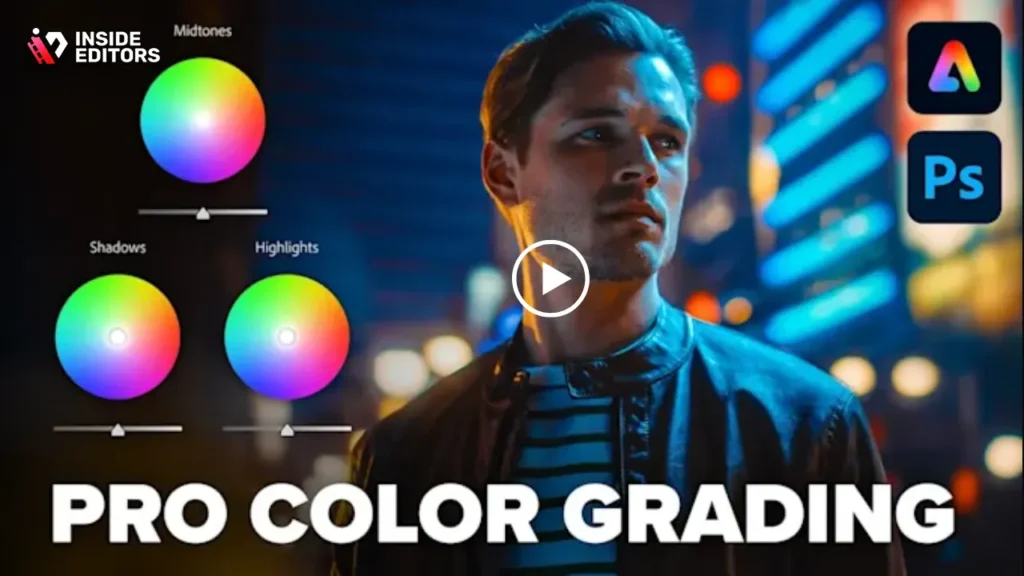
Once you have a technically perfect image, you can move into the artistry of color grading. This involves manipulating contrast, saturation, and hue to achieve a specific emotional effect.
Manipulating Contrast and Dynamic Range
Contrast is the difference between the brightest and darkest parts of an image. Grading often involves adjusting this contrast to create depth and mood.
- Logarithmic (Log) Footage: Modern cameras often shoot in Log profiles, which capture a wide dynamic range but look flat and washed out initially. This flat image provides maximum flexibility for grading later. The first step in grading Log footage is applying a conversion LUT to bring it back to a standard Rec. 709 color space.
- S-Curves: A powerful technique using the Curves panel is creating an “S-curve.” By lifting the highlights and lowering the shadows, you increase contrast dramatically, giving the image a punchy, cinematic feel. A reverse S-curve lowers contrast for a softer, more vintage look.
The Power of Secondary Adjustments
Secondary color correction is the key to creating sophisticated, film-like looks. It allows you to isolate specific colors or areas for independent manipulation.
1. HSL Qualifiers (Hue, Saturation, Luminance)
Qualifiers allow you to select a specific color range in the image. For example, you can select only the blue of the sky and make it deeper without affecting any other colors in the shot. This is crucial for separating foreground elements from the background.
2. Power Windows and Masks
These tools allow you to draw shapes (circles, squares, custom shapes) around specific parts of the frame. You can then apply a grade only within that window. This is commonly used for:
- Vignettes: Darkening the edges of the frame to draw the viewer’s eye to the center.
- Isolation: Brightening a character’s face relative to the background (often called a “power window lift”).
The Psychology of Color Grading
A deep understanding of What is Color Grading in Video Editing requires knowing how colors affect perception.
| Color Family | Psychological Association | Common Usage in Film |
|---|---|---|
| Warm Tones (Reds, Oranges, Yellows) | Energy, passion, comfort, danger, excitement | Romance, action sequences, historical dramas, desert scenes. |
| Cool Tones (Blues, Cyans, Magentas) | Calm, isolation, sadness, technology, coldness | Sci-fi, horror, night scenes, scenes of reflection or melancholy. |
| Desaturated/Muted | Realism, gritty, historical, depressing | War films, documentaries, serious dramas. |
| High Saturation | Fantasy, vibrancy, commercial, youthful | Musicals, comedies, children’s content, advertisements. |
Common Mistakes and How to Avoid Them
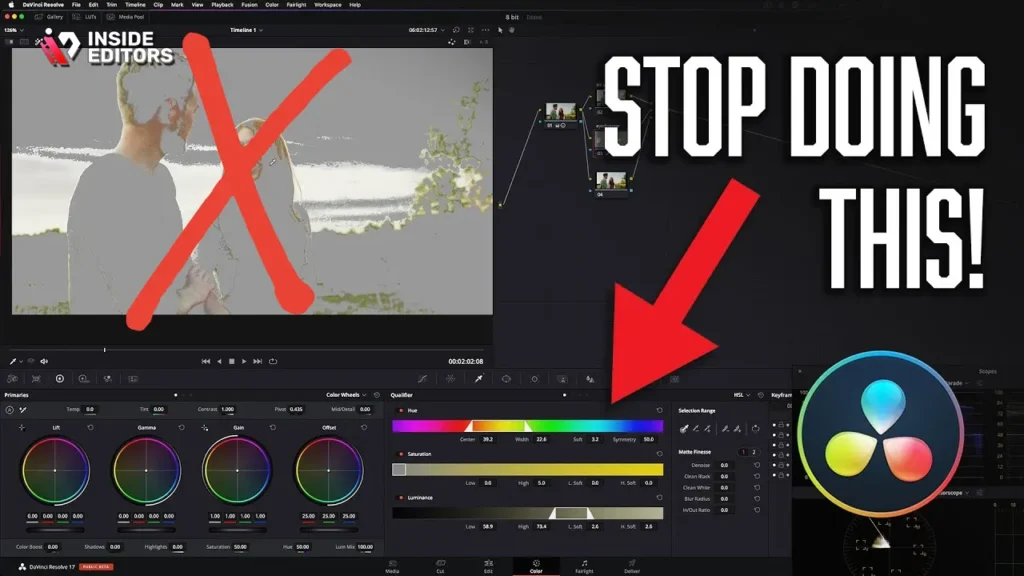
Even experienced editors can fall into common color grading traps. Avoiding these pitfalls is essential for achieving a professional finish.
Pros and Cons of Using LUTs (Look-Up Tables)
LUTs are pre-set color profiles that can instantly apply a look (like “Vintage Film” or “Cinematic Teal”). They are a double-edged sword.
| Pros of Using LUTs | Cons of Using LUTs |
|---|---|
| – Speed: Instantly applies complex looks, saving significant time. | – Overuse: Leads to generic, unoriginal looks if used without modification. |
| – Consistency: Ensures a consistent look across multiple projects quickly. | – Destructive: Many LUTs crush blacks or clip whites, limiting further correction. |
| – Starting Point: Excellent for beginners to understand visual styles. | – Incompatibility: LUTs designed for Log footage look terrible on standard footage. |
Expert Advice: Always apply the LUT after primary color correction. Use the LUT as a starting point, then dial back the intensity and customize the grade to fit your specific footage.
Avoiding the “Broadcast Safe” Error
Broadcasting standards (Rec. 709 or others) require that colors and luminance levels stay within a specific range. If your whites are too bright (clipped above 1023) or your colors are too saturated, the signal is considered “illegal” and may be rejected by broadcasters or streaming platforms.
Solution: Always check your Waveform and Vectorscope before export. Ensure your luminance stays between 0 and 1023 (or 0 and 100 IRE) and that your Vectorscope traces do not touch the outer edges of the graph.
The Pitfall of Skin Tones
Skin tones are the most critical element in almost any video involving people. The human eye is highly sensitive to unnatural skin color. If skin tones look green, magenta, or overly saturated, the entire image looks wrong, regardless of how good the background looks.
Solution: Use the Vectorscope to check the “I-line” (In-phase line). Professional colorists ensure that skin tones fall precisely along this line, which represents the natural range of human skin color, regardless of race or lighting.
“If the skin tones are wrong, nothing else matters. The audience will be distracted and feel subconsciously that the image is flawed.” – Alexis Van Hurkman, Renowned Colorist
Color Grading in Professional Workflow
For content creators, small businesses, and marketers, mastering What is Color Grading in Video Editing can be a significant time sink. This is where the decision to handle it internally or outsource becomes critical.
When to Outsource Your Color Grading
While learning color grading is rewarding, the time investment required to achieve truly professional, consistent results can be prohibitive, especially when deadlines are tight.
Consider outsourcing if:
- Time is Limited: You need fast turnaround times (24-72 hours) and cannot dedicate hours to detailed grading.
- Consistency is Key: You manage a brand or channel that requires a perfectly consistent look across dozens of videos.
- Technical Expertise is Lacking: You shoot in complex formats (like Log or RAW) that require specialized knowledge of color science and scopes.
Achieving Professional Results with Inside Editors
For businesses and creators seeking high-end color grading without the steep learning curve, professional video editing services offer a powerful solution. Inside Editors provides professional video editing services specifically designed for businesses, content creators, and marketers.
Our team of professional editors, each with 10+ years of experience, understands the nuances of color science. We ensure every video receives meticulous color correction and creative color grading and audio enhancement is included as a standard feature. This guarantees your footage is not only technically perfect but also aesthetically aligned with your brand.
We pride ourselves on our workflow: fast turnaround times (typically 24-72 hours), affordable pricing starting at $29/video, and unlimited revisions until you are completely satisfied. By choosing Inside Editors, you save time and focus on content creation, knowing that your videos will consistently achieve a professional quality that builds trust and reinforces your brand style.
The Future of Color Grading: HDR and AI
The field of color grading is constantly evolving, driven by new display technologies and artificial intelligence.
High Dynamic Range (HDR) Grading
Traditional video (SDR or Standard Dynamic Range) is limited in its brightness and contrast range. HDR, utilized by platforms like Netflix and modern televisions, allows for significantly brighter highlights and deeper blacks, offering a much more realistic and immersive viewing experience.
Grading for HDR requires a completely different mindset. Colorists must manage a much wider range of luminance values, ensuring that the bright areas (like sunlight reflecting off water) are dazzling without causing eye strain, and that shadows retain detail. This complexity further emphasizes the skill required to truly master What is Color Grading in Video Editing.
The Role of Artificial Intelligence
AI tools are increasingly assisting colorists. Some software can now automatically perform basic color correction-analyzing a scene and suggesting a white balance-or even attempt to match the grade of one shot to another with remarkable accuracy.
While AI can handle the tedious, technical aspects of correction, the creative decision-making remains firmly in the hands of the human colorist. AI can set the baseline, but the artistic choice-the decision to make a scene cold and isolating or warm and inviting-is the essence of creative color grading.
Conclusion: The Art and Science of Visual Storytelling
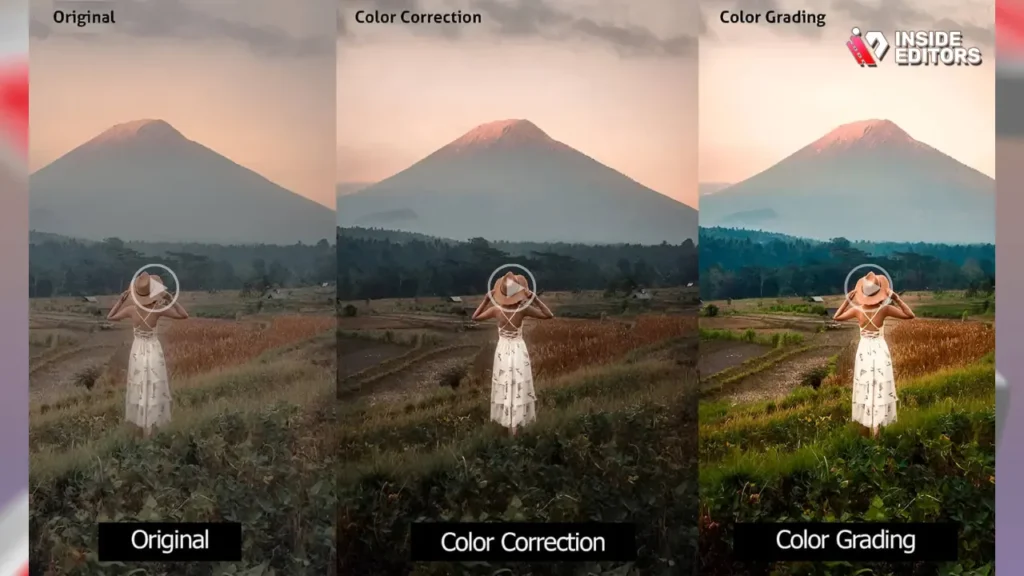
We began by asking What is Color Grading in Video Editing, and we’ve discovered it is a sophisticated blend of technical mastery and artistic vision. It is the final, crucial step that transforms raw footage into compelling visual narratives. From setting the white balance using the RGB Parade to applying a cinematic teal-and-orange look with power windows, color grading is the difference between amateur content and professional production.
Mastering this skill requires patience, practice, and a deep understanding of color psychology. For those who need professional results quickly and consistently, leveraging the expertise of seasoned professionals is often the most efficient path. Whether you choose to dive into the scopes yourself or rely on a dedicated team, recognizing the power of color grading is the first step toward elevating your video content.
Frequently Asked Questions
What is the difference between correction and grading?
Color correction is the technical process of fixing exposure and white balance to achieve a neutral, consistent image. Color grading is the creative process of applying an aesthetic ‘look’ to evoke emotion and establish a specific visual style in the video editing workflow.
How many times should the target keyword appear?
The target keyword, ‘What is Color Grading in Video Editing,’ should appear naturally at least 10 times throughout a 2000-2500 word article to ensure strong SEO performance and intent matching.
What are video scopes used for?
Video scopes, such as the Waveform and Vectorscope, are essential tools used in color grading to objectively measure the brightness, contrast, and color saturation of the video signal, ensuring technical accuracy and broadcast safety.
Can I use LUTs for professional color grading?
Yes, LUTs (Look-Up Tables) can be used as a starting point for professional color grading, but they should always be applied after primary color correction and customized to avoid generic looks or clipping the video signal.
Why are skin tones so important in grading?
Skin tones are critical because the human eye is highly sensitive to their accuracy. If skin tones are incorrect, the entire image feels flawed. Color grading professionals use the Vectorscope’s I-line to ensure natural skin color representation.
What is Log footage and why grade it?
Log footage is a flat, low-contrast video format captured by modern cameras that preserves the maximum dynamic range. It must be graded to restore contrast and color, providing the editor with maximum flexibility during the color grading process.
What is Color Grading in Video Editing primarily used for?
What is Color Grading in Video Editing is primarily used to enhance visual storytelling, establish mood, ensure continuity across different shots, and apply a professional, branded aesthetic to the final video product.


