

Finding the right 4k YouTube Video Downloader can feel overwhelming, especially when every tool claims to be the “fastest” or “most reliable.” If you’ve ever tried downloading high-resolution videos only to end up with slow speeds, broken links, or blurry output, you’re definitely not alone. The truth is, downloading 4K content isn’t just about pressing a button – it’s about choosing a tool designed to preserve detail, handle large files, and stay stable even with hours-long footage. In this guide, we’ll explore the best tools available today, how they differ, and how to choose the one that fits your workflow.
Whether you’re a content creator, video editor, educator, researcher, or someone who simply loves saving videos for offline watching, this guide is designed to help you pick confidently. By the end, you’ll know exactly what to look for – and which downloader gives you the cleanest, most reliable 4K results.
Why Picking the Right 4K Downloader Matters Most

If you’ve ever downloaded a YouTube video and noticed pixelation, broken audio, or color banding, it’s usually because the downloader compressed the file too heavily. High-resolution videos contain complex detail, and weaker software struggles to preserve it. This is especially true with 4K footage, which contains roughly four times the data of 1080p. Using a poor-quality tool often results in losing the very clarity you were trying to save.
How a Reliable Downloader Boosts Your Workflow
A strong 4k YouTube Video Downloader not only keeps your footage sharp – it saves you hours in editing and conversion. Editors know the frustration of trying to fix badly compressed clips. When colors look flat or footage becomes choppy, you spend more time repairing than creating. Choosing the right downloader means your footage arrives ready for editing, color grading, or repurposing, which improves your workflow from the very first step.
Setting the Stage for Professional-Level Content
More creators today aim for cinematic visuals, especially with platforms like YouTube supporting 4K and even 8K playback. When you download videos for reference, analysis, or creative projects, having clean source files makes a huge difference. As we move through this guide, you’ll see how certain downloaders maintain integrity across formats – something many users don’t realize until they compare side by side.
Top 4K YouTube Downloaders : Quick Comparisons
For many people, 4K Video Downloader is the first name that comes to mind – and for good reason. Its interface feels clean and straightforward, making it perfect even for newcomers. But don’t let the simplicity fool you. The tool supports high-bitrate 4K and 8K downloads, full playlist extraction, and separate audio/video streams when available.
Where it truly shines is reliability. If you’re downloading long-form content or entire playlists, this software rarely misfires. It handles large files without crashing and maintains high visual fidelity across formats. It’s an excellent entry point for creators who want predictable results without spending time tweaking settings.
Snap Downloader: A Premium Option for Speed and Flexibility
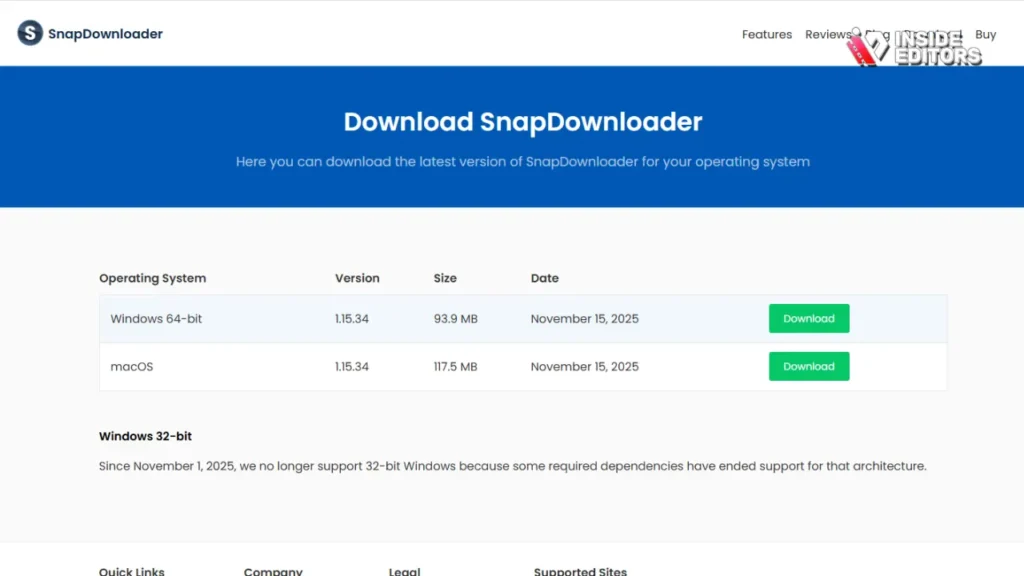
If you’re the kind of user who downloads multiple videos at once, Snap Downloader stands out for its speed. It consistently performs faster than most competitors thanks to its multi-threaded download engine. This means it breaks downloads into segments to pull the file more efficiently, which can cut large downloads down significantly.
What makes SnapDownloader even more appealing is its versatility. You can convert videos into dozens of formats, schedule downloads, and even download regional-restricted content with its built-in proxy support. It’s commonly chosen by educators, researchers, and editors who deal with heavy workflows.
By Click Downloader: Ideal for Bulk Downloads and Social Platforms
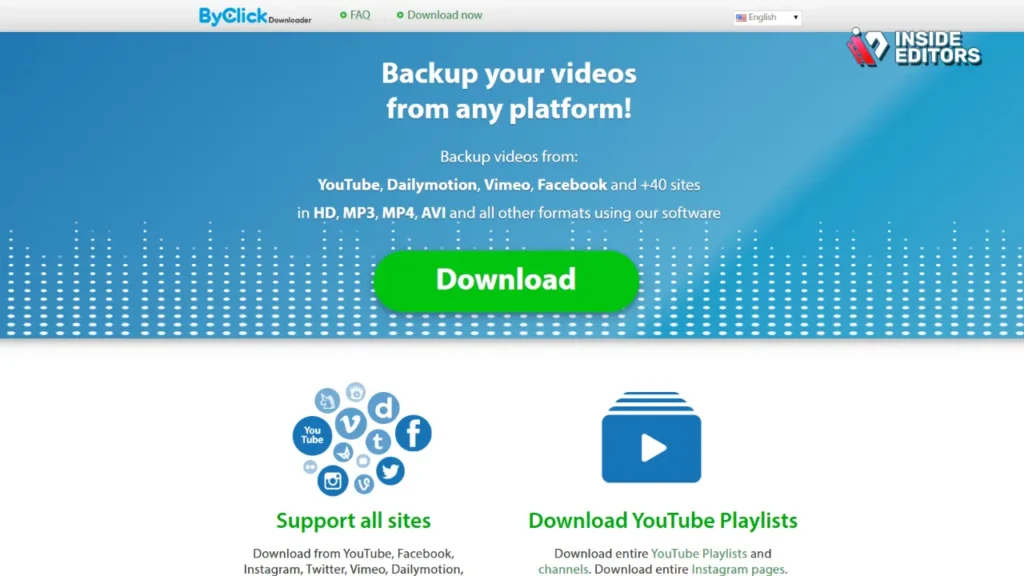
ByClick Downloader has a more relaxed feel, especially for users who like one-click simplicity. What separates it from the pack is its wide support beyond YouTube – platforms like Facebook, Instagram, TikTok, and Twitter integrate seamlessly. This makes it a go-to for creators working across multiple social channels.
It also offers instant MP3 or MP4 conversions, full playlist grabbing, and automatic resolution detection. For users who regularly download dozens of clips across various platforms, its convenience often outweighs the more advanced features found in higher-end apps.
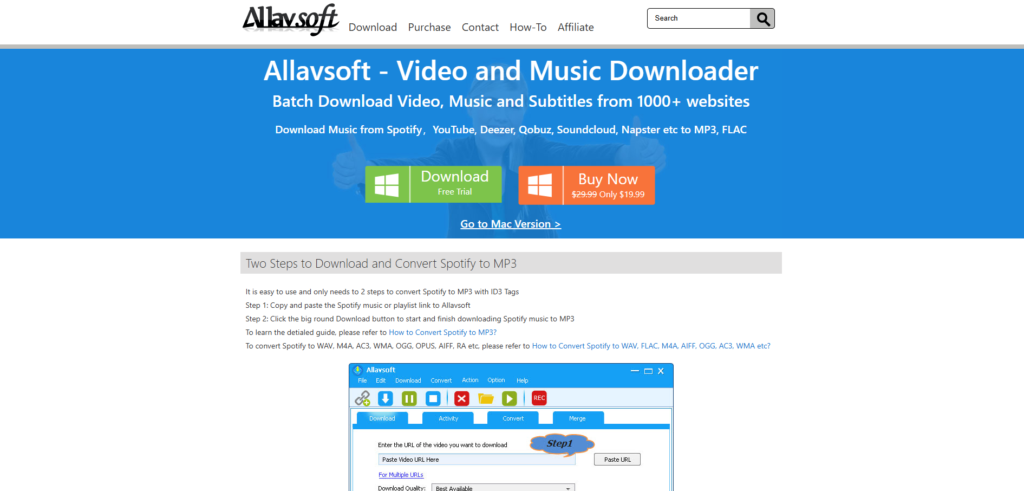
Allavsoft Video Downloader
Allavsoft is a reliable desktop video and audio downloader for Windows and macOS that supports downloading from YouTube, Facebook, Vimeo, Instagram, Spotify, and hundreds of other websites. It is designed for users who want more flexibility than online tools, especially when downloading high-quality videos or large files.
The software supports HD and 4K downloads where available and includes a built-in converter, allowing users to save files in popular formats such as MP4, MOV, AVI, and MP3. It also supports batch downloading and full playlist downloads, which makes it useful for content creators and video editors who work with multiple files at once.
With resume support and a simple copy-and-paste workflow, Allavsoft is easy to use while still offering advanced features. It works well as an alternative to 4K YouTube Video Downloader, particularly for users who want broader website support and integrated format conversion.
Feature Comparison Table: What Actually Matters
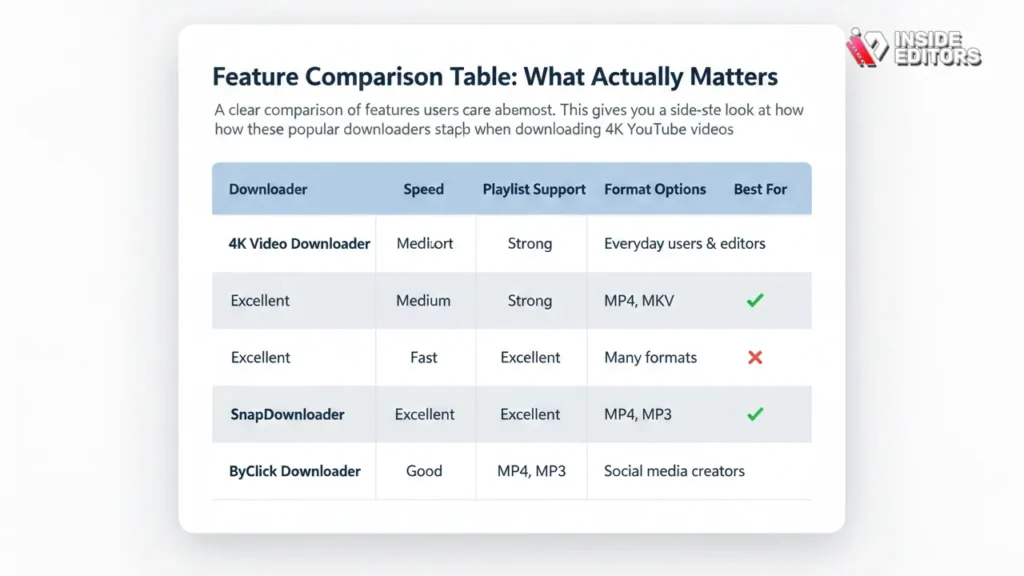
Below is a clear comparison of features users care about most. This gives you a side-by-side look at how these popular downloaders stack up when downloading 4K YouTube videos.
| Downloader | 4K Support | Speed | Playlist Support | Format Options | Best For |
| 4K Video Downloader | Excellent | Medium | Strong | MP4, MKV | Everyday users & editors |
| SnapDownloader | Excellent | Fast | Excellent | Many formats | Heavy downloaders |
| ByClick Downloader | Good | Medium | Excellent | MP4, MP3 | Social media creators |
This table shows how each tool offers something different depending on your workflow. If resolution purity is your top concern, 4K Video Downloader delivers excellent consistency. If you want speed and options, SnapDownloader is hard to beat. If you prefer simplicity and platform versatility, ByClick Downloader gives you a smooth and intuitive experience.
How to Choose the Best 4K Downloader for Your Goals
If you only download occasionally – maybe once or twice a week – a simple tool with clean output might be enough. But if you download regularly for work, research, or content creation, you’ll benefit from fast downloads, playlist tools, and broad format support. The frequency with which you download plays a major role in determining which tool becomes your best long-term fit.
Think About Your Editing Software and Compatibility
Different editors handle file formats differently. Some import MKV flawlessly, while others require MP4 for efficient rendering. Before choosing a downloader, think about where those files will go next. Professional tools like Adobe Premiere Pro, Final Cut Pro, and DaVinci Resolve each have different strengths, and matching your downloader to your software can significantly reduce friction.
Your Internet Speed Changes Everything
Many users assume their downloader is slow when the real limitation is their connection speed. A high-quality downloader maximizes your bandwidth, but it can’t exceed it. If you’re on a slower connection, choosing a stable downloader matters more than choosing the fastest one. Stability ensures that your downloads don’t fail halfway through.
Common Mistakes When Downloading 4K Videos

One of the biggest misconceptions is believing that any downloader offering “4K quality” delivers equal results. In reality, many tools upscale lower-quality streams rather than downloading native 4K data. This leads to softer images, artifacting, and inconsistent color. True 4K downloaders extract the original VP9 or AV1 stream directly from YouTube, preserving the sharpness that viewers expect from high-resolution content.
Overlooking Audio Quality
Another common mistake is ignoring the audio track. YouTube often stores audio separately from 4K video, and not all downloaders merge them correctly. Some lower-end tools compress audio heavily or combine mismatched bitrates, resulting in muddy sound. High-quality downloaders keep audio intact – whether it’s AAC, OPUS, or another modern codec – ensuring the video retains clarity across both visuals and sound.
Downloading the Wrong Format
Many users download 4K content in formats their devices don’t support. For example, some TVs reject MKV files, while older editing software struggles with WebM. If your workflow includes multiple devices, choose a downloader that lets you export in MP4 – the most universally compatible option. This reduces conversion time and avoids unnecessary frustration.
How Downloaders Handle YouTube’s Shifting Codecs
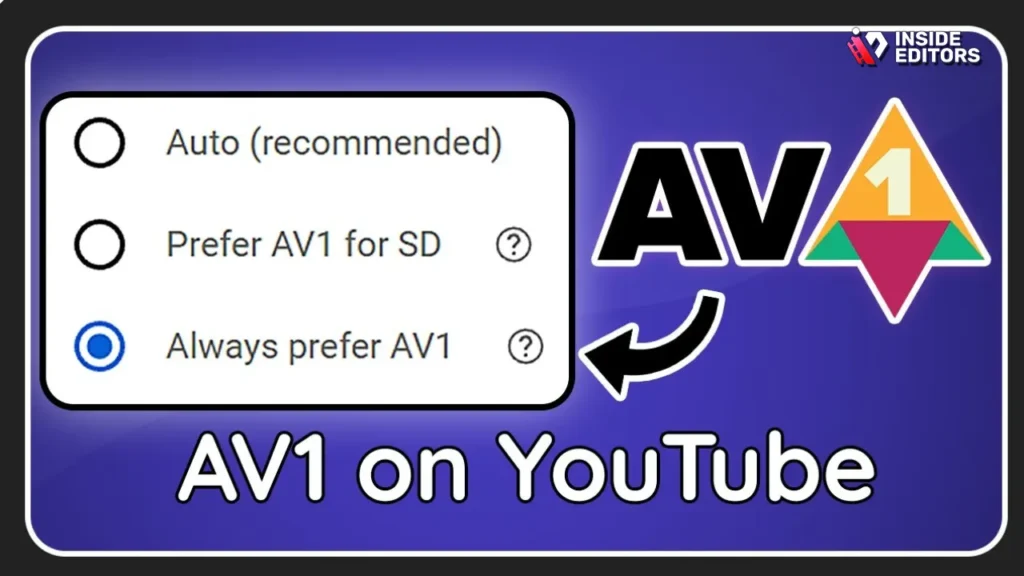
YouTube has gradually been moving toward the AV1 codec, which offers higher compression efficiency without sacrificing detail. However, not all downloaders support AV1 streams yet. This means that a less advanced tool might force you to download the older VP9 version of a video, which can be larger and slightly less optimized.
AV1 support matters for two reasons:
First, files are typically smaller while maintaining quality. Second, AV1 represents the future of online video – ensuring you’re saving clips that stay compatible as platforms evolve.
Color Profiles and Why They Impact Visual Accuracy
If you’ve ever downloaded a 4K video only to notice washed-out colors or muted contrast, the issue may be related to color transfer functions such as BT.709 and BT.2020. Modern 4K content often uses BT.2020, which captures a wider color range. Good downloaders detect and preserve these metadata profiles, while weaker ones convert them incorrectly. For video editors, this can dramatically affect color grading workflows.
Frame Rates: The Silent Quality Variable
Many creators overlook frame rates when downloading 4K content. YouTube frequently offers 60fps or even 120fps options for gaming, sports, and action videos. Choosing a downloader that recognizes high frame-rate versions gives you smoother playback and more flexibility when editing slow motion.
Why Pro Editors Care About Their Downloader
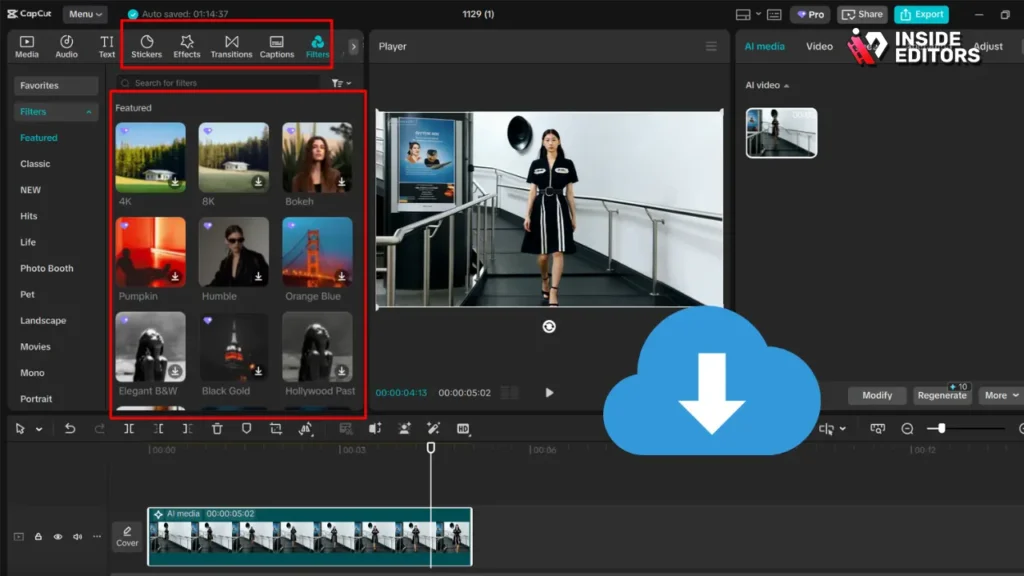
If you work with professional editing services – or plan to – the quality of your downloaded footage directly affects your final product. Editors often spend hours fixing poorly compressed clips, stabilizing jittery audio, or compensating for lost detail. Starting with a clean 4K file allows them to focus on creative storytelling instead of repair work, which speeds up the entire process.
This is one of the reasons agencies like Inside Editors consistently emphasize using high-quality input sources. Better footage leads to better videos – and far smoother collaboration.
Consistency Across Multiple Clips
If you’re downloading dozens of clips for a project, consistency becomes essential. Variations in resolution, bitrate, format, or codec can create a patchwork effect that’s difficult to correct later. Advanced downloaders offer batch settings to ensure every file matches the same technical specifications – something especially important for commercial edits and long-form storytelling.
Higher Quality Means Better Color Grading Results
Color grading becomes significantly easier when the downloaded file maintains its native quality. Editors can push shadows, midtones, and highlights further without introducing noise or artifacts. This is why choosing a powerful 4k YouTube Video Downloader is more than a convenience – it’s a foundation for creative control.
Premium vs. Free Downloaders: What to Expect
Free downloaders often look appealing, but they come with limitations: restricted resolution support, slower speeds, limited formats, and occasional watermarks. More importantly, many free tools fail to fetch true 4K streams or compress them heavily to reduce file size. For casual use, this may be fine, but for professional projects, these limitations become roadblocks.
The Value Behind Paid Options
Premium tools such as SnapDownloader and ByClick Downloader typically offer:
• faster multi-threaded downloads
• better codec support
• stable playlist downloading
• intact metadata preservation
• uninterrupted long-video processing
These features matter when you want consistent, predictable results. Anyone building videos for YouTube, brands, or clients will quickly notice the difference in workflow efficiency and output quality.
A Practical Example
Imagine a content creator assembling a reaction video. They need to download multiple clips, sometimes an entire playlist. With a free tool, they might experience broken downloads or mismatched formats that take hours to fix. With a strong paid downloader, the entire workflow becomes smooth – giving them more time to record, edit, and publish.
Inside Editors Helps Creators Maximize 4K Downloads
Even with the best downloader, footage often needs trimming, color correction, stabilization, or storytelling enhancement to become publish-ready. That’s where Inside Editors comes in. Professional editors know how to transform raw 4K clips into polished content that performs well on YouTube, social media, and commercial platforms.
By combining high-quality footage from your preferred downloader with expert editing, you can achieve a cinematic look without spending hours learning complex software.
Matching Your Style and Goals
Whether you’re producing a comparison video, adventure vlog, fitness tutorial, or product showcase, Inside Editors aligns the editing style with your vision. Their experience across genres – from travel video editing to gaming video production – allows them to bring out the best in your footage, no matter the source.
Saving Time While Elevating Quality
Instead of spending hours stitching clips together or fixing inconsistent footage, you can hand everything to a professional editor. This streamlines your workflow and lets you focus on what you do best – creating, teaching, performing, or storytelling.
If you’re working with 4K footage downloaded using the tools we discussed, Inside Editors ensures every clip becomes part of a seamless, engaging final video.
Final Thoughts: Choosing With Confidence
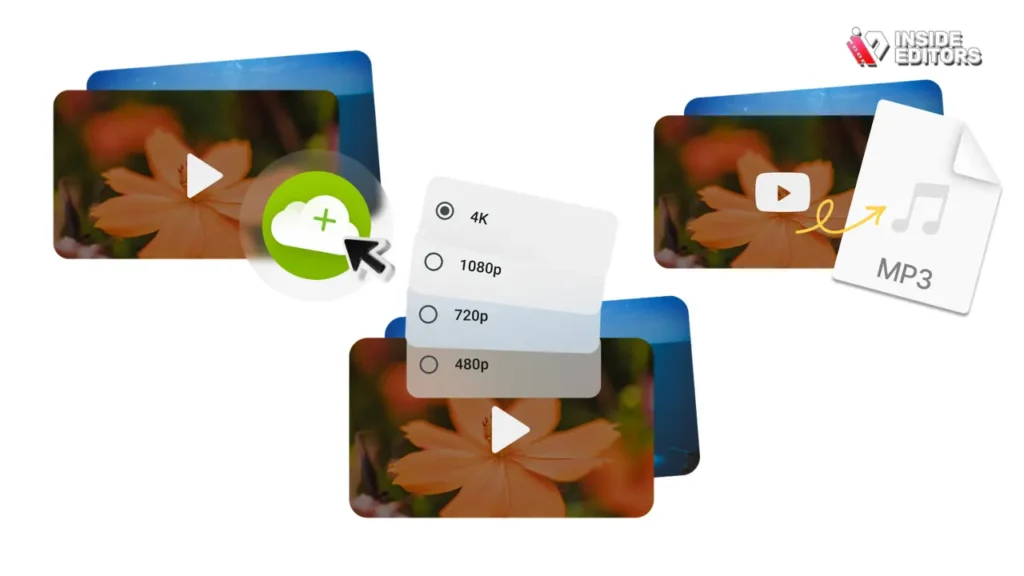
Finding the best 4k YouTube Video Downloader isn’t about picking the flashiest option – it’s about choosing a tool that fits your work rhythm, editing style, and long-term goals. A great downloader protects video quality, saves you time, and helps you maintain consistency across your projects. Whether you prefer the reliability of 4K Video Downloader, the speed of SnapDownloader, or the simplicity of ByClick Downloader, the key is understanding what matters most to you.
Once you pair high-quality downloads with strong editing – whether you do it yourself or work with experts – your videos reflect clarity, professionalism, and storytelling impact. Great content starts with great source files, and now you have the knowledge to choose confidently.
If you’re ready to take your videos from simple to stunning, professional editors can bring your ideas to life with precision and creativity. Explore Inside Editors’ Video Editing Services
FAQs Best 4K YouTube Video Downloader
Can I trust a third-party 4K YouTube video downloader with my files and data?
Trust depends on provenance and permissions: use well-known, regularly updated tools with clear privacy policies and no hidden telemetry. Prefer downloaders that run locally (not cloud upload) to avoid sharing files, and check reviews from 2024–2025 to confirm ongoing support. If privacy is critical, avoid any tool that requests unnecessary logins or uploads.
Will a 4k YouTube video downloader preserve original quality and ownership?
A proper downloader that accesses native VP9/AV1 streams will preserve the original 4K bitrate and color metadata, so files remain edit-ready and high fidelity. Ownership doesn’t change – you’re creating a local copy for permitted use; always respect copyright and licensing. For client projects, keep clear records showing permission or fair-use justification.
How do I choose between popular tools like 4K Video Downloader, SnapDownloader, and ByClick?
Compare three dimensions: fidelity (true 4K/AV1 support), throughput (multi-threaded speed), and workflow features (playlist export, format options). 4K Video Downloader scores for reliability, SnapDownloader for speed and format variety, and ByClick for social-platform convenience – pick based on whether quality, speed, or cross-platform downloads matter most. Trial each with one sample file to confirm real-world results.
Is it better to DIY downloads and editing or hire professional editing services?
DIY saves money initially but costs time: expect 2–10 hours learning exports, codecs, and color grading for a single long 4K project; pros often finish faster with predictable quality. Hiring Inside Editors or similar services trades a fee for expertise, faster delivery, and consistent results – a good choice when time, brand polish, or complex edits matter. Consider a hybrid: download with a reliable 4k YouTube video downloader and hand raw files to a pro.
What are typical pricing ranges for premium downloaders and professional editing?
Premium downloaders usually cost $20–$50 one-time or $12–$30/year for subscription tiers; pro editors range widely – simple trims start near $50 per video, while full production or branded edits can be $300–$2,000+. Licensing, rush fees, and source-file noise reduction are often extra. Always confirm what’s included (revisions, formats, and delivery codecs) before purchase.
How long does downloading and editing 4K footage usually take, and are rush options available?
Download time depends on internet bandwidth – a 10-minute 4K/60fps clip (≈1–2 GB) can take 5–30 minutes on 100–500 Mbps connections; editors typically need 24–72 hours for basic edits and 3–10 business days for complex projects. Many services offer rush delivery (24–48 hours) for a 20–100% premium; rush acceptance depends on current workload and file readiness. Provide clear specs and codecs to avoid delays.
What is a simple, skimmable process to get high-quality 4K files ready for editing?
Step 1: choose a downloader with native 4K/AV1 support and select the original bitrate/container (MP4/MKV). Step 2: download audio and video streams, or a merged file if available, and verify timestamps/metadata. Step 3: import into your editor, check color profile (BT.709 vs BT.2020), then export using an edit-ready codec; if unsure, hand files to a pro editor.
Which formats and settings should I pick when saving 4K files for broad compatibility?
For widest compatibility, choose MP4 (H.264 or H.265) at the highest native bitrate available and keep original audio (AAC/Opus). If you plan heavy color grading or archival, prefer MKV or lossless intermediate codecs to avoid recompression artifacts. Always test a short clip in your target playback devices and editing software before batch downloading.


