


When it comes to creating stunning videos or diving into the latest AAA games, your CPU can make all the difference. Choosing the best CPU for video editing and gaming isn’t just about picking the fastest chip-it’s about balancing performance, workflow efficiency, and future-proofing for demanding tasks. Whether you’re rendering 4K footage, layering complex effects, or enjoying high-refresh gaming, the right processor ensures smooth, uninterrupted performance.
In this guide, we’ll walk you through the top CPUs , break down their strengths and weaknesses, and provide actionable insights so you can make a confident, informed choice.
Why CPU Choice Matters for Both Video Editing and Gaming

Most casual users underestimate how much a CPU affects their creative and gaming experience. While GPUs often get the spotlight for rendering graphics, CPUs are the backbone of multitasking, encoding, and handling software that requires high core counts and fast clock speeds.
Why Video Editing Depends on CPU Performance
When editing, especially in software like Adobe Premiere Pro, DaVinci Resolve, or Final Cut Pro, your CPU handles the majority of timeline rendering, effects processing, and color correction. A processor with more cores and threads allows you to run multiple processes simultaneously, reducing export times and preventing sluggish previews. For instance, rendering a 10-minute 4K video with color grading and effects can take significantly longer on a mid-range quad-core processor compared to a high-end 12-core CPU.
Gaming Isn’t Just About Graphics Cards
For gamers, the CPU controls game logic, physics calculations, and frame processing. A fast CPU ensures your GPU isn’t bottlenecked, especially in CPU-intensive titles like Cyberpunk 2077, Microsoft Flight Simulator, or competitive eSports games. If you want consistent 144Hz or higher gameplay, your CPU needs to keep pace with your GPU to avoid dips and stutter.
Key Takeaway: Investing in a CPU that balances high core count with strong single-core performance is crucial if you want a system that excels at both editing and gaming.
How to Evaluate the Best CPU for Video Editing and Gaming

Not all processors are created equal, and understanding their specifications helps you make a choice that fits your workload and budget.
Core Count and Multithreading
The number of cores determines how many tasks a CPU can handle simultaneously. Modern editing software thrives on multiple cores. A 12-core processor can handle complex 4K timelines far better than a 6-core counterpart. Multithreading, which allows each core to run multiple threads, further improves efficiency, especially during rendering or batch exports.
Clock Speed and IPC (Instructions Per Cycle)
Clock speed, measured in GHz, affects how quickly a CPU executes tasks. While multi-core performance is important for editing, high single-core speed is crucial for gaming. A CPU with 4.8 GHz single-core performance can outperform a slower multi-core chip in fast-paced gaming scenarios. IPC improvements in newer processors also translate to better efficiency, meaning newer CPUs often outperform older ones even at similar clock speeds.
Cache, Thermal Design, and Power Efficiency
Larger caches allow faster access to frequently used data, which accelerates rendering and gaming performance. Thermal Design Power (TDP) is equally important-high-end CPUs may require robust cooling solutions, which adds to the overall system cost. Efficient CPUs help maintain steady performance during long editing sessions or extended gaming marathons.
Top 7 CPUs for Video Editing and Gaming in 2025
Here’s our expert roundup based on real-world performance, benchmarks, and value for creators and gamers.
| CPU Model | Cores/Threads | Base/Boost Clock | Why It’s Great |
|---|---|---|---|
| AMD Ryzen 9 7950X3D | 16 / 32 | 4.2 / 5.7 GHz | Excellent for multitasking; fast rendering, superb gaming performance |
| Intel Core i9-14900K | 24 / 32 | 3.2 / 6.0 GHz | Blends high single-core speed for gaming with multi-core editing efficiency |
| AMD Ryzen 9 7900X | 12 / 24 | 4.7 / 5.6 GHz | Strong all-rounder for 4K video workflows and AAA gaming |
| Intel Core i7-14700K | 20 / 28 | 3.4 / 5.8 GHz | Affordable high-end option; good for streaming and gaming simultaneously |
| AMD Ryzen 7 7800X3D | 8 / 16 | 4.2 / 5.0 GHz | Incredible gaming performance with solid editing capabilities |
| Intel Core i5-14600K | 14 / 20 | 3.5 / 5.6 GHz | Budget-conscious choice for content creators starting in 1080p/1440p |
| AMD Ryzen 5 7600X | 6 / 12 | 4.7 / 5.3 GHz | Great entry-level CPU for light editing and casual gaming |
Insider Tip: While benchmarks provide guidance, your choice should consider your typical workload. If your projects involve heavy 8K editing or AI-assisted effects, prioritize multi-core power. For primarily gaming with occasional edits, single-core speed matters more.
Comparing the Top CPUs: Which One Fits Your Workflow?

Choosing a CPU isn’t just about picking the highest number of cores or fastest clock speed-it’s about matching the chip to your specific workflow. Let’s break down scenarios to help you decide which CPU works best for your editing and gaming needs.
Heavy 4K Editing and Rendering
If your projects involve 4K or 8K footage, multiple effects layers, or color grading, high core-count CPUs like the AMD Ryzen 9 7950X3D or Intel Core i9-14900K are ideal. These processors handle complex timelines with minimal lag and reduce export times drastically. Many professional editors report up to a 40% faster render compared to mid-range processors when using these chips.
Example: A freelance editor working on YouTube 4K content can render a 15-minute video in under 20 minutes with a Ryzen 9 7950X3D, whereas a 6-core CPU might take nearly 45 minutes for the same project.
Gaming-Focused Builds
Gamers primarily benefit from high single-core performance. CPUs like the AMD Ryzen 7 7800X3D or Intel Core i7-14700K provide lightning-fast frame rates and minimal stutter in competitive or graphically demanding games. These chips ensure your GPU can run at full potential, avoiding bottlenecks that compromise gameplay smoothness.
Pro Tip: Pairing these CPUs with a high-refresh monitor (144Hz+) amplifies the benefit-your CPU won’t hold your GPU back, and you’ll experience consistent performance in fast-paced games.
Balanced Workflow: Editing + Gaming
Many creators and streamers need a CPU that performs well in both worlds. Mid-to-high tier options like the AMD Ryzen 9 7900X or Intel Core i7-14700K offer a balance of multi-core rendering power and strong single-core gaming performance. This makes them excellent choices for content creators who game on the side or gamers who also produce YouTube or Twitch content.
Optimizing Your CPU for Maximum Performance
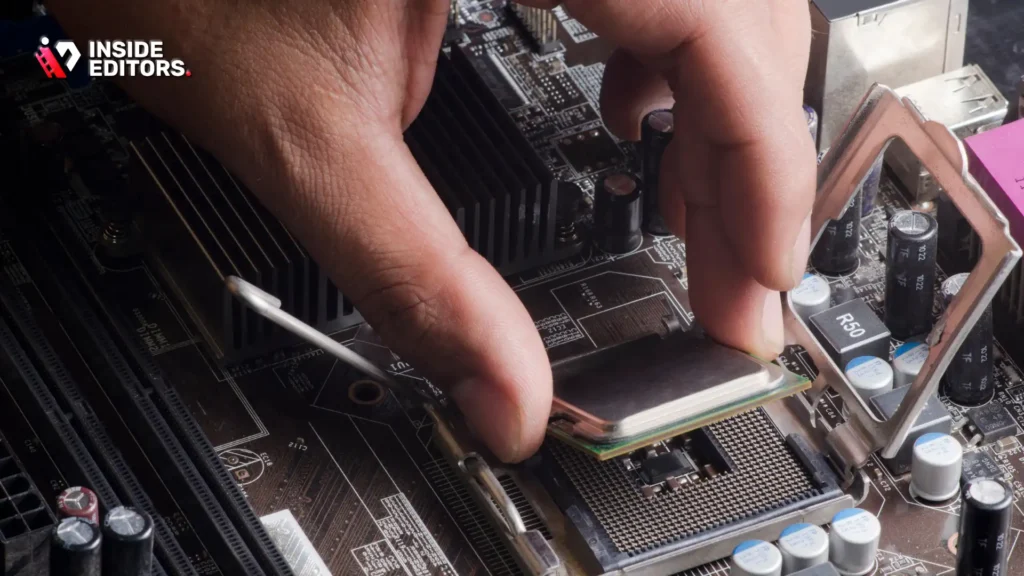
Choosing the right CPU is only the first step. How you set up your system can significantly affect performance and longevity.
Cooling Solutions Matter
High-end CPUs generate heat, especially under sustained workloads like rendering or gaming marathons. Investing in a quality AIO liquid cooler or premium air cooler can maintain optimal temperatures, prevent thermal throttling, and extend the CPU’s lifespan.
Example: The Intel Core i9-14900K reaches peak performance only with effective cooling-without it, the chip may throttle during intense tasks, negating its speed advantage.
Memory and Storage Pairing
A fast CPU paired with slow RAM or HDD storage can bottleneck performance. Opt for DDR5 RAM when possible, and pair with NVMe SSDs to maximize read/write speeds. For video editors, this combination reduces timeline lag and speeds up rendering, while gamers experience shorter load times and smoother frame delivery.
Future-Proofing Your Build
Technology evolves rapidly. Investing in a CPU that supports PCIe 5.0, DDR5 memory, and upcoming motherboard features ensures your system remains capable for years. Even if your current projects don’t fully utilize these features, they provide headroom as software demands increase.
Avoiding Common Mistakes When Choosing a CPU
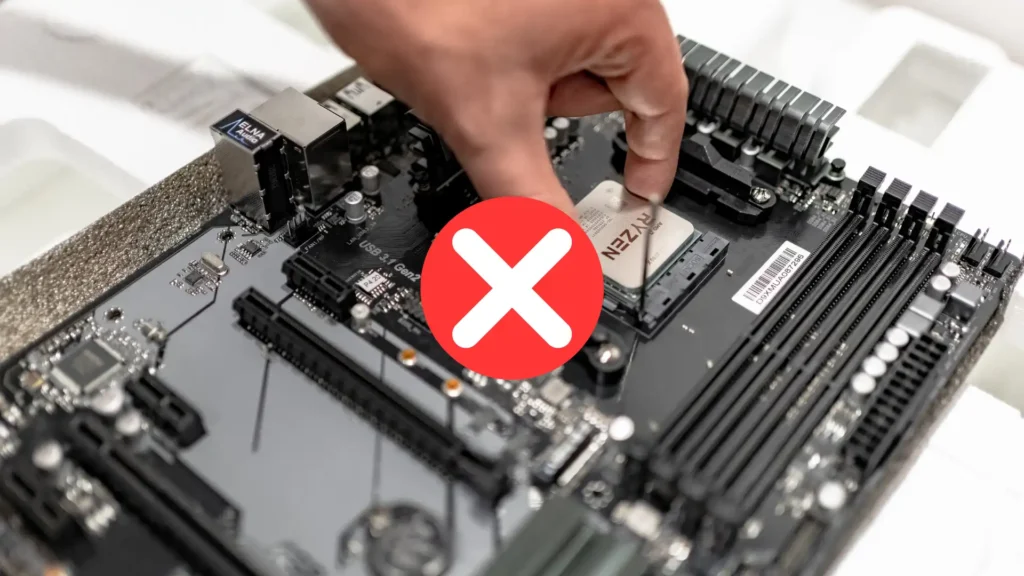
Even experienced users make errors that can hinder performance or waste money. Here are pitfalls to avoid:
- Overlooking Workflow Needs: High core count isn’t always better if your main activity is gaming. Match the CPU to your primary tasks.
- Ignoring Cooling Requirements: Many high-end CPUs require robust cooling-never assume stock coolers suffice for heavy editing workloads.
- Neglecting Compatibility: Check motherboard socket, chipset, and RAM compatibility before purchasing.
- Focusing Only on Benchmarks: Synthetic tests may not reflect real-world performance for your specific software. Look at application-specific benchmarks and reviews.
By understanding these factors, you can confidently select a CPU that maximizes productivity without overpaying for unused power.
How Inside Editors Can Elevate Your CPU Experience

Even with the best CPU for video editing and gaming, your raw footage won’t automatically become a polished final product. That’s where professional editing services like Inside Editors make a difference.
Instead of spending hours tweaking color, synchronizing audio, or handling transitions, you can focus on your creative vision while experts handle the technical heavy lifting. For example:
- Streamlined Editing: Complex projects are completed faster, leveraging both CPU and professional workflows efficiently.
- Consistent Quality: Editors ensure every clip meets professional standards-saving time and avoiding common mistakes.
- Enhanced Storytelling: Beyond technical polishing, professionals help craft narratives that resonate with audiences.
Practical Tip: Even top-tier CPUs perform best when paired with expert guidance. You can explore Inside Editors’ services tailored to gaming, travel, fashion, or business videos to maximize both efficiency and creative impact.
Explore Inside Editors’ Video Editing Services → https://insideeditors.com/product-video-editing-services/
Final Thoughts: Making the Right CPU Choice
Selecting the best CPU for video editing and gaming boils down to understanding your needs and balancing performance with budget.
- For extreme editing and 4K workflows: AMD Ryzen 9 7950X3D or Intel Core i9-14900K.
- For gaming with occasional editing: AMD Ryzen 7 7800X3D or Intel Core i7-14700K.
- For budget-conscious or mid-range builds: Intel Core i5-14600K or AMD Ryzen 5 7600X.
Remember, the CPU is only part of the ecosystem. Optimizing RAM, storage, cooling, and leveraging professional editing expertise ensures you get the best results from your investment.
Empower Your Workflow: By choosing wisely and combining top-tier hardware with expert editing services, your videos and games will perform at their absolute best-without unnecessary frustration or wasted time.
Curious how professionals refine their videos? Explore Inside Editors’ tutorials and services to bring your projects from raw footage to cinematic storytelling.
FAQs – Top Questions About Video Editing Services and CPU Workflows
1. How do I know if a CPU is right for video editing and gaming?
Look at core count, clock speed, and software compatibility. Higher cores improve rendering, while faster single-core performance boosts gaming. Balance with your workflow: 6-8 cores suit casual 1080p editing, 12+ cores handle 4K+ projects efficiently.
2. Can I edit videos myself, or should I hire professionals?
DIY is fine for short clips or casual projects, but professionals save time and ensure consistent quality, especially for complex edits. Services like Inside Editors handle color grading, transitions, and audio polishing for a polished, professional result.
3. How much does professional video editing cost?
Pricing ranges from $50 to $500+ per video depending on length, complexity, and revisions. Basic packages cover trimming and color correction; advanced tiers include motion graphics, sound design, and multiple revisions. Always clarify inclusions before purchasing.
4. How long does editing usually take?
Turnaround depends on project length and complexity. Standard edits take 1-5 business days, while longer or high-resolution projects may need 1-2 weeks. Rush options are often available for an extra fee, but require clear source files and notes upfront.
5. What are the typical steps in a professional video editing workflow?
Upload raw footage, provide a brief with style or branding notes, receive an initial draft, request revisions, and approve the final cut. Color grading adjusts the creative look, while audio mastering ensures clean, balanced sound. Most editors offer 1-3 revision rounds.
6. Will I retain full rights and privacy for my videos?
Reputable services grant full ownership upon delivery and protect your files via secure cloud transfers. Always confirm terms of service, NDAs, and storage policies to ensure confidentiality and intellectual property protection.


