

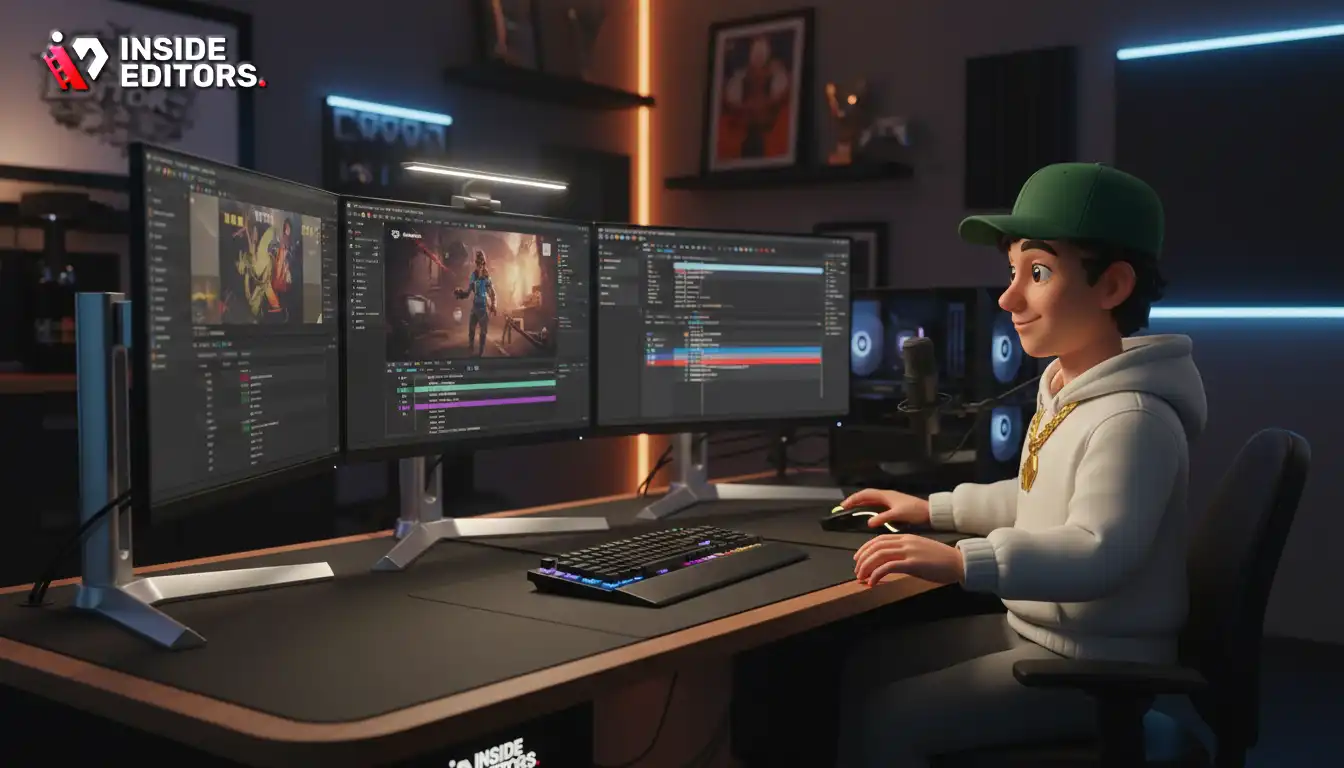
Building the perfect video gaming setup is more than just assembling powerful hardware; it’s about crafting an immersive, ergonomic, and high-performance environment tailored to your specific gaming style. Whether you are a competitive esports athlete, a casual console player, or a content creator streaming the latest titles, optimizing your space is crucial for maximizing enjoyment and minimizing fatigue.
In this comprehensive guide, we will break down every essential component, from the core processing units to the often-overlooked ergonomic accessories. We aim to provide expert insights, detailed comparisons, and actionable advice so you can design the ultimate video gaming setup that meets both your performance needs and your budget. Getting the right gear is the first step, but understanding how those components interact is what truly elevates the experience.
Defining Your Gaming Ecosystem: PC vs. Console
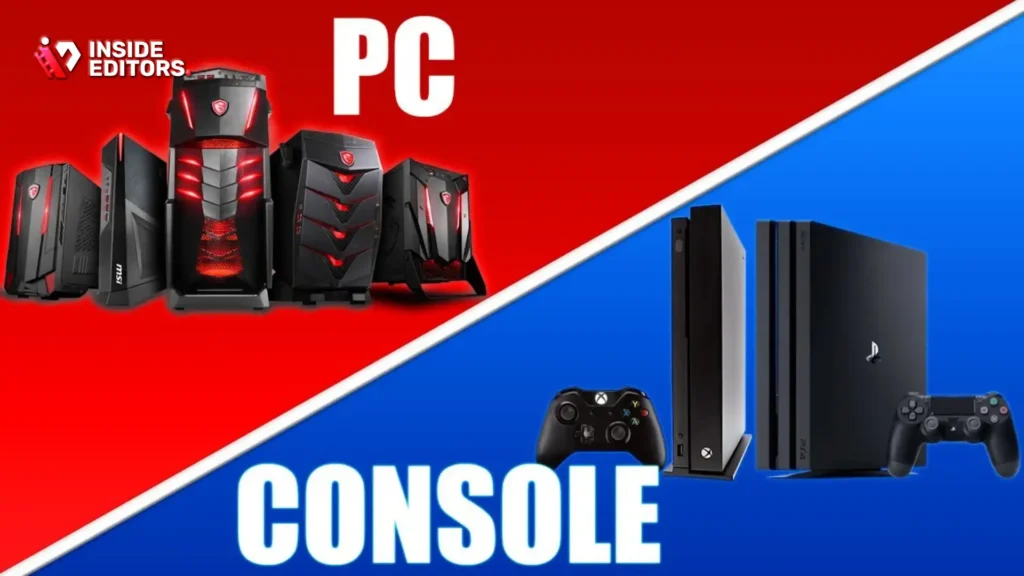
The foundation of any great video gaming setup begins with a fundamental decision: PC or console? Each platform offers distinct advantages and limitations, influencing everything from component costs to game libraries and upgrade paths. Understanding these differences is vital before investing in peripherals and furniture.
The Power and Flexibility of a PC Gaming Setup
A dedicated PC gaming setup offers unparalleled customization and performance scaling. Users can select every component-CPU, GPU, RAM, storage-to perfectly match their desired resolution, frame rate, and graphical settings. This flexibility allows for future upgrades, ensuring the system remains relevant for years.
The PC ecosystem also supports a vast array of input devices, including specialized controllers, flight sticks, and racing wheels, alongside the standard mouse and keyboard. Furthermore, a PC is inherently multifunctional, serving as a powerful workstation for tasks like video editing, graphic design, and streaming. This versatility makes the PC the preferred choice for serious content creators and competitive players who demand the highest frame rates and lowest latency.
The Simplicity and Accessibility of Console Gaming
Console gaming, primarily dominated by PlayStation 5 and Xbox Series X, offers a streamlined, plug-and-play experience. The hardware is standardized, eliminating compatibility concerns and complex driver management. Consoles are often more budget-friendly upfront than a high-end gaming PC, providing excellent performance for 4K gaming at a lower entry cost.
While consoles traditionally relied on controllers, modern systems now support many keyboard and mouse setups, blurring the lines between the two platforms. The primary appeal of a console video gaming setup is accessibility and exclusive game titles. If your main goal is to simply sit back and enjoy the latest AAA titles without the hassle of optimization, a console provides a fantastic, cohesive experience.
“The choice between PC and console isn’t about which is inherently ‘better,’ but which platform aligns best with your budget, technical comfort level, and the specific games you want to play.” – Lana Chen, Tech Analyst
Essential Components of a High-Performance Video Gaming Setup
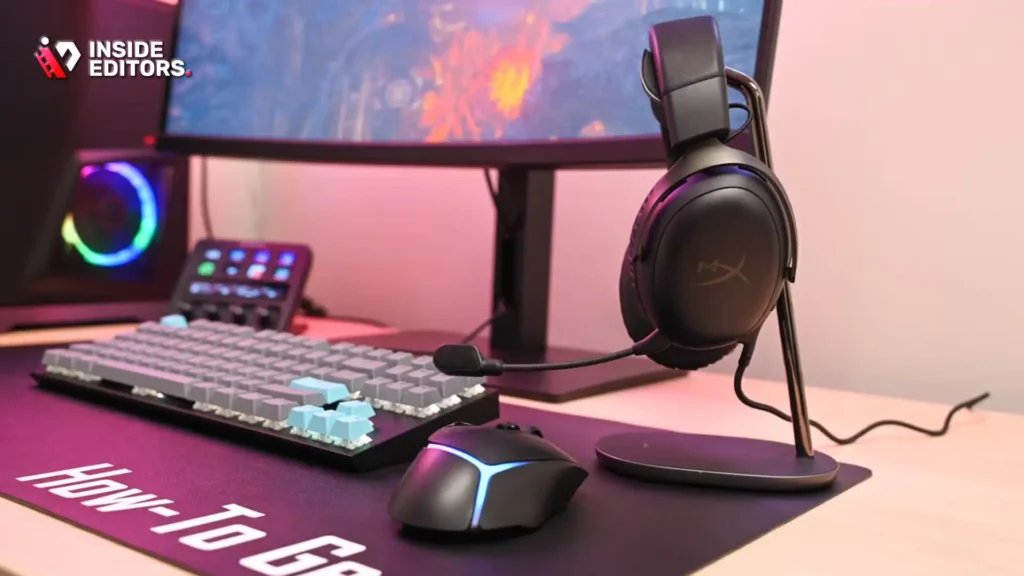
Once the platform is chosen, attention shifts to the core hardware that drives the gaming experience. These components must work in harmony to deliver smooth, responsive gameplay.
Graphics Card and Processor Synergy (PC Focus)
In a PC video gaming setup, the Graphics Processing Unit (GPU) is arguably the most critical component for gaming performance. It renders the complex visuals and textures displayed on your monitor. Pairing a powerful GPU with an appropriate Central Processing Unit (CPU) is crucial to avoid bottlenecks. A CPU bottleneck occurs when the processor cannot feed instructions to the GPU fast enough, resulting in lower frame rates than the GPU is capable of producing.
Choosing the right combination depends heavily on the target resolution. For 1080p gaming, a mid-range GPU and CPU are often sufficient. However, for 4K or high refresh rate 1440p gaming, investing in the latest high-end GPUs and powerful multi-core CPUs is essential.
Display Technology: Refresh Rate and Resolution
The monitor is the window to your game, and its specifications dramatically affect the perceived quality of the video gaming setup. Two metrics are paramount: refresh rate (measured in Hertz, Hz) and resolution (e.g., 1080p, 1440p, 4K).
| Feature | 1080p (Full HD) | 1440p (Quad HD) | 4K (Ultra HD) |
|---|---|---|---|
| Refresh Rate Focus | 144Hz to 240Hz | 120Hz to 165Hz | 60Hz to 144Hz |
| Ideal Use Case | Competitive Esports, Budget Builds | High-Performance Gaming, Balance | Cinematic, Single-Player Experiences |
| Hardware Demand | Low to Moderate | Moderate to High | Very High |
| Typical Screen Size | 24 inches | 27 inches | 32 inches+ |
A high refresh rate (144Hz or higher) reduces motion blur and input lag, making fast-paced games feel significantly smoother. This is non-negotiable for competitive players. Conversely, higher resolution offers sharper images and greater detail, enhancing immersion in visually rich games.
Audio Immersion: Headsets and Sound Systems
Sound design is integral to modern gaming, providing crucial spatial awareness in competitive titles and deep immersion in story-driven games. A quality gaming headset is essential for communication and directional audio cues. Look for headsets that offer clear microphone quality and comfortable ear cups for long sessions.
For those who prefer external audio, a 2.1 or 5.1 sound system can create a rich, room-filling soundscape. However, remember that headphones generally offer superior positional accuracy, which is often necessary for pinpointing enemy locations.
Optimizing the Ergonomics of Your Video Gaming Setup

Performance is only half the battle; comfort dictates how long you can sustain peak performance. An ergonomic video gaming setup prevents strain, improves focus, and extends gaming sessions safely.
The Critical Role of the Gaming Chair
The gaming chair is the centerpiece of comfort. Spending hours seated requires proper lumbar and neck support. While many chairs emphasize aggressive styling, prioritize adjustability and material quality. A chair that allows you to adjust the height, armrests, back recline, and lumbar support ensures your body maintains a neutral posture.
“Poor posture doesn’t just cause back pain; it can subtly degrade reaction time and focus over prolonged periods. Invest in a chair that supports your spine’s natural curve.” – Dr. Elena Rodriguez, Ergonomic Specialist
Desk Space and Cable Management
A spacious, sturdy desk is necessary to accommodate monitors, peripherals, and adequate mouse movement. Desk depth is often overlooked; you need enough space to position the monitor at a comfortable viewing distance (arm’s length).
Cable management transforms a cluttered mess into a clean, functional video gaming setup. Use cable ties, sleeves, and under-desk trays to route wires neatly. Not only does this look professional, but it also improves airflow and makes cleaning easier. A clean setup is a clean mind, allowing for better concentration during intense gaming moments.
Input Devices: Precision and Comfort
The mouse and keyboard are the primary interface for PC gaming, demanding precision and responsiveness.
- Gaming Mice: Look for mice with high DPI (Dots Per Inch) sensors, low latency, and customizable weight or button layouts. The shape should fit your grip style (palm, claw, or fingertip).
- Mechanical Keyboards: Mechanical switches offer superior tactile feedback and faster actuation times compared to membrane keyboards. Choosing the right switch type (e.g., linear, tactile, or clicky) is a personal preference that impacts typing and gaming feel.
For console players, the controller is paramount. Investing in an elite or pro-level controller often provides additional programmable paddles, customizable stick tension, and improved grip, offering a competitive edge.
Building a Streaming-Ready Video Gaming Setup
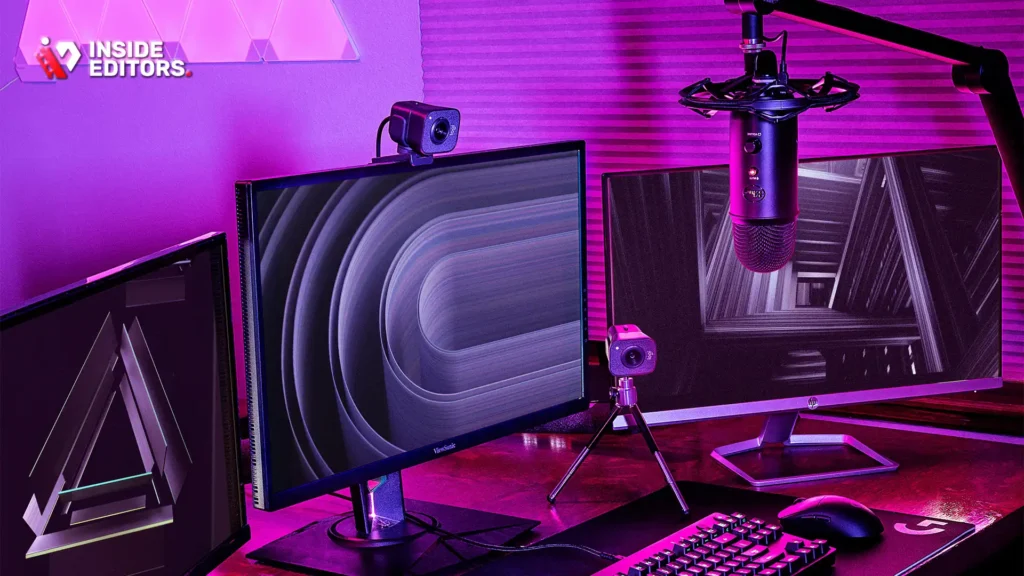
Many gamers today transition into content creation, making streaming capability a key consideration for their video gaming setup. This requires integrating specific hardware and software that goes beyond basic gameplay.
Capture Cards and Dedicated Streaming PCs
For high-quality streaming, especially when playing demanding games, offloading the encoding process is essential. This can be achieved through two methods:
- Dedicated Streaming PC: A second, less powerful PC handles the encoding and broadcasting, leaving the main gaming PC free to run the game at maximum settings. This requires a capture card (like those made by Elgato or AverMedia) to transfer the video signal between the two machines.
- Hardware Encoding: Utilizing dedicated hardware encoders built into modern GPUs (like NVIDIA’s NVENC or AMD’s VCE) allows a single PC to handle both tasks efficiently, though it still consumes some system resources.
High-Quality Audio and Visuals
Viewers expect clear audio and crisp visuals. A dedicated condenser microphone (often paired with a boom arm and shock mount) vastly improves voice quality over a headset mic. Similarly, a high-resolution webcam (1080p or 4K) with good low-light performance is necessary to present a professional image.
Lighting is the secret weapon of any successful stream. A simple three-point lighting setup (key light, fill light, and back light) can drastically improve video quality, making the streamer look vibrant and professional.
The Role of Professional Video Editing in Gaming Content
While optimizing your physical video gaming setup is crucial for performance, optimizing your output is vital for growth as a content creator. Raw gameplay footage, even from the most powerful PC, often requires professional refinement to maximize viewer engagement.
This is where specialized services like those offered by Inside Editors become invaluable. Content creators, whether they are YouTube stars, Twitch partners, or marketing teams leveraging gaming content, often lack the time or expertise to transform hours of footage into polished, engaging videos.
Inside Editors provides professional video editing services specifically tailored for content creators. Our professional editing team, boasting over 10 years of experience, specializes in transforming raw gameplay into high-quality, narrative-driven content. We handle everything from fast-paced montages and highlight reels to detailed tutorials and cinematic story edits.
Our workflow is designed for efficiency and quality assurance. Key features include:
- Fast Turnaround: We guarantee delivery within 24–72 hours, ensuring you maintain a consistent upload schedule.
- Unlimited Revisions: We work tirelessly until you are 100% satisfied with the final product.
- Affordable Pricing: Services start at just $29 per video, offering a scalable solution for growing channels.
- Quality Enhancement: We include professional color grading and audio enhancement to ensure your content looks and sounds flawless.
By partnering with Inside Editors, you save valuable time that can be reinvested into creating more content or improving your video gaming setup. Professional quality builds trust and consistency, which are cornerstones of a successful online brand.
Connectivity and Networking: The Unsung Heroes

Even the most powerful video gaming setup will falter without a stable, low-latency internet connection. Network performance is just as important as hardware specifications.
Wired vs. Wireless Connections
For competitive gaming, a wired Ethernet connection is mandatory. Wi-Fi introduces variability and higher latency (ping) due to signal interference and distance, leading to frustrating lag spikes. While modern Wi-Fi standards (Wi-Fi 6/6E) have improved, they cannot match the consistency and speed of a direct cable connection.
Router Quality and QoS
Your router acts as the traffic cop for your home network. Investing in a high-quality router designed for gaming, often featuring Quality of Service (QoS) controls, is highly recommended. QoS allows you to prioritize gaming traffic over other activities, such as streaming video or large downloads, ensuring your game always gets the bandwidth it needs.
Common Network Pitfalls and Solutions
One common mistake is using outdated or cheap networking equipment. Ensure your modem and router are capable of handling your internet service provider’s speed tier. If you live in a large home, consider a mesh Wi-Fi system for general coverage, but always run an Ethernet cable to your primary video gaming setup for critical performance.
“Latency is the enemy of competitive gaming. You can have a $5,000 PC, but if your ping is 150ms, you’re at a massive disadvantage. Always prioritize a low-latency, wired connection.” – Marcus ‘Kilo’ Jones, Esports Coach
Case Study Comparison: Budget vs. High-End Video Gaming Setup
To illustrate the differences in component selection, here is a comparison of two distinct approaches to building a video gaming setup.
| Component | Budget 1080p Setup | High-End 4K Setup |
|---|---|---|
| Platform | Mid-Range PC or Console (PS5/XSX) | High-End PC |
| CPU | AMD Ryzen 5 or Intel Core i5 (Mid-Gen) | AMD Ryzen 9 or Intel Core i9 (Latest Gen) |
| GPU | NVIDIA RTX 4060 or AMD RX 7600 | NVIDIA RTX 4090 or AMD RX 7900 XTX |
| RAM | 16GB DDR4 (3200MHz) | 32GB DDR5 (6000MHz+) |
| Storage | 1TB NVMe SSD | 4TB NVMe Gen4/Gen5 SSD |
| Monitor | 24-inch, 1080p, 144Hz IPS | 32-inch, 4K, 144Hz OLED |
| Chair | Ergonomic Office Chair | Premium Gaming Chair (e.g., Herman Miller) |
| Aesthetics | Functional, Minimal RGB | Custom Loop Cooling, Extensive RGB |
| Target Frame Rate | 60-120 FPS at High Settings | 100+ FPS at Ultra Settings |
Pros and Cons of a High-End Video Gaming Setup
A high-end setup delivers the ultimate visual fidelity and frame rates, ensuring future-proofing and the best competitive performance.
Pros:
- Maximum visual quality and immersion.
- Highest possible frame rates for competitive play.
- Excellent multitasking capabilities (gaming, streaming, editing).
- Longer component lifespan before needing upgrades.
Cons:
- Significantly higher initial investment cost.
- Requires more complex cooling solutions.
- Higher power consumption and heat generation.
Final Verdict and Recommendations for Your Video Gaming Setup
The best video gaming setup is the one that perfectly balances performance, comfort, and budget for your unique needs.
If you are a competitive player aiming for esports success, prioritize high refresh rate monitors, low-latency input devices, and a powerful CPU/GPU combination to maintain high frame rates. If you are a casual player focused on cinematic experiences, prioritize resolution (4K) and comfortable ergonomics.
Regardless of your focus, remember the importance of supporting elements: a great chair, a stable internet connection, and proper cable management elevate the entire experience.
For those producing gaming content, remember that the quality of your final video output is just as important as the quality of your gameplay. If you are struggling to keep up with the demands of editing, consider leveraging professional expertise. Inside Editors offers professional video editing services, providing fast turnaround times (24–72 hours), unlimited revisions, and expert color grading and audio enhancement, all starting at an affordable rate. This allows you to focus on playing and streaming, while we ensure your content maintains a professional, consistent brand style.
By meticulously planning each component of your video gaming setup, you are investing not just in hardware, but in countless hours of immersive, high-quality entertainment.
Frequently Asked Questions
What is the most important component for a gaming PC?
The Graphics Processing Unit (GPU) is generally the most critical component for a gaming PC, as it handles rendering visuals and achieving high frame rates. However, a powerful CPU is needed to prevent bottlenecks and ensure the entire video gaming setup performs optimally.
Should I choose a 144Hz monitor or a 4K monitor?
If you play fast-paced competitive games, choose a 144Hz monitor for smoother visuals and lower input lag. If you prefer immersive, cinematic single-player games, choose a 4K monitor for superior image clarity in your video gaming setup.
How often should I upgrade my gaming setup?
A well-built video gaming setup usually requires major upgrades every 3 to 5 years to keep pace with demanding new game releases. Minor upgrades, like storage or RAM, can be done every 1 to 2 years.
Is a mechanical keyboard really necessary for gaming?
While not strictly necessary, a mechanical keyboard offers superior tactile feedback, faster actuation, and greater durability compared to standard membrane keyboards. Many competitive players consider it essential for precision in their video gaming setup.
What is the ideal screen size for competitive gaming?
For competitive gaming, 24 to 27 inches is often considered ideal. This size allows the player to view the entire screen without needing to move their head, keeping all action within their peripheral vision.
How can I improve my network latency for gaming?
Always use a wired Ethernet connection instead of Wi-Fi. Also, configure your router’s Quality of Service (QoS) settings to prioritize gaming traffic over other devices, ensuring a stable connection for your video gaming setup.
Do I need a separate capture card for streaming?
You need a separate capture card if you use a two-PC streaming setup (one for gaming, one for streaming) or if you are streaming from a console. A single-PC setup often relies on the GPU’s built-in encoder.


