


Landing a job as a professional video editor requires more than just technical skill; it demands a compelling presentation of your abilities. Your Curriculum Vitae (CV) is the gatekeeper to your career, especially in a competitive, creative field. A standard resume simply won’t cut it. You need a document that showcases your technical expertise, creative flair, and professional history. This comprehensive guide from Inside Editors will walk you through crafting a high-performing video editing CV that captures attention, passes applicant tracking systems (ATS), and secures interviews.
The primary goal of your video editing CV is to translate complex creative projects into measurable professional achievements. Whether you are aiming for a feature film studio, a corporate marketing team, or a freelance role, mastering the art of the CV is the first crucial step. We will break down the essential sections, discuss portfolio integration, and provide expert tips to ensure your application stands out in a crowded inbox.
Understanding the Foundation of a High-Impact Video Editing CV

A CV for a creative professional, particularly a video editor, differs significantly from a traditional corporate resume. Recruiters and hiring managers in this space are looking for evidence of successful project execution, technical fluency, and storytelling ability. Your CV must act as a structured summary that leads directly to your portfolio-the true centerpiece of your application.
The Core Difference: CV vs. Portfolio
Many aspiring editors mistakenly believe their portfolio is enough. While the portfolio demonstrates what you can do, the video editing CV explains how you did it, where you did it, and the results you achieved. It provides the context and professional framework necessary for a hiring decision.
“A CV is the map to your career journey, while the portfolio is the destination. Both must be meticulously detailed and easy to navigate.” – Industry Staffing Director, Creative Recruitment
The best CVs are concise, visually appealing (without being distracting), and heavily focused on quantifiable accomplishments. Since video editing roles often require specialized software knowledge, your technical skills section will be scrutinized immediately.
Essential Components of a Professional Video Editing CV
Every effective video editing CV should contain these sections, structured logically for easy scanning:
- Contact Information and Personal Branding: Your name, professional title, and links to your portfolio and LinkedIn.
- Professional Summary/Objective: A brief, powerful hook.
- Technical Skills: Detailed list of software, hardware, and codecs.
- Professional Experience: Chronological list of relevant roles and achievements.
- Education and Certifications: Formal training and specialized courses.
- Awards and Recognition (Optional): Highlighting specific successes.
Crafting a Compelling Professional Summary

The professional summary is the elevator pitch for your career. It sits right at the top of your video editing CV and must immediately communicate your value proposition. Aim for three to four sentences that define your specialty, highlight your years of experience, and mention your most impressive technical proficiencies.
Defining Your Niche and Expertise
Are you a narrative editor, a motion graphics specialist, or a corporate content creator? Be specific. Vague descriptions like “creative editor” are unhelpful. Use strong action verbs and focus on the impact you have made.
Example Summary:
Highly accomplished Senior Video Editor with 8+ years of experience specializing in high-volume digital marketing content and short-form documentary storytelling. Expert proficiency in Adobe Premiere Pro, After Effects, and DaVinci Resolve. Proven track record of delivering projects 15% ahead of schedule while maintaining high production value for global brands.
Actionable Tip: Tailor the Summary
Never use a generic summary. Every time you apply for a job, subtly adjust the summary to mirror the language and requirements listed in the job description. If the job emphasizes color grading, ensure “advanced color grading” is prominently featured in your opening paragraph.
Showcasing Technical Skills and Software Mastery
In video editing, technical skills are non-negotiable. This section must be precise and easy for an ATS or a recruiter to scan. Do not simply list software; categorize it by function and indicate your proficiency level.
Categorizing Your Technical Arsenal
Structure your skills section using clear headings. This demonstrates organizational clarity and expertise.
| Category | Example Skills | Proficiency (Self-Assessed) |
|---|---|---|
| NLE Software | Adobe Premiere Pro, Avid Media Composer, Final Cut Pro X | Expert, Advanced, Intermediate |
| Motion Graphics/VFX | Adobe After Effects, Cinema 4D, Nuke | Advanced |
| Color Grading | DaVinci Resolve Studio, Lumetri Color | Expert |
| Audio Editing | Adobe Audition, Pro Tools, Logic Pro | Intermediate |
| File Management | LTO Archiving, NAS/SAN Systems, Proxy Workflows | Advanced |
The Power of Specificity: Codecs and Workflows
Going beyond the main software packages shows deep industry knowledge. Mention specific codecs (e.g., ProRes, H.265), camera formats (e.g., RED RAW, Arri), and workflow methodologies (e.g., remote collaboration tools, cloud storage solutions). This level of detail elevates your video editing CV above the competition.
According to a recent survey of post-production supervisors, the ability to manage complex, remote workflows and maintain consistent color pipelines is now considered more critical than raw editing speed.
Detailing Professional Experience and Achievements

This is the largest and most critical section of your video editing CV. It must move beyond listing responsibilities and focus entirely on measurable accomplishments. Use the Challenge-Action-Result (CAR) method for every bullet point.
The CAR Method for Video Editing Achievements
Instead of saying, “Responsible for editing YouTube videos,” use the CAR method:
- Challenge: Identify the problem or goal.
- Action: Describe the specific steps you took.
- Result: Quantify the positive outcome.
Example Bullet Points:
- Ineffective: Edited 50+ videos for a corporate client.
- Effective (CAR): Led the post-production pipeline for a new YouTube series (Action), resulting in a 45% increase in average watch time (Result) within the first quarter by implementing dynamic pacing and optimized graphics (Challenge/Action).
- Ineffective: Worked with directors on documentary features.
- Effective (CAR): Collaborated directly with the Director and DP to establish the narrative structure (Action) for a feature documentary that premiered at Sundance (Result), managing 500+ hours of raw footage (Challenge).
Integrating Portfolio Links Within Experience
For maximum impact, consider adding a brief, parenthetical link or title reference to the specific project in your portfolio that corresponds to the achievement listed. This makes it incredibly easy for the reviewer to jump directly to your best work.
If you are a content creator or small business owner who needs professional polish on your existing work, consider leveraging specialized services. For instance, companies offering professional video editing services can help elevate your content quality, providing expert color grading and audio enhancement. This allows you to focus on content creation while ensuring professional quality that builds trust.
The Importance of the Portfolio Link and Visual Design
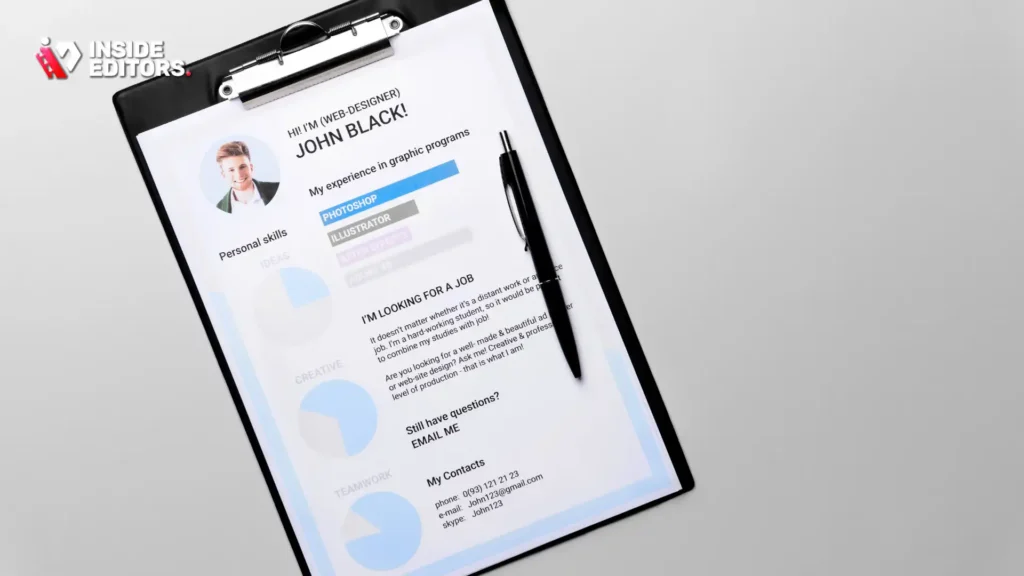
While the CV is a text document, its presentation matters immensely. A clean, modern, and professional design reinforces your creative competence.
Design Principles for a Video Editing CV
- Readability First: Use clean, professional fonts (e.g., Montserrat, Lato, Roboto) and maintain adequate white space.
- Color Palette: Limit colors to one accent color (often a subtle blue or orange) and black text. Avoid overly busy backgrounds or graphics.
- Length: For most editors, a CV should be no more than two pages. Senior editors with extensive credits may extend to three, but brevity is valued.
The Critical Portfolio Link
The most important element on your CV is the link to your demo reel and full portfolio.
- Use a Shortened, Professional URL: Avoid long, messy links. Use a custom domain or a URL shortener (like Bitly) so the link is clean and memorable.
- Ensure Mobile Compatibility: Recruiters often review CVs on tablets or phones. Your portfolio site must load quickly and flawlessly on all devices.
Comparison: Good vs. Great CV Design
| Feature | Good CV Design | Great CV Design |
|---|---|---|
| Layout | Standard template, chronological | Two-column layout, skills sidebar |
| Font | Times New Roman or Arial | Modern, clean sans-serif (e.g., Open Sans) |
| Skills Section | Simple bullet list | Categorized list with proficiency indicators |
| Portfolio Link | Placed in contact section | Prominently displayed, customized URL |
| Focus | Responsibilities | Quantifiable results and impact |
Addressing Gaps and Non-Traditional Experience

The career path of a video editor is rarely linear. You might have freelance gigs, long-term contracts, or periods dedicated to personal projects. Your video editing CV must address these realities transparently and positively.
Handling Freelance and Contract Work
Instead of listing every single client, group your freelance work under a single heading: “Freelance Video Editor & Post-Production Specialist (2018–Present).” Then, use bullet points to describe the range and quality of the projects handled.
- Managed end-to-end post-production for 15+ diverse clients, including non-profits, tech startups, and independent filmmakers.
- Successfully navigated varied client expectations and technical specifications, consistently delivering final assets on time and within budget.
Leveraging Personal Projects and Passion
If you are early in your career or transitioning fields, personal projects are invaluable. Treat them like professional experiences. If you edited a short film that won a local award, list it under “Selected Projects” and detail your role, the software used, and the achievement.
“Showcasing passion projects that align with the target role demonstrates initiative and a genuine commitment to the craft, which often outweighs a lack of traditional employment history.” – Lead Editor, Major Streaming Service
Common Mistakes to Avoid on Your Video Editing CV

Even the most skilled editors make simple errors that sabotage their applications. Avoiding these pitfalls is essential for maximizing your interview chances.
1. Neglecting Proofreading
Typos in a CV signal a lack of attention to detail-a fatal flaw for an editor. Proofread meticulously. Ask a friend or colleague to review it specifically for grammatical errors and inconsistencies in formatting.
2. Over-Reliance on Generic Templates
While templates provide structure, avoid the most common, generic designs. Your CV should subtly reflect your creativity. If it looks like a standard accounting resume, you’ve missed an opportunity to stand out.
3. Keyword Stuffing (The ATS Trap)
While you must include relevant keywords (like “Adobe Premiere Pro,” “color correction,” and the target phrase video editing CV), do not simply list them in a block. Integrate them naturally into your experience descriptions and summary. ATS systems are sophisticated enough to spot forced keyword repetition.
4. Ignoring the Portfolio
Never submit a video editing CV without a corresponding, updated portfolio link. If the link is broken, the application is dead on arrival. Test the link multiple times across different browsers and devices.
The Next Step: When You Need Expert Assistance

Sometimes, the demands of content creation-filming, planning, scripting-leave little time for the meticulous, time-consuming work of professional editing. If you find yourself overwhelmed by the need for quick turnaround times or struggling to maintain a consistent, high-quality look across all your content, seeking professional help is a smart strategic move.
Why Professional Editing Matters
While your video editing CV proves your capabilities, sometimes external factors dictate the need for specialized support. For instance, YouTube creators, marketing teams, and course creators often require rapid, scalable editing solutions.
This is where dedicated services can bridge the gap. Professional video editing services provide access to a team of experienced editors who can handle everything from complex color grading and audio enhancement to fast turnaround times (often 24-72 hours). This scalable solution ensures your brand style remains consistent and professional, freeing you up to focus on generating more content.
Choosing a service with a professional editing team and a commitment to quality, affordability, and unlimited revisions ensures that the final product always meets high standards. It is an investment in professional quality that builds trust with your audience.
Finalizing and Distributing Your Video Editing CV
Once you have refined your CV, the final steps involve formatting and submission readiness.
Pros and Cons of Different CV Formats
| Format | Pros | Cons |
|---|---|---|
| PDF (Preferred) | Preserves formatting perfectly; universally readable; professional standard. | Harder for some older ATS systems to parse text if not structured correctly. |
| Word Document (.docx) | Easy for recruiters to make notes or quick edits. | Formatting may shift depending on the recipient’s software version. |
| Online Profile (LinkedIn/Website) | Dynamic; allows for direct video embedding; constantly updated. | Not suitable for initial application submission; requires manual transfer. |
The PDF format is the industry standard for submitting a video editing CV. Always save your final document as a high-quality PDF to lock in your design choices.
The Power of the Cover Letter
Never skip the cover letter. It is your opportunity to inject personality and directly address the specific requirements of the job posting. Use the cover letter to highlight one major achievement from your video editing CV and explain why that experience makes you the perfect fit for the role.
“Your cover letter is the narrative that contextualizes the data points on your CV. It shows us you understand our needs and aren’t just spamming applications.” – Creative Director, Digital Agency
Conclusion: Securing Your Future in Post-Production
Writing a powerful video editing CV is an iterative process that requires self-assessment, strategic formatting, and meticulous attention to detail. By focusing on quantifiable results, showcasing specialized technical skills, and ensuring a seamless link to your portfolio, you transform a simple document into a powerful marketing tool.
Remember that every bullet point should demonstrate not just what you did, but the value you brought to the project. Invest the time now to refine your CV, and you will dramatically increase your chances of securing the interview that leads to your next great editing opportunity. If you ever need professional support to ensure your content is always high-quality and delivered quickly, remember that expert video editing services are available to scale your production needs while maintaining professional standards.
FAQ
What is the ideal length for a video editing CV?
A professional video editing CV should ideally be limited to one or two pages maximum. Recruiters spend very little time on initial screening, so conciseness is key. Focus on relevant experience and quantify your achievements to keep your video editing cv punchy and effective.
Should I include my portfolio link on my CV?
Absolutely. The portfolio or showreel is the most critical element of a video editor’s application. Ensure the link is prominent, functional, and leads directly to a curated selection of your best work. A strong video editing cv must be supported by visual evidence.
How should I list my software skills?
Be specific. Instead of listing ‘Adobe Suite,’ specify your proficiency level (Expert, Advanced) in tools like Premiere Pro, DaVinci Resolve, and After Effects. Detail technical skills like color grading, sound design, and specific codecs to strengthen your video editing cv.
What is the most important section to customize?
The Professional Summary/Objective is the most critical section to customize. This brief paragraph must directly address the specific requirements of the job description, demonstrating why your experience makes you the perfect fit for that particular role.
What format should I use for submission?
Always submit your video editing CV as a PDF file. This ensures that the formatting, fonts, and visual design remain consistent across different viewing devices and operating systems, maintaining the professional look you intended.


