

Podcasting has changed a lot in the last few years. What started as simple audio recordings has now become a powerful video-driven medium. Today, creators are recording full studio sessions, remote interviews, live streams, and even multi-camera productions. Because of that, choosing the Best Podcast Video Editing Tools is more important than ever.
If you’re here, you’re probably comparing options before making a decision. Maybe you’re starting a new podcast. Maybe you want to upgrade your editing workflow. Or maybe you’re tired of slow rendering, clunky interfaces, or tools that crash at the worst possible time. I understand that feeling. Picking the right software can save you hours every week and dramatically improve the quality of your content.
In this guide, we’ll walk through the Best Podcast Video Editing Tools for 2026. These tools were tested based on performance, ease of use, podcast-specific features, export quality, pricing, and workflow efficiency. We’ll go deep into each option so you can decide which one fits your style, budget, and skill level.
Let’s dive in.
What Makes the Best Podcast Video Editing Tools in 2026?
Before we jump into the list, it’s important to understand what actually makes a tool great for podcast editing.
Podcast editing is different from regular video editing. You are not just cutting clips. You’re cleaning audio, syncing multiple cameras, removing awkward pauses, adding subtitles, placing social media overlays, and sometimes creating short clips for YouTube Shorts, TikTok, and Instagram.
The Best Podcast Video Editing Tools in 2026 should offer:
- Smooth multi-camera editing for in-person or remote interviews
- Advanced audio cleanup and noise reduction
- Auto captions and transcript generation
- Easy export presets for YouTube and social media
- Fast rendering and stable performance
- Collaboration features for teams
Now, let’s explore our top tested picks.
1. Adobe Premiere Pro
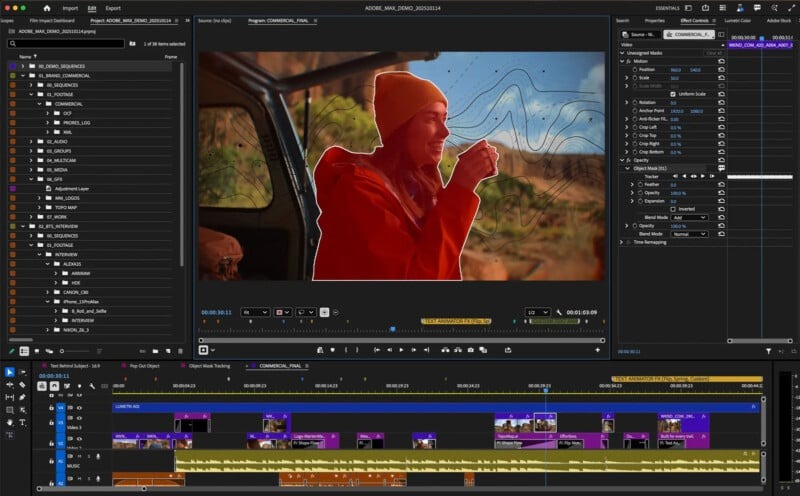
Adobe Premiere Pro continues to dominate professional editing in 2026. It remains one of the Best Podcast Video Editing Tools for creators who want full control.
Premiere Pro is powerful, flexible, and deeply customizable. It handles multi-camera podcast setups smoothly. If you record two or three cameras plus external audio, syncing and switching angles is easy with its multicam feature.
Another reason it stands out is audio control. Since podcasting is audio-heavy, you need strong sound tools. Premiere’s Essential Sound panel allows you to clean dialogue, reduce noise, and improve clarity without needing separate software.
AI features have improved massively. Auto transcription, silence detection, and caption generation are faster and more accurate than ever. This alone saves hours in long-form podcast production.
However, Premiere Pro is best for users who don’t mind a learning curve. Beginners may feel overwhelmed at first. It also comes with a subscription cost, which may not suit hobby podcasters.
Still, for professionals, agencies, and serious creators, it remains one of the Best Podcast Video Editing Tools available.
2. Final Cut Pro
If you’re a Mac user, Final Cut Pro is a serious contender for the Best Podcast Video Editing Tools title.
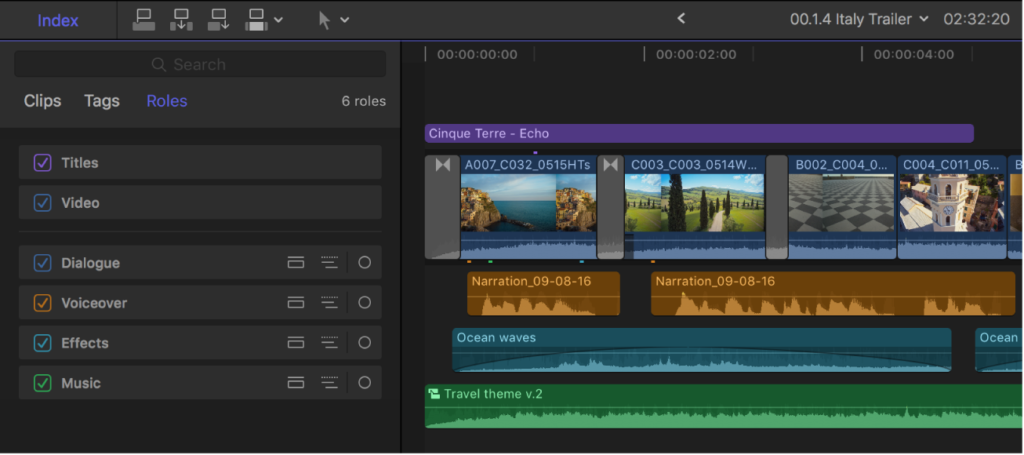
Final Cut Pro is known for its speed. The magnetic timeline makes editing fast and fluid. Many podcasters love how responsive it feels, especially on Apple Silicon Macs.
Multi-camera editing works beautifully. You can switch between speakers in real time while playing back the episode. This is perfect for interview-style podcasts.
Another big advantage is performance. Even large 4K podcast projects run smoothly. Rendering is fast, and background processing keeps things moving without interrupting your workflow.
Final Cut Pro has a one-time purchase cost, which many creators prefer over subscriptions. However, it’s Mac-only. If you’re on Windows, this option is off the table.
For Apple users who want professional-level results without monthly fees, Final Cut Pro easily ranks among the Best Podcast Video Editing Tools in 2026.
3. DaVinci Resolve
DaVinci Resolve has grown rapidly in popularity. In fact, many creators now consider it one of the Best Podcast Video Editing Tools because of its powerful free version.
Yes, the free version is extremely capable.
Resolve combines editing, color grading, visual effects, and advanced audio tools in one platform. Its Fairlight audio panel is especially useful for podcasters. You can clean up dialogue, remove background noise, and balance levels like a professional audio engineer.
Multi-camera editing is strong and reliable. Syncing audio to video is simple. And if you want your podcast to have a cinematic look, Resolve’s color tools are unmatched.
The downside? It can feel complex for beginners. The interface has multiple pages for different tasks, which may be confusing at first.
But if you’re willing to learn, DaVinci Resolve is absolutely one of the Best Podcast Video Editing Tools you can choose in 2026.
4. Descript
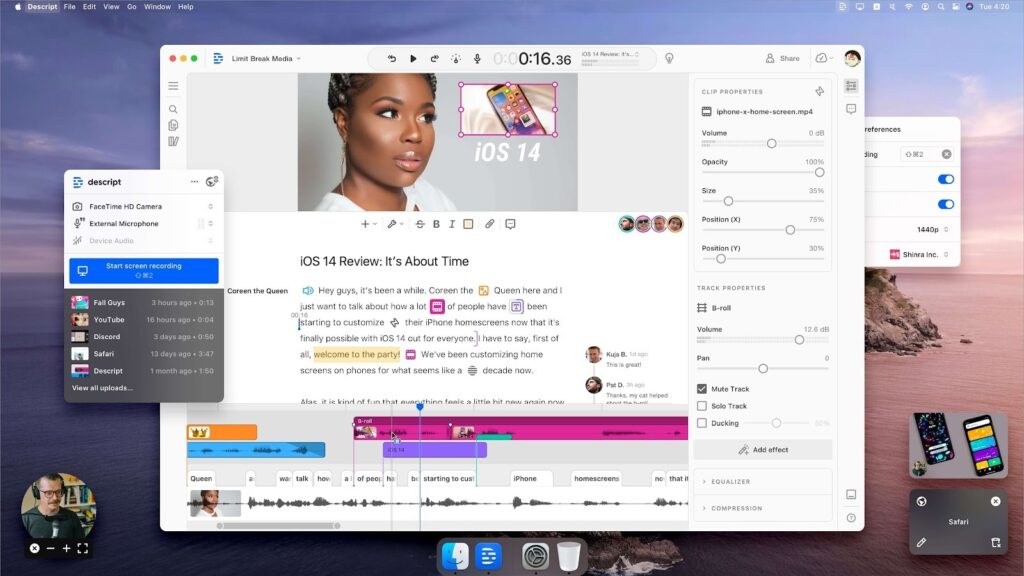
Descript changed the way many people edit podcasts.
Instead of editing on a timeline first, you edit text. That’s right. You delete words from a transcript, and the video and audio update automatically.
For beginners and solo creators, Descript is often considered one of the Best Podcast Video Editing Tools because it removes complexity.
It offers:
- Automatic transcription with high accuracy
- Filler word removal
- AI voice correction (Overdub)
- Screen recording and remote recording features
If your podcast is mostly talking-head content, Descript can dramatically speed up editing. However, it may not be ideal for heavy visual editing, complex graphics, or advanced color grading.
Still, for simplicity and speed, it earns its place among the Best Podcast Video Editing Tools this year.
5. Riverside (Editor)
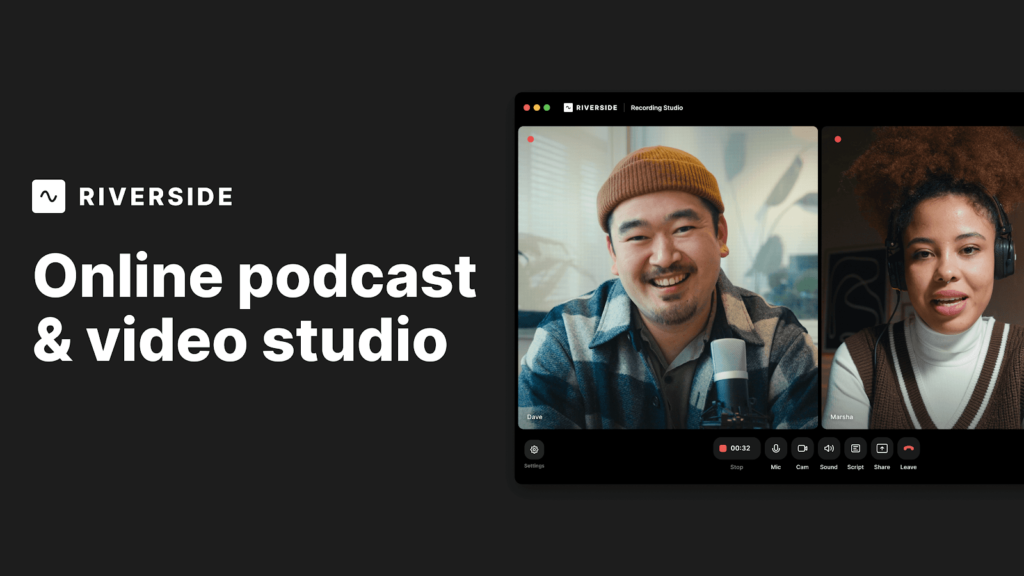
Riverside is known primarily as a recording platform, but its built-in editor has improved significantly in 2026.
For podcasters who record remote interviews, Riverside can be one of the Best Podcast Video Editing Tools because everything happens in one place. You record high-quality video locally from each participant, then edit directly inside the platform.
It includes automatic silence removal, clip generation for social media, and easy layout switching for video podcasts.
While it’s not as powerful as Premiere or Resolve, it’s extremely convenient. For creators who want speed and simplicity without switching software, it’s a strong option.
6. CapCut Desktop
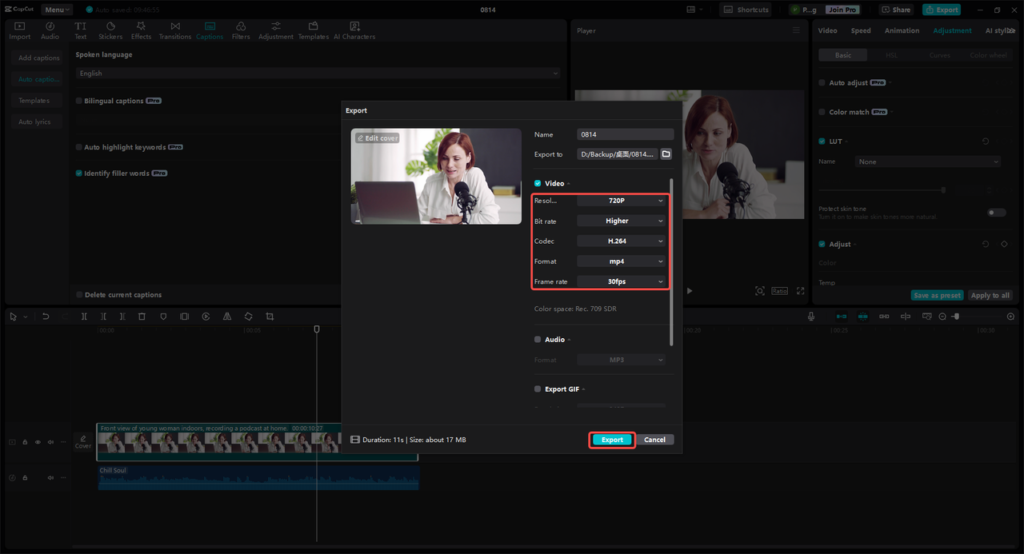
CapCut has moved beyond mobile editing. Its desktop version is surprisingly powerful.
For creators focusing on short podcast clips, social content, and vertical video, CapCut is one of the Best Podcast Video Editing Tools for quick turnaround projects.
It offers strong AI captions, trendy effects, and easy resizing for different platforms. It’s beginner-friendly and often free or low cost.
However, it’s not ideal for long-form, complex multi-camera podcast editing. Think of it as a great companion tool for highlight clips rather than full episodes.
7. Filmora
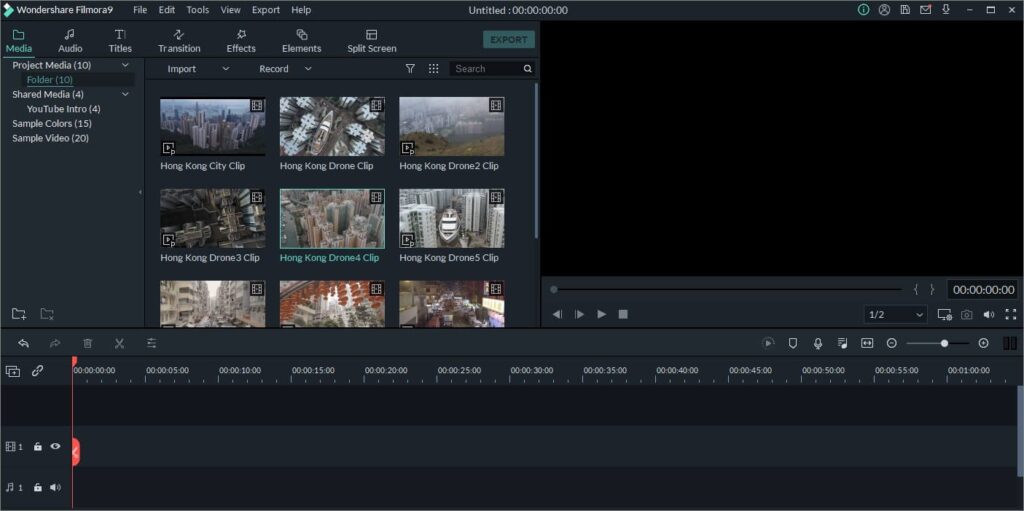
Filmora is designed for simplicity. It’s beginner-focused and easy to learn.
If you’re new to podcasting and want something less intimidating, Filmora might be one of the Best Podcast Video Editing Tools for you.
It offers drag-and-drop editing, built-in templates, simple audio tools, and quick exports. While it lacks deep professional controls, it works well for basic podcast production.
Best Podcast Video Editing Tools for Different Types of Creators
Not every podcaster needs the same tool. Let’s break it down by creator type so you can see which of the Best Podcast Video Editing Tools fits your situation.
For Beginners Starting Their First Podcast
If you’re just starting, the most important things are simplicity and speed. You don’t want to spend weeks learning complex software.
Descript and Filmora are excellent beginner-friendly options. They allow you to edit quickly without deep technical knowledge. If your podcast format is simple talking-head or interview style, these tools are more than enough.
The key at this stage is consistency. The Best Podcast Video Editing Tools for beginners are the ones that help you publish regularly without feeling overwhelmed.
How to Choose the Best Podcast Video Editing Tools for You
Choosing the Best Podcast Video Editing Tools depends on your needs.
If you want full professional control and advanced features, Premiere Pro or DaVinci Resolve are strong choices.
If you’re on Mac and want performance with a one-time payment, Final Cut Pro makes sense.
If you want fast, text-based editing, Descript may be perfect.
If you focus heavily on short clips, CapCut is a great addition.
Think about your budget, skill level, and long-term goals before deciding.
Performance and Hardware Requirements
In 2026, video files are larger than ever. Many podcasts are recorded in 4K, sometimes even 6K. That means your computer matters.
Professional tools like Premiere Pro and DaVinci Resolve benefit from strong GPUs and higher RAM. If your system is older, you may experience lag.
Final Cut Pro performs exceptionally well on Apple Silicon Macs, even with heavy projects.
Descript and Riverside rely partly on cloud processing, which reduces local hardware strain.
If your computer is mid-range or older, choosing lightweight options among the Best Podcast Video Editing Tools can prevent frustration and crashes.
Always match your editing software to your hardware capacity.
Common Mistakes When Choosing Podcast Editing Software
Many podcasters rush into buying the first popular tool they see. That can lead to wasted money and time.
One common mistake is choosing overly complex software as a beginner. If you never use 70 percent of the features, it may not be the right choice.
Another mistake is ignoring audio tools. Remember, podcasting is sound-first content. The Best Podcast Video Editing Tools always support strong dialogue enhancement.
Some creators also underestimate export presets. If exporting for YouTube requires manual tweaking every time, it slows down your workflow.
Lastly, many podcasters forget about collaboration. If you plan to grow a team, choose tools that support shared projects and smooth file transfers.
Avoiding these mistakes will help you confidently select from the Best Podcast Video Editing Tools available today.
Should You Edit Yourself or Hire Professionals?
This is an important question.
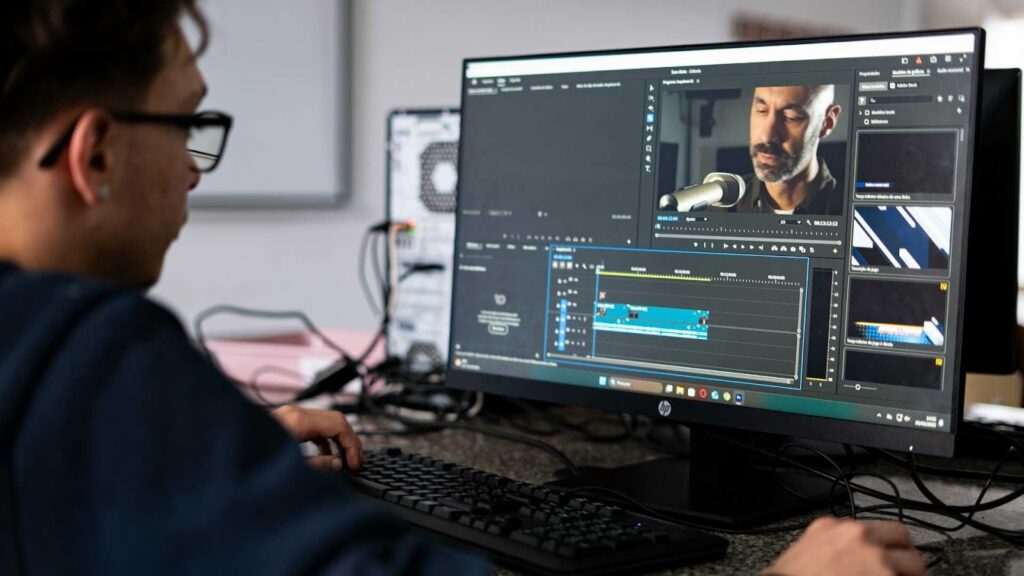
Even if you invest in one of the Best Podcast Video Editing Tools, editing still requires time, patience, and skill. A one-hour episode may take several hours to clean, cut, subtitle, color-correct, and export properly.
Ask yourself honestly: Do you enjoy editing? Or does it drain your energy?
If editing slows down your content production, outsourcing might be the smarter option. Many successful podcasters eventually hire professional editors so they can focus on scripting, recording, and marketing.
Professional editors already use the Best Podcast Video Editing Tools daily. They understand pacing, audio leveling, visual branding, and audience retention techniques. That experience can dramatically improve your podcast’s quality.
Why Many Podcasters Outsource Editing
Even with the Best Podcast Video Editing Tools, editing takes time. A one-hour podcast can take three to five hours to edit properly.
Many successful podcasters choose to outsource editing so they can focus on content creation and audience growth.
If you’d rather spend your time recording and growing your brand, our team at Inside Editors can help.
Inside Editors provides professional podcast video editing services, including multi-camera editing, audio cleanup, subtitles, and social media clips. We work with creators who want high-quality results without the stress of doing everything themselves.
Visit Inside Editors at https://insideeditors.com to learn more about our video editing services.
If you’re serious about leveling up your podcast in 2026, choosing the Best Podcast Video Editing Tools or partnering with professionals like Inside Editors could be the smartest move you make this year.
Final Thoughts: Choosing the Best Podcast Video Editing Tools in 2026
There is no single perfect solution for everyone. The Best Podcast Video Editing Tools depend on your experience level, content style, budget, and goals.
If you want full creative control and professional results, Adobe Premiere Pro, Final Cut Pro, and DaVinci Resolve lead the market.
If you want speed and simplicity, Descript and Riverside offer powerful AI-driven workflows.
If short-form content is your main growth engine, CapCut is incredibly helpful.
And if you’re just getting started, Filmora can provide an easy entry point.
The important thing is to choose a tool that supports your workflow instead of slowing it down. The right software will make editing feel smoother, faster, and more enjoyable.
Want Professional Podcast Editing Without the Stress?
At Inside Editors, we understand how much time podcast editing can take. That’s why we provide professional video editing services tailored specifically for podcasters.
Whether you record multi-camera interviews, remote guest sessions, or solo talking-head content, our team handles:
- Multi-camera editing
- Audio cleanup and noise reduction
- Subtitle creation
- Social media clip generation
- YouTube-ready exports
We use the Best Podcast Video Editing Tools to ensure your content looks and sounds professional.
If you’d rather focus on growing your podcast instead of spending hours on timelines and waveforms, let us help.
Visit Inside Editors today at https://insideeditors.com and see how our video editing services can take your podcast to the next level.
Your content deserves professional editing. And with the right support, 2026 could be your biggest podcasting year yet.


