

Choosing the right wedding video editing app can feel overwhelming – especially when you’re trying to preserve one of the most meaningful days of your life. Whether you’re a newlywed polishing your own footage or a beginner creator editing videos for clients, the right app will shape everything from color tones to emotional storytelling. In this guide, Inside Editors walks you through how to select the best app for wedding video editing, what features actually matter, and which mistakes to avoid so you don’t waste hours on the wrong tool.
Understanding What “Best App” Really Means for Your Wedding Style
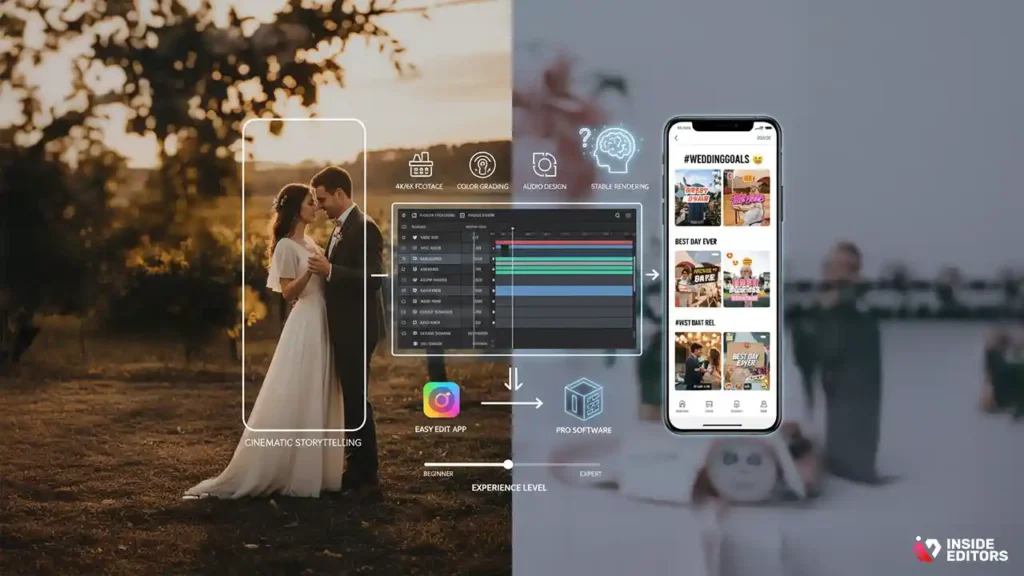
Before comparing apps, it’s important to understand what best means for your specific editing needs. Wedding video styles vary wildly – from cinematic slow-motion edits to playful highlight reels – and not every app handles every style equally well. Some tools specialize in quick mobile edits for social media, while others offer advanced desktop-level control for color grading and audio design.
Why Your Editing Style Should Guide Your Software Choice
Your editing style influences everything from the type of transitions you’ll use to the complexity of your timeline. If you’re aiming for cinematic storytelling, you’ll want an app with strong color tools, multilayer editing, and stable rendering options. On the other hand, if you’re creating fun reels or short highlight clips, a user-friendly mobile app with ready-made templates might be enough. Understanding your creative style helps you avoid downloading heavy software that slows your workflow or oversimplified apps that limit your vision.
How Wedding Footage Quality Impacts the App You Need
Many couples now hire professionals who shoot weddings in 4K or even 6K formats. High-resolution footage demands more from your editing software and device. A simple phone app may freeze or compress your clips in ways that damage quality. On desktop tools, however, you can manage large files more easily, maintain crisp details, and export in formats suitable for big screens and social platforms. The better your footage, the more you’ll benefit from choosing a tool that treats it with the care it deserves.
Considering Your Workflow and Experience Level
Every editor has a different comfort zone. If you’re a beginner, tech-heavy apps can feel intimidating and slow you down. In this case, look for tools that automate common tasks like trimming, stabilizing, or adding transitions. If you already have experience editing YouTube or commercial videos, advanced software will give you more creative freedom and better long-term value. Matching an app to your experience level ensures you stay motivated instead of frustrated.
Why Choosing the Right App Saves You Time, Effort, and Stress
Editing a wedding video is not just about cutting and joining clips – it’s about shaping an emotional story. The wrong app can add hours to your work, cause crashes, or limit your creative control. A well-chosen tool, however, saves both time and mental energy, allowing you to focus on storytelling rather than technical battles.
How a Good App Improves Your Storytelling Flow
A strong app organizes tools logically – letting you move smoothly from trimming shots to color grading without switching screens or re-exporting footage. This helps your storytelling flow naturally, so you’re not constantly struggling to find features. When your app supports your rhythm, you’ll spend less time searching menus and more time blending meaningful moments – the vows, the emotions, the first dance – into a beautiful, cohesive film.
The Impact of Performance and Stability on Your Workflow
There’s nothing more frustrating than a crash during rendering. A reliable app with strong performance prevents lost progress, lag, or corrupted files. This matters even more with wedding videos, as they often contain long clips, high-resolution footage, and multiple audio layers. Stable processing ensures your creative decisions remain intact, reducing stress and saving hours of rework.
Why Easy Exporting Makes a Big Difference
After spending hours polishing your edit, the last thing you want is a complicated export screen. The best apps offer clear, preset export formats based on where you want to share the video – Instagram, YouTube, a projector screen, or cloud storage. Seamless exporting ensures your final video retains quality and looks consistent on every device without extra tweaking.
Key Editing Tools That Make Your Wedding Videos Stand Out
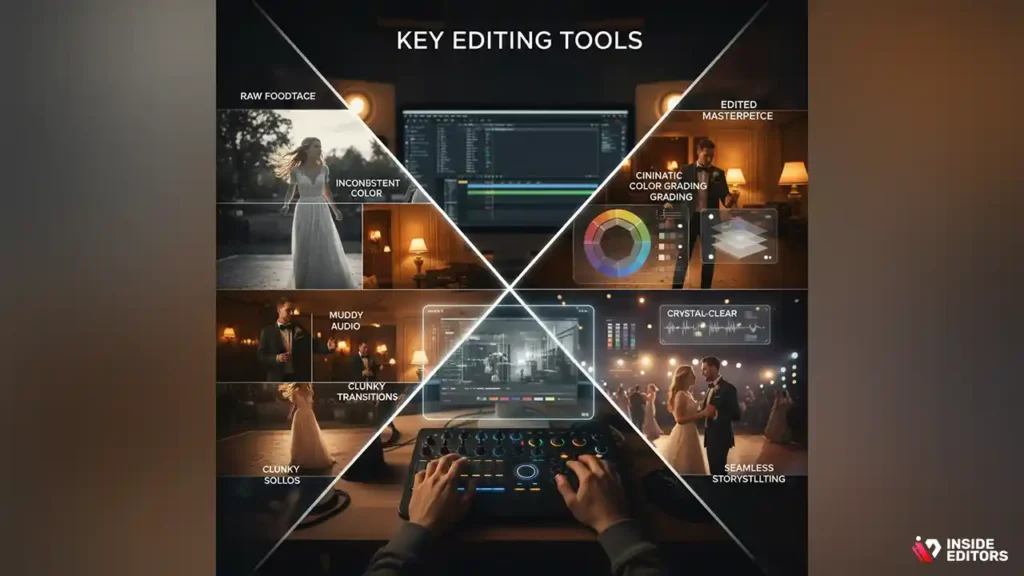
Not all editing apps are created equal. Some excel in effects but lack strong color tools. Others offer great templates but limited customization. Knowing which features truly matter helps you avoid apps that look flashy but underdeliver when you start editing.
Why Color Grading Is Essential for Wedding Films
Wedding footage is often shot in various lighting conditions – outdoor sunlight, warm indoor lamps, evening lights, and spotlights on the dance floor. Without proper color grading, clips can look inconsistent or washed out. Apps with advanced color wheels, LUT support, and exposure control help you balance tones so your video feels polished and professional. Strong color grading tools can elevate even basic footage into cinematic scenes.
How Audio Tools Affect Emotional Impact
The vows, laughter, background music, and speeches play a huge role in wedding storytelling. Apps with layered audio support, voice enhancement, noise reduction, and music synchronization keep everything clear and emotional. Poor audio tools often result in muddy dialogue or clashing volumes. A good app lets you blend natural sounds with music in a way that enhances the moment instead of distracting from it.
Transitions and Effects That Add Depth Without Overdoing It
A common beginner mistake is overusing transitions. Flashy wipes or spinning effects can break the emotional flow. Instead, look for apps that offer clean, modern, storytelling-friendly transitions such as crossfades, L-cuts, and J-cuts. These subtle techniques help maintain continuity and keep attention on the story rather than the effect itself. Minimalistic effects often look the most professional.
Comparing Mobile Apps vs Desktop Software for Wedding Editing
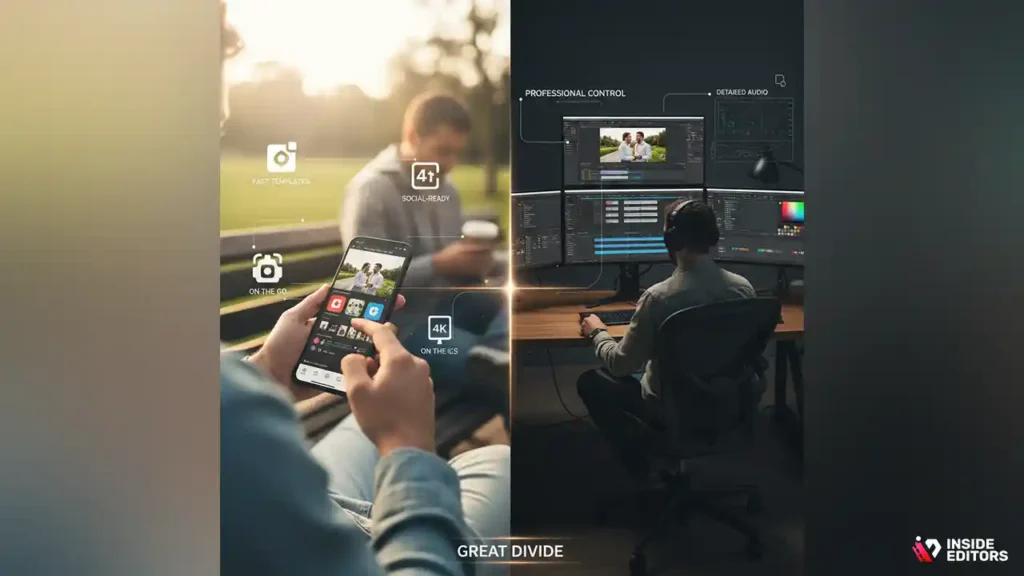
As you search for the best app for wedding video editing, you’ll notice a major divide between mobile and desktop tools. Each has strengths depending on your goals, device, and time.
Why Mobile Apps Are Great for Quick, Social-Ready Edits
Mobile apps like CapCut, VN, and InShot have made editing more accessible than ever. They offer fast templates, smooth trimming, cloud syncing, and export presets for vertical platforms like Instagram Reels or TikTok. If your main goal is to create short highlight clips or you prefer editing on the go, mobile tools can be incredibly effective. They’re easy to learn and perfect for capturing emotion quickly.
Where Mobile Apps Fall Short for Full-Length Wedding Films
Despite their convenience, mobile apps struggle with long-form editing, especially when handling large 4K files. Complex timelines, multilayer audio, and detailed color work often push mobile processors beyond their limits. These apps may also compress footage more aggressively, which can reduce quality. If consistency and professional polish are your priority, desktop software offers more control.
How Desktop Apps Deliver More Power and Precision
Programs like Adobe Premiere Pro, Final Cut Pro, and DaVinci Resolve are industry favorites for a reason. They offer detailed control, professional color tools, strong audio editing, and reliable performance with large files. If you want to create a documentary-style wedding film or deliver professional-level videos to clients, a desktop app gives you the flexibility and stability required.
How Your Budget and Goals Influence the Right App for You
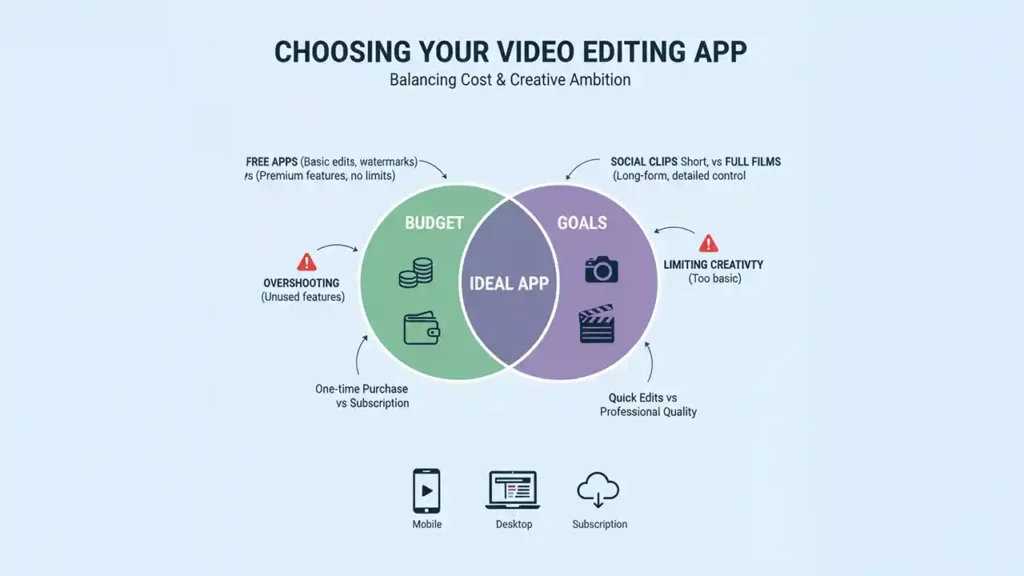
Every editor, whether a newly married couple or an aspiring creator, comes into the process with different goals and budget expectations. Understanding these limits helps you avoid two common traps: overspending on features you’ll never use, or limiting your creativity with apps that are too basic. When you identify how much you’re willing to invest and what type of final video you want, the ideal app becomes much easier to spot.
Free vs Paid Apps: Understanding What You Actually Need
Free apps can be excellent for quick highlight reels or social-media-friendly edits. Many now include powerful trimming tools, transitions, and effects that work beautifully for short-form content. However, free versions sometimes watermark your video, compress your footage, or lock essential features like advanced color grading. If preserving quality is your top priority, investing even a small amount in a paid plan removes many limitations. Paid apps often give you access to higher export quality, fewer restrictions, and more creative control – making them worth it if you want a cinematic, long-form wedding film.
Why Subscription Costs Can Save Time in the Long Run
While subscription software may seem expensive at first, the speed and performance improvements they offer can drastically reduce your editing time. Faster rendering, more stable processing, and advanced automation tools allow you to create professional-quality edits more efficiently. For anyone planning to edit multiple videos – anniversary films, travel highlights, or client projects – a subscription-based app can become a smart investment rather than a recurring expense.
Choosing Based on Output: Social Clips vs Full Wedding Films
If your goal is simply to create a five-minute highlight reel for social media, a mobile app with templates is often enough. But for a full, 20- to 40-minute wedding documentary, you need a tool capable of precise color correction, multi-track audio, and detailed storytelling. Matching the app to your final output ensures your workflow runs smoothly and the video looks great no matter where it’s published.
Side-by-Side Comparison of Popular Wedding Video Editing Apps
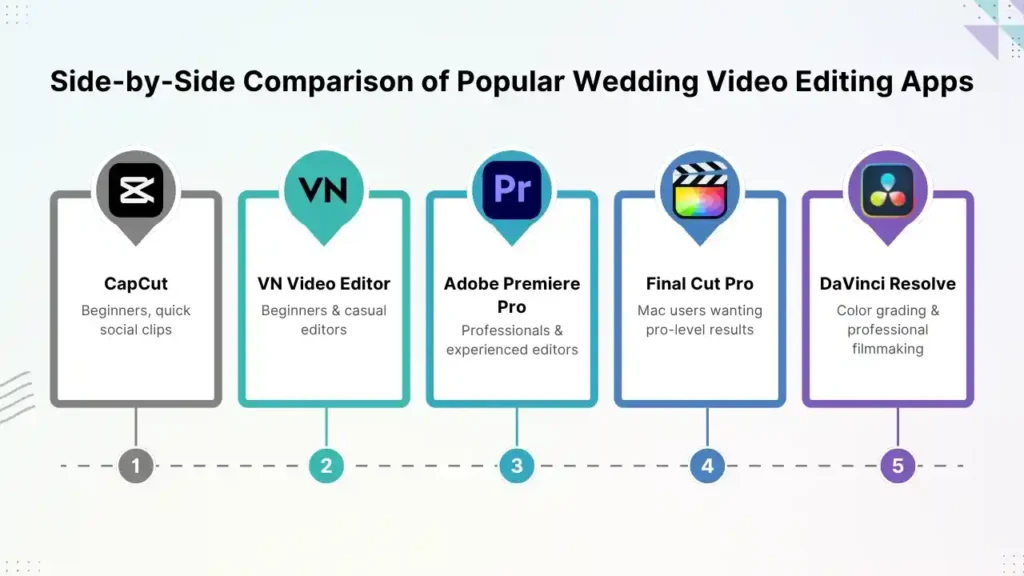
To help you choose confidently, here’s a simplified comparison of popular editing apps often used for wedding videos. This gives you a clear sense of which tools excel in which areas, depending on your experience and needs.
| App | Best For | Price | Key Strengths | Limitations |
| CapCut | Beginners, quick social clips | Free / Low-cost | Easy templates, good for Reels/TikTok, mobile-friendly | Limited advanced color tools, may compress 4K |
| VN Video Editor | Beginners & casual editors | Free | Clean UI, strong mobile editing, good transitions | Less powerful for long projects |
| Adobe Premiere Pro | Professionals & experienced editors | Subscription | Robust tools, industry standard, great for 4K–6K | Steeper learning curve, requires powerful PC |
| Final Cut Pro | Mac users wanting pro-level results | One-time fee | Fast rendering, smooth workflow, strong color tools | Mac-only platform |
| DaVinci Resolve | Color grading & professional filmmaking | Free / Paid | Best-in-class color tools, powerful audio features | Complex for beginners |
This chart highlights a key idea: the “best app for wedding video editing” depends heavily on your goals, platform, and skill level – not just brand reputation. Each app shines in a specific context, so clarity about your needs gives you a major advantage before downloading anything.
Common Mistakes That Beginners Should Avoid When Choosing an App
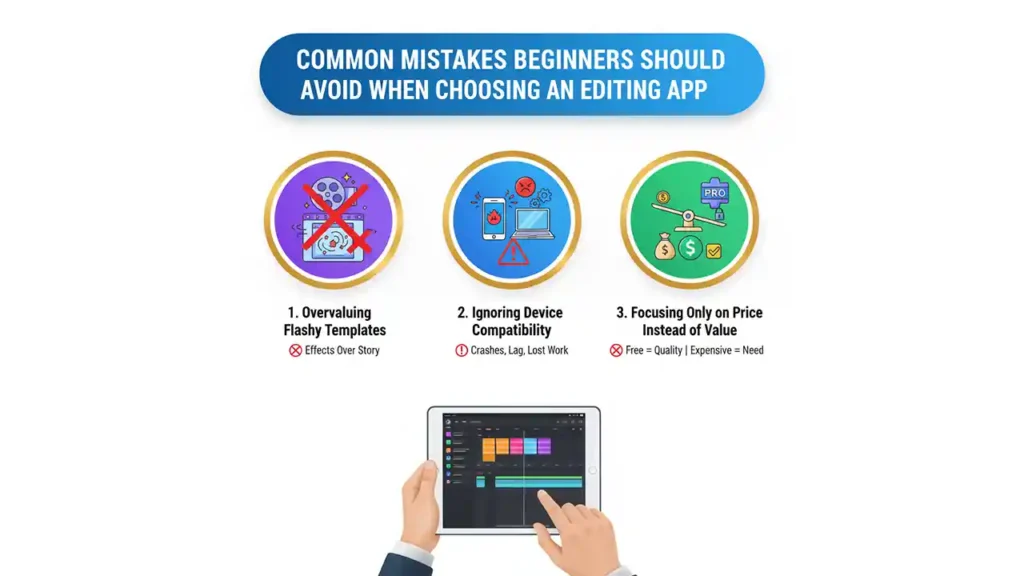
Over the years, we’ve seen couples, creators, and even budding editors fall into similar traps when choosing their editing software. Knowing these mistakes ahead of time can save you hours of frustration and prevent quality issues later.
Overvaluing Flashy Templates Instead of Storytelling
Many apps promote flashy transitions or dramatic templates that seem appealing at first. But wedding films rely more on emotional flow than special effects. A simple crossfade often looks more elegant than a spinning transition. Instead of picking an app based solely on its templates, consider how well it supports your storytelling needs. Cinematic editing is about moments – not effects.
Ignoring Device Compatibility and Performance
A common mistake is choosing a powerful app without checking if your device can handle it. High-end software demands strong processing power and sufficient storage. Using a heavy app on an older phone or laptop can lead to freezing, crashing, or lost progress. Always match your app to the capabilities of your device to avoid unnecessary stress.
Focusing Only on Price Instead of Value
Some editors try to save money by sticking to free tools, but this often leads to quality limitations that become obvious in the final film. Conversely, some spend heavily on professional tools even though they only need simple edits. The right choice is a balance between cost and the features you’ll realistically use.
When Hiring a Professional Editor Is the Better Choice
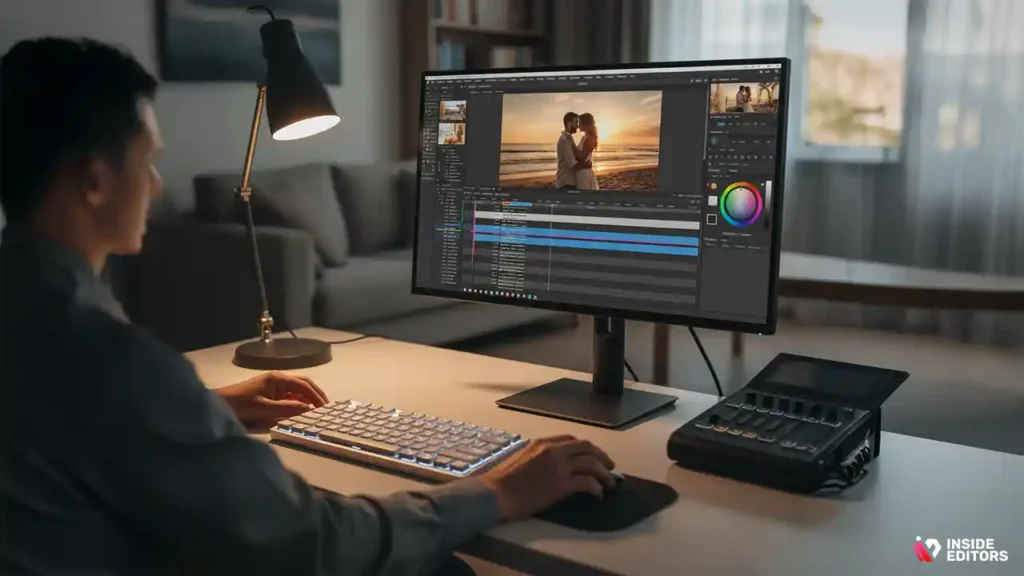
While editing your own wedding video can be rewarding, it’s not always the easiest task. Many couples discover that editing takes longer than expected, especially when working with hours of raw footage. If you’re short on time or want a polished, cinematic finish, hiring a professional editor may be the most stress-free option.
How Professionals Transform Raw Footage into Cinematic Stories
A skilled wedding editor understands pacing, storytelling, and emotional build. Instead of simply arranging clips, they craft a narrative that highlights the most meaningful moments: the laughter, the hugs, the vows, the reactions. Professionals use advanced tools for color grading, audio design, and seamless transitions – the kind of finish that makes a video feel timeless and memorable.
Why Inside Editors Makes Wedding Video Editing Effortless
Inside Editors specializes in turning wedding footage into beautifully polished films. Our editors handle everything from color correction to sound balancing and creative storytelling. Whether you want a short highlight reel or a full-length documentary, we take care of the technical work so you can focus on reliving the moment. You can explore our Wedding Video Editing Services through Inside Editors to see examples and learn what’s possible.
Balancing DIY Creativity with Professional Quality
You don’t have to choose between doing it yourself and hiring a professional. Many couples create shorter versions for social platforms and let a pro handle the full wedding film. This hybrid approach offers creative freedom while ensuring your once-in-a-lifetime video gets the professional polish it deserves.
A Step-by-Step Guide to Choosing the Best App for Your Needs
With so many options available, choosing the best app for wedding video editing becomes easier when you break the decision into manageable steps. Start by identifying your editing style – whether cinematic or playful. Then evaluate your device capabilities and decide if mobile or desktop apps are better suited for your workflow. From there, consider your budget and the complexity of the final video you want to produce. Testing a few apps can help you feel which interface matches your comfort level, and once you find that match, you’ll edit more confidently and efficiently.
Testing a Few Apps Helps You Make a Confident Decision
Most editing tools offer free versions or trial periods. Take advantage of them. By testing two or three apps, you’ll quickly understand which one feels most intuitive. Some editors prefer drag-and-drop workflows, while others like precision editing. Trust your instincts – the right app will feel comfortable from the first few minutes.
How Your Final Output Shapes Your Decision
If your goal is a cinematic film to watch on anniversaries, choose a pro-level tool with strong exporting options. If you want fun clips for Instagram or TikTok, a mobile app is more than enough. Knowing your end goal helps you choose an app that enhances your creativity and saves you time.
Conclusion: Your Perfect Wedding Editing App Is the One That Fits Your Story
Choosing the best app for wedding video editing is ultimately about finding a tool that supports your vision. The right app enhances your storytelling, simplifies your workflow, and ensures your memories look beautiful for years. Whether you choose a quick mobile editor or a powerful desktop program, the key is selecting software that aligns with your experience level and creative goals.
And if you ever feel overwhelmed or want a polished, cinematic result without hours of editing, Inside Editors is here to help. Our team of skilled editors brings your wedding footage to life through professional color grading, storytelling, and sound design – giving you a film you’ll treasure forever.
If you’re ready to elevate your video, explore Inside Editors’ Wedding Video Editing Services and let experts handle the heavy lifting while you enjoy the magic of your special day.
FAQ
What is the best app for wedding video editing if I’m a beginner?
If you’re just starting out, beginner-friendly apps like CapCut or VN offer simple timelines, clean transitions, and easy export presets. They’re ideal for short highlight videos and social clips. However, they’re limited for long, cinematic edits. If you want more control, consider moving to tools like Premiere Pro or Final Cut Pro once you feel comfortable.
How much does wedding video editing typically cost?
Wedding video editing can range from $150-$1,200+, depending on video length, style, color grading, and the editor’s experience. Basic highlight reels cost less, while full documentary style edits with sound design and 4K finishing cost more. Always ask what’s included-revisions, raw file cleanup, and delivery formats can affect the total price.
How long does it take to edit a wedding video?
A standard wedding highlight video usually takes 3-7 days, while a full-length film may require 1-3 weeks depending on complexity and footage volume. Rush options are often available for an extra fee. Timelines also depend on how quickly you provide raw files and feedback during revisions.
Is DIY editing better than hiring a professional editor?
DIY editing is great if you’re comfortable with tools and only need a short sentimental clip. But professional editors bring color grading, storytelling, and sound balancing – especially important for vows and speeches. If you want a polished, cinematic film, hiring a pro saves time and ensures top-tier quality.
Are mobile apps good enough for full wedding videos?
Mobile apps work well for short reels or social-media edits. However, long videos with multiple audio layers, 4K footage, or detailed color correction usually overwhelm mobile processors. If quality matters, a desktop app like Premiere Pro or DaVinci Resolve offers more stability and control.
How many revisions should a wedding video editing package include?
Most professional packages include 1–3 revision rounds, enough to adjust pacing, music, or clip choices. Extra revisions may cost more depending on complexity. Always check if revisions cover only small tweaks or allow major structural changes.
Will I own the final wedding video after editing?
Yes – you typically retain full ownership of the final edited video and your original footage. Editors may keep a copy for backup or portfolio use, but you can request privacy if preferred. Be sure these terms are stated clearly in your agreement.
Is my wedding footage safe during the editing process?
Reputable editors follow secure handling practices such as encrypted cloud transfers and password-protected drives. Raw files remain private and are never shared without permission. If privacy is a concern, ask about deletion policies and secure transfer methods before sending footage.
Which editing app gives the best color grading results?
DaVinci Resolve is widely considered the top option for color grading, offering cinematic LUTs, HDR tools, and fine-tuned color wheels. For beginners, Premiere Pro and Final Cut provide easier workflows with strong grading presets. Color grading matters because it creates a consistent “creative look” across all scenes.
What do I need to send an editor to get started?
You’ll typically send raw footage, preferred music, a shot list, and any style references you love. Editors also appreciate notes about pacing-slow, emotional, or energetic. Providing organized files and clear preferences helps reduce turnaround time and revision cycles.


