


Choosing the best app for gaming video editing can feel overwhelming, especially with dozens of tools promising smooth performance, cinematic effects, and fast rendering. If you’ve ever recorded an amazing gameplay moment only to spend hours wrestling with clunky software, you’re definitely not alone. Editing gaming videos requires a special balance of power and simplicity-strong enough to handle high-resolution gameplay footage, yet intuitive enough so you can cut, polish, and upload without slowing down your creative flow.
In this Inside Editors Guide, we’ll explore what really makes a gaming video editor stand out, the features you should prioritize, and how to choose the right tool for your goals-whether you’re a casual gamer sharing highlight reels or an aspiring creator building a full YouTube channel. Think of this article as a friendly, expert companion guiding you through every step, so you can focus on creating content you’re proud to share.
Why Picking the Right Video Editor Shapes Your Entire Gaming Workflow
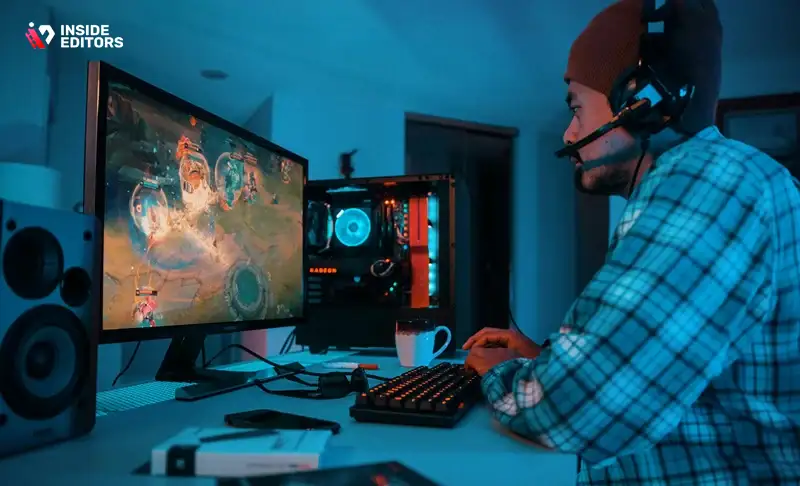
Before comparing apps, it helps to understand why the editing tool even matters. Many creators overlook this step and jump directly into recording gameplay, only to discover later that their software can’t handle large files, crashes randomly, or takes hours to export a short clip. Poor editing tools don’t just slow you down-they drain your creativity. Once frustration sets in, even great footage can feel unusable.
A well-designed gaming video editor does the opposite. It speeds up your workflow, keeps you organized, and provides editing tools that feel like they’re helping-not fighting-you. You can focus on story, pacing, and personality instead of technical struggle. This is especially true when working with high-resolution formats like 1440p or 4K, which require good performance management behind the scenes. The right software turns raw clips into compelling videos that reflect your vision, helping you grow as a creator and keep viewers engaged.
And the best part? When your editing tool aligns with your style, everything feels smoother-from cutting out dead moments to timing transitions with in-game action. The editing app becomes part of your creative rhythm, not a hurdle to jump over.
Understanding What Makes a Gaming Video Editor Truly “Good”
Not all video editors are created equal, especially when it comes to game footage. Gaming videos require a mix of speed, precision, and visual impact, and this is where the differences between apps begin to matter. While some editors look impressive at first glance, they may struggle with fast-paced footage or advanced effects like motion tracking and dynamic transitions.
A strong gaming editor should balance four core pillars: performance, usability, creative tools, and export flexibility. Performance determines whether you can scrub through your timeline smoothly without stutters. Usability affects whether you can learn the software quickly and find tools when you need them. Creative tools help you enhance your videos with effects that complement your storytelling. And export flexibility determines how efficiently you can publish to platforms like YouTube, Twitch, and TikTok.
Together, these pillars define whether the software will support your growth-or slow it down. As you explore different apps, keeping these elements in mind will help you make a clearer, more confident choice. And in the next section, we’ll break down what these pillars look like in real-world editing scenarios.
The Technical Side: How Performance Affects Editing Quality
Why Your Editor Must Handle High-Resolution Footage Smoothly
Gaming footage is demanding. Whether you’re capturing competitive FPS clips or open-world cinematic gameplay, your raw files tend to be large, fast-moving, and data-heavy. If your editing software can’t keep up, you’ll run into laggy previews, frozen timelines, or sluggish export speeds. These issues don’t just waste time-they interrupt your creative momentum and often force you to settle for lower-quality edits just to finish.
A capable gaming video editor should handle high-resolution footage like 1080p60, 1440p, and even 4K without stuttering. It should offer hardware acceleration that utilizes your GPU effectively, so scrubbing through your timeline feels fluid. Good software also manages memory efficiently, meaning it won’t crash unexpectedly when you’re in the middle of refining a key transition.
The smoother the editing process, the more energy you can put into crafting videos that genuinely stand out. When your timeline responds quickly, you can experiment freely-testing clips, adjusting pacing, or adding effects without fearing your entire project will lag.
Why Export Speed Matters More Than Most Creators Realize
Fast rendering isn’t just a luxury. It directly affects consistency, upload frequency, and motivation. If exporting a 10-minute video takes two hours, it becomes harder to maintain your upload schedule. You may find yourself avoiding edits because you’re worried about time. But if your editor can export quickly and reliably, you’ll feel more confident creating longer videos, experimenting with new styles, and iterating your content.
Efficient apps also give you control over export formats and codecs. This matters more than many new editors realize. YouTube, for example, compresses your videos heavily. Choosing the right settings-like bitrate, format, and resolution-helps preserve quality once it’s uploaded. Editors with good export presets save you time by automatically applying optimal settings, making your videos look crisp and sharp even after compression.
Editing Tools That Enhance Your Gaming Videos
How Smart Trimming and Timeline Controls Improve Your Flow
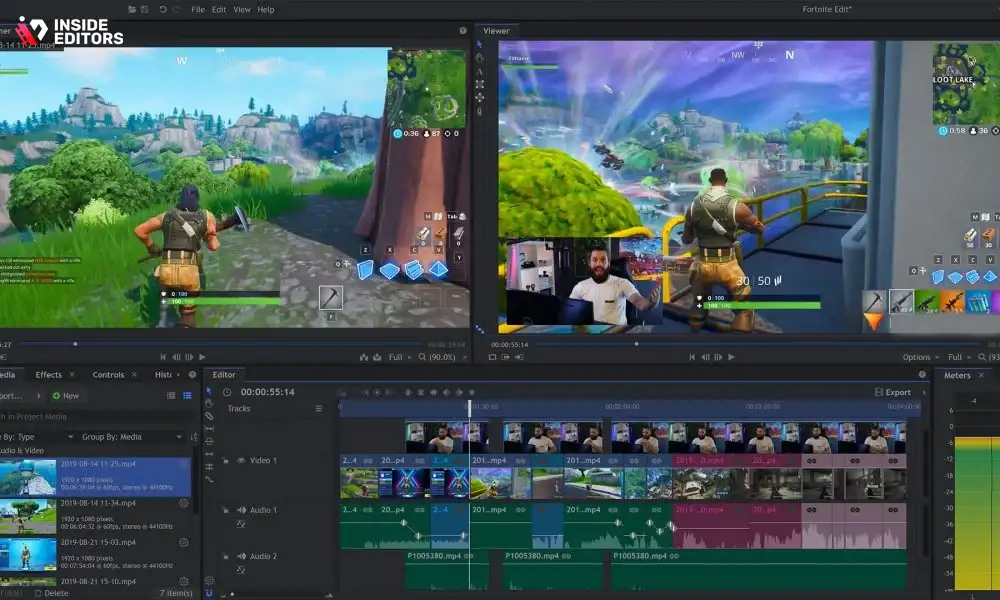
Editing gaming videos is often about simplifying chaos. You may have hours of footage but only a few minutes of great moments. Tools like smart trimming, ripple delete, and fast timeline navigation help you condense large recordings quickly. When an editor gives you precise control over clip selection and cutting, you can refine your highlights without feeling overwhelmed.
Smooth timeline controls also allow you to match gameplay action to music beats, synchronize transitions with kills or dramatic moments, and adjust pacing so your video always feels engaging. These tools may seem small individually, but together they shape the entire viewing experience.
Why Effects, Transitions, and Motion Tools Matter
Gaming videos often rely on visual impact-clean transitions, motion graphics, overlays, and energy-driven editing styles. Whether you’re creating fast-paced montages or storytelling-style walkthroughs, effects help you communicate tone. A good video editor should include dynamic transitions, color grading tools, text animations, and motion features like keyframing or speed ramping.
These tools deepen your creative potential. For example, a slow-motion effect can highlight a clutch moment in an FPS match, while color grading can turn basic screen captures into cinematic sequences. Editors that offer customizable effects give you more room to develop a signature style that viewers recognize.
Comparing the Top Video Editing Apps for Gamers

To help you make a practical decision, here’s a comparison of the most popular apps used by creators today. You’ll notice each one shines in different scenarios. The table below isn’t just a list-it’s a guide to understanding how each tool aligns with your goals, workflow, and skill level.
| Editor | Best For | Strengths | Limitations |
| Adobe Premiere Pro | Professional creators | Advanced features, great color grading, industry-standard | Learning curve, subscription-based |
| DaVinci Resolve | Cinematic editing | Powerful free version, high-end color tools | Requires strong hardware |
| Filmora | Beginners & casual editors | Easy interface, many templates | Less control for advanced users |
| CapCut | Quick social edits | Fast, mobile-friendly, trendy effects | Limited deep editing tools |
| Final Cut Pro (Mac) | Apple users | Fast rendering, smooth performance | macOS only |
| Vegas Pro | YouTubers | Strong timeline tools, good for gaming montages | Older UI, expensive updates |
As you explore these tools, consider how each fits your content style. Some creators value deep customization; others want a quick, streamlined workflow. The best editor is the one that supports your process without slowing you down.
Choosing Between Mobile and Desktop Editing Tools
Many new creators wonder whether they should edit on their phone or invest in desktop software. Both approaches have strengths, and the best choice depends on your goals and workflow. Mobile apps like CapCut make it incredibly easy to create fast, polished clips-perfect for TikTok, Instagram Reels, or quick highlight reels. If you want speed and simplicity, mobile apps excel.
Desktop editors, however, offer more control, better performance, and advanced tools. They’re the better choice for long-form content, cinematic edits, or detailed YouTube videos. Desktop software supports larger timelines, deeper effects, and high-resolution export controls. If you’re serious about building a channel or brand, desktop tools usually give you more room to grow.
And of course, you can blend both worlds. Many creators do rough cuts on mobile for speed and finish their videos on desktop software for polish and precision. Whatever approach you choose, the goal is to find a workflow that feels natural, efficient, and enjoyable.
How Your Editing Style Influences Which App Feels ‘Best’
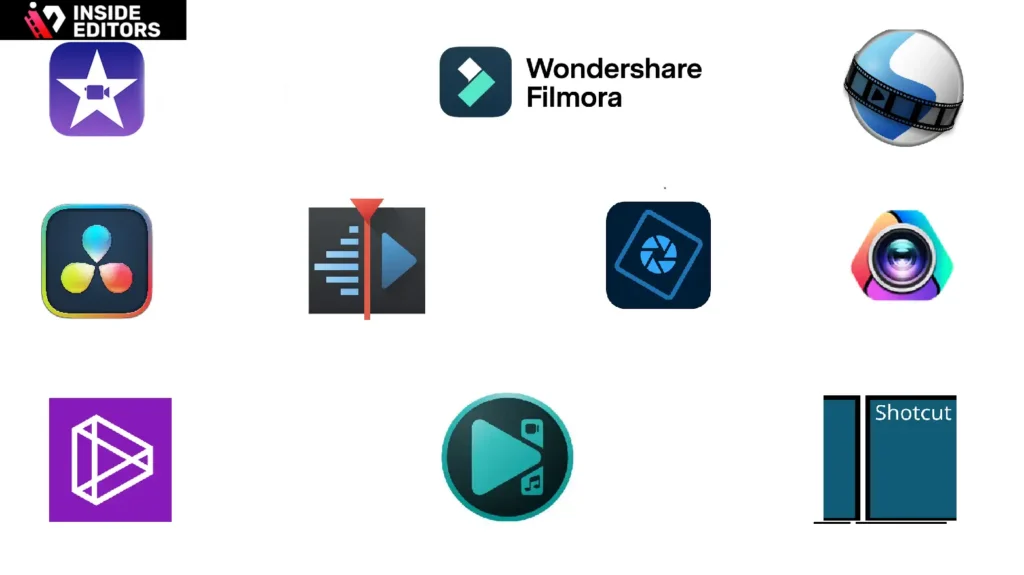
Every creator brings a unique style to their videos, and that style plays a huge role in deciding which editor actually fits you. Some people focus on fast-paced montages packed with music syncs and transitions. Others prefer clean, commentary-style edits where pacing and clarity matter most. And then there are cinematic creators who want dramatic color grading, motion graphics, and layered storytelling. No single editor is perfect for all of these approaches, which is why understanding your style is essential.
If you lean toward montage editing, for example, you need an app that supports speed ramping, beat sync, and effect presets. A commentary creator, on the other hand, needs clean timeline tools, easy trimming, and strong audio controls. Meanwhile, cinematic gamers-those who edit RPG walkthroughs or dramatic story recaps-will benefit from software with high-end color grading and strong compositing tools.
When you choose a video editor that complements your natural style, you’ll spend less time fighting the interface and more time bringing your ideas to life. And whether you’re editing on desktop or mobile, your personal style ultimately determines whether a tool feels empowering or limiting.
Why Workflow Matters More Than Features Alone
How a Smooth Workflow Saves You Hours
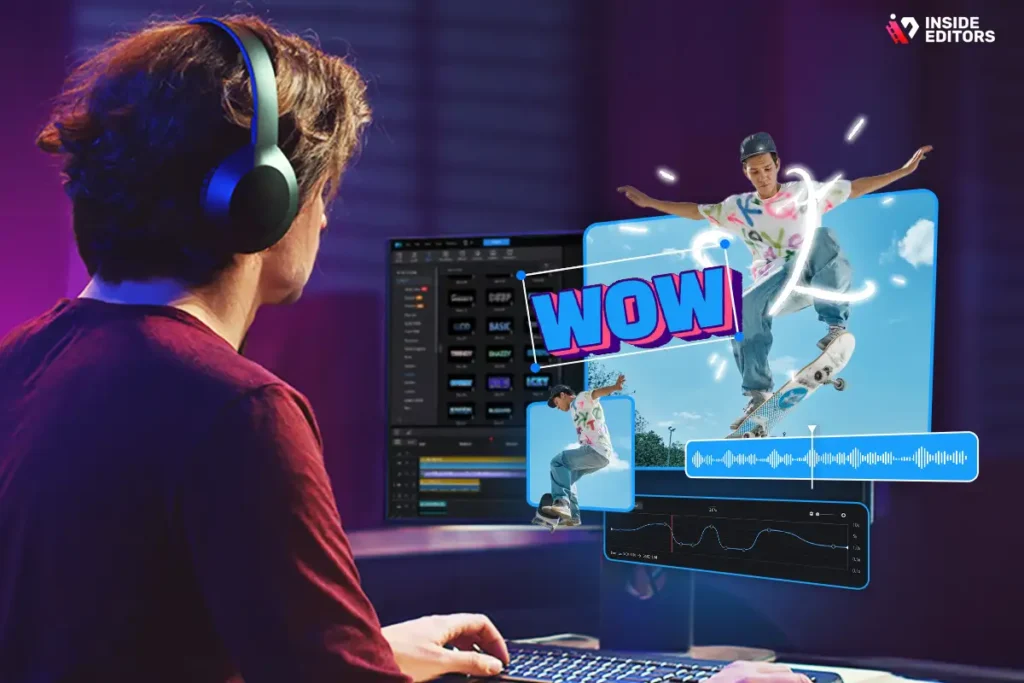
Features are important, but workflow is what determines whether editing feels joyful or exhausting. Some programs pack in hundreds of tools, yet make simple tasks harder than they need to be. Others feel fast and intuitive from the moment you open them. Good workflow design isn’t just about shortcuts or menus-it’s about reducing friction in every step: importing, organizing, trimming, layering, and exporting.
When your workflow is smooth, your creative energy goes directly into shaping your story. You can test ideas quickly, fix mistakes effortlessly, and experiment with new effects without worrying that the software will push back. You finish videos faster without sacrificing quality. And because the process feels easier, you’re able to stay consistent with uploads-one of the most important factors in growing an audience.
The Hidden Benefit of Organized Project Files
Another overlooked part of workflow is project organization. Gaming videos typically involve lots of clips, multiple audio tracks, perhaps facecam footage, and overlays like stream alerts or animated intros. Editors with good project organization tools-bins, collections, markers, and timeline labels-help you keep everything tidy.
This becomes crucial as your content grows. A well-organized project helps you revisit old edits, reuse assets, and maintain a consistent look across your videos. Over time, it becomes a key part of your professional workflow, especially if you’re aiming to build a long-term brand or monetize your channel.
Common Editing Mistakes Gamers Make (and How to Fix Them)
Overusing Transitions and Effects
Many new editors fall into the trap of decorating their videos with too many flashy transitions or effects. While it’s tempting to add everything, especially when a tool offers endless presets, too many effects distract from the gameplay itself. Good editing enhances the action; it doesn’t compete with it.
A better approach is to use effects strategically. Save big transitions for significant moments. Use subtle cuts to maintain flow. And always ask yourself whether a transition supports the story you’re telling. Over time, your viewers will come to appreciate the clarity and polish of your edits.
Ignoring Audio Quality
Audio often makes or breaks a video. Even if your gameplay is amazing, viewers won’t stick around if the sound is inconsistent, too loud, or hard to understand. Many beginner editors ignore audio mixing tools and rely entirely on default levels.
A strong video editor gives you control over volume keyframes, background music levels, noise reduction, and EQ adjustments. Take a few extra minutes to refine audio, and your entire video instantly feels more professional. Clear, balanced audio helps viewers stay engaged-and makes your commentary or storytelling more impactful.
Forgetting About Platform Requirements
YouTube, TikTok, Twitch, and Instagram each have different expectations for video format, aspect ratio, and content rhythm. Editing software with platform-specific export presets helps you align your content with audience behavior.
For example, TikTok and Reels favor short, vertical, high-energy clips, while YouTube prefers optimized bitrate settings so your HD gameplay remains sharp after compression. When your editor supports these exports, you avoid visual quality loss and ensure your videos look crisp across all platforms.
Real-World Scenarios: Choosing the Best App for Your Goals
For the Creator Making Quick Highlight Reels
If your goal is posting fast clips-epic kills, funny moments, clutch plays-mobile-friendly editors like CapCut or Filmora offer built-in templates, auto-beat sync, and drag-and-drop effects. They make editing feel effortless and help you publish clips within minutes.
This is perfect for gamers building an audience on TikTok or Instagram. Short-form platforms reward speed and consistency, and mobile editing lets you produce content anywhere, even between matches.
For the YouTuber Creating Full-Length Gameplay Videos
If you’re editing commentary videos, playthroughs, or long reviews, desktop editors like Premiere Pro or DaVinci Resolve are ideal. They give you precision cutting, clean audio controls, advanced color grading, and a timeline built for longer footage.
You can layer commentary, add on-screen graphics, and fine-tune pacing much more easily on desktop apps designed for serious content creation. This is essential for creators focusing on retention, storytelling, and polished production value.
For the Streamer Turning VODs Into Highlights
Streamers often work with multi-hour recordings and need tools that can handle big files. Apps like Vegas Pro and Final Cut Pro excel in timeline performance and speed. They allow you to skim through hours of content quickly and reduce large VODs into tight highlight reels.
If you stream regularly on Twitch or YouTube Live, choosing a tool that supports fast trimming and stable performance becomes especially important.
For Cinematic Gaming Storytellers
If you create narrative-driven gaming videos-montages, lore breakdowns, or RPG edits-DaVinci Resolve is often the strongest choice. It gives you fine color control, dramatic LUT options, and strong compositing tools that bring cinematic videos to life. These features are especially useful when transforming raw gameplay into emotional storytelling.
The Role of Professional Editors: When You Should Consider Outsourcing
Even with the best app for gaming video editing, there comes a point where doing everything alone feels overwhelming. This is especially true when your content grows, deadlines tighten, or your creative ambitions require more polish than your current skill level allows. Many creators eventually reach a point where outsourcing some of the editing becomes not just helpful-but necessary.
Professional editors can take your raw clips and shape them into polished stories with consistent pacing, smooth transitions, and high-quality audio. They also bring fresh eyes to your content, noticing details you might overlook after spending hours recording or streaming. Outsourcing doesn’t just save time; it also upgrades the viewer experience.
Inside Editors works with creators who want to streamline their workflow, increase upload consistency, or bring cinematic quality to their gaming videos. Whether it’s crafting montage edits, refining commentary videos, or building branded intros and transitions, professional editing can elevate your content far beyond what basic software tools alone can achieve.
If you want to explore what professional help looks like, you can visit our Gaming Video Editing Services page on Inside Editors to see how we support creators in growing faster, producing smarter, and saving time.
Why Creative Identity Matters More Than the App You Choose
As creators, it’s easy to obsess over tools. But the truth is, the best app for gaming video editing is only part of the equation. What truly shapes your content is your creative identity-your voice, pacing, humor, perspective, editing rhythm, and personal storytelling. Tools help refine your ideas, but they don’t create them for you.
Your style might be energetic and fast-cut, or calm and cinematic. Maybe you prefer minimal overlays or heavily stylized montages. Maybe your voiceovers drive your videos, or maybe the gameplay speaks for itself. Whatever your style, your editor should support it-not force you to adopt a workflow that doesn’t feel natural.
Once you identify the kind of creator you want to be, choosing the right editor becomes much easier. Instead of picking based on hype, you pick based on alignment. And that’s where your creativity shines.
FAQs
1. What is the best app for gaming video editing if I’m a beginner?
The best app for gaming video editing depends on whether you prefer mobile or desktop. Beginners often choose tools like CapCut or Filmora because the interface is clean and effects load quickly. These editors handle trimming, transitions, and basic color correction without overwhelming new users. As your skills grow, you can move to DaVinci Resolve or Premiere Pro for deeper control.
2. How much does professional gaming video editing usually cost?
Most editors charge between $40 and $250 per video, depending on video length, effects, and revision needs. Complex edits involving motion graphics or advanced color grading may cost more. Some teams also offer packages-such as weekly highlight reels or monthly editing plans-at discounted rates. Always confirm what’s included, like captions, thumbnails, or source file delivery.
3. How long does it take to edit a gaming video professionally?
A typical gaming edit takes 24-72 hours, depending on video length and style. Montage-style videos or cinematic storytelling often require more time for beat-synced effects or color grading. Many studios offer rush options at an additional cost. Your turnaround may also depend on how organized your raw clips and instructions are.
4. Do I keep full ownership of my gaming videos after outsourcing?
Yes, reputable editors give you 100% ownership of your final video and all exported deliverables. Some clients also request project files, which are usually available upon request. Always confirm this upfront so you retain full rights for monetization, sponsorships, and future edits. Inside Editors provides full ownership by default.
5. What if I need revisions after my video is delivered?
Most services include 1-3 rounds of revisions to adjust pacing, transitions, color, or sound. Simple fixes typically take a few hours, while structural changes may require longer. Good editors encourage clear notes-timestamps help speed things up. Revision terms should always be written clearly before the project begins.
6. Are my raw gaming clips kept private and secure?
Professional editing teams use secure, access-restricted cloud folders and delete files upon request. Your clips aren’t reused or shared, and only your assigned editor can access them. If needed, you can request an NDA for additional protection. Privacy should never be compromised, especially when gameplay includes personal overlays or commentary.
7. How do professional tools compare to free editing apps?
Free apps handle basic cuts, transitions, and social-media exports well. Professional tools-like DaVinci Resolve and Premiere Pro-offer precise color grading, multi-layer timelines, and advanced audio control for cleaner, sharper results. They also handle long, high-resolution clips more reliably. If you want cinematic edits, pro tools offer more creative headroom.
8. When should I upgrade from DIY editing to a professional editor?
If editing takes too much time, delays your uploads, or your videos don’t look as polished as competitors, it may be time to outsource. Professional editors help with pacing, effects, color grading, and consistency-key factors for audience growth. This frees you to focus on recording, storytelling, and community engagement. Many creators blend DIY rough cuts with pro finishing for best results.
9. What file formats and footage quality should I provide for editing?
Most editors accept standard MP4, MOV, or MKV files recorded at 1080p60 or 4K. Higher-bitrate footage gives more flexibility during color grading and effects work. Keep your audio clear and avoid overly compressed clips. Organized folders with labeled segments help reduce turnaround times.
10. Can I get gaming videos edited for YouTube, TikTok, and shorts at the same time?
Yes, many editors provide multi-format deliverables. You can request 16:9 for YouTube, 9:16 for Shorts/TikTok/Reels, and 1:1 for certain platforms. Some offer bundled packages where one long video is repurposed into multiple short clips. This helps maximize reach from a single piece of content.


