


If you’ve ever waited endlessly for a video to render – watching progress bars crawl while your creativity stands still – you already know how much your CPU matters. The central processing unit (CPU) is the beating heart of your editing machine. It decides how fast your footage loads, how smoothly you scrub through a timeline, and how quickly that final 4K export completes.
In 2026, the competition between Intel and AMD has reached new heights, and creators are reaping the benefits. From AI-enhanced workflows to hyper-efficient multi-core processors, the landscape for video editors has evolved. But with dozens of CPUs on the market, each boasting big performance claims, how do you actually choose the best CPU for YouTube video editing – the one that fits your workflow, your software, and your budget?
Before we dive into models and benchmarks, let’s decode what really makes a CPU great for editing – and why choosing wisely now can save you hundreds of hours later.
What Makes a CPU “Best” for YouTube Editing
Performance Isn’t Just About Speed – It’s About Consistency
When editing in Premiere Pro, DaVinci Resolve, or Final Cut, the CPU handles decoding, timeline playback, and rendering effects. A faster CPU means smoother previews and fewer dropped frames, especially when dealing with high-bitrate 4K or 10-bit HDR footage. But performance isn’t just raw GHz – it’s about how efficiently a processor can manage multiple editing tasks simultaneously.
Modern CPUs, like Intel’s 14th Gen and AMD’s Ryzen 9000 series, use hybrid architectures combining performance cores (P-cores) and efficiency cores (E-cores). This means your computer can handle background tasks – such as rendering previews or caching – while keeping your timeline responsive. It’s multitasking mastery in silicon form.
Core Count vs. Clock Speed: Finding the Sweet Spot
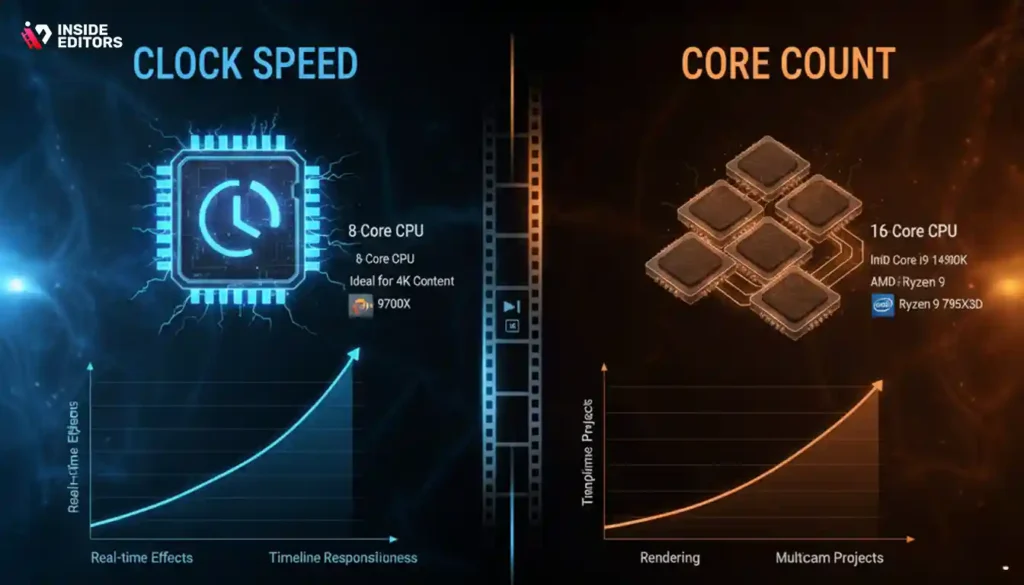
Video editing loves cores – but only up to a point. Most professional software scales efficiently up to about 8 – 12 cores, after which the performance gain starts to taper off. For example, Adobe Premiere Pro benefits from high clock speeds for real-time effects, while DaVinci Resolve shines with more cores during rendering.
So, if you’re a YouTuber editing standard 4K content, an 8-core CPU like the AMD Ryzen 7 9700X offers a perfect balance. But if you’re managing complex multicam projects, a 12- or 16-core powerhouse such as Intel’s Core i9-14900K or AMD Ryzen 9 7950X3D gives you smoother scrubbing and faster exports.
How Video Editing Software Uses Your CPU (and Why It Matters)
Adobe Premiere Pro: CPU Still Leads the Charge
While GPU acceleration has grown, Premiere still leans heavily on CPU processing for decoding and encoding certain formats – especially H.264 and H.265, which are common in YouTube workflows. Intel’s Quick Sync technology gives it a notable edge in export speed here, making Core i7 and i9 chips particularly appealing for editors working primarily with compressed camera footage.

DaVinci Resolve: Balanced CPU and GPU Workload
Resolve distributes workload more evenly between CPU and GPU, but CPU still plays a crucial role in fusion effects, color grading caching, and managing multiple nodes. Editors who color grade extensively or use complex Fusion effects benefit from higher core counts and larger cache memory – areas where AMD’s X3D processors shine.
Final Cut Pro and Apple Silicon: The Wild Card
If you’re editing on macOS, Apple’s M3 Pro and M3 Max chips are redefining what “CPU power” even means. These integrated systems combine CPU, GPU, and neural engines, optimizing performance per watt. However, since Inside Editors focuses primarily on cross-platform creator workflows, we’ll concentrate on Intel and AMD processors for desktop and PC-based creators.
The Top CPUs for YouTube Video Editing in 2026
Now that you understand the fundamentals, let’s get to what you came for – the top-performing CPUs of 2026 that deliver speed, stability, and long-term value for creators.
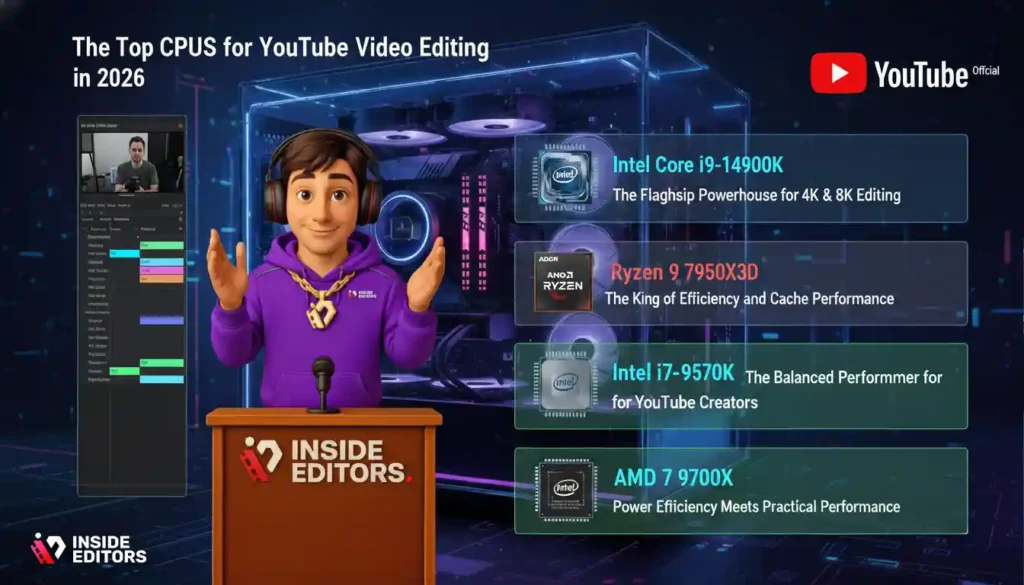
| CPU Model | Cores/Threads | Base Clock | Boost Clock | Best For |
| Intel Core i9-14900K | 24 (8P + 16E) / 32 | 3.2 GHz | 6.0 GHz | 4K/8K heavy editing, multicam projects |
| AMD Ryzen 9 7950X3D | 16 / 32 | 4.2 GHz | 5.7 GHz | Color grading, multi-layer editing |
| Intel Core i7-14700K | 20 (8P + 12E) / 28 | 3.4 GHz | 5.6 GHz | Mid-range editing and YouTube workflows |
| AMD Ryzen 7 9700X | 8 / 16 | 3.8 GHz | 5.5 GHz | Solo creators, efficient 4K editing |
| Intel Core i5-14600K | 14 (6P + 8E) / 20 | 3.5 GHz | 5.3 GHz | Budget-friendly editing and streaming |
Each of these CPUs represents the best of its category. Let’s explore what makes each one stand out for different types of creators.
Intel Core i9-14900K – The Flagship Powerhouse for 4K & 8K Editing
If your editing involves multiple camera angles, heavy effects, and 8K workflows, the i9-14900K remains one of the most reliable powerhouses. Its hybrid core design allows background rendering while keeping your active timeline responsive. You can run Premiere, After Effects, and browser tabs simultaneously without hiccups – something editors juggling deadlines will appreciate.
Intel’s advantage lies in Quick Sync support, which accelerates encoding for YouTube-friendly formats like H.264 and HEVC. Pair it with DDR5 memory and a PCIe 5.0 SSD, and you’ll see export times cut nearly in half compared to older CPUs. For professional editors and production teams, this CPU simply means less waiting, more creating.
AMD Ryzen 9 7950X3D – The King of Efficiency and Cache Performance
AMD’s X3D technology adds massive L3 cache, reducing data bottlenecks that can slow down editing in complex projects. In DaVinci Resolve, for example, this translates into snappier playback when using multiple color grading nodes or visual effects layers.
The 7950X3D also consumes less power under load, which means quieter fans and cooler systems – something solo creators working from home studios will love. Whether you’re rendering 10-bit HDR footage or managing 4K multicam sequences, it delivers elite performance without excessive heat or noise.
Intel Core i7-14700K – The Balanced Performer for YouTube Creators
For most YouTube creators, this is the sweet spot. The Core i7-14700K delivers near-flagship performance at a fraction of the price. Its 20 cores handle multi-layer timelines, audio effects, and transitions effortlessly. If your channel produces 2 – 3 videos per week, this CPU offers exceptional speed without overkill.
Editors who rely on Adobe’s Creative Cloud suite will appreciate its stability and integration with Intel’s AI-enhanced optimizations in 2026 updates – from motion tracking to auto reframing. It’s ideal for creators focused on quality and workflow consistency rather than raw benchmark bragging rights.
AMD Ryzen 7 9700X – Power Efficiency Meets Practical Performance
For solo YouTubers and editors who want reliability without spending flagship-level money, AMD’s Ryzen 7 9700X is the real-world champion. It packs 8 cores and 16 threads, offering more than enough power for 4K editing, multi-track timelines, and light color grading.
What sets it apart is power efficiency. With its 5nm architecture, the 9700X runs cooler than most Intel chips in its range, meaning quieter fans and lower electricity costs – two factors creators often underestimate. It’s perfect for YouTubers who edit daily vlogs, tutorials, or travel content from compact home setups.
If you’re using tools like Adobe Premiere Pro or DaVinci Resolve, the 9700X provides silky-smooth timeline playback and minimal lag even when scrubbing through high-bitrate 4K footage. Combined with a capable GPU and fast SSD, it’s a processor that gives consistent, dependable performance without overkill.
Intel Core i5-14600K – The Smart Choice for Beginners and Budget Creators
Not everyone needs a monster CPU. If you’re just getting started with YouTube editing or running a small content studio, the Intel Core i5-14600K might be all you need. It’s the most affordable CPU in this lineup that still holds its own in professional workflows.
With 14 cores (6 performance + 8 efficiency), this chip handles basic to mid-level editing with ease – think 1080p and entry-level 4K projects. What makes it attractive is its price-to-performance ratio. You’ll enjoy stable playback, smooth trimming, and fast exports without having to invest in a workstation-class setup.
Pair it with at least 32 GB of RAM and an RTX 4070 GPU, and you’ve got a cost-effective editing rig that can easily power channels focused on commentary, educational, or gaming content. It’s a great stepping stone for creators growing their audience without breaking their budget.
Choosing the Right CPU for Your Workflow and Budget
Finding the best CPU for YouTube video editing isn’t just about raw specs – it’s about aligning performance with your creative goals. For instance:

- Casual Creators: Intel Core i5-14600K or Ryzen 7 9700X – perfect for editing short vlogs and tutorials.
- Mid-Level YouTubers: Intel Core i7-14700K – excellent all-rounder for consistent uploads and multicam editing.
- Professional Filmmakers: Ryzen 9 7950X3D or Intel i9-14900K – ideal for 4K/8K projects, commercial work, or cinematic productions.
Each of these CPUs shines in different contexts, but they share one common benefit: improved creative freedom. When your system keeps up with your vision, you focus less on lag – and more on storytelling.
Optimizing Your CPU for Maximum Editing Performance
1. Balance CPU and GPU Loads
Your CPU and GPU work together like a creative duo. While the CPU handles encoding, transitions, and background processes, the GPU accelerates visual effects and real-time rendering. Using both efficiently ensures smoother editing.
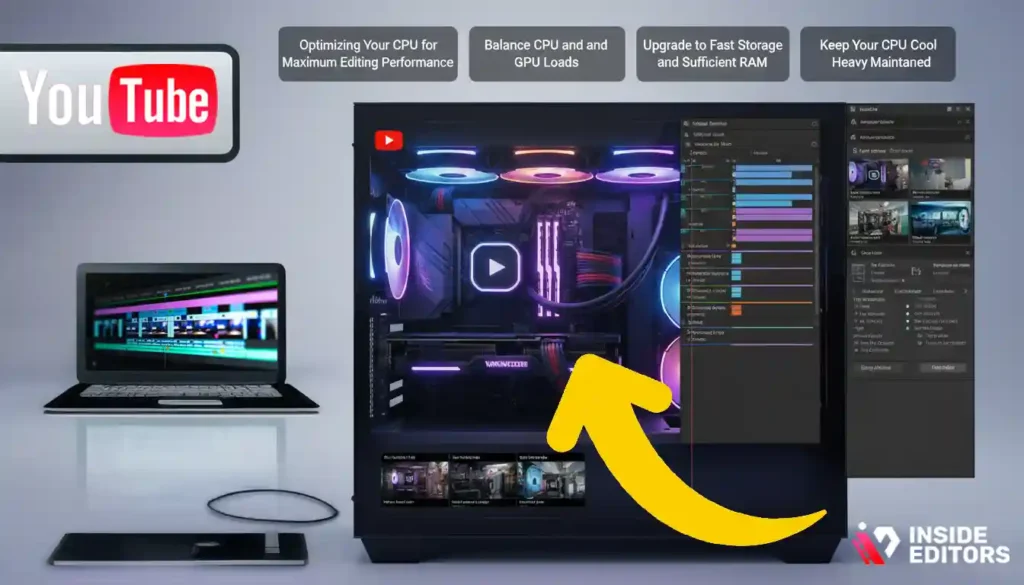
If you’re running Adobe Premiere Pro, enable GPU acceleration under Project Settings – General – Renderer – Mercury Playback Engine GPU Acceleration. This offloads effects processing to your graphics card, freeing the CPU for timeline management and background caching.
2. Upgrade to Fast Storage and Sufficient RAM
Even the best CPU struggles when bottlenecked by slow drives or insufficient memory. Use an NVMe Gen 4 or Gen 5 SSD for your scratch disk and install at least 32 GB of DDR5 RAM to prevent slowdowns when working with large files.
3. Keep Your CPU Cool and Maintained
Thermal throttling can silently steal your CPU’s potential. Invest in a quality air or AIO liquid cooler, clean dust regularly, and apply high-grade thermal paste when needed. Cooler CPUs maintain consistent clock speeds and longer lifespans.
4. Use Proxy Files for Heavy Footage
Even with high-end CPUs, heavy codecs like 10-bit H.265 can strain playback. Use proxy editing – lower-resolution temporary files that let you edit faster, then export at full quality later. It’s one of the simplest ways to reduce CPU load and boost responsiveness.
How Inside Editors Helps You Create Faster and Smarter
Even the best CPU can only take you so far – it’s the editor behind the screen that turns footage into story. That’s where Inside Editors steps in.

Our professional editing team understands not just the software, but the creative psychology behind attention-grabbing storytelling. Whether you’re building a personal vlog, a cinematic travel film, or a brand commercial, our experts handle the technical precision so you can focus on creativity.
If you want to see how professionals streamline workflows using optimized hardware and software stacks, explore our specialized editing services:
- Product Video Editing Services
- Reaction Video Editing Services
- Travel Video Editing Services
- Gaming Video Editing Services
- Business Video Editing Services
Each service is tailored to your niche, ensuring your final cut doesn’t just look great – it performs well, keeping your audience watching longer and engaging deeper.
Common Mistakes Creators Make When Choosing a CPU
1. Overpaying for Unused Power
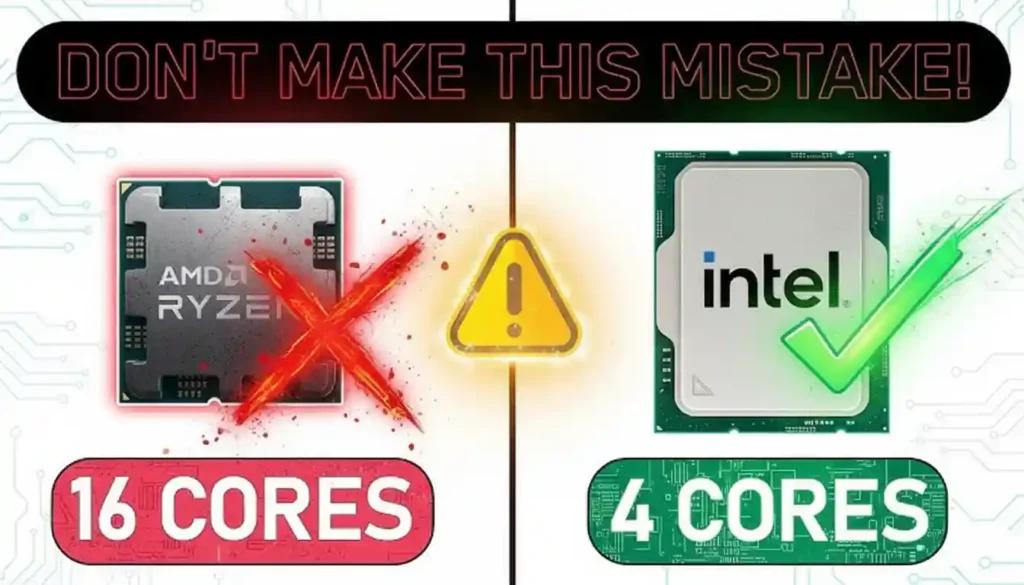
Many creators buy top-end CPUs thinking “more cores = better editing.” But unless you’re handling 8K multicam projects, those extra cores often sit idle. Instead, allocate that budget toward faster storage or GPU upgrades for a more balanced build.
2. Ignoring Compatibility
Upgrading from older Intel or AMD platforms? Check motherboard socket support before purchasing. Newer CPUs like Intel’s 14th Gen use LGA 1700, while Ryzen 9000 chips need AM5. Ignoring compatibility can add hundreds to your upgrade cost.
3. Neglecting Cooling Solutions
Video rendering pushes your CPU to its thermal limit. A cheap cooler might save money upfront but can throttle performance long-term. Invest in reliable cooling – it’s the difference between a consistent system and one that crashes mid-export.
Future-Proofing Your Setup for 2026 and Beyond
Technology moves fast, and YouTube standards evolve with it. As 8K content, HDR workflows, and AI-enhanced editing become more common, investing in a strong CPU today ensures smoother upgrades tomorrow.
Look for CPUs with PCIe 5.0 and DDR5 support, as these technologies are quickly becoming industry standards. They not only improve speed but also extend the usable life of your system – meaning you won’t need another overhaul when 2027’s editing tools arrive.

Final Verdict: The Best CPU for YouTube Video Editing in 2026
When all’s said and done, there’s no one-size-fits-all answer – only the right CPU for your goals:
- If you’re editing fast-paced 4K content and need reliable performance: Intel Core i7-14700K.
- For professional creators working with color grading, heavy compositing, and HDR: AMD Ryzen 9 7950X3D.
- For the ultimate future-proof setup: Intel Core i9-14900K remains the go-to flagship for high-end studios.
Each of these processors delivers exceptional value, but the key is pairing them with a balanced system. Fast drives, adequate RAM, and GPU acceleration matter just as much as the CPU itself.
Ready to Take Your Editing Further?
If you’re serious about transforming your content quality – whether through smarter workflows or expert post-production – you don’t have to go it alone.
Inside Editors can help elevate your videos from rough cuts to polished masterpieces. With expert colorists, storytellers, and editors, we combine creative artistry with technical precision – giving your content the professional edge it deserves.
Explore Inside Editors’ Professional Video Editing Services
Because the best CPU may power your tools – but the best editors power your story.
FAQs
1. How do I know which CPU is best for my YouTube editing setup?
Start by matching your CPU choice to your workflow. Light vlog or tutorial creators do well with mid-range options like Intel i7-14700K, while professionals editing 4K/8K or color-grading in DaVinci Resolve benefit from Ryzen 9 7950X3D. The “best CPU for YouTube video editing” depends on balancing power, budget, and your preferred software.
2. Why choose a professional editing service instead of doing it yourself?
DIY editing gives control but often costs time and consistency. Professional editors use calibrated hardware, advanced tools, and proven storytelling techniques to deliver polished results faster. Inside Editors, for example, pairs optimized CPUs with expert workflows – so creators focus on content, not render times. It’s ideal if quality and speed both matter.
3. How much does professional video editing cost in 2026?
Prices vary by complexity, length, and service tier. On average, YouTube editing packages range from $80 – $300 per video, with custom options for multi-video series or branded content. Basic edits include trimming, transitions, and sound cleanup; higher tiers add color grading, motion graphics, or subtitles. You can explore detailed pricing at Inside Editors.
4. How long does professional video editing usually take?
Turnaround typically ranges from 2 – 5 business days for standard projects. Rush delivery (24 – 48 hours) is often available for an extra fee, depending on complexity and revision rounds. Smooth communication, clear briefs, and organized footage can shorten timelines significantly. Inside Editors offers tiered timelines so you can match delivery speed to your content schedule.
5. Who owns the final video files after editing?
You retain 100% ownership of your footage and final exports. Professional services like Inside Editors operate under transparent creator-first policies – meaning you keep all rights, source files, and project assets. Cloud transfers and private storage ensure data security while maintaining full creative control for your channel or brand.
6. How are privacy and data handled during editing?
All files are stored on encrypted, access-controlled servers with NDA-backed confidentiality. Only assigned editors access your material, and projects are deleted after delivery unless requested otherwise. This ensures your unpublished or branded content remains secure throughout the process. Inside Editors follows GDPR-compliant data protocols to maintain trust and transparency.


