

When it comes to creating cinematic-quality videos, having the right tools isn’t just a matter of convenience – it’s the foundation of your craft. And if you’re a gamer, creator, or editor working across both worlds, you already know that not every laptop can handle the dual demands of ultra-smooth gaming and high-resolution video rendering.

That’s why choosing the best gaming video editing laptop in 2026 is about more than just specs – it’s about finding the perfect balance between creativity, power, and long-term value.
Before we dive into models and features, let’s break down what actually matters – not just for performance benchmarks, but for your daily workflow and creative results.
Understanding What Makes a Laptop Great for Both Gaming and Video Editing
The Shared DNA Between Gamers and Editors
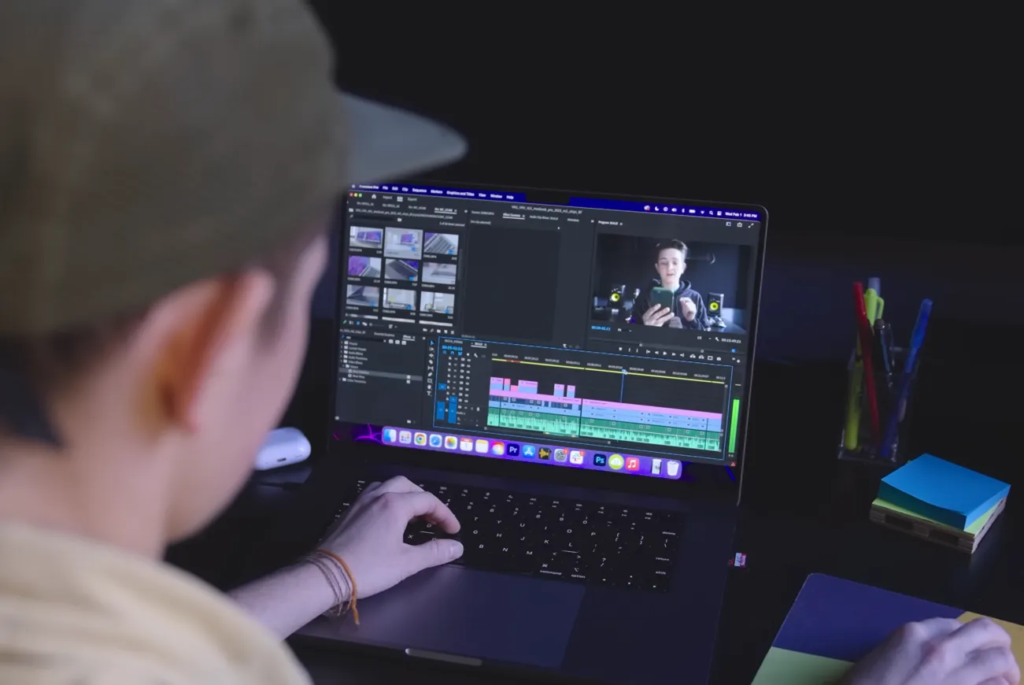
At first glance, gaming and video editing might seem like completely different worlds. One’s about fast reflexes and frame rates, the other about storytelling and timelines. Yet, both rely on the same technical core: processing speed, graphics performance, and storage bandwidth. Whether you’re exporting a 4K timeline or rendering real-time shaders, your system’s ability to handle simultaneous loads determines how fluid your experience will be.
In 2026, hybrid creators – gamers who stream, edit, and publish – are driving this convergence more than ever. A laptop that can render a cinematic sequence in DaVinci Resolve while handling a high-FPS game stream in the background is no longer a luxury; it’s an expectation.
Why CPU and GPU Balance Matters More Than Ever
Many buyers make the mistake of focusing on one specification – usually the GPU – but real-world editing performance depends just as much on the CPU. The latest Intel Core Ultra and AMD Ryzen AI-series chips combine high-efficiency cores with dedicated neural processing units (NPUs), meaning they can accelerate tasks like color correction, denoising, or even AI-based clip selection directly on the chip.
Pair that with an NVIDIA RTX 50-series GPU or AMD Radeon RX 8000-series graphics card, and you get hardware that’s future-proof for both 4K editing and next-gen gaming titles.Think of it like a relay race: the CPU handles the timeline and background tasks, while the GPU manages rendering and effects. If one lags, the whole system slows down – and so does your workflow.
Key Features to Look for When Buying a Gaming Video Editing Laptop
RAM and Storage: The Unsung Heroes of Performance
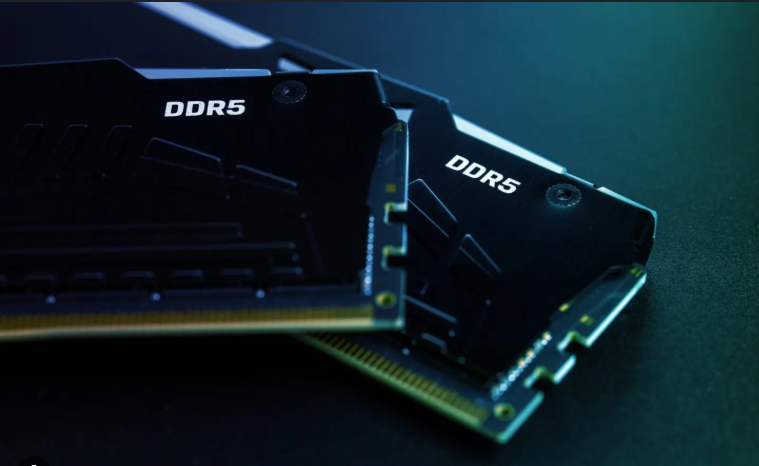
If you’ve ever tried editing 4K footage with 8 GB of RAM, you already know the frustration of constant lag and cache warnings. In 2026, the sweet spot for editors is at least 32 GB of DDR5 RAM, with 64 GB offering a noticeable boost for projects involving multiple layers, effects, or 8K files. Unlike in 2023 or 2024, newer DDR5 memory modules are more efficient – you get faster read/write speeds without draining battery life as much.
Storage is another silent bottleneck. Always choose an NVMe SSD, ideally 1 TB or more, since modern editing software like Premiere Pro and Resolve cache large media libraries locally. For hybrid gamers, consider dual-drive setups: one smaller SSD for OS and software, another larger one for projects and games. This keeps both systems fast and organized.
Display Quality: Where Creativity Meets Clarity
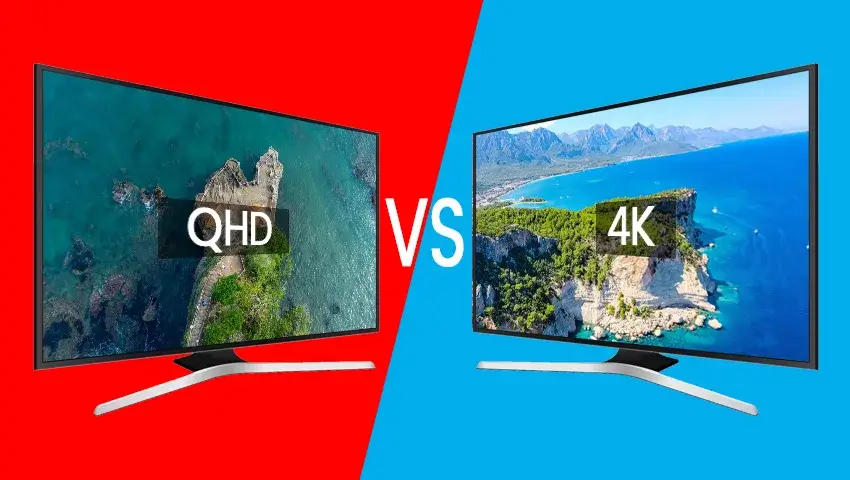
Your screen isn’t just a window – it’s your workspace. A 1080p display might work for gamers, but editors benefit hugely from higher resolution and color accuracy. Look for at least a 16-inch QHD or 4K display with 100 % DCI-P3 color coverage and 500 nits brightness. OLED and Mini-LED panels, which became standard in late-2025 flagships, now offer exceptional contrast and near-perfect blacks – ideal for color grading or cinematic previews.
If portability matters, 14-inch displays with high refresh rates (165 Hz +) can strike a good balance. However, serious editors often prefer larger panels with external monitor support,especially when editing long-form content.

Cooling and Noise Control: The Silent Power Factor
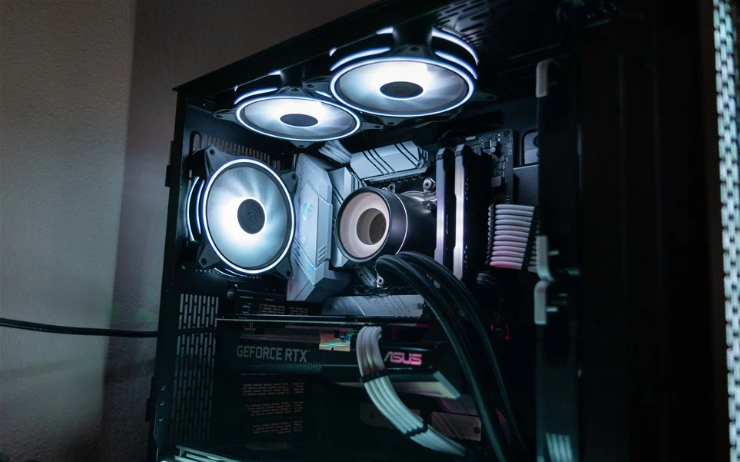
Few things kill creative flow faster than an overheating laptop or whirring fans mid-export. Gaming-class cooling systems have dramatically improved since 2024, with vapor-chamber and liquid-metal designs becoming mainstream. When comparing laptops, pay attention to thermal design power (TDP) ratings – not just raw specs. A balanced thermal system allows your GPU and CPU to sustain peak performance longer without throttling.
Manufacturers like ASUS ROG, Razer, and MSI have led the way with smarter cooling algorithms that adapt dynamically between editing, gaming, and idle states. That means less noise, better performance, and longer lifespan for your components.
| Model (2026) | CPU | GPU | Display | RAM | Storage | Est. Price (USD) |
| Razer Blade 16 (2026) | Intel Core Ultra 9 285H | NVIDIA RTX 5090 | 16″ 4K Mini-LED 240 Hz | 32 GB | 2 TB SSD | $3,199 |
| ASUS ROG Zephyrus G16 AI | AMD Ryzen AI 9 985HX | NVIDIA RTX 5080 | 16″ QHD+ 165 Hz OLED | 32 GB | 1 TB SSD | $2,499 |
| MacBook Pro M3 Max (2025 Late Edition) | Apple M3 Max | Integrated GPU (40-core) | 16″ Liquid Retina XDR | 36 GB Unified Memory | 1 TB SSD | $3,499 |
| Lenovo Legion 7i Pro (2026) | Intel Core Ultra 7 265H | NVIDIA RTX 5070 | 16″ QHD+ 240 Hz | 32 GB | 1 TB SSD | $2,199 |
| MSI Creator Z17 HX Studio | Intel Core Ultra 9 285HX | NVIDIA RTX 5090 Studio | 17″ 4K Mini-LED | 64 GB | 2 TB SSD | $3,699 |
Each of these laptops can handle heavy gaming and 4K editing, but their differences lie in priorities: portability, cooling, display, or battery endurance. For instance, the Razer Blade 16 offers exceptional design and brightness, while the ASUS ROG G16 balances performance with portability. The MSI Creator Z17 HX is essentially a desktop replacement for professionals who need uncompromising power.

How AI and New Technology Are Changing Laptop Editing in 2026
AI-Accelerated Workflows for Faster Editing
AI isn’t just a buzzword anymore – it’s your new editing assistant. From automatic clip tagging to real-time audio cleanup, 2026’s hardware integrates AI directly into silicon. This means tasks that once required plugins now run natively and instantly. For example, NVIDIA’s RTX Video Super Resolution can upscale footage dynamically during playback, while Intel’s new NPU cores handle background rendering without draining your main processor.For gamers who also create content, this opens up a smoother multitasking experience: you can record gameplay, edit clips, and render in the background – all while your AI tools sync audio and optimize lighting automatically.

Battery Life and Sustainability Improvements
Five years ago, editing on battery was a joke. In 2026, that’s changed. Advanced power-efficiency cores and smarter adaptive refresh-rate screens now give you up to 10 hours of mixed editing and browsing, with quick-charge features restoring 50 % capacity in under 30 minutes.
Sustainability has also become a buying factor. Brands like Dell and HP are now offering carbon-neutral models made from recycled aluminum, appealing to eco-conscious creators without compromising on strength or performance.
Why Your Workflow Matters More Than Raw Power
Matching Laptop Specs to Your Editing Style
Choosing the best gaming video editing laptop isn’t just about buying the most expensive one – it’s about matching hardware to how you actually work. If you edit short-form social content or stream gameplay clips, portability and battery life matter more than raw specs. But if you’re cutting cinematic projects or 8K footage, you’ll want a workstation-class laptop with better thermals and higher RAM.
A great rule of thumb: optimize for your bottleneck. If you often wait on exports, prioritize GPU and storage. If your timeline lags during playback, invest in more RAM. Understanding your workflow is what separates a smart investment from an overhyped purchase.
The Hidden Cost of Poor Display Accuracy
Many creators underestimate how much display accuracy impacts their final results. A poorly calibrated panel can lead to oversaturated or dull visuals once uploaded online. That’s why modern laptops with factory-calibrated displays (like the MacBook Pro or ASUS ProArt series) are worth the extra cost – they save hours of post-correction and ensure color consistency across devices.
It’s not about vanity; it’s about trust in what you see.

Mistakes to Avoid When Choosing a Laptop in 2026
Overprioritizing Specs You’ll Never Use
A common pitfall is chasing specs that sound impressive but don’t align with your workflow. 128 GB of RAM sounds great on paper, but if you’re editing standard-definition YouTube videos, it’s overkill. The same goes for 8K-capable GPUs if your content rarely exceeds 1080p. Instead, invest that budget into better storage, a color-accurate monitor, or a cooling stand – items that actually enhance day-to-day usability.
Ignoring Upgrade Paths and Warranty Support
Some modern laptops are sealed units, meaning you can’t upgrade RAM or storage later. If you value longevity, prioritize models with user-replaceable components. Also check warranty and service options – especially if you’re buying internationally. Nothing kills productivity faster than waiting weeks for replacement parts.
How Inside Editors Helps Creators Get More from Their Tech
Even the best hardware can’t replace creative intuition – but it can amplify it. At Inside Editors, we work with creators who’ve mastered their tools but want to focus on what really matters: storytelling. Our professional video editing services are designed for gamers, brands, and content creators who need consistent, high-quality results without spending hours fine-tuning timelines.
Whether you’re producing gaming montages, cinematic YouTube content, or branded campaigns, our editors handle everything from motion graphics to sound design. You provide the vision; we bring it to life – efficiently, affordably, and with that professional polish your audience will notice immediately.
As you evaluate your next laptop, remember: the right setup can make you faster, but the right creative partner can make you unforgettable.
Choosing the Right Laptop for Your Budget and Goals
Entry-Level Creators: Smart Compromises That Still Deliver
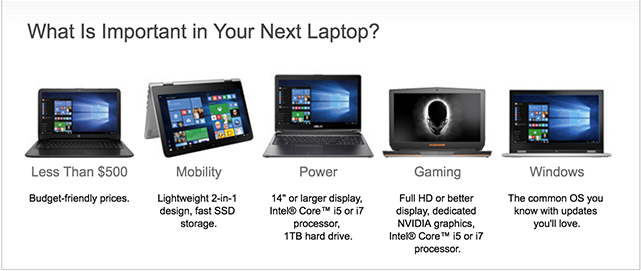
If you’re just starting your editing journey – maybe building a YouTube channel, cutting gaming clips, or producing short-form content – you don’t need a $3,000 setup. What matters most at this stage is efficiency and stability, not raw performance.
In the $1,000–$1,500 range, look for models like the ASUS TUF A15 or Acer Nitro 5 (Ryzen 7 or Intel i7, RTX 4060 GPU). These deliver smooth 1080p gaming and handle 4K footage in tools like Premiere Pro or CapCut with minimal lag. The main trade-off is display accuracy and battery life – but those can be improved later with external monitors or calibration tools.
For newcomers, the key is workflow discipline: organize your media properly, cache regularly, and keep your system lean. A well-optimized budget laptop can outperform a poorly managed premium one. Inside Editors’ video SEO services also help new creators turn those first uploads into discoverable, high-impact content – maximizing reach even on modest setups.
Mid-Range Professionals: Balancing Speed and Portability
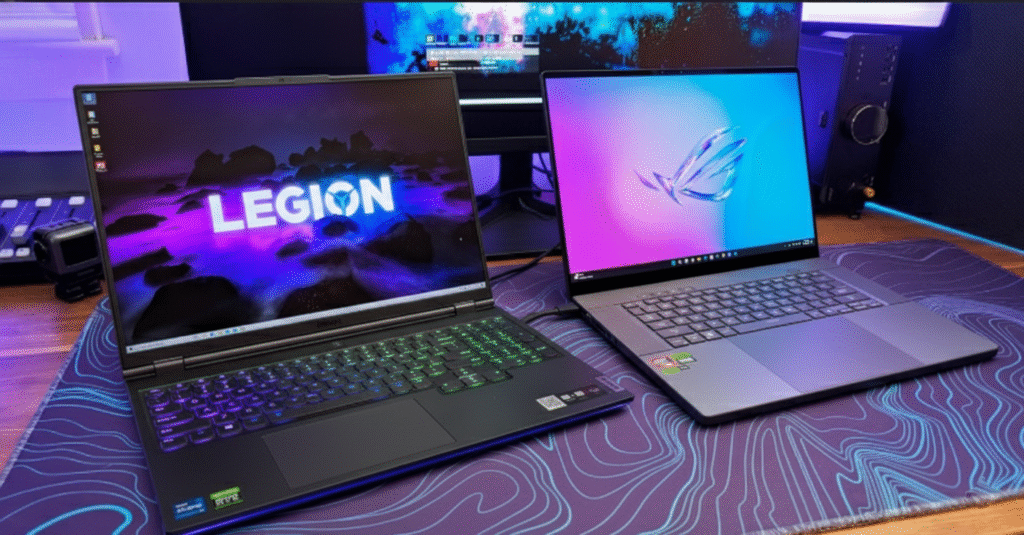
For freelance editors, content creators, and streamers juggling multiple projects, the sweet spot lies between $1,800-$2,800. Laptops like the ASUS ROG Zephyrus G16 AI or Lenovo Legion 7i Pro deliver desktop-class performance while staying portable.This tier gives you QHD+ displays, 32 GB RAM, and RTX 5070+ GPUs, which translate to faster exports, smoother previews, and minimal throttling during heavy effects work. You’ll also notice major workflow improvements when working with RAW or multicam footage – essential for YouTubers or social media editors producing daily content.
Battery life and thermals remain balanced here, making these laptops great for hybrid creators who travel often or edit on set. If you work across multiple platforms (Twitch, YouTube, TikTok), this class ensures you’re always ready to create without waiting on renders or crashes.
High-End Creators and Studio Professionals
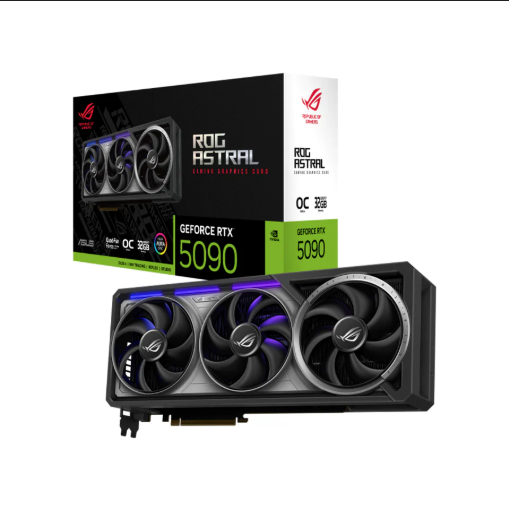
If editing is your livelihood or you’re handling large-scale productions, you need precision and endurance. Premium models like the MSI Creator Z17 HX Studio, Razer Blade 16, and MacBook Pro M3 Max are designed for these workloads.
These machines aren’t just about specs – they’re about stability under pressure. Features like 10-bit color accuracy, liquid-metal cooling, and up to 64 GB RAM allow real-time playback of 8K RAW footage and smooth multitasking across editing suites, compositing tools, and AI assistants.
High-end users also benefit from studio-grade GPUs (RTX 5090 Studio), which optimize rendering for apps like DaVinci Resolve, Blender, and Adobe After Effects. You’ll pay more upfront, but you save time daily – a more valuable return in professional environments.For teams or agencies, investing in this level of hardware often pairs naturally with outsourcing tasks like sound design or motion graphics to professionals. Inside Editors’ business video editing services are structured precisely for this workflow: fast turnaround, consistent branding, and seamless integration into your production pipeline.

The Role of Cloud Editing and Collaboration in 2026
Why the Future of Editing Is Hybrid
Hardware is no longer the full story. Cloud-based platforms like Frame.io, Blackmagic Cloud, and Adobe Team Projects have transformed collaboration. In 2026, you can start editing on your laptop, sync changes to the cloud, and have another team member continue from anywhere in the world – no exports, no file transfers, no confusion.The implication? Your laptop no longer needs to do everything alone.
Cloud computing handles part of the heavy lifting – especially for preview rendering and asset syncing – allowing mid-range laptops to compete with workstation-level devices.At Inside Editors, this is exactly how our team collaborates on LinkedIn video editing projects and cross-platform brand campaigns. Each project syncs securely across systems, reducing friction and keeping the creative process fluid from draft to delivery.
Data Security and Cloud Backups
Cloud collaboration comes with one major concern: data safety. A single corrupted drive or lost project can derail an entire production. Always ensure your workflow includes automated backups – both local (via external SSDs) and cloud (Google Drive, Dropbox, or AWS).
Modern editing laptops now integrate hardware-level encryption, and some even offer AI-driven file recovery that restores corrupted frames or cache data – a huge relief for professionals.
A balanced hybrid workflow – local editing with cloud sync – gives you both control and peace of mind. In other words, you’re covered whether you’re in the studio, on set, or gaming between sessions.
Optimizing Performance: Small Tweaks, Big Gains
Managing Software and Settings
Even the best gaming video editing laptop will underperform without proper optimization. Start by updating your GPU drivers and BIOS regularly – most 2026 laptops use adaptive AI firmware that improves efficiency over time.
In your editing software, allocate more RAM to cache and set your media cache location to a high-speed SSD. Disable background apps like game launchers when editing to free up CPU cycles.
In Premiere Pro, using GPU-accelerated effects and the Mercury Playback Engine can reduce render time by 30–50 %. In DaVinci Resolve, enabling optimized media for proxies makes 8K footage buttery smooth. These small settings compound into major workflow gains.
Keeping Hardware Cool and Efficient
Good airflow equals longer lifespan. Always elevate your laptop slightly or use a cooling pad when rendering for long periods. Clean vents periodically and avoid editing on soft surfaces that block fans.
The new AI thermal profiles in brands like Razer and ASUS can detect editing workloads and adjust fan curves automatically – but you can fine-tune these in software like Armoury Crate or MSI Center for even better results.Smoother performance means not just faster output, but also quieter sessions and lower system stress – which ultimately leads to more reliable creative work.
How Inside Editors Complements Your Editing Journey
Turning Great Footage into Professional Stories
Even with the right hardware, storytelling still defines success. The best gaming video editing laptop empowers you technically – but professional editors elevate your content creatively.
At Inside Editors, we specialize in transforming raw clips into narratives that connect. Whether it’s fast-paced gaming montages, cinematic vlogs, or brand campaigns, our gaming video editing services deliver precision, pacing, and polish tuned to your audience.Our approach is human-first: every project is reviewed by experienced editors who understand the psychology of visual engagement – not just technical perfection. That’s how we ensure your work stands out in a saturated creator economy.
Scaling Creativity Without Losing Control
Outsourcing doesn’t mean losing your voice. Many clients use Inside Editors as an extension of their workflow – a trusted post-production partner that handles time-consuming edits, revisions, or multi-platform exports while they focus on ideation and growth.
You can collaborate directly through shared folders or integrated platforms like Google Drive and Frame.io. Every project follows your brand’s visual language, ensuring consistency and scalability. From fashion video editing to action content, our experts adapt the tone and rhythm to your niche and audience.
Final Thoughts: Investing in Performance That Inspires Creativity
Choosing the best gaming video editing laptop in 2026 isn’t about chasing specs – it’s about aligning your investment with your vision. Think of your laptop as both a creative studio and a gaming rig; it should inspire you to experiment, refine, and push your storytelling further.
If you’re editing occasionally, start simple and grow as your skills evolve. If you’re creating daily, invest once in performance that lasts years. And if you’re ready to take your content to the next level, let professional editors handle the polish so you can focus on creativity, not compression bars.
At the end of the day, technology should empower artistry – not overwhelm it.
And when that balance is right, you don’t just produce better videos. You create stories worth remembering.
If you’re ready to level up your content, explore Inside Editors’ professional video editing services – tailored for creators, gamers, and brands who want their visuals to truly shine.
FAQs:
Can I trust professional video editing services with my gaming footage?
Yes. Reputable teams like Inside Editors follow strict privacy and NDAs to keep your footage secure. You always retain full ownership of your raw and edited files. Each project includes revision rounds to ensure quality and creative alignment before final delivery.
What’s the difference between DIY editing tools and professional editing services?
DIY tools like CapCut or Premiere Rush are great for quick edits, but professionals use color grading, motion design, and storytelling techniques to make content stand out. Services such as Inside Editors provide consistency, pacing, and polish that most creators can’t achieve solo.
How much does professional video editing cost for gaming content?
Pricing varies by project complexity – typically between $80 and $300 per video. Packages often include trimming, transitions, sound balancing, and basic motion graphics. Add-ons like 4K color grading or subtitles may cost extra; see Inside Editors’ video editing services for details.
How long does it take to edit a gaming video?
Turnaround depends on video length and effects required. Most 5–10-minute edits take 2–4 business days, while cinematic or branded videos may need up to a week. Rush delivery is usually available for an added fee, depending on editor availability.
What’s included in a typical video editing process?
Editors import your footage, organize scenes, apply transitions, sync audio, and color grade for a professional look. You review the draft, request revisions, and approve the final export. This workflow ensures creative control while saving hours compared to DIY editing.


