


If you’ve ever recorded an epic gaming moment-an impossible clutch, a perfect sniper shot, or that hilarious glitch that had your friends laughing for days-you know the magic only happens after editing. Raw gameplay alone rarely tells the whole story. What transforms it into something binge-worthy is the editing process-the pacing, the sound sync, the cinematic cuts. In this guide, we’ll explore the best gaming video editing software, breaking down which tools make sense for different goals, budgets, and experience levels.
Whether you’re a content creator chasing your first viral montage or a seasoned streamer looking to polish your highlights, this guide will help you find the perfect editor to match your creative ambitions.
Understanding Why the Right Video Editor Matters
Editing Is the Heart of Storytelling
Every great gaming video-whether it’s a competitive highlight reel or a Let’s Play walkthrough-relies on rhythm. Editing defines that rhythm. The right software helps you sync action with audio, correct color for clarity, and maintain flow between transitions. Without that, even the most exciting gameplay can feel flat.
Imagine comparing a Call of Duty montage edited with basic trimming tools versus one refined with advanced motion tracking and sound design. The difference isn’t just quality-it’s immersion. Viewers stay engaged because the editing itself becomes part of the experience.
Saving Hours With Smart Workflows
Modern editors don’t just offer effects-they automate time-consuming tasks. Features like AI-based scene detection, auto-captioning, and color matching can cut hours off production. For creators juggling content schedules or multiple platforms, time saved directly translates into more consistency and growth.
Once you understand these workflow advantages, it becomes easier to choose a tool that feels like an extension of your creativity rather than a technical obstacle.
What To Look for in the Best Gaming Video Editing Software
Performance and Rendering Speed
Gaming footage is demanding-often in 4K, 60 FPS, and packed with effects. A powerful editor must handle high-resolution files without constant lag or crashes. Programs that leverage GPU acceleration (like DaVinci Resolve and Premiere Pro) make rendering smoother and playback real-time.
If you’re editing long-form RPG sessions or fast-paced FPS highlights, rendering time can make or break productivity. A 10-minute render instead of a 45-minute one means you can post faster and iterate more often.
Precision Tools and Keyframe Control
Editors often underestimate the value of keyframes until they try to animate text or camera motion. Precision control allows you to adjust every frame of your timeline-critical for syncing effects to gunfire, music beats, or reaction moments. Tools like After Effects integrate seamlessly with Premiere Pro to offer near-cinematic control.
Audio and Visual Sync
A great edit lives or dies by its sound design. Look for programs that support multi-track audio mixing, noise reduction, and sound synchronization. Software like Final Cut Pro X and Vegas Pro are known for tight audio alignment-especially useful when capturing commentary alongside gameplay.
Once you’ve identified your must-have features, you can start comparing how the leading platforms stack up.
The Leading Options Compared: Which One Fits Your Style?
To help you choose, here’s a concise comparison of today’s most popular gaming video editors.
| Software | Ideal For | Key Strengths | Platform | Pricing (2025) |
| Adobe Premiere Pro | Professionals & YouTubers | Industry standard, excellent color tools, plugin support | Windows / Mac | Subscription $22.99 / mo |
| DaVinci Resolve 18 | Cinematic creators | Free version + pro color grading, AI features | Windows / Mac / Linux | Free / Studio $295 lifetime |
| Final Cut Pro X | Mac users | Fast rendering, magnetic timeline, great for vlogs | macOS only | $299 one-time |
| Vegas Pro Edit 21 | Streamers & montage creators | Intuitive timeline, strong audio tools | Windows only | $199 one-time |
| CapCut Desktop | Beginners & social media editors | Free, AI effects, fast export to TikTok / YouTube | Windows / Mac | Free |
Why Adobe Premiere Pro Still Dominates
Premiere Pro remains the gold standard for professionals. Its integration with After Effects, Photoshop, and Audition makes it a complete ecosystem. Editors can move between tools seamlessly-perfect for complex gaming montages requiring motion graphics or compositing. Its only downside is the monthly cost, which can feel steep for casual users.
DaVinci Resolve: The Cinematic Powerhouse
If you crave cinematic polish, DaVinci Resolve is unmatched. Originally a color-grading suite, it’s evolved into a full-featured editor with Fusion FX, Fairlight Audio, and Cut Page workflows. Its free version rivals paid software, making it ideal for creators upgrading from basic editors like Shotcut or Filmora.
Resolve also supports GPU acceleration, meaning you can edit high-bitrate 4K clips smoothly even on mid-range PCs-a big win for gaming creators working with long recordings.
For Streamers and Casual Creators: Lightweight but Powerful Tools
Why CapCut Desktop and Filmora Hit the Sweet Spot
Not everyone wants to master complex timelines. CapCut Desktop and Filmora X focus on simplicity without sacrificing quality. They offer drag-and-drop transitions, AI auto-cut, and caption generation, letting you edit in minutes rather than hours.
For TikTok / YouTube Shorts creators, CapCut integrates directly with social platforms-making vertical-video editing effortless. Filmora, on the other hand, provides more control for horizontal long-form content.
Balancing Ease vs Professional Control
A good rule of thumb: start with a tool that fits your current skill level, not your ideal one. You can always upgrade later. What matters most early on is consistent output. Even free editors can produce viral clips if you focus on pacing and personality.
Once you begin to crave advanced motion control, LUT-based color grading, or precise masking, it’s a natural sign you’re ready to step up to a pro-grade suite like Resolve or Premiere.
Editing Techniques That Make Gaming Videos Stand Out
Mastering Transitions and Pacing
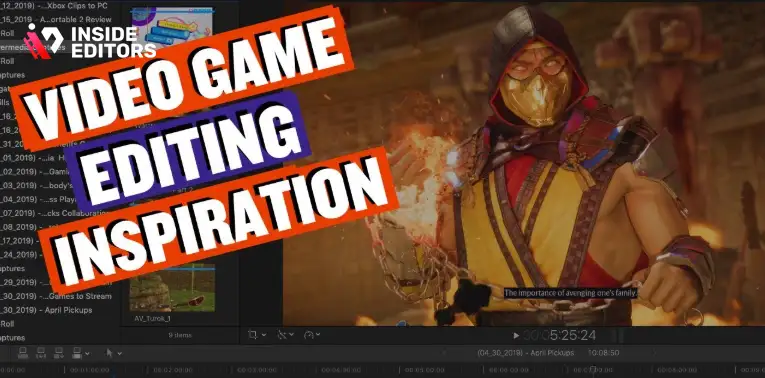
Great editing feels invisible. In gaming content, that means your cuts follow the rhythm of gameplay and soundtrack. Quick transitions during intense action keep adrenaline high, while slower fades during storytelling or tutorials create breathing space.
Tools like Vegas Pro excel here with customizable velocity curves, letting you control speed ramps for dramatic kills or cinematic slow-motion.
Color Grading for Mood and Clarity
Raw gameplay footage can look flat. Color grading enhances mood-cool tones for sci-fi shooters, warm hues for fantasy RPGs. DaVinci Resolve’s grading panel offers film-level precision, allowing you to save presets for consistent channel branding.
Consistent color also improves viewer recognition. When someone spots your signature tone on YouTube, they instantly associate it with your style.
Adding Cinematic Sound Design
Sound can elevate even average visuals. Layer background music subtly under effects like reload clicks or ambient crowd noise. Editors like Premiere Pro and Audition make balancing these tracks easy, ensuring dialogue or commentary never gets buried.
When sound is mixed well, audiences don’t notice-it simply feels natural, keeping them immersed longer.
Avoiding Common Editing Mistakes That Kill Watch Time
Even with powerful tools, editing mistakes can derail an otherwise great video.
Overusing Transitions: flashy wipes or zooms every few seconds make content feel chaotic.
Ignoring Audio Levels: uneven sound frustrates viewers faster than blurry visuals.
Skipping Color Correction: raw gameplay often has inconsistent lighting; correcting it unifies tone.
Forgetting Subtitles: accessibility matters-captions boost engagement and SEO alike.
The good news? Every one of these mistakes is fixable with practice and awareness. Most modern software even flags potential issues-like audio peaking-automatically.
Building on this foundation, the next section will explore how advanced features like AI assisted editing, collaboration tools, and cloud rendering are reshaping the future of gaming content creation.
The Future of Game Editing: AI, Collaboration, and Cloud Tools
How AI is Transforming the Editing Workflow
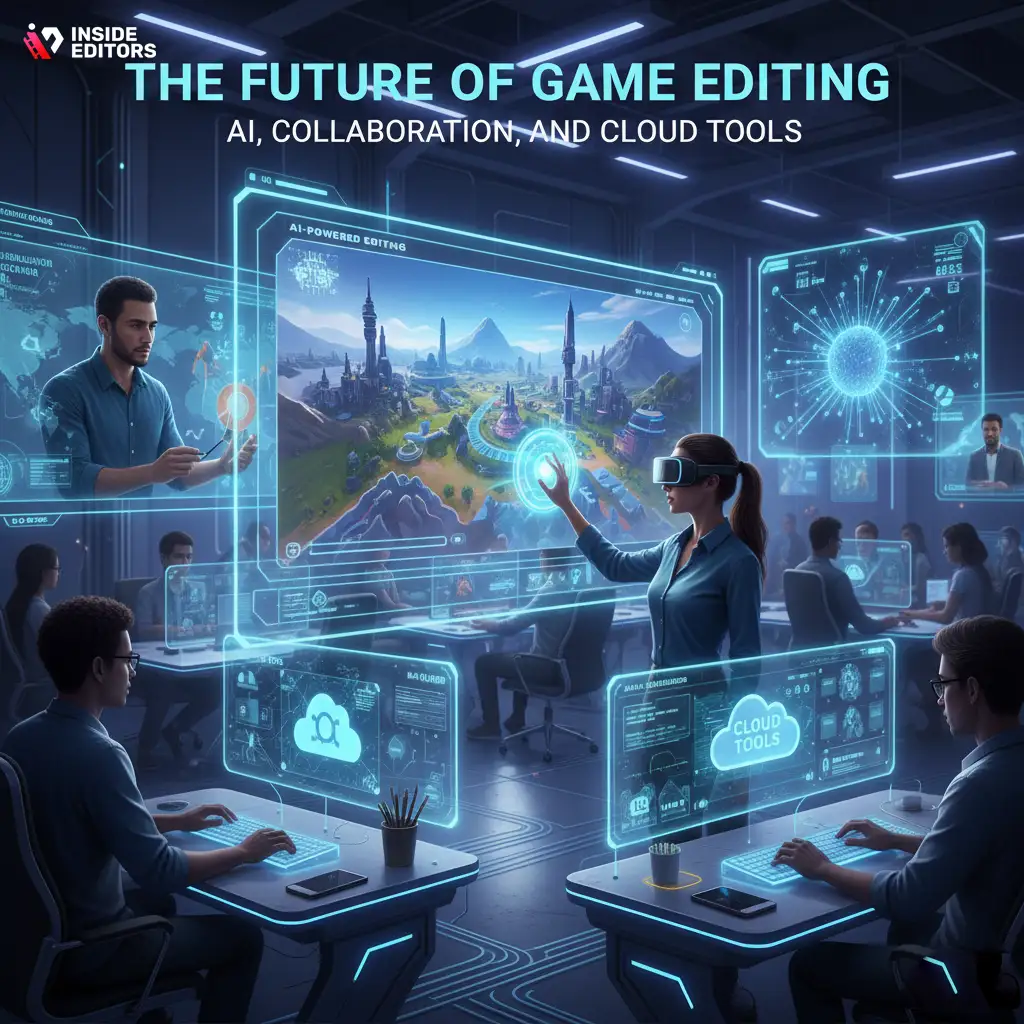
Artificial intelligence is no longer a gimmick-it’s a genuine time-saver for creators. Modern editing platforms like Adobe Premiere Pro, DaVinci Resolve, and CapCut now integrate AI-driven tools that automate complex tasks. Scene detection, for example, can instantly identify and cut highlight moments-ideal for trimming long gaming sessions into quick, shareable reels.
AI also assists with color matching, ensuring your clips maintain consistent lighting even when recorded at different times or in varying in-game environments. And let’s not forget speech-to-text transcription, which can generate captions or searchable scripts automatically. This feature doesn’t just improve accessibility-it boosts discoverability on YouTube, where closed captions strengthen SEO relevance.
By delegating repetitive technical work to AI, editors can focus more on creativity-storytelling, pacing, and emotional impact-without getting lost in timelines.
Real-Time Collaboration and Cloud-Based Editing
As gaming content becomes more team-driven-think stream highlights, esports recaps, or co-op gameplay montages-collaboration tools are critical. Cloud-based editing platforms like Adobe Team Projects, Frame.io, and Blackmagic Cloud allow multiple editors to work on the same timeline from anywhere.
Imagine recording gameplay in one city while your editor trims and color grades remotely in another. You can review edits live, leave comments frame by frame, and publish updates instantly. This workflow not only saves time but also reduces version chaos-no more endless “Final_V2_ReallyFinal.mp4” files.
Cloud rendering is another breakthrough. Instead of overloading your computer with heavy exports, your project is rendered remotely on powerful servers. That means you can keep working on new edits while the previous one processes in the background-a game-changer for content consistency.
Workflow Strategies for Gamers and Streamers
Organizing Footage for Efficiency
Before you even touch the timeline, organization is everything. Every professional editor knows that clean folder structures save hours later. Label your footage by game, date, camera, or session, and keep your assets (music, overlays, intros) in dedicated folders.
Most modern editors, like Premiere and Resolve, let you create smart bins that automatically categorize clips based on metadata. For example, you can tag every clip recorded in 4K or every file containing voiceover audio. When you’re balancing daily uploads or multiple clients, automation like this turns chaos into clarity.
Editing for Multiple Platforms
Every platform has its own audience behavior and preferred video format. YouTube favors long-form horizontal content, while TikTok and Instagram Reels thrive on vertical, 15-60 second clips. The best gaming video editing software should let you reframe and resize easily without redoing your entire timeline.
CapCut and Premiere’s Auto Reframe features automatically adjust aspect ratios, keeping your subject centered. So, one edit can become three different videos in minutes-perfect for maximizing reach without tripling your workload.
The Importance of Backup and Version Control
Editing can be unpredictable. A crash mid-render or an accidental overwrite can destroy hours of work. That’s why automatic project backups and cloud autosave are non-negotiable. DaVinci Resolve and Vegas Pro include built-in version history, letting you restore earlier timelines instantly. External tools like Dropbox or Google Drive sync folders in real-time, giving peace of mind that your progress is always recoverable.
These habits-organization, adaptability, and redundancy-separate casual hobbyists from serious creators. Once you master them, the rest of your workflow falls naturally into place.
How to Choose the Right Editor for Your Gaming Style
For Story-Driven RPG or Cinematic Gameplay
If your videos rely on atmosphere and narrative-like Cyberpunk 2077 walkthroughs or The Witcher 3 cinematic edits-you’ll need deep color grading, soundtrack layering, and subtle pacing tools. DaVinci Resolve or Final Cut Pro X shine here. Their advanced keyframing and LUT controls help you create that “movie trailer” vibe that draws emotional connection from viewers.
For Competitive Esports or Fast-Paced Highlights
Speed and precision are everything in esports montages. You’re syncing headshots to beats, tracking explosions, and cutting on rhythm. Premiere Pro and Vegas Pro lead in performance and sound synchronization. Their customizable hotkeys, proxy editing, and multi-cam support make cutting fast sequences effortless.
For Streamers and Social Creators
If you stream daily on Twitch or post highlights on TikTok, simplicity matters most. CapCut, Filmora, or Movavi let you edit quickly, add captions, and push directly to platforms. You don’t need a Hollywood-grade suite-what you need is speed, templates, and automation.
Each category of creator has different priorities. The secret is matching your editor to your workflow personality-not just your hardware or budget.
Expert Editing Tips to Boost Engagement and Watch Time
Trim Ruthlessly: Every Second Should Matter
In gaming videos, the first 10 seconds decide whether viewers stay or scroll. Cut any intro fluff. Jump straight into action, then pull back to commentary or humor. The faster your content hooks attention, the better your retention graph looks.
Even top YouTubers like PewDiePie or Shroud follow this rule-pace your video like a story, not a recording session. Hook, build, reward.
Use Motion Graphics for Branding
Professional gaming channels maintain consistent identity. Custom lower thirds, kill counts, or “subscribe” pop-ups give polish without distraction. Tools like After Effects templates or Resolve Fusion make this easy to automate across episodes.
If design isn’t your strength, you can also outsource this to professional editors-like the team at Inside Editors-who specialize in branded motion graphics and cohesive video series design.
Sync Music With Emotion
Background music should elevate, not overpower. Match tempo to gameplay intensity: slower beats for stealth missions, faster tracks for action bursts. Adjust your keyframes so transitions align with rhythm-viewers may not consciously notice, but emotionally, it keeps them glued.
As a rule of thumb, always fade audio smoothly between clips. Abrupt transitions can feel jarring, even when visuals are perfect.
The Hidden Value of Professional Editing Help
Why Hiring an Expert Can Save You More Than Time
Even with the best gaming video editing software, editing remains a skill that takes practice. Professionals understand pacing, storytelling, and visual psychology in ways that software alone can’t replace. They know how to make a 20-minute gameplay session feel like a 5-minute cinematic highlight.
That’s where partnering with specialists-like the team at Inside Editors-makes a real difference. Instead of spending nights fixing transitions or color mismatches, you can focus on what you do best: playing, recording, and building your community.
A Real Example: Turning Raw Footage Into a Viral Highlight Reel
Imagine you’ve just finished a three-hour Valorant stream. Inside Editors’ team receives your raw clips, trims out repetitive moments, enhances your mic audio, color-corrects every map lighting change, and adds slow-motion kill highlights synced perfectly to beats. Within two days, you have a polished 90-second reel ready for YouTube and TikTok-with consistent branding across platforms.
That’s not just editing-it’s storytelling done at scale.
Common Pitfalls to Avoid When Editing Gaming Videos
Over-Editing Your Footage
It’s tempting to throw in every filter and transition you find, but subtlety is what separates pros from amateurs. Overusing speed ramps or zooms can disorient viewers. Instead, pick one or two consistent visual motifs that fit your brand.
Ignoring Color Consistency
Switching between different games or maps can create jarring lighting shifts. Use LUTs (Look-Up Tables) to maintain a cohesive tone across your videos. Most editors support custom LUT presets, so you can apply your “signature look” in seconds.
Forgetting the Story
Even gameplay should tell a story-set-up, tension, climax, payoff. Without structure, your audience won’t emotionally invest. That’s why professional editors often cut videos like mini-movies: each round or mission becomes a chapter in the story.
If you ever feel lost in this process, professional editors can help craft that story arc seamlessly-bridging creativity and structure.
Bringing It All Together: Finding the Editor That Fits You
Choosing the best gaming video editing software isn’t just about specs or brand names-it’s about synergy. The tool you use should align with how you think, create, and share.
If you love cinematic control, DaVinci Resolve delivers artistry.
If speed and social integration matter most, CapCut wins convenience.
If you’re chasing broadcast-level professionalism, Premiere Pro stands unrivaled.
Ultimately, your editing tool is an investment in your storytelling. The smoother your workflow, the more time you’ll have for creativity-and the more your audience will connect with your content.
And if you’re ready to elevate your videos beyond DIY editing, consider partnering with professionals who live and breathe storytelling.
Explore Inside Editors’ Video Editing Services →
Final Thoughts: Crafting Videos That Players Remember
Gaming videos aren’t just about showing skill-they’re about sharing experiences. The right editing software helps you translate emotion from your screen to your audience. It turns raw clips into moments that resonate.
As editing tools evolve-with AI, cloud collaboration, and cinematic effects becoming more accessible-the barrier between amateur and professional content keeps shrinking. What matters most isn’t the price tag of your software, but how well you understand its tools.
So, whether you’re editing your first highlight reel or producing content full-time, remember: great editing doesn’t just showcase gameplay-it tells a story worth replaying.
Want to go deeper?
Learn more about storytelling techniques and editing workflows on the Inside Editors Blog, or explore tailored solutions like:
FAQs: Best Gaming Video Editing Software
1. How can I trust the quality of gaming video editing services?
Inside Editors ensures every project passes multi-stage quality control – from color grading and transitions to final audio mastering. Editors follow your creative direction, provide preview drafts, and accept revision feedback before delivery. You always maintain final approval, ensuring professional polish that still feels true to your gameplay style.
2. Do I own the edited videos after delivery?
Yes – full ownership belongs to you. Inside Editors only uses your licensed footage and transfers all usage rights upon final payment. You receive downloadable project files, ensuring long-term access and freedom to repurpose your content on YouTube, Twitch, or social media without restriction.
3. How are client files kept private and secure?
All uploads are encrypted and stored in protected cloud environments. Only your assigned editor and project manager can access your files. Once your final video is approved, raw data and drafts are securely deleted within 30 days to maintain full confidentiality and compliance with international data-protection standards.
4. What’s the difference between DIY editing and hiring professionals?
DIY tools like CapCut or Filmora are great for quick social clips, but professional editors bring storytelling, pacing, and technical expertise that elevate your visuals. With Inside Editors, you gain cinematic color correction, custom motion graphics, and consistency across videos – saving hours while achieving studio-grade quality.
5. How much does professional gaming video editing cost?
Pricing typically ranges from $80–$350 per video, depending on length, complexity, and requested effects. Basic highlight reels include trimming and color correction, while premium packages add motion graphics, voice sync, and advanced sound design. Inside Editors offers transparent, per-project quotes so you know exactly what’s included before work begins.
6. How long does it take to edit a gaming video?
Turnaround time usually ranges from 2–5 business days for standard edits. Complex projects with multiple camera angles or cinematic effects may take up to 7 days. Rush options are available for 24- to 48-hour delivery, depending on editor availability and file size. Timelines are confirmed before each project starts.
7. What is the step-by-step process for getting a gaming video edited?
- Submit your footage via secure upload.
- Choose your preferred editing style or share references.
- Your editor assembles a draft and sends it for feedback.
Revisions are applied, then final delivery is made in your desired format (MP4, MOV, etc.).
This streamlined process keeps collaboration smooth and transparent.


