

Choosing the right solid-state drive can transform your entire editing workflow. Whether you’re cutting YouTube vlogs, 4K travel films, gaming montages, or corporate videos, your storage device silently determines how smoothly your footage loads, scrubs, renders, and exports. Many editors-even experienced ones-don’t realize how much speed they’re losing to slow drives until they make the switch. In this Inside Editors Guide 2025, we’ll walk through exactly what makes the best SSD for video editing, how to compare options, and which specifications matter most, all with a friendly, conversational tone designed to help you make confident decisions.
Understanding Why SSD Speed Matters Before You Buy Anything

Before you even look at product names or fancy specs, it helps to understand why editors obsess over SSD performance. Video editing software such as Adobe Premiere Pro, DaVinci Resolve, and Final Cut Pro relies heavily on rapid read and write speeds. When you’re scrolling through a timeline packed with clips, transitions, and effects, your software is constantly pulling data from your drive. A traditional hard disk can’t keep up, which results in stuttering playback, frozen previews, and exports that crawl painfully slow. SSDs fix this by using flash memory instead of spinning disks, letting you work at speeds that feel instantly more professional.
How Real Editors Experience the Difference in Everyday Workflows
Imagine dragging a 6GB 4K clip into your timeline. On a hard disk, your editing program might take several seconds to generate thumbnails and previews. On an SSD, it happens almost instantly. Or consider a multicam edit using four angles of 1080p footage. A slow drive forces you to use proxies or low-quality previews just to stay productive. Once you switch to an SSD, the timeline responds faster, your cuts are smoother, and you spend less time managing technical hurdles.
These improvements don’t just feel nice-they save hours of frustration every week. If you’re creating professional content, delivering client videos (like travel, adventure, fashion, or corporate edits), or growing a YouTube channel, consistent speed directly impacts your income and creative flow.
Why 2025 Is the Best Time to Upgrade Your Video Editing SSD
The SSD market in 2025 is more competitive and affordable than ever. NVMe drives have become mainstream, PCIe Gen 4 and Gen 5 speeds are now accessible to everyday creators, and external SSDs offer performance that rivals internal drives. Prices have dropped significantly, making it easier than ever for editors to invest in gear that feels premium without draining their budget. The key is understanding which features genuinely matter, and which marketing terms you can safely ignore.
As we move into the next section, you’ll see how different SSD types compare and which real-world factors influence performance the most.
Comparing SATA, NVMe, and External SSDs for Video Editing Efficiency

Not all SSDs are built the same. Understanding the difference between types of SSDs is essential because your workflow-and your editing style-determines what kind of performance you actually need.
How SATA SSDs Behave in a Modern Editing Setup
SATA SSDs were once the gold standard for editors moving away from hard disks. They’re still much faster than magnetic drives, but today their speed ceiling feels limited. A SATA SSD tops out at around 550 MB/s, which is fine for light 1080p projects but can struggle with 4K or large RAW files. If you’re building a budget PC or upgrading an older laptop, a SATA SSD can still breathe new life into your system-but serious editors usually outgrow them quickly.
Why NVMe SSDs Are the Sweet Spot for Most Editors in 2025
NVMe drives use the PCIe interface, which allows far higher read and write speeds. A good PCIe Gen 4 NVMe SSD can hit 5,000–7,000 MB/s, which is a massive leap over SATA performance. This speed difference shows up immediately when loading timelines, generating previews, or moving large project files around. NVMe drives also excel in tasks that involve constant data streaming, like editing high-bitrate 4K or 6K footage.
Many editors describe switching from SATA to NVMe as the single biggest upgrade they’ve ever made-more impactful than adding RAM or upgrading their CPU. If you want the best SSD for video editing, NVMe drives deserve your attention.
When External SSDs Make Sense for Filmmakers and YouTubers
External SSDs have become incredibly powerful. Compact, lightweight, and often shock-resistant, they’re essential for editors who work across multiple devices or shoot on location. Many external NVMe drives now hit speeds of 1,000-2,000 MB/s, which is more than enough for smooth 4K workflows. Filmmakers love them for storing raw footage on the go, and creators appreciate how they keep internal drives clutter-free.
The trade-off is that external SSDs depend on your USB or Thunderbolt port. If your device doesn’t support high-speed connectivity, you won’t see full performance. Still, for travel editors, adventure creators, and those working with Inside Editors’ travel or gaming video editing services, external SSDs are practically unbeatable for portability and convenience.
Understanding the Key Specifications That Influence SSD Performance
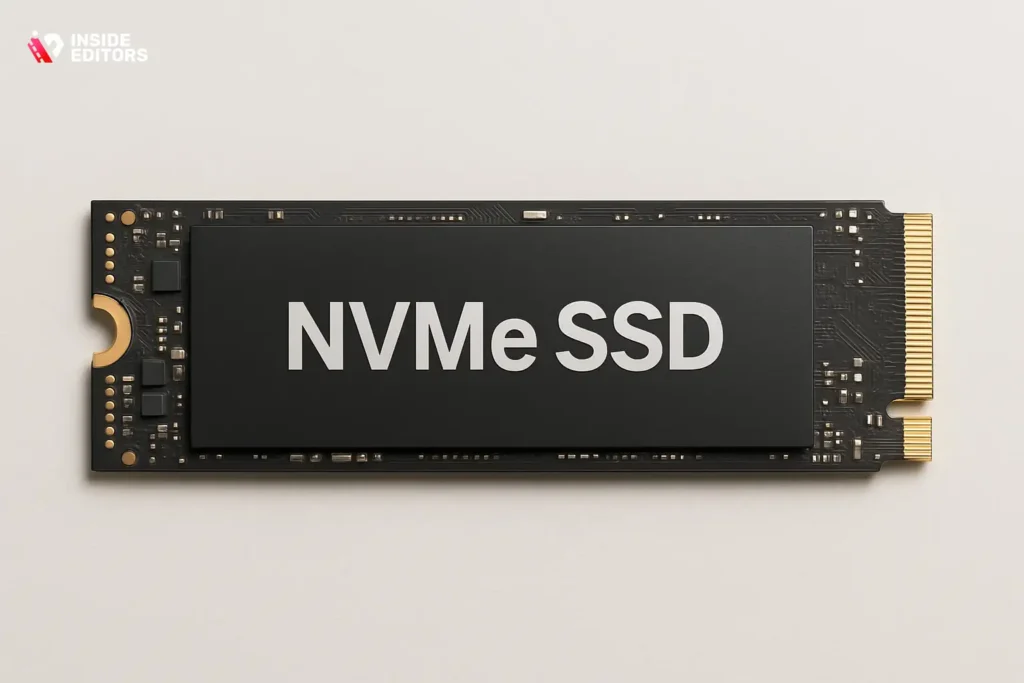
Choosing an SSD isn’t just about raw speed numbers. Real-world performance depends on a blend of factors, and knowing how to interpret them helps you avoid marketing traps.
How Read and Write Speeds Influence Timeline Performance
Read speed tells you how fast your drive can deliver footage to your editing software. Write speed determines how quickly you can save projects, render previews, and export videos. For everyday editors, high read speed improves playback smoothness, while write speed becomes crucial during rendering. When considering the best SSD for video editing, both numbers matter-but steady sustained performance is more important than peak speed claims.
Why Capacity and Endurance Matter More Than You Think
If you’ve ever tried editing on a nearly full drive, you know how dramatically performance drops. SSDs need free space to maintain speed, and editors generate huge temporary files during previews and exports. For most creators, 1TB is the minimum comfortable capacity, while 2TB is ideal for 4K production. Endurance also matters. This is measured in TBW (terabytes written). A higher TBW rating means your drive can handle more wear and last longer under heavy workloads.
How Cooling and Thermal Throttling Affect NVMe Drive Speed
Many NVMe drives include heatsinks or require motherboards with built-in cooling because they generate heat under load. When an SSD gets too hot, it slows itself down to prevent damage, a phenomenon called thermal throttling. If you’re working on long edits or exporting large files, consistent performance matters more than peak numbers. A drive with proper cooling maintains speed throughout your whole session.
How to Match the Right SSD to Your Editing Style
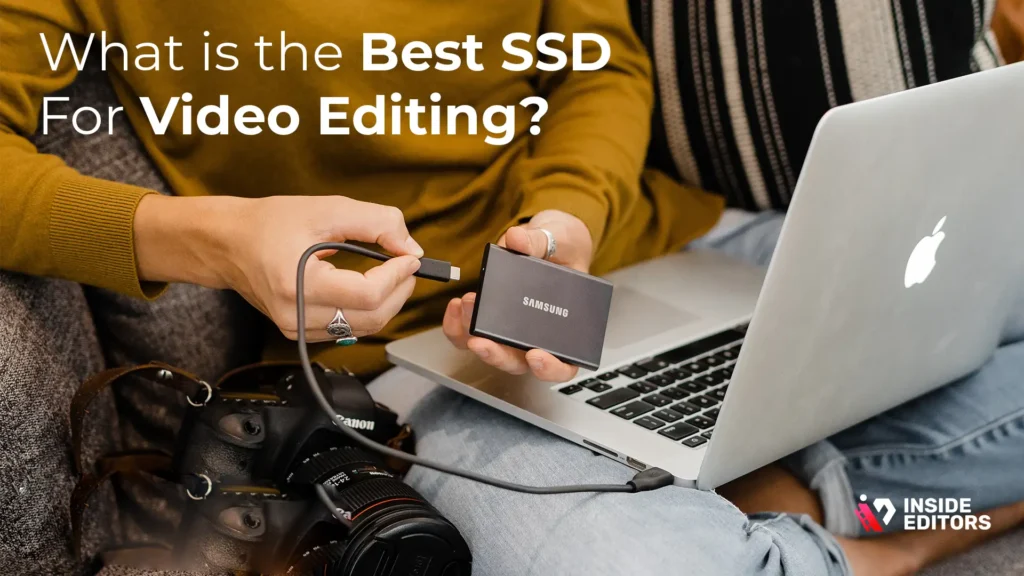
Every editor works differently, so the right SSD depends on your habits and the types of projects you handle. Someone editing short TikTok videos doesn’t need the same storage performance as a documentary filmmaker working with 6K RAW footage. Understanding your editing style helps you choose a drive that feels fast, reliable, and future-proof.
If You Work With 1080p or Light 4K Footage
Editors who focus on YouTube vlogs, corporate interviews, or social content often use lighter codecs that don’t demand extreme speeds. For this group, a PCIe Gen 3 or Gen 4 NVMe drive is more than enough. You’ll notice fast boot times, responsive scrubbing, and quick exports. Even external SSDs can work beautifully because these workflows rarely saturate the drive’s full bandwidth.
If this sounds like your workflow, prioritize capacity and stability over raw speed. A 1TB NVMe drive paired with a 1TB external backup disk keeps your projects organized and affordable.
If You Edit 4K, Multicam, or Long-Form Projects
Once timelines stretch beyond 20 minutes or incorporate multiple angles, your storage gets used much more aggressively. High-bitrate 4K files need fast read speeds, while multicam edits constantly pull data from multiple sources at once. This is where NVMe drives shine.
For these editors, a PCIe Gen 4 NVMe drive with cooling is the sweet spot. Pair it with a large external SSD or NAS system for archiving. The workflow feels smooth, previews load instantly, and rendering becomes far more predictable.
If You Work With 6K/8K, RAW, or High-Bitrate Cine Workflows
This is where the “best SSD for video editing” takes on a different meaning. Large RAW files are demanding, both in capacity and speed. For filmmakers, colorists, and professional editors, PCIe Gen 4 or Gen 5 NVMe drives offer the necessary performance. These drives maintain consistently high read/write speeds, even under heavy loads.
A 2TB or 4TB NVMe drive is strongly recommended, especially if you frequently handle large projects or export multiple versions for clients. Effective cooling is also essential to maintain top speed during long export sessions.
By now, your ideal SSD type should be clearer. The next step is understanding how these options compare side by side.
Comparing Popular SSD Options Editors Love in 2025
Let’s look at the SSD categories in a way that helps you instantly understand which one suits your needs. Instead of focusing on specific brands, this comparison highlights real-world behavior that editors feel daily.
| SSD Type | Typical Speed | Best For | Main Advantage | Trade-Off |
| SATA SSD | ~550 MB/s | Beginners, older laptops | Affordable, reliable | Outdated for heavy editing |
| NVMe PCIe Gen 3 | ~2,000-3,500 MB/s | Social creators, 1080p editors | Huge speed boost | May thermal throttle |
| NVMe PCIe Gen 4 | ~5,000-7,000 MB/s | 4K editors, freelancers | Ideal blend of value + power | Needs cooling |
| NVMe PCIe Gen 5 | ~10,000+ MB/s | 6K/8K, cinema editors | Top-tier performance | Expensive + hot |
| External USB-C SSD | ~800-1,200 MB/s | Travel creators, backups | Extremely portable | Slower than internal |
| External Thunderbolt SSD | ~2,500-3,000 MB/s | Mac users, editors on the go | Near-NVMe speeds | Higher cost |
As you compare your options, notice that the sweet spot for most editors falls in the NVMe PCIe Gen 4 category. These drives offer exceptional performance, lower cost than Gen 5, and compatibility with most modern laptops and desktops.
How SSD Speed Affects Your Workflow in Real Life

Arguably the simplest way to understand SSD impact is by walking through real examples. Let’s consider a few situations you’ve probably experienced.
When Timeline Scrubbing Feels Sticky or Delayed
Sticky scrubbing happens when your drive cannot deliver frames fast enough. NVMe SSDs nearly eliminate this issue, making the timeline feel fluid even when stacked with color correction and effects.
When Exporting a Video Takes Far Longer Than Expected
While your CPU and GPU handle most rendering tasks, your SSD determines how quickly the software can access source clips and write output files. Faster drives reduce export times, especially on long, multi-layer sequences.
When Loading Projects with Dozens of Clips
Editors working on travel, adventure, or fashion videos often have hundreds of clips in a single project. A slow drive can make opening such a project feel like waiting for an elevator. NVMe SSDs reduce project load times dramatically.
When Working with Proxies or Cache Files
Premiere Pro, Resolve, and Final Cut generate tons of temporary files. A fast SSD processes them quicker, so render previews, transitions, and effects load without interruptions.
These day-to-day improvements compound into a workflow that feels fast, predictable, and enjoyable. It’s not just about raw numbers-it’s about how smooth editing feels when technology stops getting in your way.
Common Mistakes Editors Make When Choosing an SSD
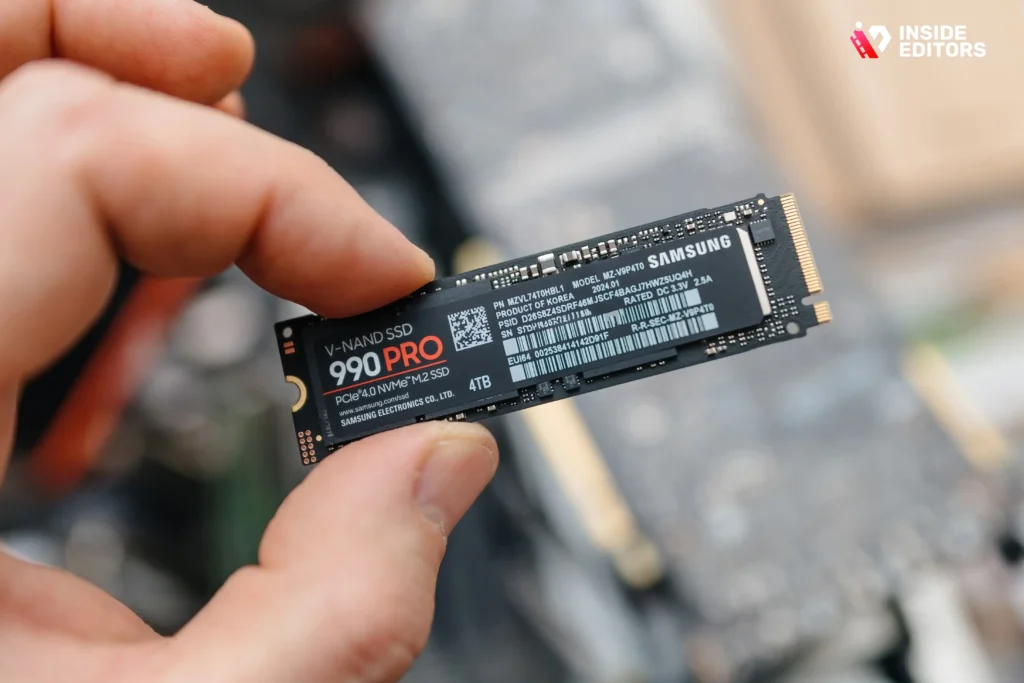
Even experienced creators fall into certain traps. Understanding them helps you make smarter decisions.
Mistaking Peak Speed for Real-World Speed
A drive advertised at 7,000 MB/s may rarely reach that number. What you want is consistent sustained speed. Drives with good cooling and higher endurance usually perform better over long exports.
Buying Too Small a Drive
Editors often underestimate how quickly storage fills up. Between proxies, cache files, source footage, and exports, even a 1TB drive can disappear in a few weeks. Choosing 2TB gives you breathing room.
Ignoring Thermal Throttling
Fast NVMe drives get hot. If they lack a heatsink, performance drops sharply. Always check cooling recommendations.
Relying 100% on External Drives Without Fast Ports
If your laptop doesn’t support USB-C Gen 2 or Thunderbolt, external SSD performance drops dramatically. Always confirm port speed before buying.
Avoiding these mistakes ensures your SSD performs at its peak for years-saving you time, frustration, and money.
How a Professional Editing Workflow Uses Multiple SSDs Efficiently

Professional editors rarely use a single drive. Instead, they organize their storage to maximize speed and longevity.
Typically, they divide tasks like this:
- Internal NVMe: active project files, caches, scratch disks
- External SSD: raw footage storage, backups
- Large HDD or NAS: archiving older projects
This setup creates a workflow where the superfast NVMe drive handles the tasks that benefit most from speed, while external and slower drives store data that doesn’t need constant access.
If you’re working on travel videos, adventure content, comparison videos, or gaming edits, adopting even part of this workflow can make your system feel twice as responsive.
When You Should Consider Professional Video Editing Support

Even with the best SSD, editing is still a skill that takes time, patience, and creative intuition. Many creators reach a point where they want their videos to look more polished or need help managing workload during busy seasons. This is where Inside Editors becomes a valuable partner.
Professional editors turn raw footage into compelling stories. They help creators achieve consistent color, smoother transitions, cleaner audio, and a cohesive look that elevates their entire brand. Whether you’re producing travel content, reaction videos, business clips, or cinematic adventure films, professional assistance ensures every frame aligns with your vision.
If you ever feel stuck or want to save hours each week, Inside Editors offers high-quality, affordable editing support designed for creators of all levels.
Final Thoughts:Choosing the Best SSD for Video Editing in 2025
Finding the best SSD for video editing isn’t about buying the most expensive model-it’s about matching your workflow with the right speed, endurance, and capacity. NVMe SSDs remain the top choice for most editors, offering a perfect mix of performance and reliability. External SSDs are essential for travel, backup, and cross-device workflows, while PCIe Gen 5 drives serve professionals working with massive RAW footage.
By understanding how SSD specifications translate into everyday editing improvements, you can choose a drive that keeps your workflow smooth, your projects organized, and your creativity uninterrupted. And if you ever want to take your edits to the next level or free up more time for shooting and storytelling, Inside Editors is always here to help bring your vision to life-smoothly, professionally, and with creative precision.
FAQs
Q1: Do I keep full ownership and privacy of my footage if I use an editor or service?
Yes – you keep copyright to your original footage unless you sign a contract that states otherwise. Reputable services (including Inside Editors) explicitly state ownership, delivery, and retention policies and offer secure transfer options; always confirm file deletion or backup windows. If privacy is a concern, request encrypted file transfer (SFTP or password-protected cloud links) and a written clause about data deletion after project delivery.
Q2: How do professional services compare with DIY editing in quality and cost?
Hiring a pro typically gives faster results, consistent quality, and creative direction-useful when you want polished color grading, sound mix, or accelerated turnaround; costs range widely ($50–$500+ per video depending on complexity). DIY saves money but requires time and skill investment; for many creators, a hybrid approach (pro for final polish, DIY for rough cuts) balances quality and budget. Consider the value of time saved when comparing options.
Q3: What are realistic pricing ranges and what is usually included?
For SSD purchases, expect entry NVMe drives from $70-$150 for 1TB and higher-end 2TB+ models from $150-$500 (2025 pricing varies by brand and generation). For editing services, simple edits often start at $40-$150, while full packages with color, motion graphics, and revisions range $200-$1,000+ depending on length and complexity. Always check what’s included-revisions, source-file return, and copyright assignment-to avoid surprises.
Q4: How long does it take to migrate projects to a new SSD or finish an edit?
Migrating a project to a new SSD can take 10 minutes to several hours depending on total footage size and transfer speed (e.g., 1,000 GB over a 3,000 MB/s NVMe vs 500 MB/s SATA). Typical edit turnaround for a short social video is 24-72 hours; longer, complex projects often take 5-14 days. Rush options are available with many services, but expect higher fees and confirm deliverables and revision limits up front.
Q5: Simple steps to pick the best SSD for video editing (quick checklist).
Prioritize NVMe over SATA for 4K workflows, choose at least 1TB (2TB preferred for heavy 4K/RAW), and check TBW (endurance) rating to match your write workload. Confirm your device’s port (Thunderbolt, USB-C, PCIe Gen) to avoid bottlenecks, and ensure good thermal management to prevent throttling. Finally, pair internal NVMe for active projects with an external SSD or NAS for backups and archiving.
Q6: How do NVMe, SATA, and external SSDs compare for everyday editing?
NVMe (PCIe Gen 3/4/5) delivers the fastest read/write performance and best timeline responsiveness for multicam or high-bitrate files, while SATA SSDs (≈550 MB/s) are sufficient for 1080p or light 4K. External SSDs are great for portability and backups-Thunderbolt or USB4 externals approach NVMe speeds, but USB-A/older USB-C ports often limit throughput. Match the drive type to your footage and your computer’s I/O.
Q7: What common mistakes should I avoid when buying an SSD or outsourcing edits?
Don’t buy solely for peak speed-look for sustained performance and thermal solutions, and avoid undersizing your drive (1TB minimum; 2TB ideal for 4K). When outsourcing, confirm revision limits, delivery format, ownership terms, and privacy measures; unclear contracts lead to scope creep. Also, verify that external SSDs match your device’s port speeds-compatibility issues are a frequent, avoidable problem.
Q8: How many revisions, file formats, and delivery options are typical with pro editors?
Most straightforward packages include 1-3 revision rounds, delivered in common codecs (H.264/MP4 for web, ProRes/HEVC for high quality) and a final master file; add-ons like subtitles, aspect variations, or social cuts usually cost extra. Confirm turnaround windows for each revision and whether source projects or raw exports are returned as part of the package. Clear expectations reduce back-and-forth and speed project completion.


