

Choosing the Best Video Editing Software for Ubuntu can feel overwhelming, especially when you’re juggling compatibility, performance, and ease of use. Ubuntu is one of the most reliable Linux distributions for creative work, but finding the right editor that fits both your workflow and skill level is where most people get stuck. Whether you’re a beginner who just wants something simple and intuitive, or a professional editor needing advanced features and stability, the right software can make a huge difference in how smoothly your projects come together.
This guide is here to help you confidently explore the Best Video Editing Software for Ubuntu, based on real-world usability, performance, and the editing experience each tool provides. Ubuntu has come a long way in supporting powerful creative applications, and 2025 brings even more refined and feature-rich tools for creators. You’ll find that many popular editors now run natively on Linux or have Linux-focused builds that eliminate the headaches users used to face years ago.
If you’re switching from Windows or macOS, you might wonder whether Ubuntu can match the editing experience you’re used to. The answer is yes-if you choose the right tool. And if you’re completely new to video editing, don’t worry. We’ll walk through beginner-friendly editors, professional-grade solutions, and everything in between. You’ll also see where tools differ in terms of learning curve, rendering speed, effects, color grading, and workflow efficiency. Throughout the article, I’ll also mention Inside Editors when appropriate, especially if you’re someone who prefers to outsource complex video editing tasks or needs professional help polishing a project.
Let’s explore the Best Video Editing Software for Ubuntu in 2025 and help you find the perfect match for your creative goals.
Why Finding the Best Video Editing Software for Ubuntu Matters
Video editing is one of the most resource-intensive tasks you can perform on a computer, so choosing the right application is essential. Linux users often expect stability, customization, and freedom-qualities Ubuntu is known for. But video editing adds another layer: you need software that plays nicely with codecs, supports smooth playback, offers reliable rendering, and gives you tools flexible enough for your creative style.
For beginners, the Best Video Editing Software for Ubuntu should feel welcoming, intuitive, and forgiving. A clean interface, easy timeline navigation, and simple export settings can make a huge difference when you’re just getting started. On the other hand, professional editors need advanced color grading, robust audio tools, multi-camera support, GPU acceleration, and stability during long editing sessions.
Ubuntu users also benefit from active open-source communities. Some of the best editors available today are community-driven, responsive to user feedback, and constantly improving. And because Ubuntu is open-source itself, many video editors integrate more smoothly here than on proprietary systems.
Understanding your own needs helps narrow down your choices. Are you editing travel vlogs? Short films? Client projects? Motion graphics? Each software option has different strengths, and the goal is to help you match those strengths with your workflow.
Kdenlive – A Balanced Choice for Most Editors
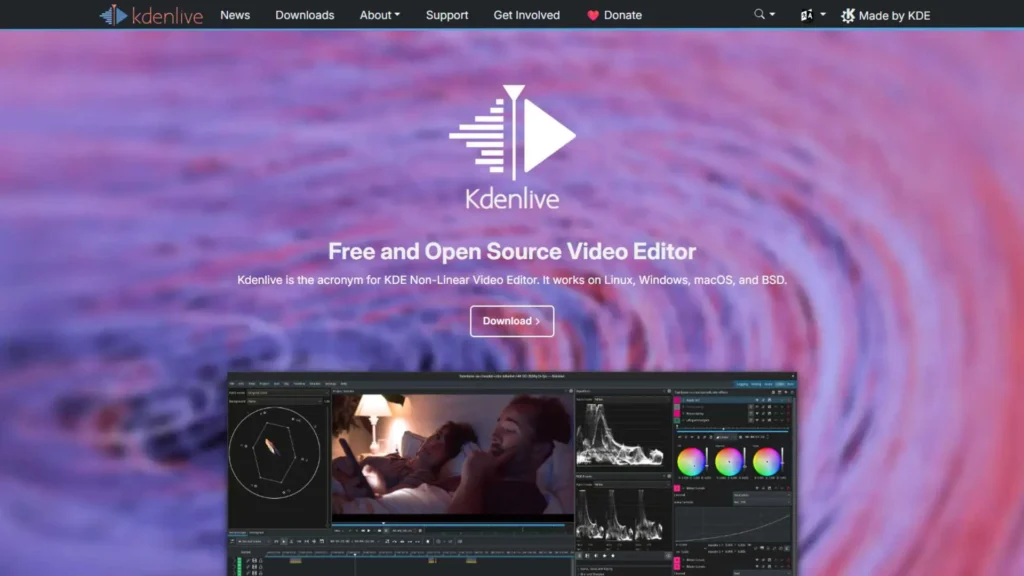
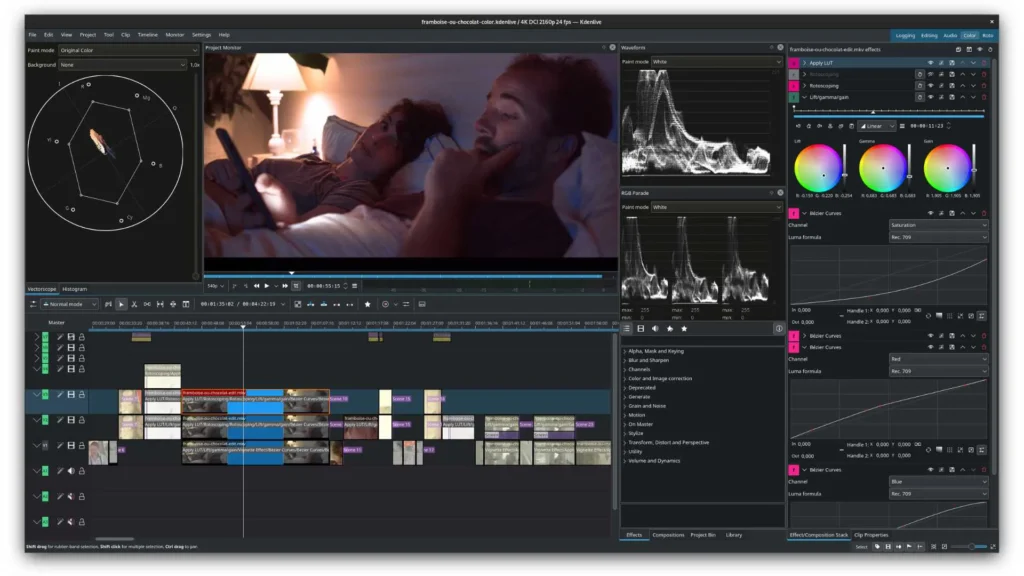
Kdenlive is often one of the first names that comes up when people search for the Best Video Editing Software for Ubuntu, and for good reason. It strikes an excellent balance between power and usability. Beginners appreciate its organized layout and straightforward tools, while professionals enjoy the depth it offers once they’re ready to explore more advanced features.
Kdenlive’s interface feels familiar even if you’re switching from Windows editors. It has a standard timeline, media bin, effects panel, and preview window layout. Most importantly, it performs well on Ubuntu, making it one of the most stable editing platforms available.
Rendering performance varies depending on your hardware, but Kdenlive generally handles 1080p editing smoothly. 4K works as well, though heavier effects may require proxy clips. Proxy editing is built in, making it easy to stay productive even on mid-range systems.
The community around Kdenlive is strong. Updates arrive regularly, bugs get patched quickly, and user-requested features often make their way into new releases. Whether you’re producing YouTube content or short films, this editor gives you a solid professional foundation without overwhelming you in the beginning. Many creators start here and stay for years.
If you ever need help beyond what the software offers-such as polishing a client project or refining a difficult cut-you can always rely on professional services like Inside Editors. We often assist creators who start editing in Kdenlive but want expert finishing touches for commercial-quality results.
DaVinci Resolve – The High-End Professional Standard
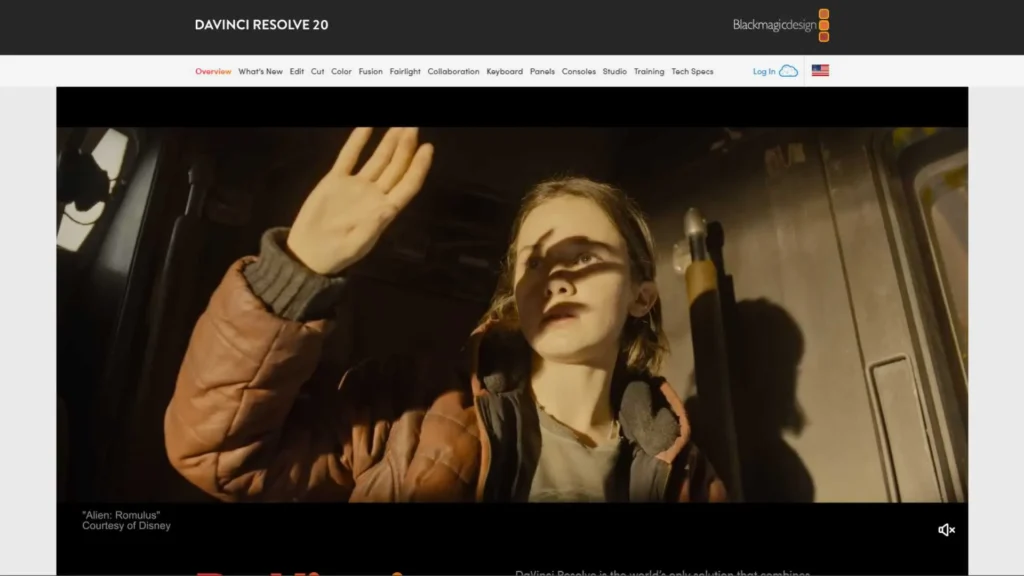
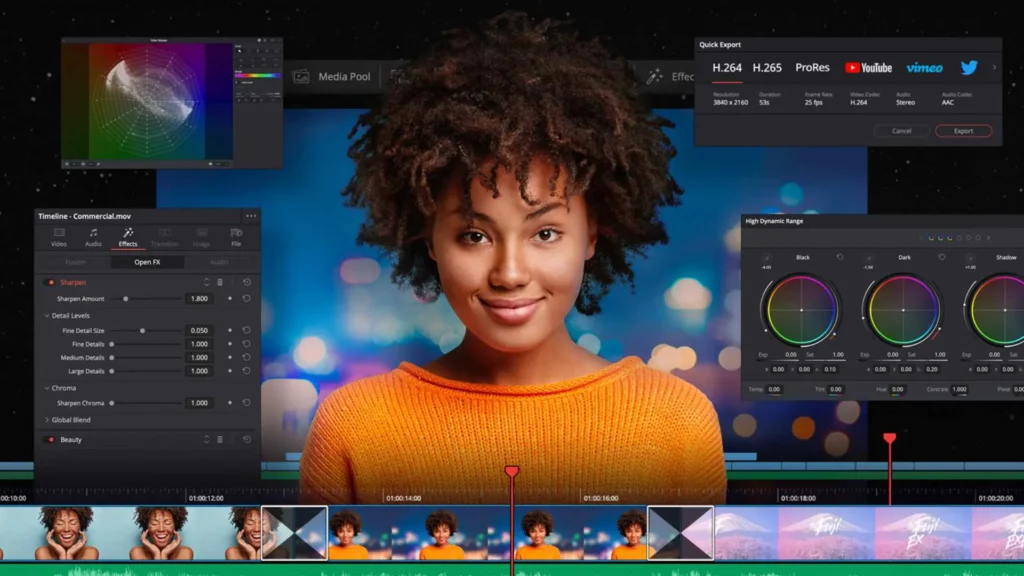
For professional editors, DaVinci Resolve is often considered the Best Video Editing Software for Ubuntu when the goal is achieving true cinematic quality. Resolve has long been one of the most powerful editing and color grading suites in the world, widely used in film, TV, advertising, and YouTube content production.
However, DaVinci Resolve on Ubuntu comes with certain requirements. It prefers modern hardware, especially dedicated GPUs, and works best with NVIDIA cards due to CUDA acceleration. If you meet the hardware needs, you’ll enjoy one of the fastest, most responsive editing environments available on Linux.
Resolve includes multiple workspaces-Edit, Color, Cut, Fusion, and Fairlight-each designed for specific aspects of post-production. This gives you incredible depth, but it also comes with a steeper learning curve. Beginners might feel intimidated at first, but those who stick with it unlock industry-level tools that are simply unmatched.
Unlike many Linux editors, Resolve supports advanced color grading techniques, motion graphics, and high-end audio mixing. If your goal is filmmaking, professional YouTube content, documentaries, or commercial work, Resolve gives you everything you need.
Many creators who use Resolve still outsource heavy work during tight deadlines or large projects. Inside Editors works on Resolve timelines frequently, helping teams speed up post-production when they’re juggling multiple client deliveries.
Shotcut – A Friendly Option for Beginners
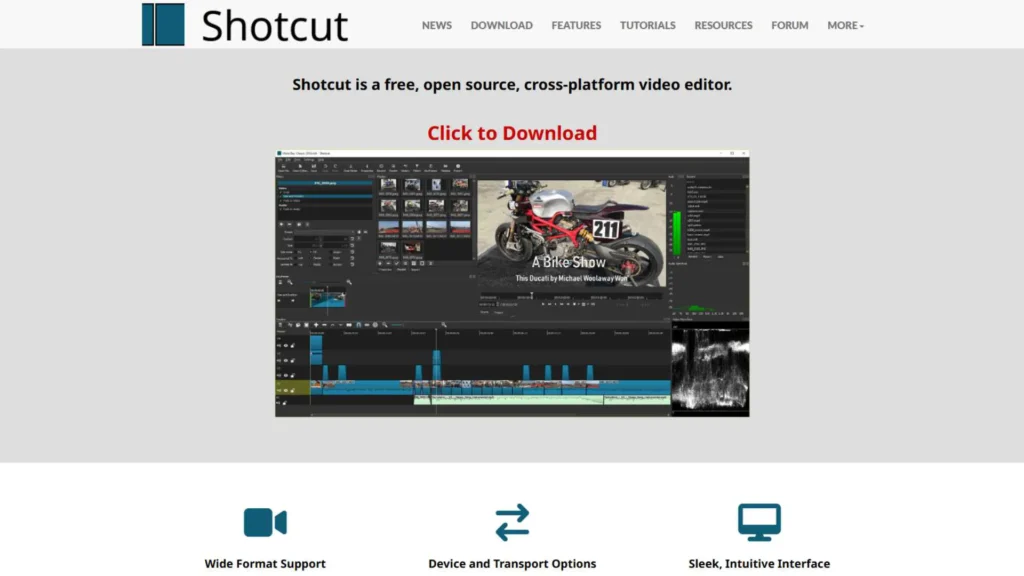
Shotcut is one of the simplest tools in the world of Linux editing, making it an excellent candidate for the Best Video Editing Software for Ubuntu for people just starting out. Its lightweight design means it runs smoothly on older systems and laptops that struggle with heavier editors.
Shotcut doesn’t force you into a complicated interface. It’s clean, uncluttered, and easy to navigate. Beginners love that they can jump right in without feeling overwhelmed. Shotcut’s drag-and-drop workflow makes importing media effortless, and its basic editing tools handle simple projects extremely well.
It also supports a wide range of codecs and formats, which is helpful if you’re capturing footage from different devices. While it doesn’t have the advanced motion graphics or color grading features of Resolve or Blender, it does offer enough flexibility for casual creators, students, and anyone working on smaller projects.
If you are editing short social media videos, personal vlogs, or simple business clips, Shotcut will likely feel more than enough. And if your projects grow more complex over time, you can easily graduate to a more advanced tool without feeling lost.
Should you ever need professional finishing touches-like color correction, audio cleanup, or polished transitions-Inside Editors can step in and help elevate your Shotcut projects to a more refined level.
Blender – A Powerful Choice for Animation & VFX Creators
Blender isn’t the first thing most people think of when searching for the Best Video Editing Software for Ubuntu, but it absolutely deserves a place on the list. Blender is primarily known for 3D animation and VFX, yet it includes a built-in Video Sequence Editor (VSE) that’s surprisingly capable.
If you’re already using Blender for 3D work, using the VSE for editing can streamline your entire workflow. You can composite, animate, model, and edit in the same environment, which is incredibly powerful. Even if you’re not a 3D artist, Blender’s video editor offers solid tools for timeline editing, audio mixing, transitions, and color adjustments.
Blender’s open-source community is one of the most active in the world. Features evolve rapidly, and it receives constant performance improvements. As a free tool with professional potential, it stands out uniquely among Ubuntu-compatible editors.
However, Blender’s interface can feel unusual to people coming from standard video editors. It may take some time to get used to the layout and shortcuts. But for those who enjoy creativity, animation, motion graphics, or VFX-heavy projects, Blender is one of the most versatile and customizable tools available.
OpenShot – Simple, Clean, and Great for Basic Projects
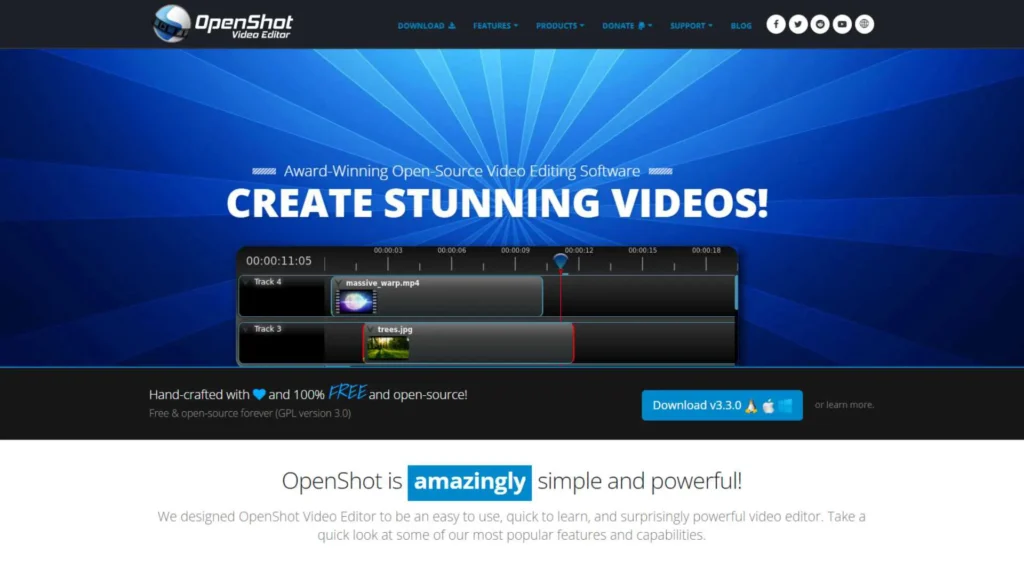
OpenShot is another beginner-friendly tool often mentioned when people search for the Best Video Editing Software for Ubuntu. It appeals to users who want clean simplicity without sacrificing essential editing features.
OpenShot’s interface is extremely straightforward, making it one of the easiest editors to learn. You can cut clips, add titles, insert transitions, adjust audio levels, and export your video in just a few minutes. It’s ideal for school projects, family videos, business presentations, and other small-scale projects.
While OpenShot doesn’t offer advanced color grading or professional audio tools, it’s reliable for lightweight tasks. It runs well even on modest hardware, which is one of the reasons many educators recommend it to students.
If you’re someone who only needs to cut and assemble footage occasionally, OpenShot might be the perfect match. And for moments when you want more cinematic results than the software allows, outsourcing your project to Inside Editors can help bring your vision to life.
Performance Comparisons: Which Editor Runs Best on Ubuntu?
Considering the Best Video Editing Software for Ubuntu isn’t just about features-it’s also about performance. Ubuntu behaves differently from Windows and macOS, especially when it comes to GPU acceleration, resource management, and codec compatibility.
Here is a quick comparison to help you understand how each tool performs:
- Kdenlive runs smoothly on most systems and handles both 1080p and 4K editing well, especially when proxy editing is used. It’s one of the most optimized editors for Ubuntu.
- DaVinci Resolve requires strong hardware but delivers exceptional performance when properly configured. With a capable GPU, it becomes the most powerful option available.
- Shotcut performs well on weaker systems. If your laptop struggles with other editors, Shotcut is the safest choice.
- Blender can be demanding, especially during 3D rendering, but the VSE itself runs reasonably well with proper GPU support.
- OpenShot performs reliably for basic tasks but may struggle with very long timelines or heavy 4K footage.
For everyday work, Kdenlive offers the best all-around balance between speed and capability on Ubuntu. Resolve dominates at the high end, while Shotcut and OpenShot win on accessibility.
Which Editor Is Best for Beginners?
For beginners searching for the Best Video Editing Software for Ubuntu, two options stand out:
Shotcut
It offers a gentle learning curve, a clean interface, and intuitive tools that help new users build confidence quickly.
OpenShot
Even simpler than Shotcut, ideal for those who want minimal features without confusion.
Kdenlive is also beginner-friendly, but it offers more depth-great for users who want to grow into advanced editing.
Which Editor Is Best for Professionals?
If you’re working professionally, especially in filmmaking, documentary editing, or commercial content creation, these are the top two choices:
DaVinci Resolve
Unmatched in color grading, audio editing, and professional workflow. The best high-end option available on Ubuntu.
Kdenlive
A great professional tool for creators who prefer open-source software or don’t need Hollywood-level features.
Professionals often use multiple tools depending on the project. And many teams rely on services like Inside Editors when deadlines tighten or clients demand a polished final product.
Recommendations Based on Editing Style
Choosing the Best Video Editing Software for Ubuntu becomes easier when you match it to your editing style:
- YouTube creators do well with Kdenlive or DaVinci Resolve.
- Short-form content creators enjoy the simplicity of Shotcut or OpenShot.
- Filmmakers benefit most from Resolve’s precision tools.
- 3D/VFX artists integrate seamlessly with Blender.
It’s completely okay to use more than one editor depending on the project. That’s the beauty of working on Ubuntu-you get freedom and flexibility.
Final Thoughts
Ubuntu is a fantastic system for creative work, and with the right tools, it becomes a true editing powerhouse. Whether you’re new to editing or sharpening your professional workflow, choosing the Best Video Editing Software for Ubuntu will shape your entire creative experience.
Explore the options, experiment with different tools, and don’t hesitate to combine software or lean on professional services like Inside Editors when you want top-quality results. The goal is to create videos you’re proud of-and the right editor can take you a long way toward that outcome.
Like Having a Professional Editor in Your Corner
No matter which software you choose, there may be times when you need expert help-whether it’s polishing a video for a client, preparing content for marketing, or handling a large volume of editing work. That’s where professional support becomes extremely valuable.
Inside Editors specializes in helping creators, businesses, and filmmakers with high-quality post-production. Whether you’re working in Kdenlive, DaVinci Resolve, or another Ubuntu-friendly editor, our team can take your raw footage and turn it into polished content that stands out.
If you’re juggling multiple projects or tight deadlines, outsourcing editing is often the smartest way to save time while still delivering exceptional quality.


