


The modern workplace demands continuous learning, and increasingly, that learning is delivered through video. If you are tasked with creating effective educational content, understanding the nuances of corporate training video production is essential. It’s more than just pointing a camera and hitting record; it requires strategic planning, pedagogical insight, and high-quality execution to ensure the content is absorbed, retained, and ultimately, drives measurable results.
In this comprehensive guide, we peel back the curtain on the industry’s best practices, revealing the top five secrets that separate mediocre, forgotten training modules from engaging, high-impact learning experiences. We will provide actionable steps and expert advice to help you navigate the complexities of pre-production, filming, and post-production, ensuring your corporate training video production efforts meet the highest standards of quality and effectiveness.
Why Quality Matters

In the era of remote work and digital transformation, video has become the primary conduit for knowledge transfer. High-quality training videos don’t just look professional; they signal competence and respect for the learner’s time. Conversely, poorly produced videos can undermine the credibility of the entire training program, regardless of the quality of the underlying material.
The goal of any successful corporate training video production is twofold: to educate effectively and to engage continuously. This requires blending pedagogical principles with cinematic techniques. We need to move beyond simple screen recordings and embrace dynamic, narrative-driven content that holds attention.
“The attention span of the average digital consumer is shrinking. Training videos must be concise, visually stimulating, and immediately relevant to the learner’s job function if they are to be successful.” – Dr. Elaine P. Chen, Organizational Learning Specialist
Defining E.E.A.T. in Training Content
Google’s E.E.A.T. framework (Experience, Expertise, Authoritativeness, Trustworthiness) is usually discussed in the context of SEO, but it is profoundly relevant to training.
- Expertise: Is the content delivered by a verifiable subject-matter expert?
- Authoritativeness: Is the video produced in a way that reflects the company’s authority (high production value, clear branding)?
- Trustworthiness: Is the information accurate, up-to-date, and presented transparently?
- Experience: Does the video provide practical, real-world examples that demonstrate the content creator’s experience?
A robust corporate training video production process ensures that all these elements are met, building confidence in the training material itself.
The Role of Professional Video Editing Services
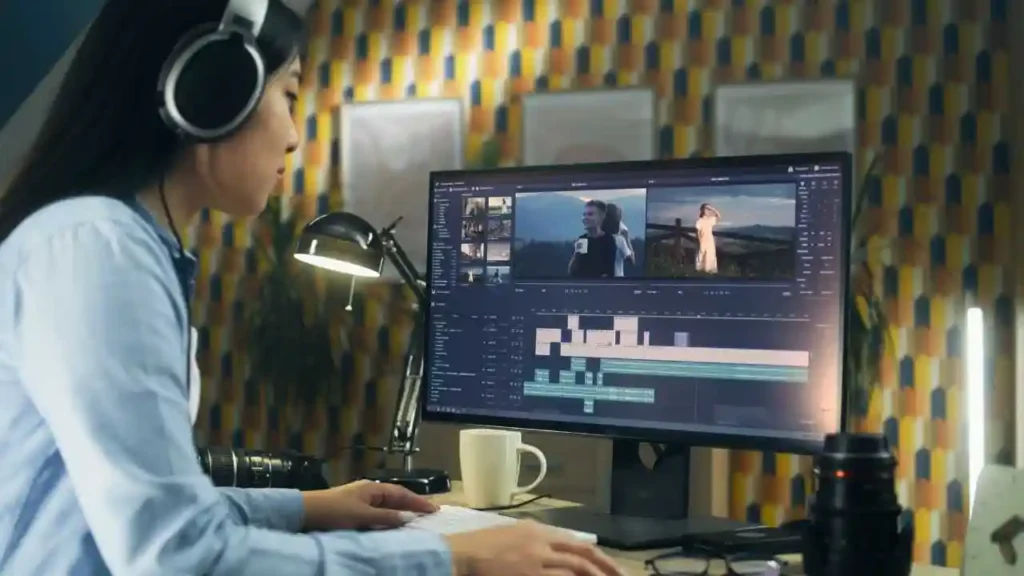
While internal teams often handle content creation, the final polish-the editing, color grading, and audio enhancement-is where many training videos fall short. This is often the most time-consuming and technically demanding part of the process.
For businesses looking to maximize impact while maintaining efficiency, leveraging professional services is crucial. Inside Editors offers specialized video editing services for businesses designed to take raw footage and transform it into polished, professional training modules. Our expert editors ensure consistent quality, fast turnaround times (often 24-72 hours), and unlimited revisions, allowing your internal experts to focus solely on content development.
Secret 1: Pre-Production Needs Assessment
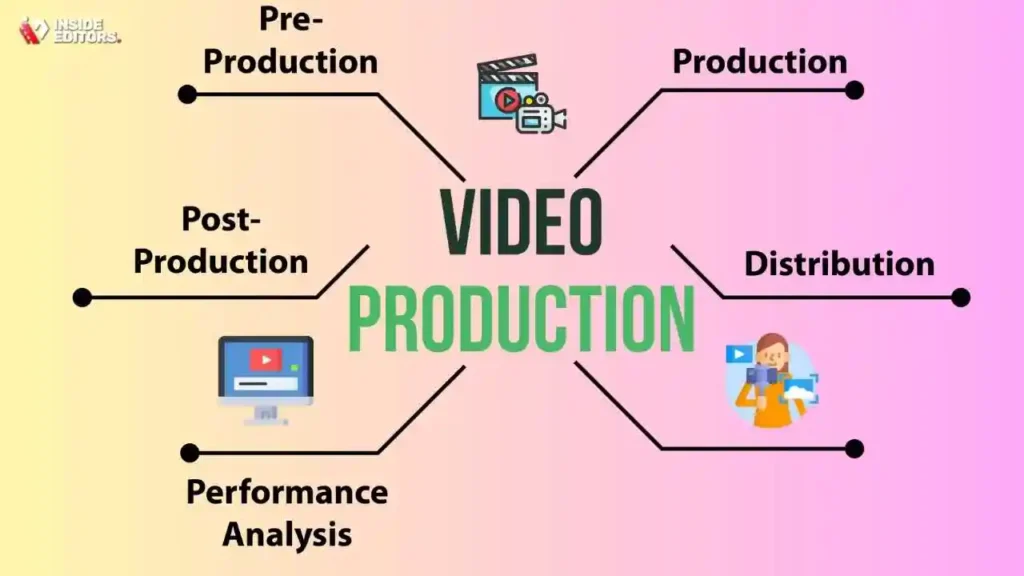
The first secret to mastering corporate training video production lies not in the camera gear, but in the planning phase. Most production failures stem from inadequate pre-production. Before a single frame is shot, you must rigorously define the learning objectives and audience needs.
Mapping Learning Objectives to Video Format
Every training video must have a clearly defined, measurable learning objective (MLO). This objective dictates the video’s length, tone, and format.
| Learning Objective Type | Ideal Video Format | Duration Guideline |
|---|---|---|
| Knowledge Acquisition (e.g., policy review) | Animated explainer, talking head with graphics | 3-5 minutes |
| Skill Demonstration (e.g., software walkthrough) | Screen recording with voiceover, step-by-step tutorial | 5-10 minutes |
| Behavioral Change (e.g., conflict resolution) | Scenario-based drama, role-playing examples | 8-15 minutes |
| Motivational/Onboarding | Company culture montage, executive interviews | 2-4 minutes |
If the MLO is complex, break it down into micro-learning modules. A 45-minute topic is better delivered as five separate 8-minute videos. This aligns with modern consumption habits and improves retention rates.
Scripting for Engagement, Not Just Information

A common mistake in corporate training video production is treating the script like a written manual read aloud. A video script must be conversational, dynamic, and structured to anticipate and hold the viewer’s attention.
Key Scripting Elements:
- The Hook (First 15 Seconds): Immediately state the problem or question the video will solve. Why should the learner keep watching?
- The Core Content (The Meat): Present information in digestible chunks, using visual cues (graphics, B-roll) to reinforce every key point.
- The Call to Action/Summary: Clearly summarize the MLOs and instruct the learner on the next steps (e.g., take a quiz, apply the skill).
Remember, the script is the blueprint for the visuals. Write with the camera in mind, noting where graphics, text overlays, or scene changes are required. This level of detail in pre-production saves exponentially more time during filming and editing.
Secret 2: Audio Visual Consistency

While high-definition cameras are standard, true professional quality in corporate training video production hinges on two often-overlooked elements: audio clarity and visual consistency.
The Primacy of Sound Quality
Learners will tolerate slightly imperfect video quality, but they will immediately tune out poor audio. Clear, crisp sound is non-negotiable for effective training.
Audio Best Practices:
- Use dedicated microphones: Lavaliers (lapel mics) or directional shotgun mics are essential. On-camera microphones are rarely adequate.
- Control the environment: Film in quiet spaces. Eliminate HVAC noise, external traffic, and echoing. Acoustic treatment (even temporary blankets or padding) can make a huge difference.
- Post-Production Sweetening: Even good audio benefits from professional editing. This includes noise reduction, equalization (EQ), and compression to ensure consistent volume levels across all videos.
“If the picture fails, the viewer might look away. If the sound fails, the viewer leaves entirely. Audio is half the experience, but 90% of the perceived quality.” – Anonymous Sound Engineer
Achieving Visual Consistency Across Modules
If your training program involves multiple videos shot over time or by different teams, maintaining a consistent visual style is paramount to establishing authority and trustworthiness. This is where professional video editing services truly shine.
Consistency Checklist:
- Color Grading: Ensure skin tones and overall color temperature are uniform across all clips.
- Branding: Use standardized title cards, lower thirds, and intro/outro animations that match corporate guidelines.
- Pacing: Maintain a similar editing rhythm (e.g., cuts every 3-5 seconds) so learners know what to expect.
If you are expanding your content library, consider how consistency applies to other formats, such as video editing for social media. A unified visual identity reinforces your brand across all platforms.
Secret 3: Interactivity & Scenarios

Passive viewing leads to low retention. The third secret is to design your corporate training video production to require active participation, even if that participation happens immediately after the video ends.
Scenario-Based Training (SBT)
Instead of lecturing on policy, show the policy in action. SBT uses short, relatable narratives where characters face common workplace challenges. The video often pauses or ends at a critical decision point, prompting the learner to choose the next step before continuing.
Benefits of SBT:
- Emotional Connection: Learners relate to the characters, making the lesson more memorable.
- Safe Practice: Employees can practice decision-making without real-world consequences.
- Immediate Feedback: The video can immediately show the consequences of their choice (good or bad).
This approach transforms the training video from a passive presentation into a dynamic learning tool. To effectively manage the branching paths required for interactive SBT, having a reliable partner for professional video editing services is crucial, as the post-production workflow becomes significantly more complex.
Leveraging Interactive Elements
While pure video platforms (like YouTube) offer limited interactivity, most Learning Management Systems (LMS) allow for integration of quizzes, polls, and downloadable resources directly alongside the video player.
Interactive Integration Strategies:
- Micro-Quizzes: Insert short, two-question quizzes immediately after a major concept is introduced.
- Resource Overlays: Use text overlays or annotations to prompt learners to download a checklist or reference document.
- Branching Video: Use specialized software to create videos where the learner clicks on an option within the video frame to jump to a different segment.
This emphasis on active learning is the hallmark of modern, high-performing corporate training video production.
Secret 4: Visual Aids Strategy

The human brain processes visuals 60,000 times faster than text. Relying solely on a talking head is a missed opportunity. The fourth secret is the strategic and intentional use of graphics, B-roll, and text overlays to enhance comprehension and retention.
The Rule of “Show, Don’t Just Tell”
Every time the on-screen expert mentions a technical term, a statistic, or a process step, a graphic should appear to reinforce it.
Effective Visual Aids:
- Animated Text: Use kinetic typography to highlight key terms as they are spoken.
- Data Visualization: Transform complex data into simple, branded charts and graphs.
- Screen Recordings: When demonstrating software, use high-resolution screen recordings with clear visual cues (zooms, highlights, arrows) to guide the viewer’s eye.
When producing explainer content, especially for complex technical topics, consider utilizing animated video editing services to simplify abstract concepts into engaging visual stories.
Comparison: Talking Head vs. Animated Explainer
Choosing the right format depends heavily on the content. Here is a quick comparison to guide your corporate training video production decision:
| Feature | Talking Head Video | Animated Explainer Video |
|---|---|---|
| Best For | Leadership messages, compliance, soft skills, interviews | Abstract concepts, software tutorials, process flows |
| Cost | Generally lower upfront if internal talent is used | Higher upfront cost for design and animation |
| Flexibility | Less flexible; requires re-shooting for updates | Highly flexible; easy to update text/graphics |
| Engagement | High if the presenter is charismatic | High due to dynamic visuals and storytelling |
| Perceived E.E.A.T. | High, emphasizes human connection and expertise | High, emphasizes clarity and professional design |
For content that requires frequent updates, the flexibility of animated content often makes it the more cost-effective long-term solution.
Secret 5: Post-Production Assurance
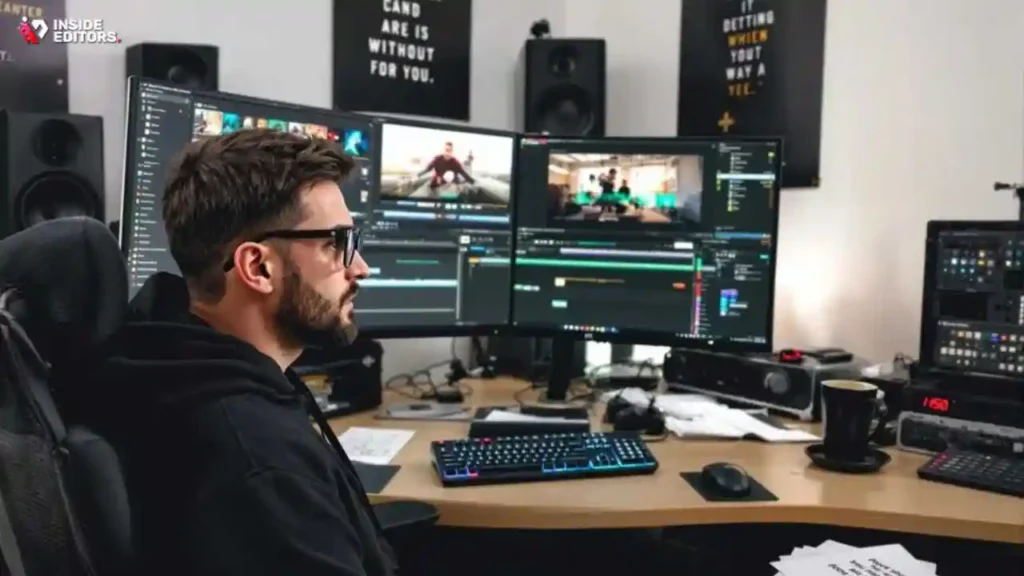
The final, and perhaps most critical, secret is recognizing that the video is truly made in the edit suite. Post-production transforms raw footage into a polished learning asset. This stage is where consistency, pacing, and technical quality are locked in.
The Post-Production Workflow Checklist
A rigorous post-production checklist ensures no detail is missed:
- Assembly Edit: Sequencing the footage according to the script.
- Audio Enhancement: Noise reduction, leveling, and adding background music (licensed only).
- Visual Integration: Adding all necessary graphics, lower thirds, and B-roll.
- Color Correction/Grading: Ensuring visual consistency across all clips.
- Review and Feedback: Internal and SME review cycles.
- Final Export: Exporting to the correct specifications (resolution, bitrate) for the target LMS.
This process is detail-oriented and time-intensive. If your internal team lacks dedicated editing resources or is struggling with turnaround times, outsourcing the heavy lifting of corporate training video production post-production is a strategic move.
The Value of Outsourcing Video Editing
Inside Editors specializes in providing the professional polish required for impactful training content. Our service model is specifically designed to support high-volume corporate needs.
Why Choose Professional Editing for Training Videos:
| Aspect | Internal Team (Self-Editing) | Inside Editors (Professional Service) |
|---|---|---|
| Expertise | Varies; often handled by non-specialists | Dedicated professional editors with 10+ years experience |
| Turnaround | Slowed by competing internal priorities | Fast turnaround (24-72 hours) guaranteed |
| Quality | Inconsistent color, audio, and pacing | Consistent, broadcast-quality output |
| Cost Efficiency | High opportunity cost (SME time wasted editing) | Affordable pricing starting at $29/video; scalable solution |
| Revisions | Time-consuming and often frustrating | Unlimited revisions until 100% satisfied |
By entrusting the editing to experts, you save time and focus on content creation, ensuring that your corporate training video production maintains a consistent, professional standard. You can find professional video editors who understand the specific needs of educational content, including compliance and accessibility requirements.
Ensuring Accessibility and Compliance
A modern training video must be accessible. This is a critical component of E.E.A.T. and legal compliance globally.
Accessibility Requirements:
- Closed Captions (CC): Mandatory for hearing-impaired learners and highly beneficial for non-native speakers or those watching without sound.
- Transcripts: Provide a full text transcript for screen readers and easy searching.
- Visual Contrast: Ensure text overlays have high contrast ratios against the background.
These elements must be integrated seamlessly during the post-production phase. Furthermore, if your training involves sensitive or confidential information, ensuring compliance with data privacy standards is key, which is why working with a trusted partner that offers secure confidential video editing services is essential.
Training Video Pitfalls

Even with the best intentions, several common mistakes can derail a training video project. Understanding these pitfalls is crucial for successful corporate training video production.
Pros and Cons of Internal vs. External Production
| Aspect | Pros of Internal Production | Cons of Internal Production |
|---|---|---|
| Subject Matter | Deep, immediate expertise and access | Lack of objective perspective; “too close” to the material |
| Cost | Lower direct cash outlay (if equipment is owned) | High opportunity cost; slow turnaround; inconsistent quality |
| Control | Full creative and scheduling control | Limited technical skill set; reliance on non-specialized staff |
| Scalability | Poor scalability; limited by internal bandwidth | Difficult to scale quickly for large, global rollouts |
The biggest danger of internal production is the temptation to cut corners on post-production, leading to videos that look amateurish and fail to engage the learner. If you are producing content frequently, utilizing a subscription model for monthly video editing services can provide the necessary scalability and consistency without the overhead of hiring full-time staff.
Avoiding Information Overload
The most common pitfall is trying to cram too much information into one video. When planning your corporate training video production, adhere to the principle of “one video, one core concept.” If a concept takes longer than 10 minutes to explain, it needs to be segmented.
- The Solution: Use clear titles and descriptions for each micro-module, allowing learners to easily find and revisit specific topics without scrubbing through long videos.
Neglecting the Review Cycle
Training content must be fact-checked by Subject Matter Experts (SMEs). A failure in the review cycle can lead to outdated or inaccurate information being distributed, severely damaging the E.E.A.T. of the material.
- The Solution: Integrate a mandatory, formalized SME review step into the post-production workflow before final editing and export. Ensure the SME focuses on accuracy, while the editor focuses on technical quality.
Conclusion: Elevating Training Production

Mastering corporate training video production is a blend of art, pedagogy, and technical expertise. The five secrets-rigorous pre-production, pristine audio/visual consistency, active interactivity, strategic use of graphics, and professional post-production-provide a roadmap for creating training content that not only informs but truly transforms employee performance.
By focusing on high production values, you demonstrate respect for your learners and reinforce the authority of your organization. Whether you are producing a single compliance module or building an entire curriculum, prioritizing quality in every stage of corporate training video production is the key to achieving measurable learning outcomes.
If scaling your video output while maintaining professional quality is a challenge, consider partnering with a dedicated service provider. Inside Editors offers the expertise, speed, and reliability necessary to elevate your training content. We handle the technical complexities of editing, color grading, and audio enhancement, allowing your team to focus on the core expertise that drives your business forward. Ready to transform your raw footage into high-impact learning assets? Contact Inside Editors today to discuss your training video needs.
Frequently Asked Questions
What is the most crucial secret for training videos?
The most crucial secret is focusing on learner engagement. Effective corporate training video production ensures the content is interactive, concise (ideally under 5 minutes per module), and directly relevant to the employee’s job role. High engagement dramatically improves knowledge retention rates, often exceeding 75%.
How long should a corporate training video be?
Keep training videos short and focused, adhering to the ‘microlearning’ principle. Ideally, individual segments should be between 3 and 6 minutes long. Longer, complex topics should be broken down into multiple short modules to prevent cognitive overload and maintain viewer attention throughout the training session.
Why is scripting important for training content?
A detailed script is essential for maintaining clarity and consistency in corporate training video production. It ensures that complex technical information is communicated accurately and efficiently, preventing costly reshoots. A good script also helps estimate the final video duration, keeping it within the desired microlearning timeframe.
What role does quality audio play in production?
Quality audio is arguably more important than high-definition video. Poor sound quality, such as distracting background noise or muffled speech, immediately undermines the professionalism and effectiveness of the training. Always invest in professional microphones and ensure consistent narration volume for optimal learning.
Should we use professional actors or employees?
The choice depends on the content and budget. Professional actors offer polished delivery, but using actual employees can increase relatability and authenticity, especially for internal process training. For sensitive or highly technical corporate training, employees often lend greater credibility to the subject matter experts.


