

When you watch a YouTube video, sometimes the audio is the part that matters most. Maybe it’s a podcast, a motivational speech, a music clip, or even a tutorial you want to listen to offline. Whatever the reason, learning how to Extract Audio from YouTube Video can save time, simplify your workflow, and help you keep the content you enjoy close at hand.
The good news? You don’t need to be a tech expert to do it. Today, there are dozens of safe, simple, and free ways to pull audio from any YouTube video in just a few clicks. In this guide, we’ll walk through the easiest methods, when to use each one, and what to avoid so you never run into issues with quality or safety.
Before we dive in, remember one practical tip: always make sure you have permission to download and use the audio, especially if it’s protected content or part of someone’s creative work. With that in mind, let’s explore the best, most beginner-friendly ways to get clean audio instantly.
Extract Audio Instead of Downloading Full Videos
You might wonder why someone would save just the audio instead of downloading the whole video. For many users, it comes down to convenience. Audio files are smaller, easier to store, and don’t need constant screen time. If you’re listening while traveling, working, or exercising, audio is simply more comfortable.
Another common reason is organization. Creators and editors often collect reference materials-voiceovers, sound effects, speeches, interviews-and keeping them in audio format makes editing much faster. Instead of scrubbing through long videos, they can drop MP3 files directly into their editing timeline.
Students use it for lectures. Musicians sample beats. Podcasters remix segments for commentary. And casual listeners enjoy music or spoken content without wasting data. No matter your reason, the value of extracting audio is pretty universal.
Using Online Tools: The Quickest Way to Get Audio Fast
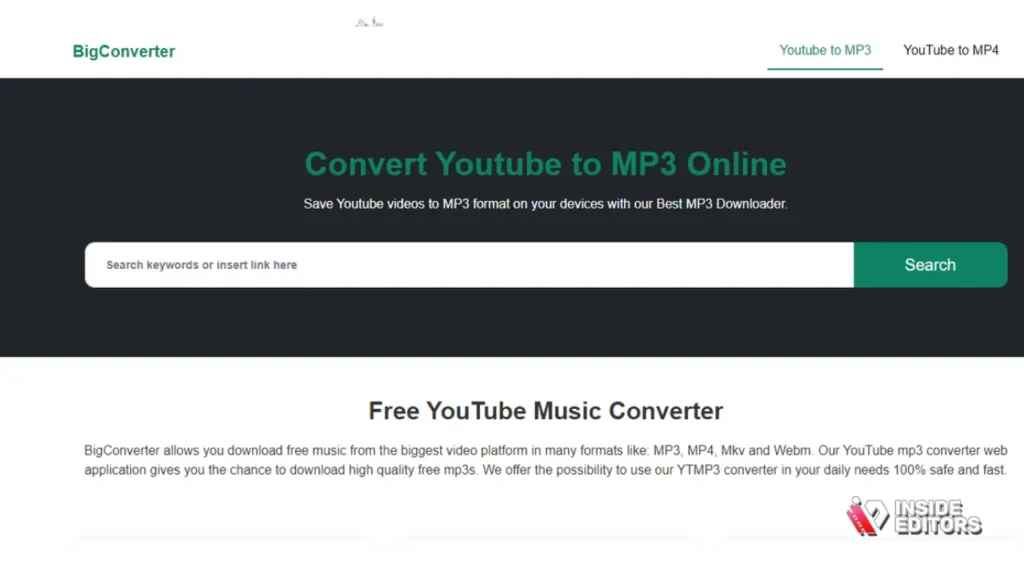
For most people, the easiest way to extract audio is through free online converters. These sites don’t require installation, and you only need a copy of the YouTube link. Once you paste it, the tool converts the video and gives you an audio download in seconds.
What makes these tools so appealing is their simplicity. Anyone with a browser can use them. But the real advantage is speed. Whether you’re on your phone or computer, you can convert a video during a short break and have the audio ready immediately.
That said, not all online tools are created equal. Some are packed with annoying pop-ups, and a few may not maintain good audio quality. Choosing a clean, well-known site matters. Before clicking any download button, look for straightforward buttons, no forced sign-ups, and an overall clean layout. Those simple factors usually indicate a safe experience.
If you extract audio regularly, online tools can be a reliable everyday solution. But if you work with larger files or want more control over quality, software apps might suit you better.
Desktop Software: Better Quality and More Control
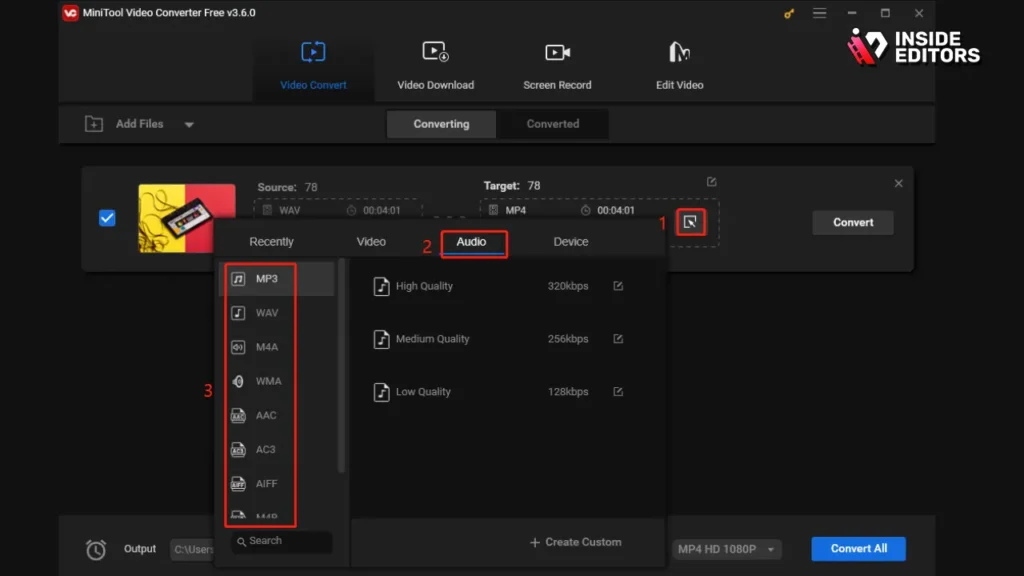
Online tools are fast, but desktop apps offer something extra: quality. When you install audio or video software, you gain control over format settings, bitrates, file sizes, and sometimes even editing options. For creators who want the cleanest possible audio, this is the smarter route.
One big advantage of using software is stability. You won’t deal with ads or slow loading times because everything runs on your computer. Many programs also let you batch-convert multiple YouTube links, which saves a lot of time if you’re working on a bigger project.
Tools like VLC Media Player, 4K Video Downloader, and similar lightweight apps work especially well. They’re popular because they’re safe, free, and constantly updated. Once installed, they can extract audio in just a few clicks while maintaining higher quality than most online converters.
This method also suits people with slower internet connections. Since conversion happens offline, the only part that requires data is downloading the original YouTube video. After that, the audio extraction is smooth and quick.
Mobile Apps: Extracting Audio on the Go
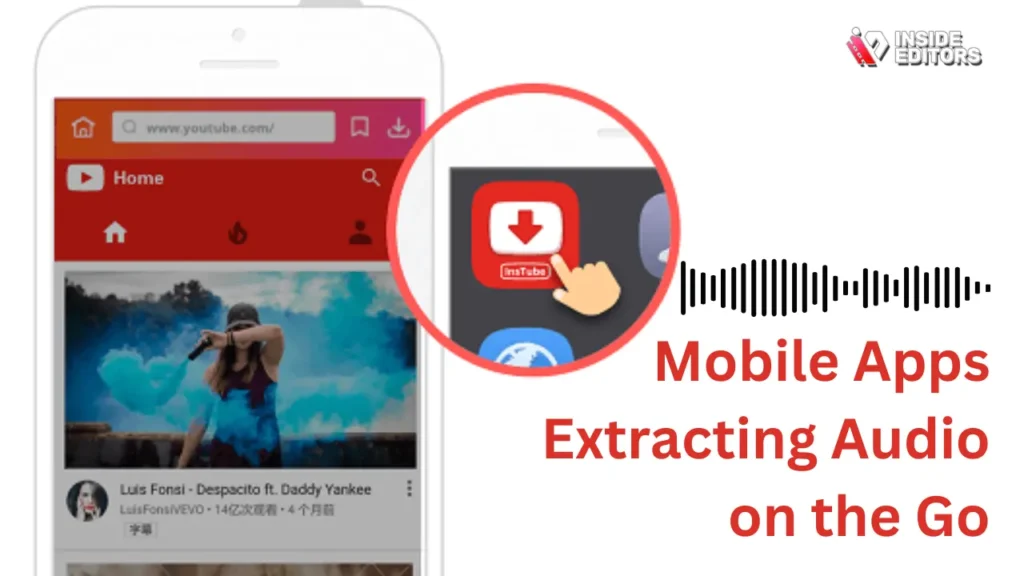
These days, mobile-friendly tools make it easy to extract audio directly from your phone. For those who listen while commuting, working out, or studying, having everything stored on your device is incredibly convenient.
Most apps follow the same simple process: paste the YouTube link, choose your audio format, and download. Because phones have limited storage, these apps also compress audio efficiently so the files stay small while still sounding good.
iPhone and Android users both have plenty of safe options, but one thing to keep in mind is app permissions. A trustworthy app won’t ask for unnecessary access like your contacts or messages. Always double-check permissions before installing anything.
For travelers or students who don’t always have a stable internet connection, mobile apps offer a perfect balance between speed and flexibility.
Audio Quality: What Makes a File Sound Good
When extracting audio, quality matters. If you’ve ever downloaded a file that sounded flat or muffled, you know how disappointing it can be-especially if the original YouTube video sounded great. That’s because different audio formats and bitrates affect clarity.
Formats like MP3 are popular because they’re lightweight and compatible with almost every device. But if you’re editing or need higher fidelity, formats like WAV or AAC might be better choices. MP3 is usually enough for everyday listening, while WAV is preferred for professional mixing or editing.
You may also see bitrate options such as 128 kbps, 192 kbps, or 320 kbps. Higher bitrates provide better sound quality but increase file size. Think of it like choosing between HD and standard video-both work, but one is noticeably smoother.
When you extract audio from YouTube, keep your purpose in mind. If you’re just saving a podcast or speech, 128 kbps is fine. But for music, interviews, or voiceovers, a higher bitrate will make a clear difference.
Understanding these basics helps you choose the right settings without guessing, ensuring you always get audio that meets your needs.
Is It Legal to Extract Audio from YouTube?
People often ask whether it’s legal to download audio from a YouTube video. The simple answer is: it depends on how you use it. YouTube’s Terms of Service restrict downloading content unless the platform itself provides a download option. So if you’re saving audio only for personal use, especially from videos that aren’t copyrighted, you’re on safe ground.
However, using copyrighted audio for public distribution, reposting, or commercial projects without permission can cause issues. If you plan to use the audio for a video, podcast, or any public content, always check the rights or use royalty-free alternatives.
Creators often share audio with Creative Commons licenses, meaning you’re allowed to use it with proper credit. If you’re unsure, it’s better to stay cautious. Respecting copyright protects your work and avoids complications later.
Understanding this helps you navigate audio extraction responsibly, ensuring your projects remain safe and ethical.
Extracted Audio Is Useful for Creators and Everyday
Extracting audio isn’t just about saving a song. Creators use it as part of their workflow. A travel vlogger may keep background music for inspiration. A podcaster might save a guest’s interview clip for later editing. A video editor can pull reference audio to sync footage more accurately.
Everyday listeners also benefit. Downloading audio makes it easier to learn languages, practice speeches, or listen to long discussions without draining battery life. Students can save lectures, and fitness enthusiasts often extract motivational tracks for workouts.
Because audio is portable and lightweight, it fits into daily routines more naturally than video. Once you understand how to Extract Audio from YouTube Video, you open the door to countless uses-creative, educational, or personal.
Simple Tips to Avoid Common Problems

Even though extracting audio is easy, a few common mistakes can slow things down. Choosing low-quality tools may lead to corrupted files or distorted sound. Download buttons can sometimes be misleading if the site is cluttered with ads.
To avoid issues, stick to reliable tools, check reviews, and look for clean, simple layouts. If you’re using software, update it regularly so it stays compatible with YouTube. And if you’re working on a project, always keep a backup of the original audio.
Another common mistake is ignoring file formats. Picking the wrong format may prevent your device or editing app from opening the file. Understanding the basics of MP3, WAV, and AAC helps you avoid unnecessary frustration.
Once you know these simple tips, extracting audio becomes a smooth, predictable process every time.
Where Professional Editors Can Help
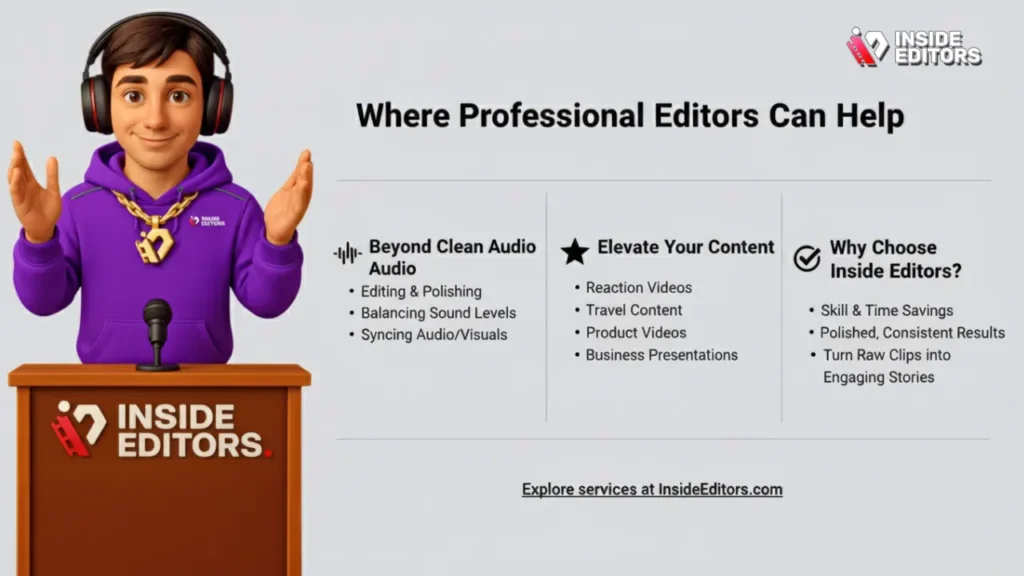
If you’re working on a video project and extracted audio is part of your workflow, you might realize that clean audio is only the beginning. Editing, polishing, balancing sound levels, and syncing everything takes skill and time.
This is where professional editing services, like those offered at Inside Editors, make a noticeable difference. Whether you’re producing reaction videos, travel content, product videos, or business presentations, having someone refine the audio and visuals can elevate your final result.
Many creators start with DIY audio extraction but turn to professionals when they want polished, consistent results. If you ever need help shaping your raw clips into a clean, engaging story, you can explore the editing services at Inside Editors to support your project.
Conclusion: A Simple Skill That Makes Your Life Easier
Extracting audio from YouTube may seem like a small task, but it opens up endless possibilities. Whether you’re saving content for learning, editing, or entertainment, the process is straightforward once you understand the tools and formats. Start with a trusted website or app, choose the audio quality you prefer, and download with confidence.
As you explore more creative projects, you’ll see how this simple skill fits naturally into your routine. And if you ever want to take your videos or audio-driven content to the next level, Inside Editors is always here to help.
If you’re extracting a single clip quickly, try a reputable online converter and choose MP3 at 192 kbps or higher. If you regularly work with audio or need top-tier quality, use desktop tools or hire a pro. When you’re ready to scale or publish commercially, Inside Editors can handle extraction, cleanup, and final mastering so your audio sounds professional and stays compliant. Explore Inside Editors’ comparison and service options to find the right fit.
FAQs Extract Audio from YouTube Video
Is it legal to extract audio from a YouTube video?
Extracting audio is technically easy, but legality depends on copyright. If the video and audio are yours or licensed for reuse, you’re fine. For other creators’ content, you must get permission or rely on fair use exceptions (which are narrow and context-dependent). When in doubt, ask the owner or use royalty-free sources to avoid risks.
What are the safest free tools to extract audio from YouTube?
Safer options are reputable desktop apps like VLC or well-known online converters that publish clear privacy policies and don’t ask for extra permissions. Avoid random pop-up-heavy sites. If privacy matters, use a desktop tool to keep files local or scan downloads with antivirus software before opening.
How long does it take to extract and clean audio?
For a single short clip, extraction and a basic trim take 2–10 minutes with online tools; desktop workflows and light editing might take 10–30 minutes. Professional cleanup (noise reduction, mastering) can take one to several hours depending on complexity and revisions. Rush services may be available for an added fee.
What format and bitrate should I use for best quality?
Use WAV (16-bit/44.1 kHz) if you plan to edit or master the audio, because it’s lossless. For distribution or casual use, MP3 at 192–320 kbps balances quality and file size. Choose higher bitrates for music or complex audio and WAV if you’ll mix or process it later.
Can I extract audio on my phone and keep it high quality?
Yes, but quality and file handling vary by app. Use a trusted app or a mobile browser tool that lets you choose WAV or high-bitrate MP3. After extraction, move the file to a dedicated audio app for trimming or upload it to cloud storage to preserve the original file and avoid compression.


