


If you’ve ever tried editing a video for YouTube, TikTok, or even a personal project and felt overwhelmed by all the tools, effects, or timelines-trust me, you’re not alone. Video editing used to feel like a technical mountain that required expensive software and years of practice. But 2025 is a completely different world. Today, you can learn professional-level editing entirely through free online video editing courses, many of which rival paid programs in depth and teaching quality.
What’s changed? First, the explosion of content creation. Statista reported in 2024 that over 82% of internet traffic comes from video, and this number is still rising in 2025. Brands, influencers, educators, businesses-everyone is creating video. And with demand comes opportunity. Whether you want to land freelance projects, create your own channel, or simply edit videos that actually look cinematic, these free courses are one of the fastest and most accessible ways to get started.
In this guide, we’ll explore the best free learning paths available today, how to choose the right one for your goals, and what makes certain courses stand out. By the end, you’ll know exactly where to start your journey-and how to move from beginner-friendly lessons to advanced, professional editing.
Understanding the Value Behind Free Online Video Editing Courses

Free courses sometimes get underestimated. People assume “free” means basic, outdated, or just surface-level. But the reality in 2025 is almost the opposite. Some of the best foundational editing tutorials-especially for tools like DaVinci Resolve, CapCut, Adobe Premiere Rush, and HitFilm-come directly from certified instructors, professional filmmakers, and global training programs.
Why Free Courses Are More Comprehensive Today
Most modern free programs are created by industry-leading software companies or experienced educators. For example, Blackmagic Design, the company behind DaVinci Resolve, releases highly polished training series because they want people to adopt their tools. Platforms like YouTube Learning, Coursera, and Skillshare also publish intro modules for free to attract beginners. The competition pushes quality upward.
These courses aren’t “fluff.” They often include real project files, guided exercises, and lessons on storytelling, color correction, audio design, transitions, and the creative thinking behind each edit. When you combine these lessons with a bit of practice, you get a complete skill stack without spending a cent.
When a Free Course Is the Right Starting Point
Free courses work beautifully if you’re:
- Starting from scratch and don’t know which software suits you
- Transitioning from mobile editing to desktop editing
- Learning for personal content creation
- Preparing to become a freelance video editor
- Experimenting before investing in paid courses or certifications
The key advantage is flexibility. You’re not locked into one tool or teaching style. You get to explore, try, evaluate, and then choose the editing workflow that feels the most intuitive to you. Later in this guide, we’ll help you discover which free course aligns best with your editing goals.
The Different Types of Free Video Editing Courses Available Today
The world of free online video editing courses can be divided into three main categories: platform-based courses, instructor-led courses, and community-based learning. Understanding which type suits you will save you countless hours and help you stay motivated.
Platform-Based Courses From Software Companies
These are courses created by companies behind popular editing tools. DaVinci Resolve, HitFilm Express, and CapCut all offer official training materials. Because these brands want new users to succeed, they invest heavily in making their guides practical and beginner friendly. The content often includes detailed explanations of interfaces, features, and example projects. If you prefer structured learning with predictable modules, these courses are perfect.
Another benefit is accuracy. When the lesson comes directly from the creators of the software, you can trust the information to be up to date. In 2025, updates to editing software are faster than ever, and official courses adapt quickly.
Instructor-Led Courses From Professionals
Many experienced filmmakers, production editors, and YouTube educators produce full-length editing courses for free. These are usually detailed, hands-on tutorials where the instructor walks you through building an entire project from scratch. What makes these valuable is the personal touch. You learn not just how to use the software, but also how an experienced editor thinks, solves problems, and makes creative choices.
This mentorship-style teaching works well if you enjoy learning by watching people work in real time, explaining their process and mistakes along the way.
Community-Based Learning Through YouTube and Forums
YouTube remains the largest hub for free editing lessons. Thousands of creators post 15-45 minute tutorials covering techniques like seamless transitions, cinematic color grading, audio cleanup, storytelling frameworks, and captioning. Forums and Reddit groups also offer troubleshooting help and real-world advice. These community-led resources are especially useful when you run into specific editing challenges-like stabilizing shaky footage or fixing bad audio.
The only downside is organization. It’s easy to bounce between random videos without a structured plan. That’s why many beginners combine YouTube tutorials with a more structured course.
Comparing the Top Free Online Video Editing Courses for 2025
To help you decide more confidently, here’s a simplified comparison of the most beginner-friendly free courses this year. These programs are widely trusted, frequently updated, and ideal for developing essential editing skills.
| Course Name | Best For | Platform/Software | Difficulty | Why It Stands Out |
| DaVinci Resolve Official Training | Beginners to advanced editors | DaVinci Resolve | Medium | Industry-level color grading, professional workflow structure |
| Adobe Premiere Rush Free Tutorials | Social media creators | Premiere Rush | Easy | Quick edits, mobile workflow, fast publishing |
| CapCut Masterclass Series | TikTok/Reels short-form editors | CapCut | Very Easy | Trendy effects, fast tools, creator-focused |
| HitFilm Express Training | YouTubers and VFX beginners | HitFilm | Medium | VFX tools, motion graphics, creative transitions |
| YouTube Creator Academy (Video Editing Modules) | Content creators | Various | Easy | Built for YouTube growth & editing fundamentals |
Each course has its strengths. Some are geared toward storytelling and color, others toward quick edits and social content. As you go through this list, think about what kind of videos you want to create. The right course is the one that matches your editing goals-not necessarily the one with the longest curriculum.
How to Choose the Best Course Based on Your Skill Level and Goals

If you’re standing at the starting line wondering which free online video editing courses are “the one,” don’t worry-there’s a simple way to decide. Start by identifying what type of creator you want to be. Are you making travel videos? Fitness tutorials? Business explainers? Cinematic shorts?
Choosing Courses for Beginners
If you’re new to editing, the most important thing is learning the basics: cutting clips, working with audio, adding transitions, and understanding timelines. Tools like CapCut and Premiere Rush were designed for beginners. Their interfaces are simple, and the learning curve is gentle. Many newcomers also enjoy DaVinci Resolve’s beginner modules because the software is powerful yet free.
What matters most in the beginning is confidence. Your first goal isn’t perfection-it’s learning how to navigate a timeline and bring clips together into a story. Any course that helps you take that first step is worth your time.
Choosing Courses for Intermediate or Aspiring Professionals
Once you feel comfortable with editing basics, you may want to explore advanced features like color grading, audio mixing, multicam editing, or keyframing animation. DaVinci Resolve’s advanced lessons are ideal for this level. HitFilm Express also offers a bridge between beginner editing and more professional VFX-style content.
If you’re interested in freelancing or want to produce higher-quality client videos, learning these advanced features is essential. They’re the skills that allow editors to deliver polished, professional videos-something that Inside Editors specializes in through its editing services.
The Skills You’ll Learn From High-Quality Free Editing Courses
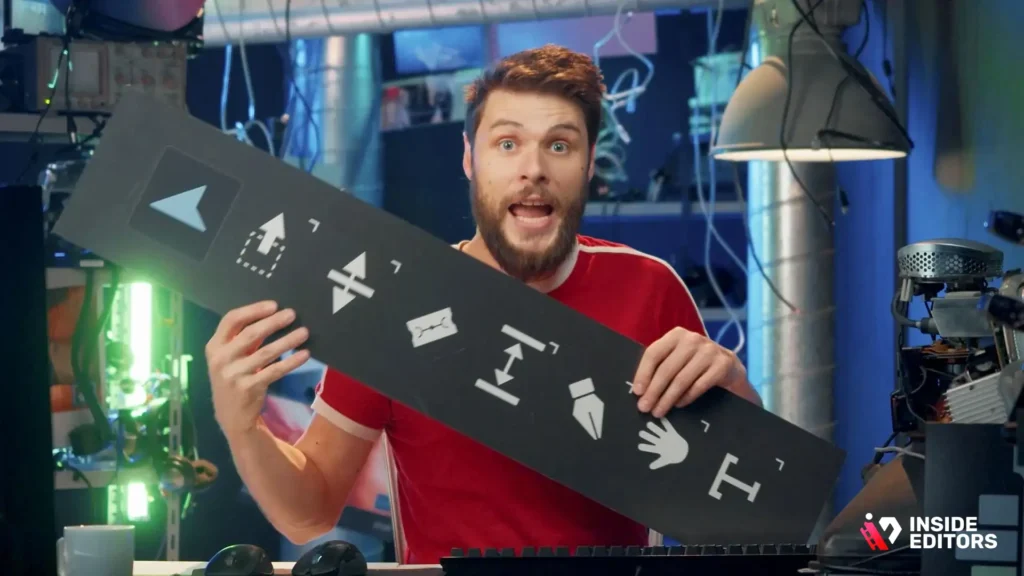
As you work through the best free online video editing courses, you’ll quickly notice that the learning isn’t only about clicking buttons. You’re developing a complete creative mindset-one that helps you think like a storyteller. Most high-quality courses teach skills in three major areas: technical editing, creative visual design, and production workflow. Understanding how these pieces connect is what separates a casual editor from a confident creator.
How Courses Develop Your Technical Editing Foundation
Every editing course begins by teaching the fundamentals-how to cut, trim, reorder, and arrange clips so your story flows naturally. These basics are crucial because they shape your entire workflow. You also learn how to manage files properly, organize footage, and structure timelines. Good courses emphasize best practices early, so you avoid messy projects later. As lessons progress, you’re introduced to color correction, audio control, and transition design, each helping you add polish to your videos.
Technical skills grow gradually, but you’ll soon notice your speed improving and your edits becoming cleaner. That sense of progress is what keeps you motivated.
How Courses Build Creativity and Visual Style
Beyond mechanics, the best courses teach artistic thinking. You learn how different cuts create different emotions, how music influences pacing, and how color affects mood. When you understand these principles, you’re no longer just placing clips-you’re shaping a viewer’s experience. This creative awareness becomes especially valuable as you begin producing longer videos or content that requires emotional impact, like travel films, brand stories, or reaction videos.
Courses that include real examples or full project breakdowns help you see these creative decisions in action. With time, you develop your own editing style, something every creator eventually becomes known for.
Mistakes Beginners Make and How Free Courses Help You Avoid Them
Every editor, no matter how experienced, remembers the mistakes they made early on. Some of these errors are almost universal. The good news? Free courses address most of them directly so you can grow faster and avoid years of trial and error.
Rushing the Editing Process Without Planning
New editors often jump straight into editing without reviewing their footage, writing a story outline, or thinking about the final message. This leads to chaotic timelines and inconsistent pacing. Quality courses teach the discipline of planning-an essential skill used by professional editors in studios and agencies. You’ll learn to set up project folders, preview footage fully, and begin every edit with a clear objective.
Overusing Effects and Transitions
This is one of the most common mistakes. Beginners often add too many transitions, flashy effects, or unnecessary zooms because they look “cool.” But they usually end up distracting viewers. The best free online video editing courses teach restraint-showing you when to use transitions and when simple cuts are more powerful. You learn that good editing is invisible. The goal is clarity, not complexity.
Ignoring Audio Quality
Many new editors focus only on visuals and forget that sound controls half the viewer’s experience. Poor audio, uneven levels, or inconsistent music can ruin even the most stunning footage. Courses teach you how to normalize levels, remove unwanted noise, balance dialogue, and use sound to enhance storytelling. This one skill alone often elevates a beginner’s video from amateur to surprisingly professional.
Not Understanding Export Settings
You may have completed a great edit, but if you export it incorrectly, colors may look wrong, quality may drop, or the file size may become enormous. Free courses help you understand bitrate, codecs, frame rates, and resolution so your final video looks crisp and clean-whether it’s for Instagram, YouTube, or commercial use.
These corrections might seem small, but avoiding them early saves hours of frustration later and improves your final output dramatically.
How to Build a Professional Workflow After Completing Free Courses
Once you’ve completed a few free courses and developed confidence in your skills, the next step is refining your workflow. Professional editors rely on systems that keep them organized and productive, especially when working with clients or producing narrative content.
Building an Efficient Editing Routine
Start by developing a consistent process for every video. Professionals typically follow steps like organizing footage, syncing audio, creating rough cuts, refining transitions, color grading, and final polishing. When this routine becomes second nature, editing becomes faster and more intuitive.
Free courses often include project examples that help you practice these routines. You learn why experienced editors begin with rough cuts before adding effects, and how setting up markers or labels saves hours of confusion later.
Collaborating and Using Cloud-Based Tools
If you plan to edit for businesses or clients, you’ll eventually work with large files, shared resources, and revision notes. Cloud platforms make the process smoother. You’ll benefit from learning how to use cloud drives, version control, and collaborative editing features available in modern software. Many free courses now include modules on collaboration, reflecting the shift toward remote editing in 2025.
Applying Your Skills to Real Projects
Once you’re confident, start editing small videos for practice-such as travel clips or fitness training videos. If you want inspiration or want to explore professional results, Inside Editors provides examples across categories like travel video editing services and gaming video editing services. Seeing polished, client-ready work gives you a sense of how far you can go with the right workflow.
When to Upgrade From Free Courses to Professional Training or Services
Free courses are an amazing starting point, but as you grow, you may find yourself wanting more advanced guidance or expert-level refinement. That’s when professional training or custom editing services become valuable.
Recognizing When You’ve Outgrown Beginner Lessons
If you consistently feel limited by your tools, or if you’re spending too much time fixing the same editing issues, it may be time to move beyond free learning. Professional courses offer deeper instruction on cinematic color workflows, advanced audio engineering, and multi-layer compositions. They also provide certification, which can help with freelancing or job applications.
How Professional Editors Can Take You Further
You may reach a point where your footage is good, your story is clear, but the final result still lacks the polish you want. That’s completely normal. Professional editors refine pacing, color, mood, and overall flow in ways that take years to master. Services like those from Inside Editors exist to help creators elevate their videos without the stress of mastering every tool.
Whether you’re producing travel content, brand videos, reaction compilations, or product explainers, professional editing ensures your videos look polished and engaging. This can save you time, build your brand, and improve viewer retention.
Final Thoughts: Start Free, Learn Fast, and Grow With Confidence
The best free online video editing courses in 2025 give you everything you need to start your editing journey-structure, practice, guidance, and inspiration. You’re learning in a time when tools and tutorials are more accessible than ever, making it easier to develop real skills without spending money. The key is choosing the right course for your goals, practicing consistently, and maintaining the curiosity that brought you here.
Once you’ve built a solid foundation, the next step is applying your skills to real projects and exploring more advanced techniques. And if you ever want a professional touch or guidance for higher-level productions, Inside Editors is here to help refine your vision and bring your stories to life.
Editing is a craft that grows with every video you create. So start with the tools you have, learn at your own pace, and enjoy the process-your best videos are still ahead of you.
1.Are free online video editing courses actually good enough for beginners?
Yes-many free online video editing courses are produced by software companies and certified instructors, so the quality is often comparable to paid programs. They cover the essentials like cutting, color grading (adjusting tone and mood), and audio cleanup. The only trade-off is depth: advanced features may require paid upgrades. Still, for beginners, free courses provide more than enough structure and skill development to start editing confidently.
2. What’s the difference between free editing courses and paid professional training?
Free editing courses teach the core tools and workflows, while professional training goes deeper into advanced color work, effects, sound design, and client-ready storytelling. Paid programs typically include mentorship, assignments, and revision feedback-features most free lessons don’t offer. If your goal is commercial work or freelancing, upgrading later makes sense, but free online video editing courses are ideal for learning foundational skills without cost.
3. Do I really own the projects I create during free courses?
Yes-your project files, exported videos, and creative assets remain yours unless a platform states otherwise. Most free online video editing courses use open practice files you can edit and reuse. Just make sure you’re not using copyrighted music or footage from lessons in commercial projects. As long as you follow licensing notes, you keep full ownership over your final edits.
4. How long does it take to complete a free video editing course?
Most free courses take 3-10 hours to complete, depending on the software and your pace. Beginner tutorials can be finished in a single weekend, while advanced modules-such as color grading or motion graphics-may take a few weeks of practice. There’s no strict timeline, and many learners mix structured courses with shorter YouTube lessons to refine specific skills.
5. Are free editing courses enough to become a freelance video editor?
They can be-many freelancers start with free online video editing courses and build real-world skills by practicing on personal projects. However, freelancing also requires understanding client needs, feedback cycles, deadlines, and storytelling. Free courses won’t teach business strategy, but they will give you strong technical foundations. Once you begin paid work, you can expand with advanced training and professional workflow tools.
6. Which tools should I learn first as a beginner editor?
Beginners typically start with intuitive tools like CapCut, Adobe Premiere Rush, or DaVinci Resolve. These programs teach the basics-timelines, trimming, transitions, and color fixes-without overwhelming new editors. Free courses for each tool are well structured and help you understand the editing mindset before moving into professional software like Adobe Premiere Pro or Final Cut. Start simple, then level up as your needs evolve.
7. Do free courses teach real professional workflows?
Yes-many free courses explain industry workflows such as rough cuts, audio balancing, color grading, and exporting in the right formats. The main difference is that paid mentorship includes feedback loops, while free courses require self-practice. If you follow the steps carefully and complete real projects, you can absolutely build a workflow that mirrors professional editors.
8. What do I do after completing a free editing course?
After finishing a course, practice by editing small projects like travel clips, shorts, or talking-head videos. Apply new techniques-cuts, pacing, color, audio fixes-to build confidence. If you want to improve further, explore niche editing styles or advanced modules. When you’re ready for more refinement or client-level quality, Inside Editors’ professional editing services can help elevate your videos with expert polish.


