

If you’ve spent hours recording perfect gameplay only to realize your footage doesn’t feel as epic as it did while playing, you’re not alone. Great editing turns raw captures into cinematic moments – the kind of clips that keep audiences watching, liking, and subscribing.
In 2026, gaming content creation has evolved into a full-time profession for many. Whether you’re a Twitch streamer, YouTuber, or esports storyteller, choosing the right gaming video editing app isn’t just about convenience – it’s about standing out in a crowded arena.
Before you pick an editor, it’s worth understanding what makes one truly “best” for gaming and how technology, from AI tools to cloud rendering, is reshaping the editing landscape.
The Shift in 2026: How Editing Tools Have Leveled Up

From Raw Gameplay to Cinematic Storytelling
A few years ago, creators were happy just trimming clips and adding background music. Today’s audience expects more: motion graphics, smooth transitions, clean color grading, and audio that syncs perfectly with every headshot or highlight.
Modern editing apps integrate AI-assisted workflows that automate repetitive tasks – like identifying key action moments, applying dynamic zooms, or matching color tones across scenes. These features don’t replace creativity; they free you to focus on storytelling.
Why Cloud and Cross-Platform Support Matter
Creators no longer work from a single desktop. They edit on laptops while traveling, review clips on tablets, and collaborate remotely with editors. That’s why many of the top 2026 tools – like DaVinci Resolve Cloud, CapCut Pro AI, and Premiere Pro Studio 2026 – emphasize cross-platform synchronization and cloud-based rendering. You can start a project on your PC and finish it on your phone without losing quality or timeline precision.
This flexibility changes everything for streamers and esports teams managing global content schedules.
What Makes the “Best” Gaming Video Editing App?

Performance, Precision, and Personality
A strong gaming editor balances three essentials:
- Performance: High-frame-rate playback without lag – especially critical when editing 4K or 8K gameplay footage.
- Precision: Frame-accurate cutting tools that align perfectly with fast action.
- Personality: Visual effects, templates, and transitions that match your gaming style – whether cinematic or meme-driven.
Interface That Feels Built for Creators
A 2025 survey by Adobe Labs found that over 68% of creators abandon an editing app if its interface feels unintuitive. The best apps in 2026 emphasize adaptive design – panels that rearrange automatically based on what you’re editing. If you’re working on a montage, color tools fade while transition effects take focus. It’s a small detail, but it saves hours of workflow friction.
Once you understand what defines a good editing experience, you can start comparing specific tools.
Comparing the Top Gaming Editors
Below is a quick comparison of the most talked-about tools among streamers and gaming creators.
| App Name | Strengths | Ideal For | Starting Price (USD) |
| DaVinci Resolve Cloud 2026 | Advanced color grading, AI-scene detection, cloud sync | Esports studios, cinematic creators | Free / $295 Pro |
| Adobe Premiere Pro Studio 2026 | Multi-cam editing, AI audio mix, plugin ecosystem | Professional streamers | $29 mo (subs.) |
| CapCut Pro AI | Fast mobile edits, smart templates, auto-captioning | TikTok / YouTube Shorts creators | Free / $12 Pro |
| HitFilm Creator 2026 | VFX library, gaming HUD animations, particle tools | YouTubers making cinematic edits | Free / $15 Pro |
| Filmora Next Gen | Beginner-friendly interface, smart motion tracking | Casual gamers | Free / $59 one-time |
Each tool excels in a different niche. Let’s explore how to decide which suits your style.
Finding the Right Fit: Matching App Features to Your Editing Goals
For Competitive Streamers and Esports Teams
Speed and collaboration matter most. Editors like DaVinci Resolve Cloud 2026 let multiple users work on one timeline simultaneously – perfect for team content pipelines. Add to that AI auto-cut features that detect kill cams or highlights automatically, and you can upload to Twitch Clips in half the usual time.
For Content Creators on YouTube and TikTok
If your goal is consistent posting, CapCut Pro AI shines. Its mobile editing and built-in template engine make it ideal for daily short-form content. The app recognizes beats in background music and times transitions automatically – a feature that dramatically improves pacing for viewers.
For Cinematic Storytellers and Editors
Want your videos to feel like trailers? Tools such as HitFilm Creator 2026 or Premiere Pro Studio 2026 provide advanced layering, 3D compositing, and LUT support. These options demand more learning time but deliver a polished, film-grade result.
Once you’ve matched your editing needs to a tool, the next step is understanding the workflow essentials that separate amateurs from pros.
Workflow Essentials Every Gamer Should Master
Organize Before You Edit
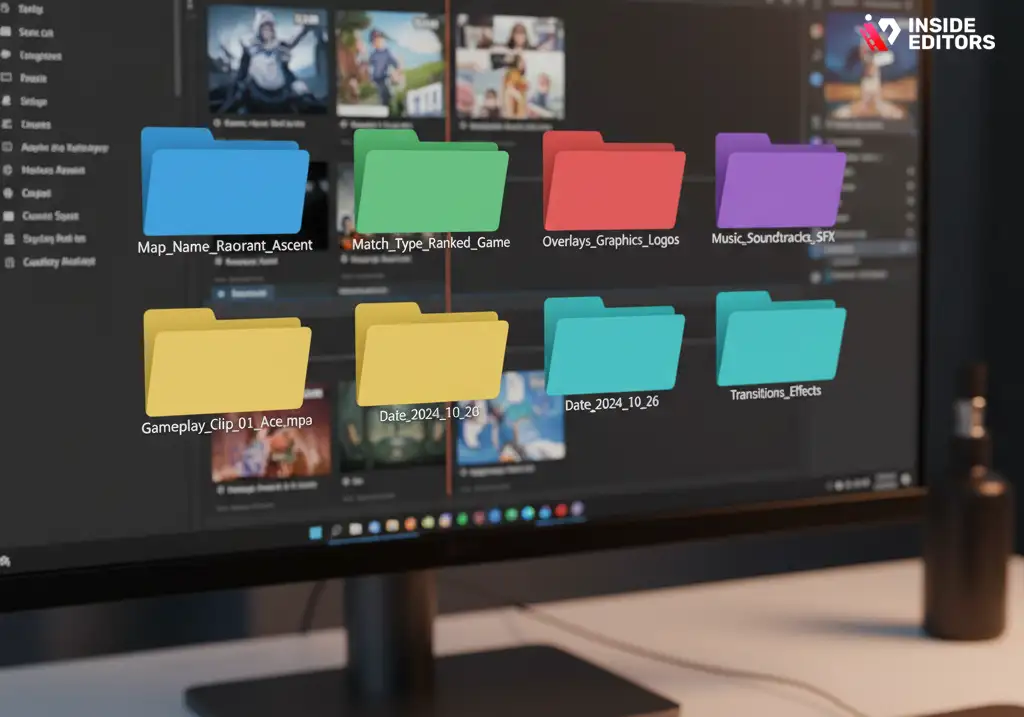
Many beginners jump straight into trimming clips, but pros know that organization is half the battle. Start by naming files clearly – map name, match type, date – and use folders for assets like overlays, music, and transitions.
Learn the Power of Keyframes
Keyframes control everything from zooms to color fades. Once you master them, you can create subtle camera movements that give static gameplay a cinematic edge. Every major gaming video editing app now includes visual keyframe editors to make the process intuitive.
Use Audio to Drive Emotion
Viewers subconsciously respond to sound. Align sound effects with impact moments and duck background music during dialogue. Several 2026 apps integrate AI-mixing assistants that detect and balance sound layers automatically – a game-changer for creators working solo.
These fundamentals not only make your workflow faster but also elevate your storytelling.
The Role of AI and Automation in 2026 Editing Tools
Smart Cuts and Predictive Editing
AI in 2026 is less about flashy gimmicks and more about practical assistance. Apps can now detect “highlight” segments in gaming footage by recognizing motion spikes, sound cues, and facial reactions from webcams. The software pre-cuts your timeline, saving hours of manual review.
Auto Color Matching and Consistency
Have you ever switched between maps and noticed your footage looks uneven? AI-powered color matching fixes that instantly by analyzing tone curves and exposure across clips. This ensures your final edit looks cohesive – an essential quality if you publish episodic content.
Voice-Driven Commands
Newer interfaces let editors say commands aloud: “Add slow-motion at 2 minutes 30” or “Apply cinematic LUT.” While still improving, these features make multitasking easier for streamers editing during live sessions or commentary reviews.
AI doesn’t replace creativity – it amplifies it. But automation must be balanced with control, which brings us to customization.
Customization: Building Your Editing Identity
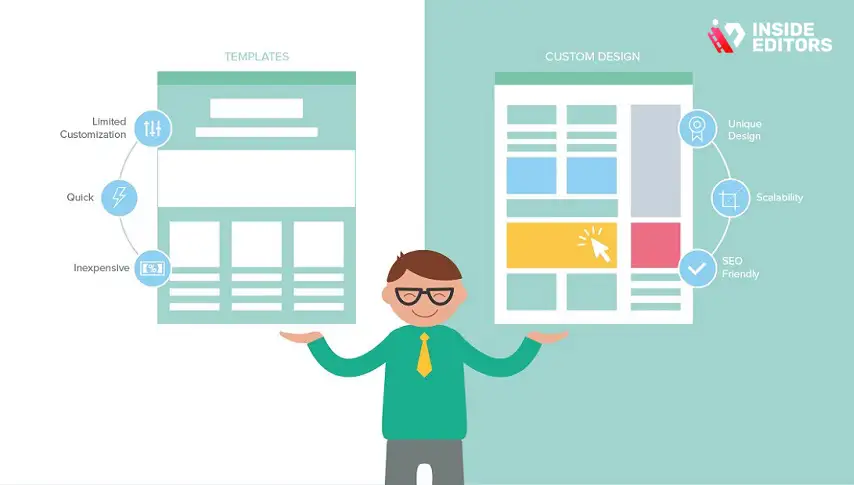
Templates vs. Original Design
While templates save time, relying on them too heavily can make your videos blend into the crowd. The trick is customization – tweak fonts, motion styles, and overlays to reflect your personality.
Building Your Preset Library
Once you create transitions or color styles you love, save them as presets. Many editing apps now sync presets across devices through the cloud. This ensures your unique visual tone stays consistent – crucial for creators developing recognizable brands.
A personal editing identity helps audiences remember your content – an advantage algorithms can’t measure but viewers can feel.
Common Mistakes New Editors Make (and How to Avoid Them)
Overusing Effects
It’s tempting to add lens flares, glitch cuts, and transitions everywhere, but moderation wins. Visual chaos distracts from gameplay. Instead, focus effects where they emphasize emotion – like the moment of victory or defeat.
Ignoring Color and Audio Balance
Many beginners obsess over transitions but forget brightness and sound consistency. A simple rule: if your eyes or ears notice sudden shifts, the viewer’s attention breaks. Adjust color grading and normalize audio levels before final export.
Skipping Backups
Cloud autosave is great, but always keep local copies. Accidental overwrites or sync errors can happen, and losing a week’s worth of editing can be devastating.
Learning from these mistakes helps you avoid burnout and maintain creative momentum.
How Professional Editors Add the Final Polish

Color Grading for Emotion
Subtle color changes transform the tone of your content. Warm tones convey excitement; cool tones suggest tension. Tools like DaVinci Resolve’s Color Page give you fine-grained control over hue, saturation, and curves – helping your edits feel cinematic rather than raw.
Layered Sound Design
Beyond background music, pros layer ambient sounds and subtle echoes for immersion. Many top apps now include Foley libraries and AI sound syncing to help you achieve this without expensive plugins.
Sharpening and Export Optimization
Your edit’s final quality depends on export settings. Use bitrate levels that preserve motion clarity but remain upload-friendly. Apps like Premiere Pro Studio 2026 suggest platform-specific presets (YouTube, TikTok, Twitch) to ensure your uploads look professional everywhere.
Once you’ve polished your footage, the next question is how to keep improving as an editor.
Mastering Advanced Editing Techniques That Make Your Videos Unforgettable
Layered Transitions and Seamless Flow
Once you’ve nailed the basics, it’s time to think like a storyteller. Every transition between clips should feel purposeful – guiding your viewer from one emotion to the next. In 2026, many editing apps feature AI-assisted motion tracking and auto-morph transitions, which let you blend two clips as if the camera never stopped rolling.
For example, when transitioning from a sniper zoom to a victory screen, a morph cut can create a fluid motion that feels cinematic rather than abrupt. Small touches like this help your videos flow naturally and keep audiences engaged longer – which in turn boosts watch-time metrics on platforms like YouTube and Kick.
Motion Graphics and HUD Overlays
Gaming edits often feel empty without context. Motion graphics – kill counters, map call-outs, or health bars – add excitement while keeping viewers visually anchored. Tools such as HitFilm Creator 2026 and After Effects Studio Pro include drag-and-drop HUD overlays inspired by popular games. The trick is to customize them: match color schemes to your channel branding, tweak transparency, and animate key stats to pulse with beats in your soundtrack.
The Subtle Art of Speed Ramping
Speed ramping – slowing down key action frames – highlights precision moments like headshots or critical moves. Most top gaming video editing apps now include curve-based time-remapping, allowing you to fine-tune acceleration with smooth gradients instead of harsh cuts. When done right, this technique transforms ordinary clips into highlight-reel moments that make your content share-worthy.
The Future of Editing: Emerging Tech Trends Shaping 2026 and Beyond
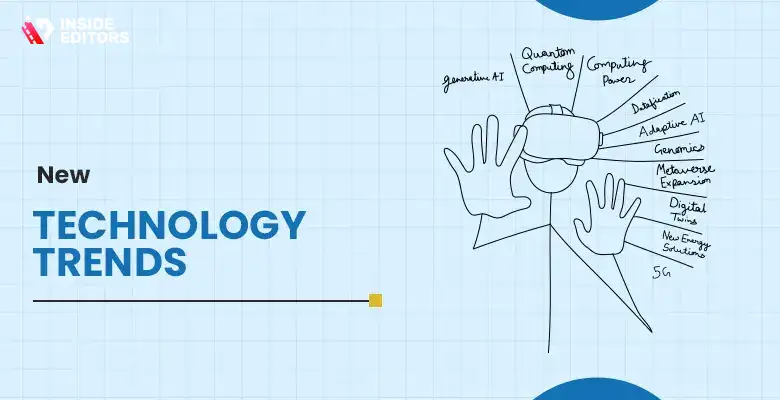
AI Co-Editors and Predictive Storyboarding
According to a 2025 Adobe Sensei report, nearly 74 % of editors now use AI-driven tools for at least one stage of their workflow. In 2026, this extends beyond automation – AI co-editors can predict your next cut based on your editing history and genre. If you’re editing a battle-royale montage, the software might pre-assemble a “moment of intensity” sequence automatically, suggesting transitions and soundtrack matches based on past projects.
These systems don’t remove creativity – they amplify it by removing friction. The more you work with an app, the better it understands your preferences, just like a trusted human assistant.
Cloud Collaboration and Real-Time Feedback
The rise of cloud-native editing has blurred the line between creator and collaborator. Editors across continents can now comment, adjust color grades, or sync new assets instantly within the same project file. Platforms like DaVinci Resolve Cloud and Frame.io Studio integrate directly into editing dashboards, reducing feedback cycles from days to minutes.
This tech shift makes professional workflows accessible even to solo creators. You no longer need a production house – just the right setup and a strong internet connection.
VR and Immersive Storytelling
Gaming and virtual reality have always been close cousins. Now, VR-ready editing tools let creators produce 360° content seamlessly. Tools like Premiere Pro Studio 2026 include immersive preview modes, so you can edit as if standing inside the game world. As VR esports and metaverse-based content grow, mastering these tools could be the next major career advantage for editors.
Monetization and the Business Side of Gaming Edits

Turning Skills Into Income
Once you’ve refined your editing craft, there are multiple ways to turn it into revenue. Many editors work freelance for streamers, esports brands, or YouTube channels. Others sell transitions, sound packs, and LUTs. A polished portfolio made with a leading gaming video editing app is your best marketing tool – potential clients judge you on your cuts long before your credentials.
Building a Personal Brand Through Consistency
Consistency builds recognition. Whether you’re editing for yourself or clients, a unique editing “signature” – color palette, pacing style, transition type – helps viewers identify your work instantly. Cloud presets and branded templates make this easier than ever.
If you plan to grow into a professional editor or studio, consistency is what turns a casual hobby into a business identity.
Why Professional Editing Still Matters in the AI Era

Expertise That Machines Can’t Replicate
AI tools can automate, but they can’t interpret emotion or storytelling intent. A human editor senses when to linger on a facial reaction, when to cut on a beat drop, and when silence says more than sound. That’s why professional editing remains invaluable – it blends technology with empathy.
At Inside Editors, we see this balance every day. Even with the best gaming software, creators often struggle to achieve the polish that captures audience loyalty. A skilled editor can elevate your footage by weaving narrative, rhythm, and brand personality into every frame.
Inside Editors: Helping Creators Focus on Story, Not Settings
If you’re spending hours tweaking export settings instead of focusing on creative flow, professional support can help. Inside Editors offers gaming video editing services tailored for streamers, esports teams, and content creators who want to level up their storytelling.
Our editors specialize in high-impact pacing, color-cohesive LUTs, and platform-optimized exports – so your content looks flawless on any screen. You bring the footage; we handle the precision, style, and speed.
➡ Explore Inside Editors’ Video Editing Services →
Quick Recap: Choosing Your Perfect Editing Companion
By now, you’ve seen that there’s no single “best” gaming video editing app – only the one that fits your workflow, device, and creative goals. Here’s a quick mental checklist before you commit:
- Performance: Can it handle your gameplay resolution and frame rate smoothly?
- Usability: Does the interface feel intuitive for your style?
- Features: Are advanced tools like AI-cut, motion tracking, and LUTs included?
- Cross-Device Flexibility: Can you edit across desktop and mobile without losing progress?
- Support & Community: Are there tutorials and templates available when you get stuck?
If your app checks these boxes, you’re ready to edit faster, smarter, and with confidence.
Final Thoughts: From Player to Storyteller
Editing isn’t just about trimming clips – it’s about directing experience. Every cut shapes emotion; every transition guides attention. By choosing the right tools, mastering core techniques, and embracing automation thoughtfully, you’ll move from being just a gamer to becoming a storyteller audiences remember.
And when you’re ready to refine that storytelling into something truly professional, you don’t have to do it alone. Inside Editors is here to help you bring those ideas to life – smoothly, creatively, and with expert precision.
Frequently Asked Questions (FAQs)
1. How do I choose the best gaming video editing app for my needs?
Start by identifying your goals – fast highlight cuts, cinematic storytelling, or streaming-ready edits. Compare software based on ease of use, export quality, and features like AI assistance or motion tracking. If you create short-form videos, mobile-friendly tools like CapCut Pro work well; for deeper control, try DaVinci Resolve or Premiere Pro.
2. How much does a gaming video editing app usually cost?
Most apps offer both free and paid versions. Expect free tiers to include basic trimming and filters, while pro plans ($10–$30/month) add 4K exports, cloud sync, and advanced color grading. Premium licenses like DaVinci Resolve Studio ($295 one-time) target professionals needing broadcast-grade tools.
3. Can I edit gaming videos myself or should I hire a professional?
DIY editing is great for practice and quick uploads, especially with modern AI-assisted tools. However, professional editors bring consistency, pacing, and storytelling finesse – valuable if you run a growing channel or esports brand. Inside Editors offers expert services that save time and polish your content for maximum impact.
4. What’s included when hiring Inside Editors for gaming video editing?
Inside Editors provides end-to-end service – trimming, transitions, color grading (adjusting tone and mood), and optimized exports for YouTube, Twitch, or TikTok. Packages vary by duration, complexity, and style. You always retain full ownership of your footage and final edited files.
5. How long does professional video editing take?
Standard turnaround ranges from 2–5 business days, depending on length and complexity. Rush delivery (within 24–48 hours) is available for shorter clips or highlight reels. Timelines also depend on client feedback rounds and specific requests like advanced effects or custom motion graphics.
6. How are revisions and privacy handled?
Inside Editors includes two free revision rounds in every package to ensure satisfaction. All client files are handled securely under NDA-backed confidentiality. Your footage, assets, and final projects remain private and are never shared or reused without consent.
7. What’s the difference between budget, standard, and premium editing tiers?
Budget tiers focus on essential trims and captions for social uploads. Standard plans include transitions, color grading, and licensed music. Premium options add full storytelling structure, sound design, and brand integration – ideal for pro streamers or esports highlights.


