


If you’ve ever tried turning your raw gameplay clips into something smooth, exciting, and worth sharing, you already know how challenging video editing can be. A gaming video editing course helps you bridge that gap-teaching you how to transform basic footage into polished content that feels entertaining, professional, and worth watching. Whether you’re dreaming of YouTube growth, sharpening your creative skills, or preparing to work with professional editors like our team at Inside Editors, understanding how these courses work gives you a huge head start.
A gaming video editing course isn’t just about stitching clips together. It’s about learning the creative and technical decisions that shape your storytelling. And once you understand how each tool, workflow, and technique fits into the bigger picture, editing stops feeling like guesswork and starts feeling like a skill you can master.
In this guide, we’ll walk through everything you need to know-from course types and curriculum breakdowns to choosing the right platform and avoiding common beginner mistakes. Think of this as your friendly roadmap before you enroll in your first course or look for a professional team to support your editing goals.
What a Gaming Video Editing Course Really Teaches You
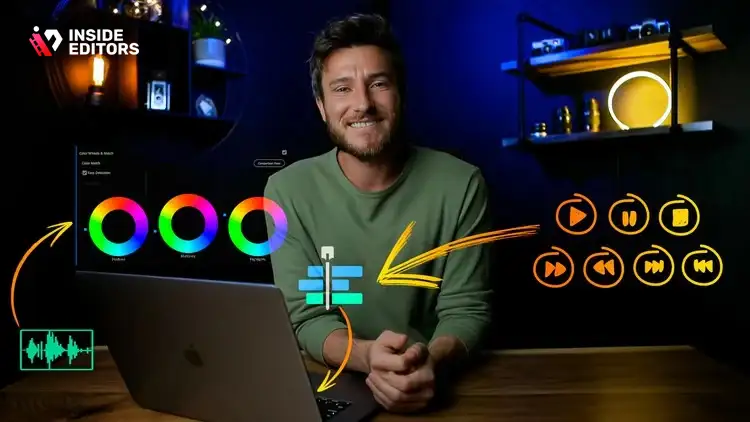
A strong gaming video editing course gives you far more than software tutorials. It breaks down the creative thinking behind why certain cuts, effects, and pacing choices make a video more watchable. Many beginners assume editing is purely technical, but the reality is more nuanced. A well-structured course teaches you how to think like an editor, which is exactly what separates amateurs from creators who grow fast.
Understanding Core Editing Foundations Before You Add Complexity
Every good course starts with fundamentals because they shape everything that comes after. You’ll learn how to organize your gameplay clips, understand timelines, and build smooth sequences that follow a logical flow. This may seem basic, but the difference between clean structure and sloppy assembly becomes obvious the moment you watch a completed video. Courses often introduce you to essential concepts like pacing, shot selection, and continuity-skills that directly influence how engaging your videos feel. Once these pieces make sense, the more advanced topics start falling into place more naturally.
Learning Tools and Software That Bring Your Ideas to Life
A gaming video editing course usually focuses on popular software like Adobe Premiere Pro, DaVinci Resolve, or Final Cut Pro. Instead of just explaining menus, a good instructor shows you how each tool solves real editing problems. For example, understanding color correction means knowing how to make dark gameplay brighter without ruining the atmosphere. Learning audio tools helps you balance game sounds with commentary, making your voice clear and vibrant. These insights help you edit faster, but they also give your content a polished, professional feel that viewers notice instantly.
Exploring the Creative Side of Gaming Edits
The artistic part of editing-like transitions, motion graphics, or player-dependent highlights-is where gaming content really stands out. Courses often teach how to build rhythm with background music, sync kills or highlights with beats, and add stylish animations that match your personality. This is also where editors often hit pitfalls like overusing effects. Good courses show you when to keep things simple and when to use flair. If you’ve watched creators whose edits feel “clean,” “smooth,” or “satisfying,” this is usually the reason.
By the time you complete a course, you’ll start recognizing why your favorite gaming YouTubers edit the way they do-and more importantly, how you can create similar results with your own style.
Why Choosing the Right Course Makes a Big Difference in Your Growth

Not all courses are created equal. Some focus heavily on software tutorials but ignore creative strategy. Others teach flashy effects but don’t explain the storytelling fundamentals that give your edits meaning. Understanding these differences helps you avoid spending time and money on a course that doesn’t match your goals. Choosing the right program is also vital because gaming content has unique editing demands that general video editing courses may overlook.
Matching the Course to the Editing Style You Want to Learn
Before you enroll, consider the type of content you want to create. Are you trying to edit long-form gameplay videos with commentary? Or short, fast-paced highlights for TikTok and YouTube Shorts? A strong gaming video editing course will clearly define its focus-some specialize in FPS highlight reels, others in cinematic storytelling, and some in streamer-style editing. Picking the one that aligns with your personal goals means you’ll learn skills that you can apply immediately to your own projects instead of wasting time on irrelevant techniques.
Understanding the Instructor’s Background and Teaching Style
The best courses are taught by editors who have worked with gaming creators or who actively produce their own content. Their experience brings real-world context instead of vague theory. Good instructors don’t just show you which button to click-they explain why that decision matters in the editing process. Pay attention to how they structure lessons, how clearly they explain concepts, and whether they demonstrate practical workflows. You’ll notice that great instructors break down complex topics into simple steps that build confidently onto the next.
Choosing the Format That Keeps You Motivated and Engaged
Courses come in many forms-live classes, recorded modules, project-based lessons, and full mentorships. Each format has strengths depending on your learning style. Recorded courses let you learn at your own pace, which is great for beginners. Live sessions offer direct feedback and accountability. Mentorship programs are ideal if you want detailed critique on your edits or plan on doing professional gaming edits someday. What matters most is choosing a format you’ll stay consistent with because editing skills develop through practice, not shortcuts.
By being intentional with your choice, you don’t just pick a course-you choose your trajectory as a creator.
Gaming Video Editing Course: What You’ll Learn

Once you start diving into course modules, you’ll notice they often follow a similar structure. The goal is to take you from foundational knowledge to applying advanced techniques in real projects. Understanding this flow helps set your expectations and gives you confidence before you begin. It’s also helpful because you can identify which topics genuinely matter to your growth and which ones you can revisit later as needed.
Building a Professional Editing Workflow from Scratch
A big part of your learning experience is understanding how to build a clean, organized workflow. Many beginners underestimate how important this is until they find themselves lost in messy timelines and dozens of misplaced clips. Courses teach how to organize files, label footage, manage timelines, and create efficient sequences. This may not sound glamorous, but it’s the backbone of every great edit. By developing strong habits early, you save hours of unnecessary frustration later.
Mastering the Techniques That Define Great Gaming Content
Techniques like jump cuts, slow motion, stabilization, and beat synchronization are what give gaming videos energy and personality. Courses guide you through each of these with step-by-step demos so you understand both the mechanics and the creative reasoning. For instance, learning how to match transitions with music beats helps create rhythm. Mastering motion graphics adds flair without going overboard. And understanding pacing ensures your viewers stay engaged through every moment.
Learning How to Tell a Story Through Gameplay
Great gaming videos aren’t just compilations-they’re stories. Whether you’re creating a cinematic sequence, a tutorial, or a funny commentary edit, storytelling is what makes your footage memorable. Courses often include modules on narrative flow, tension building, emotional pacing, and how to create satisfying payoffs in your edits. This is especially important if you plan to build a personal brand as a creator or collaborate with editors like those at Inside Editors who specialize in refining your storytelling approach.
How to Choose the Right Course Without Wasting Time or Money

Once you understand what a gaming video editing course covers, the next step is choosing one that actually fits your goals. This decision matters more than most people realize. A course that’s too basic will leave you bored, while one that’s too advanced might overwhelm you before you even get started. The best choice is the one that matches your current skill level and pushes you just enough to grow without burning out.
Start with Your Editing Goals and Style Preferences
Spend a moment thinking about the type of videos you want to make. Some editors focus on high-energy highlight reels, while others prefer long-form commentary or cinematic storytelling. Choosing a course aligned with your desired style makes learning smoother and more enjoyable. For example, if you want to create TikTok gaming clips, you’ll need a course that emphasizes timing, rhythm, and short-form editing tricks. If you prefer tutorial-style content, you’ll want a course that teaches clarity, pacing, and on-screen callouts. Matching your course to your style ensures every lesson feels relevant and actionable.
Evaluate the Difficulty Level and Learning Curve
Beginner-friendly courses focus on core concepts like trimming, sequencing, audio balancing, and basic effects. Intermediate and advanced courses introduce speedramping, motion graphics, color grading, and storytelling. If you’re new to editing, starting with an advanced course can feel discouraging. On the other hand, if you already know the basics, a beginner course may slow you down. Look for clear descriptions of who the course is for. A good instructor explains the expected starting skill level so you know whether you’ll be challenged in the right ways.
Check the Instructor’s Reputation and Teaching Approach
Instructors matter just as much as curriculum. An experienced editor who understands gaming content brings invaluable context that generic instructors can’t offer. Look for creators who have worked with gaming YouTubers, streamers, or esports organizations. Pay attention to how they explain ideas-clear, step-by-step teaching signals a well-structured course. Honest, transparent instructors also show their actual workflow rather than only polished demos. When you sense their passion and clarity, that’s usually a sign you’ve found a solid instructor.
Choosing the right course doesn’t just improve your editing skills-it helps you build confidence and momentum as you move forward.
Avoiding Common Mistakes New Editors Make During Courses
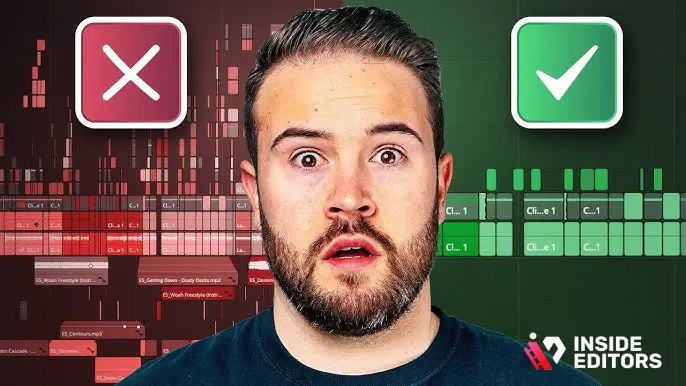
Every beginner editor struggles with similar mistakes, and knowing them early gives you a huge advantage. A gaming video editing course helps you avoid many pitfalls, but being aware of them makes your progress smoother. Think of these as the speed bumps that slow most new creators down-ones you can easily sidestep with the right mindset.
Trying Too Many Effects Before Mastering the Basics
One of the biggest mistakes beginners make is jumping straight into flashy effects. While transitions and motion graphics look impressive, they can quickly distract from the content if misused. Strong editing is built on rhythm, pacing, and storytelling long before effects come into play. Courses help you understand when an effect enhances your video and when it becomes noise. By mastering your foundations first, your effects feel intentional instead of chaotic.
Ignoring Audio, Even Though It Shapes the Viewer Experience
New editors often underestimate the importance of audio. Game sounds, commentary clarity, and background music can make or break video quality. You’ve probably seen videos with great visuals but muffled voices or inconsistent volumes-that’s a common sign of rushed audio editing. Courses teach you how to clean up dialogue, remove background noise, and balance game sounds with music so your viewers stay engaged. Good audio also helps your edits feel more professional, even with minimal effects.
Skipping Organization and Paying for It Later
Editing is easier when your files, folders, and sequences are organized. Beginners who skip this step often end up frustrated once timelines get more complex. A gaming video editing course teaches workflow habits like labeling footage, grouping clips, and creating templates. These habits save time and reduce stress, especially when working on larger projects. Over time, you’ll notice your efficiency improving simply because your workspace is cleaner and easier to navigate.
When you avoid these mistakes early, your editing journey feels smoother and more enjoyable.
Comparing DIY Learning vs. What Inside Editors Provides
You may be wondering whether you should rely entirely on a course or consider getting help from professional editors too. Both paths offer value depending on your goals, time, and resources. Understanding this comparison helps you make confident decisions about how to approach your growth as a gaming creator.
Learning Through Courses Gives You Control and Creative Ownership
Courses teach you how to build your own style, pace your edits, and craft memorable content. If you enjoy learning new software and experimenting creatively, courses give you the tools to edit independently. Moreover, the satisfaction of watching your own progress is incredibly rewarding. For creators looking to grow their editing skills long-term, a course is a great investment.
Professional Editors Offer Expertise and Speed When You Need Results
There are moments when hiring a professional editor makes more sense than doing everything yourself. Maybe you’re launching a new content series, preparing for a sponsorship, or simply trying to upload consistently without burning out. This is where professional teams like Inside Editors step in. Our editors handle the heavy lifting, ensuring your clips look polished, your pacing feels smooth, and your videos stay consistent with your brand. You get time back to focus on gameplay, community engagement, or strategy-while your videos still look exceptional.
Knowing When to Choose One Over the Other Helps You Grow Efficiently
Think of editing as a skill you can grow gradually while still benefiting from professional support when needed. Many creators learn through courses while occasionally outsourcing special projects. Others outsource entirely and use courses to understand creative choices and give better feedback. There’s no one-size-fits-all answer, but the combination often leads to the best results. If you’re unsure, consider your schedule, your learning pace, and the type of content you want to deliver.
Understanding this balance helps you decide how to move forward with confidence.
How a Course Improves Your Collaboration with Professional Editors
Even if you decide to hire an editor later, learning the basics through a gaming video editing course makes collaboration smoother. You learn the terminology, understand how workflows operate, and communicate your ideas clearly. For example, knowing what keyframes, cut points, or color profiles mean helps you give more precise feedback. Editors appreciate clients who understand the craft, and it helps you get exactly what you want in less time.
Clarity Helps You Share Your Creative Vision
Courses help you develop creative instincts-things like pacing, shot selection, and mood. When you work with editors at Inside Editors, being able to describe the style you want saves time and reduces revisions. Instead of saying, “Make it cool,” you might say, “Let’s use punchier cuts here and match transitions with the beat.” That level of clarity leads to better results and smoother collaboration.
Shared Knowledge Speeds Up the Entire Workflow
When you understand the core editing process, you recognize how long certain tasks take. This helps you set realistic expectations for turnaround times and revisions. It also reduces back-and-forth communication because you know exactly what elements matter most. Professional editors appreciate informed clients, and this mutual understanding leads to efficient, enjoyable partnerships.
Learning the basics isn’t just for DIY editing-it enhances every part of your creative journey.
Final Thoughts: Choosing the Path That Fits Your Goals
By now, you should have a clear understanding of what a gaming video editing course offers and why it matters. These courses help you build editing confidence, improve your creative storytelling, and produce videos you’re proud to share. Whether you’re a beginner or an aspiring creator looking to level up, investing in your editing education pays off long-term. Strong editing makes your content more engaging, more memorable, and more likely to grow your audience.
If you ever feel stuck, overwhelmed, or curious about how professionals handle advanced workflows, remember that Inside Editors is here to support you. Our team of experienced editors works with gaming creators around the world, helping them turn their raw footage into polished, shareable stories. Whether you want full editing support or guidance while learning, we’re happy to help you create content you’ll be proud of.
FAQs
Q1: How do I know a gaming video editing course is trustworthy and high quality?
A reputable gaming video editing course lists instructor credentials, shows real student work, and provides a transparent syllabus with sample lessons. Look for recent course updates (2024-2026), student reviews, and clear refund or satisfaction policies. Quality courses also include practical projects and feedback so you can prove skills-not just watch tutorials.
Q2: What about revisions, ownership, and privacy when I use course projects or submit footage?
Most course platforms let you keep original files and give you finished project exports; ownership typically remains with you unless a contract says otherwise. Before uploading sensitive gameplay or personal footage, check the privacy policy and revision rules-some instructors offer graded revisions or critique rounds, while live mentorship programs may include limited rework windows. Always back up originals.
Q3: Should I learn with free tools and DIY courses or hire a professional editor?
Start with a structured gaming video editing course to learn fundamentals, workflow, and creative choices-this gives you control and long-term growth. If you need fast, consistent uploads or polished branding for sponsorships, hiring a professional editor or a service like Inside Editors saves time and ensures quality. Many creators combine both: learn the craft, outsource high-stakes projects.
Q4: How much does a gaming video editing course cost and what’s usually included?
Prices vary widely: free intro courses exist, paid self-paced courses typically range from $30-$300, and mentor-led or certification programs can be $400-$2,000+. Most include video modules, project files, and community access; premium tiers add instructor feedback, one-on-one coaching, or downloadable templates. Check whether software subscriptions or optional assets are extra.
Q5: What turnaround time can I expect for course projects or editing requests, and are rush options available?
Self-paced course work follows your schedule; project feedback often takes 24-72 hours for recorded review, and mentorship replies may be longer. For professional editing services, typical turnaround ranges from 24-7 days depending on complexity and tier; rush delivery (24-48 hours) usually costs extra and depends on editor availability. Clarify deadlines before committing.
Q6: What simple steps should I follow to start learning and apply what I learn right away?
Begin by choosing a course that matches your style (short-form highlights vs long-form commentary), set a small project goal, and gather clean footage with clear audio. Follow the course modules in order, complete the hands-on project, and then publish a quick edit-iterate using peer or instructor feedback. Repeat with progressively harder projects to build speed and polish.


