


Creating videos that look cinematic and play smoothly on the same machine you use to game is every creator’s dream – but it takes the right balance of hardware and planning. Whether you’re a YouTuber, Twitch streamer, or a professional editor who occasionally dives into high-FPS titles, the perfect gaming video editing PC build isn’t just about raw specs. It’s about synergy – how each component complements the others to deliver both editing power and gaming performance.
In this guide, Inside Editors breaks down how to build the best dual-purpose setup for 2026: powerful enough for 4K video editing, optimized for smooth gaming, and efficient enough to fit your budget. Let’s explore how to assemble a PC that makes both your timelines and your frame rates fly.
Understanding What Makes a Gaming Video Editing PC Different
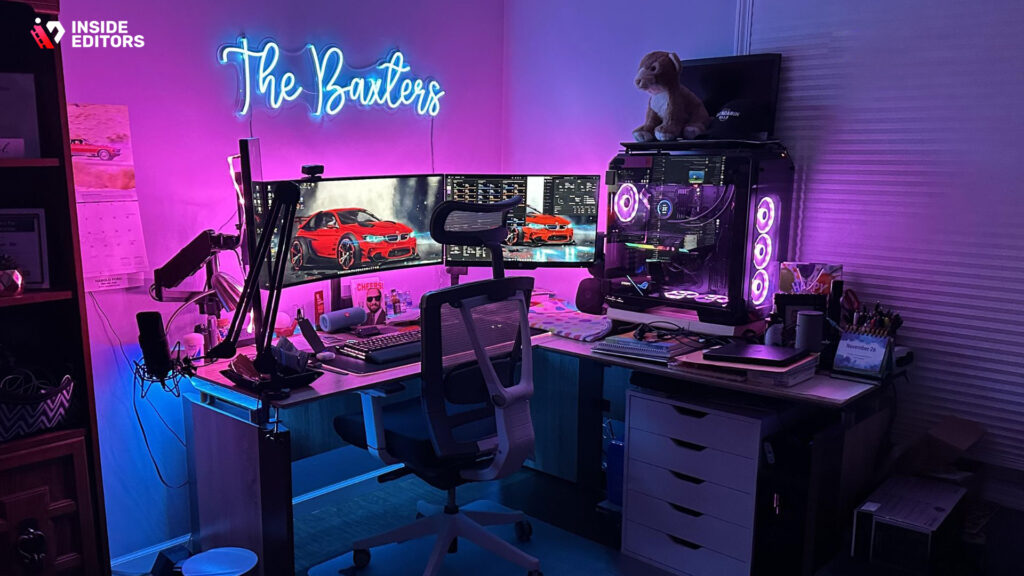
Why Editing and Gaming Demand Opposite Strengths
At first glance, editing software and video games both push your PC – but in very different ways. Games rely on real-time rendering, driven mostly by the GPU. Video editing, on the other hand, leans on your CPU, storage speed, and RAM to process multiple data streams, effects, and codecs. The challenge is balancing both without compromising one.
For example, a high-end GPU like the RTX 5090 will deliver ultra-smooth gameplay and accelerate effects in Adobe Premiere Pro or DaVinci Resolve. But without a strong CPU (such as an AMD Ryzen 9 9950X or Intel Core i9-14900K) and fast NVMe storage, your renders will still crawl. Think of the GPU as your sprinter and the CPU as your marathon runner – both matter, but they perform in different races.
The Role of Workflow Balance
When you game, you’re chasing frames per second (FPS). When you edit, you’re chasing render times and stability. A true gaming video editing PC build balances both worlds through smart part choices – not just expensive ones. That means pairing a top-tier GPU with ample RAM, solid cooling, and a fast storage setup that can handle multiple 4K clips without lag. The goal: smooth gameplay and even smoother editing.
How to Build a Gaming Video Editing PC Step by Step
Step 1: Define Your Priorities
Before buying a single part, decide what “performance” means to you. If you spend 70% of your time editing and 30% gaming, your build should prioritize CPU, RAM, and storage. If it’s the reverse, allocate more to the GPU and cooling.
Ask yourself:
- What editing software do I use most? (Premiere Pro, DaVinci Resolve, Final Cut Pro via Hackintosh?)
- Am I editing 4K, 6K, or 8K video content?
- How long are my sessions – do I need quiet cooling for hours of use?
- Do I livestream and edit on the same machine?
Answering these helps you build around real needs instead of trends. A professional editing workflow has different pressure points than a competitive gamer setup – but there’s plenty of overlap if you plan wisely.
Step 2: Choose the Right CPU – Your Editing Engine
For 2026, the top performers for hybrid editing and gaming are the AMD Ryzen 9 9950X and the Intel Core i9-14900K. Both offer multiple high-efficiency cores that handle rendering, encoding, and multitasking flawlessly. AMD tends to shine in multi-threaded tasks like video exports, while Intel often edges ahead in gaming benchmarks thanks to its faster single-core boosts.
If you’re on a budget, the Ryzen 9 9900X or Intel i7-14700K still offer excellent editing performance without the premium price tag. And if you plan to future-proof for AI-assisted editing software (think Adobe’s AI Speech Enhancement or NVIDIA’s Broadcast features), these chips provide the power and instruction sets to keep you relevant for years.
| CPU Model | Cores/Threads | Best For | Approx. Price (2026) |
| AMD Ryzen 9 9950X | 16C/32T | 4K/8K Editing + Gaming | $699 |
| Intel Core i9-14900K | 24C/32T (P+E Cores) | Gaming Performance + Editing | $649 |
| Ryzen 9 9900X | 12C/24T | Budget Pro Editing | $499 |
| Intel i7-14700K | 20C/28T | Mid-range Gaming & Editing | $449 |
Step 3: Pick a GPU That Does Double Duty
Your GPU is the bridge between gaming and editing excellence. NVIDIA’s RTX 50-series (5070, 5080, 5090) offers CUDA acceleration that massively improves render times in Premiere Pro, Resolve, and After Effects. For 2026, the RTX 5090 is the clear flagship for pros working with 8K footage or complex color grading projects.
If you’re balancing budget and performance, the RTX 5080 delivers 95% of the power at a significantly lower cost. AMD’s Radeon RX 8800 series also emerges as a strong alternative, especially for DaVinci Resolve users who prefer OpenCL optimization.
| GPU Model | VRAM | Editing Performance | Gaming Performance (4K) | Approx. Price (2026) |
| NVIDIA RTX 5090 | 24 GB GDDR7 | ★★★★★ | ★★★★★ | $1,599 |
| NVIDIA RTX 5080 | 20 GB GDDR7 | ★★★★☆ | ★★★★★ | $1,099 |
| AMD Radeon RX 8900 XT | 24 GB GDDR6 | ★★★★☆ | ★★★★☆ | $999 |
| RTX 4070 Super (2025) | 12 GB GDDR6X | ★★★☆☆ | ★★★★☆ | $649 |
When paired with AI editing tools and real-time effects, these cards let you edit and preview in 4K without proxy files – a massive time saver for content creators.
Step 4: Don’t Skimp on RAM and Storage
If you’ve ever watched your system choke mid-render, you already know RAM is your best friend. For a gaming video editing PC build, 64 GB DDR5 is the sweet spot in 2026. It gives you enough headroom for editing 4K footage, running multiple applications, and still having a browser open with dozens of tabs.
Storage is another area where many builders cut corners. Don’t. A two-drive setup is ideal: a 1 TB NVMe SSD for OS and software, and a 2–4 TB NVMe Gen 5 drive for footage and project files. Gen 5 drives now reach read speeds up to 13,000 MB/s, dramatically reducing render and load times.
Pro tip: Use a secondary SATA SSD or external drive for backups and finished projects. Never store active projects on the same drive as your system – it’s a recipe for slowdowns and data loss.
Step 5: Select the Right Motherboard and Power Supply
Your motherboard is the unsung hero of your PC. Opt for a board that supports PCIe 5.0, DDR5 memory, and multiple M.2 slots for future upgrades. Brands like ASUS ROG Crosshair X870 and MSI MEG Z790 Ace Max are built with both creators and gamers in mind.
For the power supply (PSU), stick with a reliable brand and never undershoot. A 1000 W 80+ Gold PSU is recommended for high-end GPUs like the 5090 to maintain stability during peak loads. It’s an investment in longevity and safety.
Balancing Performance and Budget in 2026
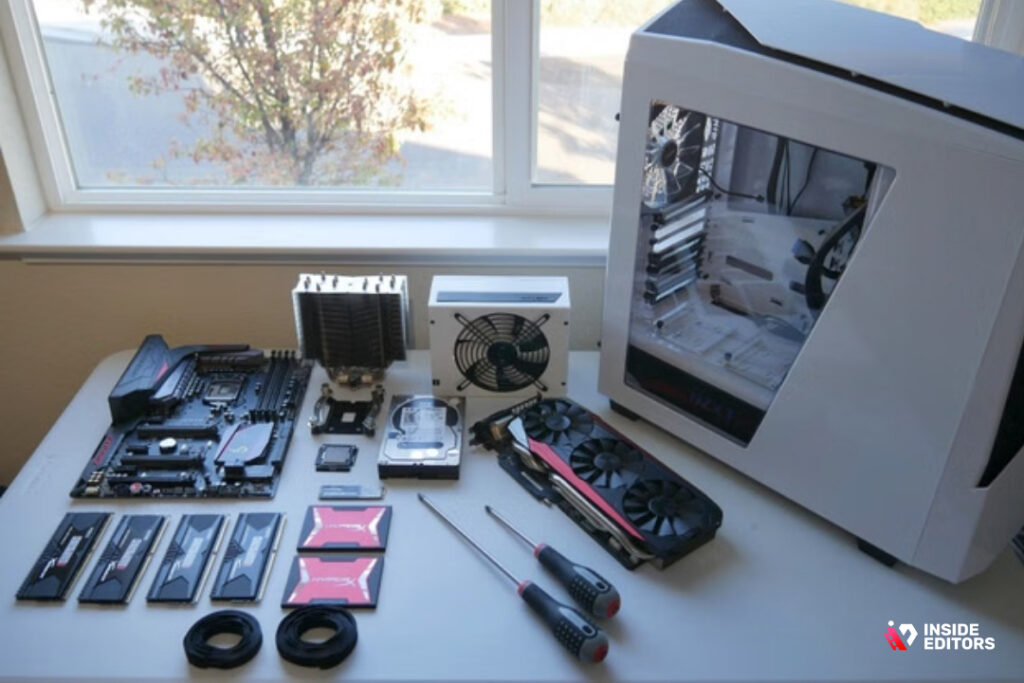
Where to Spend and Where to Save
Not everyone needs a $5,000 rig. The smart move is allocating your budget to components that impact your workflow the most. If you’re editing videos daily, prioritize RAM and CPU first. If gaming is your primary focus, channel more funds toward the GPU and a high-refresh monitor.
Storage and cooling can be optimized without breaking the bank. A solid air cooler like the Noctua NH-D15S performs close to a 240 mm AIO for half the price. Similarly, you can start with a 2 TB Gen 4 NVMe and expand later – thanks to the modular nature of modern PC cases.
The Sweet Spot Build (2026)
| Component | Model (Recommended) | Notes |
| CPU | Ryzen 9 9900X | Excellent balance of price and power |
| GPU | RTX 5080 | Future-proof for both gaming and editing |
| RAM | 64 GB DDR5 6000 MHz | Fast and multitasking-friendly |
| Storage | 1 TB OS Drive + 2 TB Project Drive | Gen 5 preferred for editing speed |
| Motherboard | ASUS ROG Strix X870-E | PCIe 5.0 + multiple M.2 slots |
| PSU | 1000 W Gold Modular | Stable for high-load GPUs |
| Cooling | Noctua NH-D15S / Corsair iCUE 240 AIO | Quiet and efficient |
| Case | Fractal Design North / Lian Li O11 Dynamic | Good airflow + aesthetics |
This build lands around $3,200 USD and can handle 8K editing, streaming, and AAA gaming effortlessly. It’s powerful enough to last well into the 2030s with minor GPU upgrades.
The Budget Performer
If you’re building under $2,000, you can still achieve excellent results. Swap in a Ryzen 7 9700X and RTX 4070 Super, use 32 GB of DDR5, and a single 2 TB NVMe Gen 4 SSD. You’ll lose some render speed, but for 1080p and 4K editing, this combo remains a workhorse.
Optimizing Your Build for Both Editing and Gaming
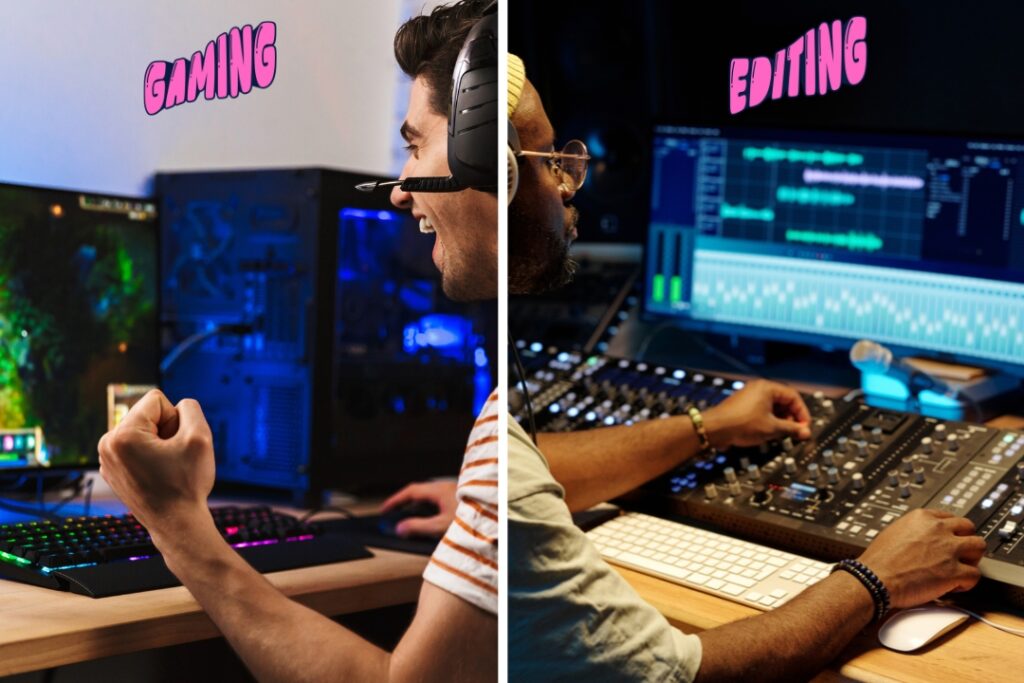
Cooling and Noise Management
Nothing ruins a creative flow like fan noise during a long render. Invest in a cooling solution that’s quiet and effective. AIO liquid coolers are excellent for top-tier CPUs, but premium air coolers are quieter and easier to maintain. Ensure your case has at least two intake and one exhaust fan to maintain positive air pressure and reduce dust buildup.
Monitor and Color Accuracy
For video editing, your monitor is your lens. A high-refresh gaming monitor is fantastic for FPS titles, but you’ll want an IPS or OLED display with 99% sRGB and DCI-P3 coverage for color accuracy. Many creators now run dual monitors – one for editing precision and another for gaming fluidity. This setup offers the best of both worlds.
Software Optimization
Even the best hardware can underperform without proper software tuning. For Premiere Pro, enable GPU acceleration (CUDA or OpenCL), adjust the media cache to your fastest drive, and set RAM usage to 75–80%. In DaVinci Resolve, use optimized media and proxies for real-time playback. Small adjustments like these turn a good build into a professional workflow machine.
Advanced Tuning and Optimization for Maximum Efficiency
BIOS and System Settings for Peak Performance
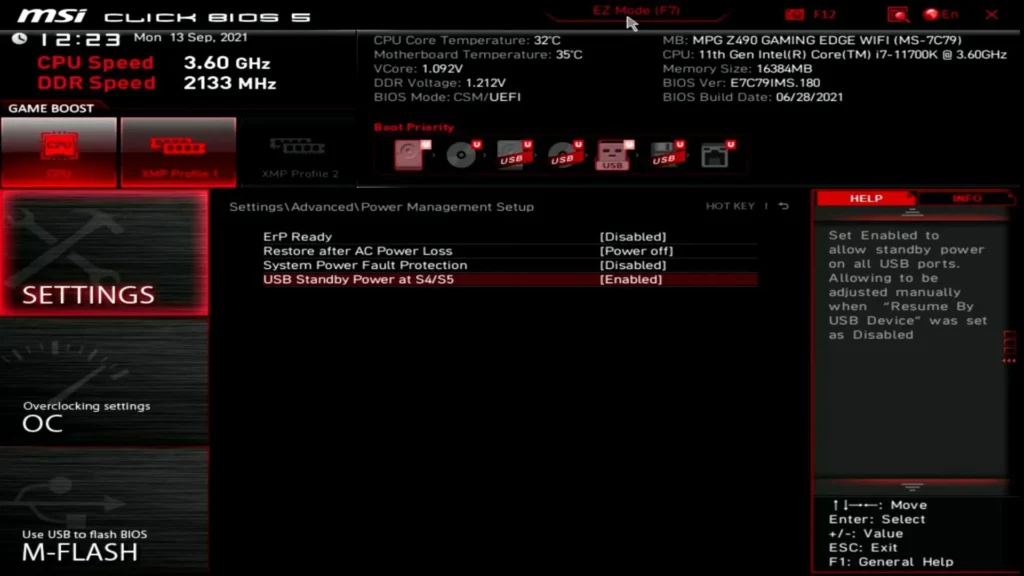
Once your build is complete, you’re only halfway there. The next stage – fine-tuning your BIOS and OS – is where the real performance gains happen.
Modern motherboards like the ASUS ROG and MSI Creator series feature advanced control panels that let you overclock, undervolt, and balance thermals to perfection. Begin by enabling EXPO (for AMD) or XMP (for Intel) to unlock your RAM’s rated speed. This single switch can boost your system responsiveness by up to 20%.
Next, ensure Resizable BAR is enabled – this feature allows the CPU to access the GPU’s full memory, improving frame rates in both games and GPU-accelerated editing tools. Also, disable unnecessary startup apps in Windows and set your power plan to High Performance for uninterrupted rendering.
These optimizations don’t just shave seconds off your export times; they create a smoother overall workflow. When your PC responds instantly, you stay in the creative zone – where ideas flow faster than frames render.
AI Integration: The 2026 Editing Revolution
By 2026, AI has become integral to both gaming and video editing. NVIDIA’s RTX Video Super Resolution, for instance, uses AI upscaling to enhance old footage in real time, while Adobe’s Firefly-powered tools auto-correct lighting, stabilize shaky shots, and even generate B-roll clips with text prompts.
To take full advantage, your system should have a GPU with dedicated AI Tensor Cores – meaning NVIDIA’s RTX 50-series or AMD’s new AI-focused “Ryzen Vision” line. These features offload tedious post-production tasks like color matching and scene detection, saving hours of manual work.
For creators who stream and edit simultaneously, AI noise reduction and eye-contact correction tools (available in NVIDIA Broadcast or OBS Studio plugins) keep live content professional and polished – even without a studio setup. The line between editing and performance has never been thinner.
Future-Proofing Your Gaming Video Editing PC for 2026-2028

Why Upgradability Matters More Than Ever
Technology evolves fast – but a smart builder plans for it. The best gaming video editing PC build isn’t the most expensive; it’s the most adaptable.
In 2026, PCIe 5.0 and DDR5 memory are already standard, and PCIe 6.0 motherboards are expected within two years. When choosing your parts, make sure your motherboard supports at least two PCIe 5.0 M.2 slots and has USB 4.0 or Thunderbolt 5 compatibility for external drives and camera imports.
Also, pay attention to case modularity. Brands like Lian Li, Fractal, and NZXT now design cases with removable panels, front-mounted radiators, and tool-less expansion bays. These small quality-of-life features make upgrades smoother – meaning when the RTX 6090 or Ryzen 10 rolls around, you’ll only need to swap a few components, not rebuild from scratch.
Software Ecosystem and Cloud Collaboration
Future-proofing isn’t just about hardware. The creative workflow of 2026 thrives in hybrid environments where local rendering meets cloud collaboration.
Editing software like Adobe Premiere Pro, DaVinci Resolve, and CapCut Pro Desktop now integrate cloud sync, allowing teams to co-edit projects in real time. Having a strong Wi-Fi 6E or wired 2.5 Gb Ethernet connection is essential for this – it ensures stable transfers of high-bitrate footage.
If you’re part of a distributed editing team or freelance collective, investing in a NAS (Network Attached Storage) system like Synology or QNAP lets you archive massive project libraries without clogging your PC’s SSDs. These setups not only extend your storage but also build redundancy – a lifesaver when clients ask for old versions or raw files.
Common Mistakes Builders Make (and How to Avoid Them)
Over-Investing in the Wrong Areas
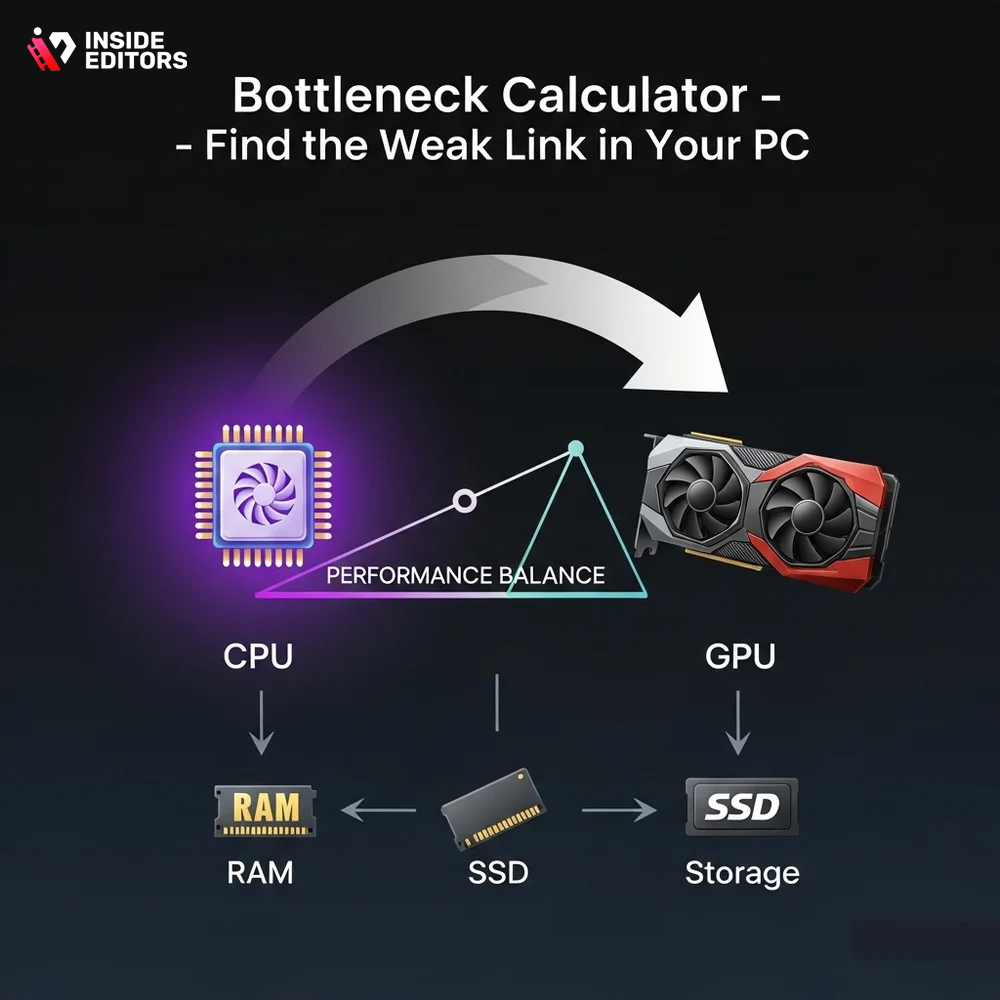
One of the biggest misconceptions about building a gaming video editing PC is that “more expensive” automatically means “better.” In reality, balance is everything. Spending $2,000 on a GPU but pairing it with 32 GB of RAM or a weak CPU will bottleneck your workflow. Editing tools like After Effects and Premiere rely heavily on CPU and memory bandwidth for caching and previewing – if these lag, your top-tier GPU won’t help much.
The solution? Follow the 70/30 rule: allocate 70% of your budget to performance-critical components (CPU, GPU, RAM, SSD) and the remaining 30% to support gear (case, cooling, PSU, peripherals). This ensures your build isn’t just flashy – it’s functionally optimized.
Ignoring Thermal Design
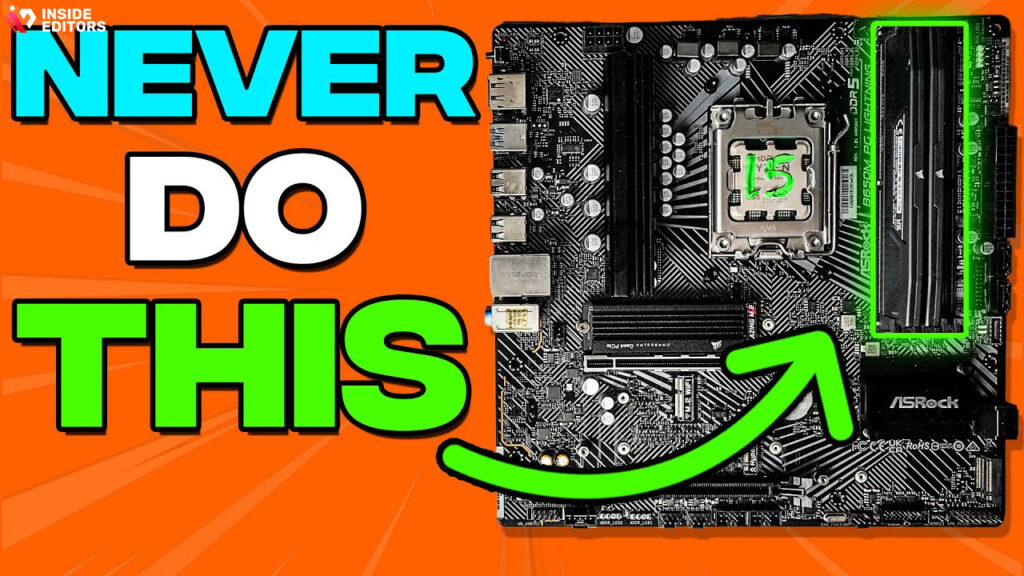
Heat is the silent killer of performance. Many builds fail not because of poor parts but because of poor airflow. When temperatures rise, CPUs and GPUs throttle – slowing performance to prevent damage. The fix is simple: prioritize airflow early.
Use a mesh-front case, apply high-quality thermal paste, and plan cable management to keep air paths open. Even an extra exhaust fan can reduce CPU temperatures by 5–10 °C under heavy rendering.
Skipping Backups and Redundancy
Every editor learns this lesson the hard way once – and only once. Always keep at least two copies of every project: one local and one cloud. With storage costs dropping and tools like Dropbox Advanced or Google Workspace integrating directly with editing software, there’s no excuse for data loss in 2026. A $10 monthly backup plan beats losing weeks of work.
Enhancing Your Workflow Beyond the Build
Pairing Your PC with the Right Peripherals
Once your core build is optimized, your peripherals become the new bottleneck. A calibrated 4K monitor, mechanical keyboard, and precision editing mouse or control deck (like the Elgato Stream Deck MK.2) can boost efficiency far more than raw hardware ever could.
For editors, tactile control improves speed and reduces fatigue. Imagine adjusting color curves with a physical dial instead of dragging sliders – that’s hours saved every week. Gamers benefit too: mechanical switches and high-DPI sensors enhance responsiveness during play, making the entire experience seamless.
Audio and Microphone Setup
Video editing isn’t just about visuals – clear audio is half the story. A USB or XLR microphone setup (such as the Shure MV7 or Rode NT1) paired with an audio interface like the Focusrite Solo ensures crisp voice-overs and live commentary. In post-production, these recordings mix cleanly without hiss or distortion, minimizing time spent cleaning up audio tracks.
Adding a small acoustic panel behind your desk or foam padding on reflective walls can make a noticeable difference – turning even a bedroom setup into a professional-sounding workspace.
How Inside Editors Helps You Elevate Your Video Projects

Professional Finishing Touches That Make a Difference
Even the best PC build can only take you so far. The true magic of storytelling lies in editing – and that’s where Inside Editors comes in.
Our team specializes in transforming raw footage into cinematic narratives through precise cuts, color correction, and advanced sound design. Whether you’re building your own gaming channel or producing high-end brand content, our editors handle the polish that hardware alone can’t deliver.
Many creators find that outsourcing the final edit to professionals frees up time for what they love most – creating. Instead of wrestling with timelines or exporting errors, you can focus on gameplay, strategy, or storytelling while our experts handle the technical finesse.
Tailored Services for Every Niche
From gaming video editing to travel vlogs, fitness tutorials, or product reviews, Inside Editors offers services designed for creators who care about quality. Our editing team uses the same high-end systems and AI-assisted tools discussed in this guide – ensuring consistency, speed, and a polished look across all formats.
If you’re curious about how our editors can bring cinematic style to your content, explore these specialized services:
- Gaming Video Editing Services
- Product Video Editing Services
- Reaction Video Editing Services
- Travel Video Editing Services
- Business Video Editing Services
Each category includes custom workflows, quick turnarounds, and scalable packages – ideal for YouTubers, brands, or agencies building their visual identity.
Case Study: From Raw Footage to Refined Story
Imagine this: a mid-tier gaming creator, editing on a Ryzen 9 9900X and RTX 5080 setup, uploads gameplay clips straight from OBS. The footage looks decent, but lighting inconsistencies and sound peaks ruin the viewing experience. With Inside Editors’ help, those same clips are transformed – color-graded for cinematic tone, transitions smoothed, and background music perfectly balanced.
The result? Higher watch time, stronger audience retention, and a 60% increase in subscriber growth within three months. It’s proof that pairing the right hardware with professional editing creates results that even algorithms reward.
The Final Take: Building a System That Creates and Inspires
By now, you’ve seen that building the best gaming video editing PC in 2026 isn’t just about chasing specs – it’s about designing a creative engine tailored to your goals. Every part, from the CPU to the SSD, contributes to a workflow that feels frictionless.
A well-balanced build doesn’t just perform – it inspires. It gives you confidence to experiment, create, and push your limits without fighting lag or waiting hours for renders to finish. Combined with expert editing support from Inside Editors, your setup becomes more than a workstation – it becomes a storytelling powerhouse.
If you’re ready to bring your content to life, start with the right tools and the right team.
👉 Explore Inside Editors’ Professional Video Editing Services → https://insideeditors.com/gaming-video-editing-services/
FAQs – Best Gaming Video Editing PC Build 2026
1. How can I trust the quality of Inside Editors’ services?
Inside Editors employs certified video editors who specialize in gaming, cinematic, and branded content. Every project passes a multi-stage review that includes visual consistency, color accuracy, and sound mastering. Clients receive progress previews before final delivery, ensuring transparency and satisfaction.
2. What happens if I need revisions or changes?
Each package includes at least two free revision rounds. Editors adjust pacing, transitions, or color grading (the creative look of footage) based on client feedback. Additional revisions are available for a small fee, but most edits are approved within the included rounds.
3. Who owns the final edited video?
You retain full ownership of your video and all deliverables after final payment. Inside Editors only keeps secure backups for 30 days to support potential updates or lost file recovery. After that period, all source files are permanently deleted for privacy.
4. How does Inside Editors protect my data and footage?
All client files are stored in encrypted cloud environments with restricted access. NDA options are available for corporate or influencer collaborations. No footage is shared or reused outside your project – your creative work remains confidential at every stage.
5. How do professional editing packages compare to DIY tools?
DIY tools like CapCut or Premiere Rush are great for quick edits, but professional editing adds precision – advanced color grading, seamless transitions, and cinematic sound design. Inside Editors’ pro packages combine creative storytelling with technical mastery, producing results that stand out on YouTube, Twitch, or brand campaigns.
6. What do editing packages include, and how much do they cost?
Basic packages start around $75–$150 for short gaming clips, while cinematic or branded edits range from $300–$800+, depending on complexity, duration, and special effects. All tiers include trimming, pacing, and sound balancing; add-ons like subtitles, motion graphics, or AI enhancements are optional.
7. How long does a typical project take to complete?
Standard turnaround is 3-5 business days for most gaming videos. Rush delivery (within 24-48 hours) is available for an added fee. Timelines depend on video length, feedback cycles, and whether custom effects or multiple camera sources are used.
8. What are the basic steps to get my gaming video edited?
It’s simple:
- Upload your footage and share your vision brief.
- Inside Editors assigns a specialist editor based on your genre.
- You receive a preview within days, review it, and request changes if needed.
- Final delivery arrives in your chosen format – ready for YouTube, TikTok, or streaming.
For more guidance, visit Inside Editors’ Gaming Video Editing Services.


