

Finding the perfect balance between performance and price in PC gaming hardware is often the biggest challenge for builders. You want smooth frame rates and high-resolution textures, but you don’t want to empty your wallet. The good news is that the market is currently rich with excellent budget and mid-range options. If you are searching for a good cheap video card for gaming, you are in the right place. This comprehensive guide cuts through the noise, offering expert analysis, side-by-side comparisons, and practical advice to help you select the best GPU without compromising your gaming experience.
This article will explore the top contenders that deliver exceptional value, focusing on real-world performance metrics like 1080p and 1440p gaming. We will look at what makes a video card “cheap” but still “good,” ensuring you make an informed decision that future-proofs your setup as much as possible on a budget.
Understanding the Value Proposition: What Makes a Video Card “Good” and “Cheap”?
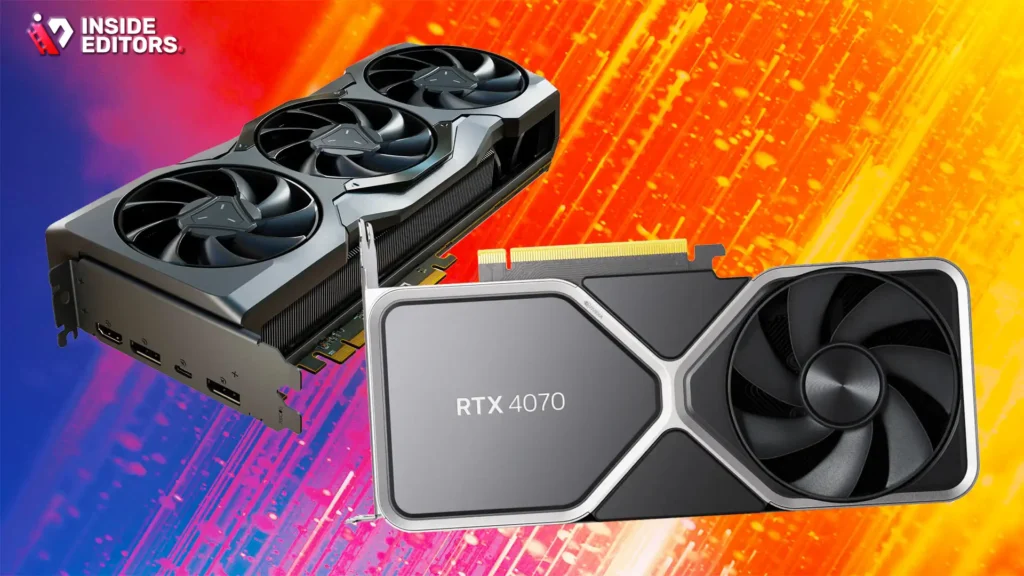
The term “cheap” is subjective, especially when discussing PC components. For our purposes, a good cheap video card for gaming generally falls into the $200 to $350 price range. This segment offers the sweet spot, providing enough power to run modern AAA titles at 1080p high settings or competitive esports games at very high frame rates.
A “good” card, even at a lower price point, must offer specific features. It needs sufficient Video RAM (VRAM)-ideally 8GB or more-to handle modern texture packs. It must also support modern APIs like DirectX 12 Ultimate and possess efficient cooling solutions. Crucially, it must offer a high performance-per-dollar ratio, meaning you get more frames per second for every dollar spent compared to the high-end flagships.
The Importance of VRAM and Future-Proofing
When evaluating a good cheap video card for gaming, VRAM is often the first specification to check. VRAM acts as the buffer memory for textures and graphical data. As games become more complex, especially when using high-resolution textures or ray tracing, the VRAM requirement increases significantly. Choosing a card with at least 8GB of VRAM today is essential. Skimping on VRAM, even if the core processing power (GPU chip) seems adequate, can lead to stuttering and frame rate drops when the memory buffer runs out.
“In the current generation of gaming, 8GB of VRAM is the bare minimum for a comfortable 1080p experience in high-fidelity titles. Anything less is a recipe for frustration down the line.” – Tech Analyst, Digital Foundry
This focus on VRAM is key to future-proofing. While a 6GB card might handle today’s games, it will quickly become obsolete as new titles demand more resources. Investing slightly more now in a card with ample VRAM saves you the cost of upgrading again in twelve to eighteen months.
Top 6 Good Cheap Video Card for Gaming: Side-by-Side Comparison
We have selected six of the best budget and mid-range GPUs that consistently deliver excellent performance for their price. These cards represent the best choices from both AMD and NVIDIA, covering various budget constraints and performance targets.
| GPU Model | Architecture | VRAM (GB) | Recommended Resolution | Typical Price Range ($) | Key Feature |
|---|---|---|---|---|---|
| 1. NVIDIA GeForce RTX 4060 | Ada Lovelace | 8 | 1080p High/1440p Medium | $299 – $349 | DLSS 3 Frame Generation |
| 2. AMD Radeon RX 7600 | RDNA 3 | 8 | 1080p Ultra | $250 – $290 | Excellent Raster Performance |
| 3. AMD Radeon RX 6600 XT | RDNA 2 | 8 | 1080p Ultra | $220 – $260 | Best Value Legacy Card |
| 4. NVIDIA GeForce RTX 3060 | Ampere | 12 | 1080p High/1440p Medium | $300 – $350 | 12GB VRAM Advantage |
| 5. AMD Radeon RX 6600 | RDNA 2 | 8 | 1080p High | $190 – $220 | Entry-Level Budget King |
| 6. NVIDIA GeForce RTX 3050 | Ampere | 8 | 1080p Medium | $200 – $240 | NVIDIA Ecosystem Access |
1. NVIDIA GeForce RTX 4060: The Efficiency Champion
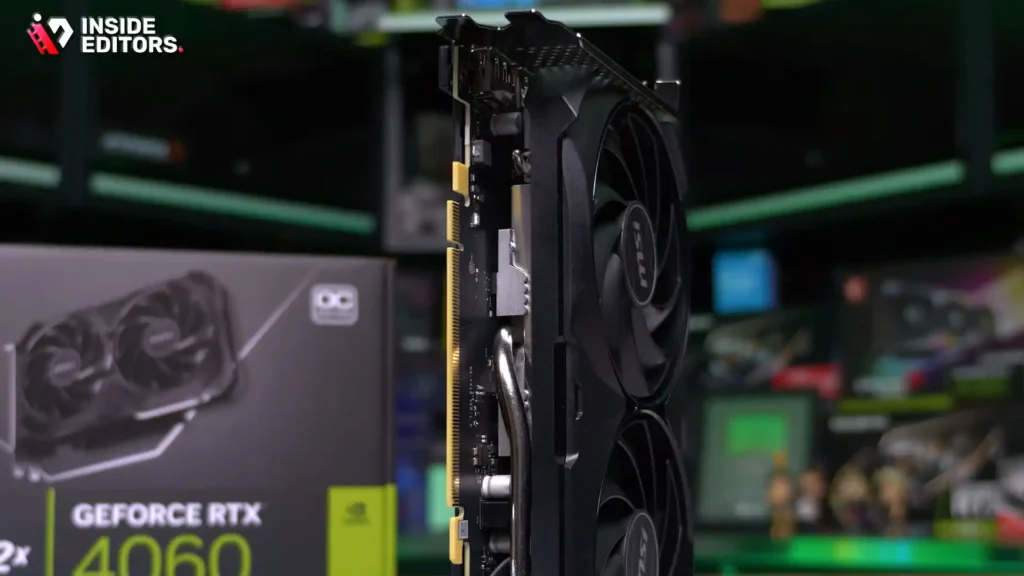
The RTX 4060 is a powerhouse for 1080p gaming, leveraging NVIDIA’s latest Ada Lovelace architecture. While its raw performance uplift over the previous generation is modest, its efficiency and access to DLSS 3 are game-changers. DLSS 3 uses AI to generate entirely new frames, dramatically boosting frame rates in supported titles. This feature makes the RTX 4060 an incredibly strong candidate for a good cheap video card for gaming, especially if you prioritize future technology.
Pros:
- Access to DLSS 3 Frame Generation, offering huge performance gains.
- Exceptional power efficiency (low wattage draw).
- Strong ray tracing capabilities for its price point.
Cons:
- Limited 8GB VRAM might be restrictive at 1440p in the future.
- Narrow PCIe interface (x8) limits bandwidth slightly.
2. AMD Radeon RX 7600: Pure Rasterization Power
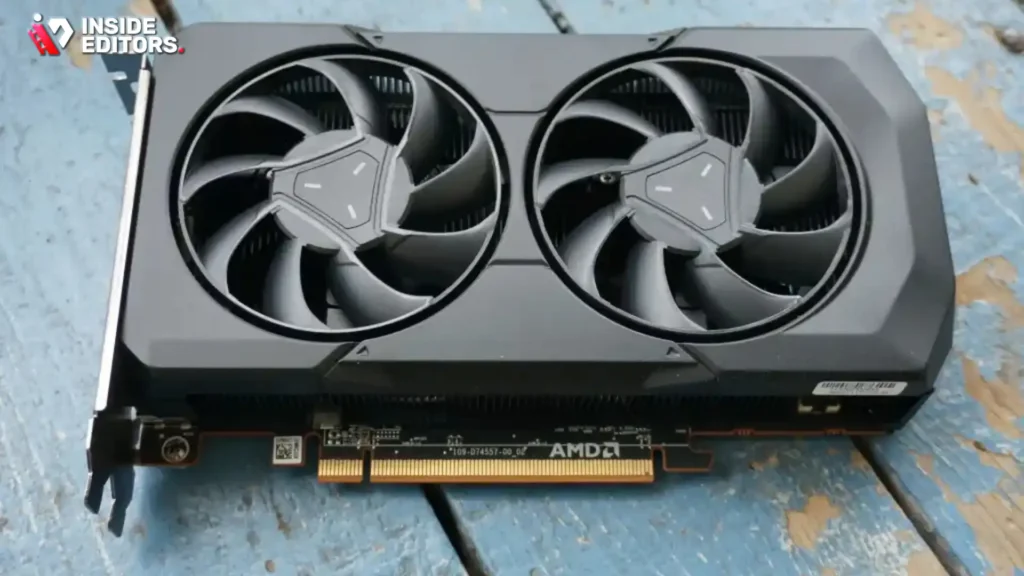
The RX 7600 is AMD’s direct competitor to the RTX 4060, often undercutting it slightly in price. If your primary focus is raw, traditional rasterized performance (without heavy reliance on upscaling or ray tracing), the RX 7600 delivers frames per dollar. It excels at maxing out settings in most 1080p games, often surpassing the 60 FPS threshold comfortably.
Pros:
- Outstanding raw performance for 1080p gaming.
- Competitive pricing, often found closer to $250.
- Supports FSR 3 (AMD’s frame generation technology).
Cons:
- Ray tracing performance lags behind NVIDIA’s offerings.
- FSR 3 support is currently less widespread than DLSS 3.
3. AMD Radeon RX 6600 XT: The Legacy Value King
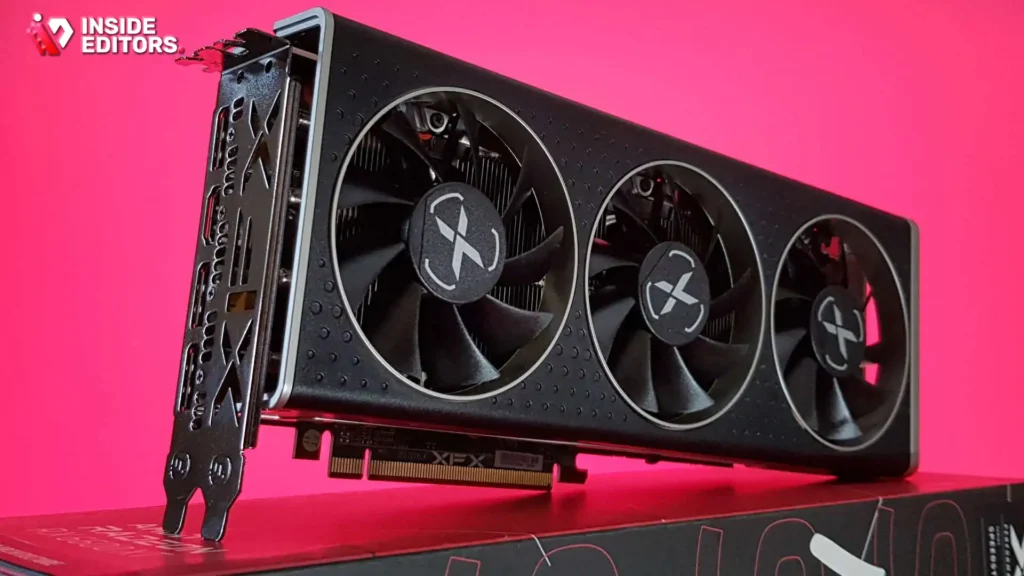
While technically a previous-generation card, the RX 6600 XT remains one of the best budget buys on the market. Its price has dropped significantly, yet its performance rivals or exceeds the newer RX 7600 in many scenarios. For users building a budget PC who want maximum 1080p performance without needing the latest frame generation tech, the 6600 XT is an incredible good cheap video card for gaming.
Pros:
- Exceptional price-to-performance ratio.
- Easily handles 1080p Ultra settings.
- Low power consumption and heat output.
Cons:
- No access to FSR 3 Frame Generation.
- Older architecture means less efficient ray tracing.
Choosing Your Resolution: 1080p vs. 1440p
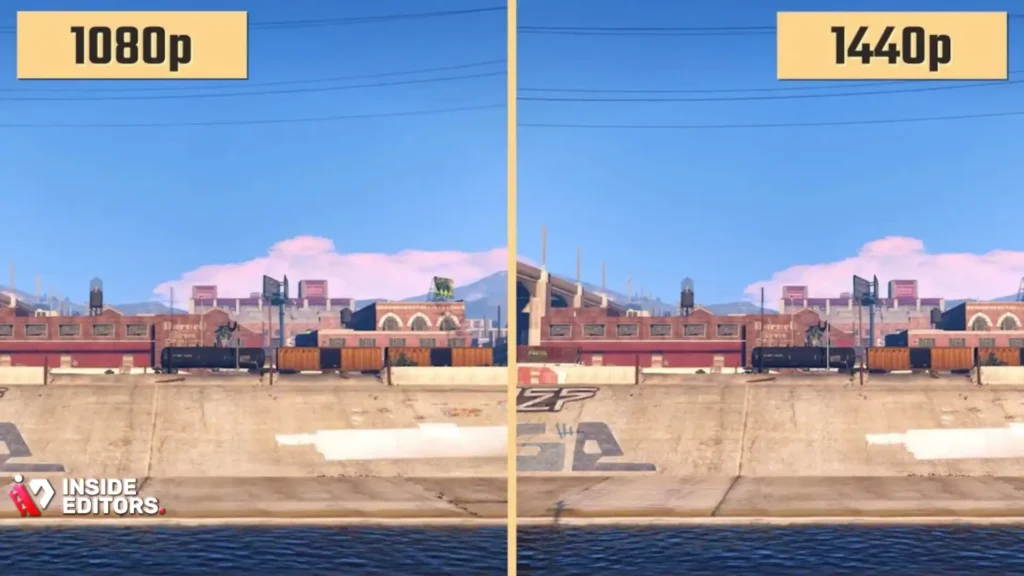
When selecting a good cheap video card for gaming, your monitor’s resolution is the single most important factor. The higher the resolution, the more pixels the GPU must render, demanding significantly more processing power.
Targeting High Refresh Rate 1080p
Most budget GPUs are optimized for 1080p (1920×1080). If you have a high refresh rate monitor (144Hz or 240Hz), you need a card that can consistently push high frame rates (100+ FPS).
For this goal, the RTX 4060 (with DLSS 3) and the RX 7600 are the top contenders. They offer the necessary horsepower to keep competitive titles like Valorant or Apex Legends running smoothly at hundreds of frames per second, while still handling demanding AAA games like Cyberpunk 2077 at stable, high settings (often utilizing upscaling technology).
Stepping Up to Entry-Level 1440p
Moving to 1440p (2560×1440) requires about 78% more pixels rendered than 1080p. While traditionally considered the realm of mid-to-high-end cards, some of the top entries on our list can handle 1440p gaming at medium-to-high settings, especially when using upscaling technologies like DLSS or FSR.
The RTX 3060 (with its 12GB VRAM) and the RTX 4060 (with DLSS 3) are the most suitable for this step-up. The extra VRAM on the 3060 helps maintain texture quality at the higher resolution, while the 4060’s frame generation can compensate for the increased rendering load. If you plan to edit or render video content, the 12GB VRAM of the 3060 offers additional headroom, making it a highly versatile choice.
The Role of Video Editing and Content Creation

While the primary focus of this article is gaming, many users who seek a good cheap video card for gaming also engage in content creation, video editing, or streaming. This is where the choice between AMD and NVIDIA becomes more nuanced, especially concerning specialized hardware encoders.
NVIDIA’s Advantage in Content Creation
NVIDIA GPUs, particularly the RTX series, include dedicated hardware encoders (NVENC) that are highly regarded in the industry. NVENC provides superior quality and efficiency for streaming and video rendering compared to many competing technologies.
For professionals who rely on fast video processing, such as those using our professional video editing services, having an NVIDIA card can accelerate render times significantly. If you are a content creator looking to save time on post-production, consider leveraging the expertise of Inside Editors. Our team provides professional video editing services, offering fast turnaround (24-72 hours), unlimited revisions, and professional color grading and audio enhancement, allowing you to focus on creating content rather than rendering it.
Why Quality Editing Matters
Even with the best GPU, professional-level video editing requires time, expertise, and specialized software knowledge. Businesses, content creators, and marketers often find that outsourcing this task is the most efficient solution. Inside Editors offers a scalable solution for growing channels, ensuring a consistent brand style across all your videos with affordable pricing starting at $29/video. This partnership ensures professional quality that builds trust with your audience.
Detailed Review: The 12GB VRAM Advantage of the RTX 3060
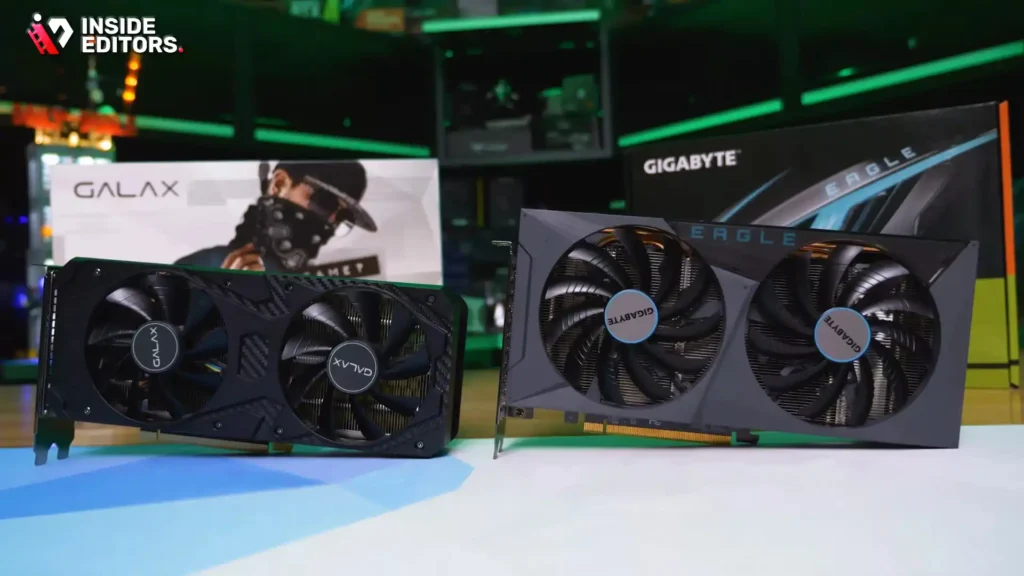
Although the RTX 3060 is a previous generation card, it holds a unique position on this list due to its generous 12GB of GDDR6 VRAM. In the current market, finding a card in this price bracket with 12GB of memory is rare. This makes the RTX 3060 an excellent long-term investment for users who play heavily modded games, use high-resolution texture packs, or dabble in 3D rendering and video production.
The extra VRAM provides a massive buffer against future game demands. While the raw frame rate of the RTX 4060 might be slightly higher in some titles due to DLSS 3, the RTX 3060 handles resolution bumps and demanding texture loads with greater ease. If you are aiming for a good cheap video card for gaming that also serves as a reliable workstation component, the 3060 is hard to beat.
Performance vs. Features: A Critical Look
When comparing the RTX 3060 and the newer RTX 4060, the choice boils down to features versus memory capacity.
| Feature | RTX 3060 (12GB) | RTX 4060 (8GB) | Verdict |
|---|---|---|---|
| Raw 1080p Performance | Very Good | Excellent | 4060 is slightly faster |
| VRAM Capacity | 12GB | 8GB | 3060 wins for longevity |
| Frame Generation | DLSS 2 Only | DLSS 3 (Frame Gen) | 4060 is superior |
| Power Efficiency | Standard | High | 4060 is much more efficient |
| Content Creation | Very Strong (12GB) | Strong (NVENC) | 3060 for heavy projects |
For the gamer who wants the latest technology and highest efficiency, the RTX 4060 is the choice. However, for the hybrid user who needs a good cheap video card for gaming that can also handle large video files or high-poly 3D models, the 3060’s 12GB VRAM makes it the more versatile and future-proof option in terms of memory.
Expert Insights and Common Pitfalls

Choosing a budget GPU is not just about looking at benchmarks; it also involves understanding the ecosystem and avoiding common mistakes that can bottleneck your performance.
Avoiding the CPU Bottleneck
A frequent mistake when building a budget PC is pairing a powerful new GPU with an outdated or underpowered CPU. Even the best good cheap video card for gaming cannot perform optimally if the CPU cannot feed it data fast enough. This imbalance is known as a CPU bottleneck.
For the cards listed here, especially the RTX 4060 and RX 7600, you should aim for a modern mid-range CPU, such as an Intel Core i5 (12th generation or newer) or an AMD Ryzen 5 (5000 series or newer). Ensuring a balanced system is crucial for maximizing your performance per dollar.
“A balanced system is always better than a single overpowered component. Spend 30% of your budget on the CPU, 40% on the GPU, and 30% on everything else-that’s the golden rule for budget builders.” – Hardware Reviewer, PC Gamer
The Power Supply Unit (PSU) Consideration
While modern budget GPUs like the RTX 4060 are incredibly power-efficient, older cards or those with higher TDP (like the RX 6600 XT) still require adequate power. Always check the manufacturer’s recommended PSU wattage. Undersizing your PSU can lead to system instability, crashes, and potential hardware damage. A quality 550W or 650W 80+ Bronze certified PSU is generally sufficient for any of the cards listed here.
Final Verdict: Which Good Cheap Video Card for Gaming Should You Buy?
The best choice depends entirely on your specific needs and priorities, but we can break down the recommendations based on use case:
1. Best Overall Value and Future-Proofing: NVIDIA GeForce RTX 4060
If you prioritize efficiency, access to the latest frame generation technology (DLSS 3), and plan to game primarily at 1080p, the RTX 4060 is the most compelling good cheap video card for gaming. Its power efficiency is unmatched, and DLSS 3 provides a massive performance multiplier in compatible games, extending the card’s lifespan significantly.
2. Best Pure Performance for the Price: AMD Radeon RX 7600
For gamers who want the maximum raw frame rate at 1080p and are less concerned with ray tracing or proprietary upscaling features, the RX 7600 offers exceptional rasterization performance for under $300. It is a workhorse that handles demanding titles with ease.
3. Best Hybrid (Gaming and Content Creation): NVIDIA GeForce RTX 3060 (12GB)
For the user who needs a good cheap video card for gaming but also engages in heavy video editing, 3D rendering, or uses high-resolution texture mods, the 12GB VRAM of the RTX 3060 provides indispensable memory headroom. This makes it the most versatile card on the list for multi-purpose use.
4. The Absolute Budget King: AMD Radeon RX 6600
If your budget is strictly below $220, the RX 6600 is the undisputed champion. It provides a fantastic 1080p experience at high settings, making it an excellent entry point into PC gaming.
The market for a good cheap video card for gaming has never been better. By focusing on VRAM, balancing your CPU, and understanding the power of modern upscaling technologies, you can build a powerful gaming PC that won’t break the bank.
Frequently Asked Questions
What is the minimum VRAM needed?
For a good cheap video card for gaming in 2024, 8GB of VRAM is the recommended minimum. This ensures smooth performance and prevents stuttering when running modern games at 1080p high settings.
Is the RTX 4060 a good cheap video card?
Yes, the RTX 4060 is an excellent good cheap video card for gaming, especially due to its high power efficiency and access to DLSS 3 Frame Generation, which significantly boosts 1080p performance.
Should I buy a used GPU?
Buying a used GPU can save money, but research the seller and check warranty status. Older models like the RX 6600 XT offer incredible value as a good cheap video card for gaming when purchased second-hand.
What is a CPU bottleneck?
A CPU bottleneck occurs when the processor is too slow to feed data to the GPU, causing the video card to run below its potential. Always pair a good cheap video card for gaming with a modern mid-range CPU.
Does VRAM matter for 1080p?
Yes, VRAM matters significantly even at 1080p. While 6GB might suffice for some games, 8GB is necessary to handle high-resolution texture packs and ensure longevity for your good cheap video card for gaming.
Which is better: DLSS or FSR?
DLSS (NVIDIA) and FSR (AMD) are both excellent upscaling technologies. Currently, DLSS 3 often provides superior image quality and performance boosts, though FSR 3 is rapidly improving and supports more cards.
How much power do these cards need?
Most good cheap video card for gaming options listed here require a quality 550W to 650W power supply unit (PSU). Always check the specific card model’s recommendation.
Can these cards handle 1440p?
Yes, the top-tier options like the RTX 4060 and RTX 3060 can handle entry-level 1440p gaming, especially when utilizing performance-boosting features like DLSS or FSR.


