

If you’ve asked yourself how much to charge for wedding video editing, you’re not alone. Pricing video edits-especially weddings-feels part math, part psychology, and part positioning. This guide walks you through clear, practical steps to set profitable, fair prices that clients understand and respect. You’ll get an easy pricing formula, worked examples, sample packages you can copy, plus platform-specific advice for freelancing marketplaces and direct bookings. Think of this as the pricing toolkit you can use today to stop undercharging and start getting paid what your time and talent are worth.
Before we dive in: pricing is never one-size-fits-all. Location, experience, turnaround time, client expectations, and included deliverables all change what “fair” looks like. Still, the approach you’ll learn here-estimate time, add costs, apply markup, and present clear packages-works whether you’re editing highlights for a backyard elopement or a multi-day cinematic wedding film. Let’s start with the basic models so you can choose one that fits your business.
Understanding the main pricing models editors use
Hourly vs flat-rate: which one protects your time?
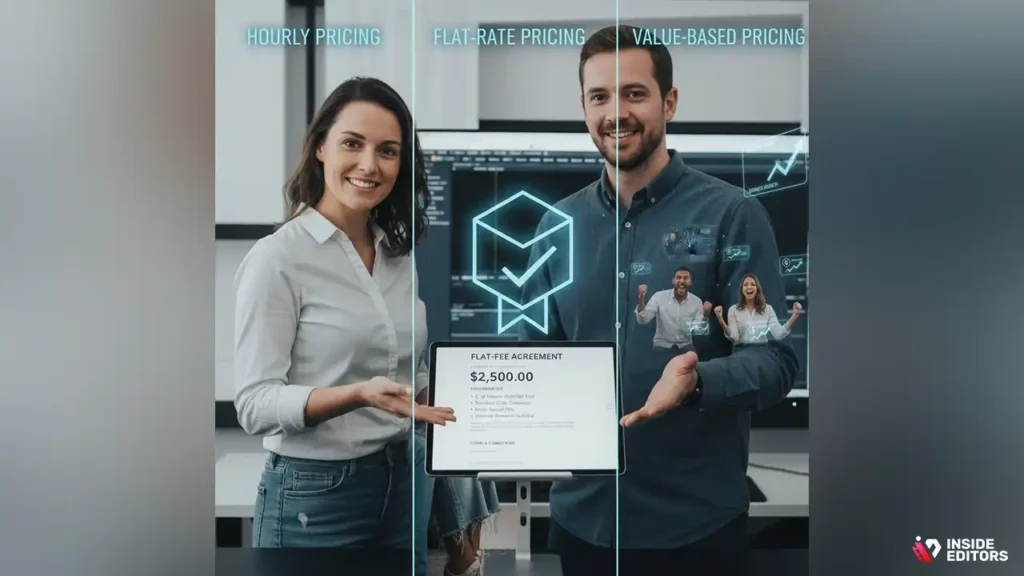
Hourly pricing is simple: you charge for the actual time spent editing, revisions, and client communication. It’s safe when the scope is uncertain-if raw footage quality varies or the client may request many revisions, hourly ensures you’re paid for each minute. Hourly users typically track time in focused blocks (e.g., project planning, selects, rough cut, color grade, sound mix, final revisions) and bill incrementally.
Flat-rate pricing sets a single price for the deliverable (for example, a 6-8 minute highlight reel). This model is attractive to clients because it removes uncertainty, and it scales well when you’ve dialed your workflow and know typical edit times. However, flat-rate can underpay you if unexpected work appears-so the key with flat-fee is a clear scope and add-on fees for extra rounds or unexpected footage issues. Many pro editors use hybrid approaches: a flat base fee for agreed deliverables plus hourly billing for scope creep.
Value-based pricing: charge for the outcome, not just the hours
Value-based pricing asks one question: what is this video worth to the client? For example, a wedding highlight video that the couple will share with 500 guests and use for a paid media announcement may carry higher perceived value than a private archive edit. Charging on value requires confidence and client communication-explain the business case or emotional value of the final film. When you can clearly show that your edit will create a memorable, widely shared product, clients are often willing to pay a premium that exceeds what a strict hourly calculation would justify.
Value pricing works best for experienced editors with a portfolio that proves results. If you’re newer, combine value pricing with concrete examples (case studies, testimonials) and begin with modest premiums until you consistently deliver measurable outcomes.
A practical pricing formula you can use right now
The clear formula: time + costs + margin = price
A repeatable approach beats guesswork. Here’s a simple formula you can use every time:
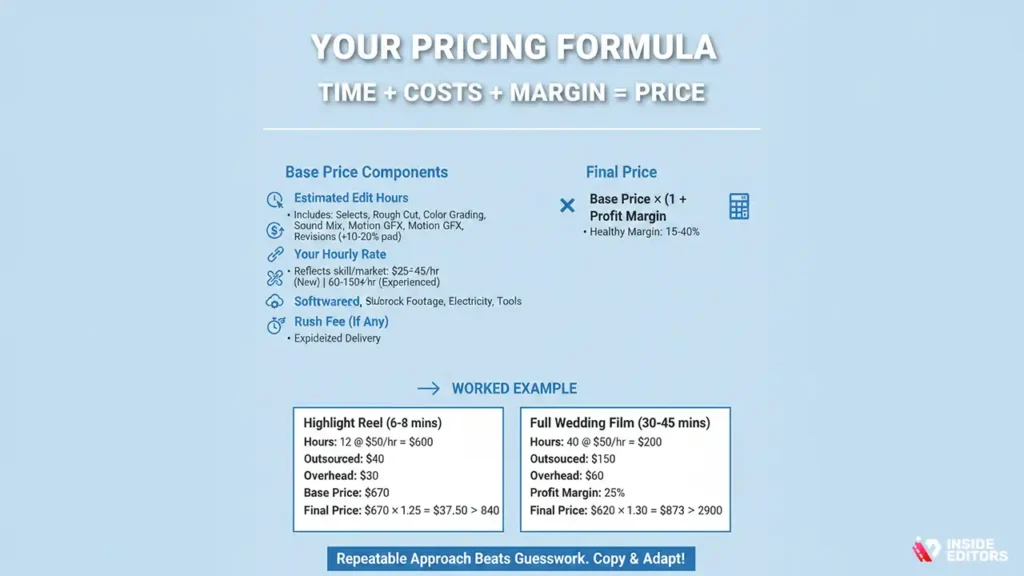
Base price = (Estimated edit hours × Your hourly rate) + Outsourced costs + Software/overhead + Rush fee (if any)
Final price = Base price × (1 + Profit margin)
Let’s break that down in plain language so you can copy it.
Estimated edit hours: consider selects, rough cut, color grading, sound mixing, motion graphics, and revision time. Always pad estimates (e.g., add 10-20%) for unknowns.
Your hourly rate: this is what you need for sustainable work-pick a rate that reflects your skills and local market. New freelancers might start at $25-$45/hr; experienced pros commonly charge $60-$150+/hr depending on niche and market. (Adjust for your region and cost of living.)
Outsourced costs: include music licensing, stock footage, subcontractor editors, and any rental fees. Add these as pass-throughs.
Software/overhead: account for subscriptions, storage, electricity, backup, and professional tools. Spread annual costs across projects.
Profit margin: a healthy margin is often 15-40% depending on desired profitability and business overhead.
Worked example – a highlight reel vs full ceremony edit
Example 1 – Highlight reel (6-8 minutes)
Estimated edit hours: 12 hours
Hourly rate: $50/hour
Outsourced/music licensing: $40
Software/overhead per project: $30
Profit margin: 25%
Calculate base price: 12 × 50 = 600. Add costs 600 + 40 + 30 = 670. Apply margin: 670 × 1.25 = 837.50. Round to a clean number: $840.
Example 2 – Full wedding film (30-45 minutes)
Estimated edit hours: 40 hours
Hourly rate: $50/hour
Outsourced/drone footage color pass or music: $150
Software/overhead: $60
Profit margin: 30%
Calculate base price: 40 × 50 = 2000. Add costs 2000 + 150 + 60 = 2,210. Apply margin: 2,210 × 1.30 = 2,873. Round to $2,900.
These are examples you can adapt to your hourly rate and local market. The math above uses straightforward multiplication and addition so you can plug your figures and get a fair, defensible price.
Packaging your services: clear offers clients can buy
Why packages sell better than vague hourly quotes
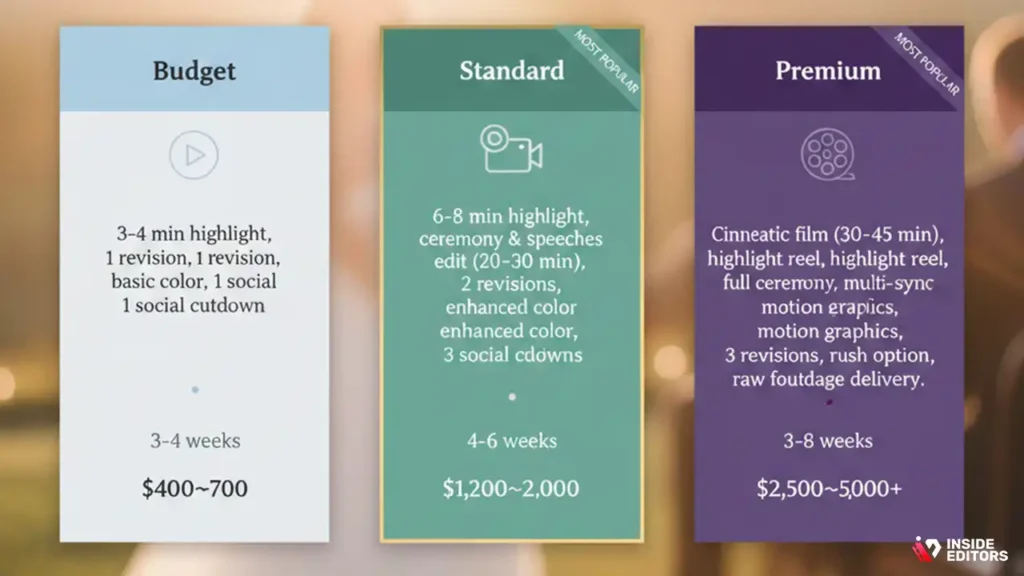
Clients prefer clarity. A defined package reduces negotiation friction and makes selling easier because clients can compare options visually. A good packaging strategy offers three tiers: Budget, Standard, and Premium. Each tier should increase in deliverables, turnaround speed, and included extras. The trick is to design packages that feel like natural upgrades-each step up should deliver a perceivable increase in value, not just price.
When creating packages, clearly list deliverables (length of video, number of revisions, included social cutdowns, raw footage delivery, color grade level, and soundtrack licensing). This transparency reduces scope creep and builds trust.
Sample package table (copy-and-paste into your site)
| Package | What’s included | Typical turnaround | Suggested price (example) |
| Budget | 3-4 min highlight, 1 revision, basic color, 1 social cutdown | 3-4 weeks | $400-$700 |
| Standard | 6-8 min highlight, ceremony & speeches edit (20-30 min), 2 revisions, enhanced color, 3 social cutdowns | 4-6 weeks | $1,200-$2,000 |
| Premium | Cinematic film (30-45 min), highlight reel, full ceremony, multi-cam sync, motion graphics, 3 revisions, rush option, raw footage delivery | 6-8 weeks | $2,500-$5,000+ |
Use local market knowledge to set those bands. If you’re in a high-cost metro area or serve high-end clients, shift the range upward and justify it with portfolio examples and production value.
Add-ons & extras: what to charge and why
Common add-ons and sample pricing logic
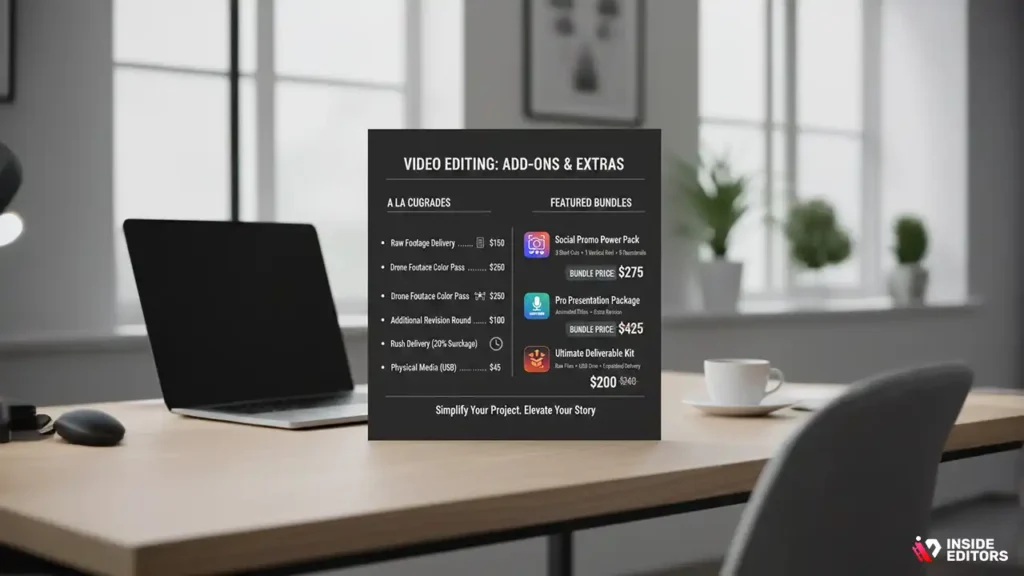
Add-ons should be priced as clear SKUs so clients can easily upgrade. Typical extras include raw footage delivery, drone editing, multi-cam sync, additional revision rounds, rush delivery, and physical media (USB, Blu-ray). Price add-ons based on the marginal time and costs they introduce. For instance, delivering raw footage is mostly about upload time and storage: charge a flat fee that covers upload bandwidth and long-term storage. Drone editing often requires color-matching and more solves; treat it like extra edit hours (e.g., add 3-8 hours of editing time × your rate).
Sample add-on prices: raw footage delivery $50-$200, drone footage color pass $75-$350, rush delivery (under 7 days) 20-50% surcharge, additional revision $50-$150 per round. These numbers depend on your hourly rate and overhead.
Bundling strategy: offer perceived savings without hurting margins
A smart move is to offer bundled add-ons at a slight discount versus buying them individually-this increases perceived value while keeping your margins healthy. For example, a “Social Promo Bundle” that includes three short cuts, one vertical reel, and color-optimized thumbnails might cost 15% less than purchasing each item separately. Bundles also simplify decision-making for clients who prefer an “all-in-one” solution.
Pricing: Freelance platforms vs direct clients
Freelancing marketplaces: Upwork, Fiverr, and specialized platforms
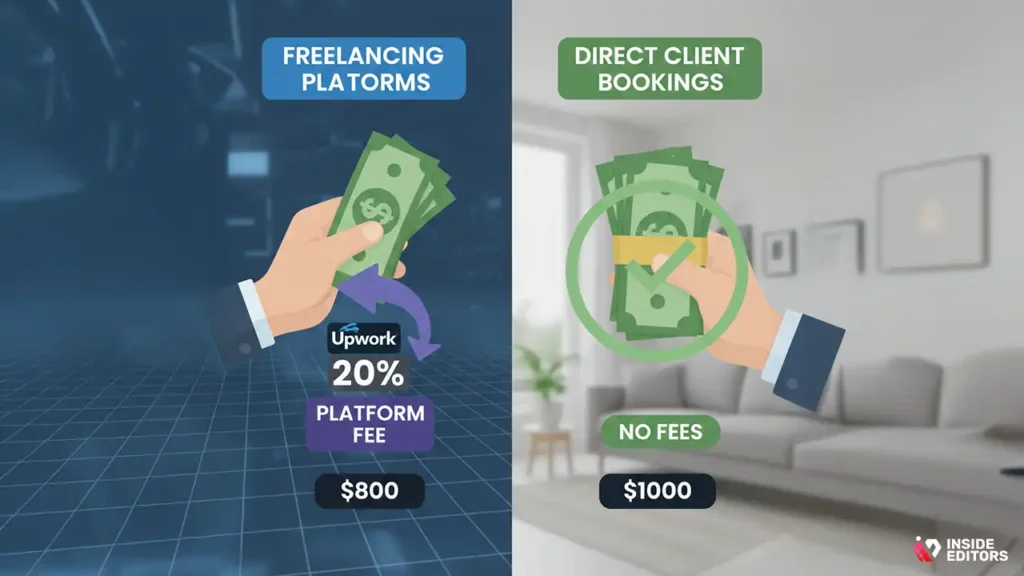
Freelancers often start on marketplaces where clients compare multiple editors. On these platforms, clients expect transparency and defined pricing tiers. Hourly rates on Upwork typically range from $25 to $75/hour for mid-level editors, while high-end specialists can command $100-$200/hour for cinematic wedding films. Fiverr works differently-flat packages dominate, and top-tier editors often position themselves with high-value packages, including multiple deliverables and premium add-ons.
Platform fees are an essential consideration. Upwork takes roughly 10-20% depending on lifetime earnings per client, while Fiverr charges 20%. These fees should be included in your pricing so you don’t unintentionally undercut your income.
Direct client bookings: why these often pay more
Direct bookings remove platform fees and give you full control over scope and pricing. Couples booking directly are often willing to pay a premium if you can communicate value clearly and showcase a polished portfolio. For instance, a $2,500-$5,000 premium wedding package is realistic when you highlight cinematic storytelling, multi-cam editing, and fully color-graded films.
Direct clients also allow more flexibility in add-ons, rush fees, and value-based pricing. You can offer installment plans or early-bird discounts to secure bookings, which creates goodwill while protecting your income.
Contracts, revisions and protecting your time

Why a solid contract is essential
Many beginner editors overlook contracts, which can lead to scope creep, late payments, or disputes over ownership. A clear contract outlines scope, deliverables, revision limits, payment schedule, and usage rights. For example, specify the number of included revisions and define “extra” edits at an hourly rate or fixed fee. This keeps both parties aligned and prevents misunderstandings that can eat into profits.
Revision strategies to maintain margins
Revisions are part of the business, but unlimited revisions can hurt your bottom line. A smart approach is to include 1-3 revision rounds per package, with each additional round charged at a pre-agreed rate. Communicate upfront that substantial changes after approval will require extra fees. Clients appreciate transparency-it makes your professionalism obvious and encourages them to consolidate feedback efficiently.
Real-world pricing examples: putting it into perspective
To make abstract numbers tangible, let’s look at a few real-world scenarios.
Scenario 1: Small backyard wedding
- Deliverables: 4-5 minute highlight reel
- Raw footage: 1 camera, basic color grade
- Estimated hours: 8-10
- Pricing approach: flat rate $400-$600
- Optional add-ons: extra revisions $50 each, drone footage $100
This low-complexity project emphasizes efficiency and clear communication.
Scenario 2: Standard wedding package
- Deliverables: Highlight reel 6-8 minutes, full ceremony 20-30 minutes
- Multi-cam, color correction, licensed music
- Estimated hours: 25-30
- Pricing approach: hybrid (base flat rate $1,500 + $50/hr for extras)
- Add-ons: social media cuts, rush delivery 20% surcharge
This package is typical for clients wanting both a short and long-form edit.
Scenario 3: High-end cinematic wedding
- Deliverables: Cinematic film 40-60 minutes, highlight reel, motion graphics, drone footage
- Estimated hours: 50-60
- Pricing approach: value-based flat rate $3,500-$5,500
- Add-ons: extended social cuts, raw footage archive
This package reflects the highest value and allows maximum flexibility for premium pricing.
By reviewing examples like these, you can benchmark your pricing and adjust for your experience level, region, and client expectations.
Common pricing mistakes for wedding video editors
Underestimating time and costs
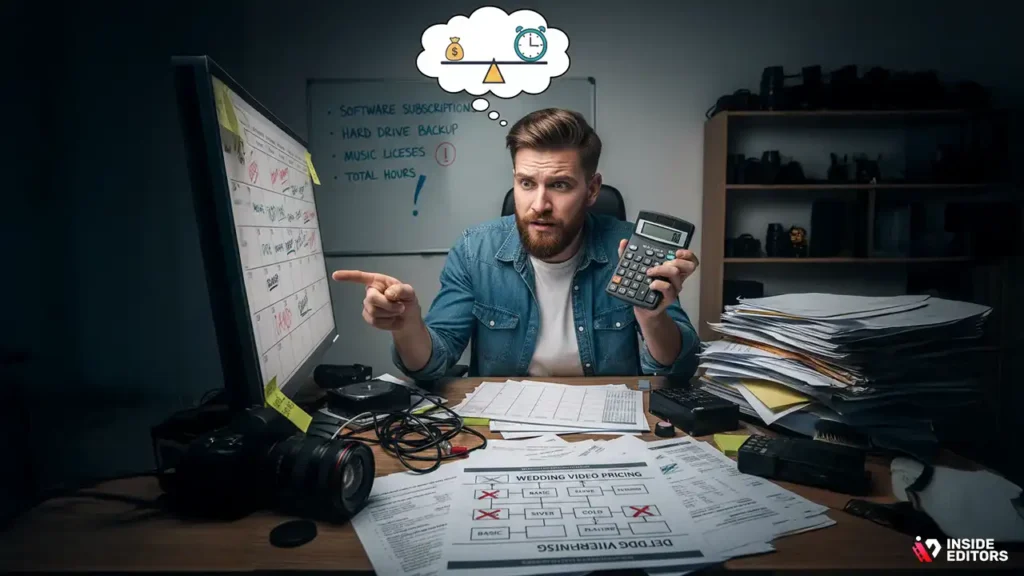
Beginners often miscalculate total edit time or forget overhead costs like software subscriptions and backup storage. Always track your hours for at least 2-3 projects to build accurate estimates. Include hidden costs like music licensing and cloud storage.
Overcomplicating packages
Too many small packages confuse clients and create decision fatigue. Stick to 2-4 clear options and ensure each tier delivers perceivable value.
Ignoring market research
Failing to understand what other local or online editors charge can leave you undercharging or overpricing. Research competitors, but remember-your value is also defined by skill, style, and client experience.
Not documenting scope clearly
Vague agreements about revisions or deliverables lead to misunderstandings. A clear contract protects both parties and avoids scope creep.
Why pro editing services like Inside Editors matter
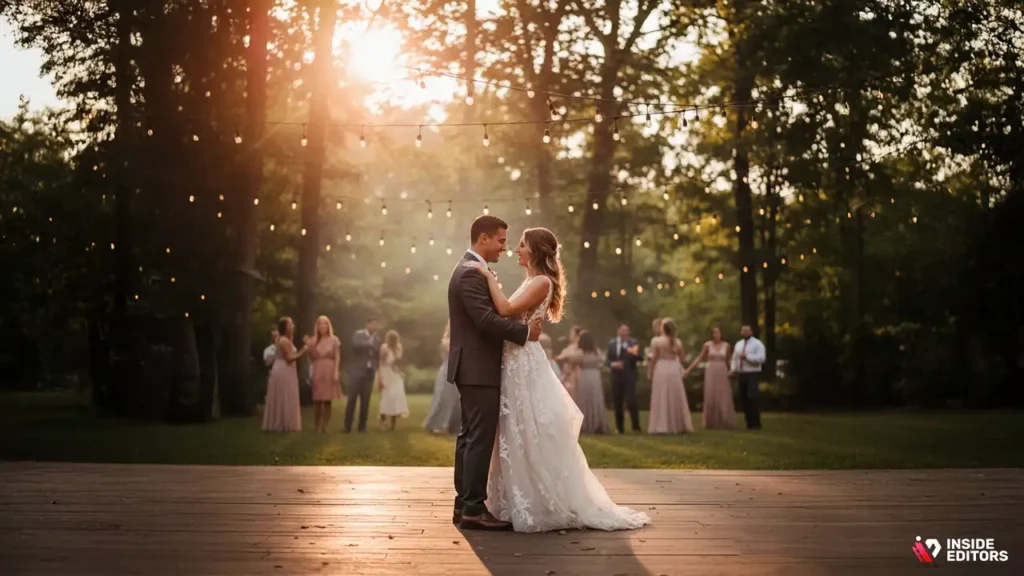
Even with the best tools, editing is often the most time-consuming part of wedding production. A professional editor transforms raw footage into a cohesive story, balancing color, sound, pacing, and motion graphics to create a cinematic experience. This is where Inside Editors excels-saving couples and videographers hours while delivering consistently polished results.
Benefits of hiring Inside Editors:
- Time-saving: focus on filming or other priorities while we handle post-production
- High-quality cinematic editing with professional color grading and audio mixing
- Reliable timelines: get your videos delivered according to schedule
- Revision management: included rounds with transparent communication
- Flexible packages: from highlight reels to full-length wedding films
Instead of struggling with hours of editing, you or your clients can trust Inside Editors to deliver a finished product that delights viewers and preserves memories for a lifetime.
Explore Inside Editors’ Video Editing Services
Final thoughts: confidently set your wedding video pricing
Pricing wedding video edits is as much an art as a science. By combining time-based calculations, overhead costs, add-ons, and value-based thinking, you can set rates that are fair, profitable, and understandable to clients. Remember to communicate clearly, offer transparent packages, protect yourself with contracts, and adjust based on your experience and market.
Ultimately, your pricing should reflect your skills, your workflow efficiency, and the quality of the final product. By following this guide, you can avoid undercharging, feel confident in negotiations, and focus on what you do best-telling unforgettable stories through video.
If you’re ready to take your videos from simple to stunning, Inside Editors’ professional video editing services can help bring your ideas to life-smoothly, affordably, and with expert precision.
Explore Inside Editors’ Video Editing Services
FAQs:
Q1: How do I know if a wedding video editor is trustworthy?
A professional editor should provide a portfolio of past work, client testimonials, and clear terms of service. Look for editors who specify ownership of the final video, revision limits, and privacy policies. Transparency in communication and contracts is key to building trust, whether you’re hiring for a personal wedding or working with a freelancer.
Q2: What is included in a typical wedding video editing package?
Most packages include a highlight reel (3-8 minutes), full ceremony coverage, color grading (adjusting the video’s creative look), audio balancing, and basic transitions. Add-ons may include drone footage, extended social media clips, or motion graphics. Packages vary, so confirm exactly what’s included to avoid surprises.
Q3: Should I use DIY software or hire a professional?
DIY software can save money for short highlight reels but requires time, skill, and attention to detail. Professional editors offer polished results, cinematic storytelling, and faster turnaround. For complex weddings or multi-camera setups, hiring a pro often results in a more cohesive and emotionally engaging video.
Q4: How much does wedding video editing usually cost?
Pricing ranges widely depending on complexity and editor experience. Simple edits start around $400-$600, standard packages range $1,500-$3,000, and cinematic, full-length films can cost $3,500-$5,500 or more. Costs often include revisions, color grading, and audio work, but extras like drone footage or rush delivery may be billed separately.
Q5: How long does it take to edit a wedding video?
Turnaround varies with project size and complexity. Highlight reels may take 8-15 hours, full-length films 25-60 hours. Rush options can shorten delivery to 1-2 weeks, but standard timelines are typically 3-6 weeks. Multi-camera footage, special effects, or extensive client revisions can extend timelines.
Q6: What if I need revisions or changes after delivery?
Most editors include 1-3 rounds of revisions. Additional changes are usually billed hourly or per request. Clear communication and consolidated feedback help avoid extra charges and keep the project on schedule. Contracts should specify how revisions are handled to prevent misunderstandings.
Q7: Who owns the final edited wedding video?
Ownership varies; some editors retain rights while granting personal use to the client. Others transfer full ownership. Confirm this in your contract to avoid copyright issues, especially if you plan to share or post the video publicly. Most professional editors clarify usage rights upfront.
Q8: How do privacy concerns work with wedding videos?
Editors should guarantee confidentiality and secure handling of raw footage. Cloud storage and file transfers should use encrypted platforms, and access should be limited to authorized parties. Discuss privacy policies in advance to ensure comfort with how your footage is stored and shared.


