


As a content creator, you know that capturing and holding viewer attention is the ultimate challenge. YouTube chapters are one of the most powerful, yet often underutilized, tools available to improve viewer experience and boost engagement metrics. They transform a long-form video from a sprawling landscape into an easily navigable map. If you’ve been wondering How to Add Chapters to YouTube Video effectively, you’ve come to the right place.
This comprehensive guide from Inside Editors will walk you through the precise technical steps, strategic considerations, and common pitfalls to avoid when implementing video chapters. We’ll show you exactly How to Add Chapters to YouTube Video so your audience stays engaged longer, understands your content better, and is more likely to subscribe. Mastering this simple technique is crucial for professional content presentation.
Understanding YouTube Chapters
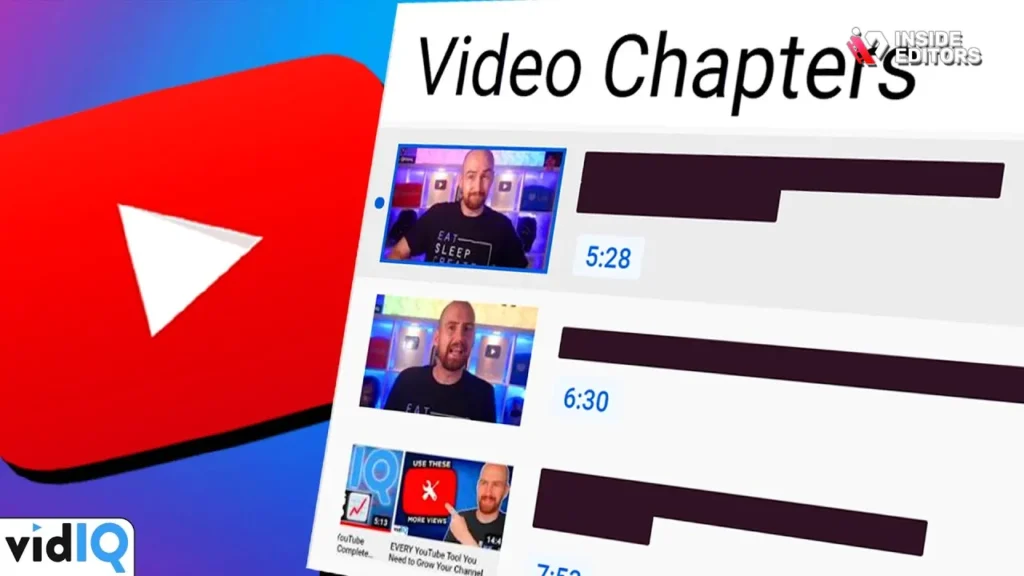
YouTube chapters are timestamped markers that divide your video into distinct sections. These sections are visible in the video progress bar and the description box. They allow viewers to quickly jump to the parts of the content most relevant to them.
Defining the Value Proposition of Video Chapters
Chapters fundamentally enhance the user experience. They signal to both viewers and the YouTube algorithm that your content is well-structured and organized. This structure is a key component of Expertise, Authoritativeness, and Trustworthiness (E.E.A.T.). When a video is easy to navigate, viewers spend less time searching and more time consuming the content.
“Navigation is the silent language of good user experience. If a viewer can find what they need instantly, they perceive the content as higher quality.” – Susan Wojcicki, Former CEO of YouTube (referencing general platform goals).
For SEO purposes, chapters help YouTube understand the specific topics covered within your video. When a user searches for a very specific piece of information, YouTube can sometimes surface the exact chapter segment in search results, dramatically increasing click-through rates. Learning How to Add Chapters to YouTube Video is therefore a direct optimization strategy.
The Impact on Viewer Retention and Engagement
When viewers can skip irrelevant sections, they are less likely to click away entirely. This positively impacts viewer retention, a critical metric for the YouTube algorithm. High retention signals that your video is satisfying the search intent. Chapters also encourage repeat viewing of specific segments, further boosting watch time.
If you are producing detailed tutorials, long interviews, or comprehensive reviews, knowing How to Add Chapters to YouTube Video becomes non-negotiable. It transforms a potentially overwhelming 30-minute video into several manageable 5-minute segments.
Essential Prerequisites Before You Add Chapters
Before you dive into the YouTube Studio, there are three critical requirements you must meet to ensure your chapters function correctly. Skipping these steps is the most common reason why chapters fail to display.
1. The Crucial 0:00 Timestamp
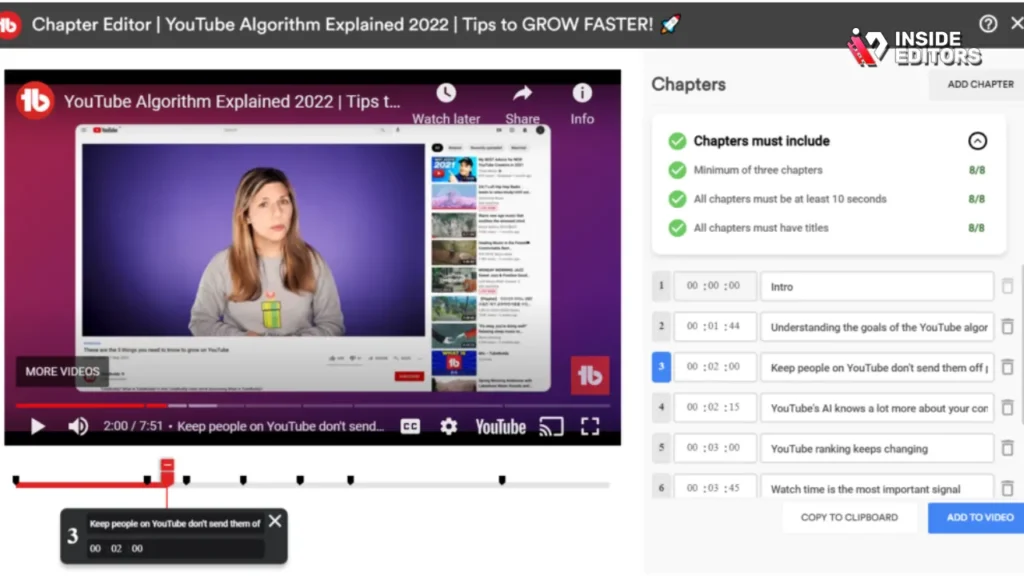
The very first chapter marker in your video description must start at the 0:00 mark. This tells YouTube where the content officially begins and signals the start of the chapter sequence. If you omit the 0:00 timestamp, YouTube will not recognize any subsequent timestamps as chapters.
2. Minimum Chapter Length and Count
You need a minimum of three timestamps for the chapter feature to activate. Furthermore, each chapter segment must be at least 10 seconds long. If you have too many short, choppy segments, the system might ignore them. Aim for chapters that cover substantial topics, usually lasting between 30 seconds and several minutes.
3. Video Length Requirement
While chapters can technically be added to any video, they are most effective and usually required for videos longer than 60 seconds. Shorter videos generally don’t need the navigation complexity that chapters provide. Understanding these rules is the foundation for learning How to Add Chapters to YouTube Video successfully.
Step-by-Step : How to Add Chapters to YouTube Video
The process of adding chapters is straightforward, but precision is key. You will be working primarily within the video description box in YouTube Studio.
Step 1: Identify Key Moments and Timestamps
Watch your video and note down the precise time (in minutes and seconds) where each new topic begins. Use a notepad or spreadsheet to track these moments. Be meticulous; even a one-second error can disrupt the flow.
For example, if your video is a tutorial on video editing, your timestamps might look like this:
- 0:00 – Introduction to Chapters
- 1:35 – Why Timestamps Boost SEO
- 4:10 – Technical Requirements Checklist
- 7:55 – Final Review and Publishing
Step 2: Formatting the Timestamps in the Description
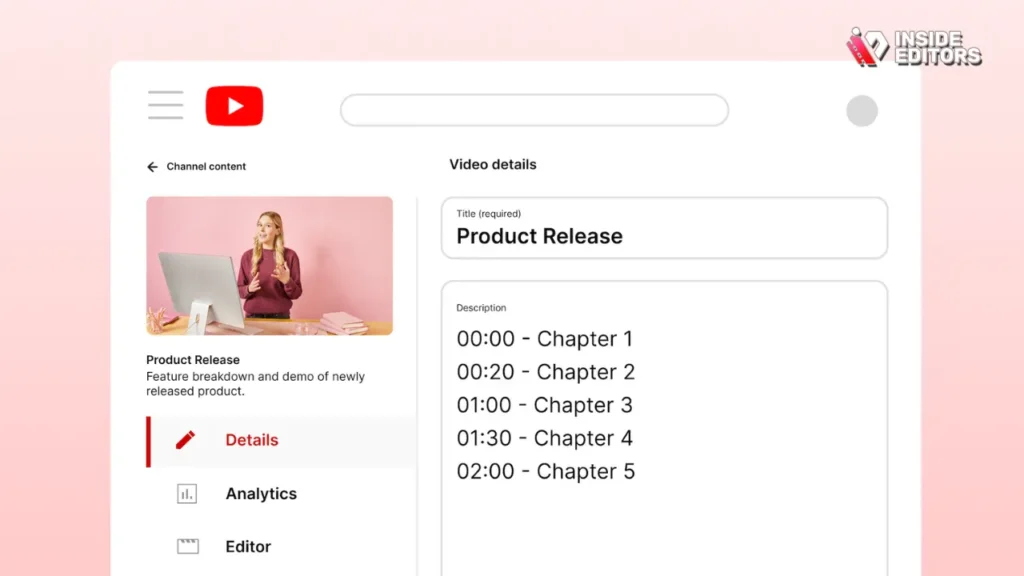
Open the video editor in YouTube Studio and navigate to the “Details” section. In the description box, you will list your timestamps, followed by a title for that chapter. The format must be exact: MM:SS - Chapter Title.
Correct Formatting Example:
0:00 - Welcome to the Guide
0:45 - Understanding the Algorithm
2:15 - How to Add Chapters to YouTube Video
5:30 - Common Mistakes to Avoid
8:05 - Professional Editing Services
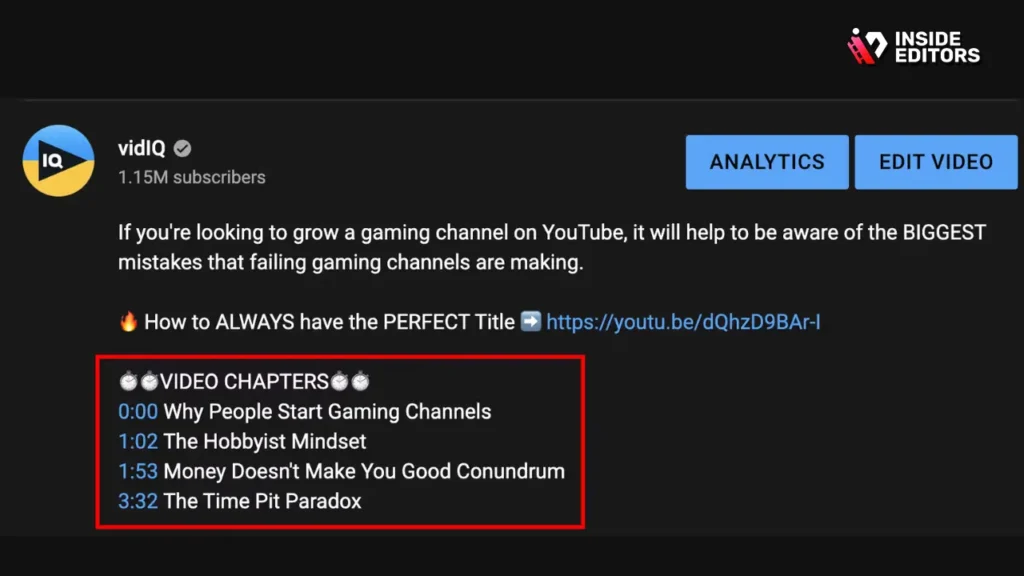
It is best practice to place these timestamps either at the very top of the description (above the fold) or clearly separated below your main description text. This makes them easy for viewers to locate.
Step 3: Verifying Chapter Activation
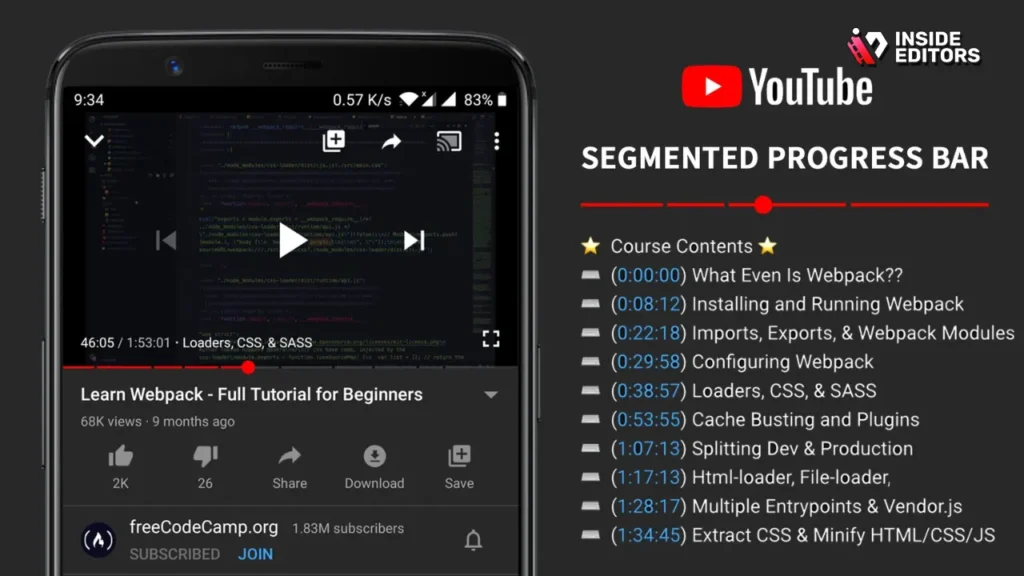
Once you save the description, return to the public view of your video. The video progress bar should now be segmented with thin vertical lines, and the chapter titles should appear when you hover over the bar. If you see these segments, you have successfully learned How to Add Chapters to YouTube Video. If you don’t see them immediately, wait a few minutes and refresh the page, as processing can take a moment.
Step 4: Troubleshooting Non-Working Chapters
If your chapters are not appearing, review the prerequisites:
- Did you start with 0:00?
- Do you have at least three timestamps?
- Is every segment at least 10 seconds long?
- Are you using the correct MM:SS format (e.g., 10:05, not 10.05)?
If you meet all criteria and the chapters still don’t show, ensure there are no conflicting features enabled, such as automatic chapter generation, which sometimes overrides manual entries.
Advanced Strategies for Chapter Titles and Descriptions
Simply adding timestamps is the baseline. To truly optimize your content, you need to treat chapter titles as mini-headlines that capture search intent.
Optimizing Chapter Titles for Search
Each chapter title is an opportunity to use relevant keywords. Think of each chapter as a micro-video that answers a specific query. If your overall video is about “Advanced SEO Techniques,” a chapter title like “4:10 – Using Schema Markup for Video” is far more effective than “4:10 – Technical Stuff.”
“Every element of metadata, from the video title down to the chapter markers, is an indexable signal for search engines. Don’t waste the real estate.” – Rand Fishkin, SEO Expert.
When considering How to Add Chapters to YouTube Video, try to incorporate long-tail keywords into the chapter titles. This increases the chances of your specific segment appearing in Google’s featured snippets or YouTube’s suggested clips.
Leveraging Chapters for Call-to-Actions (CTAs)
Chapters can strategically guide viewers to important sections, including your calls-to-action. If you have a specific segment dedicated to promoting a product, service, or subscription, title it clearly:
- 12:30 – Ready to Scale? Check Out Our Services
- 15:00 – Final Thoughts and Subscription Reminder
This transparency builds trust and ensures that viewers interested in the next step can jump straight there.
Common Mistakes When Adding YouTube Chapters
Even experienced creators sometimes stumble over minor details when learning How to Add Chapters to YouTube Video. Avoiding these common pitfalls ensures a smooth process and immediate chapter activation.
Mistake 1: Incorrect Formatting or Punctuation
The YouTube system is highly sensitive to formatting. Using a comma instead of a colon (e.g., 0,45) or adding extra characters before the timestamp will break the feature. Ensure there is a single space between the timestamp and the dash, and another space between the dash and the chapter title.
Mistake 2: Relying on Automatic Chapters
YouTube offers an option to automatically generate chapters. While convenient, these AI-generated chapters are often inaccurate, poorly titled, and fail to align with your strategic keyword goals. Always opt for manual chapter creation for maximum control and SEO benefit.
Mistake 3: Insufficient Descriptive Titles
A title like “Part 3” or “Middle Section” provides no value to the viewer or the algorithm. Always use descriptive, keyword-rich titles that accurately reflect the content of that segment. If the segment explains How to Add Chapters to YouTube Video, the title should reflect that exact phrase.
Comparison: Manual vs. Automatic Chapters
| Feature | Manual Chapters (Recommended) | Automatic Chapters (Default) |
|---|---|---|
| Control & Precision | 100% control over start/end times. | Often inaccurate segment detection. |
| SEO Optimization | Titles can be optimized with keywords. | Generic titles (“Segment 1,” “Topic A”). |
| Reliability | Highly reliable if formatting is correct. | Can conflict with manual entries; less reliable. |
| E.E.A.T Signal | Strong signal of professional structure. | Weak signal; suggests minimal effort. |
| Time Investment | Requires 5-10 minutes per video. | Zero time investment, but requires review. |
Integrating Chapters with Professional Video Editing Services
For high-volume creators or businesses, the process of editing, optimizing, and uploading videos can be time-consuming. While adding chapters seems simple, ensuring every video is perfectly timestamped, titled, and uploaded consistently requires dedicated effort. This is where professional support becomes invaluable.
The Value of Outsourcing Video Optimization
If you are focusing on content creation, you shouldn’t be spending hours perfecting timestamps and metadata. Outsourcing your video editing and optimization ensures that every single video adheres to best practices, including the precise implementation of chapters.
At Inside Editors, we specialize in providing professional video editing services for businesses, content creators, and marketers. When you partner with us, our professional editing team, with over 10+ years of experience, handles not just the cuts and color grading, but also the crucial final optimization steps like adding chapters.
Inside Editors: Your Partner in Video Success

We understand the importance of technical accuracy and SEO alignment. Our workflow ensures that when we deliver your final video, the description is already primed with perfectly formatted chapters, answering the question of How to Add Chapters to YouTube Video for you automatically.
Key Features of Inside Editors Video Editing Services:
- Professional Editing Team: Decades of combined experience ensuring cinematic quality.
- Fast Turnaround: Get your videos back quickly—typically within 24-72 hours.
- Unlimited Revisions: We work until you are 100% satisfied.
- Affordable Pricing: Starting at $29/video, making professional quality accessible.
- Complete Optimization: Color grading, audio enhancement, and metadata preparation (including chapters).
By choosing Inside Editors, you save time and focus on what you do best: creating content. We ensure your professional quality builds trust, provides a consistent brand style, and offers a scalable solution for growing channels. We make the technical details, like knowing How to Add Chapters to YouTube Video, our responsibility. You can learn more about our comprehensive video editing services.
Enhance Accessibility and User Experience

Beyond SEO and engagement, chapters play a vital role in making your content more accessible. This focus on inclusion further enhances your E.E.A.T. signals by demonstrating care for all users.
Accessibility Benefits of Timestamps
For viewers who use screen readers or other assistive technologies, clearly defined chapters provide context and navigation cues that might otherwise be lost in a long, continuous video. They allow users with cognitive differences or those who need to review specific facts to jump directly to the relevant information without frustration.
The Role of Chapters in Mobile Viewing
The majority of YouTube consumption happens on mobile devices. On smaller screens, scrolling through a long description to find a specific point is cumbersome. Chapters integrate directly into the mobile player interface, making navigation seamless and intuitive. This improved mobile experience is a critical factor in maintaining high viewer satisfaction.
If you are committed to providing the best possible experience, mastering How to Add Chapters to YouTube Video is a necessary skill.
Case Study: The Power of Chapter Implementation

Consider a technology reviewer who uploads a 45-minute deep dive on a new smartphone.
Scenario A (No Chapters): Viewers must scrub through the timeline to find the camera test, battery life assessment, or pricing details. Retention drops significantly after the 10-minute mark as viewers get frustrated.
Scenario B (With Chapters): The description includes 12 clearly labeled chapters: 0:00 – Unboxing and First Impressions, 5:30 – Detailed Camera Review, 15:00 – Battery Life Benchmark, 25:00 – Gaming Performance Test, 35:00 – Final Verdict and Pricing.
In Scenario B, viewers immediately jump to the sections they care about. The camera review chapter (5:30) might even show up directly in a Google search for “Smartphone X camera test.” The video’s overall watch time increases because viewers are satisfied, and the algorithm rewards the channel for providing excellent structure. This demonstrates the tangible benefits of knowing How to Add Chapters to YouTube Video.
Chapter for Live Streams and Long-Form Content
While chapters are typically associated with pre-edited uploads, they are perhaps even more vital for extremely long-form content, such as webinars, live Q&A sessions, and multi-hour course modules.
Post-Processing Live Streams
If you upload a two-hour live stream archive, very few viewers will watch it straight through. By adding chapters post-stream, you turn the archive into a valuable resource library. You can segment the Q&A by topic, break down the presentation by slide, or mark the beginning of key announcements.
When dealing with such long videos, ensure your timestamps are accurate to the second. For a 90-minute video, your timestamps will use the HH:MM:SS format (e.g., 1:30:45). This is a slight variation on How to Add Chapters to YouTube Video, but the principle remains the same: structure is paramount.
Pros and Cons of Using YouTube Chapters
| Pros | Cons |
|---|---|
| Increased Engagement: Viewers stay longer by skipping irrelevant parts. | Requires Time: Manual creation requires careful timestamp logging. |
| Improved SEO: Chapter titles are indexed by Google and YouTube. | Potential Skip Rate: Viewers might skip crucial intro/outro segments. |
| Better Accessibility: Easier navigation for all users, especially mobile. | Formatting Errors: Highly sensitive to tiny formatting mistakes. |
| Professionalism: Signals high production value and organization (E.E.A.T.). | Minimum Requirements: Must adhere to the 0:00 start and 10-second minimum rule. |
| Featured Snippets: Specific chapters can appear directly in search results. | Not Always Needed: Very short videos (under 60 seconds) don’t benefit much. |
The Future of Video Structure and Chapter Automation
As AI tools become more sophisticated, we are seeing advancements in automated chapter generation that are more accurate than YouTube’s native tool. However, even the best AI still lacks the strategic intent of a human editor.
Why Human Oversight Remains Essential
AI can identify a topic change, but it cannot identify the optimal keyword phrase that should accompany that change. It cannot strategically place a call-to-action chapter. Therefore, while tools may assist in generating the raw timestamps, a human editor must always refine the titles and ensure the formatting is correct.
If you find yourself overwhelmed by the need to manually optimize every video, remember that professional services exist to bridge this gap. Inside Editors provides the human expertise needed to ensure your chapters are not just present, but strategically optimized for maximum performance. We handle the technical load so you can focus on creativity.
Conclusion: Add Chapters to YouTube Videos
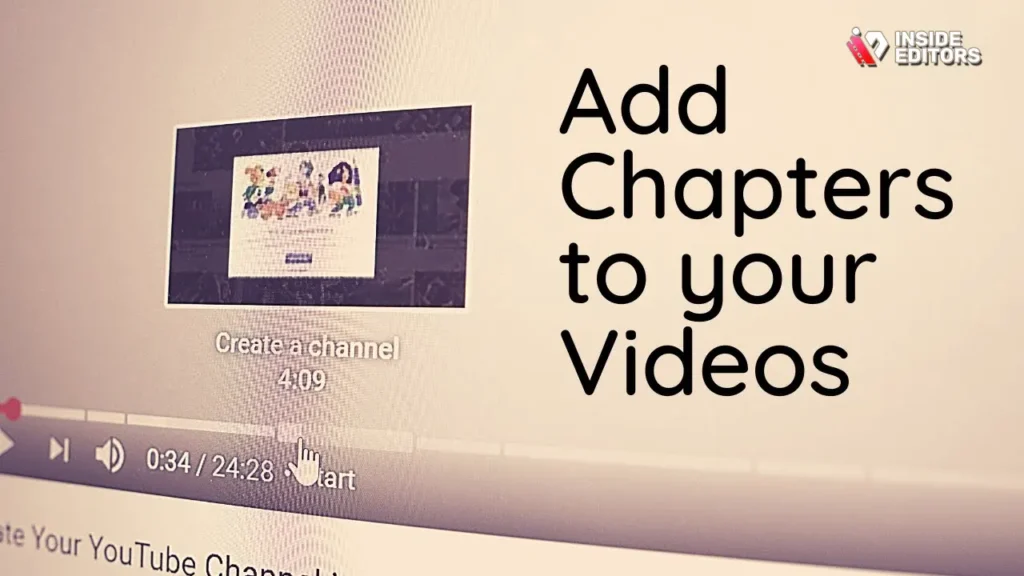
Learning How to Add Chapters to YouTube Video is more than a technical trick; it is a fundamental shift toward prioritizing viewer experience and search engine optimization. By implementing the 0:00 timestamp rule, ensuring descriptive titles, and verifying the three-chapter minimum, you instantly elevate the professional quality of your content.
Chapters serve as a powerful E.E.A.T. signal, demonstrating expertise and organization. They boost retention, increase click-through rates from search, and improve overall accessibility. For creators who produce long-form, valuable content, this step is non-negotiable for success in the competitive YouTube landscape.
If the technical demands of editing, color correction, audio enhancement, and meticulous chapter creation are slowing down your content production cycle, consider leveraging the expertise of a professional team. Inside Editors offers comprehensive video editing services designed for creators and businesses seeking consistent, high-quality output with fast turnaround times (24-72 hours) and affordable pricing. Let us handle the technical optimization, including precise chapter implementation, so you can focus on growing your brand. Mastering How to Add Chapters to YouTube Video is the first step; scaling that mastery is the next.
Frequently Asked Questions
What is the key rule for chapters?
The most critical rule when learning How to Add Chapters to YouTube Video is that the first timestamp must always be 0:00. Without the 0:00 marker, YouTube will not recognize any subsequent timestamps as chapters, preventing the feature from activating correctly.
How many chapters do I need?
You must include a minimum of three distinct chapters for the feature to work. Additionally, each chapter segment must be at least 10 seconds long. This ensures the video is sufficiently segmented to justify the navigation feature.
Can chapters boost my video SEO?
Yes, chapters significantly boost video SEO. Each chapter title acts as indexable metadata, allowing specific segments of your video to appear in Google and YouTube search results, especially for long-tail queries. This is a key benefit of knowing How to Add Chapters to YouTube Video.
Why are my chapters not showing up?
Chapters often fail to show due to formatting errors. Check that you used the exact MM:SS format (e.g., 0:45) and ensured there are no extra spaces or punctuation marks. Also, verify that the 0:00 timestamp is present.
Should I use automatic chapters?
No, it is strongly recommended to manually add chapters. Manual chapters allow you to optimize titles with strategic keywords and ensure accurate timing, which is essential for maximizing the SEO benefits of knowing How to Add Chapters to YouTube Video.


