


Understanding how to optimize your YouTube content is the key to unlocking massive growth on the platform. If you’ve ever uploaded a video and felt like it disappeared into the digital ether, the problem often lies not in the content itself, but in the metadata-specifically, the tags. Learning How to Add Tags to YouTube Video effectively is a fundamental skill for any creator serious about discoverability. Tags act as silent signals, telling YouTube’s algorithm exactly what your video is about, which helps match your content to the right audience. This comprehensive guide will walk you through the precise strategy for tagging your videos to ensure maximum visibility and sustained view counts.
The Importance of YouTube Tags for Discovery
Tags are one of the three primary metadata elements (Title, Description, Tags) that YouTube uses to categorize and index your video content. While some creators mistakenly believe tags are less important than they used to be, they remain a crucial component of the ranking ecosystem, especially for niche topics or when helping YouTube understand the context of your video.
Think of tags as the index cards in a massive library. When a user searches for a specific topic, YouTube scans these index cards to find the most relevant matches. If your tags are vague, irrelevant, or missing, your video won’t show up, regardless of how great the content is. Mastering How to Add Tags to YouTube Video strategically ensures that your content is placed in front of viewers who are actively looking for it, boosting click-through rates and watch time.
Defining the Role of Video Tags
YouTube tags serve several vital functions. Firstly, they help the algorithm understand the semantic context of your video, especially when the title and description might be slightly ambiguous. For example, a video titled “The Best Way to Catch Fish” could be about fishing, cooking, or even a metaphor for business strategy. Relevant tags like “bass fishing,” “lure selection,” and “freshwater angling” clarify the topic instantly.
Secondly, tags are instrumental in the “Suggested Videos” feature. YouTube uses tags to connect your video to other related content, increasing the likelihood that viewers watching a similar video will see yours recommended in the sidebar or after their current video ends. This is often where the majority of passive, long-term views come from.
“Tags are the invisible bridge between what a viewer searches for and what the algorithm recommends. Neglecting them is like hiding your best work in a dark closet.” – Tim Schmoyer, Video Strategist
How Tags Influence YouTube’s Algorithm
The YouTube algorithm prioritizes relevance and viewer satisfaction. When you correctly implement tags, you are directly feeding the algorithm information that improves its ability to make accurate recommendations. High-performing videos typically have a blend of broad, medium, and specific tags that cover the entire scope of the content. This signals to YouTube that your video is a comprehensive resource on the topic.
If you are struggling to find the time to focus on this crucial optimization step, remember that professional help is available. Inside Editors offers comprehensive video editing services that include optimization consultations. Our team understands the nuances of YouTube SEO and can ensure your videos are not just well-edited but also perfectly positioned for success. We handle the technical aspects, allowing you to concentrate on creating great content.
YouTube Video Tags: A Step-by-Step Guide

Adding tags is simple, but doing it correctly requires strategy. Here is the definitive process for creators wondering How to Add Tags to YouTube Video during the upload process or after the video is already live.
1. Accessing the Tag Section in YouTube Studio
Whether you are uploading a new video or editing an existing one, the process starts in YouTube Studio.
For New Uploads:
- Click the “Create” button (camera icon) and select “Upload video.”
- Fill in the Title and Description fields.
- Scroll down and click “Show More” to reveal the advanced settings.
- The “Tags” box will be visible under the “Paid promotion” and “Chapters” sections.
For Existing Videos:
- Go to YouTube Studio.
- Navigate to “Content” in the left sidebar.
- Click on the video you wish to edit.
- Scroll down to the “Show More” section to find the “Tags” box.
2. Developing a Strategic Tag List
Before you start typing, you need a plan. A good tagging strategy involves creating a hierarchy of tags, moving from the most specific to the most general.
A. The Primary Keyword Tag (The Exact Match)
Your first and most important tag must be the exact target keyword phrase that you are trying to rank for. If your video is about making sourdough bread, the first tag should be “How to make sourdough bread.” This reinforces the primary topic to the algorithm.
B. Long-Tail Variation Tags (Specificity)
These tags are slightly longer, more descriptive phrases that viewers might use in a specific search. They often include modifiers like “best,” “easy,” “quick,” or “2024.” Example: “easy sourdough bread recipe for beginners,” “sourdough starter maintenance tips.”
C. Broad Category Tags (Wider Reach)
These are single words or short phrases that describe the general category of your video. They help YouTube place your content alongside other similar videos. Example: “baking,” “cooking,” “food tutorial,” “DIY.”
D. Misspellings and Common Synonyms (User Error Capture)
While YouTube’s search engine is highly sophisticated, including common misspellings or strong synonyms can still capture viewers who might use slightly different phrasing. Example: If your video is about “Vlogging,” you might include “Video Blogging” or common acronyms like “Vlog.”
3. Implementing the Tags Effectively
YouTube allows up to 500 characters for tags. It is crucial to use this space wisely, prioritizing quality over quantity. Aim to use 10 to 15 highly relevant tags that collectively reach the 400-500 character limit.
Best Practices for Tag Implementation:
- Order Matters: Place your most important, exact-match tags first.
- Use Quotation Marks (Optional but Helpful): While YouTube automatically treats phrases as single tags, some creators prefer to manually enter multi-word phrases as one unit (e.g., “sourdough bread recipe”).
- Avoid Stuffing: Never use irrelevant tags just to gain views. This practice is penalized by YouTube and damages your channel’s credibility.
“The goal isn’t to trick the algorithm; the goal is to clearly communicate the value of your content. Relevant tags lead to higher engagement, which is what YouTube truly rewards.” – SEO Content Expert
Advanced Tagging Techniques and Tools
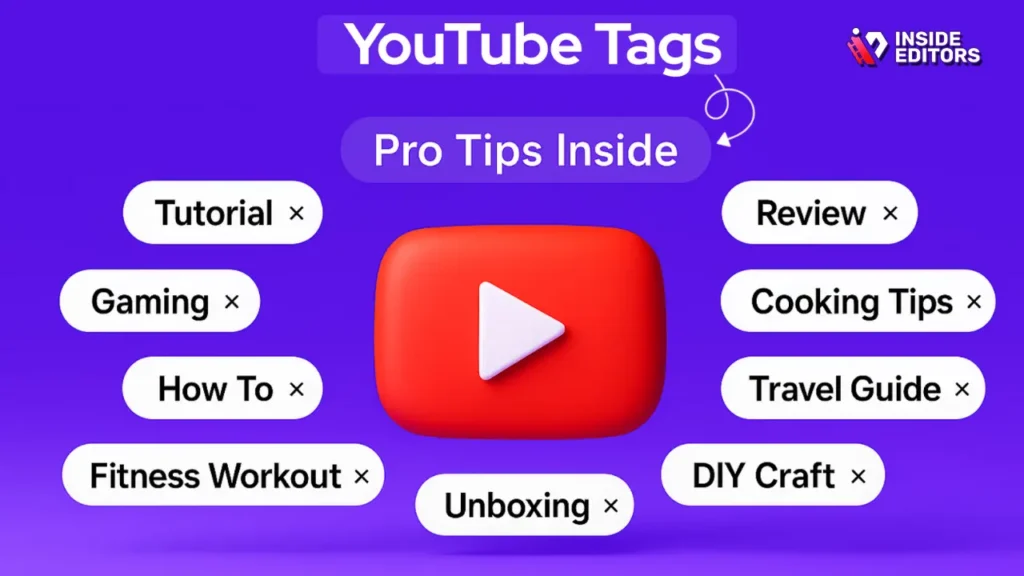
Knowing How to Add Tags to YouTube Video is only half the battle; knowing which tags to add is the true art. Top creators utilize advanced techniques and specialized tools to find high-performing, low-competition keywords.
Leveraging Competitor Analysis
One of the fastest ways to find effective tags is to see what successful videos in your niche are using.
The Competitor Tag Strategy:
- Search YouTube for your target keyword (e.g., “best camera for beginners”).
- Open the top 3-5 ranking videos.
- Use a browser extension like TubeBuddy or VidIQ to analyze the tags these videos are using.
- Identify common, high-performing tags and incorporate the most relevant ones into your own list.
This strategy helps you tap into established traffic sources and ensures you are speaking the same language as the videos that YouTube is already promoting.
Utilizing Keyword Research Tools
Dedicated SEO tools are invaluable for finding long-tail keywords that your audience is searching for but that competitors might be overlooking.
| Tool | Primary Function | Key Benefit for Tagging |
| TubeBuddy / VidIQ | YouTube-specific SEO analysis | Shows search volume and competition score directly on YouTube. |
| Google Keyword Planner | General search volume data | Identifies related searches and high-volume terms. |
| Google Trends | Topic popularity over time | Helps identify trending topics and seasonal tags. |
| Ahrefs / SEMrush | Comprehensive keyword research | Finds long-tail variations and questions related to the topic. |
The Power of Channel and Brand Tags
Always include tags related to your channel and brand identity. This helps YouTube connect all your content together and makes it easier for subscribers to find your videos.
Example: If your channel is “Inside Editors,” you should include tags like “Inside Editors,” “Inside Editors video editing,” and “IE.” This is especially useful for viewers who might misremember the exact video title but remember your brand name.
Common Tagging Mistakes and How to Avoid Them
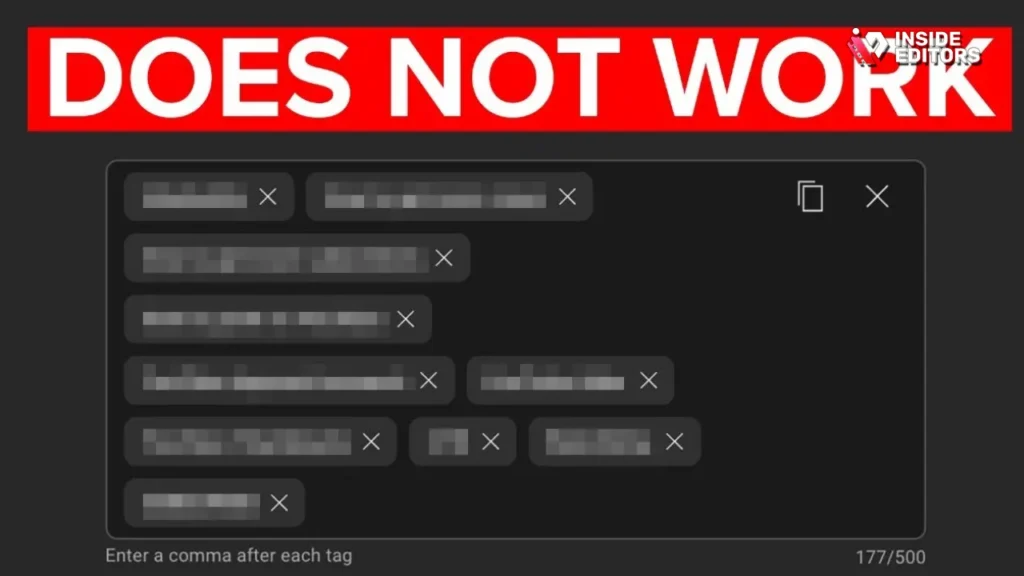
Even experienced creators sometimes make errors when optimizing their tags. Avoiding these pitfalls is essential for maintaining a healthy channel and ensuring your hard work pays off.
Mistake 1: Keyword Stuffing
This involves overloading the tag section with excessive, repetitive, or irrelevant keywords. For example, tagging a video with “dog,” “dogs,” “puppy,” “puppies,” “canine,” “dog training,” “dog food,” and “best dogs” when the video is only about one specific breed.
Solution: Focus on quality. Use 10-15 unique, highly descriptive tags that cover the scope of the video without unnecessary repetition. Remember that the title and description are more important for core keyword placement.
Mistake 2: Using Irrelevant Tags (Deceptive Metadata)
This is the fastest way to get penalized by YouTube. Using tags related to popular videos or celebrities that have nothing to do with your content (e.g., tagging a cooking video with “Taylor Swift” to gain views) is considered deceptive metadata.
Solution: Only use tags that genuinely describe the content of your video. If a viewer clicks on your video expecting one thing and finds another, they will leave immediately, resulting in low watch time and a negative signal to YouTube.
Mistake 3: Ignoring Long-Tail Keywords
Many creators only use broad, high-competition tags like “SEO” or “Marketing.” These are often too competitive for smaller channels to rank for.
Solution: Prioritize long-tail, specific phrases. Instead of “Photography,” use “beginner mirrorless camera settings for portraits.” These tags have lower search volume but much higher conversion rates because the user intent is clearer.
Pros and Cons of Extensive Tagging
While the 500-character limit encourages thoroughness, there are trade-offs to consider when deciding How to Add Tags to YouTube Video effectively.
| Aspect | Pros of Extensive Tagging (Near 500 Characters) | Cons of Extensive Tagging |
| Discoverability | Maximizes potential search queries and suggested video placements. | Risk of including irrelevant tags, diluting the video’s focus. |
| Algorithm Clarity | Provides the algorithm with maximum context for complex topics. | Can lead to keyword stuffing if not managed carefully. |
| Niche Reach | Captures highly specific, low-volume searches (long-tail). | Time-consuming research required to fill the space effectively. |
| Future Proofing | Covers various synonyms and related topics for long-term SEO. | If tags are poorly chosen, it can confuse the algorithm. |
The best approach is balanced: use the character limit to include 10-15 high-quality, relevant tags, rather than 50 low-quality, repetitive ones.
Boost Your Video Workflow with Expert Assistance

For many content creators, the process of filming, editing, optimizing the title, description, and tags can be overwhelming. This is where leveraging professional services can dramatically improve efficiency and results.
At Inside Editors, we specialize in professional video editing services designed for creators, businesses, and marketers. We understand that maximizing views requires more than just great cuts; it requires meticulous optimization.
Why Partner with Inside Editors for Video Optimization
When you focus on creating the content, we handle the technical polish and preparation required for YouTube success. Our professional video editing services ensure that every video you upload is technically flawless and strategically optimized.
Our Service Highlights:
- Expertise in YouTube SEO: Our editors don’t just edit; they understand the metadata requirements, including How to Add Tags to YouTube Video for maximum impact. We ensure your final product is ready to rank.
- Fast Turnaround: We offer a rapid 24-72 hour turnaround time, ensuring your content meets tight publishing schedules.
- Quality Assurance: We provide unlimited revisions until you are 100% satisfied, guaranteeing a professional quality that builds trust with your audience.
- Affordable and Scalable: With affordable pricing starting at just $29/video, we offer a scalable solution for growing channels, whether you produce one video a month or one every day.
By outsourcing the labor-intensive editing and optimization steps to our team, you save valuable time and can focus entirely on generating your next great idea. We ensure consistent brand style, professional color grading, and enhanced audio, providing a polished final product that viewers are more likely to engage with and share.
Finalizing Your Metadata Strategy

Once you have determined How to Add Tags to YouTube Video, the final step is ensuring synergy across all metadata fields. Tags should never operate in isolation; they must work in harmony with your title and description.
The Metadata Trifecta
- Title: Contains the primary exact-match keyword.
- Description: Contains the primary keyword, secondary keywords, and natural language explanations of the video content.
- Tags: Contains the primary keyword (first tag), long-tail variations, and synonyms, providing context to the algorithm.
When all three elements align, YouTube has a crystal-clear understanding of your video’s topic, leading to higher rankings and better suggested placements.
“Consistency is the cornerstone of YouTube SEO. If your title says ‘Apples,’ your description says ‘Apples,’ and your tags say ‘Apples,’ the algorithm trusts you implicitly.” – Creator Insider, YouTube Channel
Monitoring and Iteration
Optimization is not a one-time task. After uploading your video, use YouTube Analytics to monitor its performance.
Key Metrics to Track:
- Traffic Source: YouTube Search: Are viewers finding your video through the tags you used?
- Traffic Source: Suggested Videos: Are your tags helping your video appear next to high-performing content?
- Click-Through Rate (CTR): A low CTR might indicate that while your video is showing up in searches (good tags), the title or thumbnail isn’t compelling enough.
If a video isn’t performing well after a few weeks, revisit the tags. You can always edit an existing video’s metadata to target slightly different keywords. This iterative process is crucial for long-term channel health.
Mastering How to Add Tags to YouTube Video is an essential skill that directly influences your channel’s success. By employing strategic research, utilizing the full character limit with quality keywords, and avoiding common stuffing mistakes, you empower the YouTube algorithm to do its job: connecting your fantastic content with the right audience.
If you are ready to take your channel’s production quality and optimization strategy to the next level, consider partnering with the experts at Inside Editors. We provide the professional polish and strategic support needed to ensure every video you release is set up for maximum views and sustained growth. Visit our website to learn more about our professional video editing services and see how we can help you save time and scale your success.
Frequently Asked Questions
What is the best tag strategy?
The best strategy is to use a mix of specific long-tail phrases, broad category terms, and your exact target keyword. Always place the most important tag first and aim for 10–15 high-quality, relevant tags to maximize how to add tags to YouTube video effectiveness.
Should I use single-word tags?
Yes, single-word tags are useful for broad categories (e.g., ‘tutorial,’ ‘review’). However, prioritize multi-word, long-tail phrases, as they better capture specific user intent and are crucial when learning how to add tags to YouTube video correctly.
How many tags should I use?
YouTube allows up to 500 characters for tags. Aim to use this space efficiently with 10 to 15 unique, highly relevant tags. Do not use irrelevant tags or engage in keyword stuffing, as this can negatively affect your ranking.
Does tag order matter?
Yes, the order matters. Place your primary, exact-match keyword tag first in the list. The first few tags carry slightly more weight in signaling the video’s core topic to the YouTube algorithm.
Can I edit tags later?
Absolutely. You can edit the tags (and any other metadata) of an existing video at any time through YouTube Studio. Monitoring performance and iterating on your tags is a critical part of optimizing how to add tags to YouTube video for long-term success.


