

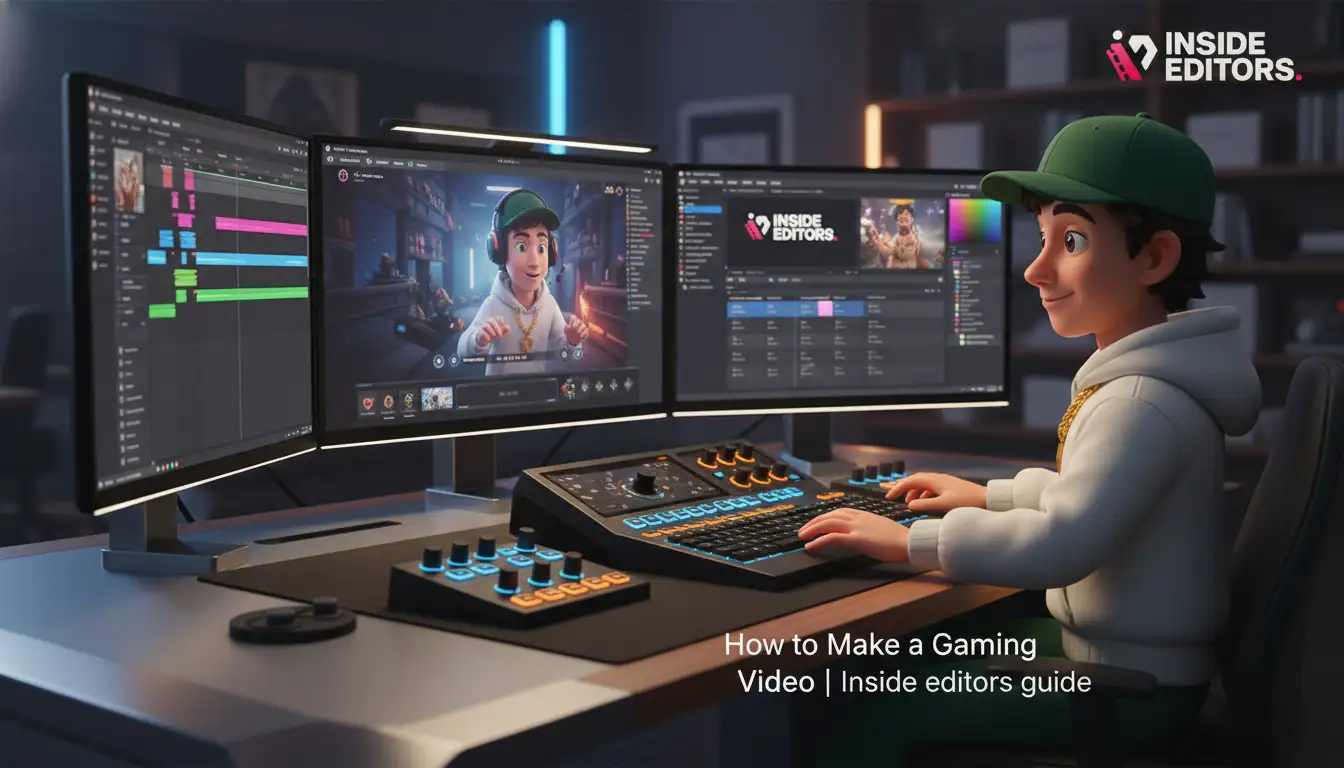
Making a gaming video is much more than simply hitting the record button. It is a creative process that blends technical skill, performance, and strategic editing to capture an audience. Whether you are aiming for YouTube stardom, building a community on Twitch, or simply sharing epic gameplay moments with friends, understanding the full production pipeline is essential. This comprehensive guide will walk you through every critical step, ensuring you know exactly how to make a gaming video that stands out in a crowded digital landscape.
The demand for high-quality gaming content has never been higher, but so has the competition. To succeed, you must move beyond basic capture and embrace professional production standards. We will cover everything from setting up your hardware to mastering post-production techniques, giving you the expertise needed to consistently produce engaging content.
Preparation and Strategy-Laying the Foundation
Before you even launch a game, strategic planning determines the success of your video. A well-defined concept and optimized setup save hours in the editing suite later. Learning how to make a gaming video effectively starts here, with intention.
Defining Your Content Niche and Audience
The first step is deciding what kind of gaming video you want to create. The landscape is vast, encompassing everything from high-energy gameplay montages to deep-dive reviews and educational tutorials.
Types of Gaming Videos:
- Walkthroughs/Let’s Plays: Recording the entire experience of playing a game, often with commentary. This relies heavily on personality and consistent engagement.
- Reviews and Analysis: Offering critical opinions, discussing game mechanics, and evaluating the overall experience. These require research and structured arguments.
- Montages and Highlights: Short, dynamic videos featuring the best moments (clutch plays, funny fails, epic kills). These demand precise, rhythmic editing.
- Tutorials and Guides: Showing viewers how to achieve specific goals, defeat bosses, or utilize advanced strategies. Clarity and accuracy are paramount.
Think about your unique selling proposition. What perspective do you bring that others don’t? Focusing on a specific genre (e.g., retro RPGs, competitive esports, indie horror) can help you build a dedicated, passionate audience faster than trying to appeal to everyone.
Essential Hardware and Software for Capture
To successfully capture high-quality footage, you need reliable equipment. The requirements vary based on whether you are recording PC gameplay or console gameplay.
PC Gaming Setup
For PC gaming, the primary challenge is recording without impacting performance. You need a powerful CPU and GPU combination to run the game and the recording software simultaneously.
- Recording Software: Tools like OBS Studio (free and open-source) or Nvidia ShadowPlay (if you have an Nvidia card) are industry standards. They allow for flexible configuration of resolution, frame rate, and bitrate.
- Microphone: A dedicated USB or XLR microphone (such as the Blue Yeti or Shure MV7) is non-negotiable. Built-in laptop mics sound unprofessional and detract significantly from the viewing experience.
- Webcam (Optional but Recommended): If you plan to show your face (facecam), a 1080p or 4K webcam provides clear visuals. Ensure your lighting is adequate to prevent grainy footage.
Console Gaming Setup
If you are playing on a PlayStation, Xbox, or Nintendo Switch, you will need an external capture card to bypass the console’s internal recording limitations (which often cap length or quality).
- Capture Card: Devices like the Elgato HD60 S+ or AverMedia Live Gamer allow you to pass the HDMI signal from the console through to your PC, where the recording software captures the feed.
- Pass-through: Look for a capture card with low-latency pass-through. This means the video signal goes directly to your monitor without noticeable delay, ensuring your gameplay remains smooth while the recording is happening on the PC.
“Quality is not an act, it is a habit. If you want to be a professional gaming content creator, you must treat your audio and video capture with professional seriousness.” – Devin Nash, Content Strategy Consultant
Mastering the Recording Process
Once your setup is ready, the focus shifts to execution. Effective recording involves optimizing settings, managing audio layers, and delivering engaging commentary. This is the practical core of how to make a gaming video.
Optimizing Video Settings for Quality
The goal is to strike a balance between file size, performance, and visual fidelity. High-quality videos typically require high bitrates.
| Setting | Recommendation | Rationale |
|---|---|---|
| Resolution | 1080p (1920×1080) or 4K (3840×2160) | Match your source material and target platform (YouTube prefers 4K if possible). |
| Frame Rate | 60 frames per second (FPS) | Gaming videos look significantly smoother at 60 FPS, which is expected by viewers. |
| Bitrate (for 1080p/60) | 15,000 to 25,000 Kbps | Higher bitrate means less compression and better detail retention, especially in fast-moving game scenes. |
| Encoder | NVENC (Nvidia) or AMF (AMD) | Using the GPU encoder offloads work from the CPU, minimizing performance impact on the game. |
The Art of Commentary and Audio Management
Audio is often overlooked, yet it is arguably more important than video quality. Viewers will tolerate slightly lower video resolution, but poor audio quality will cause them to click away instantly.
Recording Separate Audio Tracks
Always record your audio sources-game audio, microphone commentary, and perhaps Discord/party chat-on separate tracks. This is crucial for post-production. If the game audio suddenly peaks, you can lower that specific track without affecting your voiceover. Most advanced recording software, like OBS, supports multi-track recording.
Delivering Engaging Commentary
Commentary should be spontaneous but focused. Practice speaking clearly, maintaining energy, and reacting genuinely to the gameplay.
- Introduce the Goal: Start by clearly stating what the video is about (e.g., “Today, we’re attempting a no-damage run on the final boss”).
- Maintain Flow: Avoid long silences. If there’s a lull in the action, fill it with thoughts on strategy, game lore, or anecdotes.
- React Authentically: Viewers connect with genuine emotion. Don’t fake excitement; let your real reactions drive the narrative.
Expert Tip: Use a noise gate filter in your recording software to eliminate background noise (keyboard clicks, fan hum) when you aren’t speaking. This cleans up the raw audio immensely.
Post-Production and Editing Mastery
The raw footage is just the beginning. Editing is where the magic happens, transforming hours of gameplay into a tight, compelling narrative. This phase determines the final quality of how to make a gaming video professional and polished.
Choosing Your Editing Software
The right tool depends on your budget, skill level, and the complexity of the videos you plan to create.
| Software | Pros | Cons | Ideal Use Case |
|---|---|---|---|
| DaVinci Resolve | Free version is extremely powerful, excellent color grading tools, professional standard. | Steep learning curve, resource-intensive. | High-end, professional content creation. |
| Adobe Premiere Pro | Industry standard, integrates well with other Adobe products, vast tutorials available. | Subscription cost, can be complex for beginners. | Creators needing flexibility and integration. |
| Final Cut Pro | Optimized for macOS, fast rendering, intuitive interface. | Mac-only, high initial cost. | Mac users seeking speed and efficiency. |
| CapCut/Filmora | User-friendly, affordable or free, good for quick edits. | Limited advanced features, less control over professional color/audio. | Beginners and quick social media clips. |
The Core Editing Workflow
A structured workflow ensures efficiency and consistency.
- Ingest and Organization: Import all footage (gameplay, facecam, audio tracks) and organize them into clear bins or folders. Sync the separate audio tracks to the video.
- The Rough Cut: Go through the footage and remove all unnecessary material: long loading screens, silent moments, repeated mistakes, and technical issues. Focus on keeping only the most engaging 10-20% of the raw footage.
- Pacing and Flow: Adjust the length of clips to control the video’s rhythm. Fast cuts create excitement (for montages), while longer takes allow for narrative development (for reviews). Use J-cuts and L-cuts (where the audio of the next clip starts before the video, or vice versa) to smooth transitions between scenes.
- Adding Visual Elements: Incorporate text overlays, lower thirds, graphics, and memes. These elements reinforce the commentary and keep the viewer visually engaged.
Enhancing Visuals and Audio
Professional gaming videos require more than just raw footage.
Color Correction and Grading
Even if the game looks great, your facecam footage likely needs correction. Adjust white balance, exposure, and contrast to ensure your face looks clear and professional. Color grading applies a specific aesthetic (e.g., a dark, moody look for horror games) to the entire video.
Audio Sweetening
This is where the multi-track recording pays off.
- Noise Reduction: Apply filters to remove residual hum or background static from the microphone track.
- Leveling: Ensure your voice is consistently loud and clear, sitting above the game audio. The game audio should be audible but never overpower the commentary.
- Compression: Use a compressor on your voice track to reduce the difference between your loudest and quietest words, making the overall volume more consistent for the viewer.
When to Seek Professional Assistance
Editing can be the most time-consuming part of learning how to make a gaming video. For creators focusing on rapid growth, consistency, and high production values, outsourcing post-production is a viable, strategic choice.
Inside Editors offers professional video editing services designed for content creators and marketers. Our team of professional editors, with over 10 years of experience, handles the tedious work-the syncing, the cutting, the color grading, and the audio enhancement-allowing you to focus entirely on generating great content.
By utilizing professional services, you benefit from:
- Fast Turnaround: We offer rapid delivery, typically within 24-72 hours, ensuring you meet strict upload schedules.
- Quality Assurance: Professional quality that builds trust and maintains a consistent brand style across all your videos.
- Affordability: Affordable pricing starting at $29/video, making high-end editing accessible even for growing channels.
If you find yourself spending more time rendering than recording, leveraging expert editing support is the smart way to scale your channel.
Finalizing and Distribution
The last steps involve packaging your video for maximum impact and ensuring it reaches the widest possible audience.
Crafting Compelling Titles and Thumbnails
On platforms like YouTube, the title and thumbnail are your video’s first impression-and the primary drivers of click-through rate (CTR).
- Titles: Must be clear, concise, and include relevant keywords. Use strong action verbs and numbers (e.g., “7 Pro Tips to Master Elden Ring’s Malenia”). Keep titles under 60 characters to avoid truncation.
- Thumbnails: Should be high-resolution, visually striking, and easy to read even when small. Use large text, contrasting colors, and emotional facial expressions (if using a facecam). Avoid clutter; focus on one main visual hook.
“A great video with a bad thumbnail is like a masterpiece locked in a vault. Nobody knows it exists.” – MrBeast, Content Creator
SEO and Metadata Optimization
Understanding search engine optimization (SEO) is crucial for ensuring viewers find your content when searching how to make a gaming video or specific game strategies.
- Description: Use the first few lines to summarize the video and include your target keywords naturally. Provide timestamps (chapters) to help viewers navigate the content.
- Tags: Use a mix of broad tags (e.g., “gaming video,” “walkthrough”) and specific, long-tail tags (e.g., “Elden Ring Malenia cheese strat 2024”).
- Call to Action (CTA): Clearly instruct viewers to subscribe, like the video, or check out related content. Place CTAs both verbally in the video and visually in the description.
Advanced Techniques and Common Pitfalls

To truly excel, you need to go beyond the basics. These advanced techniques help differentiate your content and elevate the viewer experience.
Incorporating Music and Sound Effects
Music sets the mood. Use royalty-free music libraries (like Epidemic Sound or Artlist) to avoid copyright strikes.
- Background Music: Use low-volume, non-distracting music during slower segments (e.g., tutorials or commentary).
- Stingers and SFX: Use short sound effects (e.g., whooshes, dings, impact sounds) to punctuate edits, transitions, and on-screen text. This adds energy and professionalism.
The Importance of Pacing and Viewer Retention
Modern viewers have short attention spans. Your editing must be relentless in keeping the pace up.
Comparison of Pacing Styles:
| Pacing Style | Characteristics | Best For |
|---|---|---|
| High Energy (Rapid Cuts) | Cuts every 1-3 seconds, heavy use of zooms and sound effects, aggressive music. | Montages, highlights, challenge videos. |
| Moderate (Narrative Focus) | Cuts every 5-10 seconds, focuses on maintaining a story flow, minimal visual distractions. | Reviews, Let’s Plays, story-driven content. |
| Slow (Educational/Detailed) | Longer takes, screen recordings showing precise steps, clear voiceover. | Tutorials, guides, technical analysis. |
Analyze your audience retention graphs. If viewers drop off consistently at a certain point, that section likely needs tighter editing or removal.
Pros and Cons of Live Streaming vs. Pre-Recorded Content
Deciding between live streaming and pre-recorded videos significantly impacts the production process for how to make a gaming video.
Pros and Cons:
- Pre-Recorded Videos:
- Pros: Maximum quality control, ability to cut out mistakes and downtime, optimized SEO potential, consistent production value.
- Cons: Highly time-consuming editing process, less immediate interaction with the audience.
- Live Streaming (VODs):
- Pros: Immediate audience engagement, less post-production work, builds community faster, constant content output.
- Cons: Lower production polish (mistakes remain), quality is dependent on real-time internet stability, often requires heavy re-editing to be suitable for VOD platforms.
Avoiding Common Creator Mistakes
Many aspiring creators stumble over easily avoidable issues.
- Poor Audio Quality: As mentioned, prioritize the microphone. Don’t rely on the built-in mic on your headset.
- Too Much Dead Air: Edit out long silences or prolonged periods of non-action. If nothing is happening in the game, fill the space with commentary or cut to the next action sequence.
- Inconsistent Upload Schedule: Algorithms reward consistency. Establish a realistic schedule (e.g., every Tuesday and Friday) and stick to it.
- Ignoring Analytics: Your analytics dashboard tells you what works and what doesn’t. Pay attention to CTR, watch time, and audience demographics to refine your strategy for how to make a gaming video.
Scaling Your Production and Maintaining Quality

As your channel grows, the demands on your time increase exponentially. Scaling requires efficiency and, often, delegation.
Creating Templates and Style Guides
To maintain consistency when you make a gaming video, create templates for common elements:
- Intro/Outro: Standardized branding, music, and call-to-action screens.
- Lower Thirds: Templates for displaying names, stats, or facts.
- Color Presets: Saved color grading settings to apply quickly to all facecam footage.
A style guide ensures that anyone-including an outsourced editor-can maintain your brand’s look and feel.
The Power of Batching Content
Instead of recording, editing, and uploading one video at a time, batch your tasks:
- Batch Recording: Dedicate one day to recording 3-4 videos worth of raw footage.
- Batch Editing: Dedicate the next day(s) solely to editing those videos.
- Batch Uploading/Scheduling: Schedule the finished videos for release throughout the week.
Batching minimizes context switching, making the process of how to make a gaming video significantly more efficient.
Leveraging Professional Video Editing Services
For creators who reach a point where editing time limits growth, utilizing a professional service is the next logical step. Inside Editors specializes in providing high-quality, reliable editing support.
We understand the specific needs of gaming content, including syncing multiple tracks, managing fast-paced cuts, and applying dynamic visual effects. Our service workflow is streamlined: you upload the raw footage, provide notes, and receive a polished, ready-to-upload video back quickly. We offer unlimited revisions until you are completely satisfied, ensuring the final product perfectly matches your vision. This allows you to spend 100% of your time on gameplay and engagement, which is the true driver of channel growth.
If you are serious about mastering how to make a gaming video and scaling your output without sacrificing quality, consider professional video editing services.
Conclusion: Your Path to Gaming Content Success
Learning how to make a gaming video is a continuous journey of technical refinement and creative expression. By focusing on strong preparation, high-quality audio capture, and meticulous post-production, you can create content that not only attracts viewers but keeps them coming back.
Remember that consistency and authenticity are your most powerful tools. Invest in your equipment, dedicate time to mastering your editing software (or partner with professionals like Inside Editors to handle the heavy lifting), and always prioritize delivering value and entertainment to your audience. The gaming content space is competitive, but with the right strategy and execution, your voice and gameplay can shine through. Start recording today, and watch your channel grow.
Frequently Asked Questions
What is the best frame rate for gaming videos?
The ideal frame rate for making a gaming video is 60 frames per second (FPS). This provides the smoothest motion and is the standard expectation for high-quality gaming content, especially for fast-paced action or esports highlights.
Should I record my audio on a separate track?
Yes, absolutely. To make a gaming video professional, you must record commentary, game sound, and chat on separate audio tracks. This allows for precise mixing and noise reduction during the editing phase.
How long should my gaming video title be?
Keep your gaming video title concise, ideally under 60 characters. This ensures the full title is visible on search results and mobile devices, maximizing the chance viewers click to see how to make a gaming video.
What is the most common mistake new creators make?
The most common mistake is neglecting audio quality. Viewers will tolerate mediocre video but will immediately click away from a video if the commentary is muffled, too quiet, or plagued by background noise.
Do I need a capture card for PC gaming?
No, you typically do not need a dedicated capture card for PC gaming. Software like OBS Studio or Nvidia ShadowPlay can record directly from your PC’s GPU, which is essential when learning how to make a gaming video.
How can I improve my video pacing?
Improve video pacing by ruthlessly cutting out ‘dead air’-long silences, loading screens, and repetitive actions. Use dynamic cuts and sound effects to keep the energy high and retain viewer attention.
What is the fastest way to scale my content output?
The fastest way to scale is by batching your recording sessions and utilizing professional video editing services. This frees up your time to focus on content creation and audience engagement.
Is 4K resolution necessary for gaming content?
While 1080p is sufficient, 4K resolution is highly recommended for maximizing visual quality and future-proofing your content. High-resolution footage helps when you make a gaming video that requires zooming or cropping.


