

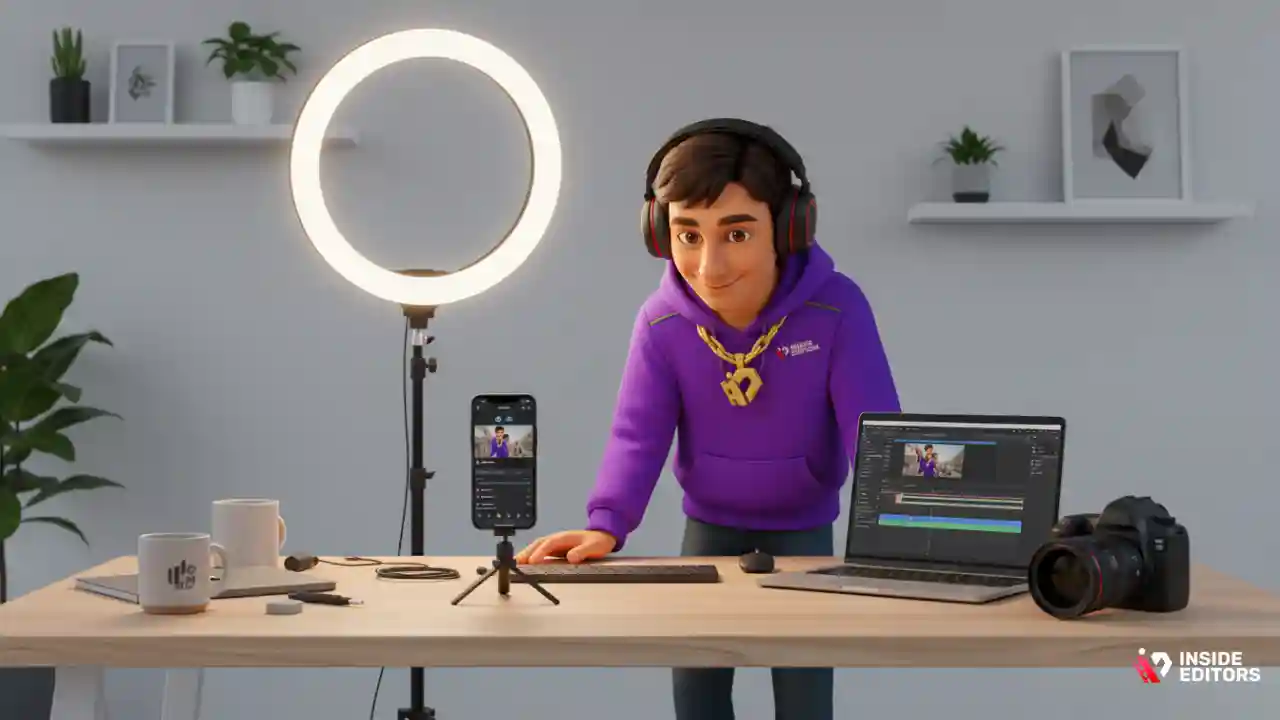
Creating a TikTok video that people actually watch, like, and share is equal parts creativity and strategy. If you’ve ever wondered how to make TikTok video content that looks polished and performs well, you’re not alone. With millions of daily uploads, standing out requires knowing the platform, mastering the tools, and developing a workflow that feels effortless. In this guide, you’ll walk through the entire process-step by step-so you can go from idea to upload with confidence. By the end, you’ll know exactly how to plan, film, edit, and publish videos that feel professional without needing expensive equipment or advanced technical skills.
TikTok favors authenticity, but that doesn’t mean quality doesn’t matter. In fact, many creators learn that small adjustments-good lighting, clean editing, intentional pacing-make the biggest difference. That’s why we’ll combine creative techniques with practical editing tips, giving you the same type of process professional editors use behind the scenes. And if you ever decide to outsource editing to save time, this guide will show where professional support, like the TikTok video editing services at Inside Editors, naturally comes into play.
Understanding What Makes TikTok Content Work Today
Why TikTok’s Format Shapes the Way You Should Create
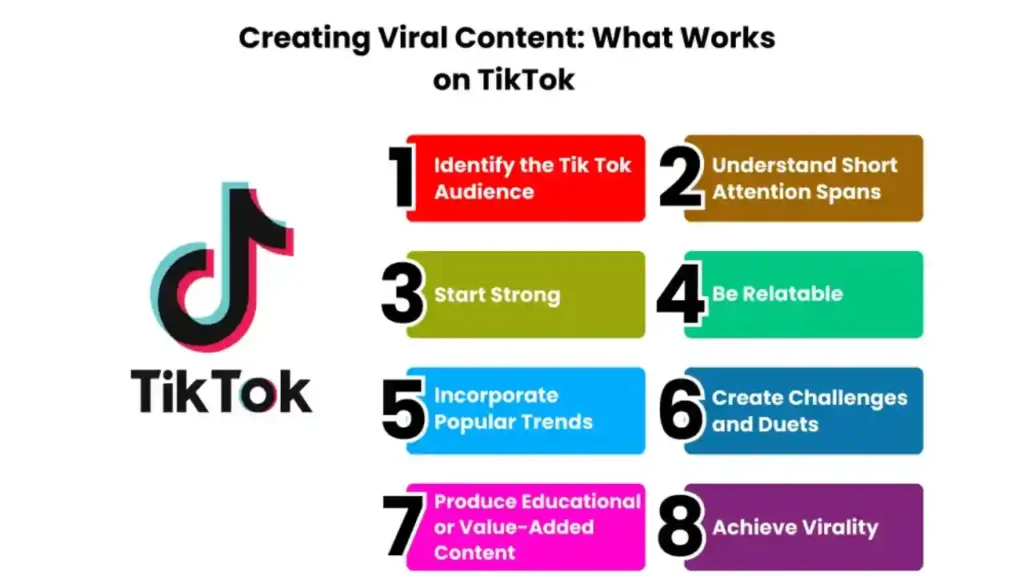
Before you learn how to make TikTok video content step-by-step, it helps to understand what makes the platform unique. TikTok is built around short-form, vertical video, which means users swipe quickly, decide instantly, and reward videos that grab attention right away. A 2024 HubSpot marketing study reported that short, fast-paced videos outperform longer ones because viewers prefer content that delivers value within seconds. That’s why your first few moments-your hook-matter as much as the rest of your video.
TikTok’s algorithm also prioritizes engagement: watch time, likes, comments, saves, and shares all signal that your content has value. This means thoughtful editing becomes just as important as filming. Even basic cuts, smooth transitions, and synced audio can dramatically increase watch-through rates. When creators combine creativity with smart editing, their videos tend to gain traction more consistently.
Understanding this dynamic makes it easier to create with purpose. Instead of simply filming and hoping something sticks, you develop a structure tailored for TikTok’s style. That structure is what we’ll build throughout this guide.
How Trends, Sounds, and Storytelling Influence Visibility
Another key to TikTok success is tapping into what the community is already interacting with. Popular sounds, challenges, and visual styles often guide what viewers expect in their feeds. When you use a trending sound or a recognizable format, your video becomes familiar, making users more likely to watch and engage. However, trends alone won’t guarantee performance. Your story-whether it’s funny, inspiring, informative, or emotional-makes the difference between a quick swipe and a meaningful interaction.
Storytelling doesn’t need to be complicated. It simply means guiding the viewer from a beginning to an end. For example, “Watch me turn this messy room into a clean space” instantly sets up curiosity, progress, and a final reveal. Even a 7-second video can follow this pattern. Once you understand how viewers think, editing becomes easier because you know which parts to emphasize, speed up, or simplify.
Now that you know why TikTok videos work the way they do, it’s time to explore the process of creating one-from planning your idea to filming your first clip.
Planning Your TikTok Video Before You Hit Record
Choosing a Clear Idea to Guide Your Shots
If you’ve ever opened TikTok, hit record, and hoped inspiration would appear mid-video, you’re not alone. But planning-even lightly-makes the entire process easier. Start by deciding what the video will accomplish. Are you teaching something? Showing a transformation? Sharing a reaction? Introducing a lifestyle moment? When your idea is clear, the shots you need become clearer too.
For example, let’s say you want to teach a quick editing trick. You already know you’ll need a short introduction, a screen-recorded explanation, and a final result clip. Planning highlights what’s essential and eliminates unnecessary footage that only adds editing time.
Good planning also makes your video more engaging. TikTok users appreciate clean, intentional pacing. When your content has a natural flow, people stay longer-and the algorithm notices. This is the stage where you begin thinking like both a creator and an editor.
If ideas feel overwhelming, look at TikTok trends, browse popular hashtags, or explore content related to your niche. People often find inspiration by analyzing what others are doing and thinking, “How can I make my own version of this?”
The Importance of Pre-Production: Scripts, Hooks, and Visual Style
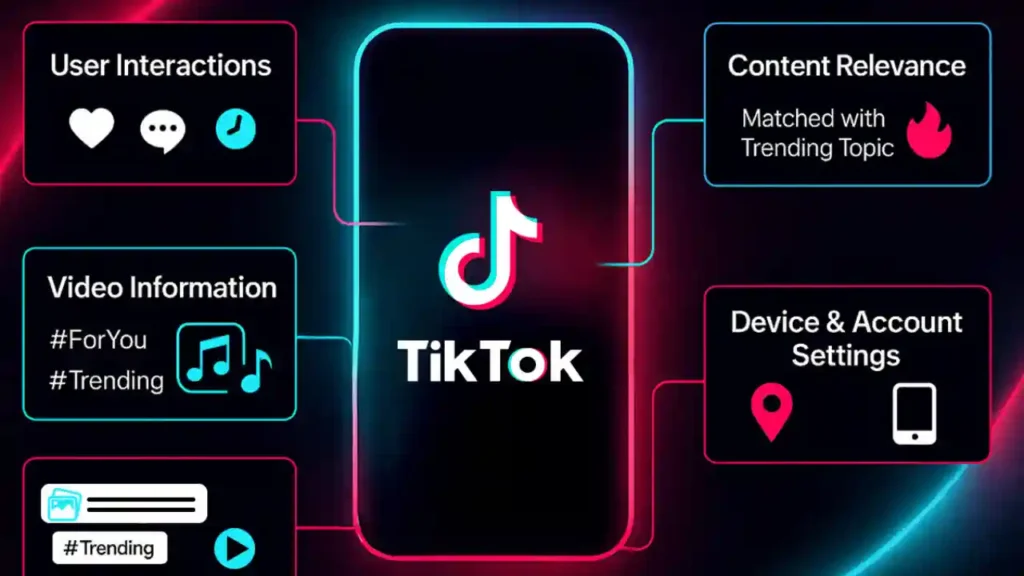
Once you have an idea, the next step is preparing the structure of your video. Think about your hook-the first one to two seconds that grabs attention. Great hooks typically tease a result, ask a question, or create curiosity. For example: “I tried the new AI editing trick-here’s what happened.” This type of hook signals value instantly.
Then, outline the main points you want to cover. You don’t need a formal script; a simple list helps you stay organized. Many creators jot down notes like: “Hook → Step 1 → Step 2 → Final Clip.” This lightweight structure keeps filming fast and editing smoother later.
Finally, visual style matters. Think about your background, lighting, and wardrobe. You don’t need a studio-just a clean, bright space. TikTok rewards authenticity, but viewers still appreciate clarity and good visuals. With a bit of planning, your video looks intentional, not rushed.
Planning sets the stage for better filming, and better filming leads to effortless editing. Now, let’s look at how to shoot your TikTok in a way that makes the editing process faster and more enjoyable.
Editing Your TikTok Video for Maximum Impact
Why Editing Decides Whether Viewers Keep Watching
Once your footage is recorded, the real storytelling begins. Editing is where your clips gain emotion, rhythm, and structure. Many new creators think editing is optional because TikTok loves “authentic” videos. But authenticity doesn’t mean messy-viewers still expect clarity, flow, and intention. Clean editing increases watch time, and higher watch time increases visibility. TikTok’s algorithm pushes videos that hold attention, so your goal in this stage is simple: make it impossible for viewers to swipe away.
Great editing also highlights your personality. Whether you use fast cuts, playful transitions, or text overlays, each editing choice should support your message. Even small details-like trimming pauses or syncing clips to the beat-can elevate your video significantly. Think of editing as shaping the viewer’s journey from the hook to the payoff. With that mindset, you’ll naturally create content that feels polished without losing its natural vibe.
Using TikTok’s Built-In Editing Tools for Speed and Simplicity
TikTok’s built-in editor is surprisingly powerful for day-to-day content. Once you upload your clips into the editing timeline, start by trimming unnecessary moments. Viewers prefer tight pacing, so remove filler footage, long pauses, or awkward transitions. TikTok makes it easy to split clips, drag them around, and match your cuts to audio. If you’re following a trending sound, syncing your actions to the beat boosts engagement because it meets user expectations.
Next, explore TikTok’s visual effects and filters. The goal isn’t to overdo it-but to enhance what’s already there. Consistent filters create a recognizable aesthetic, while subtle color correction makes your video appear brighter and more professional. You can also add text overlays to emphasize key moments or guide viewers through your message. For example, tutorial-style videos benefit from step labels like “1. Film Clip,” “2. Add Text,” and so on.
Audio editing on TikTok is equally important. You can blend your original audio with music, adjust volume levels, or add voiceovers. Voiceovers are particularly effective because they allow you to narrate while showing visuals-perfect for storytelling or educational content. Many creators use the built-in auto captions feature for accessibility, clarity, and better retention. Quick, readable captions keep viewers watching even with the sound off, which is common on mobile feeds.
When Third-Party Editing Apps Give You an Advantage
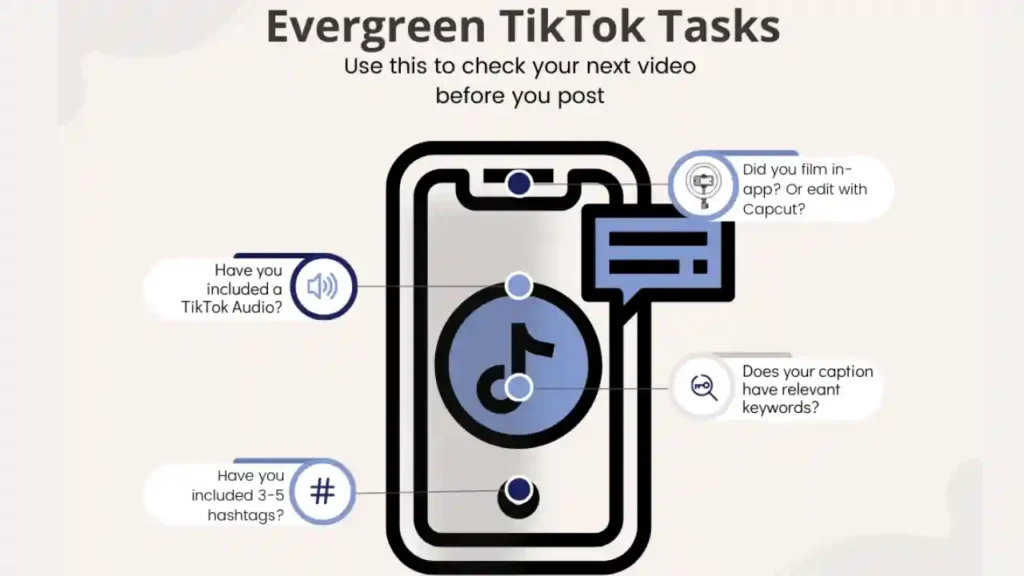
While TikTok’s editor works well, there are times when external apps provide more control. Apps like CapCut, Adobe Premiere Rush, or VN allow for advanced transitions, color grading, layering clips, and precise timing. CapCut in particular integrates directly with TikTok, making it a favorite among creators. If your video includes multiple cuts, special effects, or complex sequences, third-party apps let you craft a more cinematic experience.
These tools also offer templates-pre-designed editing sequences synced to music. Templates can help beginners understand pacing while giving intermediate creators a polished baseline to build from. For example, lifestyle creators love aesthetic templates that combine transitions, overlays, and subtle animations. On the other hand, educational creators may prefer clean, minimal layouts that keep the message front and center.
Using external apps also saves you time. If you batch-film multiple videos, you can edit them in one project file, export versions, and upload them to TikTok individually. This workflow speeds up production and gives your content a consistent look. Eventually, many creators develop a signature editing style-something that viewers recognize immediately. With a bit of practice, this becomes one of your strongest branding tools.
Now that you’ve shaped your video into a polished piece, it’s time to enhance it with storytelling elements like text, transitions, and on-screen movement.
Enhancing Video With Effects, Captions, and Transitions
How Text and Captions Boost Watch Time and Clarity
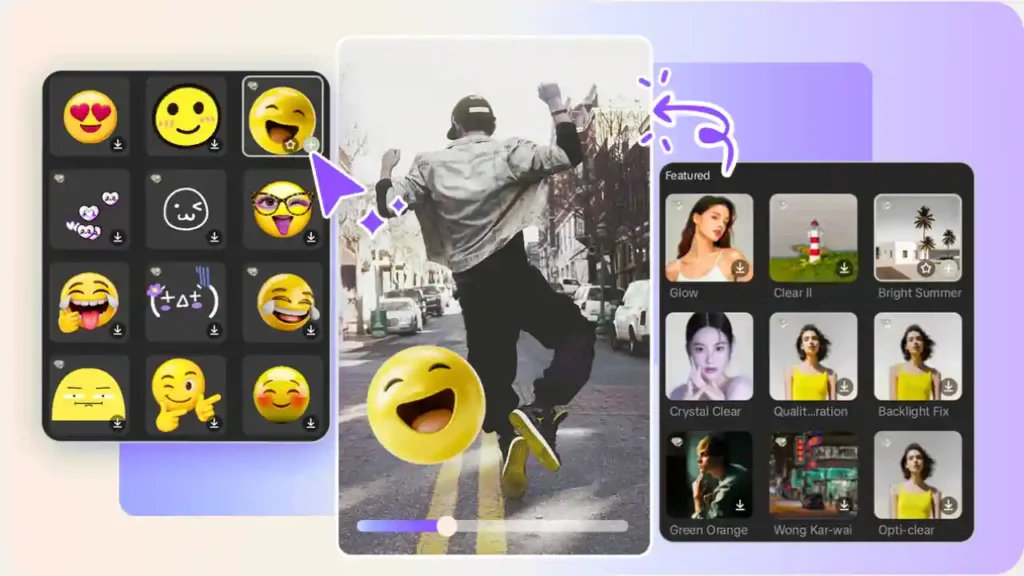
Adding text to your video isn’t just about style-it’s about communication. TikTok users scroll quickly, and text helps your message stand out even before audio kicks in. Opening with a strong on-screen statement like “3 tricks to edit videos faster” instantly tells viewers what to expect. It also hooks them visually while your voice or footage introduces the story.
Captions are equally important. According to a 2025 accessibility report from Meta, more than 70% of mobile video views occur with sound off at some point. Captions keep viewers engaged and provide clarity for people watching silently. TikTok’s auto-caption tool is fast, accurate, and easy to customize. You can adjust font style, color, and placement so your text supports your aesthetic rather than distracting from it.
Text can also guide viewer attention. Highlighting keywords-like “Before,” “After,” “Step 1,” or “Watch This”-helps create structure. When viewers know what’s coming, they’re more likely to stay until the end. This structured clarity is one of the reasons educational TikTok creators grow quickly: viewers appreciate content that feels easy to follow.
Using Transitions to Add Flow and Personality
Transitions can make your video feel dynamic, but the key is not to overuse them. Smooth transitions help your video move naturally from one clip to the next, keeping viewers engaged. Common creator transitions include fast zooms, whip pans, hand-over-lens covers, and jump cuts. These simple techniques give your video a satisfying rhythm, especially when synced to beat drops or sound cues.
In editing apps like CapCut or VN, you can apply automated transitions that flow seamlessly. However, manual transitions-such as matching the motion between two clips-sometimes look more natural. For example, a creator cleaning a room might whip the camera left at the end of one clip and start the next clip whipping from the same direction. This creates a continuous motion effect that feels energetic and polished.
Transitions matter because they keep your content visually stimulating without overwhelming the viewer. Many creators find that using one or two consistent transitions becomes part of their brand identity. Whether you prefer clean cuts or stylistic motion, consistency helps viewers recognize your style instantly in their feed.
As your editing becomes more advanced, effects, animations, and overlays can add personality. Just remember the golden rule: effects should enhance the story, not distract from it. With your transitions and text in place, you’re now ready for one of the most important steps: posting strategically for maximum reach.
Posting TikTok Video With a Strategy, Not Guesswork
Choosing the Best Time to Post for Higher Visibility
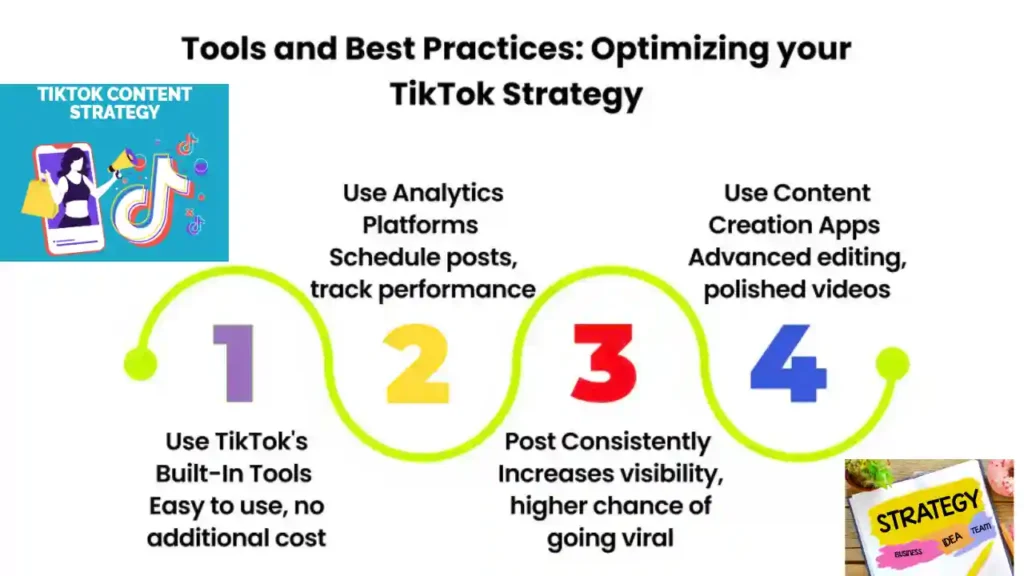
Posting is more than hitting “upload.” Timing can significantly influence your reach. While there’s no universal perfect posting time, patterns have emerged. According to a 2025 Influencer Marketing Hub report, engagement often peaks during breaks and evenings-around lunch hours and after work. But your audience might behave differently. The key is testing.
Start by posting at different times over a week, then analyze your analytics. TikTok offers detailed insights: viewer demographics, active hours, watch time, and retention. When you see patterns-like consistent engagement at night-it becomes easier to schedule strategically. Posting when your viewers are active increases the chances of early engagement, which boosts your video in the algorithm.
Remember, consistency matters. Creators who post regularly (whether daily or a few times per week) tend to grow faster because the platform recognizes their activity. You don’t have to post perfect content each time-just content that feels authentic and intentional.
Crafting Captions, Hashtags, and Thumbnails That Drive Interaction
While TikTok is visual-first, captions still influence performance. Think of your caption as a supporting detail-not the main message, but a helpful context. Short, conversational captions often work best because they feel natural. Questions work especially well: “Which transition should I try next?” or “Have you edited like this before?” These prompts spark comments, which boost your engagement score.
Hashtags help TikTok understand your content’s topic. You don’t need dozens-use a mix of broad tags (#foryou, #tiktoktips) and niche tags related to your video. Niche tags help you reach viewers who are genuinely interested, which increases retention.
Thumbnails also matter when people view your profile. A clear, intentional cover frame makes your page look organized and encourages new users to explore your videos. Pick a frame that represents your content visually-bold text or a strong facial expression often works well.
Now that your video is planned, filmed, edited, enhanced, and posted, let’s explore how to keep viewers engaged long-term and build momentum as a creator.
Common Mistakes New Creator Errors to Avoid
Why Overediting, Overscripting, and Overthinking Slow You Down
One of the most common pitfalls is trying to make every video “perfect.” Overediting or relying on overly complicated transitions often slows creators down and dilutes the core message. TikTok viewers appreciate clarity and authenticity. If your editing calls too much attention to itself, the video feels busy instead of engaging.
Overscripting can create a similar issue. If you sound like you’re reading a memorized line, the video loses its natural energy. Instead of perfect lines, aim for clean structure. Know your points, but allow your tone to remain conversational. This approach makes your content feel more human and relatable.
Another mistake is overthinking content ideas. Many viral videos come from simple, spontaneous moments. The more you practice creating, the easier it becomes to develop ideas that feel intuitive. Think of TikTok as an ongoing experiment rather than a pressure-filled performance.
Ignoring Lighting, Audio, and Backgrounds
While content doesn’t need to be cinematic, avoid distracting backgrounds, dim lighting, and unclear audio. These small issues can push viewers away before they’ve even heard your message. A clean background and good lighting instantly make your content feel professional, even if you’re filming on a budget.
Audio clarity is equally important. If people struggle to hear you, they won’t stay. Even affordable plug-in mics significantly improve quality. These simple upgrades set you apart in a crowded feed.
By avoiding these common pitfalls, you’ll save time and frustration-and produce consistently better content that viewers actually enjoy.
When Professional Editing Takes Your TikTok Content
Why Outsourcing Editing Helps Creators Focus on Creativity
As TikTok creators grow, editing often becomes the most time-consuming part of the process. Many creators reach a point where they want to post consistently, but the editing workload slows them down. That’s where professional help becomes valuable.
Professional editors streamline your workflow by handling trimming, pacing, transitions, captions, color grading, and overall storytelling. This frees you to focus on filming, creativity, and audience interaction-areas where your personality truly shines. For example, Inside Editors provides dedicated TikTok video editing services designed for creators who want high-quality results without spending hours in apps.
Even if you’re confident in your editing skills, a professional editor can elevate your content with smoother pacing, stylized transitions, better visuals, and more cohesive branding. Creators who outsource editing often experience faster growth because their videos become more polished, consistent, and engaging.
If you want to explore professional support, you can visit the Inside Editors service page.
Conclusion: It All Begins With One Intentional TikTok

Learning how to make TikTok video content step-by-step is less about mastering one perfect skill and more about understanding the full creative process. From planning and filming to editing, enhancing, posting, and analyzing, every stage adds value to your final result. TikTok rewards both creativity and consistency-two qualities anyone can develop with practice.
Remember that every creator starts with one video. The more you experiment, the more your style reveals itself. You’ll discover which hooks work best, which editing choices feel natural, and which topics resonate with your audience. With each upload, you build confidence, skill, and connection.
And if you ever want help polishing your content, the professional editors at Inside Editors are here to support your growth-turning your raw footage into clean, scroll-stopping videos that stand out in the feed.
Explore more video editing resources, services, and guides.
FAQs : How to Make TikTok Video
How can I trust a TikTok editor or service with my raw footage and brand?
Reputable editors protect your files, provide clear contracts, and offer revisions-ask for sample NDAs and a public portfolio before sending source footage. Look for transparent revision policies (e.g., 1–3 rounds included) and explicit ownership terms: you should retain copyright to footage you shot while the editor holds only the temporary license to edit. For peace of mind, request a short pilot edit (paid or low-cost) to verify quality and communication.
Should I edit my TikTok videos myself or hire a pro?
DIY editing is ideal when you’re learning style and testing ideas; it keeps costs low and helps you nail your voice. Hiring a pro is worth it once you need consistent branding, faster output, or advanced effects-professional editors save 2–5+ hours per video and deliver cleaner pacing and color work. Consider a hybrid: learn basic editing for drafts, then outsource polishing and batches.
What does TikTok editing service pricing usually include and cost?
Price ranges vary: basic short-form edits often start at $25–$75 per video, mid-tier packages $100–$300, and full-service creators or agencies charge $500+ (bulk discounts common). Typical inclusions are trimming, pacing, subtitles, one set of transitions, color correction, and 1–2 revision rounds; extras like custom motion graphics, multiple revisions, or rush turnaround add to cost. Always confirm deliverables, file formats, and revision limits in writing.
How long does it take to get a finished TikTok edit? Are rush options available?
Standard turnaround for a single short-form video is usually 24–72 hours depending on complexity and the editor’s queue; batch jobs take longer but often have per-video savings. Many services offer rush options (4–12 hour delivery) for an added fee-expect 25%–100% extra depending on workload. Timelines depend on clear briefs, the number of revisions, and whether source files are supplied correctly.
Who owns the edited TikTok video and what about licensing?
Ownership is typically defined in your contract: most clients keep copyright to their original footage while the editor is granted a limited license to edit and deliver final files. Confirm whether the editor transfers a full, perpetual license for the final video, or a narrower usage license; request language that permits posting, monetization, and repurposing. If editors use paid stock assets or music, ensure licenses are cleared or supplied.
What are the simplest steps to follow when preparing assets for an editor?
Provide a short brief (1–3 lines of intent), a reference video or timestamped examples, raw clips in 9:16 vertical format if possible, and a list of must-have shots or lines. Include branding elements (logos, fonts, colors), preferred captions or CTAs, and a single point of contact for approvals to avoid delays. This small prep saves hours and improves the final results when learning how to make TikTok video content efficiently.
What privacy and data practices should I expect from professional editors?
Professional editors should offer secure file transfer (WeTransfer Pro, Google Drive with restricted access, or private FTP), optionally sign NDAs, and delete raw files on request after delivery. Ask about data retention periods, whether editors back up projects, and how they handle third-party assets (fonts, music) to avoid licensing issues. Clear expectations up front protect both your IP and your audience’s privacy.


