

When your wedding day arrives, it’s nothing short of magical – the people, the moments, the atmosphere. But once the confetti settles and the wedding cake has been cut, you’re left with hours of footage that need to be transformed into something unforgettable. This is where online wedding video editing comes in. If you’re considering editing your wedding video yourself or hiring a professional editor, understanding the process is key to achieving the perfect finished product.
In this guide, we’ll walk you through everything you need to know about online wedding video editing. Whether you’re looking to do it yourself, hire a professional, or use a combination of both, we’ll help you make informed decisions and give your video the attention it deserves.
What Is Online Wedding Video Editing?
Why Editing Matters for Your Wedding Video
Wedding videos are more than just a collection of clips. They are the story of one of the most important days of your life, and how they are edited can make or break the final result. Online wedding video editing refers to the process of enhancing raw video footage into a polished, cinematic memory using video editing software hosted on the cloud or accessed via the internet.
Unlike traditional video editing, which often requires bulky software and a hefty computer setup, online video editing platforms let you upload your wedding footage and work on it anywhere, at any time. These tools are typically user-friendly, often offering a drag-and-drop interface and a range of templates and pre-set effects that help streamline the editing process.
The Benefits of Editing Your Wedding Video Online
One of the main advantages of online wedding video editing is accessibility. Whether you’re a seasoned editor or a first-timer, cloud-based tools allow you to edit your video without the need for high-powered hardware or specialized software. This makes it easier for you to create a beautiful wedding video without relying on expensive equipment or traveling to a physical location.
Here are some key benefits:
- Accessibility: Work from anywhere with an internet connection.
- Cost-effectiveness: Many online editing tools are more affordable than traditional software.
- Ease of use: Most platforms come with built-in tutorials, templates, and effects, making it easier to create a professional-looking video.
- Collaboration: Share your video with friends, family, or professional editors in real-time.
With all these benefits, it’s no wonder that online wedding video editing has become so popular.
Key features in online wedding video editors
The Importance of Intuitive Software
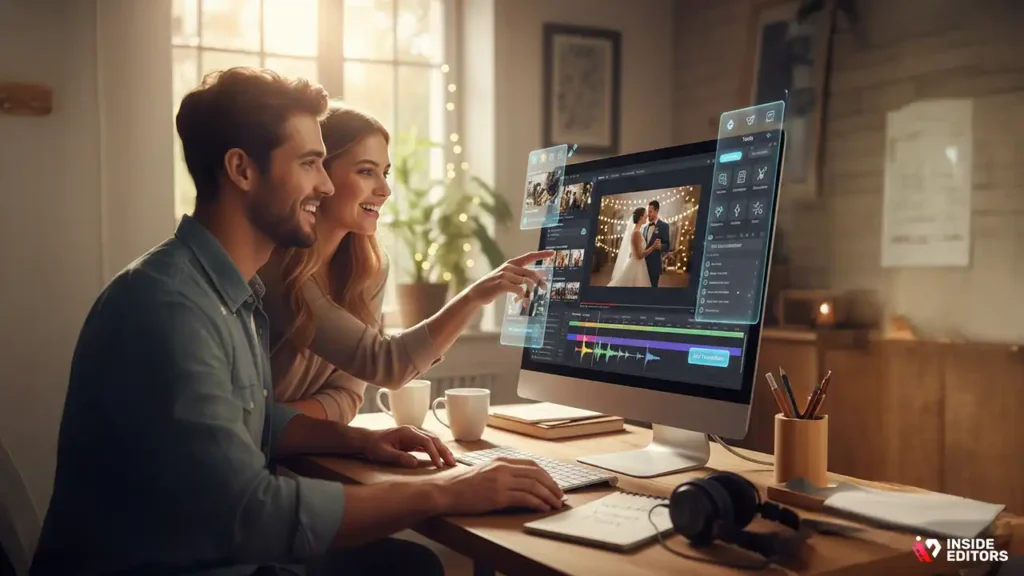
When editing your wedding video, you want software that is both powerful and easy to use. Online wedding video editing tools can vary widely in terms of complexity, so finding one that balances ease of use with professional-grade features is key.
Look for these essential features when choosing a platform:
- User-friendly interface: This ensures you can start editing without a steep learning curve.
- High-quality resolution: Your wedding video deserves the best quality. Make sure the platform offers HD or 4K resolution to capture all the beauty of your special day.
- Audio editing tools: Great video editing isn’t just about visuals. Clean up background noise, adjust volumes, and ensure your music or vows sound crystal clear.
- Transitions and effects: Whether it’s smoothing out scene changes or adding filters for a polished finish, a good tool will offer a variety of transition and effect options.
- Customization: Wedding videos are personal – the more control you have over elements like fonts, colors, and pacing, the better your final product will match your style.
- Cloud storage: Don’t risk losing your footage. Choose a platform that allows you to store and back up your files safely in the cloud.
These are just a few of the must-have features. As you begin your search for the right platform, make sure it aligns with both your vision for the video and your editing skills.
Popular Online Wedding Video Editing Tools
To help get you started, here are a few popular platforms that offer online wedding video editing:
- Adobe Premiere Rush – A simplified version of Adobe Premiere Pro, this tool gives you professional-quality editing with a user-friendly interface.
- WeVideo – Great for beginners and budget-conscious couples, offering cloud storage and a variety of templates.
- Kinemaster – Known for its mobile editing capabilities, it’s ideal if you prefer working on your phone or tablet.
- Filmora – Offers both beginner and advanced features, allowing you to create videos with drag-and-drop ease.
- Magisto – A smart editor that uses AI to automate video creation, perfect for couples looking for quick edits without much effort.
These platforms can help you start creating your wedding video right from your home or while on the go, with minimal setup.
Step-by-step guide to editing wedding videos online
Uploading and Organizing Your Footage
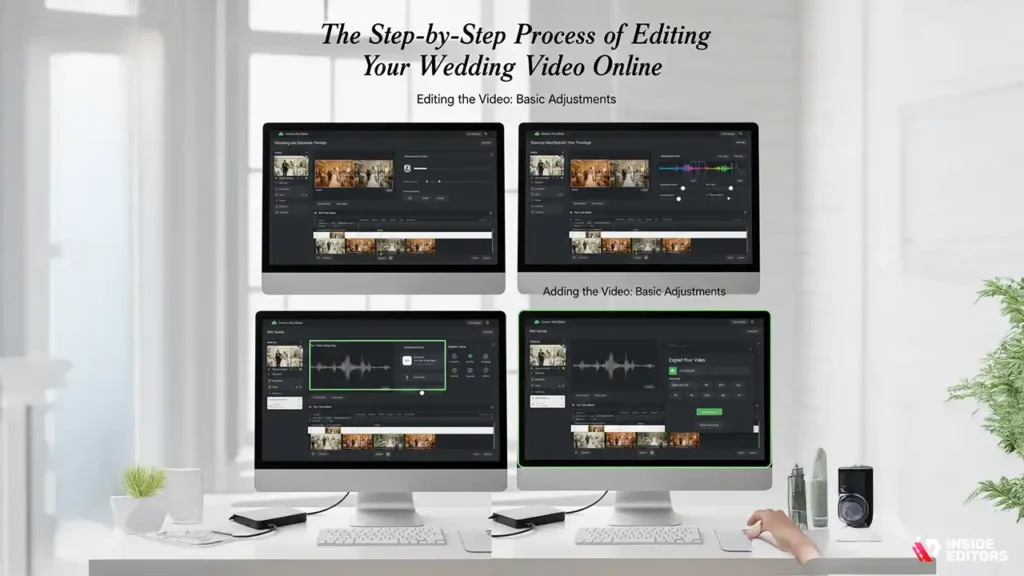
Once you’ve decided which platform to use, the first step in editing your wedding video is uploading all your footage. This part is crucial because it sets the foundation for your editing process.
Here are some things to consider when uploading and organizing your footage:
- Quality control: Before you upload, make sure your footage is of high quality. If you filmed in 4K, ensure that your editor supports that resolution.
- Organization: Label your files clearly, especially if you have multiple angles or scenes (e.g., ceremony, reception, speeches). Organizing your footage will save you time and headaches during the editing process.
- Backup your files: Always make a backup of your raw footage, just in case something goes wrong during editing.
Editing the Video: Basic Adjustments
Now that your footage is organized, it’s time to start editing. While every video editor has its unique interface, here’s a quick guide on some of the most important basic edits:
- Trimming and cutting: Remove any unnecessary footage (e.g., awkward moments or shots of the floor). Make sure the video flows smoothly from one scene to the next.
- Adding transitions: Use gentle transitions between clips (e.g., fades or dissolves) to ensure the video feels seamless.
- Adjusting audio levels: Weddings often have multiple sound sources – background music, speeches, laughter, etc. Adjusting the audio is crucial for clarity and balance.
- Color correction: Lighting conditions during a wedding can vary greatly. Make sure the colors of your video look natural and consistent throughout.
- Incorporating text and titles: Add captions or titles for special moments (like your first dance or vows) to help tell your story more clearly.
Adding Music and Personal Touches
A wedding video wouldn’t be complete without a carefully chosen soundtrack. Most online wedding video editing platforms come with built-in music libraries, but you can also upload your own tracks. Just be sure to choose music that reflects the tone of your wedding, whether it’s a romantic ballad or an upbeat tune for the reception highlights.
You can also add other personal touches, like voiceovers, custom graphics, or effects. Some couples like to include a special intro or outro message for the video, or even a montage of behind-the-scenes moments that didn’t make it into the final cut.
Exporting and Sharing Your Wedding Video
Once you’re satisfied with your edits, it’s time to export your video. Make sure to choose the highest possible resolution for playback (ideally 1080p or 4K) and save it in a format that’s compatible with most devices (MP4 is the most common format).
After exporting, you’ll want to share your video with friends and family. Many online video editing tools make it easy to share directly to social media or provide a link to a private cloud-based gallery for secure viewing.
When to hire professional wedding video editors
The Benefits of Professional Editing
While online wedding video editing tools are great for DIY projects, there comes a point when professional expertise can make a huge difference. If you’ve spent hours editing your footage but still feel that something’s missing, or if you want a more polished final result, professional wedding video editing services are worth considering.
Inside Editors offers specialized services for wedding videos, including advanced editing techniques, color grading, and sound design, ensuring your wedding video is nothing short of cinematic. With professional editing, you can be confident that your video will capture the emotional depth of the day, with smooth transitions, expert pacing, and flawless audio.
When to Hire a Professional
Hiring a professional might be right for you if:
- You want a polished, high-end wedding video without spending countless hours editing.
- You have specific edits in mind (e.g., advanced color grading, VFX, or audio enhancement).
- You’re working with a large volume of footage and need someone experienced to handle it.
- You want a unique or cinematic storytelling approach that stands out.
A professional editor can help guide the process from start to finish, taking the raw footage and transforming it into a video that will feel as special and magical as your wedding day.
How Professional Editing Elevates Your Video
While DIY editing can be fun and fulfilling, professional wedding video editing brings technical expertise that can elevate your footage. A skilled editor knows how to enhance your visuals and audio, ensuring the pacing and emotion are just right. They can also provide a more cohesive narrative and remove any awkward moments, making sure your video tells your story perfectly.
Inside Editors can help you create a wedding video that reflects the joy, love, and beauty of your big day with a level of quality you might not achieve on your own.
Advanced Wedding Video Editing Techniques
Color Grading: Bringing Your Footage to Life
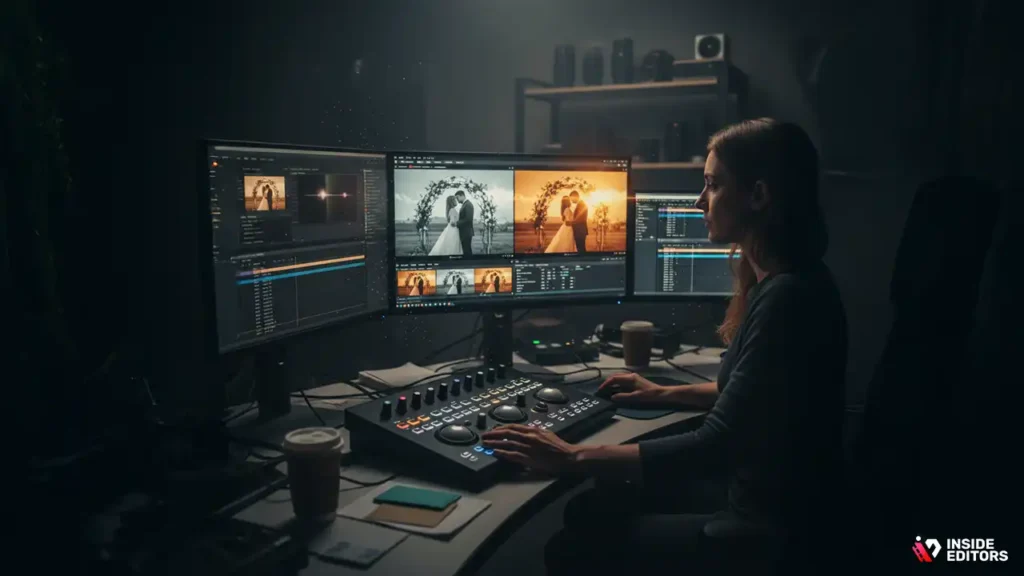
Color grading can transform the look and feel of your wedding video, giving it a polished, cinematic touch. This process involves adjusting the colors, contrasts, and lighting of your video to create a specific mood or atmosphere. Whether you want your video to have a warm, golden hue that evokes a sunset or a cool, moody tone that reflects the intimacy of the ceremony, color grading is essential for setting the right vibe.
Here are a few things to consider when it comes to color grading your wedding video:
- Match the tone of your wedding: Consider the color palette of your wedding (e.g., soft pastels or bold, vibrant hues) and use color grading to enhance it. This can make your video feel cohesive and tied to the overall aesthetic of the day.
- Balance the lighting: Some footage may be too dark or too bright. A good color grading tool can help you adjust the exposure and balance the lighting, so every moment shines.
- Highlight key moments: For example, you may want to make your couple’s first kiss or a dramatic dance moment stand out by emphasizing the colors during those scenes.
Professional color grading can take your wedding video to the next level, ensuring that every frame feels intentional and emotionally resonant.
Sound Design: Creating a Seamless Audio Experience
While visuals are critical, sound is just as important in creating a memorable wedding video. Poor audio can make even the most beautiful footage feel disconnected. This is why sound design is such a crucial part of wedding video editing. In addition to adding music, you can adjust the audio to ensure all the important sounds are crisp and clear.
Consider these tips to perfect the sound in your wedding video:
- Enhance speeches and vows: One of the most emotional moments of your wedding day is when you exchange vows. Ensure your vows are crystal clear, with no distracting background noise.
- Balance background music and dialogue: If you’re playing a song during a moment like the first dance, make sure it doesn’t overpower the voices of those speaking or saying vows. Professional editing ensures that music complements, rather than competes with, the audio.
- Use sound effects to set the mood: For special moments like the wedding kiss or the clinking of glasses during the toast, subtle sound effects can add to the magic without being too intrusive.
Good sound design can make your wedding video feel immersive and seamless, ensuring that every word and every note hits just right.
Adding Visual Effects (VFX) to Your Wedding Video
While most wedding videos rely on basic editing techniques like trimming and color grading, some couples want to add a unique flair to their videos. Visual effects (VFX) can create stunning transitions, magical moments, and intricate visual details that can elevate the entire viewing experience.
Here are some popular VFX that you might consider incorporating into your wedding video:
- Slow motion: Slow-motion footage is perfect for emphasizing tender moments like the exchange of rings, the first kiss, or a graceful dance. It can make these moments feel more poignant and cinematic.
- Cinematic transitions: Using seamless transitions like lens flares, light leaks, or dissolves between scenes can give your video a more polished and professional look.
- Particle effects: For an ethereal touch, you can use VFX to add elements like floating sparkles or confetti – perfect for the opening scene or closing moments.
These effects can be stunning when used in moderation, helping your video stand out while still maintaining a natural, emotional flow.
Common Mistakes to Avoid in Wedding Video Editing
Overdoing It with Effects
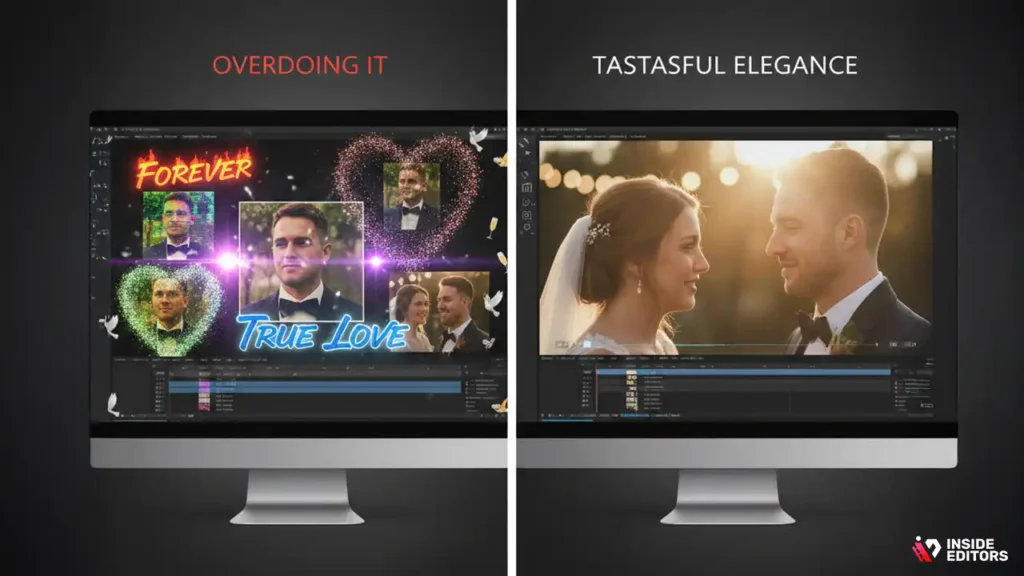
It’s tempting to use every transition, filter, and VFX available, but this can often result in a wedding video that feels overstuffed and distracting. Wedding videos are about emotion and storytelling, so it’s important not to let the effects overshadow the moments themselves.
Here’s a rule of thumb: Less is more. Focus on keeping the pacing natural and the emotions at the forefront. Subtle transitions and a couple of carefully chosen effects can do wonders, but an overload can make the video feel less intimate.
Poor Audio Quality
As mentioned earlier, audio plays a huge role in the success of your wedding video. One common mistake is neglecting the audio editing process. It’s easy to overlook the dialogue or background noise while editing visuals, but poor sound quality can make the video feel amateurish.
Make sure to clean up any audio imperfections, such as wind or echo, and always test the balance between your background music and spoken words. This will make your video feel cohesive and professional.
Forgetting to Backup Your Files
When you’re editing your wedding video, it’s easy to get caught up in the process and forget about the backups. Losing your files – especially your raw footage – can be a nightmare. Online wedding video editing platforms typically offer cloud storage, but it’s important to back up your files elsewhere as well (e.g., on an external hard drive or a separate cloud service).
Having multiple backups ensures that no matter what happens during editing, you’ll never lose those precious moments.
When pro wedding editing is the best choice
The Time-Saving Factor
While DIY editing is fun and rewarding, it can be incredibly time-consuming. The editing process for a wedding video can take several hours or even days, depending on how much footage you have and how complex you want your video to be. If you’re already busy with work or planning the rest of your life together, you might not have the time to dedicate to perfecting every frame.
This is where professional wedding video editors come in. They have the experience, skills, and tools to edit your wedding video quickly and efficiently, saving you precious time and energy. And the best part? You’ll get a polished, professional product that truly captures the essence of your day.
Expert-Level Craftsmanship
Professional video editors have a deep understanding of storytelling, pacing, and visual composition. They know how to highlight the best moments, create seamless transitions, and bring out the emotions of the day. Whether it’s through expert color grading, audio balancing, or VFX, a professional editor will enhance your video in ways that DIY editing tools might not be able to.
At Inside Editors, our team specializes in wedding video editing, ensuring that every frame is crafted with care. We understand that this video will be something you cherish forever, and we take pride in transforming raw footage into a cinematic masterpiece.
Customization for Your Unique Style
Every couple has their own vision for their wedding video. Professional editors like those at Inside Editors work closely with you to understand your preferences, from the type of music you want to the pacing and tone of the video. This personalized approach ensures that your wedding video reflects your unique style and tells your story the way you want it to be told.
Stress-Free Process
Editing your own wedding video can be a stressful, overwhelming experience – especially if you’re new to video editing. With professional services, you can sit back, relax, and trust that the editing process will be handled with precision and care. You’ll be able to focus on enjoying your newlywed life, knowing that your wedding video is in expert hands.
How to choose the right wedding video editing service
How Inside Editors Can Help You Create the Perfect Wedding Video
At Inside Editors, we offer comprehensive wedding video editing services that cater to your unique needs. Whether you have raw footage from your ceremony and reception or need help crafting a highlight reel, our team of expert editors is here to bring your vision to life.
Here’s how we can help:
- Professional editing: We use advanced techniques like color grading, sound design, and VFX to ensure your wedding video looks stunning.
- Custom packages: We offer a range of packages to fit your needs and budget, from basic edits to fully customized, cinematic wedding videos.
- Collaborative process: We work closely with you to ensure that the final video matches your vision. You’ll have the opportunity to provide feedback and make adjustments as we go.
If you want your wedding video to be a beautiful, timeless reflection of your big day, let Inside Editors handle the editing for you. We’ll make sure every frame is perfect.
Final Thoughts: Transform Your Wedding Memories into a Masterpiece
Your wedding video is more than just a collection of clips; it’s a cherished keepsake that captures the most important day of your life. Whether you choose to edit it yourself using online tools or enlist the help of professional editors, remember that the goal is to create a video that you’ll be proud to watch for years to come.
If you’re ready to turn your wedding footage into something extraordinary, Inside Editors can help. With expert editing, a personal touch, and a commitment to quality, we’ll bring your wedding video dreams to life.
FAQs
How do I know if the video editor will meet my expectations?
Trusting an online wedding video editor can be difficult, but most platforms offer samples or trial versions so you can gauge quality. Many services, like Inside Editors, offer revisions to ensure your video is exactly how you envision. It’s important to read client reviews and check portfolios for past work to understand the quality you can expect.
What’s the difference between DIY video editing and hiring a pro?
DIY editing gives you full control over the process but can be time-consuming and challenging, especially for beginners. A professional editor, like Inside Editors, brings expertise in color grading, sound design, and cinematic techniques, producing a polished video more efficiently. DIY is more affordable, but hiring a pro often leads to a more refined final product.
How much does online wedding video editing cost?
The cost of online wedding video editing can vary widely, from DIY tools costing as little as $20 to professional services like Inside Editors starting at $500. Professional packages typically include color grading, audio enhancements, and multiple revisions. Keep in mind that additional features, like custom graphics or rush delivery, can increase the cost.
How long does it take to receive my wedding video?
Most online video editors offer a turnaround time of 1-2 weeks for standard editing. However, rush services are available, and some platforms like Inside Editors can provide a finished video within 48-72 hours. Turnaround time often depends on the complexity of the edits and the amount of footage.
How do I start editing my wedding video online?
To get started with online wedding video editing, upload your footage to the chosen platform. From there, you’ll be able to trim clips, add transitions, and adjust audio. Most platforms have user-friendly interfaces and tutorials to guide you through basic and advanced editing processes. If you’re looking for a more professional touch, you can also consider outsourcing the task to experts.


