


Sharing a YouTube video is easy, but sharing a YouTube video at a specific time-that requires knowing the right tools and techniques. Whether you are a content creator trying to highlight a key moment, a marketer sending a tutorial snippet, or simply sharing a funny clip with friends, the ability to pinpoint the exact start time drastically improves viewer engagement and saves time.
If you frequently need to share YouTube Video at Specific Time, you know the standard YouTube sharing options are often clunky. Fortunately, several powerful tools and simple methods exist to streamline this process. This comprehensive guide reviews the top five tools and techniques, providing step-by-step instructions, feature comparisons, and expert insights to help you choose the best solution for your needs.
How to Share YouTube Videos at a Specific Time

The digital landscape is saturated with video content. Viewers have short attention spans, and forcing them to watch the first five minutes of a 20-minute video just to see the relevant part is a guaranteed way to lose them. Precision sharing is not just a convenience; it is a necessity for maximizing engagement.
The Power of Deep Linking and Viewer Retention
When you share YouTube Video at Specific Time, you are creating a deep link directly into the content. This eliminates friction. Studies consistently show that reducing the steps required for a user to access valuable information dramatically increases retention rates. For creators, this means better watch time metrics and higher audience satisfaction.
Think about it: if you are promoting a product review, you don’t want viewers to wade through the introduction and unboxing. You want them to jump directly to the “Pros and Cons” section at 4:35. Tools that allow you to share YouTube Video at Specific Time make this level of precision effortless.
“In the age of instant gratification, every second counts. Deep linking into video content is the digital equivalent of turning straight to the right page in a book.” – Dr. Anya Sharma, Digital Content Strategist
Essential Techniques to Share YouTube Video at Specific Time
Before diving into dedicated tools, it’s crucial to master the native YouTube method. This technique is built right into the platform and serves as the foundation for most third-party solutions.
The simplest way to share YouTube Video at Specific Time involves manually adding a timestamp parameter to the URL.
Step-by-Step Guide (Manual Method):
- Open the YouTube video you wish to share.
- Pause the video at the desired start time (e.g., 2 minutes and 15 seconds).
- Right-click on the video player.
- Select “Copy video URL at current time.”
- Paste the URL. You will see a parameter added to the end, such as
&t=135s(135 seconds).
While effective, this manual method lacks sophisticated features like custom start/end points, branding, or analytics, which is why dedicated tools become invaluable for professional use.
Tool 1: YouTube’s Built-in Share Feature

The platform itself offers the most reliable, albeit basic, method to share YouTube Video at Specific Time. This feature is universally accessible and requires no external software or sign-ups.
How the Native Share Function Works
YouTube’s native share function is accessible via the “Share” button located beneath the video player. When you click this, a dialog box appears. At the bottom of this box, there is a checkbox labeled “Start at” followed by the current time marker.
If you check this box, YouTube automatically appends the necessary timestamp parameter (?t=XXs) to the generated short link. This is the fastest way for casual users to share YouTube Video at Specific Time.
Pros and Cons of YouTube’s Native Feature:
| Pros | Cons |
|---|---|
| Universal Compatibility: Works everywhere YouTube links are accepted. | No End Time: Cannot specify when the shared clip should stop. |
| Zero Setup: No installation or accounts needed. | Basic Analytics: No tracking beyond standard YouTube metrics. |
| Reliable: Always works, as it is native to the platform. | Limited Customization: Cannot add branding or overlays. |
For quick, one-off sharing, this tool is perfect. However, for marketers who need to track clicks or limit the viewing window, the limitations quickly become apparent.
Tool 2: TubeSnipper – Precision Clipping and Sharing
TubeSnipper is a popular third-party tool designed specifically to help users share YouTube Video at Specific Time with added control over the viewing window. It goes beyond the basic YouTube function by allowing users to define both a start time and an end time, effectively creating a short, shareable clip from a longer video.
Key Features and Workflow
TubeSnipper’s primary advantage is its simplicity and ability to create focused snippets. You input the full YouTube URL, drag sliders to set the precise start and end points, and the tool generates a unique link. When a user clicks this link, the video automatically starts and stops at your defined markers.
This is exceptionally useful for educational content creators or businesses that want to isolate testimonials or key product demonstrations without requiring viewers to watch the entire source video.
“Creating short, digestible clips from long-form content significantly reduces cognitive load for the viewer, making the message stickier.” – Marketing Tech Review, 2023
Use Case Example: A course creator has a two-hour webinar. They want to share a 45-second clip about a specific sales technique starting at 1:12:05. TubeSnipper makes this targeted sharing simple and effective.
Tool 3: Kapwing – Editing & Sharing Made Easy
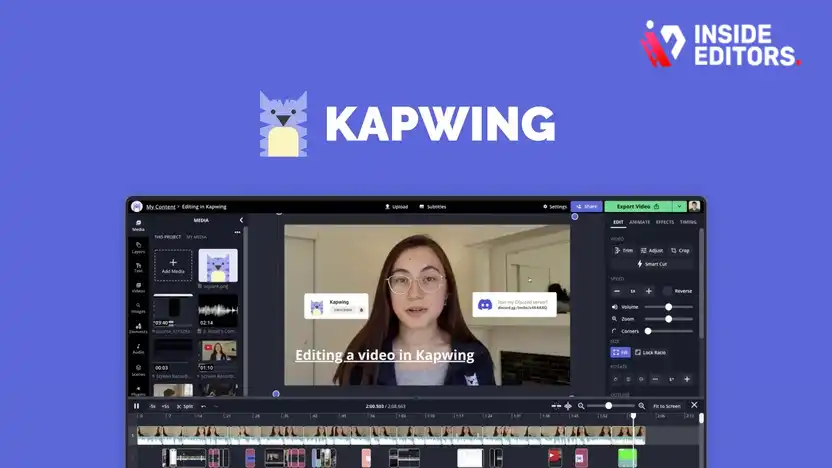
While Kapwing is primarily a robust online video editor, its sharing capabilities make it an excellent tool for those who need to do more than just share YouTube Video at Specific Time-they need to remix or repurpose it.
Advanced Clipping and Repurposing
Kapwing allows you to import a YouTube video directly into its editor. Once imported, you can trim the video to the exact segment you want, add text overlays, subtitles, or even change the aspect ratio for different social media platforms (e.g., vertical for TikTok/Reels).
When you export the trimmed segment, Kapwing hosts the new, shorter video. This means you are no longer sharing a timestamped link to the original video; you are sharing a brand new, optimized clip.
Kapwing vs. Simple Timestamping:
| Feature | Simple Timestamp Link | Kapwing (Repurposed Clip) |
|---|---|---|
| File Size/Hosting | Relies on original YouTube hosting. | Hosted by Kapwing (new file). |
| Customization | Minimal (URL parameter only). | Full editing control (text, color, crops). |
| End Time Control | No reliable end time control. | Perfect control over start and end. |
| Branding | None. | Can add custom watermarks or branding. |
For professionals, Kapwing offers the flexibility needed to ensure the shared clip aligns perfectly with brand guidelines and specific campaign goals.
Tool 4: Enterprise Sharing with Vidyard & Wistia

For businesses and marketing teams, simply being able to share YouTube Video at Specific Time isn’t enough. They need analytics, lead generation capabilities, and integration with CRM systems. This is where enterprise-level video platforms like Vidyard and Wistia come into play.
Deep Linking and Marketing Integration
While these platforms primarily host videos uploaded directly to their servers, they also offer sophisticated tools for managing and sharing embedded content, including YouTube videos.
These tools allow for “deep linking” into any embedded video, regardless of the source. Crucially, they wrap the video player in a branded, trackable container.
Key Enterprise Features:
- Gated Content: Require viewers to enter an email address before or after watching the specific clip.
- Detailed Analytics: Track exactly who watched the clip, for how long, and where they dropped off.
- Custom Player Skins: Ensure the video player matches your website’s branding.
- Call-to-Action (CTA) Overlays: Place interactive CTAs directly within the video frame at the end of the specific segment.
If your goal is to use the ability to share YouTube Video at Specific Time as a lead generation tool, investing in a platform like Vidyard or Wistia is essential for capturing viewer data and maximizing ROI.
Tool 5: Browser Extensions for URL Parameters
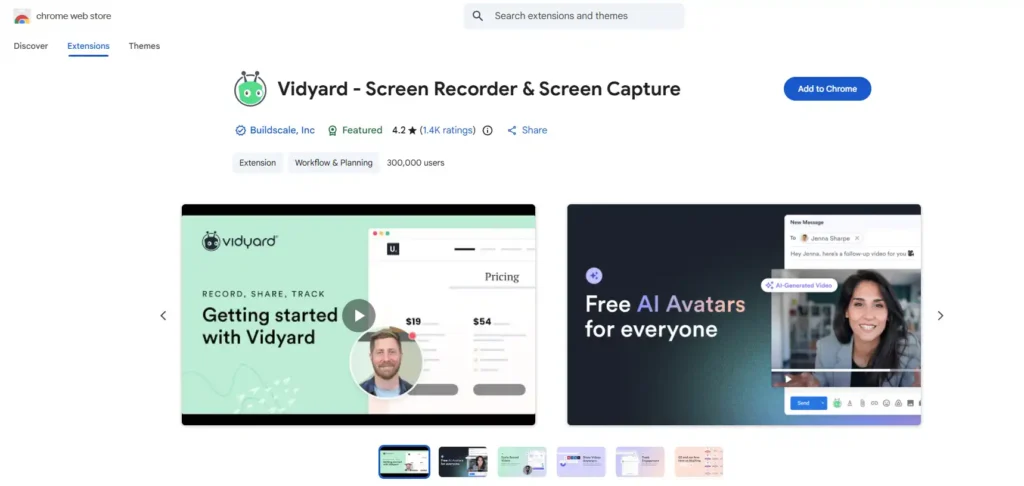
Sometimes, the best tool is the one that integrates seamlessly into your existing workflow. Several browser extensions (for Chrome and Firefox) act as simple URL parameter generators, making it incredibly fast to share YouTube Video at Specific Time without leaving the YouTube page.
Efficiency Through Automation
These extensions typically add a small button or context menu option to the YouTube player. When you click the button, it instantly captures the current time and copies the correctly formatted URL to your clipboard.
Popular Extension Features:
- One-Click Copy: Eliminates the need to right-click and manually select the option.
- Custom Hotkeys: Assign keyboard shortcuts for even faster sharing.
- Automatic Formatting: Handles the conversion from minutes/seconds to the required
t=XXsformat instantly.
While these tools don’t offer the advanced editing of Kapwing or the analytics of Vidyard, they excel at pure speed and efficiency for users who frequently need to share YouTube Video at Specific Time throughout their workday.
Feature Comparison: Choosing the Right Tool

Selecting the best method depends entirely on your specific needs: speed, control, or advanced marketing features. Here is a side-by-side comparison of the primary methods to help you decide.
| Tool/Method | Best For | Start Time Control | End Time Control | Branding/Customization | Analytics |
|---|---|---|---|---|---|
| YouTube Native | Quick, casual sharing | Excellent | None | None | Basic YouTube |
| TubeSnipper | Creating short, focused clips | Excellent | Excellent | Minimal | Basic |
| Kapwing | Repurposing and editing clips | Excellent | Excellent | Full | Kapwing Analytics |
| Vidyard/Wistia | Enterprise marketing and lead generation | Excellent | Excellent | Full (Player Skin) | Detailed CRM Integration |
| Browser Extensions | Workflow efficiency and speed | Excellent | None | None | None |
Expert Recommendation: Matching the Tool to the Task
If you are a casual user or a student, the YouTube Native feature is sufficient. If you are a content creator focused on isolating specific moments for social media, TubeSnipper offers the perfect balance of simplicity and control.
However, if you are running a professional YouTube channel or managing video content for a business, the ability to share YouTube Video at Specific Time often requires pre-editing or advanced tracking. This is where a tool like Kapwing for rapid content creation, or an enterprise solution like Vidyard, provides the necessary professional edge.
Ensuring Your Videos Stand Out with Quality
The tools discussed above are fantastic for maximizing the reach and impact of your existing videos. But what happens when the segment you want to share YouTube Video at Specific Time is poorly edited, has distracting background noise, or suffers from inconsistent color grading?
No amount of precision sharing can fix fundamentally flawed video content. This is a common challenge faced by busy content creators and marketing teams.
The Professional Edge: Inside Editors Video Editing Services
If you find yourself spending more time trying to fix issues in your video clips than creating new content, it might be time to delegate the editing process. Inside Editors offers professional video editing services designed to give your content a polished, professional look that builds trust and authority.
Why Professional Editing Matters:
Imagine trying to share YouTube Video at Specific Time-say, a powerful customer testimonial-only to have the viewer distracted by poor audio quality or shaky footage. Professional editors ensure every second of your video is optimized.
Inside Editors provides a comprehensive solution for businesses, content creators, and marketers. Our services include:
- Professional Editing Team: Work with editors who have 10+ years of experience in creating compelling video narratives.
- Fast Turnaround: We understand the need for speed, offering turnaround times between 24 and 72 hours.
- Unlimited Revisions: We work until you are 100% satisfied with the final product.
- Affordable Pricing: Starting at just $29 per video, we offer a scalable solution for growing channels.
- Quality Assurance: Services include essential enhancements like color grading and audio enhancement.
By leveraging professional editing, you ensure that every segment you choose to share YouTube Video at Specific Time is of the highest quality, reinforcing your brand’s professionalism. Outsourcing editing allows you to save time and focus your energy back on content creation-the core of your business.
Advanced Techniques and Troubleshooting

Even with the best tools, users sometimes encounter issues when trying to share YouTube Video at Specific Time. Understanding the underlying technology can help troubleshoot these common problems.
Troubleshooting Timestamp Issues
- Cache Conflicts: Sometimes, a browser’s cache holds onto an older version of the URL without the timestamp. Clearing your cache or trying an incognito window often resolves this.
- Embedded Player Limits: If you embed a video on a website, the website’s code might override or ignore the URL parameters. When embedding, always check the embed code settings; most players have a specific field for setting the start time.
- Shortened URLs: If you use a generic URL shortener (like Bitly) after adding the timestamp, ensure the shortener preserves the query parameters (
?t=XXs). Most modern shorteners do, but older ones might strip them out.
The Importance of the End Time Parameter
While YouTube’s native sharing only supports the start time, the ability to define an end time is crucial for professional use. When using tools like TubeSnipper or Kapwing, you are essentially creating a bounded viewing experience.
“A defined start and end time acts as a powerful micro-commitment device. The viewer knows exactly how much time they need to invest, increasing the likelihood they will watch the entire clip.” – Behavioral Economics in Digital Media, 2024
If you need to share YouTube Video at Specific Time and ensure the clip stops precisely, you must use a third-party tool. Manually adding an end time parameter (&end=XXs) to a standard YouTube URL is inconsistent and often ignored by the player.
Conclusion: Maximizing Impact with Precision Sharing

The simple act of being able to share YouTube Video at Specific Time is a powerful lever for content creators and marketers alike. It demonstrates respect for the viewer’s time and ensures they immediately access the most valuable part of your content.
From the simplicity of the native YouTube tool to the advanced analytics and editing capabilities of platforms like Kapwing and Vidyard, the right tool is the one that aligns with your specific goals-whether it’s pure speed, granular control, or deep integration into a marketing funnel.
For those who prioritize high-quality, polished content, remember that precision sharing starts with a professionally edited video. If you are struggling to keep up with the demands of video production, consider leveraging the expertise of Inside Editors. Our professional video editing services provide the fast turnaround and quality assurance needed to ensure that every clip you share YouTube Video at Specific Time is a flawless representation of your brand. Focus on creating great content; let us handle the perfection of the edit.
Frequently Asked Questions
How do I share a YouTube video at a specific time?
The easiest way is using YouTube’s native ‘Share’ button. Pause the video at the desired start point, click ‘Share,’ and check the ‘Start at’ box. This automatically generates a URL with the necessary timestamp parameter to share YouTube Video at Specific Time.
Can I set both a start and end time for a YouTube video?
The native YouTube feature only reliably handles the start time. To define both a start and end time, you must use third-party tools like TubeSnipper or Kapwing, which create a bounded clip for precise sharing.
Why use external tools instead of YouTube’s built-in feature?
External tools offer crucial features that YouTube lacks, such as defining an end time, adding branding, integrating advanced analytics, and providing lead generation capabilities when you share YouTube Video at Specific Time.
What is the fastest way to generate a timestamped link?
The fastest method is using a browser extension designed for this purpose. These extensions add a one-click copy button to the YouTube player, instantly generating the correct URL to share YouTube Video at Specific Time.
How can professional editing improve my shared video clips?
Professional editing ensures that the specific clip you share is polished, with excellent audio and color grading. This prevents viewers from being distracted by technical flaws, maximizing engagement when you share YouTube Video at Specific Time.


