

The world of short-form video content moves at lightning speed, and nowhere is this more true than on TikTok. To capture fleeting attention and build a massive following, creators need more than just great ideas-they need professional-quality editing. Fortunately, you don’t need expensive software to produce viral content. Whether you’re a seasoned influencer or just starting out, finding the right free tiktok video editor is the critical first step in transforming raw footage into polished, engaging content.
At Inside Editors, we understand the demands of modern content creation. We know that while the native TikTok app offers basic functionality, serious creators often need external tools for advanced features like green screens, complex transitions, and precise audio mixing. This comprehensive guide details the absolute best free tiktok video editor tools available today, helping you choose the perfect software to elevate your content and streamline your workflow. We will explore the strengths of each platform, ensuring you can make an informed decision that saves you time and boosts your video quality.
The Essential Toolkit Behind TikTok Success
While the TikTok platform provides basic trimming and music overlay features, relying solely on the in-app tools often limits creative potential. Professional-grade TikTok content requires precision that free external editors can provide. These tools offer greater control over key aspects of video production, leading to higher engagement rates and a more polished brand presence.
Defining the Ideal TikTok Video Editor
A truly effective tiktok video editor must meet several key criteria tailored specifically for short-form, vertical video:
- Vertical Optimization: The editor must effortlessly handle the 9:16 aspect ratio (1080×1920 pixels) without awkward cropping or letterboxing.
- Ease of Use: Given the rapid turnaround required for TikTok trends, the interface needs to be intuitive, allowing for quick edits, even on mobile devices.
- Feature Set: Essential features include multi-track editing, precise trimming, text and sticker overlays, royalty-free music libraries, and advanced color correction.
- Export Quality: The final output must be high-definition (HD or 4K) to ensure crisp playback on various devices.
“In the short-form video economy, quality is the new quantity. Creators who invest time in polished editing-even using free tools-are the ones who build lasting, loyal audiences.” – Sarah Miller, Digital Content Strategist
When to Outsource Your TikTok Video Editing
While this guide focuses on free tools, there are times when even the best free tiktok video editor isn’t enough. If you are a business, a rapidly scaling creator, or a marketing team, your time is better spent focusing on content strategy and filming, not tedious editing.
This is where professional services come in. Inside Editors offers specialized Video Editing Services designed specifically for high-volume content creators. Our professional team, with over 10 years of experience, ensures your videos maintain a consistent, high-quality brand style. We offer fast turnaround (24-72 hours) and unlimited revisions, allowing you to scale your TikTok presence without sacrificing quality. If you find yourself spending more than an hour per video editing, it might be time to outsource video editing to maintain momentum.
Free TikTok Editors for Mobile & Desktop
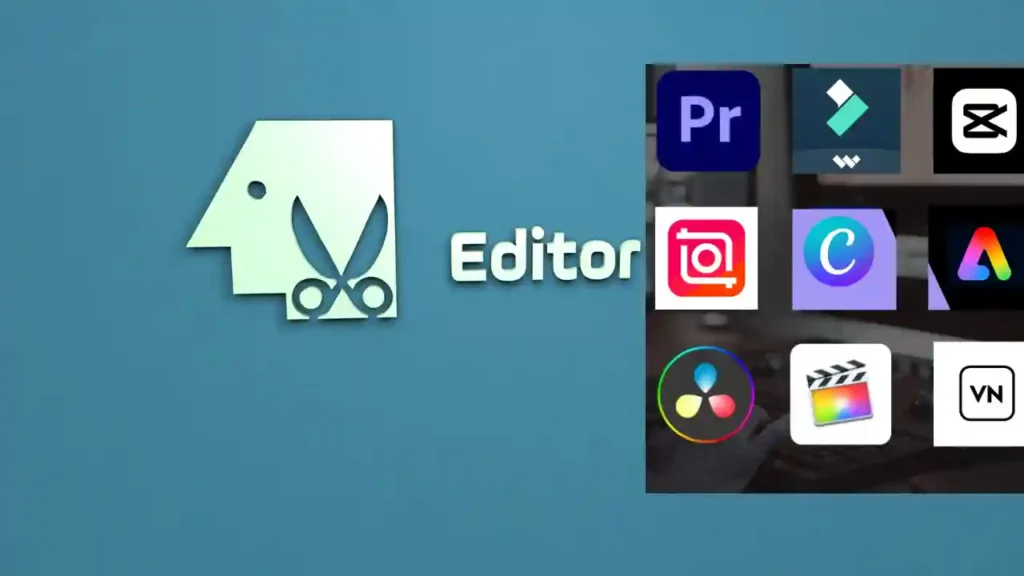
The best tools are often the ones that blend powerful features with accessibility. We’ve broken down the top free options into mobile-first and desktop-capable categories, recognizing that many creators prefer editing directly on their phones.
1. CapCut: The Unofficial King of TikTok Editing
CapCut is arguably the most popular and feature-rich free tiktok video editor available today. Developed by ByteDance (TikTok’s parent company), it offers seamless integration and features specifically designed for the platform’s trends.
Key Features and Benefits:
- Advanced Effects: Access to trending effects, filters, and transitions that often mirror what’s popular on TikTok.
- Multi-Track Timeline: Allows for complex layering of video clips, audio, text, and overlays, which is crucial for dynamic content.
- Automatic Captions: One of its standout features is the highly accurate automatic transcription tool, essential for accessibility and engagement on silent viewing.
- Green Screen/Chroma Key: Professional-grade background removal tools, making it easy to create reaction videos and complex visual effects.
| Perfectly optimized for 9:16 format | Watermark (easily removable in settings) |
| Extensive library of free music and sounds | Can be overwhelming for absolute beginners |
| High-quality 4K export support | Requires frequent updates to access new trends |
2. VN Video Editor: Simplicity Meets Power
VN Video Editor is another mobile powerhouse favored by creators who need a clean, ad-free interface. It offers a professional-grade timeline experience without the clutter often found in free apps.
Why Creators Love VN:
VN is often praised for its intuitive, non-linear editing (NLE) timeline, which feels similar to desktop software. It’s perfect for creators who need precise control over speed ramping, keyframe animation, and detailed audio mixing. The ability to easily manage multiple video and audio layers makes complex storytelling manageable on a small screen.
3. DaVinci Resolve (Desktop): The Professional Free Option
For creators who prefer the power of a desktop workstation, DaVinci Resolve offers an unparalleled free version. While it has a steeper learning curve than mobile apps, its color correction and audio post-production capabilities are industry-leading.
Expert Insight: While DaVinci Resolve is technically a professional tool, its free version provides more features than many paid consumer editors. If your TikTok content involves high-quality cinematography or complex visual effects (VFX), this is the definitive choice.
If you are producing longer-form content alongside your TikToks, such as YouTube videos or corporate explainers, DaVinci Resolve is the best way to learn video editing using professional-grade software without the subscription cost.
Comparison of Top Free TikTok Video Editor Tools
Choosing the right tool depends heavily on your workflow and the complexity of your content. Here is a quick comparison of the leading free options:
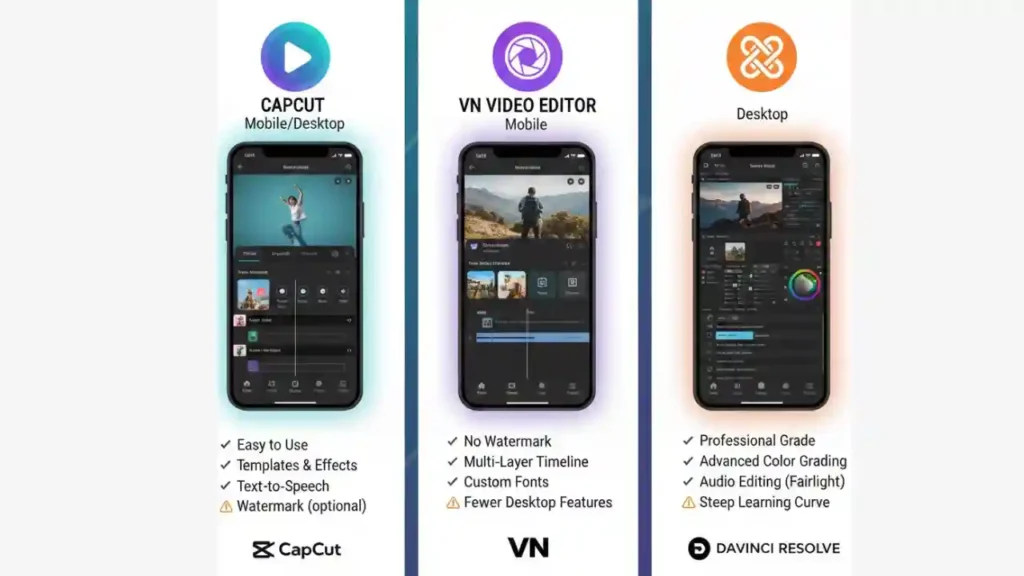
| Feature | CapCut (Mobile/Desktop) | VN Video Editor (Mobile) | DaVinci Resolve (Desktop) |
|---|---|---|---|
| Primary Platform | Mobile-First | Mobile-Only | Desktop-Only |
| Ease of Use | Very High (Intuitive) | High (Clean Timeline) | Low (Steep Learning Curve) |
| 4K Export | Yes | Yes | Yes |
| Chroma Key/Green Screen | Excellent | Good | Industry Standard |
| Automatic Captions | Yes | No | Yes (Studio Version Only) |
| Best For | Trending effects, quick turnaround | Precise trimming, clean interface | High-end color grading, VFX |
Mastering the Essentials: Key TikTok Editing Techniques
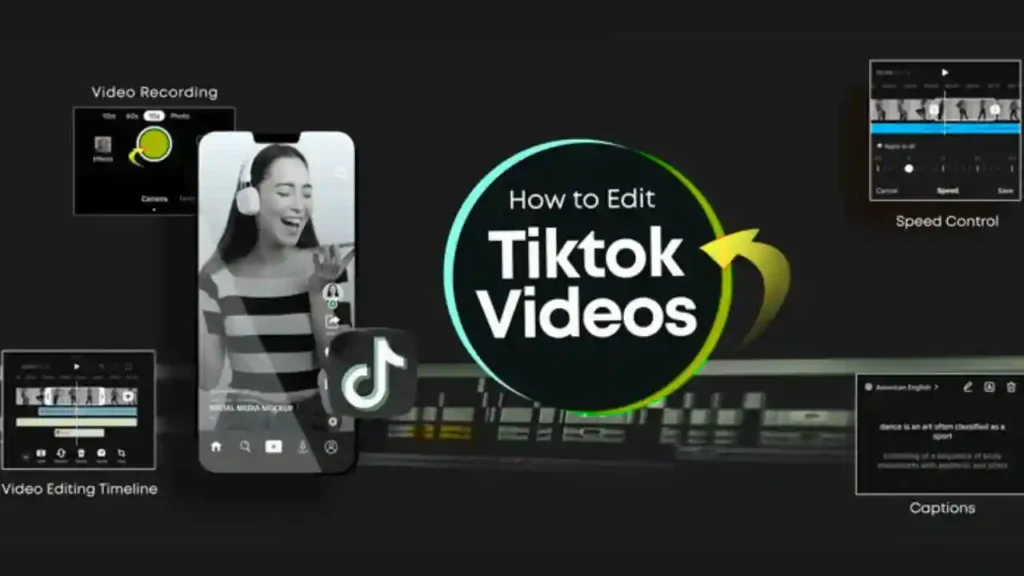
Regardless of which free tiktok video editor you choose, mastering a few core techniques will dramatically improve your content’s performance. TikTok thrives on pace, clarity, and visual appeal.
Technique 1: The Power of the Jump Cut
TikTok videos must start strong and maintain momentum. The jump cut-a transition between two shots of the same subject-is essential for eliminating dead air and keeping the viewer engaged.
How to Execute a Perfect Jump Cut:
- Film your segment, pausing slightly between talking points.
- In your chosen tiktok video editor, identify and trim out every pause, “um,” or unnecessary breath.
- Ensure the remaining clips are stitched together tightly, creating a fast, punchy narrative flow.
Technique 2: Strategic Text and Subtitles
Because many users watch TikTok videos without sound, subtitles are non-negotiable. They boost accessibility and ensure your message is conveyed instantly.
- Readability: Use large, clear fonts (like CapCut’s built-in options) and high-contrast colors (e.g., yellow text with a black outline).
- Placement: Keep text within the “safe zone,” avoiding the very top (where profile info sits) and the very bottom (where captions and comments overlap).
- Timing: Use keyframe animation to make text pop up precisely when the corresponding word is spoken, adding visual interest.
Technique 3: Audio Layering and Sound Design
TikTok is fundamentally a sound-driven platform. Effective audio involves more than just adding a trending song.
- Voiceover Clarity: Ensure your spoken audio is clean and noise-free. Use your tiktok video editor to apply noise reduction filters if available.
- Music Ducking: When you speak, the background music volume should automatically “duck” (lower) so your voice remains dominant. Most editors allow you to manually adjust the volume envelopes on the audio track.
- Sound Effects: Use subtle sound effects (whooshes, pops, clicks) to emphasize visual actions or transitions, adding a layer of professional polish.
Advanced Free Features: Going Beyond the Basics
To truly stand out, you need to leverage the advanced features that free editors now offer. These tools allow you to create complex visual narratives that rival professional productions.

4. VITA: Template-Driven TikTok Production
VITA is another strong contender, known for its vast library of pre-made templates. If you struggle with design or need to quickly jump onto a trend, VITA’s templates provide a massive head start. You simply drop your footage into the template, and the editor handles the transitions, music timing, and effects. This is an excellent choice for creators prioritizing speed and trend relevance.
5. OpenShot (Desktop): Open-Source Reliability
For creators seeking a completely free, open-source desktop solution that is easier to learn than DaVinci Resolve, OpenShot is a reliable choice. While it lacks some of the high-end features of paid software, it provides solid multi-track editing, basic color correction, and title creation. It’s a great stepping stone for those moving from mobile editing to desktop production.
Essential Feature Deep Dive: Keyframe Animation
Keyframe animation is the secret sauce behind many professional-looking TikTok effects. It allows you to define the start and end points of an effect, letting the software smoothly animate the change in between.
Examples of Keyframe Use:
- Zooming: Start a clip zoomed out (Keyframe 1) and slowly zoom in on a subject (Keyframe 2).
- Movement: Make text or stickers fly across the screen or bounce into position.
- Opacity: Fade a logo or graphic in and out smoothly.
Learning to use keyframes in your free tiktok video editor will instantly elevate your videos from amateur to expert level.
Top Mistakes in Free TikTok Editors
Even with powerful free tools, creators often make simple mistakes that hinder engagement and quality.
Mistake 1: Ignoring Export Settings
A common error is exporting a video at a low resolution or using the wrong aspect ratio. Always ensure your final output is 1080p (or higher) and set to the 9:16 vertical format. Check the frame rate-30 frames per second (fps) is standard for TikTok, but 60 fps can look smoother for action shots.
Mistake 2: Overusing Transitions and Effects
While fancy transitions are fun, too many can make a video look cluttered and unprofessional. Use transitions purposefully-to signal a change in location, time, or topic-rather than just filling space. The best tiktok video editor is one that allows for subtle, seamless cuts, not overwhelming visual chaos.
“The goal of editing is not to show off the software, but to serve the story. If your viewer notices the edit, you’ve done too much.” – Mark Johnson, Professional Film Editor
Mistake 3: Poor Audio Quality
Viewers will tolerate slightly lower video quality before they tolerate bad audio. Always prioritize clear, crisp sound. If you are recording a voiceover, use a quiet environment and a dedicated microphone if possible. Even the best free tiktok video editor cannot fully fix severely distorted or muffled audio.
Scaling Your Content: When to Upgrade to Pro Editing
As your TikTok channel grows, the sheer volume of content required can become overwhelming. Editing 3-5 videos per week, managing revisions, and ensuring brand consistency consumes valuable time that could be dedicated to strategy or filming.
The Inside Editors Solution for Scaling Creators
When the free tools become a bottleneck, Inside Editors provides a seamless, professional alternative. We specialize in taking your raw footage and delivering perfectly edited, ready-to-post TikToks that adhere to your brand guidelines.
Our service is designed for efficiency and quality:
- Professional Expertise: Our editors are experts in short-form video, understanding the nuances of TikTok trends and pacing. We know exactly how to use jump cuts, text overlays, and sound design to maximize engagement.
- Fast Turnaround: We guarantee delivery within 24–72 hours, ensuring you never miss a trending sound or challenge.
- Affordable Pricing: With packages starting at just $29 per video, we offer a scalable solution that is cost-effective compared to hiring a full-time in-house editor.
- Quality Assurance: We include color grading and audio enhancement as standard, ensuring every video looks and sounds professional.
If you are a business looking to leverage TikTok, maintaining a high standard is crucial for credibility. Our team can help you find professional video editors who understand your marketing goals. For those focused specifically on social media, we offer specialized video editing for social media packages.
Case Scenario: The Growing Influencer
Imagine a creator who films 5 videos a week. Each video takes 1.5 hours to edit using a free tiktok video editor. That’s 7.5 hours per week spent editing. By outsourcing to Inside Editors, that creator saves 7.5 hours, which can be reinvested into creating two more high-quality videos or focusing on audience engagement. This is the power of scalable editing solutions.
Final Thoughts: Choosing Your Best TikTok Video Editor
Selecting the right free tiktok video editor is a crucial step in your content journey. For mobile-first creators focused on trends and speed, CapCut is the clear winner. For those needing desktop power and professional color correction, the free version of DaVinci Resolve is unmatched.
Remember that the tool is only as good as the editor using it. Focus on mastering the fundamentals of pacing, audio clarity, and visual storytelling. Whether you are using a free tiktok video editor or utilizing the expertise of Inside Editors’ video production services, commitment to quality is what ultimately drives success on the platform.
We encourage you to explore these free options, experiment with keyframes and transitions, and find the workflow that best suits your creative style. If you ever reach a point where editing time is limiting your growth, remember that Inside Editors is here to provide professional, reliable, and affordable support, allowing you to focus on what you do best: creating incredible content. To learn more about how professional editing can elevate your brand, check out our guide on video editing for businesses.
For creators who are always on the go, having access to fast, reliable editing is essential. If you need quick, high-quality edits, explore our fast video editing service options today.
Frequently Asked Questions
What are the best free TikTok video editor tools?
CapCut is widely considered the top free TikTok video editor, as it is owned by ByteDance and integrates seamlessly. Other excellent options include VN Video Editor and InShot, which offer robust features like trimming, speed adjustments, and effects without watermarks. These tools provide professional-level editing capabilities directly on your mobile device, perfect for quick content creation.
Can I edit TikTok videos without a watermark?
Yes, many dedicated free TikTok video editor apps allow you to export videos without a watermark. CapCut, for example, is completely free and watermark-free unless you use a specific template that includes one. Always check the app’s export settings; tools like VN Editor also ensure your final content looks clean and professional for TikTok posting.
Does TikTok have a built-in editor?
TikTok does have a basic built-in editor that allows for trimming, adding text, voiceovers, and filters directly within the app. However, for advanced features like keyframe animation, multi-layer editing, or detailed color grading, you will need a dedicated external free TikTok video editor like CapCut or VLLO.
Is CapCut really free to use?
Yes, CapCut is genuinely free and offers almost all its powerful features, including advanced effects and transitions, without requiring a subscription. While it does have some paid ‘Pro’ features, the standard free version is more than sufficient for creating high-quality, trending TikTok videos. It remains the most popular free TikTok video editor.
What features should a good TikTok editor have?
A good free TikTok video editor should offer precise trimming, speed control, access to trending music libraries, and text overlays with customizable fonts. Look for tools that support 9:16 aspect ratio output and provide easy access to popular effects and transitions, ensuring your content is optimized for the TikTok feed.
Are desktop editors better than mobile apps?
Desktop editors like DaVinci Resolve offer more processing power and complex timelines, but mobile apps are faster for TikTok content. Mobile free TikTok video editor tools are optimized for vertical video and quick turnaround. The trade-off is complexity versus convenience; mobile apps win for daily TikTok posting.
How do I add trending sounds to my video?
The easiest way is to upload your edited video to TikTok and use the ‘Add Sound’ feature there to ensure you use licensed, trending audio. While some external free TikTok video editor apps offer sound libraries, using TikTok’s native library ensures your video is eligible for the ‘For You Page’ algorithm and current trends.


