

In the fast-paced world of digital content, TikTok has become the undisputed king of short-form video. However, relying solely on visual and auditory content limits reach, accessibility, and SEO potential. That’s where transcription comes in. Whether you are repurposing content, improving accessibility for viewers, or analyzing engagement, knowing how to Transcribe TikTok Video accurately and efficiently is essential.
This comprehensive guide dives deep into the best AI tools available today, helping creators, marketers, and businesses select the perfect solution to automatically convert their TikTok audio into text. We will explore the features, benefits, and practical applications of these powerful AI generators, ensuring you can maximize the value of every video you create.
Why Transcribing TikTok Helps: Accessibility, SEO, More
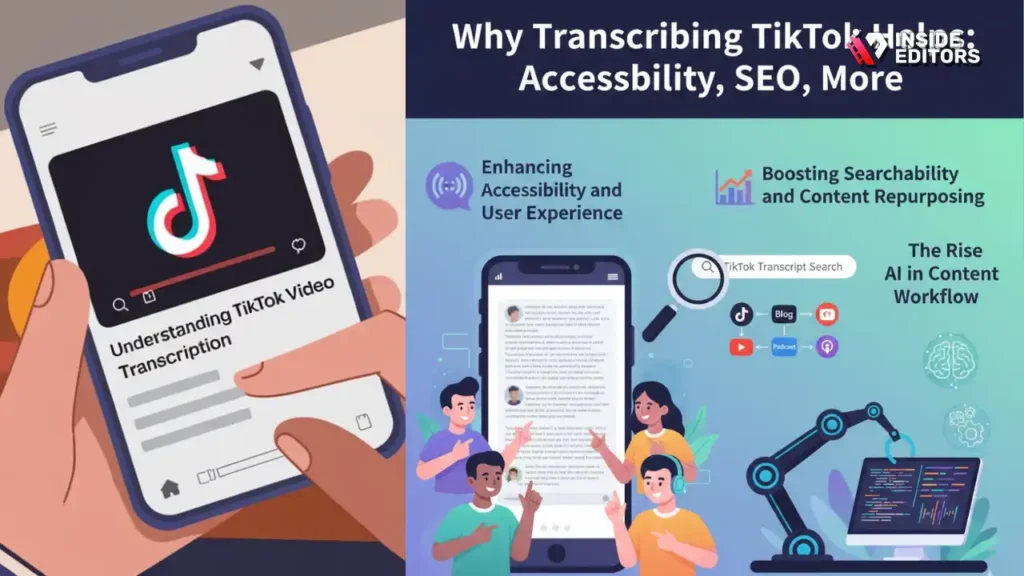
The decision to Transcribe TikTok Video goes far beyond simply creating captions. It is a strategic move that significantly enhances your content’s performance across multiple metrics. In a competitive digital landscape, failing to provide text alternatives means leaving engagement, search visibility, and potential audience segments on the table.
Enhancing Accessibility and User Experience
Accessibility is not just a compliance requirement; it is a fundamental aspect of good user experience. Millions of users consume video content without sound-whether they are in a noisy environment, a quiet library, or simply prefer reading. Providing accurate captions ensures that your message reaches everyone. Furthermore, captions are crucial for viewers who are deaf or hard of hearing, demonstrating genuine commitment to inclusivity.
“Content accessibility is the foundation of a truly global audience. If your video isn’t transcribed, you’re essentially muting your message for a significant portion of the population.” – Jenni Portman, Digital Accessibility Advocate
Boosting Searchability and Content Repurposing
TikTok’s internal search function, and increasingly, external search engines like Google, rely on text data to index and understand video content. When you Transcribe TikTok Video, you generate a searchable text file that contains all the keywords and topics discussed in the video. This transcript acts as metadata, dramatically improving your video’s discoverability. Beyond TikTok, a clean transcript is the perfect raw material for repurposing. You can quickly turn a 60-second video into a blog post, email newsletter snippet, or social media quote cards.
The Rise of AI in Content Workflow
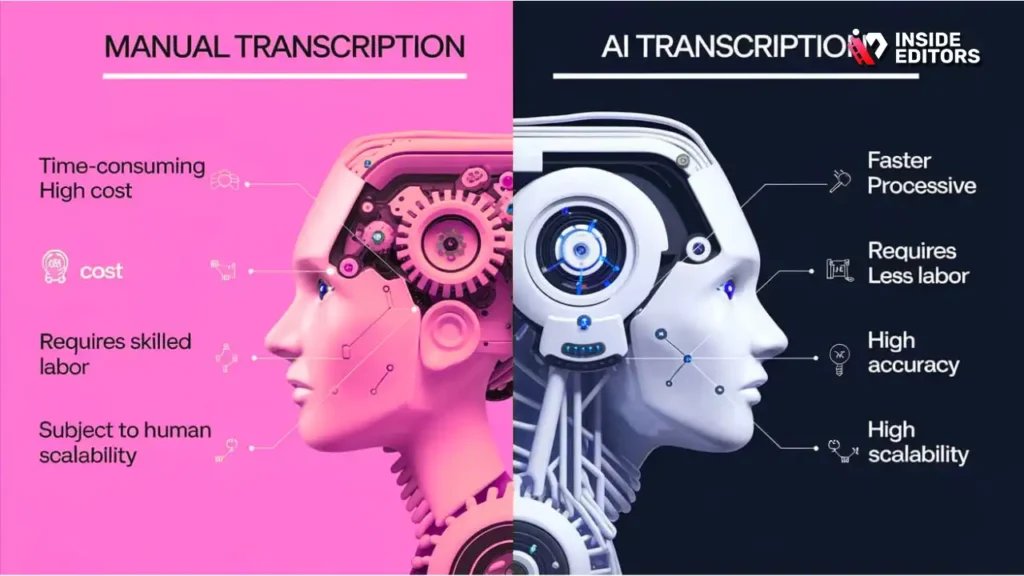
Manual transcription is slow, tedious, and prone to human error, especially with the informal, rapid-fire speech often found on TikTok. Modern AI transcription tools leverage sophisticated machine learning models trained on vast datasets of human speech. This allows them to handle complex audio environments, multiple speakers, and diverse accents with remarkable speed and accuracy. These tools are no longer futuristic concepts; they are indispensable parts of the modern content creation workflow.
Understanding the Technology Behind AI Transcription

Before selecting a tool to Transcribe TikTok Video, it helps to understand the core technology that makes it work: Automatic Speech Recognition (ASR). ASR systems convert spoken language into text.
How Automatic Speech Recognition (ASR) Works
ASR technology involves several complex steps. First, the audio is processed to clean up background noise and isolate speech. Next, the system uses acoustic models to match the sounds (phonemes) to known words. Finally, a language model predicts the most likely sequence of words based on grammar and context. The best AI generators use deep learning neural networks, which constantly improve their accuracy the more data they process. This continuous learning is why modern tools are so much better than the basic transcription services of a few years ago.
Key Metrics for Evaluating Transcription Quality
When choosing a tool to Transcribe TikTok Video, focus on these three critical metrics:
- Word Error Rate (WER): This measures the accuracy of the transcript. A lower WER means fewer mistakes. Top-tier AI services often boast WERs below 5% in clean audio environments.
- Speaker Diarization: This is the tool’s ability to identify and label different speakers in a conversation. This is crucial for interview-style or collaborative TikTok videos.
- Timestamping: Accurate timestamping links specific text segments to the exact moment they occurred in the video, making editing and caption synchronization effortless.
Top 10 AI Generators to Transcribe TikTok Video

Selecting the right tool depends on your specific needs-volume, budget, and required accuracy. Here are the top 10 AI generators currently dominating the market for converting TikTok audio to text.
1. Descript: The Video Editor’s Choice
Descript is often lauded for its intuitive, all-in-one platform. It treats video editing like document editing, allowing users to cut, paste, and delete sections of the video simply by editing the transcript.
Key Features:
- Overdub: AI voice cloning for corrections.
- Seamless integration with video editing workflows.
- High accuracy, even with complex audio.
Ideal For: Content creators who need to Transcribe TikTok Video and then immediately edit the video based on the transcript.
2. Otter.ai: The Meeting and Interview Specialist
While initially designed for meetings, Otter.ai excels at clear, real-time transcription. Its mobile app makes it easy to record and transcribe content directly, which is useful if you are recording content outside of the TikTok app itself.
Key Features:
- Real-time transcription and note-taking.
- Excellent speaker identification (diarization).
- Searchable transcripts accessible across devices.
3. Rev: The Professional Standard
Rev offers both automated AI transcription and human transcription services. For creators needing guaranteed accuracy, Rev’s human service provides industry-leading quality, while their AI tool is fast and reliable for quick drafts.
Key Features:
- 99% accuracy guarantee with human service.
- Fast turnaround for AI transcription.
- Supports multiple languages and complex accents.
4. Happy Scribe: Multilingual and Easy-to-Use
Happy Scribe focuses heavily on multilingual support, making it an excellent choice for creators targeting a global audience. Its interface is clean and straightforward, minimizing the learning curve.
Key Features:
- Transcribes and subtitles in over 60 languages.
- Interactive editor for quick corrections.
- Integration with major cloud storage services.
5. Trint: The Journalist’s Favorite
Trint is built for speed and collaboration. It allows multiple team members to work on the same transcript simultaneously, making it ideal for marketing teams that need to quickly analyze and repurpose content.
Key Features:
- Collaborative editing features.
- Mobile app for on-the-go transcription.
- Strong search functionality within transcripts.
6. Sonix: Speed and API Integration
Sonix is known for its incredible speed, often transcribing hours of content in minutes. It offers robust API access, which is perfect for developers or large organizations looking to integrate transcription directly into their custom content management systems.
Key Features:
- Extremely fast processing times.
- Automated translation capabilities.
- Secure and enterprise-ready platform.
7. Google Cloud Speech-to-Text: The Powerhouse
For those who prioritize raw power and integration within the Google ecosystem, the Google Cloud API offers state-of-the-art ASR technology. While it requires some technical knowledge to implement, its accuracy is top-tier.
Key Features:
- Industry-leading accuracy derived from massive data sets.
- Supports over 125 languages and variants.
- Customizable models for domain-specific vocabulary.
8. Amberscript: Focus on Security and Compliance
Amberscript is a European provider that emphasizes data security and GDPR compliance. It offers both AI and human services, catering to businesses and creators who require high standards of privacy.
Key Features:
- GDPR compliant and secure data handling.
- Specialized models for legal and medical fields (useful for niche content).
- Intuitive online editor.
9. Kapwing: The Online Editor with Transcription
Kapwing is an online video editor that includes transcription as a core feature. Since many TikTok creators edit directly in the cloud, Kapwing offers a convenient, integrated workflow to Transcribe TikTok Video and add captions simultaneously.
Key Features:
- Browser-based, no software download required.
- Integrated video editing tools.
- Automatic subtitle generation.
10. Veed.io: Simple Subtitling Solution
Veed.io is highly popular among social media creators for its simplicity in adding subtitles and captions. It is designed specifically for short-form video, making it an excellent, fast solution to Transcribe TikTok Video and prepare it for immediate posting.
Key Features:
- One-click subtitle generation.
- Easy styling and placement of captions.
- Supports direct video upload and export.
Comparison of AI Transcription Tools
Choosing the right tool to Transcribe TikTok Video often comes down to balancing cost, speed, and accuracy. Here is a quick comparison of the leading contenders:
| Tool | Primary Strength | Accuracy (AI) | Pricing Model | Best Use Case |
|---|---|---|---|---|
| Descript | Integrated Video Editing | Very High | Subscription | Content editing and repurposing |
| Otter.ai | Real-Time Diarization | High | Freemium/Subscription | Interviews and multi-speaker content |
| Rev | Accuracy Guarantee | High (AI) / Excellent (Human) | Per Minute | High-stakes or professional content |
| Sonix | Speed and API | High | Pay-as-you-go | High-volume batch processing |
| Kapwing | Integrated Online Editor | Medium-High | Freemium/Subscription | Quick, browser-based captioning |
“The democratization of AI transcription has lowered the barrier to entry for professional content creation. Creators can now achieve broadcast-quality captions without needing specialized equipment or large budgets.” – Dr. Anya Sharma, AI Linguistics Researcher
Step-by-Step: Transcribing TikTok Videos
The process of converting your TikTok video into a clean, usable transcript involves a few key steps, regardless of the AI tool you choose.
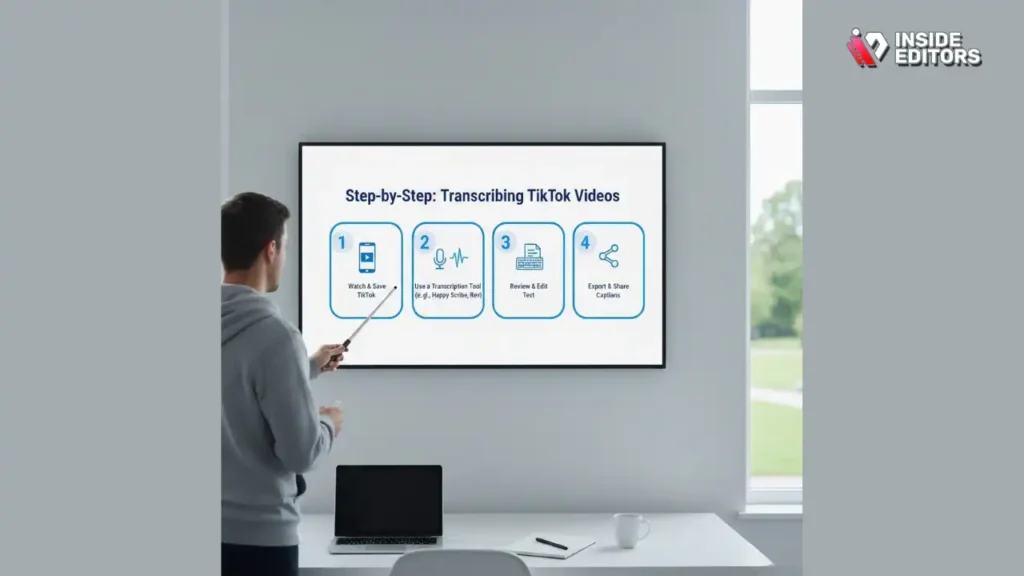
Step 1: Extract or Download the Video Content
First, you need the raw video file. If you created the video outside of TikTok (e.g., recorded on your phone or camera), use that original file for the highest audio quality. If the video is already posted on TikTok, you will need to download it. Ensure you are using a method that retains the highest possible audio quality, as clear audio is the single most important factor for high transcription accuracy.
Step 2: Upload the Video to the AI Generator
Log into your chosen AI transcription platform (e.g., Descript, Otter.ai, or Rev). Upload the video file. Most platforms handle common video formats (MP4, MOV) and will automatically separate the audio track for processing. If you are using a cloud-based API (like Google Cloud), you will need to configure the upload via their interface or a third-party connector.
Step 3: Configure Settings and Initiate Transcription
Before hitting ‘start,’ review the configuration options.
- Language: Confirm the spoken language.
- Speaker Count: If known, input the number of speakers for better diarization.
- Vocabulary: Some advanced tools allow you to input unique names, brand terms, or niche jargon to improve accuracy.
Once configured, initiate the transcription. Depending on the length of the video and the tool’s speed (Sonix is fast; human services take longer), the transcript will be generated in minutes or hours.
Step 4: Review, Edit, and Refine the Transcript
No AI is 100% perfect, especially with background music or complex accents. This manual review stage is crucial. Use the interactive editor provided by the tool to correct any errors. Pay special attention to proper nouns, technical terms, and punctuation. Accurate punctuation is vital for readability when you repurpose the text.
Step 5: Export and Utilize the Transcript
Once satisfied, export the transcript. Common formats include:
- SRT/VTT: For adding captions directly back into the video player.
- TXT/DOCX: For repurposing into blog posts or articles.
- JSON: For developers integrating the text into other applications.
This final, clean text is now ready to be used to maximize the reach of your original TikTok content.
Common Pitfalls and Expert Tips for AI Transcription
While AI makes transcription easy, creators often encounter issues that can lower accuracy. Knowing how to mitigate these problems ensures you get the best possible results when you Transcribe TikTok Video.
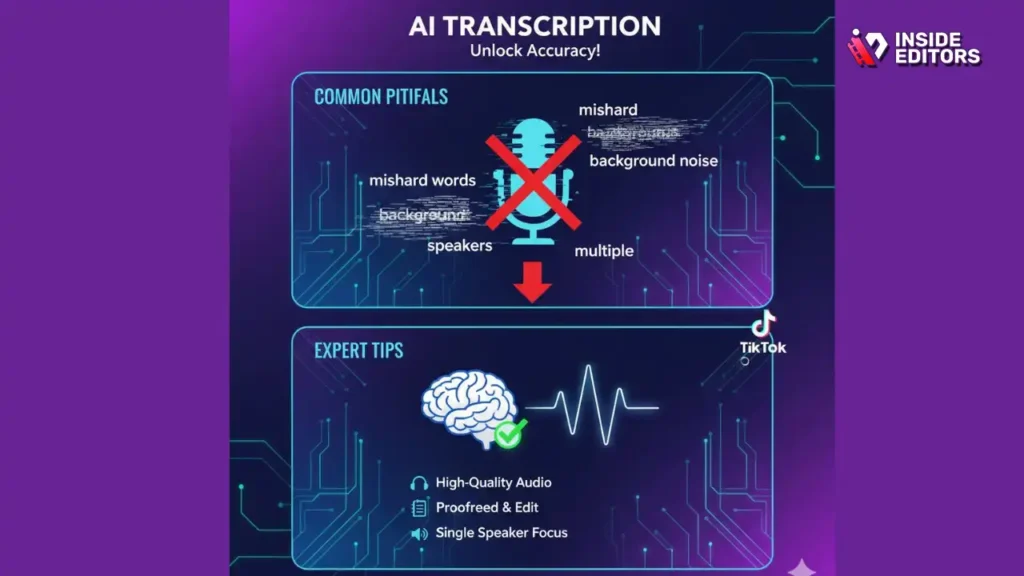
Audio Quality is Paramount
The most common reason for poor transcription quality is poor audio. Even the best AI cannot perfectly decipher heavily distorted or very quiet speech.
Expert Tip: Invest in a quality external microphone, even for short-form video. Record in a quiet environment. If the audio is already poor, use a tool with built-in noise reduction features before uploading for transcription.
Handling Multiple Speakers and Accents
If your TikTok video features multiple people speaking quickly or overlapping, the AI may struggle with diarization.
Expert Tip: Encourage speakers to pause briefly between turns. If the video includes strong regional accents, select an AI tool known for its robust language models (like Google Cloud or Rev) that handle diverse speech patterns effectively.
The Importance of Contextual Editing
AI can sometimes misunderstand homophones (words that sound the same but have different meanings, like “their” and “there”).
Expert Tip: Always read the transcript in the context of the video. If the AI transcribed “I saw the bear,” but the speaker was clearly talking about a stock market trend, you need to manually change it to “I saw the bear [market].”
Beyond Transcription: Pro Video Editing
While AI tools are fantastic for generating the raw transcript, the final step of turning that text into polished, engaging video content often requires professional expertise. Many creators who Transcribe TikTok Video find themselves overwhelmed by the subsequent editing demands-syncing captions, color grading, optimizing cuts, and ensuring brand consistency.
This is where professional video editing services become invaluable.
When to Bring in the Experts
If your goal is to scale your content production, maintain a high level of professional quality, or free up your time to focus solely on content creation, outsourcing the editing process is the most efficient solution.
Inside Editors offers professional video editing services tailored specifically for content creators, businesses, and marketers. Our team of seasoned editors, with over 10 years of experience, ensures your transcribed TikTok content is transformed into a polished, high-impact final product.
The Inside Editors Advantage
We understand the demands of fast-paced social media content. Our service model is built around speed, quality, and reliability:
- Professional Quality: We handle everything from precise caption synchronization (using your AI transcript) to professional color grading and audio enhancement, ensuring your video builds trust and looks consistent.
- Fast Turnaround: We offer a fast turnaround time, typically within 24–72 hours, allowing you to keep up with the rapid posting schedule required by platforms like TikTok.
- Affordable and Scalable: With affordable pricing starting at $29 per video, our services are scalable for growing channels.
- Unlimited Revisions: We work with you until you are 100% satisfied, guaranteeing a result that perfectly matches your vision and brand style.
By choosing professional editing, you save time and focus on what you do best-creating compelling content. Let us handle the technical refinement after you Transcribe TikTok Video.
Future Trends in AI Transcription
The technology used to Transcribe TikTok Video is evolving rapidly. Future iterations of AI transcription will likely focus on deeper contextual understanding and integration.
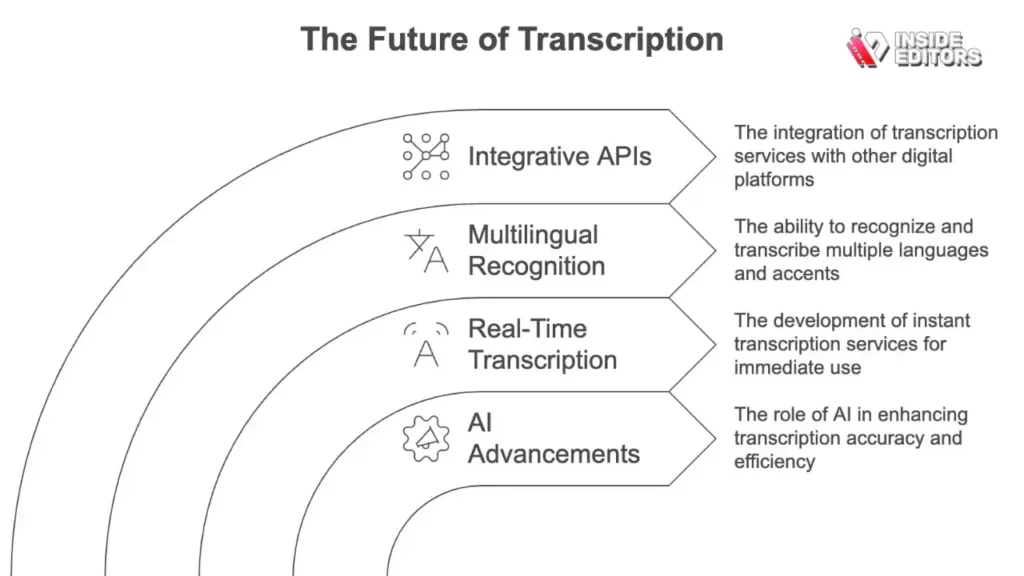
One major trend is the integration of multimodal AI. This means the AI will analyze not just the audio, but also the visual cues (facial expressions, gestures, on-screen text) to better understand the context and improve transcription accuracy. Imagine an AI that sees a speaker point to a specific product and automatically capitalizes the product name in the transcript.
Another development is real-time, instantaneous translation and transcription directly within the video platform, allowing creators to reach global audiences instantly without manual editing steps.
“The next generation of ASR won’t just hear words; it will understand intent. This shift will make transcription virtually flawless and unlock new possibilities for automated content localization.” – Elena Gomez, Head of Product Development at a leading AI firm
Conclusion: Maximizing Your Content’s Potential
The ability to accurately and quickly Transcribe TikTok Video is no longer a luxury; it is a necessity for maximizing reach, improving accessibility, and optimizing content for search. The AI generators discussed here-from Descript’s integrated editing to Rev’s professional accuracy-offer powerful solutions for every creator’s budget and workflow.
By leveraging these tools, you transform fleeting video moments into durable, searchable, and reusable text assets. If you find that the subsequent editing process-turning that raw transcript into a polished, captioned, and brand-consistent video-is slowing you down, remember that professional help is available. Inside Editors stands ready to take your transcribed content and deliver the professional quality needed to thrive in the competitive digital landscape. Focus on creating great content; we will handle the rest.
Frequently Asked Questions
What is the best way to Transcribe TikTok Video?
The best way to Transcribe TikTok Video is by using specialized AI generators like Descript or Otter.ai. These tools offer high accuracy, fast turnaround, and features like speaker identification, making the process efficient for content creators who need reliable text output.
How accurate are AI tools for transcription?
Modern AI tools are highly accurate, often achieving Word Error Rates (WER) below 5% in clear audio conditions. Accuracy can be improved by ensuring high-quality audio and manually reviewing the resulting transcript to correct specific jargon or proper nouns.
Can I Transcribe TikTok Video for free?
Yes, many AI generators like Otter.ai and Kapwing offer freemium models that allow you to Transcribe TikTok Video for a limited number of minutes per month. This is ideal for creators with low-volume needs or those testing the service.
Why is transcription important for TikTok SEO?
Transcription is crucial for TikTok SEO because it provides searchable text data to the platform’s algorithm. When you Transcribe TikTok Video, you give the algorithm keywords and context, significantly improving your video’s discoverability and ranking.
What audio quality is needed for good transcription?
High audio quality is paramount. Clear, isolated speech with minimal background noise yields the best results. Using an external microphone greatly improves the accuracy when you Transcribe TikTok Video, reducing the need for manual corrections.
Do transcription tools handle multiple speakers?
Yes, most professional transcription tools feature ‘speaker diarization,’ which identifies and labels different speakers in the audio. Tools like Otter.ai are particularly strong at handling multi-speaker conversations when you Transcribe TikTok Video.
What file format should I use for captions?
The most common and widely supported file formats for captions and subtitles are SRT (SubRip Text) and VTT (Web Video Text Tracks). These files contain both the text and precise timestamps for synchronization.
How long does AI transcription take?
AI transcription is very fast. Most tools can Transcribe TikTok Video content in just a few minutes, regardless of the video length. Human transcription services, while more accurate, typically take several hours to a day.
Can I edit the video using the transcript?
Yes, innovative tools like Descript allow you to edit the video directly by editing the text transcript. Deleting a sentence in the transcript automatically removes the corresponding audio and video segment, speeding up the editing process.
What is the difference between transcription and subtitling?
Transcription converts spoken words into a text document. Subtitling involves taking that transcript, breaking it into timed chunks, and styling it for display on the screen. Most AI tools help you Transcribe TikTok Video and then generate the subtitles.


