

Starting or upgrading a YouTube channel always begins with one essential question: Which camera will help me shoot clear, engaging, high-quality videos without overwhelming my workflow? With so many good options available, finding the right video camera for YouTube can feel like decoding a long list of specs, features, and creative promises. But choosing the right one isn’t just about frames per second or megapixels-it’s about matching the camera to your style of content, your shooting environment, and your long-term goals as a creator.
In this guide, we break down 12 of the best video cameras for YouTube right now, exploring what makes each model shine, where they fall short, and how to confidently choose your perfect match. Whether you’re filming sit-down tutorials, cinematic travel edits, fitness videos, or fast-paced vlogs, there’s a camera on this list designed to elevate your unique storytelling style.
But before diving into each option, it helps to understand the creator mindset behind choosing a camera. Most YouTubers want gear that balances quality, simplicity, and reliability. You don’t want something that slows you down-you want a tool that removes friction so you can stay focused on filming consistently. That’s why each camera below is selected not only for technical merit but also how smoothly it fits into a real creator’s workflow.
Choosing the Right Video Camera for YouTube Sets

Before buying any camera, it’s worth pausing to think about your ideal filming day. Are you inside a studio with constant lighting or outdoors switching between bright daylight and shadows? Do you plan to move around when you film, or will your camera stay on a tripod? These scenarios impact the features you’ll care about most, like low-light performance, stabilization, autofocus reliability, and even how the camera feels in your hand.
Most creators discover that the best camera isn’t the most expensive-it’s the one that makes their creative process smoother. A YouTube cooking channel may prioritize fast autofocus to follow movement in the kitchen, while a travel vlogger might prefer lightweight stabilization to keep walking shots steady. The right video camera for YouTube meets you where you are and grows with you as your channel evolves.
1. Sony ZV-1 II – The Pocket-Sized Powerhouse
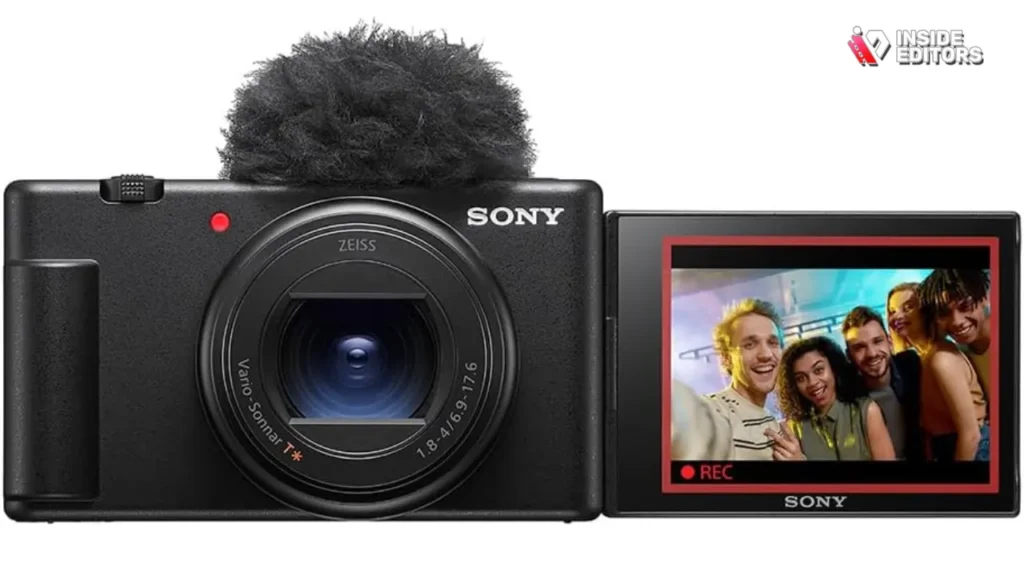
The Sony ZV-1 II is often considered the gold standard for beginner and intermediate YouTubers who want portability without sacrificing quality. Its bright lens, excellent face-tracking autofocus, and optimized colors give creators a ready-to-upload look with minimal effort. If you’ve ever struggled with cameras that constantly lose focus during filming, the ZV-1 II’s tracking reliability feels like a breath of fresh air.
Where It Shines for YouTube Creators
This camera is built for people who film themselves. The fully articulating screen, built-in ND filter, and directional microphone allow you to capture sharp, stable footage even in shifting lighting conditions. It’s particularly popular with lifestyle vloggers who need something small enough to take everywhere yet strong enough to deliver consistently high-quality results.
Limitations to Keep in Mind
The ZV-1 II does have a smaller sensor compared to mirrorless cameras, which means low-light performance isn’t as strong. If you often record at night or in dim environments, you may see noise in darker areas. However, for daytime filming or indoor videos with controlled lighting, it performs exceptionally well.
Ideal For
Vloggers, lifestyle creators, beginners, and anyone who wants the simplest high-quality video camera for YouTube without learning complicated manual settings.
2. Canon EOS R50 – Best Beginner for YouTubers
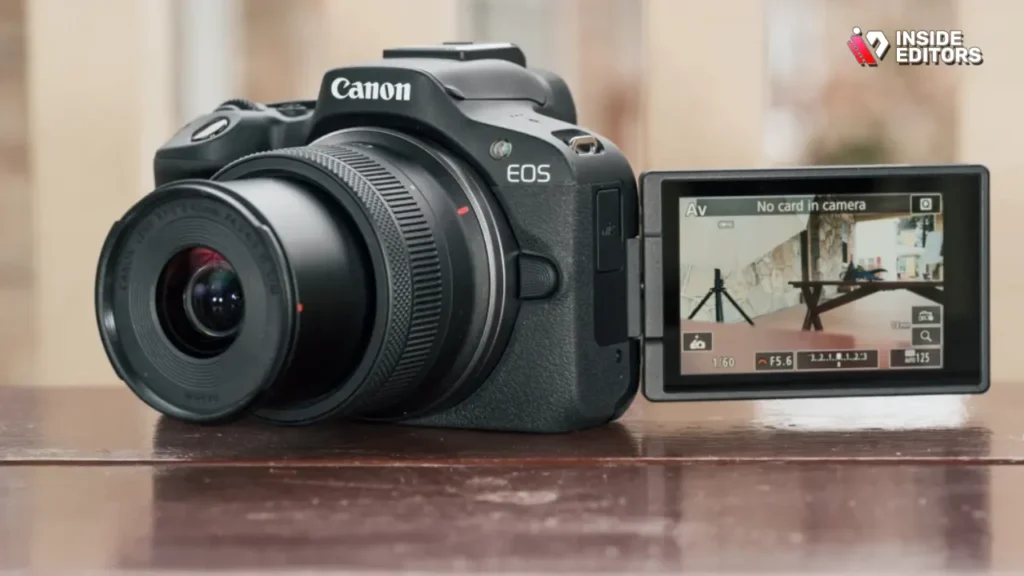
Canon designed the EOS R50 as an accessible entry into the mirrorless world, offering 4K oversampled video, strong color science, and a lightweight body that doesn’t intimidate new creators. It feels like a natural step up for someone who wants DSLR-level quality without the bulky feel of older cameras.
Why Creators Love Its Colors and Autofocus
Canon is known for its warm, natural skin tones-something many YouTubers appreciate because it reduces the need for heavy color grading. Combine that with the R50’s responsive Dual Pixel autofocus, and you get footage that looks polished straight out of the camera. It’s especially helpful for tutorials, product reviews, and beauty channels where colors and facial details need to look natural.
Where It Falls Short
The R50 doesn’t have in-body stabilization, meaning handheld shots can appear shaky if you’re walking or moving quickly. Most creators solve this with a lens that includes optical stabilization or by filming from a tripod.
Ideal For
Beginner creators wanting mirrorless performance, beauty and lifestyle YouTubers, and anyone transitioning from a smartphone to a more capable camera.
3. Sony ZV-E10 – A Flexible Camera for Creators

Once creators move beyond basic vlogging, the Sony ZV-E10 becomes an appealing upgrade thanks to its interchangeable-lens versatility. It uses an APS-C sensor, which is noticeably larger than compact cameras like the ZV-1. This means better depth of field, stronger low-light performance, and more creative flexibility.
What makes this camera especially powerful is the ability to shift styles instantly by swapping lenses. A wide lens helps with vlogging, a prime lens creates cinematic sit-downs, and a telephoto lens supports product close-ups. It’s no surprise that many creators describe this camera as “future-proof” for their growing channels.
Limitations Worth Considering
While the ZV-E10 offers great customization, navigating different lenses and settings requires a bit more learning. It also lacks in-body stabilization, meaning handheld filming benefits from stabilized lenses or a tripod.
Ideal For
Creators ready to step into more professional aesthetics, DIY channels, interview setups, and cinematic storytellers.
4. Panasonic Lumix GH6 – Cinematic YouTube Beast
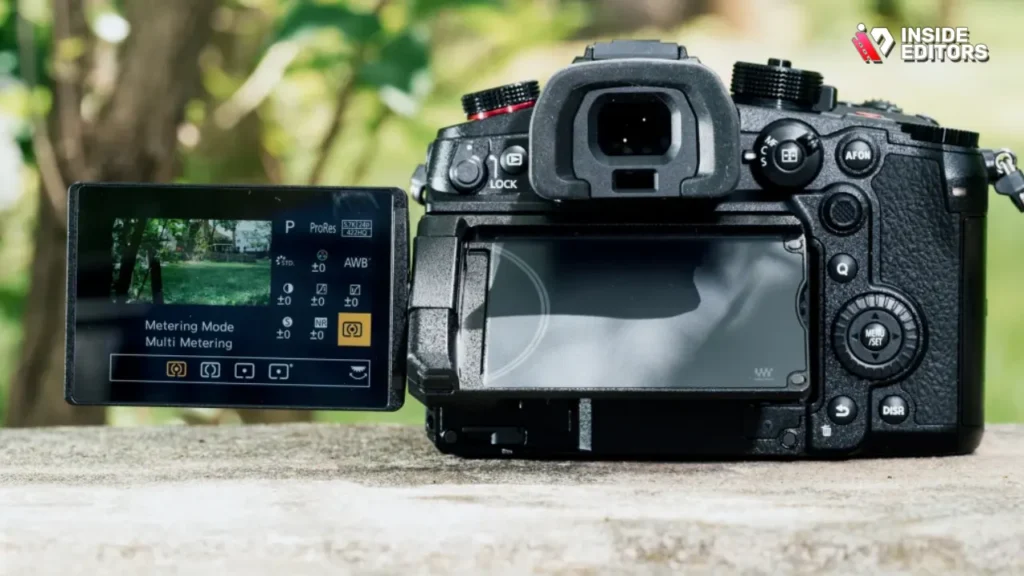
If you create travel films, documentaries, or cinematic B-roll for your YouTube channel, the Panasonic GH6 stands out with its unmatched video specs in the mirrorless category. Its robust codecs, internal ProRes options, and high dynamic range give you tremendous control in post-production. For YouTubers with a storytelling or filmmaking background, this camera opens doors to a more polished, cinematic style.
Its Stabilization Makes Handheld Filming a Dream
The GH6 features one of the best in-body stabilization systems available today. Walking shots feel fluid, and handheld scenes often look like they were filmed on a gimbal. It’s a big reason creators who travel constantly find this camera reliable for fast-moving environments.
The Tradeoffs That Come With Power
Because it’s packed with features, the GH6 is heavier and more complex than beginner-friendly models on this list. It also uses a Micro Four Thirds sensor, which is smaller than APS-C and full-frame sensors. However, its video features more than make up for the difference for creators focused heavily on cinematic work.
Ideal For
Filmmakers, travel YouTubers, adventure channels, and creators who value dynamic range, color grading, and pro-tier video tools.
5. GoPro Hero 12 Black – The Movement Camera
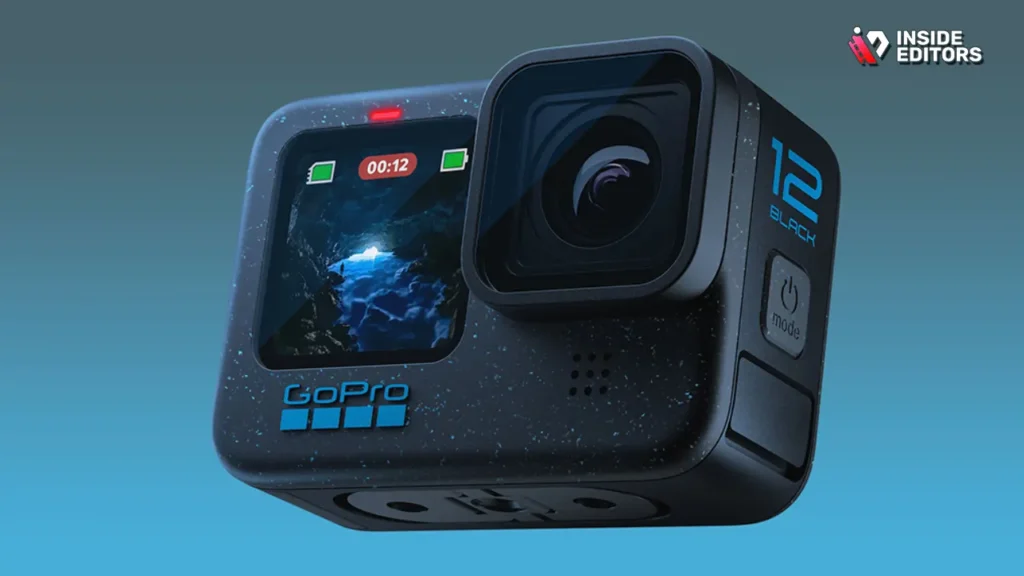
GoPro continues to dominate the action category with the Hero 12 Black, offering unmatched stabilization, rugged durability, and slow-motion performance. For creators filming workouts, travel adventures, or first-person experiences, the Hero 12 is incredibly easy to mount anywhere-from helmets to surfboards to vehicle dashboards.
Capturing Crisp, Stable Footage in Extreme Settings
Whether you’re hiking in the rain or biking through city streets, this camera keeps your footage smooth and sharp. Its 5.3K resolution and vibrant color profile deliver more detail than many expect from a small action cam.
Its Limitations in Controlled Studio Settings
The GoPro shines outdoors but isn’t meant to be a primary indoor camera. Its small sensor struggles in low light, giving footage a grainy look. Many YouTubers pair it with a main camera for studio work and use the GoPro exclusively for movement-heavy sequences.
Ideal For
Adventure channels, fitness creators, cyclists, vloggers on the go, and anyone wanting immersive POV shots.
6. Sony A7C II – Full-Frame Power for YouTubers

Full-frame cameras produce some of the best-looking footage on YouTube thanks to their wider dynamic range and stronger low-light performance. The Sony A7C II takes this power and fits it into a compact body, making it one of the most portable full-frame cameras available.
Color Science and Autofocus Built for Professional Creators
Creators love how clean and detailed the A7C II footage looks, even when shooting in dim apartments or nighttime city streets. Add Sony’s renowned autofocus to the mix, and you get smooth tracking that rarely misses-ideal for talking-head videos or scenes with constant motion.
What You Should Consider Before Upgrading
Full-frame cameras require more expensive lenses, and the A7C II is an investment aimed at creators ready to level up their production quality. If you’re already confident with manual controls and want your footage to feel cinematic, this is a natural next step.
Ideal For
Professional YouTubers, filmmakers, fitness creators, travel channels, and anyone seeking a compact full-frame option.
7. Canon EOS R6 Mark II – Full-Frame for High-End YouTube
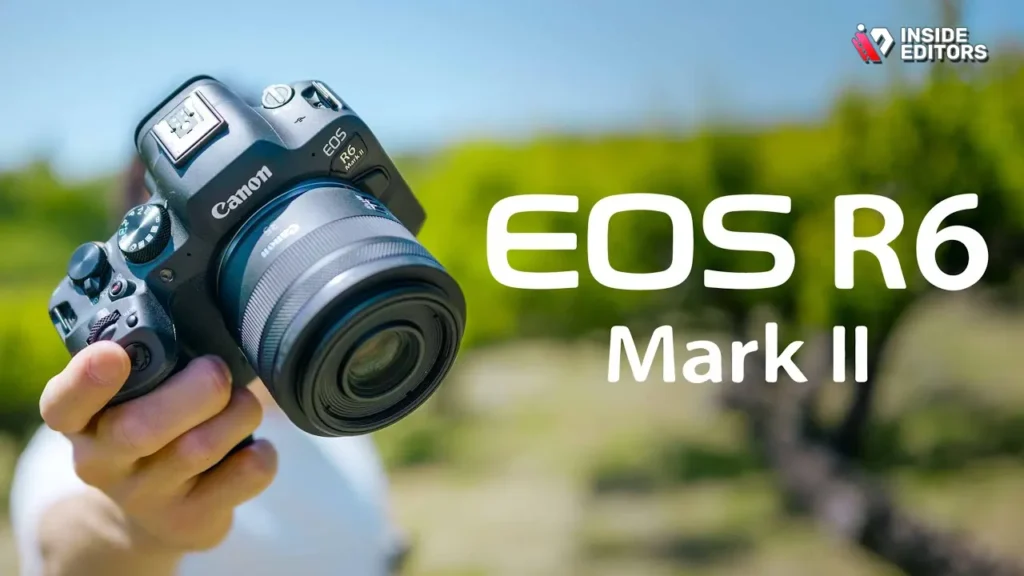
For YouTubers who film fast-paced content-fitness, cooking, tutorials, or anything requiring movement-the Canon R6 Mark II delivers exceptional autofocus accuracy and beautiful color rendering. Its 4K 60fps footage is crisp, natural, and reliable, allowing creators to produce videos that feel cinematic without needing complicated rigs or lighting setups.
Exceptional Low-Light and Stabilization Performance
One of the biggest advantages of the R6 Mark II is how effortlessly it handles low-light scenes. Whether you’re capturing moody studio shots or filming at dusk during travel vlogs, the image remains clean and detailed. Combine that with Canon’s deep-learning autofocus and powerful in-body stabilization, and you get a camera that practically removes technical friction from your workflow.
What You Should Know Before Choosing It
Compared to beginner cameras, the R6 Mark II is a larger investment-both the body and lenses come at premium prices. It’s best suited for creators ready to commit to a long-term gear ecosystem and who want their videos to maintain a consistent professional look.
Ideal For
Professional YouTubers, fitness creators, documentary vloggers, and channels that require cinematic slow-motion footage.
8. Fujifilm X-S20 – A Stylish Hybrid for Creators
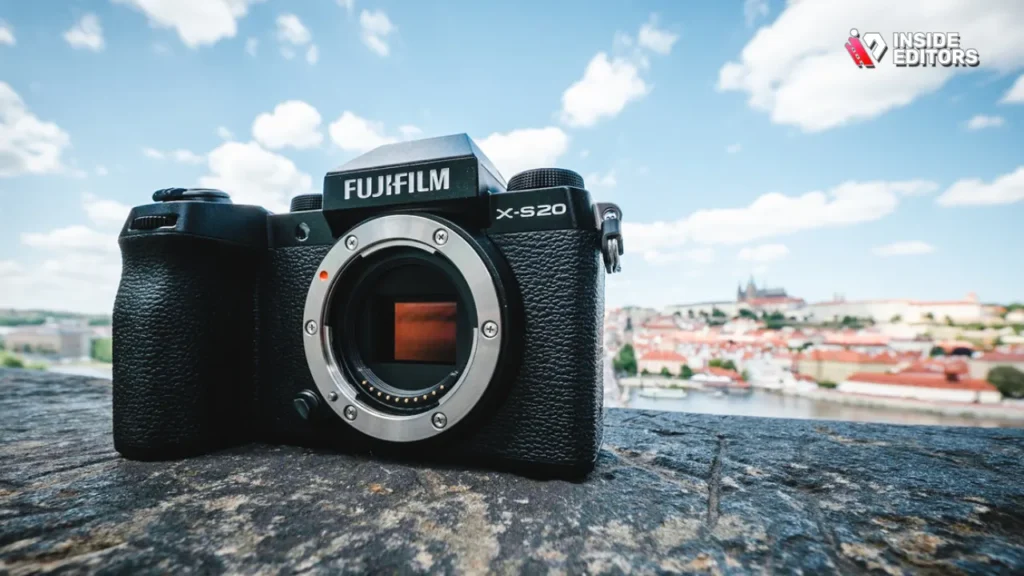
Fujifilm has a loyal following among creators who want a camera that looks stylish, feels intuitive, and performs beautifully in both photo and video modes. The X-S20 continues this tradition with strong 4K video quality, improved battery life, and a dedicated “Vlog Mode” that simplifies common tasks like background defocus and face tracking.
Color Profiles Made for Cinematic YouTube Videos
One of Fujifilm’s biggest strengths lies in its film simulations-color profiles inspired by classic film stocks. These presets give YouTube creators an instant cinematic look without needing to grade heavily in post-production. For channels that prioritize aesthetics, from travel films to fashion lookbooks, this feature alone is a major selling point.
Where It Might Not Fit Every Creator
While Fujifilm’s menu system is beloved by some, others find it more complex than Sony or Canon. Lens options are excellent but typically more manual-focused, which may not suit creators who want a simpler plug-and-play experience.
Ideal For
Aesthetic-driven YouTubers, hybrid photographers, travel creators, and anyone who appreciates unique color science.
9. DJI Osmo Pocket 3 – Smooth Footage in Your Pocket
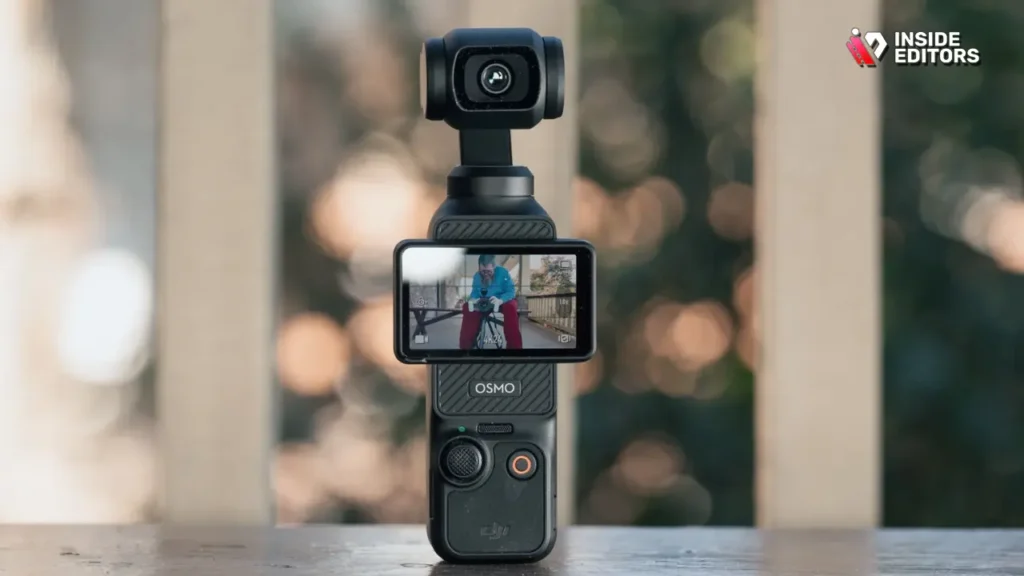
DJI’s Osmo Pocket 3 blends size and stabilization better than almost any camera on the market. Its built-in gimbal produces incredibly smooth footage, making it an ideal choice for creators who film while walking, talking, or capturing behind-the-scenes clips. Despite its tiny size, the footage looks clean, detailed, and vibrant enough to fit naturally into any YouTube workflow.
A Creator’s Dream for Travel and Daily Vlogging
The Pocket 3 unfolds quickly-you press a button and it’s ready. For YouTubers who want spontaneous filming without setting up a camera or lens, this convenience can dramatically increase productivity. Travel creators often describe it as “the camera that’s always ready when the moment happens.”
Limitations to Consider
Because of its size, the sensor is smaller than larger vlogging cameras. It performs best in daylight or well-lit environments and may struggle indoors or at night.
Ideal For
Travel vloggers, daily vlog creators, and YouTubers who want effortless stabilization without carrying extra gear.
10. Sony A6700 – APS-C Camera for Creators
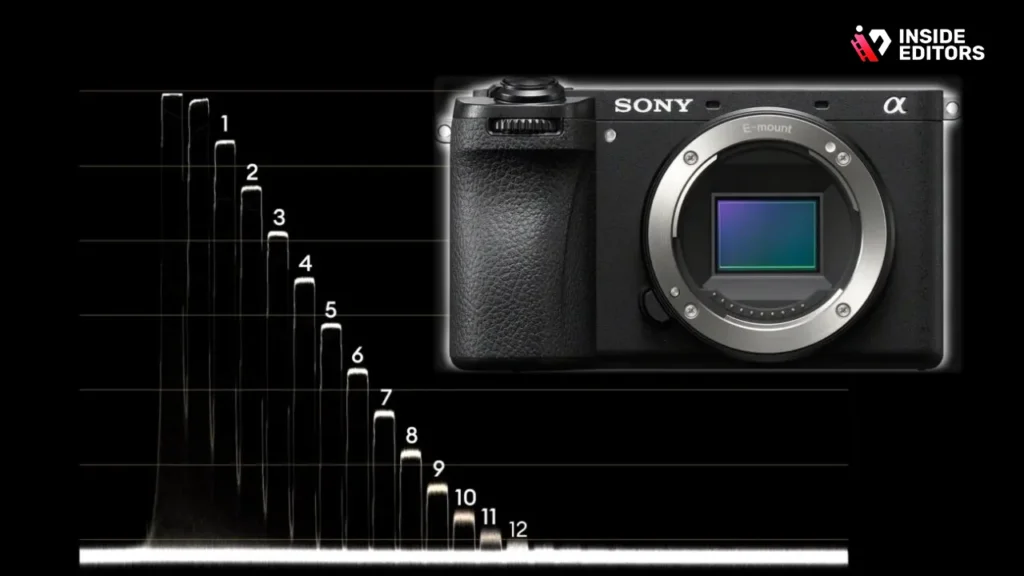
Sony’s A6700 combines a powerful new processor, strong 4K 120fps capabilities, and advanced autofocus borrowed from Sony’s flagship models. It’s ideal for creators who produce varied content-sit-down talks one day, outdoor shoots the next, and rapid B-roll in between.
A Perfect Blend of Portability and Power
Unlike bulky full-frame bodies, the A6700 feels compact but still packs serious performance. Its color science continues to improve, offering richer skin tones and more reliable exposure straight out of the camera. Stabilization is also enhanced, making handheld shooting much smoother for creators constantly on the move.
Why It May Not Be for Everyone
The A6700 has a higher learning curve compared to simpler vlogging cameras. It rewards creators who enjoy experimenting with settings, manual exposure, and different lenses.
Ideal For
Cinematic channels, tech reviewers, filmmakers, travel creators, and YouTubers ready to grow into a professional workflow.
11. Canon PowerShot V10 – Pocket Camera for Vlogging
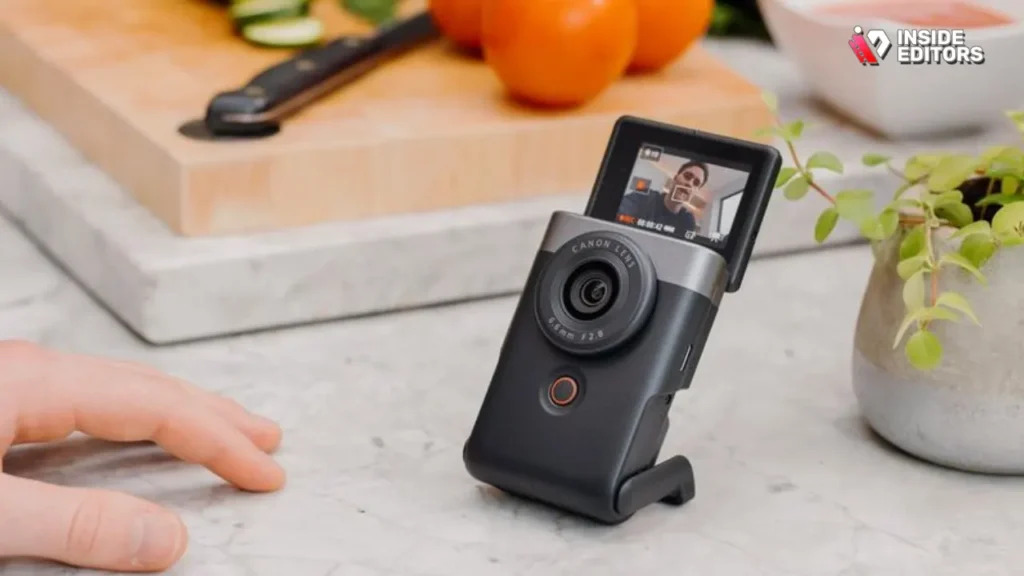
Canon surprised many creators by releasing the PowerShot V10-a tiny vertical-style camera made specifically for quick, handheld vlogging. Its charm lies in its minimalism. You don’t change lenses, configure complicated menus, or adjust elaborate settings. You flip it on, start recording, and focus entirely on storytelling.
A Perfect Starter Camera for YouTube
The V10 delivers better quality than most smartphones while keeping workflow incredibly simple. The built-in wide lens, strong face tracking, and compact tripod grip make it excellent for travel and street content. It’s especially useful for creators who want to be more spontaneous without carrying gear.
Limitations Built Into the Design
Because it’s made for casual vlogging, it lacks advanced features like 4K 60fps, interchangeable lenses, or strong stabilization. But as a beginner-friendly option, it’s one of the easiest YouTube cameras to start with.
Ideal For
Beginner YouTubers, casual vloggers, travel storytellers, and creators who want simplicity over specs.
12. Blackmagic Pocket Cinema Camera 6K G2

The Blackmagic Pocket Cinema Camera 6K G2 isn’t built for casual vlogging-it’s built for creators who want Hollywood-level image quality. Shooting in Blackmagic RAW delivers incredible detail, dynamic range, and color depth. When paired with professional lighting and editing, footage from this camera can rival commercial-grade productions.
Perfect for Long-Form, Cinematic YouTube Content
If your channel focuses on documentaries, narrative storytelling, client projects, or educational content with premium visuals, the BMPCC 6K G2 becomes a powerful storytelling tool. Editing workflows are also easier thanks to DaVinci Resolve’s seamless integration-a popular choice among creators refining color and texture.
Where It May Challenge Beginners
Cinema cameras require thoughtful lighting, manual exposure, and post-production experience. They also don’t include continuous autofocus, meaning they work best in controlled setups.
Ideal For
Cinematic vloggers, filmmakers, commercial creators, educational channels, and YouTubers seeking unparalleled image quality.
Comparison Table – Top 12 Video Cameras for YouTube
Here is a helpful side-by-side snapshot for readers comparing features:
| Camera Model | Best For | Sensor | Stabilization | Autofocus | Key Advantage |
| Sony ZV-1 II | Beginner vlogging | 1″ | Digital | Excellent | Small + creator-friendly |
| Canon EOS R50 | Entry mirrorless | APS-C | Lens-based | Great | Affordable, great colors |
| Sony ZV-E10 | Growing creators | APS-C | Lens-based | Excellent | Interchangeable lenses |
| Panasonic GH6 | Cinematic work | MFT | Industry-leading | Good | Pro video tools |
| GoPro Hero 12 | Action footage | 1/1.9″ | Digital HyperSmooth | Good | Rugged, stabilized |
| Sony A7C II | Compact full-frame | Full-frame | Good | Excellent | Low-light mastery |
| Canon R6 Mark II | Pro creators | Full-frame | Excellent | Excellent | Superb color + AF |
| Fujifilm X-S20 | Hybrid creators | APS-C | Good | Good | Film simulations |
| DJI Pocket 3 | Travel vlogs | 1″ | Gimbal | Good | Ultra-stable |
| Sony A6700 | Pro APS-C | APS-C | Strong | Excellent | Fast + cinematic |
| Canon V10 | Simple vlogging | 1″ | Basic | Good | Very easy to use |
| BMPCC 6K G2 | Filmmaking | Super 35 | None | Manual | Unmatched cinematic quality |
How to Choose the Right Video Camera for YouTube
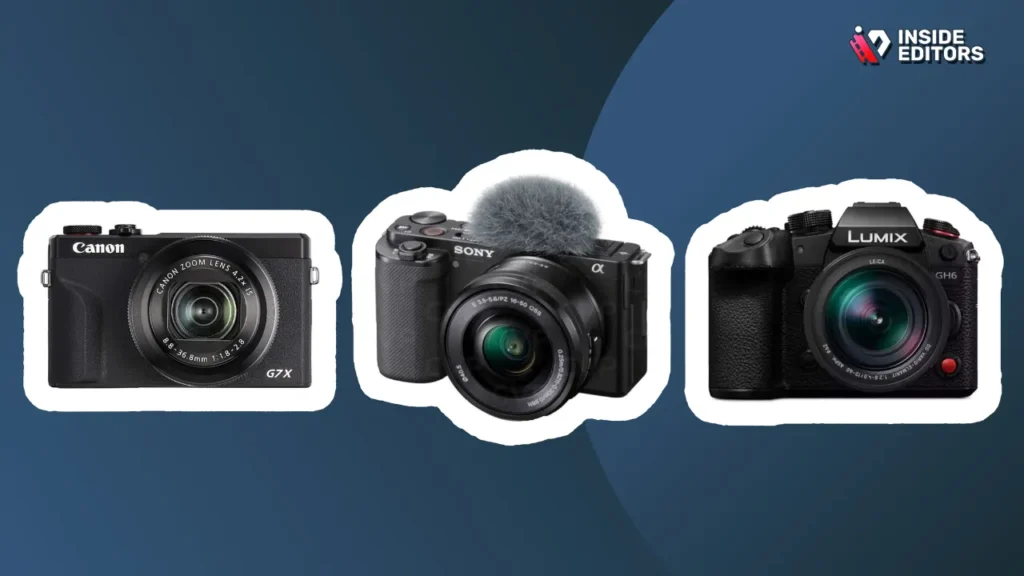
If you film fast-paced outdoor videos, stabilization becomes essential-meaning cameras like the GoPro Hero 12, DJI Pocket 3, or A7C II feel natural. For sit-down videos, autofocus and image quality matter more, making the Canon R50 or Sony ZV-E10 great fits.
Creators who want cinematic depth should consider full-frame models or cinema cameras, while beginners who prioritize simplicity may do better with compact models.
Think About Your Workflow, Not Just Specs
The best video camera for YouTube is the one that supports your workflow-not complicates it. Ask yourself:
- Do I want interchangeable lenses?
- Do I film mostly indoors or outdoors?
- Does low-light performance matter for my channel?
- Do I prefer a simple setup or advanced manual controls?
- Will I grow into professional editing later?
By aligning gear with habits and creative goals, you reduce friction and build consistency.
Remember: Editing Matters as Much as the Camera
Even with the best footage, editing shapes the final story. Many creators underestimate how much pacing, color, sound design, and transitions affect viewer engagement. If editing feels overwhelming or time-consuming, Inside Editors offers professional services that bring your footage to life-whether you’re creating product videos, travel films, fitness content, or reaction videos. You can explore inside editor video editing service:
Strong editing also gives your channel a recognizable style-something viewers appreciate and algorithms reward.
Final Thoughts – Choosing Your Perfect YouTube Camera

You don’t need the most expensive camera to create powerful YouTube videos. You need the right tool for your workflow, your environment, and your creative ambitions. Each camera on this list offers something unique-from the effortless simplicity of the Canon V10 to the cinematic depth of the Blackmagic Pocket 6K G2.
What matters most is consistency. When your camera helps you film more often, with less friction and better quality, your storytelling improves-and so does your audience engagement.
If you’re ready to elevate your videos even further, Inside Editors can help turn your raw footage into polished, professional stories. Whether you’re producing travel vlogs, gaming content, product reviews, or cinematic adventures, expert editing can transform good footage into unforgettable videos.
If you’re ready to take your content from simple to stunning, explore Inside Editors’ video editing services and discover how professional editing can unlock your full creative potential.
FAQs Video Camera for YouTube
How do I know I can trust Inside Editors with my footage and revisions?
Inside Editors uses secure file transfer (SFTP/WeTransfer Pro) and private project folders; access is limited to assigned editors only. You receive a draft and up to the stated revision rounds (typically 2–3) with each package; extra revisions are available for a small fee. Contracts and a clear scope statement protect ownership and revision limits before work begins.
What quality guarantees do you provide for finished videos?
Quality is guaranteed to match the package level you choose: basic trims for short-form, intermediate color and audio polishing for standard packages, and full-grade color and motion design for premium tiers. Deliverables are checked against technical standards (bitrate, codec, resolution) and you receive a preview file to confirm quality before final export. If output doesn’t meet the agreed spec, Inside Editors will correct it within the included revision rounds.
Who owns the final video and original files after editing?
You retain full ownership of the final video and all original footage unless a different license is agreed in writing. Inside Editors may keep anonymized backup copies for 30–90 days for recovery and support, but they are not used commercially without permission. If you require a strict “no-backup” clause, request it and a custom agreement can be provided.
How is my privacy and client data handled?
Client privacy is enforced through secure transfers, password-protected project links, and role-based access for editors. Personal or sensitive information is redacted on request and stored only as long as necessary for project completion (standard retention 30–90 days). For higher privacy needs (e.g., NDAs), Inside Editors signs NDAs and follows agreed handling procedures.
Should I use editing tools myself or hire a pro – what’s the trade-off?
DIY editing (using tools like Premiere Pro or DaVinci Resolve) saves money upfront but costs time: expect 5–20+ hours per video depending on complexity. Hiring a pro trades money for speed, polish, and expertise-typical pro edits save creators 70–90% of their editing time and produce better pacing and color grading. If you value consistency, brand polish, or faster uploads, pro editing is usually worth the investment.
What do editing packages usually include and how do I compare tiers?
Packages typically stack features: basic (cuts, simple audio balance), standard (color correction, B-roll, motion titles), premium (color grading, advanced motion graphics, sound design). Compare by deliverables, turnaround time, and revision rounds; cheaper tiers often exclude raw file backups or multi-camera syncing. Always check sample work and an itemized feature list before choosing.
How much does professional video editing cost and what’s included?
Typical ranges (2025 market): basic edits $40–$150/video, standard $150–$450/video, premium $450–$1,500+ depending on length and complexity. Prices normally include project management, 1–3 revision rounds, final exports (MP4, YouTube-ready), and short-form repurposes at higher tiers. Extras like rush delivery, stock footage licenses, or complex VFX are usually billed separately.
What are typical timelines and can I get rush delivery?
Standard turnaround is 3–10 business days for single-edit projects depending on complexity and queue; multi-video projects take longer. Rush options (24–72 hours) are commonly available for an extra 25–100% fee and depend on editor availability. Delivery speed also depends on clear source files, organized assets, and when client feedback is returned – faster approval shortens the total timeline.
What’s the simplest step-by-step process for sending footage and getting an edit back?
Step 1: Export and compress footage (H.264 proxy or full-resolution) and upload via the provided secure link (SFTP/WeTransfer). Step 2: Share a brief (script, timestamps, style references) and any logos/brand assets. Step 3: Receive a draft within the agreed turnaround, review with time-coded notes, and request up to the included revision rounds. Step 4: Approve final export and receive delivery files and optional source backups.


