


Social media has changed how people watch videos, and in 2026, that change is no longer subtle. Attention spans are shorter, competition is fiercer, and viewers decide whether to keep watching in the first few seconds. If you’ve ever uploaded a video you felt proud of, only to see it underperform, you’re not alone. In most cases, the issue isn’t the idea or even the footage-it’s how the video was edited for the platform it lives on.
That’s where Video Editing for Social Media becomes more than just trimming clips. It’s about shaping a story that fits how people scroll, tap, and engage today. The right editing choices can turn an average clip into a high-performing post, while the wrong ones can bury great content before it has a chance.
In this Inside Editors 2026 guide, we’ll walk through five proven editing tips that creators, brands, and businesses rely on to stand out. These insights are based on real editing workflows, platform trends, and the practical lessons professional editors use every day. Let’s start with the most important foundation of all-understanding how each platform actually works.
Platform Behavior Before You Touch the Timeline

Before opening any editing software, it’s worth asking a simple question: where will this video be watched? Editing without platform awareness is one of the most common mistakes creators make, and it often leads to poor retention and low engagement.
Why Each Platform Demands a Different Editing Mindset
Every social platform trains users to consume content differently. TikTok and Instagram Reels are built for fast discovery, meaning viewers expect immediate payoff. LinkedIn videos tend to reward clarity and value, while YouTube Shorts favor punchy storytelling with a strong hook. Editing the same video the same way for all platforms ignores these behavioral differences.
Professional editors start by aligning pacing, framing, and structure with platform expectations. For example, a slow cinematic intro might work on YouTube but fail instantly on Reels. Once you understand how people watch, editing decisions become far more strategic instead of guesswork.
How Aspect Ratio and Framing Affect Engagement
In 2026, vertical video isn’t optional-it’s the default. Platforms consistently prioritize native formats, and videos that aren’t optimized often feel awkward or cropped. Editing with the correct aspect ratio from the start allows you to frame subjects properly, place text safely, and avoid cutting off key visuals.
Editors also think about “safe zones,” ensuring captions and visuals don’t clash with interface elements like buttons or usernames. This small detail can make the difference between a video that feels polished and one that looks amateur, even if the footage itself is great.
By building platform awareness into your editing process, you create videos that feel natural where they’re posted. That foundation makes every other editing tip more effective.
Capture Attention in the First Three Seconds-Every Time
If there’s one rule that hasn’t changed, it’s this: the beginning of your video matters more than anything else. Most viewers decide whether to keep watching almost instantly, and editing plays a huge role in that decision.
How Strong Hooks Are Built in the Edit
A hook isn’t just what you say-it’s how the video feels in its opening moments. Quick cuts, movement, on-screen text, or an intriguing visual can all work together to pull viewers in. Editors often remove slow lead-ins entirely, starting the video at the most visually or emotionally compelling moment.
This doesn’t mean every video has to be loud or flashy. A calm but clear opening statement, paired with clean visuals and readable text, can be just as effective. The key is intention. The edit should immediately communicate why the video is worth watching.
Editing Techniques That Stop the Scroll
Subtle editing choices make a big difference in retention. Tight cuts remove unnecessary pauses. Visual changes every few seconds keep the frame dynamic. Strategic zooms or reframing help emphasize important moments without distracting the viewer.
One common mistake is letting raw footage dictate pacing. Professional editors shape pacing deliberately, speeding up sections that drag and letting important moments breathe. This balance keeps viewers engaged without overwhelming them.
Once you’ve earned attention, the next challenge is holding it-which brings us to one of the most powerful tools in modern social editing: captions.
Use Captions and On-Screen Text as a Core Editing Tool

In 2026, captions are no longer an accessibility add-on-they’re a core part of effective social video editing. Many users watch videos without sound, especially during scrolling, and captions ensure your message still lands.
Why Silent-Friendly Editing Performs Better
Even when viewers have sound available, captions help reinforce key points. They guide the eye, improve comprehension, and increase watch time. Platforms have also evolved to favor videos that keep users engaged longer, making captions a practical performance booster.
Editors think beyond basic auto-captions. They adjust timing, highlight keywords, and break text into readable chunks that match the rhythm of the video. This turns captions into a storytelling element, not just a transcript.
Making Text Feel Natural, Not Distracting
One of the biggest caption mistakes is clutter. Too much text, poor contrast, or inconsistent styling can overwhelm viewers. Effective on-screen text feels intentional and easy to follow, complementing the visuals rather than competing with them.
Professional editors pay attention to font choice, placement, and animation. Subtle motion keeps text engaging without stealing focus. When done right, captions guide the viewer smoothly through the content, reinforcing the story instead of interrupting it.
As captions strengthen clarity, the next step is refining how your video actually looks and feels-because quality still matters.
Prioritize Clean Visual Quality Over Overdone Effects
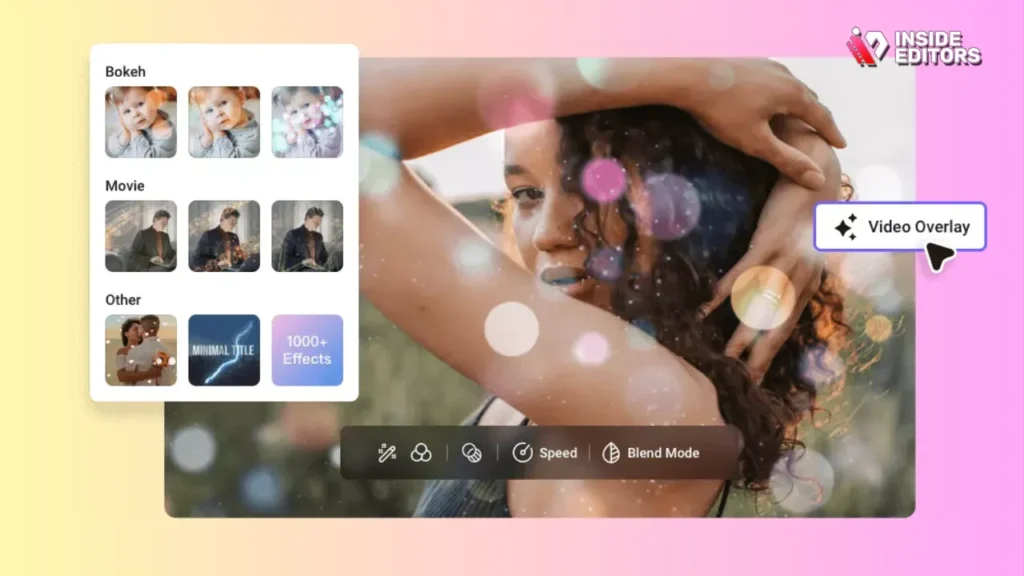
It’s tempting to rely on flashy transitions and heavy effects, especially when editing tools make them easy to apply. But in social media, polish often beats spectacle.
Why Simplicity Builds Trust and Retention
Viewers subconsciously associate clean visuals with credibility. Smooth cuts, consistent color, and stable framing make content feel professional, even when shot on a smartphone. Overusing effects can distract from the message and make videos feel dated quickly.
Editors focus on fundamentals first: color correction, exposure balance, and audio clarity. These adjustments don’t scream for attention, but they dramatically improve how a video is perceived. When visuals feel comfortable to watch, viewers are more likely to stay until the end.
When Effects Actually Add Value
This doesn’t mean effects are bad-only that they should serve a purpose. A subtle transition can signal a shift in topic. A light zoom can emphasize emotion. The difference lies in intention versus decoration.
Experienced editors use effects sparingly and consistently. They ask whether an effect improves understanding or engagement. If it doesn’t, it’s removed. This mindset keeps videos timeless and platform-friendly.
At this point, many creators realize that editing well takes time and focus-often more than expected. That realization naturally leads to an important question: should you keep editing everything yourself?
When Professional Editing Makes the Biggest Difference

DIY editing works for many creators at the beginning. But as content volume increases and expectations rise, editing can become a bottleneck. This is where professional support starts to feel less like a luxury and more like a smart decision.
How Outsourcing Editing Improves Consistency
One of the hardest parts of social content is staying consistent. Editing every video yourself often leads to uneven quality, rushed decisions, or burnout. Professional editors bring structure, repeatable workflows, and a trained eye that keeps content aligned with your brand.
At Inside Editors, teams work with creators and businesses to turn raw footage into platform-ready videos that feel cohesive across posts. This consistency helps audiences recognize and trust your content over time.
Focusing on Ideas While Editors Handle Execution
Many successful creators reach a point where their best use of time isn’t trimming clips-it’s planning, filming, and engaging with their audience. Delegating editing allows you to focus on creative direction while professionals handle pacing, captions, and polish.
Even with great footage, editing can make or break performance. That’s why many brands choose to partner with experienced editors who understand platform trends and audience behavior. It’s not about giving up control-it’s about elevating results.
Story Structure Tips to Keep Viewers Engaged
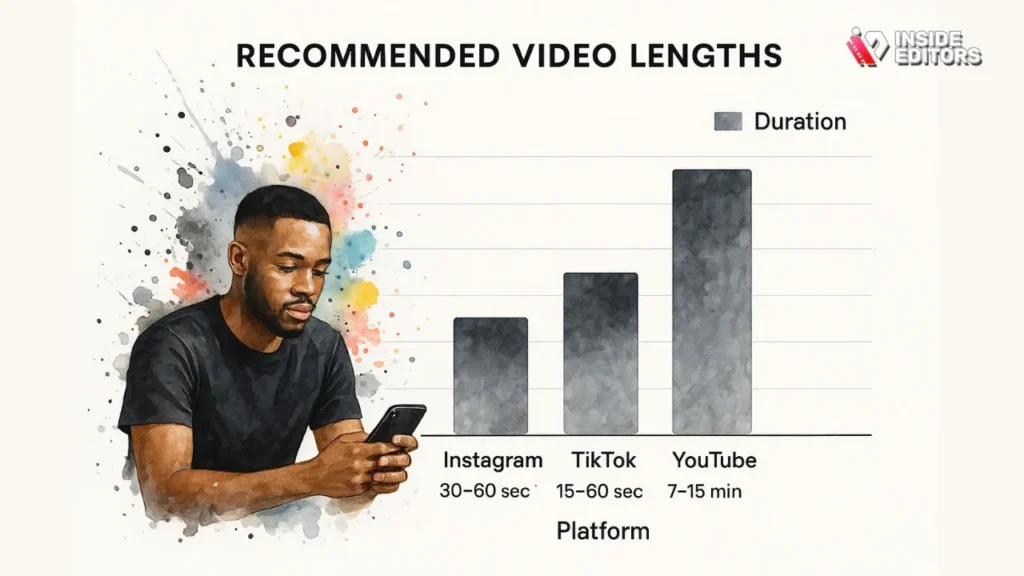
Once you’ve captured attention and established visual quality, the next challenge is retention. Many social videos fail not because they look bad, but because they feel directionless. Viewers sense when a video is wandering, even if they can’t explain why. Strong editing gives your content a clear beginning, middle, and end-no matter how short the video is.
Why Storytelling Still Matters in Short-Form Video
It’s easy to assume storytelling only applies to long videos, but in reality, structure matters even more in short-form content. A 30-second video still needs a setup, a progression, and a payoff. Without that arc, viewers lose interest halfway through, even if the visuals are strong.
Editors often shape this structure during the edit, not during filming. They reorder clips, remove distractions, and tighten sequences so each moment leads naturally to the next. This intentional flow keeps viewers curious about what’s coming, which is exactly what platforms reward with higher reach.
A simple way to think about it is this: every scene should answer one question while raising another. Once viewers feel that momentum, they’re far more likely to watch until the end.
Editing for Retention, Not Just Completion
One common mistake creators make is focusing only on finishing the video rather than sustaining interest throughout it. Editors look closely at pacing dips-moments where energy drops or information slows-and refine them until the video feels smooth and purposeful.
This might mean cutting a great-looking clip that doesn’t move the story forward. It might also mean tightening dialogue or replacing long explanations with visuals and text. These decisions are often difficult for creators editing their own work, which is why a fresh editorial perspective can be so valuable.
When structure is clear, viewers don’t just finish the video-they absorb the message. And that leads directly into the final, often overlooked tip: preparing your content for what comes next.
Edit With the Future in Mind, Not Just Today’s Trends
Social media evolves quickly, but smart editing decisions age well. One of the biggest advantages professional editors bring is future awareness-understanding how today’s videos can stay relevant tomorrow.
Designing Videos That Can Be Repurposed Easily
In 2026, high-performing content rarely lives on just one platform. The most effective creators design videos that can be reused across formats with minimal rework. That starts in the edit.
Editors often leave room for reframing, export multiple aspect ratios, and avoid platform-specific elements baked permanently into the footage. This flexibility allows one video to become a Reel, a Short, a LinkedIn post, or part of a longer YouTube video later.
At Inside Editors, this approach is especially useful for brands producing ongoing content. A single shoot can turn into multiple assets when editing is planned strategically. This not only saves time but also keeps messaging consistent across platforms.
Staying Ahead of Algorithm and Audience Shifts
Algorithms change, but audience expectations change faster. Editing styles that feel natural today might feel outdated in a year. That’s why experienced editors focus on clarity, pacing, and storytelling over gimmicks.
Clean edits, readable text, and authentic delivery tend to outperform trend-heavy styles in the long run. By prioritizing fundamentals, your content stays adaptable even as platforms introduce new features or formats.
This forward-thinking mindset is one of the reasons many businesses and creators choose professional support. Editing isn’t just about what works now-it’s about building a sustainable content library that continues to perform.
Top Editing Mistakes That Lower Video Impact

Understanding what to do is important, but knowing what to avoid can be just as powerful. Many underperforming videos fail for the same few reasons, and most of them come down to editing choices.
Overediting and Visual Noise
More effects don’t mean more engagement. Overediting often creates visual fatigue, making videos harder to watch. Excessive transitions, inconsistent fonts, and aggressive animations can distract from the message instead of enhancing it.
Editors with experience know when to stop. They aim for balance-enough movement to keep things interesting, but not so much that viewers feel overwhelmed. This restraint is a hallmark of professional-quality social content.
Ignoring Audio Quality and Timing
Even when videos are watched silently, audio still matters. Poorly synced captions, abrupt cuts, or uneven sound levels subtly reduce perceived quality. Viewers might not identify the issue, but they feel it.
Professional editors clean audio, align visuals precisely, and ensure transitions feel natural. These details may seem small, but together they create a smooth viewing experience that builds trust and credibility.
Once you recognize these pitfalls, it becomes easier to appreciate the value of a refined editing workflow-whether you handle it yourself or work with experts.
Inside Editors: Turning Tips Into Real-World Results
Reading about editing strategies is helpful, but applying them consistently is where many creators struggle. Time constraints, growing content demands, and platform pressure often make it difficult to maintain quality.
Turning Raw Footage Into Platform-Ready Content
Inside Editors works with creators, brands, and businesses to transform raw footage into polished social videos designed for performance. Editors don’t just trim clips-they shape narratives, optimize pacing, and ensure each video fits its intended platform.
Whether you’re producing product demos, business explainers, gaming clips, or travel content, professional editing helps ensure your message lands clearly. This is especially valuable when content volume increases and consistency becomes harder to manage alone.
You can explore specialized solutions like Business Video Editing Services or Gaming Video Editing Services
to see how tailored editing approaches improve results across niches.
Saving Time While Raising Quality
One of the biggest benefits clients notice is time saved. Instead of spending hours adjusting cuts and captions, creators can focus on ideas, filming, and audience engagement. Editors handle the technical execution, revisions, and optimization.
This collaboration doesn’t remove creative control-it strengthens it. You guide the vision, while professionals ensure every frame supports that vision effectively.
As social platforms continue to evolve, having experienced editors on your side becomes a strategic advantage, not just a convenience.
Final Thoughts: Editing Is the Difference Viewers Feel
Great social videos rarely succeed by accident. They’re shaped through thoughtful decisions that respect how people actually watch content today. From platform awareness to storytelling and future-proofing, Video Editing for Social Media is what turns good ideas into engaging experiences.
If you’ve ever wondered why some videos instantly feel “right,” editing is usually the reason. Clean pacing, clear structure, and intentional design quietly guide viewers from start to finish.
By applying these five tips, you’ll not only improve performance-you’ll gain confidence in your content decisions. And if you’re ready to take your videos from simple to standout, professional support can make that transition smoother than you expect.
Explore Inside Editors’ Video Editing Services
FAQs – Video Editing for Social Media (2026)
What is video editing for social media, and why does it matter?
Video editing for social media is the process of shaping raw footage into platform-optimized videos designed for short attention spans. It includes trimming clips, adding captions, adjusting pacing, and formatting for vertical or square screens. Good editing improves watch time, engagement, and clarity. Without it, even strong ideas can underperform.
Is professional video editing better than using DIY tools?
DIY tools work well for basic edits, especially for beginners or low-volume posting. Professional video editing for social media offers better pacing, cleaner visuals, consistent branding, and platform-specific optimization. The trade-off is cost versus time and quality. Many creators start DIY and switch to professionals as content volume grows.
How much does video editing for social media usually cost?
Pricing typically ranges from $15–$50 per short video for freelancers and $300–$1,500 per month for professional packages. Costs usually include editing, captions, and basic revisions, while motion graphics or rush delivery may cost extra. Higher pricing often reflects faster turnaround and consistent quality. Always confirm what’s included.
How long does it take to edit a social media video?
Standard turnaround for video editing for social media is 24–72 hours per video, depending on length and complexity. Rush options can deliver within 12–24 hours for an added fee. Timelines depend on footage quality, revision rounds, and caption requirements. Clear instructions speed up delivery.
Will I own my edited videos after delivery?
Yes, reputable editors transfer full usage rights once payment is complete. You retain ownership of the final videos and can post, repurpose, or monetize them freely. Always confirm ownership terms before starting a project. Inside Editors provides full client ownership by default.
How many revisions are usually included?
Most professional services include 1–3 revision rounds per video. Revisions typically cover timing, captions, and minor visual changes, not full re-edits. Clear feedback helps avoid extra charges. Unlimited revisions may increase cost or extend timelines.
Is my content safe and private with professional editors?
Trusted services use secure storage, limited access, and NDAs when needed. Raw footage and brand assets are not shared or reused without permission. Privacy policies should clearly explain data handling. If privacy is critical, confirm safeguards before uploading files.
How do I get started with professional video editing?
Start by sharing your raw footage, preferred platforms, and example styles. Editors handle trimming, captions, and formatting based on your goals. You review, request revisions, and approve the final video. This simple workflow keeps the process efficient and predictable.


