

Introduction – Why video editing outsourcing could be the smartest move for your content
If you create videos regularly, you’ve probably felt the pinch: hours spent trimming clips, color-grading, and syncing audio instead of planning your next idea. Video editing outsourcing lets you move those repetitive, time-consuming tasks to skilled editors so you can focus on strategy, on-screen performance, or more content. In plain terms, video editing outsourcing is hiring an external team or freelancer to handle post-production work. Done well, it improves quality, shortens turnaround, and scales your output-without the overhead of hiring full-time staff. This guide walks you through how to choose a provider, what to expect, and how to get pro results from day one.
Understanding the outsourcing landscape: Who does what and why it matters

Types of providers and the workflows they offer
Outsourcing options usually fall into three camps: freelancers, boutique agencies, and full-service studios. Freelancers are cost-effective and nimble-great for single projects or recurring short-form content. Boutique agencies strike a balance: better quality control, project managers, and templated workflows for creators who need consistency. Full-service studios offer the deepest expertise and complex services (motion design, color grading, sound mixing), but they come at a higher cost and longer lead times. When you evaluate a provider, match the provider type to your goals: speed and cost for freelancers, consistency and project management for agencies, and high-end polish for studios. Knowing this helps you avoid paying for services you don’t need.
How modern workflows change expectations (and deliverables)
Today’s best teams use cloud collaboration, version control, and review platforms that let you leave time-coded feedback. Expect deliverables like a full timeline, final export in multiple formats, a simple revision round, and optionally, a social cut optimized for platforms like TikTok or Instagram. Clear handoffs-labeled footage, frame-rate notes, LUTs, and reference exports-reduce revisions and speed delivery. A provider that asks strong intake questions about style, pacing, and audience is often the one you’ll want to keep working with long term.
How to evaluate quality : The editing features that actually matter
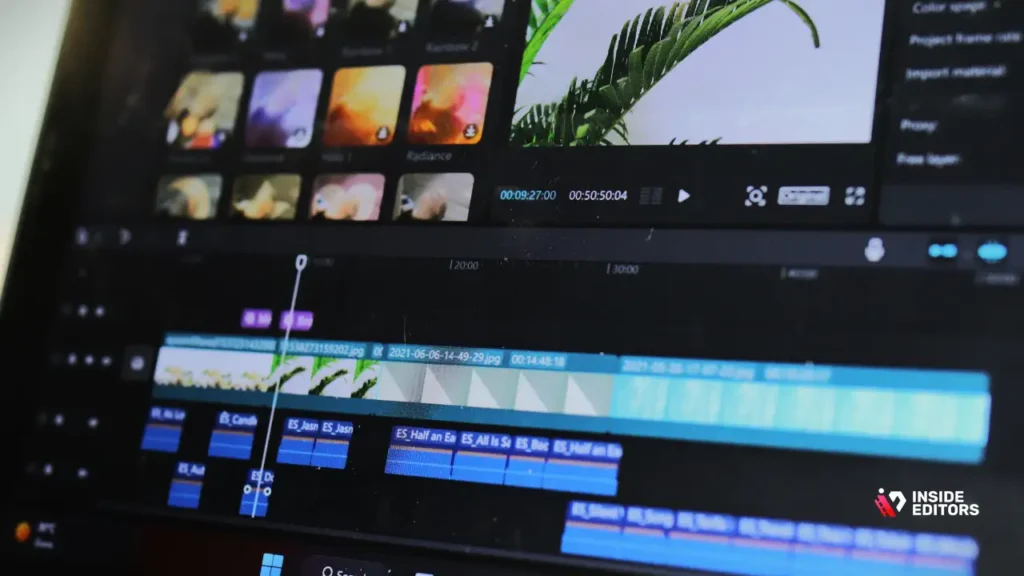
The Key Editing Tools That Make Your Videos Stand Out
Good editors use the right combination of tools-not the most expensive ones. Look for editors who skillfully apply pacing, rhythm, and narrative structure before relying on flashy effects. Technical features to check: consistent audio level normalization, clean jump cuts, balanced color grading that matches your brand look, and file delivery that includes both master and platform versions. Advanced features like motion tracking, multicam syncing, or noise reduction matter if your content requires them, but they’re unnecessary for simple talking-head videos. Ask to see recent samples that match your format; this is the single best test.
What red flags to avoid when reviewing samples
Avoid providers who show a long list of generic projects without context, or who can’t explain why edit choices were made. Poorly labeled files, inconsistent audio, and aggressive transitions are signs of inexperienced workflows. Also be cautious when a provider promises “unlimited revisions” with vague turnaround-this can mask slow, inefficient processes. A transparent provider will explain revision scope, file naming conventions, and expected response times.
Pricing and timelines explained : What you should budget for and expect

Realistic cost ranges and how they map to outcomes
Pricing varies widely based on experience, format, and complexity. For simple edits-trim, cut, basic color and audio-expect freelance rates on a per-video or hourly basis. Agency rates often include project management and can be priced per minute of final video or per project. Higher-tier studios or editors skilled in motion graphics and color grading charge more but reduce the number of needed revisions and produce broadcast-ready results. When budgeting, factor in revisions, platform versions, thumbnails, and any rush fees. Paying more upfront for a higher-skilled editor can save money long term by reducing rework.
Turnaround expectations and how to protect deadlines
Turnaround is a predictable variable when you set clear expectations. For standard short-form videos, 48–72 hours is common; longer or more complex projects need longer windows. Build buffer time into your schedule and agree on milestones: initial rough cut, client feedback, final delivery. If you need guaranteed fast turnaround, confirm availability and consider a retainer arrangement-this secures capacity and often reduces per-project cost.
Common mistakes and how to avoid them (insider tips)

Mistakes creators make-and how a clear brief prevents them
One frequent error is assuming the editor knows your brand voice. A simple brief that includes a reference video, tone notes, key timestamps, and platform specs removes guesswork. Another mistake is changing direction mid-project without adjusting timelines or budgets. Treat each revision as an opportunity to tighten specifications, not an excuse to expand scope. Finally, not standardizing file formats and naming conventions leads to avoidable delays-agreeing on these before handoff keeps everything smooth.
Quick wins that speed approvals and improve results
Give time-coded feedback (e.g., “01:12 – shorten by 0.8 seconds; cut to B-roll”), share brand color codes and font assets, and supply a short “do/don’t” list for style. These small inputs save hours of back and forth. For creators who publish often, creating an edit template (intro, lower-thirds, outro) lets editors deliver consistent videos faster and cheaper.
Making the partnership work long term: Contracts, retainer tips, and growth paths

Agreements that protect both sides and promote consistency
A concise SOW (statement of work) outlining deliverables, file formats, revision limits, payment terms, and confidentiality is vital. Retainers are excellent for creators who publish frequently: they lock in capacity and simplify billing. Include a clause for scaling-what happens when you want more videos or a shorter turnaround? Clear escalation and cancellation terms prevent surprises and keep the relationship professional.
Scaling from one-off edits to strategic collaboration
As you grow, shift from transactional exchanges to strategic partnerships. Share content performance data with your editor-what hooks worked, where viewers drop off-so edits can be optimized for engagement. A great editor becomes a creative collaborator who suggests structure changes, thumbnail ideas, or pacing improvements that improve watch time.
Quick comparison: Freelancer vs Agency vs Studio
| Option | Best for | Typical Cost | Strength |
| Freelancer | Low-volume, budget projects | Low–Medium | Flexibility, low overhead |
| Boutique Agency | Regular content, consistency | Medium | Project management, templates |
| Full Studio | High-end, complex projects | High | Depth of skill, polished output |
Conclusion – Next steps and how Inside Editors can help
If you’re ready to scale your content without sacrificing quality, start with a short test project that mirrors your typical video and measures turnaround, communication, and final polish. Document your brief and offer feedback in time-coded form. When you’re ready for reliable, consistent results, Inside Editors’ video editing services are built to remove friction: clear intake forms, expert editors across niches, and platform-ready deliverables that free you to create. If you’d like, explore Inside Editors’ Video Editing Services → to see packages and real examples of work that turns ideas into videos people watch.
Why choosing the right workflow saves you hours of revisions

How structured workflows reduce errors and speed up final delivery
A consistent workflow is the backbone of professional editing, and it matters even more when you’re outsourcing. Without structure, even a skilled editor may deliver a result that feels “almost right” but not quite aligned with your expectations. When you formalize your workflow-what files you send, how you label footage, where you upload assets-you reduce confusion, minimize delays, and help your editor produce the result you envisioned on the first try.
A well-structured workflow also makes your creative direction more predictable. For example, if you always use the same intro, the same lower-thirds style, and the same pacing, your editor can build a project template in Premiere Pro or DaVinci Resolve. This template shortens your turnaround time and ensures visual consistency across your videos. Over time, this consistency becomes part of your brand identity, making your content instantly recognizable.
Why cloud collaboration transforms communication
Cloud-based tools like Frame.io, Google Drive, and Trello have changed how creators and editors work together. Instead of sending long emails, you simply leave notes directly on the video timeline. This approach shortens revision cycles from days to hours and removes guesswork. Many Inside Editors clients initially worry about communication gaps, only to find that cloud-based collaboration actually feels faster and more organized than working with an in-house editor. When communication is visual and timestamped, misunderstandings almost disappear.
If you’ve ever struggled to explain an edit in words-such as “remove that clip where I blink weirdly”-timestamped comments solve that issue instantly. This is why any provider offering video editing outsourcing should include visual feedback tools as part of their standard process.
Choosing the perfect editor: What skills matter most
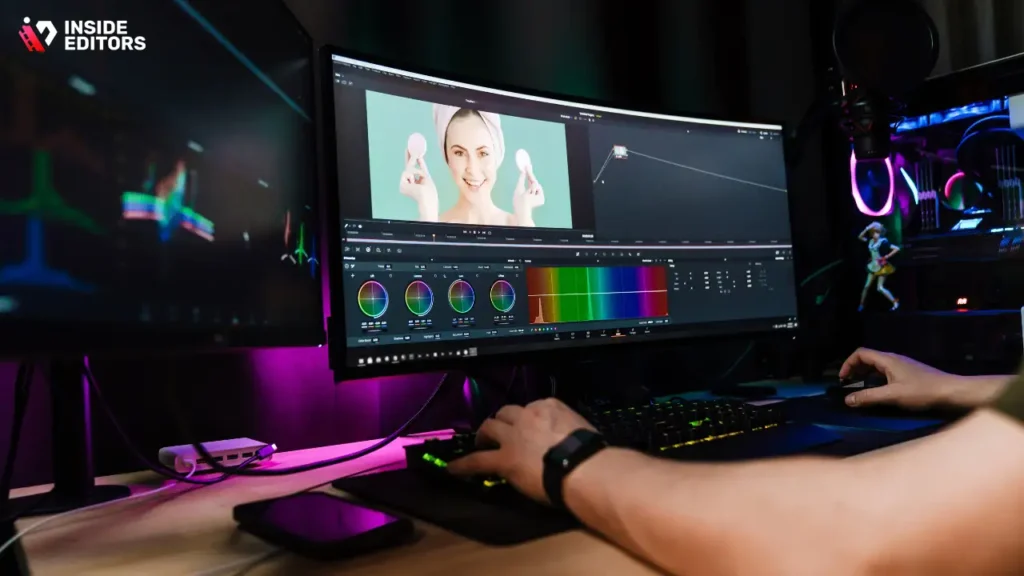
Technical ability vs storytelling ability: Which should you prioritize?
Many creators assume technical skill is the most important factor when outsourcing editing. While it matters, technical ability alone doesn’t guarantee a compelling final video. Storytelling matters just as much-sometimes more. A technically perfect video that lacks emotional rhythm or clear structure feels flat, while a creatively edited video keeps viewers engaged longer.
A good test is to watch the editor’s past projects and ask yourself whether they communicate clearly, not just whether they “look good.” For example, can the editor take a long talking-head clip and turn it into a punchy narrative? Do they use cuts strategically to emphasize key ideas? Do they know how to select B-roll that complements the message rather than distracts from it? Editors who understand storytelling reduce your need for heavy feedback because they intuitively edit in a way that connects with viewers.
Specialized editors vs generalists
If you create niche content-gaming videos, travel vlogs, fitness tutorials, corporate explainers-you’ll benefit from a specialist. Specialists already understand pacing, transitions, and formatting requirements for your niche. For example, gaming editors understand high-energy pacing and HUD overlays, while corporate editors know how to keep visuals clean and brand-aligned. This saves briefing time and produces more professional outcomes.
Inside Editors, for example, assigns editors based on niche. A travel creator is paired with an editor experienced in travel pacing, transitions, and color tones. A fitness trainer works with someone familiar with workout timing, beat cuts, and motivational pacing. These micro-specializations often make the difference between an okay video and one that feels “exactly right.”
Real-world case scenarios: What outsourcing looks like for different creators
Case Scenario 1: The YouTuber scaling from weekly to daily videos
One creator we worked with began outsourcing to free up time for scripting and filming. Before outsourcing, she spent nearly 20 hours a week editing-almost half her working hours. By handing that work to a professional, she went from posting once a week to posting four times a week. Her watch time grew, her CPM increased, and she finally had time to explore sponsored content. The transition was simple: a shared Google Drive folder, a clear style guide, and weekly check-in calls. Within six weeks, outsourcing had transformed her channel’s growth trajectory.
Case Scenario 2: The corporate brand needing polished, consistent content
A mid-sized fitness brand struggled with inconsistent editing across campaigns. Some videos had harsh transitions, others lacked audio leveling, and branding wasn’t uniform. After shifting to a structured outsourcing workflow, they received standardized intros, color grading, text overlays, and export formats. Their content finally looked like it came from a single brand identity-not four different editors. This consistency improved trust and engagement across their website, Instagram, and ad campaigns.
Case Scenario 3: The travel creator needing cinematic polish
Travel videos require strong color grading, smooth transitions, and music that matches the mood. A travel vlogger partnered with Inside Editors to upgrade his style. The editor applied cinematic LUTs, stabilized drone footage, and built dynamic transitions matching the beat of the music. The result: more emotional, cinematic videos that increased average view duration by nearly 40%. This is the power of specialists who understand the genre inside out.
These scenarios aren’t outliers-they’re typical of creators who pair the right editor with the right workflow.
How to create the perfect brief for your outsourced editor

What a great brief includes-and why it matters
A brief is not simply a list of instructions; it is a creative blueprint. When done well, it speeds up editing, reduces revisions, and clarifies expectations. A strong brief includes a reference video, your preferred pacing (slow, cinematic, punchy, fast-cut), your brand colors, your ideal music style, and any must-include or must-avoid elements.
For example, if you prefer natural color grading with warm tones, mentioning this upfront saves a full revision cycle. If you dislike fancy transitions and prefer clean jump cuts, say so. If your audience watches mostly on mobile, your editor should build pacing around short attention spans.
How to balance structure and creative freedom
A common mistake is over-directing. If you dictate every cut, transitions become mechanical, and your editor loses creative flow. The best approach is to give clear boundaries but not suffocate creativity. Think of yourself as a director: you define tone, goals, and key moments, while your editor handles execution. This partnership produces the most efficient, high-quality results.
When to choose long-term retainers instead of per-video pricing

Why retainers save money and simplify scheduling
If you create frequent content-weekly or more-a retainer guarantees priority access and predictable costs. Editors can plan ahead, keep templates ready, and reserve time exclusively for your projects. You avoid rush fees, missed deadlines, and inconsistent formatting. Many creators find retainers reduce stress because the editor becomes part of their team rather than a one-off contractor.
How to structure a retainer that benefits both sides
A well-designed retainer includes the number of videos per month, turnaround expectations, revision limits, and flexibility for urgent projects. It should also include monthly check-ins to review performance, adjust style, and discuss new ideas. This ongoing conversation ensures your editor continues improving the quality of your content as your audience and brand evolve.
The future of video editing outsourcing in 2025 and beyond
How AI is changing editing-but not replacing editors
AI tools now automate parts of the workflow: rough cuts, transcription, noise reduction, even color suggestions. But AI cannot replace human storytelling, emotional finesse, or creative judgment. The most efficient editing teams combine AI with human expertise-AI handles the repetitive tasks, humans handle the creative ones.
This hybrid model means outsourced editors are becoming faster, more consistent, and more affordable. That’s good news for creators, because you get pro-quality results at a fraction of traditional studio costs.
Why the demand for niche editing specialists is rising
Platforms like TikTok, YouTube Shorts, and Instagram Reels have exploded, each with its own algorithmic preferences and pacing styles. Editors who specialize in vertical content, transitions, or micro-storytelling are in extremely high demand. Video editing outsourcing is evolving quickly, and the next generation of editors will be platform-specific experts rather than general-equipment operators.
Conclusion – What to do next if you want pro-level editing without the stress
By now, you understand exactly how video editing outsourcing works, what skills matter, how to evaluate providers, and how to set up workflows that save time while increasing quality. You’ve also seen real scenarios that show how outsourcing can transform creative output, improve consistency, and free you to focus on growth.
If you’re ready to upgrade your editing without hiring full-time staff, Inside Editors can help. Our team specializes in matching creators with editors trained in their specific niche-travel, fitness, gaming, product reviews, business videos, and more. You get clean workflows, platform-ready exports, and professional polish in every frame.
Explore Inside Editors’ Video Editing Services →
(Choose your niche: travel, adventure, gaming, business, fitness, product videos, and more.)
FAQs
Q1: How can I trust an outsourced editor with my footage and brand?
Start with a short paid test project and request references or recent samples that match your format. Ask for a simple NDA, clear ownership terms (masters and final files), and a documented revision policy-these protect your content and expectations. Trust grows fast when a provider uses timestamped feedback, cloud review tools, and offers transparent delivery logs for your video editing outsourcing needs.
Q2: What guarantees of quality and revisions should I ask for?
Look for a stated revision policy (e.g., two rounds within 72 hours) and examples of before/after work that show consistent grading and audio leveling. A reputable provider will specify what a revision covers and what counts as scope creep. Clear boundaries prevent endless edits while keeping quality predictable when you use video editing outsourcing services.
Q3: Should I use DIY editing tools or hire a pro agency?
DIY tools save money initially but cost time and often limit polish-pro agencies deliver speed, consistency, and creative judgment that software alone can’t provide. If you need frequent uploads, brand consistency, or platform-optimized cuts, agencies or vetted freelancers are usually more cost-effective long term. Consider video editing outsourcing when your time, audience growth, or production value matter more than learning software.
Q4: How much does video editing outsourcing typically cost?
Costs vary: simple short-form edits might be $30–$150 per video from freelancers, boutique agencies often charge $150–$600 per episode, and full-service studios can run $1,000+. Expect add-ons (motion graphics, color grading, rush delivery) to increase price. Always confirm whether rates include source-file transfers, two revision rounds, and platform-specific exports to avoid surprises.
Q5: What turnaround times are realistic and how do rush options work?
Typical turnaround for short-form content is 48–72 hours; longer, complex projects need 5–14 days depending on scope. Providers may offer rush delivery (24 hours or same-day) for an extra fee, or prioritize clients on retainer. Agree on milestones-rough cut, feedback window, final delivery-to protect deadlines and keep revisions from slipping schedules.
Q6: What should a brief include so editors get it right first time?
A great brief has: reference videos, target length, platform specs (frame rate, aspect ratio), brand colors/fonts, exact timestamps for important moments, and a short “do/don’t” style list. Include example thumbnails or captions and note audience intent (educational, promotional, entertaining). This level of clarity drastically reduces revision cycles in video editing outsourcing arrangements.
Q7: Who keeps rights to the final videos and source files?
Ownership should be explicit in your contract: typically clients own the final delivered files, while editors retain master project files unless otherwise negotiated. If you need full copyright transfer, request a written clause clarifying transfer of rights upon final payment. This protects your brand and ensures you control the content created through video editing outsourcing.
Q8: What common mistakes should I avoid when outsourcing editing?
Don’t under-brief, assume timelines, or skip a test project-these lead to misaligned edits and extra cost. Avoid vague feedback like “make it better”; use time-coded notes and clear examples instead. Finally, don’t expect unlimited creativity without budget-define scope and priorities to keep projects efficient and predictable.


