

When it comes to building the ultimate gaming setup, one piece of furniture often gets overlooked: the video gaming desk. While flashy monitors, high-end GPUs, and mechanical keyboards grab attention, the desk itself forms the foundation of comfort, efficiency, and long-term health. Choosing the right desk isn’t just about aesthetics-it can influence your posture, productivity, and overall gaming experience. In this guide, we’ll break down everything you need to know to pick the perfect desk for 2025, helping you make an informed decision that fits your goals and space.
Why the Right Gaming Desk Is Essential
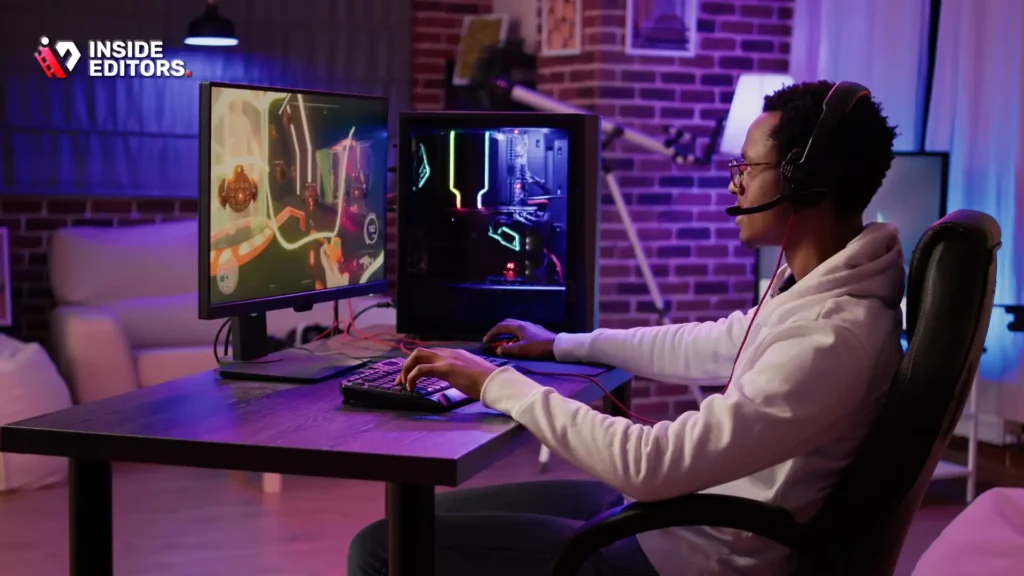
Many gamers underestimate how much a proper desk can improve their performance and well-being. A poorly designed desk can lead to neck strain, wrist discomfort, and cluttered setups that hinder efficiency. Conversely, a thoughtfully chosen video gaming desk can improve ergonomics, optimize cable management, and even enhance the overall look of your gaming space.
Ergonomics and Comfort Are Key
The height, depth, and design of your desk directly affect your posture. Adjustable desks, for example, allow you to switch between sitting and standing, which reduces fatigue during long gaming or editing sessions. Additionally, features like keyboard trays, monitor mounts, and wrist supports help align your body naturally. Ergonomic design isn’t a luxury-it’s a practical choice that helps you stay focused, avoid strain, and extend the life of your gaming career.
Organization Boosts Performance
Cluttered desks aren’t just ugly; they slow you down. Desks with built-in cable management, shelves, or drawers can keep controllers, headphones, and accessories neatly stored. This reduces distractions and lets you concentrate fully on the game or creative task at hand. A desk that organizes your workflow also complements your gaming or editing routine, making each session smoother and more enjoyable.
Key Features to Look for in a Video Gaming Desk
Not all desks labeled as “gaming desks” are created equal. Knowing which features truly matter will save you time, money, and frustration. Here are the most important aspects to consider when shopping:
Sturdy Construction and Materials
A desk might look sleek, but durability is non-negotiable. Steel frames and high-quality MDF tops offer long-term stability and can handle heavy monitors, speakers, and gaming accessories without wobbling. A desk that shakes during intense gameplay isn’t just annoying-it can damage your equipment. Additionally, scratch-resistant surfaces keep your setup looking clean and professional over years of use.
Desk Size and Layout
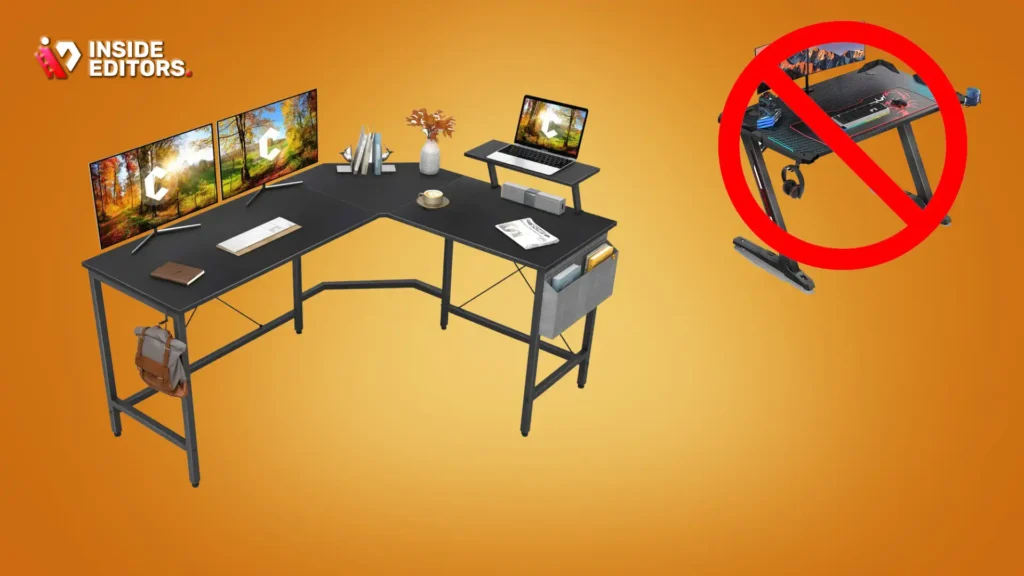
Consider both your available space and your typical setup. Do you use dual monitors? Add a streaming camera or microphone? Perhaps a drawing tablet or VR equipment? A spacious desk allows for multiple devices without crowding, while L-shaped desks maximize corner spaces for larger setups. Measuring your room and imagining your ideal arrangement can prevent awkward fits or cramped layouts.
Ergonomic Adjustability
Height-adjustable desks are becoming increasingly popular, and for good reason. Switching between sitting and standing reduces physical strain and can improve focus during long gaming sessions. Adjustable monitor mounts, keyboard trays, and reclining chair compatibility also enhance comfort. If your desk supports multiple configurations, you’ll have flexibility for future upgrades or new setups.
Cable Management and Storage Solutions
A desk with built-in cable channels, hooks, or under-desk trays keeps cords organized and out of sight. Proper cable management prevents accidental unplugging, reduces clutter, and improves airflow around electronic devices-helping them last longer. Some desks also feature drawers or shelves for controllers, headphones, or streaming accessories, keeping everything you need within reach.
Popular Video Gaming Desk Designs and Trends in 2025
Gaming desks have evolved beyond simple tables with flashy logos. 2025 brings new design trends that merge aesthetics with functionality, catering to both casual gamers and professional content creators.
Minimalist and Clean Lines
Many gamers now prefer minimalist setups that emphasize clean lines, neutral colors, and discreet branding. These desks often feature cable management channels and modular components, making them versatile for gaming, video editing, or work-from-home use. A sleek, unobtrusive desk doesn’t dominate your room, allowing monitors, RGB lighting, and other peripherals to shine.
RGB and Tech-Integrated Features
RGB lighting is no longer just for fun-it can also help define work zones and enhance the immersive experience. Some desks integrate wireless charging pads, USB hubs, or even smart connectivity features, allowing you to control lighting or charge devices without cluttering your workspace. While these features aren’t essential, they add convenience and a modern touch to your setup.
L-Shaped and Corner Desks
For multi-monitor setups, streaming rigs, or collaborative workspaces, L-shaped desks are highly functional. They maximize corner space while providing separate zones for monitors, peripherals, and accessories. These desks often include built-in cable management and support heavy equipment, making them ideal for serious gamers or hybrid creators.
Balancing Budget and Quality
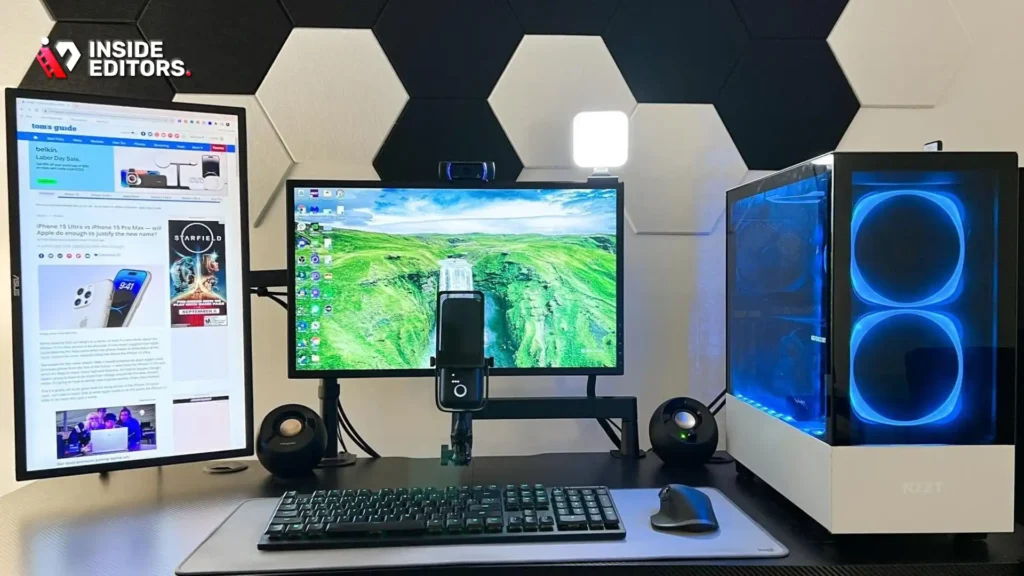
Finding the best video gaming desk doesn’t require spending thousands, but investing wisely is crucial. Cheaper desks may save money upfront but often compromise on durability, ergonomics, or functionality. On the other hand, high-end desks provide premium materials, adjustability, and long-term reliability.
Tips for Budget-Friendly Choices:
- Look for desks with steel frames and durable tops instead of particleboard alone.
- Consider desks with modular add-ons rather than integrated but fixed features.
- Buy slightly smaller but higher-quality desks instead of oversized low-grade options.
Investing in Quality:
Think of your desk as the foundation of your gaming and creative setup. A well-built desk reduces strain, improves organization, and lasts for years. In the long run, spending a bit more upfront often saves both money and frustration.
Top Video Gaming Desks to Consider in 2025
With so many options on the market, it can feel overwhelming to pick the right desk. To simplify your search, we’ve highlighted a few top choices based on durability, ergonomics, and design trends for 2025.
| Desk Model | Size & Layout | Material | Key Features | Best For |
|---|---|---|---|---|
| ApexDesk Elite | 60” x 30” | Steel frame, MDF top | Height-adjustable, cable management, monitor mount ready | Dual-monitor setups, standing desk users |
| Eureka Ergonomic Z1-S | 55” x 28” | Carbon fiber textured top, steel legs | RGB lighting, headphone hook, cup holder | Gamers who enjoy aesthetics + functionality |
| Arozzi Arena | 63” x 27” | Steel frame, extended mouse pad surface | Full surface mouse mat, raised back for monitors | Streamers, competitive gamers |
| FlexiSpot L-Shaped | 72” x 48” | Solid MDF, adjustable steel frame | L-shaped, sit-stand, cable tray | Multi-device setups, corner spaces |
| Respawn 2010 | 55” x 29” | Sturdy MDF with metal accents | Cup holders, controller storage, integrated cable management | Budget-conscious gamers |
Each of these desks offers a unique balance of functionality, ergonomics, and style. While some emphasize modern aesthetics with RGB and sleek finishes, others prioritize practical features like adjustability and storage. Choosing the right desk depends on your setup, gaming habits, and available space.
Insider Tips for Setting Up Your Gaming Desk
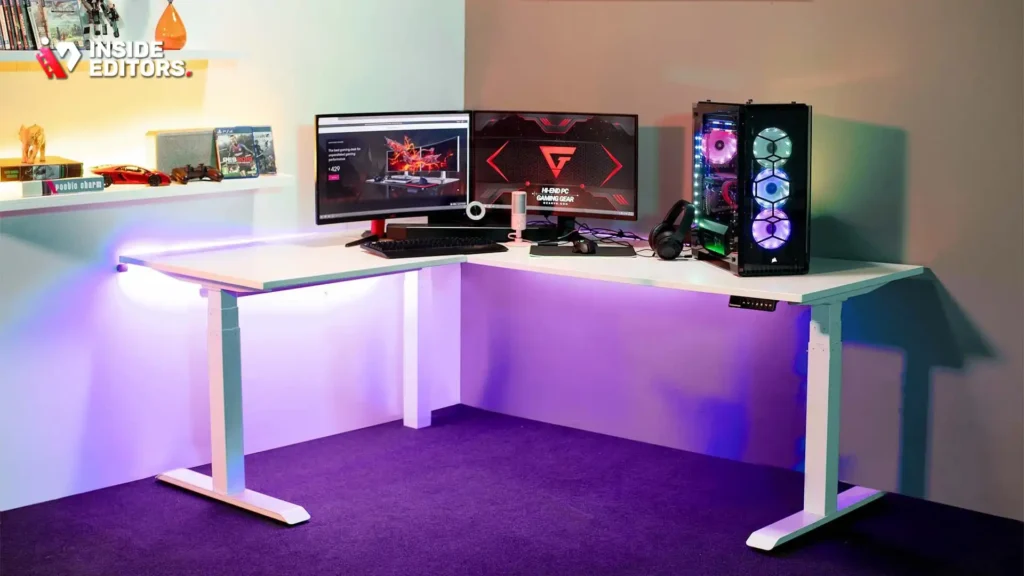
A great desk alone doesn’t guarantee a smooth gaming or editing experience. How you organize and personalize your space makes a huge difference. Here are professional tips to get the most out of your setup:
Optimize Monitor Placement
Position your monitors so that the top third of the screen is roughly at eye level. This reduces neck strain and keeps you comfortable during long sessions. If using multiple monitors, slightly angle them toward you to maintain a natural field of view. A monitor arm can help adjust height and tilt without cluttering the desk surface.
Prioritize Cable Management
Even a high-quality desk can look messy without proper cable management. Use under-desk trays, clips, and channels to route power cords and peripherals neatly. Not only does this improve aesthetics, but it also prevents accidental unplugging during intense gaming moments.
Designate Zones for Different Activities
If your desk doubles as a workspace or creative hub, create separate zones for gaming, streaming, and editing. L-shaped desks are perfect for this, offering a primary zone for monitors and a secondary zone for peripherals or drawing tablets. Clearly defined zones reduce distractions and improve workflow.
Personalize Without Clutter
Decorate your desk with a few key elements like RGB lighting strips, a plant, or themed figurines-but avoid overloading the surface. Minimal personalization keeps your focus on the screen and prevents accidental spills or scratches.
Common Mistakes Gamers Make When Choosing a Desk

Even seasoned gamers sometimes overlook essential considerations. Avoid these pitfalls to get the most value from your desk:
- Choosing Size First, Not Functionality
A huge desk might seem appealing, but without the right layout, storage, or adjustability, it can feel cramped and inefficient. Always measure your space and plan for your actual setup. - Ignoring Ergonomics
Sitting for hours on a poorly designed desk causes fatigue, wrist strain, and back pain. Look for desks that allow for proper monitor height, keyboard placement, and optional standing positions. - Overlooking Material Quality
Cheaper particleboard desks may warp or wobble over time. Investing in steel frames and durable tops ensures stability and longevity. - Neglecting Cable Management
Messy cables aren’t just unsightly-they increase the risk of accidental damage and slow down your workflow. Even a small desk with clever cable routing beats a larger, messy one. - Focusing Solely on Aesthetics
RGB lights, flashy logos, and color schemes are fun, but they shouldn’t come at the expense of comfort or durability. Function always matters more than looks in the long run.
How Professional Editing Services Complement Your Gaming Desk Setup
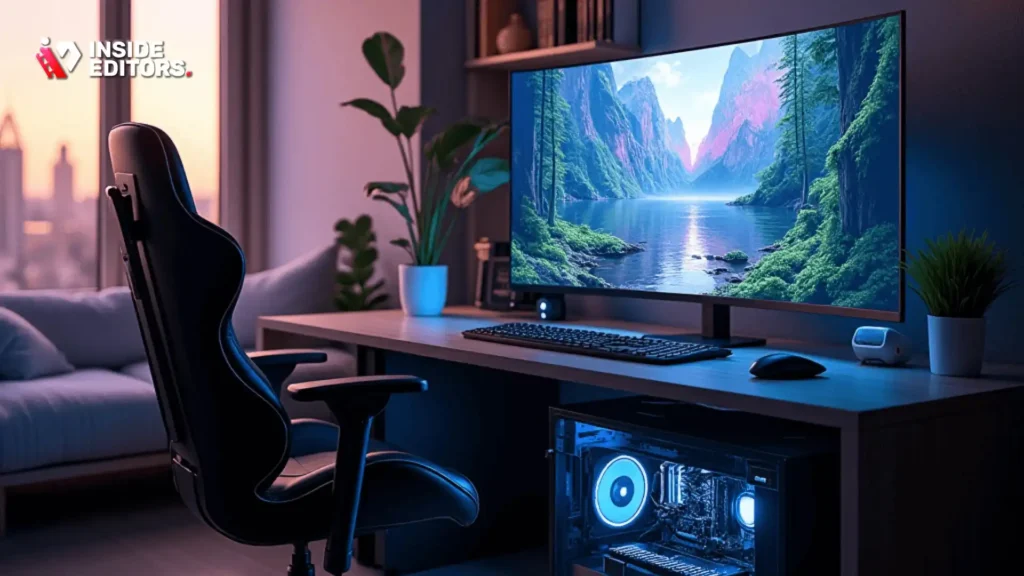
If you’re a content creator or streamer, your desk is only part of the workflow. Even with the most advanced setup, editing raw footage efficiently can be challenging. Professional video editing services, like those offered by Inside Editors, help turn your recordings into polished, engaging content.
Instead of spending hours cutting, color-grading, or syncing clips, a skilled editor can streamline your workflow and ensure your videos meet professional standards. Your gaming desk becomes the hub for creation, while professional support ensures every frame looks its best. This combination of ergonomic space and expert editing makes producing content smoother, faster, and more enjoyable.
Explore Inside Editors’ Video Editing Services → https://insideeditors.com/gaming-video-editing-services/
Final Thoughts: Choosing the Best Video Gaming Desk for 2025
Selecting the right video gaming desk is about more than style-it’s about creating a foundation for comfort, productivity, and enjoyment. Focus on ergonomics, durability, and functionality rather than just looks. Consider your space, the equipment you use, and your workflow to find a desk that aligns with your needs.
Remember: your desk shapes your experience. A thoughtfully chosen desk reduces strain, organizes your space, and elevates every gaming or creative session. Pair it with professional video editing support from Inside Editors, and you’re set to create content that’s not only visually impressive but also produced with efficiency and precision.
By investing in both your physical setup and your creative workflow, you’ll notice a smoother, more satisfying experience-turning hours of gameplay or content creation into truly enjoyable sessions.
FAQs – Video Gaming Desk
Q1: How do I know if a video gaming desk is high quality?
Look for desks with sturdy steel frames, durable MDF or solid wood tops, and reliable height adjustment mechanisms. Quality desks often include cable management features and monitor mounts. Checking reviews and warranty coverage can help ensure you get a durable product that maintains stability during long gaming sessions.
Q2: Should I buy a pre-built gaming desk or customize one myself?
Pre-built desks are convenient and often include features like RGB lighting, cup holders, and cable management. Custom setups allow tailored dimensions, materials, and modular add-ons but require more time and assembly skills. For most gamers, a high-quality pre-built desk balances functionality and ease of use.
Q3: What is the typical cost range for a video gaming desk?
Gaming desks generally range from $150 for budget models to $700+ for premium adjustable or L-shaped designs. Higher prices usually include durable materials, built-in RGB lighting, monitor arms, or advanced cable management. Be mindful that shipping, assembly, and accessories may not always be included.
Q4: How long does it take to set up a video gaming desk?
Assembly typically takes 30-90 minutes for standard desks. L-shaped or height-adjustable desks may take 1-2 hours, depending on complexity and whether you have a helper. Some retailers offer pre-assembled delivery for an extra fee, which can save time and reduce setup errors.
Q5: Can I keep my desk private and safe from damage?
Yes. Using cable organizers, desk mats, and protective covers prevents accidental spills or scratches. Adjustable desks with locking mechanisms ensure stability. Additionally, keeping heavy equipment and monitors properly mounted reduces risk of tipping or damage over time.
Q6: How do I maintain my video gaming desk for longevity?
Regularly dust and wipe surfaces with a microfiber cloth and mild cleaner. Tighten screws or bolts periodically, and check that height adjustment mechanisms work smoothly. Avoid placing excessive weight beyond the desk’s rated capacity, typically 100-200 lbs for most desks.


