

The landscape of gaming furniture is constantly evolving, moving far beyond simple office chairs. For enthusiasts who prioritize immersion, comfort, and a truly dynamic audio experience, a specialized piece of equipment stands out: the video rocker gaming chair. This comprehensive guide, brought to you by the experts at Inside Editors, delves into what defines this unique category of seating, how it works, and why it remains a crucial piece of gear for console gamers and media consumers in 2025 and beyond.
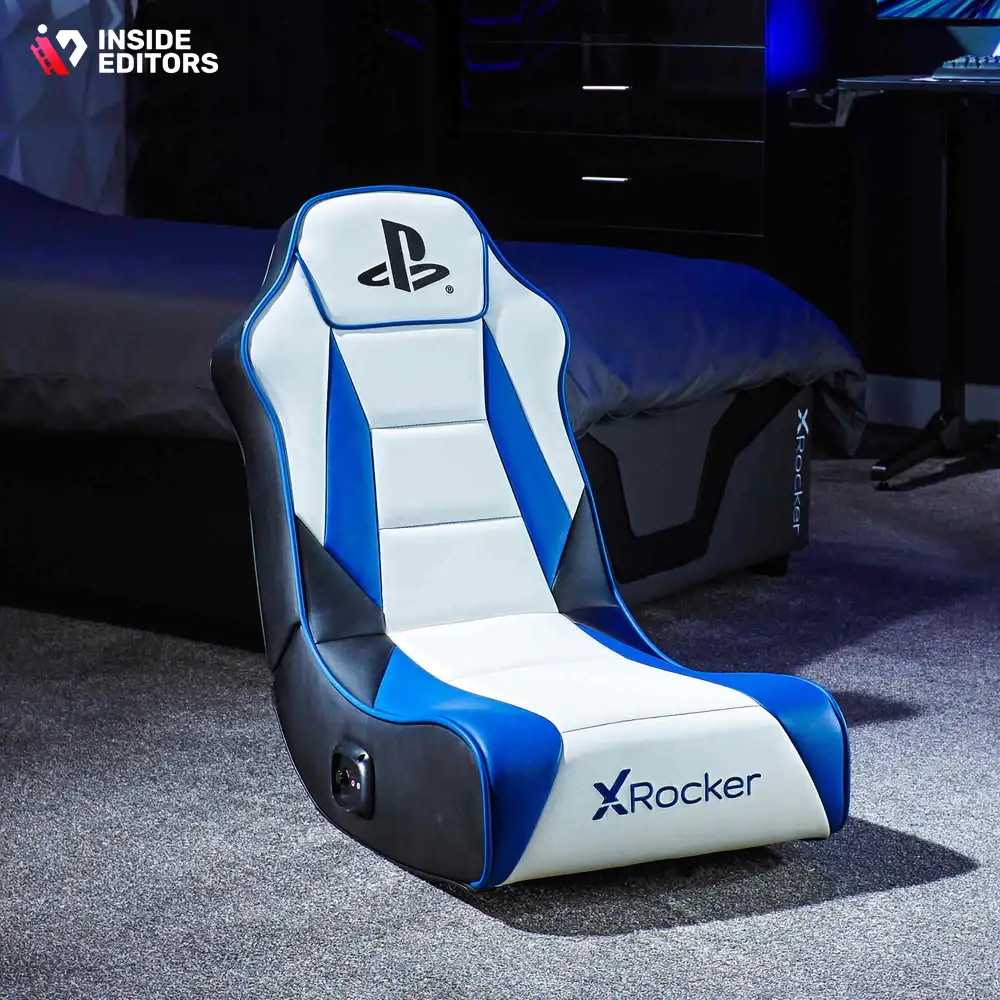
A video rocker gaming chair is essentially a floor-based seating unit designed specifically for console gaming and media consumption. Unlike traditional office-style gaming chairs, rockers sit low to the ground, offering a relaxed, reclined posture. Their defining features often include integrated audio systems (speakers and subwoofers), vibration motors synced to game audio, and a curved, ergonomic design that allows the user to “rock” slightly, enhancing the physical engagement with the content. Understanding the mechanics and features of these chairs is the first step toward optimizing your entertainment setup.
The Definitive Anatomy of a Video Rocker Gaming Chair
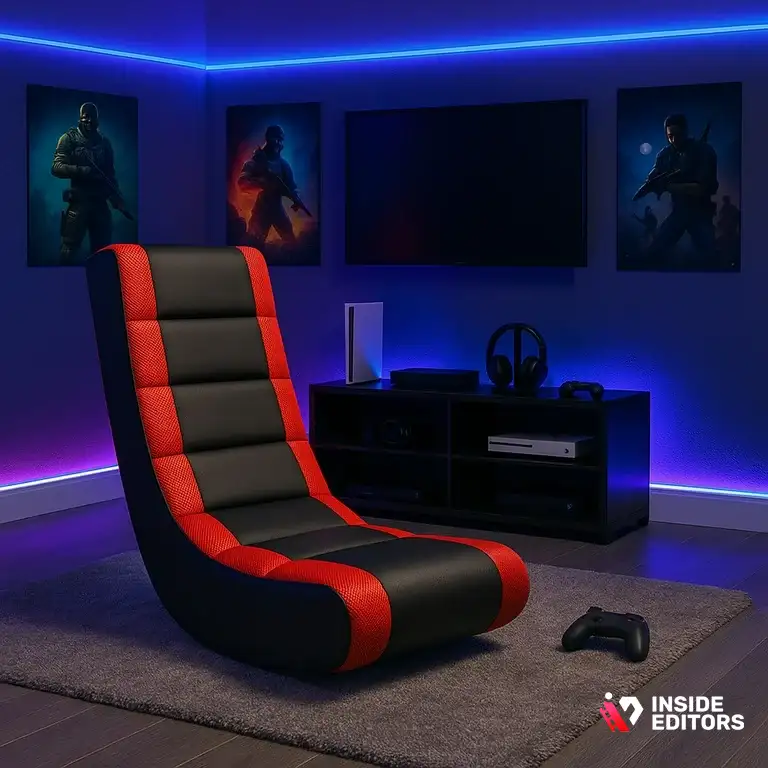
To truly appreciate the value proposition of a video rocker gaming chair, one must understand its core components. These chairs are engineered not just for comfort, but for sensory immersion, blending tactile feedback with high-fidelity audio. They occupy a distinct niche, serving gamers who prefer a living room or den setup over a traditional desk environment.
Defining Features: Audio, Haptics, and Ergonomics
The primary differentiator for any high-quality video rocker is its integrated sound system. Most models feature two speakers mounted near the headrest (for directional audio) and a dedicated subwoofer, often located in the back or base of the chair, which provides deep, rumbling bass. This setup creates a personal sound bubble, delivering audio quality that often surpasses standard TV speakers.
Beyond audio, many advanced models incorporate haptic feedback technology, often marketed as “vibration” or “rumble.” These motors are wired directly to the audio input, meaning that every explosion, engine rev, or heavy footstep in the game translates into a physical vibration felt through the chair. This physical connection dramatically increases immersion, transforming the act of playing a game into a full-body experience. Ergonomically, the rocker design is crucial. It supports the entire back and neck, promoting a relaxed posture suitable for hours of continuous use, which is essential for marathon gaming sessions.
Understanding the Rocker Mechanism
The “rocker” designation refers to the chair’s base design. Instead of wheels or a fixed pedestal, these chairs feature a curved or padded base that rests directly on the floor. This design allows the user to lean back and forth slightly, adjusting their position without strain. This movement is passive and controlled by the user’s weight shift, providing a gentle, comfortable motion. While some high-end models may include swivel capabilities, the fundamental design remains floor-based, making them ideal for smaller spaces or environments where the user sits close to a large screen.
“The shift from passive viewing to active participation is the core promise of immersive technology. A well-designed gaming rocker bridges the gap between digital input and physical sensation, making the game world feel tangibly real.” – Dr. Anya Sharma, Gaming Technology Consultant
Connectivity and Compatibility: Integrating Your Gaming Rocker
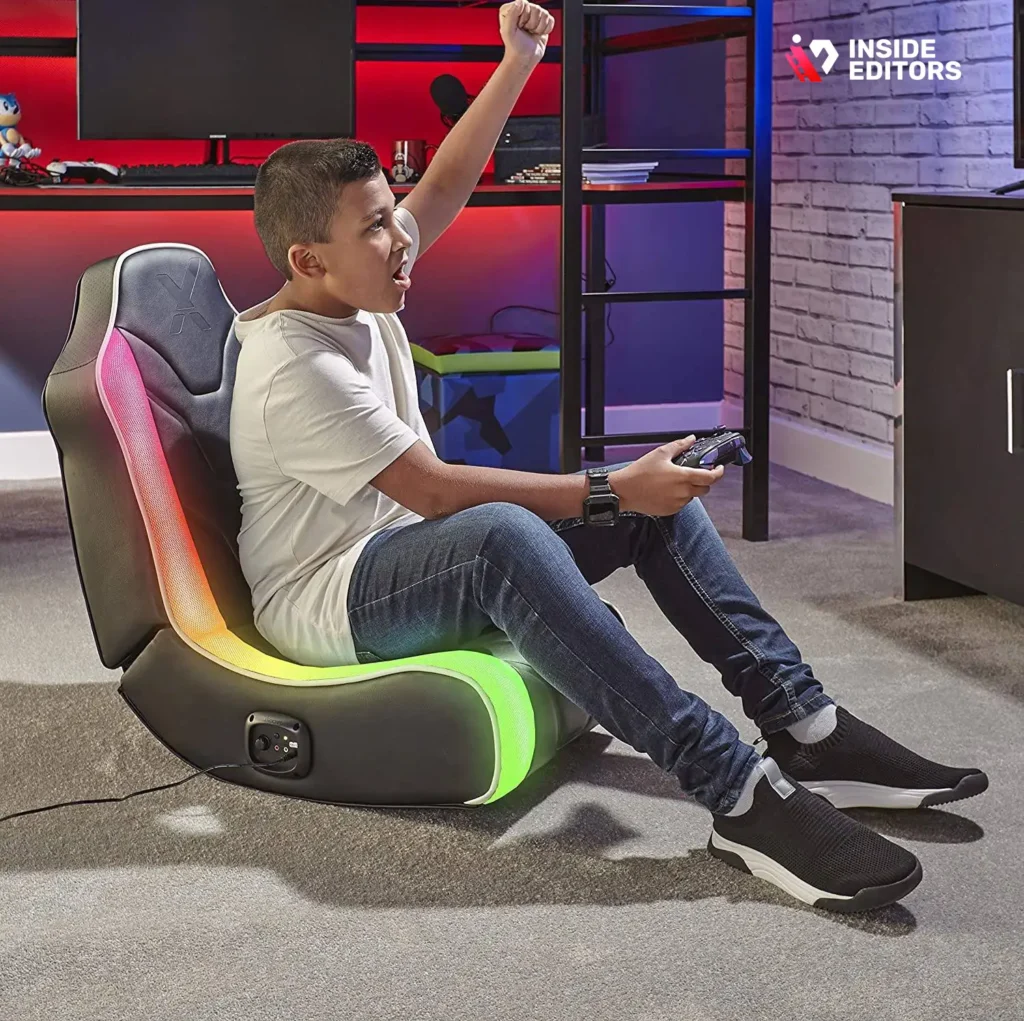
One of the most common questions surrounding the purchase of a new video rocker gaming chair is how seamlessly it integrates with existing consoles and media devices. Compatibility has evolved significantly over the years, moving from simple analog connections to robust wireless standards.
Wired vs. Wireless Connectivity Options
Historically, video rockers relied on RCA cables (red, white, and yellow) or 3.5mm auxiliary jacks to connect directly to the console or TV. While reliable, these wired setups often resulted in cable clutter. Modern chairs increasingly utilize wireless technology, primarily Bluetooth or proprietary RF transmitters.
Bluetooth: Offers easy pairing with smart TVs, mobile devices, and newer consoles (often requiring an adapter plugged into the console or TV). The benefit is simplicity and widespread compatibility. RF (Radio Frequency) Transmitters: Often included with the chair, these transmitters plug into the console’s audio output (like the optical port or headphone jack) and broadcast the signal directly to the chair. RF usually offers lower latency than standard Bluetooth, which is critical for time-sensitive gaming.
Troubleshooting Common Connection Issues
Setting up a new gaming chair can sometimes involve navigating complex audio settings on your console or TV. A frequent issue is ensuring the TV or console is outputting audio via the correct source (e.g., setting the PlayStation 5 to output audio via the optical port instead of HDMI). If you encounter synchronization issues between the chair’s haptics and the screen, check the chair’s volume and bass levels. Overdriving the bass can sometimes cause the haptic motors to trigger too aggressively or inconsistently.
For content creators and streamers who need to manage multiple audio inputs-mixing game audio, mic input, and chat-the complexity increases. This is where professional assistance can be invaluable. If you are producing content related to your gaming sessions, ensuring high-quality output is paramount. We at Inside Editors specialize in helping creators manage and refine their video content. Our professional video editing services ensure that the final product, whether a review of a new game or a chair setup guide, is polished, engaging, and ready for prime time.
Choosing the Right Video Rocker Gaming Chair for Your Needs
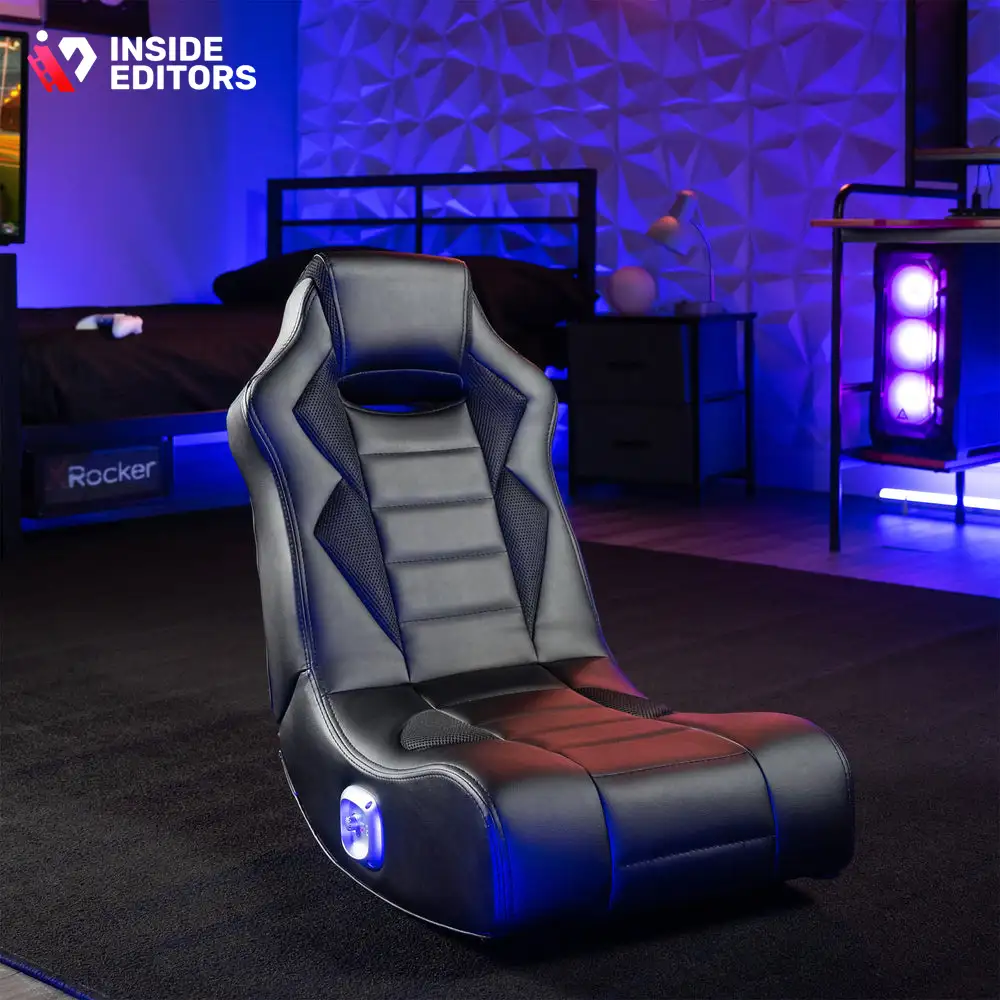
Selecting the perfect video rocker gaming chair involves balancing budget, features, and the specific environment in which you game. Not all rockers are created equal; some prioritize portability, while others focus purely on maximum immersion.
Key Features to Evaluate Before Purchase
When comparing models, focus on these critical specifications:
- Audio Quality (Speaker Configuration): Look for 2.1 or 4.1 systems. A 2.1 system includes two speakers and one subwoofer. A 4.1 system offers four speakers and one subwoofer, providing a more enveloping surround sound experience.
- Material and Durability: Most rockers are covered in faux leather (PU leather) or mesh fabric. PU leather is easier to clean but can cause sweating during long sessions. Mesh offers better breathability but may be less durable over time.
- Storage and Portability: Since these chairs are floor-based, consider models that fold in half for easy storage under a bed or in a closet when not in use. This is a crucial factor for apartment dwellers or those with multi-purpose rooms.
- Weight Capacity and Size: Ensure the chair can comfortably support your weight and height. Rockers are often designed with a specific user profile in mind; check dimensions carefully, especially the width and back height.
Comparison Table: Rocker vs. Pedestal vs. Racing Chair
| Feature | Video Rocker Gaming Chair | Pedestal Gaming Chair | Racing/Desk Gaming Chair |
|---|---|---|---|
| Base Type | Curved, floor-based | Fixed or swivel pedestal | 5-star wheeled base |
| Height | Low to the ground | Medium (adjustable) | High (adjustable) |
| Primary Use | Console gaming, movies | Console/PC hybrid, streaming | PC gaming, desk work |
| Audio Integration | Standard (often 2.1 or 4.1) | Optional/Less common | Rare |
| Portability | High (many fold) | Low | Low |
| Price Range | Mid-range | Mid-to-High | Mid-to-High |
For those creating video content, the choice of chair can even influence production quality. A chair that allows for comfortable, dynamic movement can make on-camera appearances more engaging. If you are a content creator looking to maximize the impact of your videos, consider how professional editing can elevate your presence. We offer specialized video editing for YouTube that focuses on clean cuts, dynamic pacing, and consistent branding, ensuring your setup reviews or gameplay videos look top-tier.
Maximizing Immersion: Haptic Feedback and Audio Calibration
The true magic of a high-end video rocker gaming chair lies in its ability to translate digital action into physical sensation. Achieving this requires careful calibration of both the audio and the haptic feedback systems.
The Science of Haptics in Gaming
Haptic feedback systems in gaming chairs are essentially sophisticated vibration motors that respond dynamically to the frequency and amplitude of the incoming audio signal. Low-frequency sounds (bass) trigger the strongest vibrations. This means that explosions, deep musical notes, or the rumble of a vehicle are physically felt, adding a layer of realism that headphones simply cannot replicate.
When calibrating, look for separate controls for volume and intensity (bass/vibration). A common mistake is setting the intensity too high, leading to distracting, constant buzzing. The goal is subtle enhancement-you should feel the impact, not the mechanism.
“Immersion is achieved when the brain stops processing the medium and starts processing the experience. Haptic feedback in seating is a powerful tool to short-circuit that cognitive barrier.” – James K. Chen, Product Designer specializing in sensory feedback.
Optimizing Audio for Console Gaming
To get the best sound from your video rocker gaming chair, ensure the audio signal reaching the chair is clean and unprocessed.
Step-by-Step Audio Setup:
- Identify the Best Output: Use the console’s dedicated audio output (optical/TOSLINK) if available, as this often provides the cleanest signal before it is compressed by the TV.
- Check TV Settings: If connecting via the TV’s headphone jack or RCA outputs, make sure the TV’s internal speakers are muted and the volume is set high enough to provide a strong signal to the chair’s receiver.
- Adjust Chair Volume: Use the chair’s volume control to fine-tune the listening level. Remember, the chair has its own amplifier.
- Balance Bass and Treble: Adjust the chair’s bass/subwoofer control until the rumble feels appropriate for the game genre. For competitive shooters, you might want less bass to hear footsteps clearly; for cinematic RPGs, maximize the depth.
For those producing video content, capturing this specialized audio experience is challenging. While the chair provides a personal bubble of sound, viewers rely on the microphone and editing. If you are recording gameplay or reviews, ensuring your voiceover is clear and your game audio is balanced requires expert touch. We recommend seeking out a dedicated video editor for hire who understands the nuances of audio mixing for streaming and YouTube.
Maintenance, Longevity, and Avoiding Common Pitfalls

A video rocker gaming chair represents a significant investment in comfort and immersion. Proper care ensures it lasts for years, maintaining both its aesthetic appeal and its technological performance.
Essential Cleaning and Care Tips
The most common point of failure for rockers is the upholstery, especially faux leather, which can crack and peel if not treated properly.
- Regular Wiping: Use a slightly damp cloth to wipe down the surface weekly to remove body oils and sweat, which degrade the material.
- Avoid Harsh Chemicals: Never use abrasive cleaners or solvents, as these will strip the protective coating. Use specialized PU leather cleaner or a mild soap solution.
- Cable Management: If your chair uses wired connections, ensure the cables are not tightly stretched or constantly bent at sharp angles, which can lead to internal wire breakage.
Troubleshooting Electronics and Connectivity
If the sound cuts out or the haptic feedback stops working, follow these steps before assuming the chair is broken:
- Power Check: Ensure the power supply is firmly plugged into both the wall and the chair’s input jack.
- Source Check: Test the audio source (console/TV) with headphones to confirm the source is outputting sound correctly.
- Pairing Reset: If using Bluetooth or RF, unpair and re-pair the chair with the transmitter or device. Sometimes, interference from other wireless devices can block the signal.
- Fuse Inspection: Some older models have an easily accessible fuse near the power input. If the chair won’t turn on, check if this fuse needs replacement.
Maintaining the quality of your gaming setup is analogous to maintaining the quality of your content. Just as a clean chair enhances your physical experience, clean editing enhances your viewer’s experience. If you are struggling with the technical aspects of post-production, remember that Inside Editors offers professional video editing services designed to take the technical burden off your shoulders, allowing you to focus on creating great content.
The Future of the Video Rocker Gaming Chair (2025-2026 Outlook)
The market for the video rocker gaming chair is not stagnant. As virtual reality (VR) and augmented reality (AR) technologies become more mainstream, the demand for integrated, immersive seating solutions is growing.
Integration with Next-Gen Consoles and VR
Future iterations of the video rocker gaming chair are expected to feature enhanced digital connectivity, moving beyond simple audio inputs. We anticipate seeing:
- Direct Digital Input: Chairs that accept HDMI 2.1 or USB-C inputs, allowing for uncompressed audio and potentially even data signals for more nuanced haptic feedback (e.g., feeling specific directional impacts rather than just general rumble).
- Customizable Haptic Profiles: Software integration allowing users to create and download specific vibration profiles tailored to individual games, maximizing the immersive experience for titles like Elden Ring or Forza Motorsport.
- Environmental Integration: Chairs that communicate with smart home devices, perhaps dimming lights or adjusting ambient temperature based on the game environment.
“The next frontier in gaming furniture isn’t just comfort; it’s sensory synchronization. We are moving toward chairs that are not accessories, but essential input/output devices.” – Ethan Vance, Lead Analyst at GameTech Futures.
Why the Rocker Design Endures
Despite the rise of high-end racing chairs and modular seating, the classic video rocker design persists because it perfectly matches the typical living room console setup. It is inherently casual, promotes a relaxed viewing angle for large screens, and offers superior portability compared to bulkier pedestal models. The low-profile design minimizes visual clutter, making it a favorite for multi-use entertainment spaces.
For businesses and creators who rely on high-quality video production, staying ahead of technological trends is vital. Whether you are reviewing the latest gaming chair or demonstrating a new console setup, the quality of your video reflects the quality of your brand. If you need assistance translating complex technical reviews into easily digestible, high-quality video content, our team is ready to help. We offer video editing services for businesses that ensure your message is clear, professional, and impactful.
Conclusion: Elevating Your Entertainment Experience
The video rocker gaming chair is more than just a piece of furniture; it is a dedicated immersion device. By combining ergonomic comfort with powerful, localized audio and physical haptic feedback, these chairs transform passive viewing and gaming into an active, sensory experience.
Whether you are a dedicated console gamer looking to upgrade your setup or a content creator seeking the perfect blend of comfort and performance, understanding the features and connectivity of these chairs is essential. The right rocker can dramatically enhance your enjoyment, making every explosion louder and every impact more visceral.
At Inside Editors, we understand that quality matters-whether it’s the comfort of your gaming chair or the clarity of your video content. If you are a creator, marketer, or business looking to produce professional, engaging videos about technology, gaming, or any other subject, we are your ideal partner. Our professional video editing services offer fast turnaround times (24-72 hours), unlimited revisions, and highly competitive pricing starting at just $29/video. We provide the expertise and polished finish that builds trust and helps you scale your content creation efforts, allowing you to focus on what you do best: creating great content.
Ready to transform your raw footage into professional-grade videos? Visit us today to learn more about how we can help you achieve a consistent, high-quality brand presence.
Frequently Asked Questions
What is a video rocker gaming chair?
A video rocker gaming chair is a floor-based seat designed for immersive gaming, typically lacking traditional legs. These chairs often feature built-in speakers and subwoofers for enhanced audio feedback, connecting directly to consoles or other media devices. They allow users to rock back and forth, providing comfort and mobility during long gaming sessions. Modern models often include vibration motors synchronized with the game action.
How do rocker chairs connect to consoles?
Rocker chairs connect to consoles primarily through wired connections (RCA, 3.5mm auxiliary, or optical audio cables) or wirelessly via Bluetooth or dedicated transmitters. For newer consoles like PS5 or Xbox Series X, the chair often connects to the TV or receiver, which passes the audio signal. Ensure your specific video rocker gaming chair model supports the required output format of your console setup for seamless integration.
Are video rockers better than pedestal chairs?
The choice depends on preference; video rockers are generally preferred for racing games or casual floor seating due to their low profile and rocking motion. Pedestal chairs, however, offer height adjustment and a more traditional upright sitting position suitable for desk use or competitive PC gaming. Rockers typically cost less, ranging from $80 to $200, while quality pedestal chairs start around $150.
What features should I look for in a 2025 rocker?
In 2025-2026, prioritize robust wireless connectivity (low-latency Bluetooth 5.0 or better) and high-quality integrated sound systems, especially 2.1 audio. Look for durable, stain-resistant materials like PU leather or mesh fabric. Additionally, ensure the chair has adequate lumbar support and easy-to-reach control panels for volume and input switching to optimize your gaming experience.
Can I use a rocker chair for PC gaming?
Yes, you can use a video rocker gaming chair for PC gaming, provided your setup allows for comfortable floor seating near your monitor. You will need to connect the chair’s audio system to your PC’s sound card or headphone jack. While effective for casual play, competitive PC gamers often prefer chairs with full height adjustment and armrests for precise keyboard and mouse control.
How much do quality video rocker chairs cost?
Quality video rocker gaming chairs typically range in price from $120 to $350, depending on features and brand reputation. Basic models without integrated audio start lower, around $80. Chairs featuring advanced wireless connectivity, haptic feedback, and premium cushioning usually fall into the $250+ bracket. Investing in a mid-range model ensures better durability and sound quality.
Do rocker chairs fold up for storage?
Most video rocker gaming chairs are designed with a hinge mechanism that allows them to fold in half for easy storage. This feature is crucial for users in smaller spaces or apartments. When folded, they can usually be stored under a bed or in a closet, making them highly convenient and space-saving compared to bulky traditional gaming chairs.


