

The digital age has transformed how we communicate life’s most significant milestones. Gone are the days when paper invitations were the only option; today, couples are embracing dynamic, personalized, and engaging alternatives. One of the most popular and memorable trends is the wedding invitation video. This comprehensive guide will walk you through every step of creating a stunning, effective, and emotionally resonant wedding invitation video for your 2026 celebration, ensuring your announcement captures the excitement of your special day.
A well-crafted wedding invitation video doesn’t just convey the date and location; it tells your unique love story, sets the tone for the event, and provides guests with an interactive experience far beyond a static card. Whether you plan to DIY the project or hire professional help, understanding the process is the first step toward success.
Why Choose a Wedding Invitation Video?
The decision to move from traditional paper invites to a digital format, especially video, is often driven by practicality, creativity, and sustainability. In 2026, a wedding invitation video is more than a novelty; it’s a strategic communication tool.
Setting the Tone and Telling Your Story
Unlike a formal printed card, a video allows you to inject personality, humor, and genuine emotion into the invitation. You can use music, voiceovers, and visual elements to immediately convey the style of your wedding-whether it’s a black-tie affair, a rustic barn celebration, or a laid-back beach party.
The video serves as a mini-trailer for your wedding day. It builds anticipation and makes the invitation feel like an event in itself. This medium offers unparalleled depth for storytelling, allowing you to share snippets of your journey together, from the first date to the proposal.
“Video is the most compelling medium for emotional connection. When inviting guests to a wedding, you aren’t just giving them information; you’re inviting them into your narrative. A video makes that invitation personal and irresistible.” – Amelia Chen, Digital Wedding Consultant
Practical Benefits of Digital Invitations
Beyond the emotional appeal, digital invitations offer significant logistical advantages.
| Feature | Traditional Paper Invitation | Wedding Invitation Video |
| Cost | High (printing, postage, stationery) | Lower (primarily production/editing) |
| Delivery | Slow (mailing time, risk of loss) | Instant (email, messaging apps) |
| Updates | Impossible (requires reprinting) | Easy (quick re-edit and re-share) |
| Interactivity | Minimal (static text) | High (embedded links, music, movement) |
| Environmental Impact | Significant (paper waste) | Minimal (sustainable, digital delivery) |
Furthermore, integrating RSVP tracking is seamless with a video invitation. You can embed direct links to your wedding website or RSVP form, dramatically improving response rates and simplifying coordination.
Defining Your Video’s Purpose and Audience
Before pressing record, define the primary goal of your wedding invitation video. Is it purely informational (date, time, location)? Is it primarily sentimental (a look back at your relationship)? Or is it instructional (details on travel, accommodation, dress code)?
Understanding your audience is also crucial. While a highly personalized, humorous video might be perfect for younger guests, you might need a more formal, clearly structured segment for older relatives who prefer straightforward information. The best wedding invitation video balances personal charm with clear, necessary logistical details.
Phase 1: Pre-Production and Conceptualization

The success of any video lies in meticulous planning. This phase involves defining your concept, scripting the narrative, and gathering the necessary assets.
Developing the Creative Concept
Your concept is the foundation of your wedding invitation video. It should reflect your personalities and the overall theme of the wedding.
Common Video Concepts:
- The Love Story Documentary: Uses photos and short clips chronologically, narrated by the couple, detailing how they met and the proposal.
- The Movie Trailer: High-energy, dramatic music, quick cuts, and text overlays announcing the “release date” (the wedding day).
- The Stop-Motion Animation: Creative and whimsical, using physical objects or drawings to convey the information.
- The Save-the-Date Parody: Recreating a famous movie scene or commercial with personalized dialogue.
Scripting and Storyboarding
Even a short wedding invitation video needs a script. This ensures all critical information is included and the pacing is effective.
Critical Script Elements:
- Introduction (The Hook): Grab attention immediately. (e.g., a funny anecdote or a dramatic reveal of the couple).
- The Announcement: Clearly state the names and the event.
- The Logistics: Date, Time, Venue (must be repeated clearly).
- The Call to Action (CTA): Instructions for RSVP and link to the wedding website.
- The Closing: A warm sign-off and a final shot that sets the mood.
A storyboard-a visual outline of each scene-is essential for smooth production. It maps out what visuals accompany each piece of dialogue or text overlay, preventing confusion during the shoot and editing phases.
Choosing the Right Tools and Assets
For a DIY approach, you will need basic equipment: a smartphone with good video quality, a tripod (or steady surface), and decent lighting.
If you are incorporating existing media, start gathering high-resolution photos and videos from your relationship timeline. Ensure you have the rights to any music you plan to use. Licensing music for commercial use is mandatory, but for personal, non-monetized invitations, many couples opt for royalty-free music libraries or instrumental tracks to avoid copyright issues during sharing.
Phase 2: Production and Filming Techniques
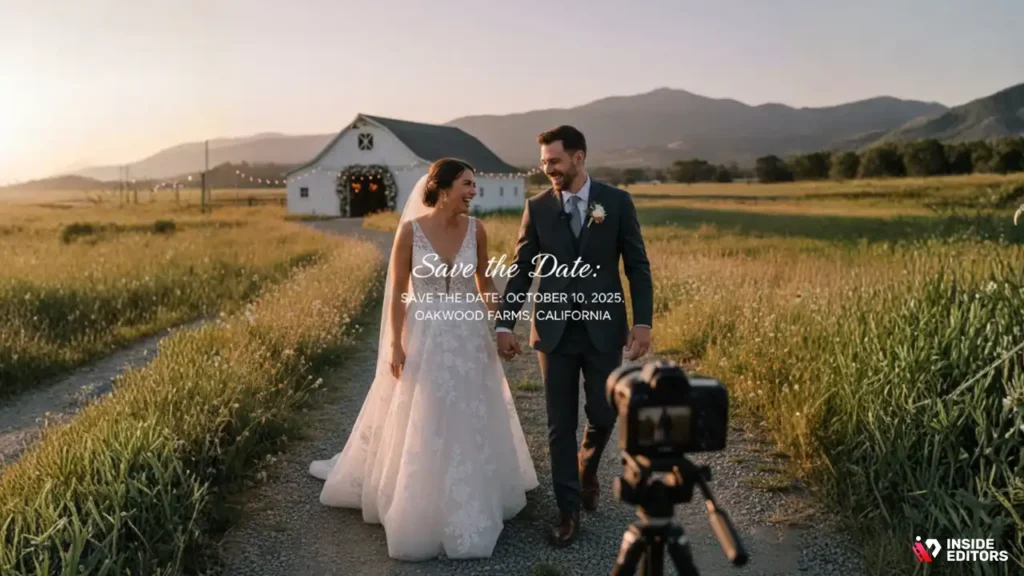
The filming phase brings your script to life. Whether you are shooting new footage or compiling existing clips, quality matters immensely.
Mastering Basic Videography
You don’t need professional gear, but you do need professional techniques.
- Lighting is Key: Shoot during the “golden hour” (just after sunrise or before sunset) for soft, flattering light, or use a ring light indoors. Avoid harsh overhead lighting.
- Stable Shots: Use a tripod or stabilize your camera/phone against a solid surface. Shaky footage instantly detracts from the quality of a wedding invitation video.
- Audio Clarity: If you are speaking, record the audio in a quiet environment. Use an external lavalier microphone if possible; otherwise, ensure the phone’s built-in mic is close to the speaker. Poor audio is often more distracting than poor video.
Integrating Visual Elements
A dynamic wedding invitation video relies on blending different types of media.
- B-Roll Footage: Short, relevant clips (e.g., showing the venue, the rings, or the scenery) that play while the main audio track (like a voiceover) continues. This keeps the viewer engaged.
- Text Overlays: Use clear, elegant fonts to display crucial information (date, time, location) even if it is spoken aloud. This reinforces the details and helps viewers who watch without sound.
- Photography Integration: When using photos, ensure they are high resolution and transition smoothly. Panning and zooming slightly (the Ken Burns effect) adds movement to static images.
“The biggest mistake DIY video creators make is neglecting sound. A beautiful image paired with muffled or noisy audio is instantly unprofessional. Prioritize clear dialogue and appropriate background music.” – David Lee, Professional Filmmaker
If you find the technical aspects of filming and editing overwhelming, remember that professional help is readily available. Services specializing in video production can take your raw footage or concept and turn it into a polished final product. For those who want to focus on their wedding planning rather than mastering editing software, considering a professional team is a wise investment.
Phase 3: Post-Production and Professional Editing
Post-production is where the magic happens. This is the stage where raw footage is transformed into a cohesive, polished wedding invitation video.
Choosing Your Editing Workflow
You have two primary paths for editing: DIY or professional outsourcing.
Option 1: DIY Editing Software
Many accessible tools exist for beginners:
- Mobile Apps: InShot, CapCut, and VN Editor are excellent for quick, simple edits directly on your phone.
- Desktop Software (Beginner): DaVinci Resolve (free version), iMovie (Mac), or Filmora offer robust features without a steep learning curve.
When editing yourself, focus on:
- Pacing: Keep the video concise. Most successful wedding invitation video run between 60 and 120 seconds.
- Color Correction: Ensure all clips have consistent lighting and color grading.
- Seamless Transitions: Avoid jarring cuts. Use soft fades or dissolves between major sections.
Option 2: Outsourcing to Professional Editors
If you lack the time, technical skill, or desire to edit, outsourcing is the superior choice for quality and speed. This is particularly relevant when aiming for a highly polished, cinematic look.
This is where specialized services like Inside Editors come into play. We offer professional video editing services designed to take the stress out of post-production. Our workflow is simple and efficient: you provide the footage and the vision, and our team handles the rest.
We understand that a wedding invitation video is a deeply personal project. Our professional editing team, with over 10 years of experience, ensures your video receives expert color grading, audio enhancement (removing background noise and balancing music), and sophisticated visual effects. We offer fast turnaround times (typically 24-72 hours) and unlimited revisions until you are 100% satisfied. This approach saves you time, guarantees professional quality that builds trust with your guests, and provides a scalable solution, especially if you plan to create other wedding-related videos (like a highlight reel or thank you video).
To ensure your final product is flawless and ready for sharing, consider our comprehensive video editing services.
Essential Editing Checklist
Regardless of who performs the edit, these elements must be perfected:
- Audio Mix: The music volume should never overpower the voiceover or dialogue.
- Title Cards: Ensure the date, time, and location are displayed clearly for at least 3 seconds each.
- Branding/Theme: Use consistent fonts, colors, and graphics that match your wedding theme.
- Final Quality Check: Export the video in high definition (1080p or 4K) and check for any glitches, typos, or mismatched audio before distribution.
Phase 4: Distribution and Technical Specifications
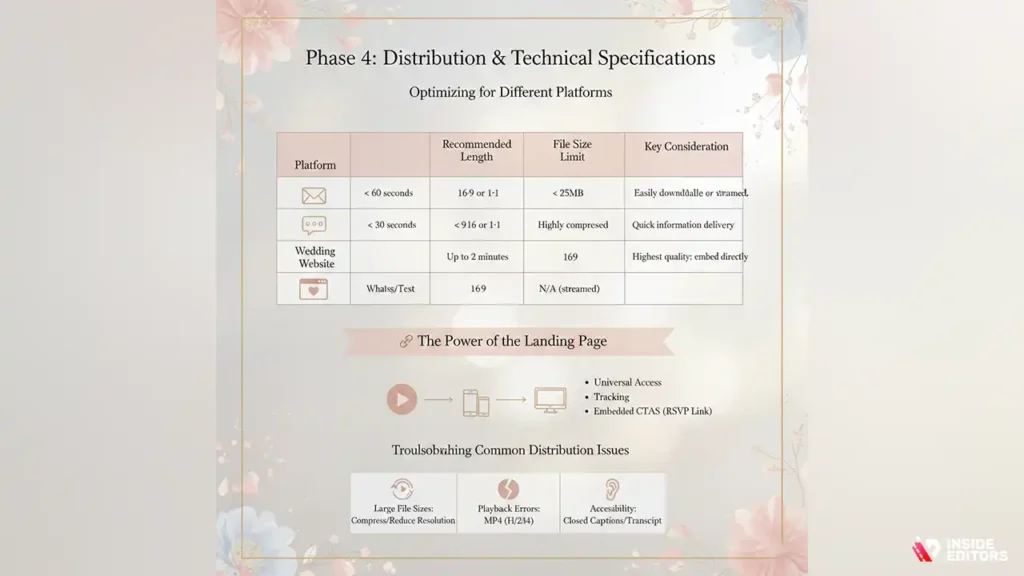
A beautiful wedding invitation video is useless if it can’t be easily viewed by all your guests. Distribution strategy is crucial in 2026.
Optimizing for Different Platforms
The platform you use to share the video dictates the required technical specifications.
| Platform | Recommended Length | Aspect Ratio | File Size Limit | Key Consideration |
| < 60 seconds (or link out) | 16:9 or 1:1 | Varies (often < 25MB) | Must be easily downloadable or streamed. | |
| WhatsApp/Text | < 30 seconds | 9:16 (vertical) or 1:1 | Highly compressed | Prioritize quick information delivery. |
| Wedding Website | Up to 2 minutes | 16:9 (horizontal) | N/A (streamed) | Highest quality required; embed directly. |
The Power of the Landing Page
Instead of attaching a large video file to an email, the best practice is to upload the wedding invitation video to a dedicated hosting platform (like YouTube, Vimeo, or your wedding website) and share the link.
This strategy ensures:
- Universal Access: Guests can view it regardless of their device or internet speed.
- Tracking: You can monitor view counts and engagement.
- Embedded CTAs: The landing page can host the direct link for RSVP and further details, maximizing conversion from viewer to confirmed guest.
Troubleshooting Common Distribution Issues
- Large File Sizes: If your video is too large for email, compress it using an online tool or reduce the resolution slightly during export.
- Playback Errors: Ensure the video is exported in a universal format like MP4 (H.264 codec).
- Accessibility: Provide closed captions or a transcript for guests with hearing impairments. A wedding invitation video should be accessible to everyone.
To learn more about optimizing video files for various platforms, you might find our guide on video compression techniques helpful.
Phase 5: Creative Techniques & Insider Tips
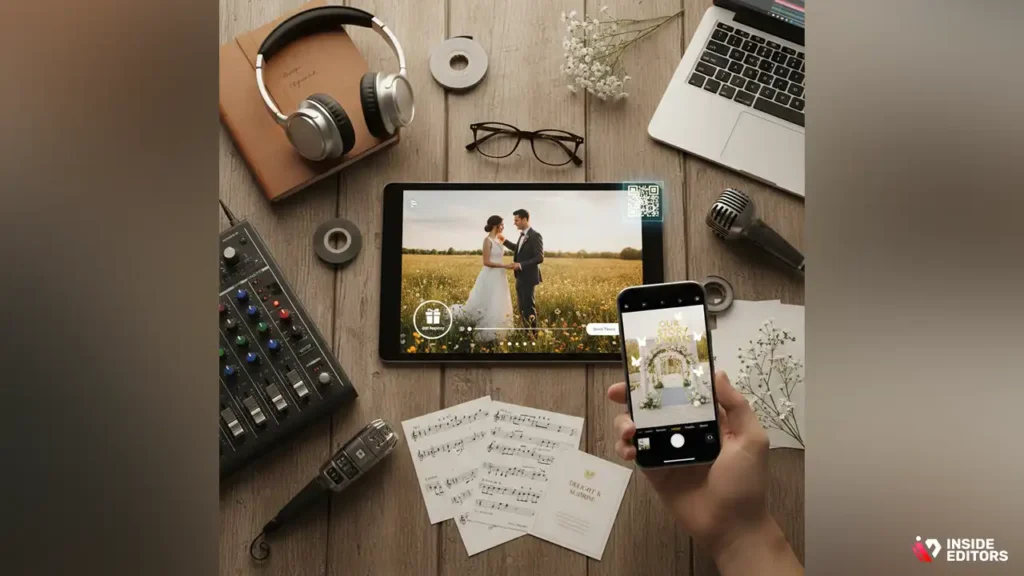
To elevate your wedding invitation video from standard announcement to cinematic masterpiece, consider integrating these advanced elements.
Incorporating Interactive Elements
The future of digital invitations is interactivity.
- Personalized Endings: Use video editing software to create slightly different endings for different guest groups (e.g., a specific message for the bridal party vs. extended family).
- Embedded Hotspots: If hosting on a platform that supports it, add clickable areas within the video that link directly to the gift registry or travel booking page.
- Augmented Reality (AR) Integration: Some cutting-edge couples are using AR filters or QR codes that launch a short AR experience related to the wedding theme.
“Don’t be afraid to break the mold. The goal of a modern wedding invitation video is not just to inform, but to delight and surprise the viewer, making them feel personally invested in the celebration.” – Marcus K., Creative Director
Music Selection: The Emotional Backbone
Music is perhaps the single most important element in setting the mood.
Music Selection Guidelines:
- Match the Tempo: Use slower, romantic music for sentimental sections (e.g., photos of the proposal) and upbeat, celebratory music for the announcement and CTA.
- Avoid Distraction: Choose instrumental tracks or songs where the vocals don’t compete with your dialogue.
- Volume Control: Start and end the video with the music fading in and out gracefully.
If you are struggling with finding the perfect track, professional editors can often suggest licensed music that fits your theme perfectly. Understanding how to choose the right background music for videos is a skill that greatly enhances the final product.
The Pros and Cons of a Wedding Invitation Video
While the benefits are numerous, it’s important to acknowledge the potential drawbacks before committing to a wedding invitation video.
| Pros (Advantages) | Cons (Disadvantages) |
| Highly engaging and memorable. | Requires significant time investment (DIY). |
| Environmentally friendly and cost-effective (no postage). | Some older guests may prefer traditional paper. |
| Allows for rich storytelling and personality. | Technical hurdles (editing, compression, hosting). |
| Easy to share and update logistics instantly. | Requires guests to have internet access/smartphone. |
| Sets the tone and builds excitement effectively. | Higher initial cost if outsourcing production. |
If you decide to outsource the creation of your wedding invitation video, ensure you vet the production company thoroughly. Look for portfolios that demonstrate expertise in both narrative storytelling and technical polish.
Phase 6: Mistakes to Avoid in Wedding Videos
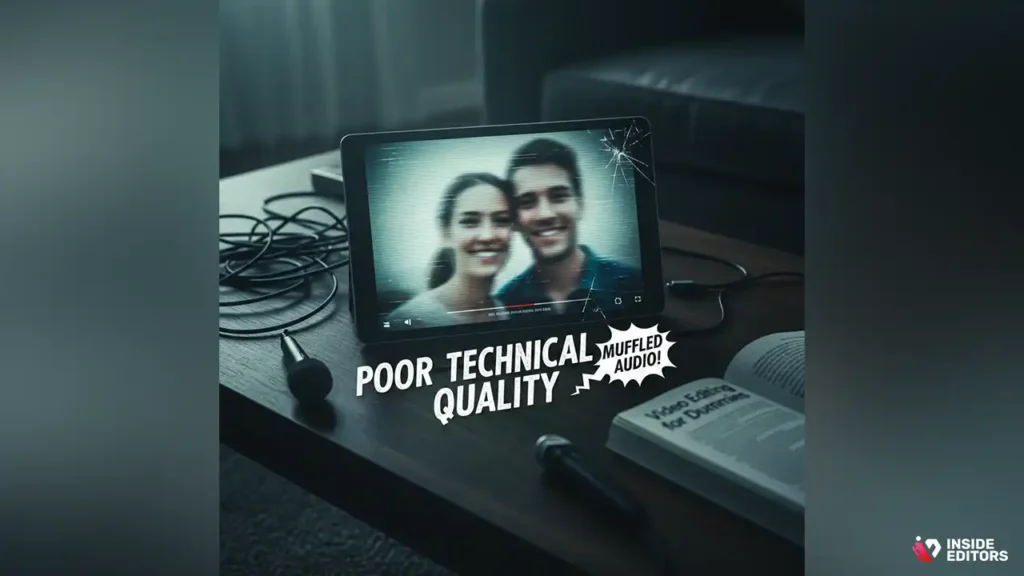
Even with the best intentions, certain pitfalls can undermine the effectiveness and professionalism of your wedding invitation video.
Mistake 1: Information Overload
Keep it concise. A video invitation is meant to be a teaser and a primary source of logistics (who, what, where, when). Do not try to include the entire history of your relationship, the full menu, and detailed travel instructions all in one two-minute clip. Direct guests to your wedding website for the granular details.
Mistake 2: Poor Technical Quality
This is the most common error in DIY projects. Blurry footage, muffled audio, and inconsistent lighting make the video look unprofessional, which can inadvertently reflect poorly on the perceived quality of the wedding itself. If you are unsure about the technical quality of your raw footage, it is highly recommended to find professional video editors who can salvage and enhance the visuals and audio.
Mistake 3: Neglecting the Call to Action (CTA)
The primary function of a wedding invitation video is to prompt action. If guests finish watching and don’t know where to RSVP or find more information, the video has failed its purpose. The CTA must be clear, visible (via text overlay), and spoken, directing them to the link provided in the email or text message.
Mistake 4: Ignoring Aspect Ratio
Sharing a beautiful horizontal (16:9) cinematic video on Instagram Stories (which is vertical, 9:16) results in awkward cropping or black bars. Always optimize the video dimensions for the primary platform of distribution. If you are sharing via social media, you might need a separate, vertically oriented version. This is a key consideration, especially when planning for video editing for social media.
Phase 7: Using Experts to Realize Your Vision
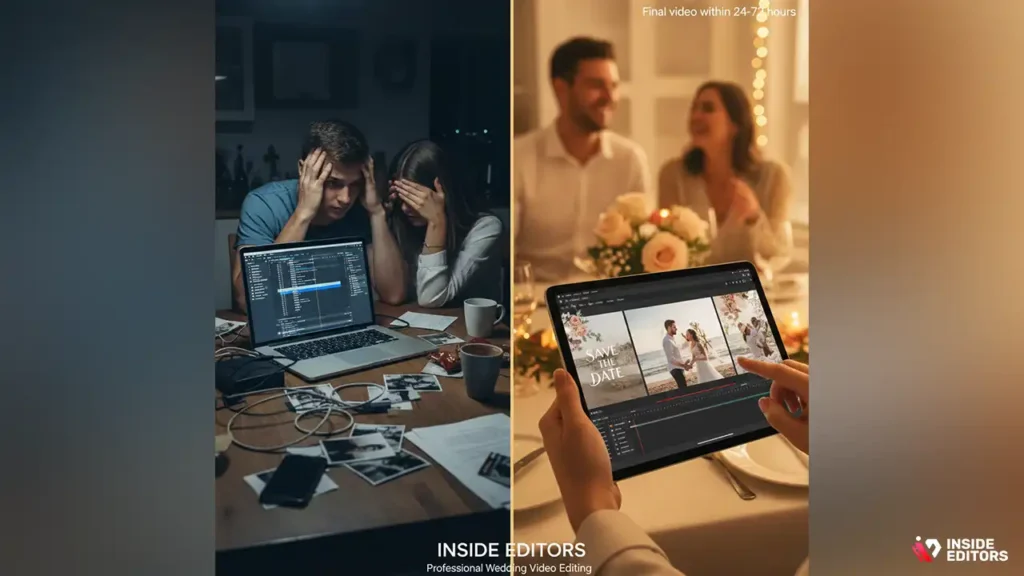
Creating a high-quality wedding invitation video requires a blend of creative vision and technical execution. For couples who value their time and want a flawless result, professional editing is the optimal solution.
Why Outsource Your Wedding Invitation Video Editing?
When you choose to partner with experts like Inside Editors, you gain access to specialized skills that ensure your video meets the highest standards.
- Quality Assurance: Professional editors guarantee consistent color grading, smooth transitions, and impeccable audio mixing-elements that are difficult to master quickly.
- Speed and Efficiency: Instead of spending weekends wrestling with software, you can receive a final, polished video within 24 to 72 hours, freeing up your time for other crucial wedding preparations.
- Expert Feedback: Our editors provide valuable insights on pacing and flow, ensuring your story resonates emotionally and logically.
We specialize in transforming diverse raw media-from phone clips and DSLR footage to old family photos-into a cohesive, cinematic narrative. Our affordable pricing structure, starting at just $29 per video, makes professional quality accessible, allowing you to invest in a memorable wedding invitation video without breaking the bank.
The Inside Editors Workflow
- Submit Your Assets: Upload your footage, photos, script, and music preferences.
- Professional Review: Our dedicated editor reviews your materials and outlines the project scope.
- Draft Delivery: Receive the first draft within the agreed-upon timeframe.
- Refinement: Utilize our unlimited revisions policy to fine-tune the video until it perfectly matches your vision.
- Final Delivery: Receive the high-resolution, optimized wedding invitation video ready for distribution.
If you are a content creator or a professional wedding planner looking to streamline your workflow, we also offer scalable solutions, including options for bulk video editing services to handle multiple client projects efficiently.
Wedding Invitation Video: Final Tips

The wedding invitation video is a powerful tool for modern couples, offering a unique opportunity to share their excitement and personalities with their loved ones. By focusing on clear storytelling, high technical quality, and strategic distribution, you can create an invitation that is not only informative but truly unforgettable.
Whether you choose to meticulously plan and edit every frame yourself or delegate the technical execution to experts, the key is authenticity. Let your love story shine through.
If you are ready to transform your raw footage and photos into a stunning, professionally edited wedding invitation video that captivates your guests, explore how Inside Editors can help. Our commitment to professional quality, fast turnaround, and client satisfaction ensures your invitation is perfect. Contact us today to discuss your project and start creating the perfect announcement for your 2026 wedding. We are dedicated to providing the best professional video editing services to bring your vision to life.
Frequently Asked Questions
What is a wedding invitation video?
A wedding invitation video is a digital announcement replacing or supplementing traditional paper invites. It typically includes key details like the date, time, and venue, often presented with music, photos, and short clips of the couple. This format is highly engaging and allows couples to share their story more personally before the big day.
How long should the invitation video be?
Ideally, a wedding invitation video should be concise, ranging between 45 seconds and 90 seconds maximum. Guests appreciate brevity, especially when viewing on mobile devices. Focus on delivering essential information quickly while maintaining an engaging, romantic tone to encourage RSVPs efficiently.
What’s the best software for editing?
For beginners, user-friendly options like Canva or InVideo offer excellent templates and drag-and-drop interfaces. If you need more professional results, consider advanced software such as Adobe Premiere Pro or Final Cut Pro. Many couples find template-based tools sufficient for creating a beautiful wedding invitation video.
When should we send the video invitation?
The timeline depends on whether you are using the video as a Save-the-Date or the formal invitation. For the formal invitation, send it 8 to 12 weeks before the wedding date. If it’s a destination wedding, aim for 4 to 6 months in advance to give guests ample time to plan travel and accommodation.
Should we include an RSVP link?
Yes, absolutely. The primary goal of the invitation is to secure RSVPs. Ensure the video description or the final screen prominently features a clear call-to-action (CTA) and a direct link to your wedding website or digital RSVP form. Make the submission process as seamless as possible for your guests.
How much does a video invitation cost?
Costs vary widely. Using free templates and DIY editing can cost $0 to $50 for stock assets. Hiring a professional videographer or editor typically ranges from $200 to $500, depending on complexity and length. The most affordable option is often utilizing existing photos and simple editing apps.
Can we use copyrighted music?
It is strongly advised to use royalty-free or licensed music to avoid legal issues, especially if sharing publicly on platforms like YouTube. Many editing platforms offer extensive libraries of licensed tracks perfect for a wedding invitation video. Using popular copyrighted songs without permission is risky.
What resolution should the video be?
For optimal viewing across all devices, the video resolution should be 1080p (Full HD) or higher. This ensures clarity whether guests view it on a large computer screen or a small mobile phone. Exporting in a common format like MP4 is recommended for maximum compatibility.


