


If you’re comparing platforms to find reliable clients or vetted editors, you’re in the right place. In this guide, I’ll walk you through how to choose the best marketplaces, then review the ten platforms that consistently deliver quality opportunities. Along the way, you’ll learn what each site is best for, how fees work, and the insider tips that help you avoid common pitfalls. You’ll also see where wedding video editing work shows up most often-and how to position yourself to win it.
Before we dive in, a quick note on approach: I’ve evaluated these platforms on trust signals (verification, dispute tools), match quality (client budgets, niche demand), and growth potential (recurring work, referrals). I’ll keep the tone practical and human, so you can act on it today.
How to choose a platform you’ll actually thrive on
What “trusted” really means in freelance marketplaces
Trust isn’t just about a brand name. It’s about whether the platform’s systems protect your time and money. Look for escrow or milestone payments, transparent fees, verified client profiles, and searchable reviews. If a site makes it difficult to see a client’s history or budget range, you’ll spend more time qualifying leads than editing footage.
Signal quality beats lead volume every time
A site may show hundreds of job posts but still deliver poor outcomes if budgets are vague or briefs are thin. Prioritize platforms that enforce clear scopes, require sample assets, or offer structured briefs (timelines, camera formats, deliverables). These guardrails reduce revision churn and help you price with confidence.
Niche alignment: where wedding-specific briefs live
Wedding projects often value storytelling, color grading for skin tones, tasteful music licensing, and quick turnaround during peak seasons. Platforms that cater to creative services-and enable portfolio reels-tend to surface better-aligned clients. Shortlist sites with category pages for wedding or event editing, or with search filters that let you target “wedding,” “event,” or “highlight film.”
Takeaway: Trust comes from systems, not slogans. Choose marketplaces where escrow, brief quality, and wedding-friendly filters shorten the path from proposal to paid work. With that in mind, let’s explore the platforms that consistently check those boxes.
The 10 Platforms That Consistently Deliver Wedding-Ready Briefs
Upwork – best overall for steady, milestone-based projects
Upwork is versatile, with robust escrow and a rating system that rewards reliability. You’ll find everything from one-off highlight reels to multi-event packages for studios that outsource. The key is to niche your profile: showcase two or three polished 60-90-second highlight reels, note the camera codecs you’re comfortable with, and list delivery timelines by package. Proposals that include a short Loom preview of your editing style convert unusually well here.
Pros: Escrow, strong search filters, long-term client potential
Cons: Competitive bids, pay-to-connect model for proposals
Fiverr – best for productized wedding deliverables
Fiverr is excellent when you’ve defined clear packages-“3-5 minute highlight film,” “ceremony multicam edit,” “color-grade and sound polish.” Buyers like fixed pricing and samples. To stand out, name delivery windows honestly and add paid add-ons for rush edits, extra rounds, or social cutdowns. Use a short showcase reel and pin it across all wedding-related gigs.
Pros: Easy to package services, global buyer base
Cons: Race-to-the-bottom risk unless your reel signals premium value
Freelancer.com – best for price-flexible projects and trials
Freelancer.com offers many short-term editing jobs, helpful if you want to test demand or fill calendar gaps. Bid selectively, and message clients with a three-sentence discovery note focused on story, timeline, and audio quality. Insist on a small paid sample (30-60 seconds) when briefs are vague; it protects your time and lets the client “hear” your instincts.
Pros: High volume, escrow, frequent entry-level briefs
Cons: Variable brief quality; vet carefully before committing
PeoplePerHour – best for UK and EU clients seeking specialists
PeoplePerHour skews toward creative services and is particularly strong in the UK/EU market. The “Offers” feature works like productized gigs, which suits wedding edits. Reference color science, skin-tone handling, and music licensing in your offer copy-these cues signal professionalism to wedding studios and planners.
Pros: Strong creative categories, European client base
Cons: Smaller volume than Upwork/Fiverr, but higher brief quality
Guru – best for relationship-led clients and repeat work
Guru’s workrooms and milestones make it straightforward to manage multi-day wedding projects. Profiles that foreground workflow-project intake, file transfer, QA checks-perform better than generic “I edit videos” summaries. Consider a quick PDF of your process to attach with proposals; clients hiring for weddings care about reliability and handoff clarity.
Pros: Milestones, lower competition in wedding niche
Cons: Less discovery traffic; optimize your profile to be found
Transition: Those five cover the broadest global demand. Next, let’s look at platforms that prioritize creative portfolios, professional networks, and remote-first jobs-each with a different edge for wedding storytellers.
Creative-first platforms that highlight cinematic storytelling
Behance Jobs – best for showcasing aesthetic and narrative skill
Behance isn’t just a portfolio; its job board attracts agencies and studios looking for editors with a distinct style. Curate one wedding case study with a short write-up: the couple’s story, your narrative arc, color approach, and music choice. This moves you out of “generic editor” territory into “trusted storyteller.”
Pros: Visual-first discovery, strong brand clients
Cons: Fewer day-to-day postings; think “breakthrough” gigs
LinkedIn – best for studio partnerships and referrals
LinkedIn search is underrated for wedding studios that quietly outsource. Post a monthly carousel: before/after color grade frames, timeline screenshots, and a 20-second reel teaser. Connect with videographers, planners, and venue managers; your content becomes lead gen. Use the “Services” feature and ask past clients for recommendations that mention wedding-specific deliverables.
Pros: Relationship compounding, warm inbound leads
Cons: Requires consistent posting and outreach discipline
Indeed – best for part-time or on-staff editor roles
Wedding studios often advertise seasonal or part-time editing roles on Indeed. If you’re seeking stable hours or systemized workflows, this can be ideal. Tailor your résumé to wedding deliverables-ceremony multicam syncing, toast cleanup, and highlight storytelling. Even if you prefer freelance, short stints can build repeat business.
Pros: Predictable hours, steady footage pipeline
Cons: Less flexible than marketplace gigs; local bias in some regions
We Work Remotely – best for remote-first creative teams
While broader than video editing, WWR lists remote roles and contracts for creative operations. Set alerts for “video editor,” “post-production,” and “content producer,” then pitch your wedding specialization as a differentiator. Emphasize your ability to collaborate asynchronously with planners and shooters across time zones.
Pros: Remote-friendly cultures, professional teams
Cons: Fewer wedding-specific posts; sell your niche as value-add
Twine – best for indie creators and boutique studios
Twine balances creative gigs with a community vibe. Wedding video briefs here often prize taste and subtlety over flashy effects. Use your profile to explain your philosophy: preserving emotion, natural skin tones, and pacing that breathes. Include a micro-testimonial from a couple or planner to humanize your reel.
Pros: Creative-minded clients, personable community
Cons: Smaller marketplace; rely on standout case studies
Takeaway: Creative-first sites reward storycraft and taste. If your reel shows thoughtful pacing and skin-tone color work, you’ll attract clients who care about feeling, not just effects.
A Quick Side-By-Side Comparison To Speed Your Decision
| Platform | Best For | Payment Protection | Lead Quality | Typical Fee Model |
| Upwork | Milestone-based wedding edits | Escrow | High | Service fee + connects |
| Fiverr | Productized highlight films | Platform-managed | Medium-High | Tiered service fee |
| Freelancer.com | Flexible budgets, quick fills | Escrow | Medium | Project/contest fees |
| PeoplePerHour | UK/EU boutique briefs | Escrow | High | Service fee |
| Guru | Repeat clients, process-driven projects | Milestones | Medium-High | Membership + fee |
| Behance Jobs | Aesthetic-led opportunities | N/A (job board) | High | Free/paid job posts |
| Studio partnerships, referrals | N/A (off-platform) | High | Free/premium | |
| Indeed | Seasonal/part-time editor roles | N/A (employer-led) | Medium-High | Free/paid listings |
| We Work Remotely | Remote-focused contracts | N/A (job board) | Medium-High | Paid job posts |
| Twine | Indie creators, boutique studios | Platform-managed | Medium-High | Service fee |
Job boards (Behance, LinkedIn, Indeed, WWR) connect you with clients but don’t provide escrow; use clear contracts and deposits when working off-platform.
Pricing with confidence: packages that fit real wedding timelines
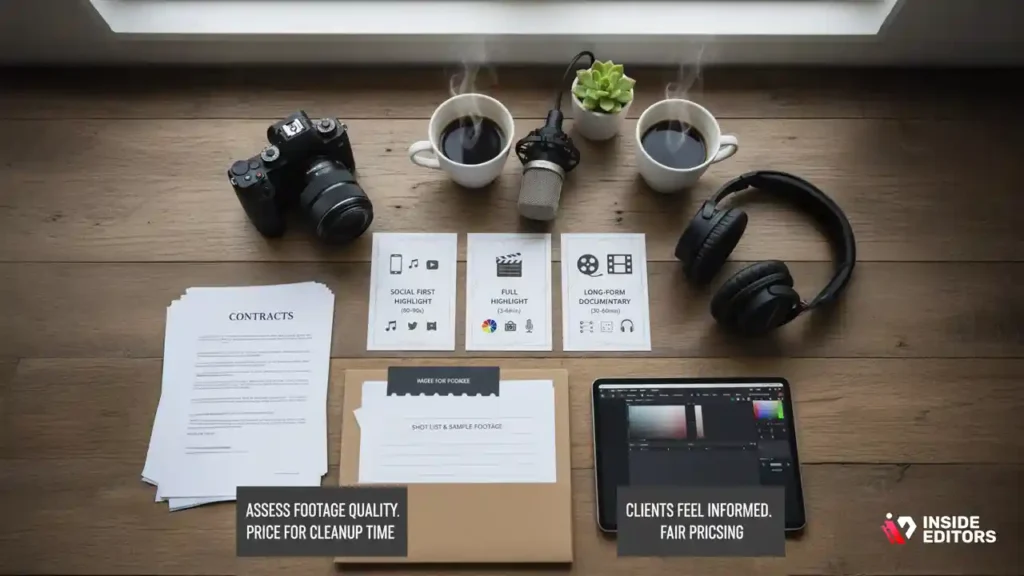
Why clear tiers reduce revisions and increase referrals
Weddings are emotional, deadline-driven projects. Clear packages set expectations and protect the story. Consider three levels: a social-first highlight (60-90 seconds), a full highlight (3-6 minutes), and a long-form documentary cut (30-60 minutes). Publish what each includes-music licensing scope, color grade depth, audio cleanup, and number of revisions. Clients feel safer when they know what “done” looks like.
How to quote when footage quality varies
Not all footage arrives equal. Ask for a 30-60-second sample and a shot list before quoting. If the audio is difficult or the lighting inconsistent, price for cleanup time and explain the impact in simple terms. When clients feel informed, they’re more open to fair pricing. This approach works whether you engage on a marketplace or via direct referral.
Takeaway: Transparent packages and respectful education keep edits on track and clients happy. That’s true whether you’re in a marketplace or handling private bookings.
The workflow that saves you hours (and protects quality)
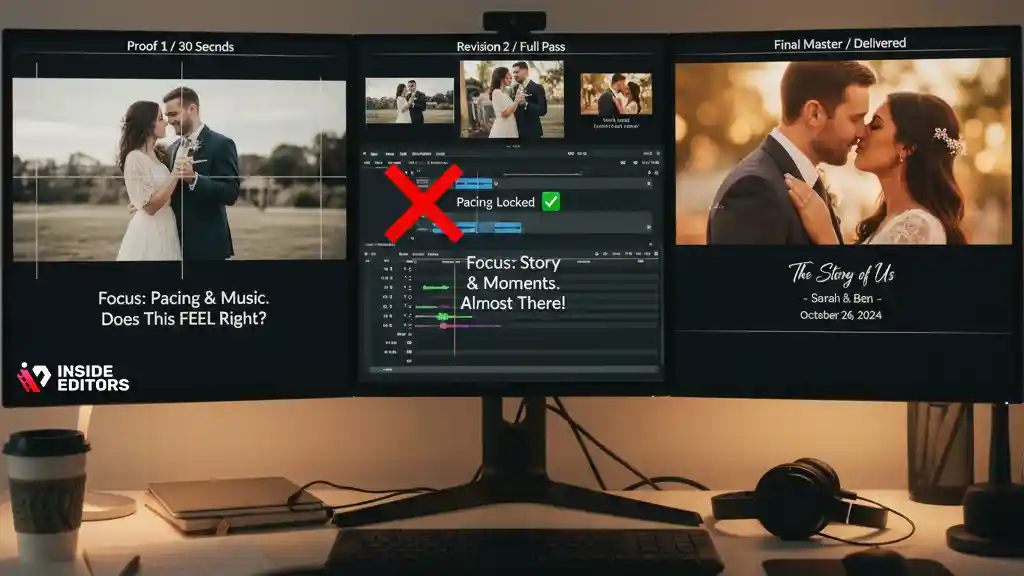
Intake: set story, specs, and expectations on day one
Create a simple intake form that asks for the couple’s names, the day’s key beats, music preferences, and “must include” moments. Add technical prompts: resolution, frame rates, camera models, and preferred look (natural vs. cinematic). This gives you a creative brief you can measure against.
Edit loop: short proof, tight feedback, final master
Share a 30-45-second proof first. Ask one focused question-“Does this pacing feel right for your day?” This keeps early feedback about story, not micro-edits. Lock the music and pacing, then do the full pass. The final round should focus on polish: color balance, skin tones, audio warmth, and graphics.
Takeaway: A tight, respectful feedback cadence keeps projects moving and clients feeling heard-critical in high-emotion wedding work.
Common pitfalls (and simple ways to avoid them)
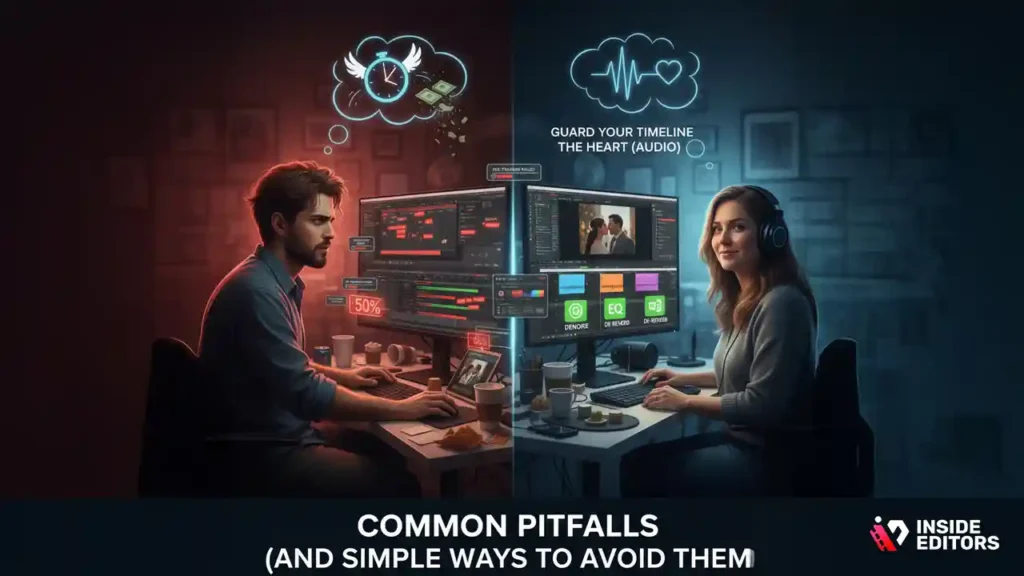
Overpromising speed-and paying for it later
Fast turnarounds sell, but only promise what your calendar can handle. If you rely on marketplaces, buffer extra time for file transfers and response delays. A realistic window reduces stress and protects quality.
Ignoring audio until the end
Great wedding edits often live or die by vows and toasts. Clean dialog early-denoise, de-reverb, gentle EQ-so pacing choices reflect the real emotional spine. Your color grade and transitions will land better when the soundtrack already sings.
Takeaway: Guard your timeline and start with the heart-the audio. Your final cut will feel smoother, and revision rounds will shrink.
When a professional service beats DIY marketplace hunting
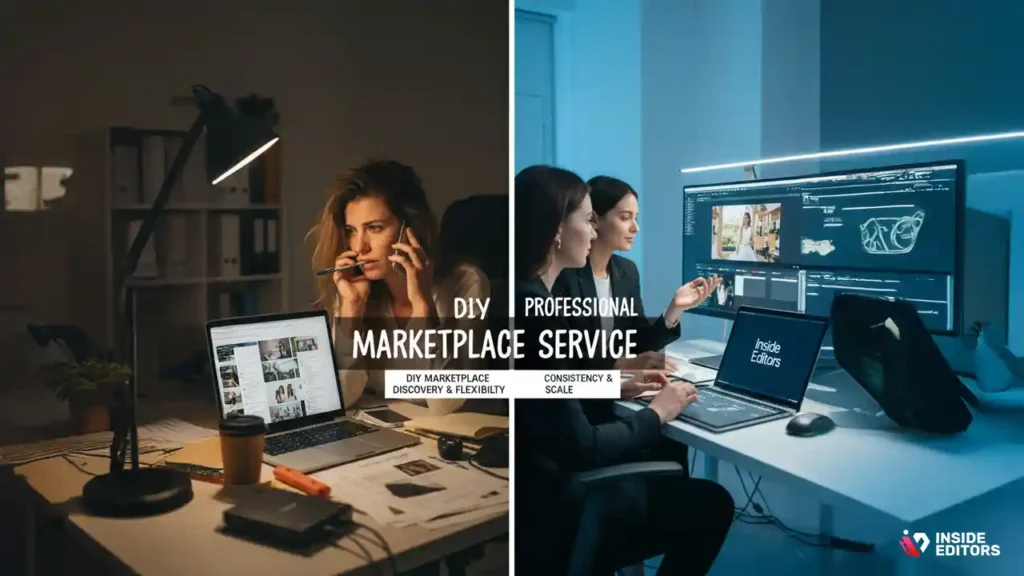
The case for handing off to a specialized team
If you’re a studio or creator juggling multiple weddings, marketplace management can drain hours-vetting briefs, negotiating, and chasing files. A dedicated service partner offers consistent quality, a defined process, and fast revisions when dates collide. That reliability is priceless during peak season.
Where Inside Editors fits in your toolkit
Even with great footage, editing shapes the story. If you want a partner who lives and breathes wedding pacing, color, and sound, our team at Inside Editors can help. Explore our wedding video editing services to see packages, sample reels, and timelines. If you produce a range of content, you can also browse specialized options like talking head video editing or VFX editing when your project needs an extra layer of polish.
Takeaway: Marketplaces are great for discovery and flexibility; specialized partners are great for consistency and scale. Use both strategically.
How to stand out on any platform, starting today
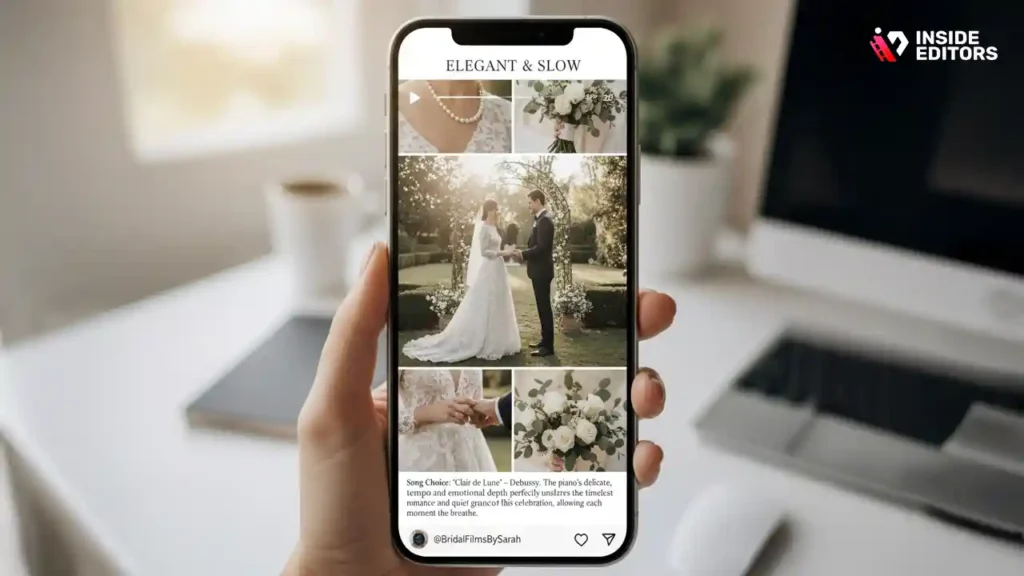
Show, don’t tell-curate two perfect mini-stories
Two concise reels can beat a ten-minute montage. Pick contrasting weddings: one elegant and slow, one upbeat and modern. In your captions, explain a single creative decision-why you chose that song, how you handled mixed lighting, or how you cut vows to preserve emotion. Clients will hear your taste and trust your process.
Make your proposal feel like a head start
When you apply on a marketplace, add a link to a 20-30-second “style sample” that matches the client’s vibe. Share one sentence about how you’ll structure the story and one note about audio cleanup. You’re no longer a stranger-you’re the editor already thinking about their day.
Takeaway: Curation and a tiny bit of extra effort set you apart. Most bidders won’t do either.
Advanced tactics to win (and keep) higher-value clients
Turn one project into a recurring pipeline
A single highlight film can become an ongoing relationship if you design the experience. After delivery, offer three helpful add-ons: a 30-second social teaser for the couple’s announcement, a vertical reel for Instagram, and a clean archival export for the venue or planner. When you frame these as time-savers, clients feel taken care of rather than upsold, and referrals follow naturally-especially with planners and photographers who see you as a reliable finisher.
Collaborate with the full wedding team, not just the couple
Great editors speak the language of shooters and planners. Ask the videographer about camera profiles and preferred LUTs, and ask the planner for a timeline PDF to anchor your narrative beats. Share your edit milestones so everyone knows when to expect drafts. When collaborators feel looped in, feedback is faster, kinder, and far more precise-exactly what you want in wedding video editing work.
Quick takeaway: Expand your definition of “client” to include every creative on the job. Coordination is a service, and it’s one you can price confidently.
Your first 72 hours on any new platform
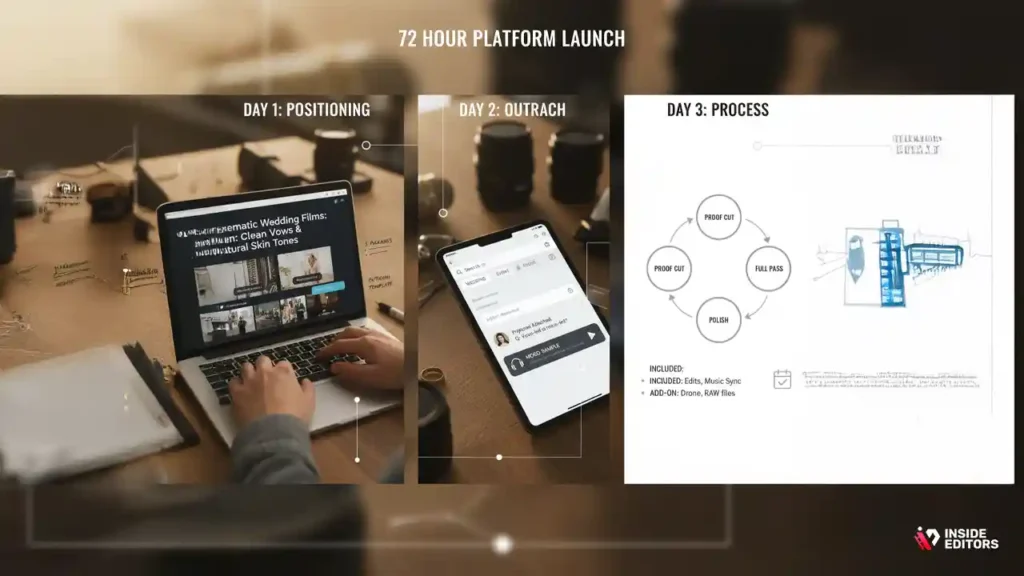
Day 1: Positioning and proof
Tighten your headline to a wedding-specific promise (“Cinematic highlight films with clean vows and natural skin tones”). Upload two short reels, each with a one-sentence creative note explaining a choice you made. Outline three productized packages and set realistic delivery windows. Finally, write one outreach message template that references story, sound, and timeline-then personalize it for each lead.
Day 2: Intentional outreach and filters
Use platform filters to find wedding or event briefs. Send five tailored proposals, each with a 20-30-second mood sample or reel link. Ask one question that nudges clarity (“Do you prefer vows-led pacing or music-led pacing?”). Save searches and turn on alerts so leads come to you while you edit.
Day 3: Process, not promises
Request a small paid sample when briefs are vague. Share your three-step workflow-proof cut, full pass, polish-and remind clients what’s included (and what’s an add-on). This gives anxious buyers a map to follow and reduces scope drift later.
Micro-summary: The first three days are about signals-taste, process, and reliability. Get those right and your close rate jumps.
Your editing toolkit: small upgrades that pay off every week
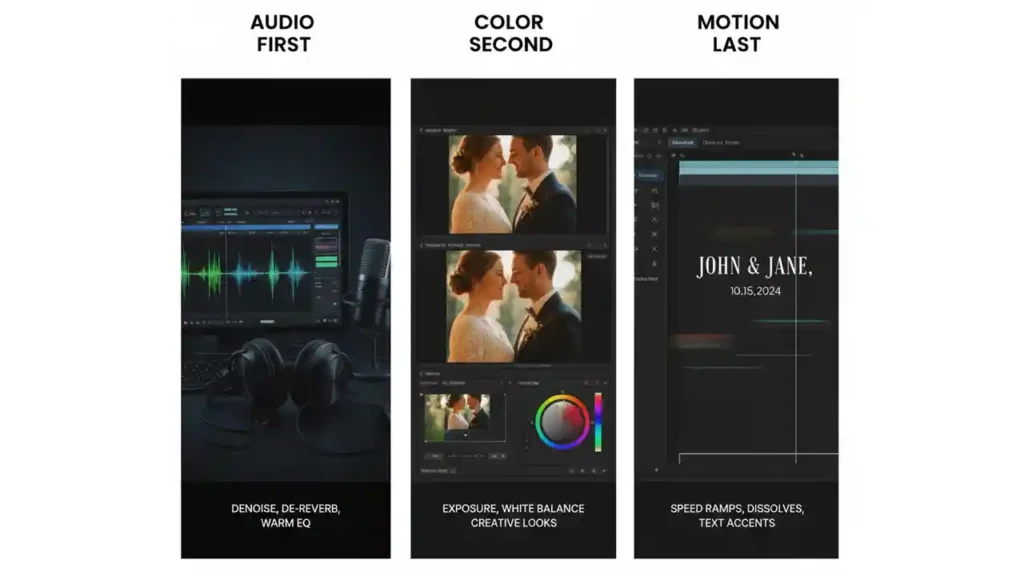
Audio first, color second, motion last
Start with denoise, de-reverb, and gentle EQ to warm dialog. Next, set exposure and white balance before creative looks; wedding skin tones are unforgiving if you skip this order. Only after story and tone lock should you add motion accents-simple speed ramps, tasteful dissolves, and restrained text for names and dates. This sequence saves hours and prevents re-work.
File hygiene and handoff essentials
Create a master folder template you duplicate for every project: “01 Footage,” “02 Audio,” “03 Music,” “04 Project,” “05 Exports,” and “06 Deliverables.” Name everything by scene and time so clients can find moments later. Deliver three exports: master (ProRes/DNx), web (H.264), and vertical (9:16) when relevant. Add a short README that lists codec, resolution, and usage tips for social platforms.
Pro tip: Include a “What to review” note with each draft-pacing and song choice first, color and audio polish last. You’ll guide feedback to what’s most useful at each stage.
Mistakes editors make-and the simple fixes
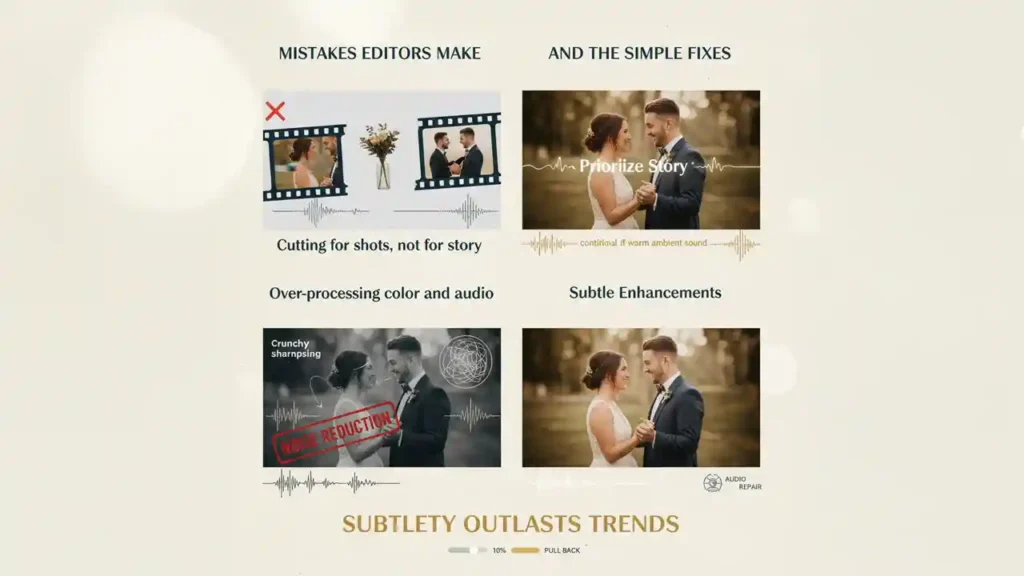
Cutting for shots, not for story
A beautiful shot loses impact if it interrupts an emotional thread. Keep vows intact when possible, and let ambient sound breathe for a second after big moments like the first look or the kiss. Arrange music cues to lift, not crowd, the dialog. Your couple wants to feel their day again; the story carries the visuals, not the other way around.
Over-processing color and audio
Hard vignettes, crunchy sharpening, and heavy noise reduction can make footage look dated. Aim for a clean, timeless baseline grade, then add subtle warmth or filmic contrast. For audio, fix problems surgically; too much noise reduction leaves artifacts that distract more than the original hiss.
Bottom line: Subtlety outlasts trends. If you’re unsure, pull back 10% and let the moment speak.
Contracts, scope, and payment-keep it friendly and clear

Scope that prevents revision spirals
Define deliverables, runtime ranges, and number of revision rounds before you start. Specify what counts as a revision versus a change of scope (e.g., swapping songs after approvals, or adding speeches not initially provided). Clear scope doesn’t make you rigid; it makes you reliable.
Deposits and milestones that protect both sides
Whether you’re on a marketplace with escrow or working direct, structure payments around milestones: booking deposit to begin, approval of proof cut, and final on delivery. If a platform doesn’t provide escrow, use a simple invoice with milestone dates and late-fee terms written in plain language. Clients appreciate adult conversations about money; it signals you run a real practice.
Gentle nudge: If you’d rather skip admin and just edit, a specialist partner like Inside Editors can handle intake, file logistics, and delivery while you focus on story.
Portfolio strategy: what buyers actually want to see
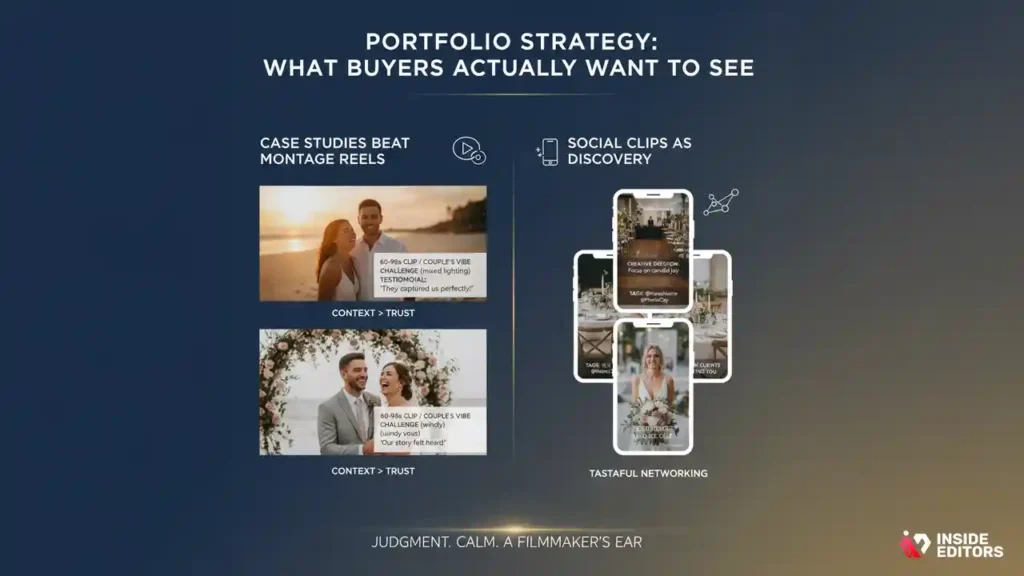
Case studies beat montage reels
Create two concise case studies on your site or profile. Share a 60-90-second clip, one paragraph about the couple’s vibe, the challenge you solved (mixed lighting, windy vows), and a single testimonial sentence. This context helps buyers imagine their own story in your hands, which is the moment trust is formed.
Social clips as discovery
Post one vertical teaser per project with a line about your creative decision. Tag venues, planners, and shooters when appropriate. This is tasteful networking, not spam-and it’s how your next client often finds you.
Remember: You’re not just selling speed or effects. You’re selling judgment, calm under deadline, and a filmmaker’s ear.
Side-by-side: packages clients understand quickly
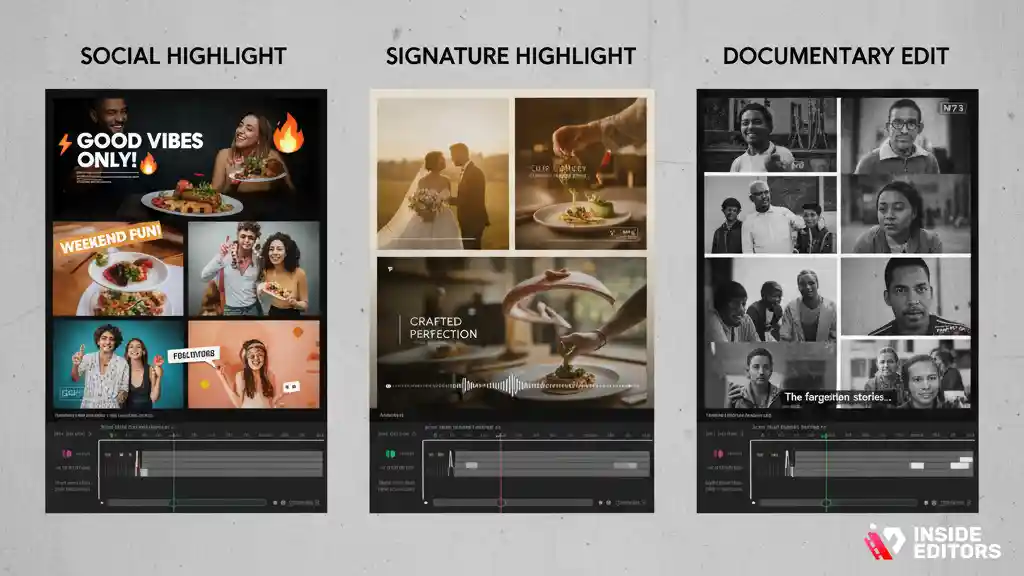
| Package Name | What’s Included | Turnaround | Revisions |
| Social Highlight | 60-90 sec story cut, light grade, music license | 3-5 days | 1 round |
| Signature Highlight | 3-6 min film, full grade, vows/toasts cleanup | 7-10 days | 2 rounds |
| Documentary Edit | 30-60 min ceremony + speeches, chaptered delivery | 10-14 days | 2 rounds |
Use this table as a starting point; adjust to match your footage quality and calendar. Clear names, clear inclusions, and clear timelines build trust before you ever open the NLE.
Where Inside Editors fits when quality and time both matter
A calm, professional hand when your schedule gets tight
If you’re a studio juggling multiple dates-or a couple who wants a film you’ll still love in ten years-our team can help. We focus on tasteful pacing, clean vows, and color that flatters every skin tone. See the packages and sample reels on our wedding video editing services, or browse adjacent specialties like talking head video editing when your brand content needs the same polish.
A friendly next step, not a hard sell
If you’d like a second opinion on pricing, timeline, or scope, we’re happy to chat. Reach us on the contact page. Whether you DIY on marketplaces or partner with a team, you now have the map to make confident choices in wedding video editing work.
Final wrap-up: your path to trusted results
You’ve seen which platforms bring consistent briefs, how to turn first cuts into final films that feel authentic, and how to protect your time with sane scopes and milestones. Start simple: pick one marketplace and one creative network, publish two focused reels, and run a proof-first workflow. Keep sound at the heart, color with restraint, and communicate like a collaborator. Do that, and the work compounds-referrals grow, projects get calmer, and your films carry the feeling couples come to you for.
FAQs
How do I know a platform is truly “trusted” for wedding video editing work?
Look for escrow or milestone payments, verified client histories, and transparent fees. A trusted site also shows clear briefs and revision rules, so scope creep is less likely. If you’re unsure, start with a small paid sample (30-60 seconds) before the full edit. That quick test protects both budget and timeline while validating fit.
What quality standards should I expect from a pro editor?
You should expect clean dialogue (denoise/EQ), natural skin-tone color grading (creative look), balanced pacing, and tasteful transitions. Ask for a 30-45 second proof first to lock tone and music before the full cut. Two focused revision rounds are typical for highlights (3-6 minutes). Final deliveries usually include master and web-ready files.
How are revisions handled so projects don’t drag on?
Most editors define revisions as notes on the current cut, not new scenes or music swaps after approval. A common structure is: one proof, one main pass, one polish. Timeboxed rounds (e.g., 48-72 hours per review) keep momentum and protect quality. Clarify what counts as “change of scope” to avoid surprise costs.
Who owns the final video and raw files after delivery?
Ownership is usually specified in the contract. Clients typically own the final exported videos upon full payment, while editors may retain working files unless otherwise agreed. If you need all project files (timelines, proxies, LUTs), request that upfront and expect a reasonable archival or handoff fee. Always confirm music license terms for usage.
Is my footage private and secure during editing?
Reputable editors use encrypted transfers (e.g., passworded cloud links) and avoid public sharing without written consent. Ask about retention policies-how long files are kept and how they’re deleted. NDAs are common for sensitive events. If privacy is a priority, request watermark previews and limit access to named collaborators only.
DIY vs professional editing: what’s the real trade-off?
DIY tools can produce solid results for simple cuts if you have time to learn pacing, audio cleanup, and color. Professionals bring judgment, speed, and consistent polish-especially with vows, mixed lighting, and narrative flow. A pro also reduces revisions by guiding feedback. If your schedule is tight or the film must feel timeless, hiring out is usually the better value.
Which tools matter most, and do they change the outcome?
Editors commonly use Premiere Pro, Final Cut Pro, or DaVinci Resolve; all can deliver cinematic results. What changes the outcome is workflow: audio first (denoise/EQ), then color balance and grade, then minimal motion effects. Ask your editor to match your cinematographer’s LUT or provide a short graded reference. Workflow discipline beats brand loyalty.
What do wedding video editing packages usually include-and exclude?
A standard highlight package (3-6 minutes) often includes music licensing, basic color grading, dialogue cleanup, and two revision rounds. Exclusions commonly include raw file organization, full ceremony edits, extra music tracks, or unlimited revisions. Rush delivery, vertical reels, or chaptered documentaries are usually add-ons. Always check runtime ranges and file formats included.
How much does wedding video editing typically cost?
For highlights, expect roughly $300-$1,200+ depending on runtime, footage quality, and revision scope. Full documentary edits (30-60 minutes) often range from $600-$2,500+. Complex audio cleanup, multicam syncing, and heavy color work increase time and price. Transparent milestones-deposit, proof approval, final delivery-help align budget with progress.
What’s the usual turnaround, and are rush options realistic?
A 3-6 minute highlight typically takes 7-10 business days after all files and music approvals arrive. Documentary cuts can run 10-14 days. Rush options (48-72 hours) are possible with a fee and clear scope, but depend on footage size and feedback speed. Fast approvals and organized assets are the biggest timeline accelerators.
How do I get started-what are the first steps to follow?
First, gather assets: footage, audio, music preferences, and any must-include moments. Second, agree on a brief that defines runtime, style, and deadlines. Third, request a short proof to validate pacing and tone before the full cut. If you’re using marketplaces for wedding video editing work, fund milestones to protect both sides.


