


Creating a wedding video isn’t just about cutting clips and adding music – it’s about telling a love story in motion. The right wedding video editing techniques can transform raw footage into an emotional masterpiece that couples will treasure forever. Whether you’re a beginner experimenting with editing tools or a seasoned videographer refining your craft, understanding what makes a wedding highlight cinematic is key.
In this guide, we’ll walk through professional editing techniques, storytelling strategies, and creative insights to help you craft stunning, cinematic wedding videos that truly connect with your audience.
The Art of Storytelling in Wedding Video Editing
Why Emotion Drives Every Great Wedding Film
At its heart, every wedding video is a story – not just a sequence of shots. The most memorable films don’t rely on flashy effects but on emotional continuity. Every smile, tear, and glance carries meaning. As an editor, your job is to find those authentic moments and arrange them in a way that evokes the emotions of the day.
Think of your editing timeline as a blank canvas. You’re not just syncing footage to a song; you’re curating emotions. A bride’s nervous laughter before walking down the aisle can set the tone. The groom’s reaction can act as the emotional climax. When pieced together with rhythm and care, these moments become a cinematic narrative.
How to Build a Narrative Arc
The best wedding highlights follow a classic three-act structure:
- The Beginning (Preparation & Anticipation) – Capture the excitement, details, and atmosphere. Think makeup shots, décor close-ups, and candid laughter.
- The Middle (The Ceremony) – Focus on emotional peaks. This is where you balance wide shots and close-ups to convey intimacy and scale.
- The End (Celebration & Reflection) – End with energy and warmth – dancing, toasts, and gentle fades that symbolize joy and completion.
When editing, let transitions between these acts flow naturally with the music and emotional tone. Every cut should serve the story – not just fill time.
Next, let’s explore how to use your footage like a visual language – shaping emotion through pacing, lighting, and rhythm.

Mastering Pacing and Rhythm for Cinematic Flow
How Timing Shapes Emotion
Pacing determines whether your video feels epic or rushed. In wedding editing, rhythm is everything – it reflects the energy of the day. Slow pacing suits emotional vows or quiet exchanges, while faster cuts energize party scenes or cinematic reveals.
A good rule of thumb: match your pacing to the soundtrack’s tone. Let music transitions guide your edits. When the tempo rises, quicken your cuts. When it softens, let shots breathe.
Transitions That Feel Seamless, Not Distracting
One of the biggest mistakes new editors make is overusing transitions. Whip pans, lens flares, and zooms might look exciting, but if overdone, they can break immersion. True cinematic editing is subtle. Focus on clean cuts, soft crossfades, or match cuts that maintain emotion.
For instance, transition from a bride’s veil fluttering in the wind to a slow-motion shot of petals falling during the ceremony. The visual continuity feels poetic, not forced.
Pro Tip: Use L-cuts and J-cuts – techniques where audio leads or lags behind the video cut – to make transitions feel natural. A snippet of laughter heard before the visual change can make the story flow more emotionally.
The Power of Music and Sound Design in Wedding Edits
Choosing the Right Soundtrack
Music is the heartbeat of wedding video editing. It sets emotion, rhythm, and tone. The key is to pick tracks that reflect the couple’s personality – romantic acoustic for timeless elegance, upbeat indie for outdoor weddings, or cinematic orchestral for grand venues.
Avoid generic stock music. Instead, use platforms that license high-quality cinematic tracks like Artlist, Musicbed, or Epidemic Sound. Each song should support the story’s energy, not overpower it.
Layering Natural Audio for Real Emotion
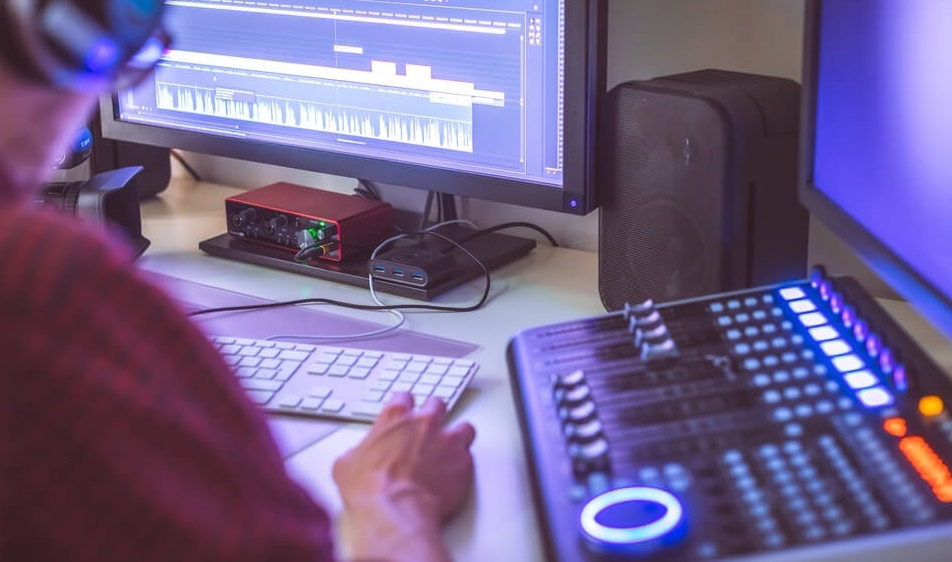
Professional editors know that ambient sounds – vows, laughter, footsteps, or applause – are just as important as music. Layering natural sound adds realism and intimacy. For example, let the couple’s vows fade seamlessly into soft instrumental music, blending authenticity with atmosphere.
When mixing, maintain a natural balance: dialogue should be crisp, not drowned by the background track. Use compression and EQ to ensure clarity, especially when editing outdoor audio.
Color Grading: The Secret to Cinematic Beauty
How Color Shapes Mood
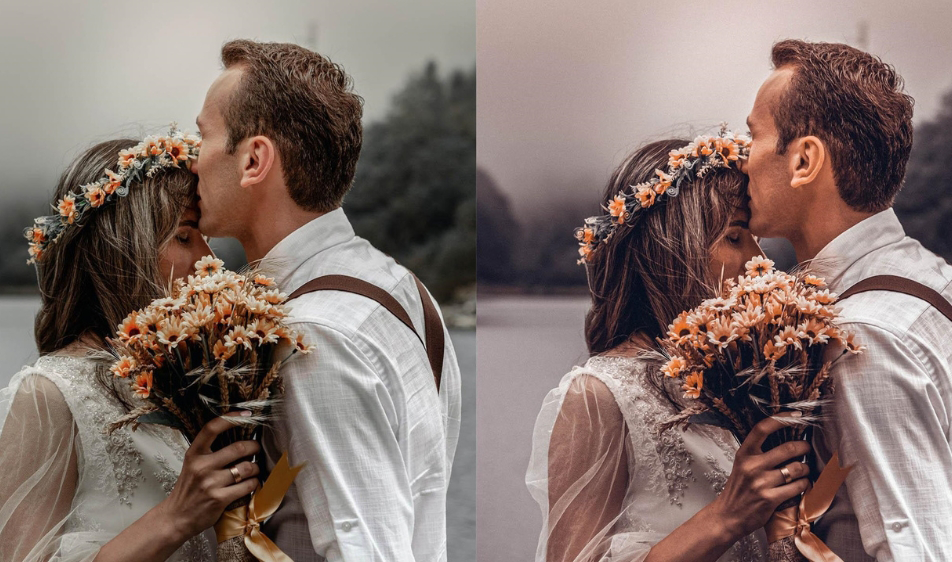
Color grading transforms an ordinary clip into cinematic art. Think warm tones for romance, cool hues for elegance, or desaturated palettes for nostalgia. The goal isn’t to make every scene identical – it’s to maintain emotional continuity.
During editing, start with color correction – fix exposure, white balance, and contrast. Then move to grading – where you apply a stylized look. Tools like DaVinci Resolve, Adobe Premiere Pro, or Final Cut Pro X offer advanced grading controls to achieve that filmic feel.
Consistent Color = Professional Polish
A common mistake is inconsistency. If one shot is warm and the next is bluish, the visual flow breaks. To avoid this, create a color LUT (Look-Up Table) for your entire project, ensuring consistency across scenes.
Example:
If you filmed an outdoor ceremony at sunset and an indoor reception under tungsten lighting, balance the tones so both scenes share a unified look – warm, flattering, and emotionally cohesive.
When done right, color grading doesn’t just beautify footage – it deepens the emotional narrative.
Editing Techniques That Add Cinematic Impact
Using Slow Motion and Motion Blur
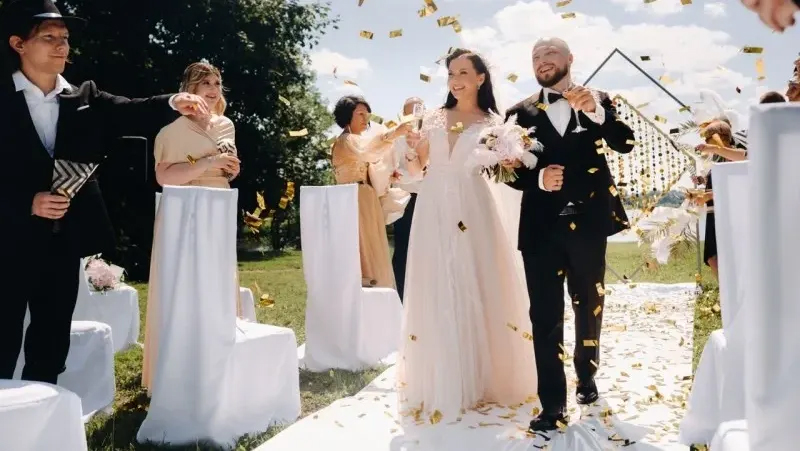
Slow motion isn’t just trendy – it’s emotional storytelling in motion. When applied selectively, it highlights moments that matter: the first kiss, confetti toss, or first dance. Combine it with gentle music and color contrast for a dreamy, romantic feel.
However, avoid overusing it. If every moment is in slow motion, the pacing becomes monotonous. Mix real-time shots with slowed sequences to maintain balance and variety.
Creative Framing and Cropping
During post-production, framing adjustments can dramatically improve composition. Use subtle zooms, pans, or re-cropping to guide attention – especially in handheld footage.
Center emotional moments, like clasped hands or tearful eyes, to enhance storytelling.
For vertical social edits (like Instagram Reels), reframe your shots vertically while preserving cinematic balance. This allows for cross-platform versatility without losing quality.
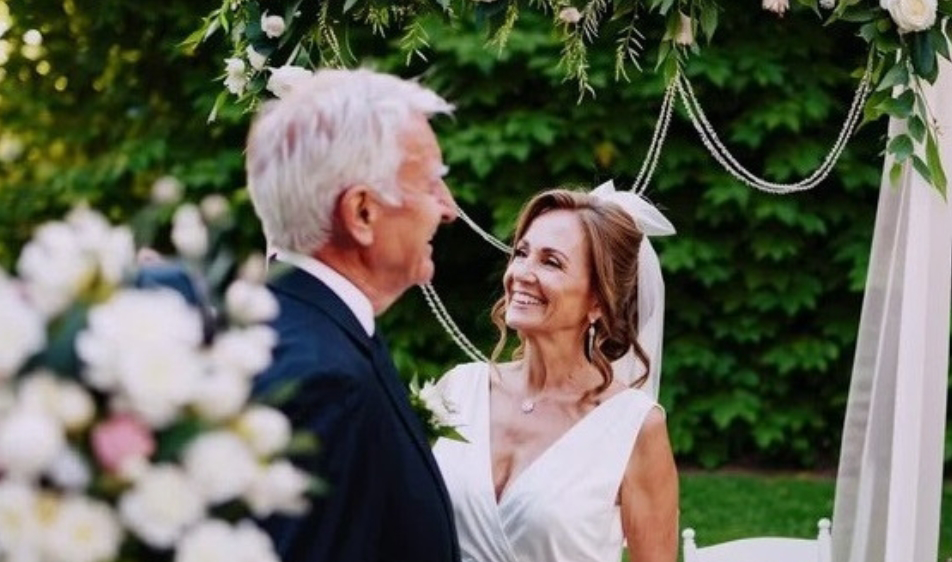
Software Tools That Elevate Your Editing Workflow
| Software | Ideal For | Key Features | Best For |
| Adobe Premiere Pro | Professionals | Multicam editing, advanced color tools, integration with After Effects | Cinematic highlights & hybrid workflows |
| Final Cut Pro X | Mac users | Magnetic timeline, intuitive trimming, smooth rendering | Fast turnaround edits |
| DaVinci Resolve | Colorists & advanced editors | World-class color grading, Fairlight audio | Filmic wedding highlights |
| CapCut / Filmora | Beginners & small creators | Templates, effects, AI tools | Social media wedding videos |
Choosing the right wedding video editing software depends on your style and workflow. If you value creative flexibility, go with Adobe. If you need speed and simplicity, Final Cut or Filmora are solid choices.
AI-Assisted Tools That Save Hours
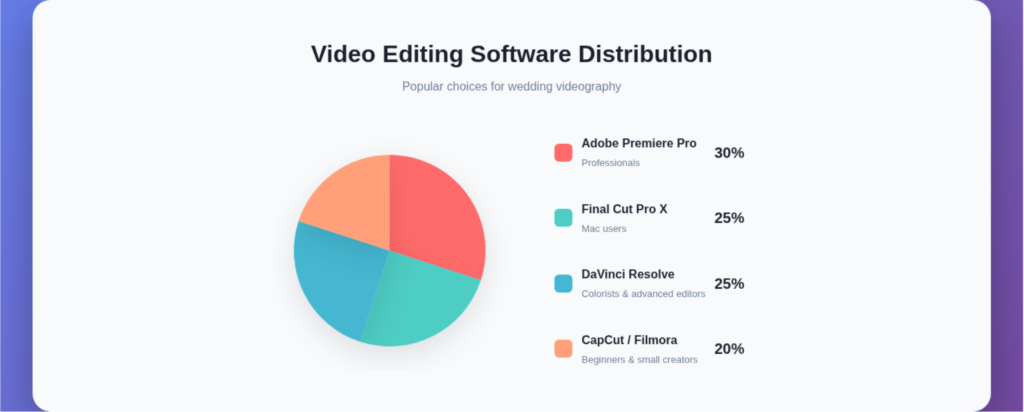
In 2026, AI-powered editing tools have become game-changers. Platforms like Runway, Descript, and Pika Labs automate scene detection, color balancing, and even music synchronization. While they can’t replace creative judgment, they significantly reduce editing time.Professional editors at Inside Editors often blend AI tools with manual techniques – ensuring efficiency without losing artistic control. This hybrid approach lets them focus on storytelling while the software handles routine tasks.
Avoiding Common Wedding Video Editing Mistakes
Overusing Effects and Filters
It’s tempting to apply every cool LUT or transition you find, but restraint is key. Excessive filters can make footage look artificial. Remember, timeless editing always outperforms trendy gimmicks. Stick to clean, cinematic styles that age well.
Ignoring Audio Quality
Bad audio can ruin even the most beautiful visuals. Invest time in cleaning background noise and syncing voiceovers. Use denoising plugins or software like iZotope RX to enhance clarity. Viewers may forgive minor color issues, but not muffled vows or harsh background hiss.
Rushing the Final Export
Never skip the final quality check. Watch your video from start to finish – look for abrupt cuts, color jumps, or offbeat transitions. Then export in the right format (usually 1080p or 4K, 24–30fps) with optimized compression for YouTube or Vimeo.
A polished final output not only satisfies your client but also strengthens your reputation as a professional editor.

Advanced Techniques for a Cinematic Wedding Film
The Art of Layered Storytelling
Cinematic wedding videos are not just visual records; they’re emotional compositions. Advanced editors layer multiple elements – visuals, dialogue, and sound – to create an immersive experience. For example, overlaying the couple’s vows during a slow-motion montage of their first dance adds depth and resonance. This kind of cross-scene storytelling connects moments emotionally, not just chronologically.
Experiment with parallel editing, where two moments unfold side by side – perhaps the bride preparing while the groom reads his vows. This creates anticipation and narrative tension, much like in film editing. The result is a highlight reel that feels purposeful, polished, and emotionally complete.
Using B-Roll to Build Context and Atmosphere
B-roll is the glue that holds your main shots together. It provides breathing space between emotional peaks, allowing your story to flow naturally. In wedding films, B-roll might include shots of the venue, rings, décor, or scenic drone footage.
A quick practical example: during a transition from the ceremony to the reception, use B-roll of the venue changing from day to night – candles being lit, tables arranged, guests mingling. This not only connects the timeline but visually enriches the story.
Professional editors often shoot with B-roll in mind, capturing textures, light leaks, or crowd reactions that can later be layered with voiceovers or soft instrumentals.
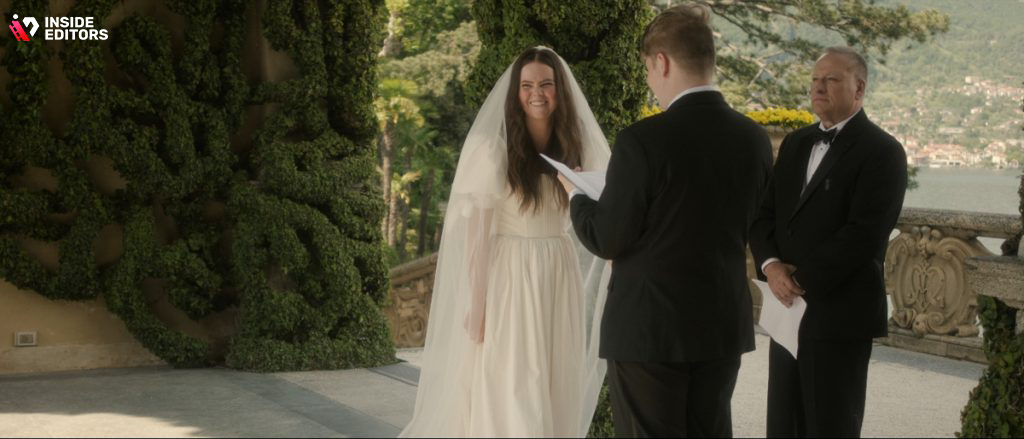
Emotion Through Motion: Camera Dynamics and Editing Synergy
Matching Movement to Emotion
Every camera movement – pan, tilt, or drone swoop – conveys feeling. When editing, you can emphasize these emotions by syncing motion to music or pacing. For instance, a slow dolly-in shot of the couple exchanging rings pairs beautifully with a gradual musical swell.
Editing motion correctly can also fix shaky footage. Subtle digital stabilization (available in Premiere Pro or DaVinci Resolve) preserves realism while improving watchability. Avoid over-stabilizing, which can create an unnatural “floating” look.
Slow Motion, Speed Ramping, and Reverse Techniques
Advanced editors use speed ramping to add cinematic flair – smoothly transitioning from normal speed to slow motion, emphasizing emotional or impactful moments. Done well, it feels seamless, highlighting details like a tear, a kiss, or the swirl of a wedding dress.
In some sequences, short reverse clips can create beautiful symmetry – for instance, reversing falling petals back into the bouquet as a poetic outro. It’s subtle but memorable, the kind of editing choice that viewers remember long after watching.
Building the Perfect Timeline: Efficiency Meets Creativity
Organizing Footage Like a Pro
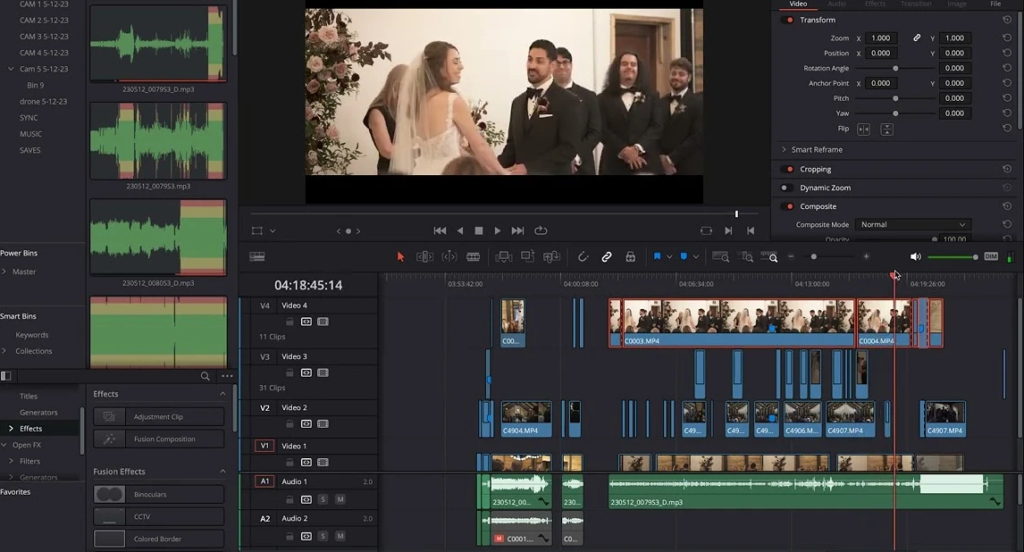
Before cutting, organization is key. Create folders for ceremony, speeches, B-roll, audio, and drone shots. Label clips with descriptive names (“Bride Entrance,” “First Dance”) rather than camera file numbers. This simple habit saves hours later when hunting for that perfect reaction shot.
Professionals often use multi-cam sequences, syncing footage from multiple cameras using timecode or audio waveforms. This lets you switch angles instantly, maintaining continuity and energy. It’s a must-have technique for high-end wedding videos.
Editing Workflow That Saves Time and Stress
Here’s a tried-and-true workflow used by editors at Inside Editors:
- Rough Cut: Arrange clips in chronological order, focusing on narrative flow rather than polish.
- Music Sync: Align emotional beats with the soundtrack. Trim or extend scenes to match key moments in the audio.
- Fine Cut: Refine pacing, adjust transitions, and ensure emotional coherence.
- Color Grade & Sound Mix: Add LUTs, adjust tones, balance dialogue and music.
- Final Export: Review on multiple screens to check brightness, sound balance, and subtitles.
Each stage builds on the last. By maintaining structure, you can stay creative without losing control – and deliver consistent cinematic results.

Collaborating With Clients: Turning Feedback Into Perfection
How to Communicate Effectively With Couples
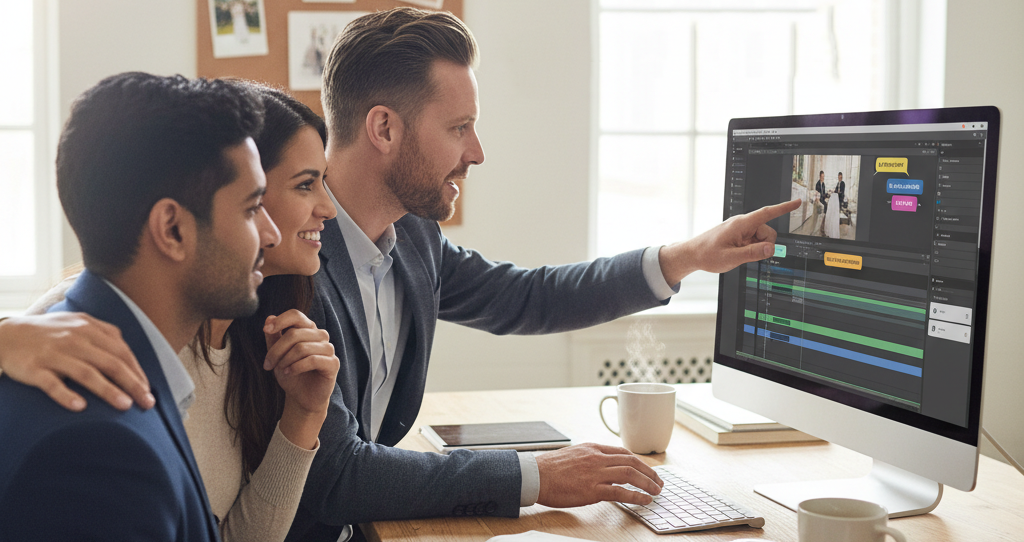
Wedding videos are deeply personal. Every client has a different vision – some want elegance, others want energy. Before editing, have a clear creative consultation. Ask couples about their favorite films or songs. Their answers will shape your tone and pacing choices.
When sharing drafts, always explain your creative decisions. For example:
“I used this transition between the ceremony and the reception to mirror the emotional change in the music.”
This shows expertise and builds trust – especially important when clients may not understand technical jargon.
Tools for Smooth Client Review
Modern editors use review platforms like Frame.io, Wipster, or Vimeo Review. These tools let clients comment directly on the video timeline, making revisions faster and more precise.
At Inside Editors, editors encourage structured feedback – one consolidated round per stage. This keeps the workflow efficient and prevents endless revision cycles. The result: happy clients and stress-free delivery.
Exporting and Delivering Cinematic Wedding Videos
Optimizing for Quality and Compatibility
When exporting, aim for both quality and usability. For most platforms, H.264 or H.265 codecs provide the best balance between file size and detail. If the couple wants a cinematic copy for future playback, also export a ProRes 422 HQ version for archival quality.
Frame rate matters, too. Stick to 24fps for that cinematic feel, 30fps for natural motion, or 60fps for slow-motion flexibility. Always preview before exporting – what looks sharp in your editor might compress differently once uploaded.
Creative Delivery Options
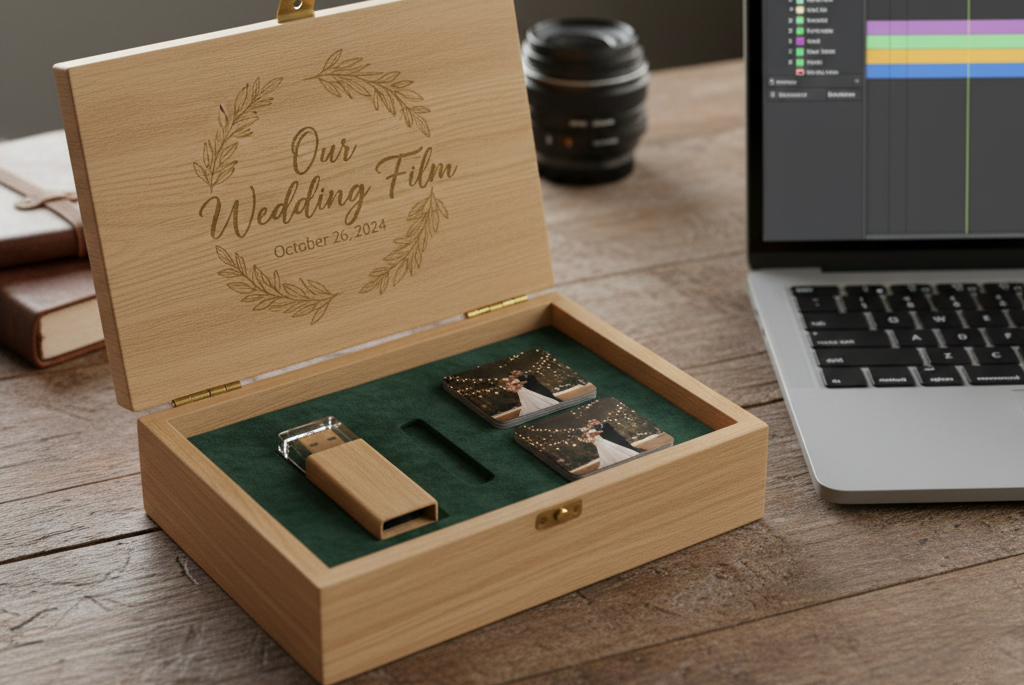
Don’t just send a file link. Presentation enhances perceived quality. Offer stylish USB boxes, digital galleries, or private streaming links. Many editors now create vertical teasers for Instagram and short reels for social sharing – helping couples relive their memories and promote your work organically.
Inside Editors often includes a “Director’s Cut” – a longer, documentary-style edit in addition to the highlight reel. This gives couples both cinematic artistry and complete storytelling coverage.
Trends Shaping Wedding Video Editing in 2026
AI-Powered Tools and Real-Time Collaboration
According to a 2026 Adobe survey, over 73% of professional editors now incorporate AI-assisted tools to automate color matching, scene detection, and sound balancing. These innovations speed up workflow while maintaining creative control. Imagine AI suggesting the perfect soundtrack tempo or automatically syncing drone footage – that’s where the industry is heading.
Remote collaboration is also transforming post-production. Editors, sound designers, and colorists can now work together in real-time using cloud-based systems like Blackmagic Cloud and Adobe Team Projects. This allows seamless teamwork across cities – perfect for destination wedding editors.
Short-Form Storytelling and Social Optimization
Modern couples often want cinematic highlights and short social clips. Editors now craft 60-second Instagram reels, TikTok teasers, and 4K YouTube montages – each optimized for its platform.
The key is maintaining emotional essence even in short formats. Start with an emotional hook – a line from the vows, a tearful laugh, or a slow reveal – and pair it with striking visuals. This approach boosts shareability while keeping authenticity intact.

Why Professional Editing Makes All the Difference
Turning Raw Footage Into Timeless Art
Even with the best camera and lighting, raw footage lacks structure. Professional editing turns it into a story – balancing sound, visuals, pacing, and emotion. A skilled editor knows when to cut, when to linger, and how to evoke connection without distraction.
For couples, the difference is night and day: one is a record of events, the other is a living memory. That’s why so many choose experienced editors to handle post-production.
How Inside Editors Brings Stories to Life
At Inside Editors, every wedding video is treated like a film. Editors blend advanced software, creative storytelling, and client collaboration to craft cinematic experiences that reflect each couple’s personality. Whether it’s a romantic countryside wedding or a high-energy urban celebration, the team tailors every detail – color, rhythm, and emotion – to match the mood.
Instead of spending endless hours learning complex software, couples and filmmakers alike can rely on Inside Editors’ expertise to handle the technical artistry – freeing them to focus on creativity and connection.
If you’re curious how professional post-production can elevate your footage, explore services such as:
Each service is designed to bring cinematic storytelling and consistency to every frame.

Key Takeaways: Crafting Cinematic Wedding Highlights That Last
Editing a wedding video is both a technical craft and an emotional art form. Here’s what to remember as you refine your skills:
- Tell a story, not a sequence. Every edit should serve emotion and narrative.
- Match rhythm with music. Let audio lead your cuts for a cinematic flow.
- Use color and sound as emotional tools. They set mood and tone.
- Balance creativity with restraint. Avoid over-editing – simplicity often wins.
- Collaborate with empathy. Understand your clients’ vision and exceed it.
By combining storytelling, technical precision, and a touch of heart, you can transform simple footage into cinematic wedding memories that feel timeless.
And if you’re ready to take your craft to the next level – or want professionals to bring your footage to life – Inside Editors is here to help.
Explore Inside Editors’ Professional Video Editing Services →
Final Thoughts
Great wedding video editing isn’t about fancy tools or endless effects – it’s about feeling. It’s about crafting a story that moves people, even years later. Whether you’re creating for clients or loved ones, remember: every frame holds a piece of someone’s forever.
With the right vision, rhythm, and heart, you’re not just editing a video – you’re preserving emotion in motion.
FAQs:
How can I trust a professional wedding video editor with my footage?
Reputable editors, like those at Inside Editors, use encrypted file transfer and nondisclosure agreements to protect your footage. You retain full ownership of your videos and creative rights. Look for verified testimonials, sample projects, and transparent revision policies before hiring these signal professional credibility and data safety.
What makes professional wedding video editing better than DIY tools?
DIY tools are great for basic trims, but professional editors bring storytelling, pacing, and color grading expertise – turning footage into an emotional film. They use advanced software like DaVinci Resolve or Premiere Pro for cinematic quality. If you want a highlight reel that feels like a movie, pro editing is worth the investment.
How much does professional wedding video editing cost?
Prices typically range from $300 to $1,200 depending on footage length, editing complexity, and extras like color grading, sound design, or cinematic LUTs. Most services include one or two revision rounds. Custom packages may add drone footage sync or multi-cam storytelling always confirm inclusions upfront to avoid hidden costs.
How long does wedding video editing usually take?
Standard turnaround times range from 10 to 21 business days, depending on project size and revisions. Rush delivery (within 3–5 days) may cost extra. Timelines depend on footage volume, soundtrack licensing, and review rounds sharing organized files early helps editors work faster and maintain quality.
What’s the typical process for getting a wedding video professionally edited?
Most editors follow five steps: upload your footage, discuss style preferences, receive a first draft, review and request changes, then get the final export in formats like 4K or social media-ready clips. Clear communication during revisions ensures the final cut matches your vision while keeping the project on schedule.
Will my wedding video remain private and secure after editing?
Yes. Professional studios maintain strict privacy policies and never reuse client footage without written consent. Files are stored securely and deleted after project completion unless you request long-term backup. Always confirm data retention terms before uploading, especially when using cloud-based transfers.


