


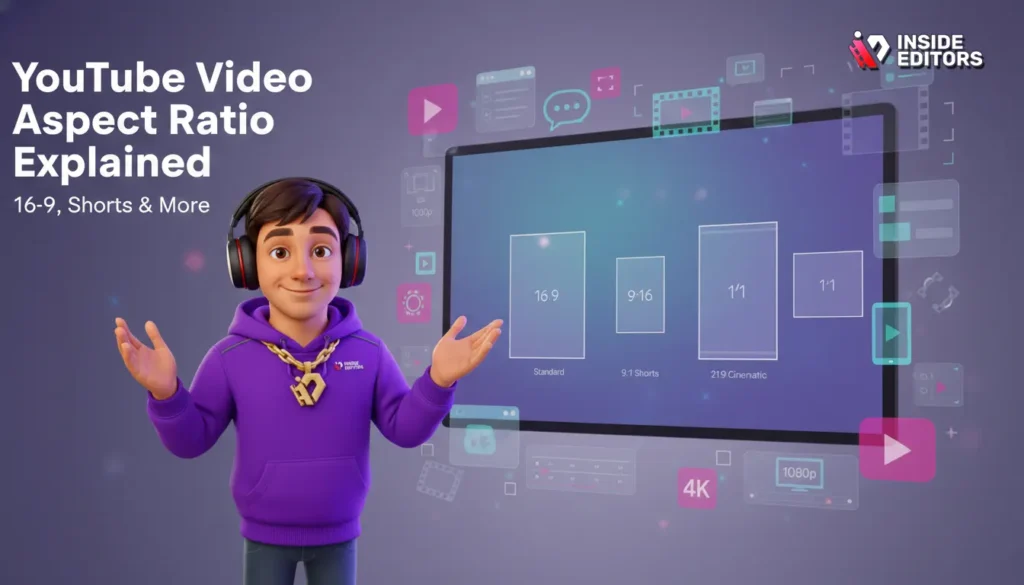
The world of online video is constantly evolving, but one fundamental technical detail remains crucial for success: the YouTube Video Aspect Ratio. Understanding aspect ratios isn’t just technical jargon; it’s the key to ensuring your content looks professional, avoids black bars, and delivers an optimal viewing experience across every device, from mobile phones to 4K smart TVs. If you’re serious about growing your channel, mastering the correct dimensions for your uploads is non-negotiable. This comprehensive guide will break down the essential aspect ratios, focusing heavily on the industry standard 16:9, and show you exactly how to optimize your videos for maximum impact.
Why It Matters for YouTube Success

Before diving into specific numbers, let’s define what an aspect ratio is and why it holds so much power over your content’s presentation. Simply put, the aspect ratio describes the proportional relationship between the width and the height of a video image. It is expressed as two numbers separated by a colon (e.g., 16:9).
Defining the Core Concepts of Video Dimensions
When we talk about video dimensions, we are discussing two related but distinct concepts: resolution and aspect ratio. Resolution refers to the total number of pixels (width x height), such as 1920×1080 (Full HD). The aspect ratio is the shape derived from that resolution. A 1920×1080 resolution, for example, simplifies down to a 16:9 aspect ratio.
Getting the correct YouTube Video Aspect Ratio is vital because YouTube’s player is designed to accommodate specific shapes. If your video doesn’t match the expected ratio, the player compensates by adding “pillarboxing” (vertical black bars on the sides) or “letterboxing” (horizontal black bars on the top and bottom). These black bars detract from the viewing experience and signal a lack of technical polish.
“The aspect ratio is the foundational canvas upon which all visual storytelling rests. Get the canvas wrong, and the picture will always feel constrained.” – Sarah Jenkins, Digital Cinematographer
The Undisputed King: 16:9 Aspect Ratio
For decades, 16:9 has been the universal standard for high-definition video, television, and, most importantly, YouTube. It is often referred to as “widescreen.”
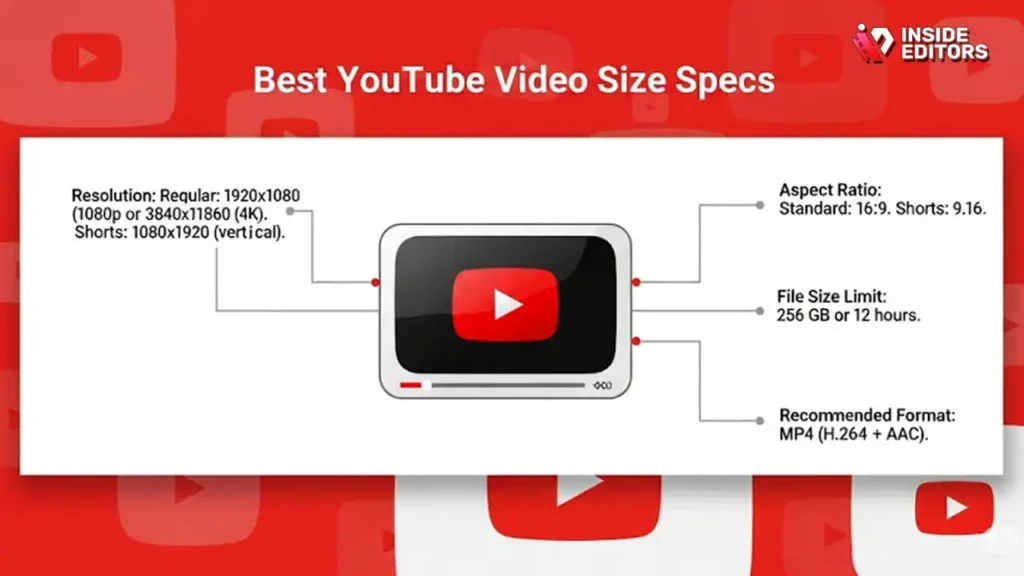
16:9 means that for every 16 units of width, there are 9 corresponding units of height. This ratio perfectly fills the standard YouTube player window when viewed on a desktop browser or a modern television. YouTube recommends that all standard landscape videos be uploaded in 16:9.
Common resolutions that fit the 16:9 YouTube Video Aspect Ratio include:
- 4K Ultra HD: 3840 x 2160
- 2K/QHD: 2560 x 1440
- Full HD (1080p): 1920 x 1080
- HD (720p): 1280 x 720
If you are producing traditional, horizontal content-vlogs, tutorials, reviews, or interviews-16:9 is the only ratio you should consider. It ensures your audience sees your content exactly as you intended, without distracting black borders.
The Standard YouTube Video Aspect Ratio (16:9)
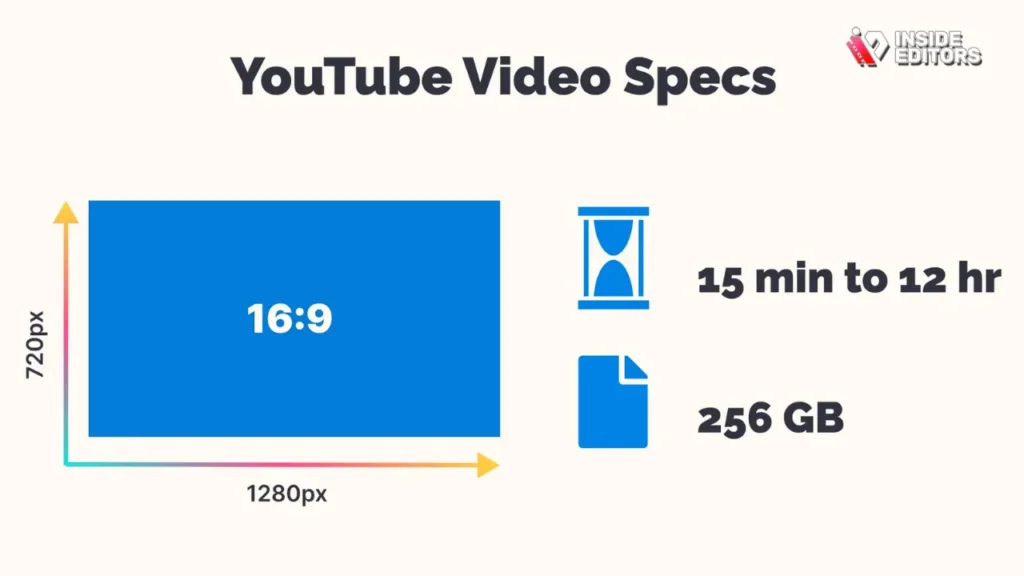
The dominance of the 16:9 ratio is rooted in the evolution of display technology. Since the early 2000s, this ratio has provided a wider field of view compared to the older 4:3 standard, making it ideal for cinematic viewing and modern monitor design.
Why 16:9 is the Optimal Choice for Landscape Content
When a viewer accesses YouTube on a desktop or a smart TV, the player automatically defaults to a 16:9 display area. Uploading a video that perfectly matches this ratio guarantees a seamless, full-screen playback. This is crucial for maintaining viewer engagement. A video that fills the screen feels more immersive and professional.
If you upload a video with a different ratio, such as the older 4:3, YouTube will automatically add pillarboxing to the sides to force it into the 16:9 frame. While YouTube handles the scaling, the resulting image is smaller and less impactful.
“In the digital age, presentation is professionalism. If your video doesn’t fill the screen, you are immediately signaling a lack of attention to detail.” – Mark Ronson, Video Production Consultant
The Technical Details: Resolutions and Bitrates
While the aspect ratio determines the shape, the resolution determines the clarity. To maximize the quality of your 16:9 video, you should aim for the highest resolution your camera and editing software can handle, generally 1080p (1920×1080) or 4K (3840×2160).
YouTube processes videos based on resolution. Higher resolution videos are allocated higher bitrates, which translates to better image quality, especially during motion. Even if your audience watches at 720p, uploading at 4K gives YouTube more data to work with, resulting in superior compression and a sharper final image. This technical detail is often overlooked but significantly impacts the perceived quality of your YouTube Video Aspect Ratio delivery.
Vertical and Square Aspect Ratios: A Guide

While 16:9 rules the desktop, the rise of mobile viewing and platforms like YouTube Shorts has necessitated the use of vertical and square aspect ratios. Ignoring these formats means missing out on huge segments of the mobile audience.
Vertical Video: 9:16 and the Mobile Experience
Vertical video, defined by the 9:16 aspect ratio, is simply the inverse of 16:9. This format is designed to be viewed natively on a smartphone held vertically.
9:16 is the standard for YouTube Shorts, TikTok, and Instagram Reels. If you are creating short-form content, 9:16 is essential. YouTube’s main player also handles 9:16 videos gracefully; instead of adding black bars, it often displays the video with blurred background padding to fill the screen on desktop, or it plays full-screen on mobile.
| Aspect Ratio | Format | Ideal Use Case | Standard Resolution |
| 16:9 | Landscape (Widescreen) | Standard YouTube Videos, Tutorials, Vlogs | 1920×1080, 3840×2160 |
| 9:16 | Portrait (Vertical) | YouTube Shorts, Mobile-First Content | 1080×1920, 2160×3840 |
| 1:1 | Square | Social Media Teasers, Specific Ad Formats | 1080×1080, 1920×1920 |
| 4:3 | Standard (Legacy) | Archival Footage, Older Content | 1440×1080, 640×480 |
Square Video: The 1:1 Ratio
The 1:1 aspect ratio, where the width equals the height, is less common on YouTube but still relevant for certain types of content, particularly promotional teasers shared across multiple social media platforms.
While YouTube can display 1:1 video, it will add slight pillarboxing on a 16:9 desktop player. However, 1:1 videos perform exceptionally well in specific advertising placements and on platforms like Instagram, making them a useful tool in a content creator’s arsenal. When planning your content strategy, consider if a square format might be better suited for cross-platform promotion before directing viewers to your main 16:9 YouTube Video Aspect Ratio content.
Output Settings Mistakes and How to Fix Them
Even professional editors sometimes make simple mistakes when exporting, leading to suboptimal viewing experiences. Avoiding these pitfalls is critical for maintaining a polished, authoritative channel presence.
The Problem of Mixed Ratios and Black Bars
The most common mistake is mixing aspect ratios within a single video file. For example, if you edit a 16:9 video but include a clip of older 4:3 footage without properly scaling or cropping it, black bars will appear around the 4:3 segment.
When editing, always set your sequence or project settings to 16:9 (e.g., 1920×1080). If you must include footage with a different ratio:
- Crop: Zoom in on the non-standard footage until it fills the 16:9 frame, accepting that you will lose some image data on the top and bottom or sides.
- Padded Background: If cropping is not an option, add a blurred, stylized background behind the smaller footage to fill the 16:9 frame, making the black bars less harsh.
Aspect Ratio vs. Display Aspect Ratio (DAR)
A subtle but important distinction exists between the Storage Aspect Ratio (SAR)-how the pixels are stored-and the Display Aspect Ratio (DAR)-how the pixels are shown. Modern digital video usually uses “square pixels,” meaning the SAR and DAR are the same (e.g., 1920×1080 is 16:9).
However, older formats or specialized cinematic cameras might use “non-square pixels.” If your editing software misinterprets the pixel aspect ratio, your 16:9 video might look stretched or squashed. Always ensure your export settings specify “Square Pixels (1.0)” to maintain the correct geometry and ensure your final YouTube Video Aspect Ratio is accurate.
Expert Tip: The Cinematic Widescreen (21:9)
Some creators aim for a highly cinematic look by using the 21:9 aspect ratio (often called Anamorphic or Cinemascope). This ratio is significantly wider than 16:9.
Pros of 21:9:
- Highly cinematic and dramatic feel.
- Distinguishes content from standard TV programming.
Cons of 21:9:
- Requires letterboxing (black bars on the top and bottom) when viewed on a standard 16:9 YouTube player.
- Can be frustrating for viewers who prefer a full-screen experience.
If you choose 21:9, understand that you are intentionally accepting letterboxing to achieve a specific aesthetic. This is a creative choice, not a technical error, but it must be executed perfectly in the edit.
How to Optimize Aspect Ratios Across Platforms
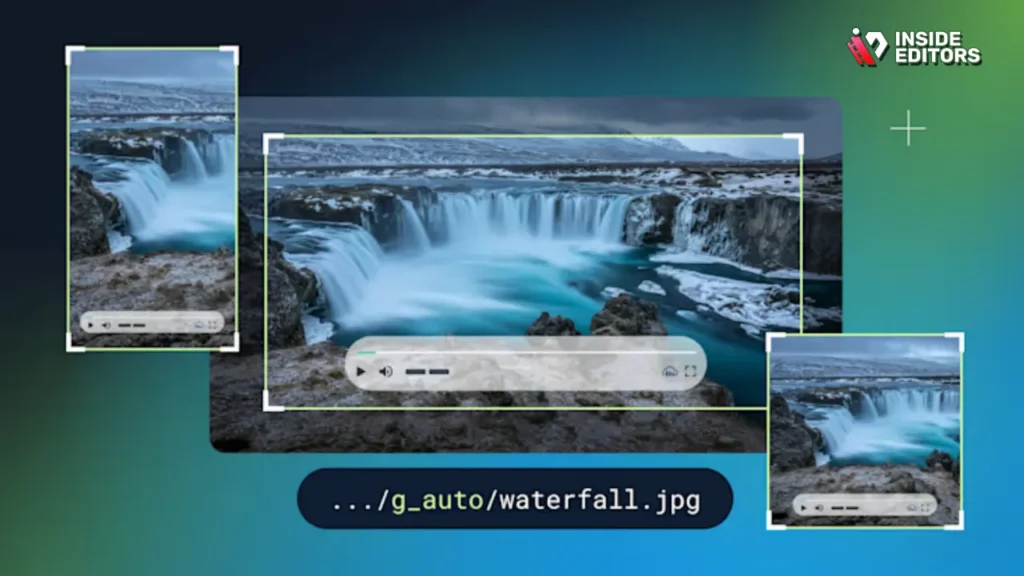
The biggest challenge in video distribution today is ensuring quality across a fragmented viewing landscape. Your video must look great on a tiny smartphone screen, a large desktop monitor, and a living room TV.
Mobile Viewing and Adaptive Ratios
Mobile devices are responsible for the majority of YouTube viewing hours. When a user holds their phone horizontally, the 16:9 video fills the screen perfectly. However, if they hold it vertically, YouTube’s player adapts.
For standard 16:9 videos viewed vertically on a mobile phone, the video appears smaller, centered, and surrounded by the phone’s interface. For vertical 9:16 videos (Shorts), the video fills the entire phone screen, maximizing impact. This is why having a dual content strategy-16:9 for long-form and 9:16 for short-form-is essential for modern YouTube growth.
“We’ve seen a massive shift in how content is consumed. Creators who adapt their aspect ratios for mobile-first viewing, especially with 9:16, capture attention faster.” – Data from a recent mobile video consumption report.
The Role of Editing Software in Setting the YouTube Video Aspect Ratio
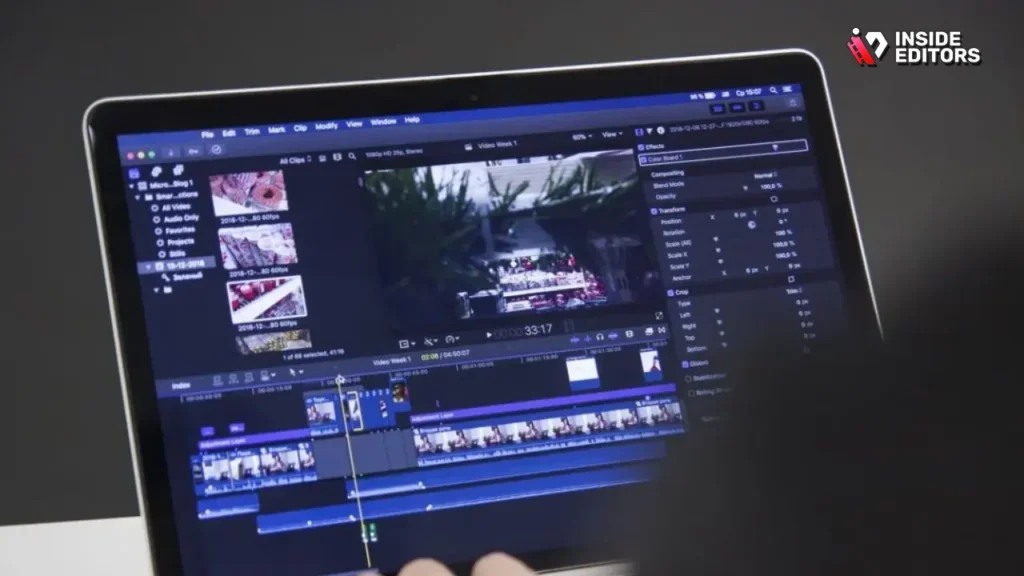
Your editing software (like Premiere Pro, DaVinci Resolve, or Final Cut Pro) is where the aspect ratio is locked in. Before importing any footage, you must define the sequence settings.
Step-by-Step Sequence Setup (Example for 1080p 16:9):
- Create New Sequence/Project: Select the option to create a new sequence.
- Choose Preset: Select a preset that matches your desired resolution (e.g., HDTV 1080p 29.97).
- Verify Frame Size: Double-check that the frame size is 1920 pixels wide by 1080 pixels high. This confirms the 16:9 ratio.
- Pixel Aspect Ratio: Ensure the setting is “Square Pixels (1.0).”
- Export Settings: When exporting, match the output settings exactly to the sequence settings (1920×1080).
Maintaining consistency from start to finish guarantees that the YouTube Video Aspect Ratio is preserved upon upload, eliminating any risk of stretching or unwanted black bars.
When Professional Editing Expertise Becomes Essential
For many creators, particularly those focused on content creation and audience engagement, the technical intricacies of aspect ratios, resolutions, color profiles, and bitrates can be overwhelming. This is where professional video editing services provide immense value.
The Value Proposition of Expert Video Editing
While mastering the 16:9 standard is achievable, dealing with complex projects-such as incorporating drone footage, archival clips, or specialized cinematic ratios-requires precision editing. A professional editing team ensures technical perfection, freeing you to focus entirely on generating compelling content.
Benefits of Outsourcing Aspect Ratio Management:
- Technical Compliance: Guaranteed adherence to the optimal YouTube Video Aspect Ratio (16:9 or 9:16).
- Quality Assurance: Editors handle color grading, audio enhancement, and bitrate optimization, ensuring the highest possible quality upload.
- Time Savings: Eliminate hours spent troubleshooting export settings and compression issues.
“Outsourcing the technical polish allows creators to maximize their creative output. The difference between a good video and a great video is often the technical perfection behind the scenes.” – Alex Chen, Inside Editors Lead Editor
Inside Editors: Your Partner in Video Polish
If you are a YouTube creator, business, or marketing team looking for professional quality and consistency without the technical headache, Inside Editors offers dedicated Video Editing Services. Our professional editing team, boasting 10+ years of experience, specializes in optimizing content specifically for YouTube’s demanding standards.
We understand that speed is critical. We offer fast turnaround times, typically within 24-72 hours, alongside unlimited revisions until you are completely satisfied. Our services are affordable, starting at just $29 per video, making professional quality accessible to growing channels. We ensure your YouTube Video Aspect Ratio is perfect, your color grading is consistent, and your audio is pristine, allowing you to save time and focus squarely on creating your next viral hit. We provide a scalable solution for growing channels that need consistent, high-quality output every time.
Advanced Tips for YouTube Video Aspect Ratios

While 16:9 is the default, understanding how YouTube handles less common ratios can give you a creative edge, especially when dealing with archival or documentary footage.
The Legacy 4:3 Aspect Ratio
The 4:3 ratio was the standard for television and computer monitors before the widespread adoption of HD. If you are uploading older content, such as classic movie clips or vintage commercial footage, you will encounter 4:3.
Pros and Cons of 4:3 Uploads:
| Feature | Pros | Cons |
| Authenticity | Preserves the original look of archival footage. | Adds pillarboxing (black bars) on 16:9 displays. |
| File Size | Slightly smaller file size than 16:9 (fewer pixels). | Looks dated and less immersive on modern screens. |
| Compatibility | YouTube handles it automatically via padding. | Reduces the overall screen real estate for the viewer. |
If you must use 4:3, it is generally best to upload it in its native ratio. Trying to stretch or crop 4:3 footage to fit 16:9 often results in distortion or loss of critical visual information.
Future-Proofing: Higher Resolutions and Aspect Ratios
As technology advances, we might see new standards emerge. Currently, 8K resolution (7680×4320) maintains the 16:9 YouTube Video Aspect Ratio.
The key takeaway for future-proofing is to always film and edit at the highest resolution possible (4K or higher) while maintaining the 16:9 shape. This ensures that your content is ready for future display technologies and provides YouTube’s compression algorithms with the best possible source material.
Final Checklist for Perfect YouTube Video Aspect Ratio
Achieving technical excellence on YouTube requires a final check before hitting the upload button. Use this checklist to ensure your video is optimized for the best possible viewer experience.
- Sequence Setup: Did you set your editing sequence to 16:9 (e.g., 1920×1080 or 3840×2160)?
- Footage Consistency: Have you addressed all non-16:9 footage (4:3, 9:16) within the 16:9 frame using cropping or padding?
- Export Match: Do your export settings exactly match your sequence settings? (Crucial for maintaining the correct YouTube Video Aspect Ratio).
- Pixel Aspect Ratio: Is the pixel aspect ratio set to Square Pixels (1.0)?
- Mobile Strategy: If creating Shorts, are they exported in 9:16 (1080×1920)?
- Test Playback: Have you watched the final exported file on both a desktop and a mobile device to check for unwanted black bars or stretching?
Mastering the YouTube Video Aspect Ratio is a fundamental step toward professional content creation. By sticking to the 16:9 standard for landscape videos and 9:16 for vertical content, you eliminate technical friction and allow your audience to focus entirely on your message.
If the technical demands of video editing-from aspect ratios and resolution to color correction and audio mastering-are consuming your valuable time, remember that professional help is available. Inside Editors provides comprehensive Video Editing Services designed to deliver professional quality that builds trust and ensures consistent brand style across all your videos. Our expert team handles the technical complexity, giving you back the time needed to grow your channel and create more content.
Frequently Asked Questions
What is the best YouTube Video Aspect Ratio?
The optimal aspect ratio for standard, landscape YouTube videos is 16:9. This ratio perfectly fills the screen on desktop monitors and smart TVs, providing the most immersive viewing experience without adding distracting black bars. Always aim for a 16:9 aspect ratio for long-form content.
How does YouTube handle vertical video?
YouTube handles vertical video, typically 9:16, by adapting the player. For YouTube Shorts, 9:16 is the standard. If a 9:16 video is played on the main player, it often fills the screen on mobile or uses blurred padding on desktop to maintain the correct YouTube Video Aspect Ratio.
What resolution corresponds to 16:9?
Many common resolutions fit the 16:9 aspect ratio. The most popular are 1920×1080 (Full HD) and 3840×2160 (4K Ultra HD). Always upload in the highest resolution possible to ensure the best video quality and bitrate allocation.
Why do I see black bars on my YouTube video?
Black bars appear when your video’s aspect ratio does not match the player’s standard 16:9 frame. Vertical bars (pillarboxing) occur if your video is too narrow (like 4:3). Horizontal bars (letterboxing) occur if your video is too wide (like 21:9 cinematic footage).
Should I use 4:3 for older footage?
If you are including archival or older footage originally filmed in 4:3, it is generally best to upload it in its native ratio. This preserves authenticity, although YouTube will add pillarboxing to fit the 16:9 YouTube Video Aspect Ratio player.
Does 1:1 square video work on YouTube?
Yes, 1:1 square video works on YouTube, but it is not the optimal format for the main player. YouTube will display 1:1 videos by adding slight pillarboxing to the sides. This ratio is generally better suited for social media teasers than primary YouTube content.
How can I ensure my export settings are correct?
To ensure correct export settings, match your final output resolution and aspect ratio exactly to your editing sequence settings. For 16:9, ensure the frame size is set to a standard like 1920×1080 and that the pixel aspect ratio is set to Square Pixels (1.0).


