

YouTube Shorts have quickly become one of the most powerful ways to grab attention, grow an audience, and promote brands in a fast-scrolling digital world. Whether you are a content creator, social media manager, marketer, or small business owner, you have probably felt the need to save short-form videos for editing, reposting, archiving, or content planning. This is where the topic of youtube video shorts download becomes highly relevant.
Many creators struggle to find reliable tools that are simple to use, fast, and capable of maintaining good video quality. Some tools focus on desktop users, others work directly in the browser, and a few are designed specifically for short-form vertical content. Choosing the right solution is not always easy, especially when dozens of tools claim to be “the best.”
In this guide, we will walk you through the most practical and popular tools and software used for youtube video shorts download, explain what makes them different, and help you understand which options are better suited for beginners, professionals, or teams handling large volumes of content. The goal is not only to list tools, but to help you make a confident buying or usage decision based on real-world needs.
This article is written in a friendly, easy-to-understand tone so you can quickly find what matters to you, even if you are new to video tools. We will also cover how these tools fit into professional workflows, especially when videos are later enhanced through editing services like those provided by Inside Editors.

Why People Need YouTube Video Shorts Download Tools
Short-form video is no longer just entertainment. It is now a marketing channel, a brand-building platform, and a creative portfolio. Creators often download their own Shorts to repurpose them for Instagram Reels, TikTok, Facebook, client presentations, or editing improvements. Businesses save Shorts to analyze performance, reuse winning content, or localize campaigns.
The demand for youtube video shorts download tools comes from practical needs such as maintaining content backups, editing raw footage, removing mistakes, adding captions, or improving colors and sound. A downloaded video can be refined into something far more polished, especially when professional editors are involved.
Another reason is workflow control. Relying only on online platforms limits how much you can modify your content. Once a Short is saved locally, you can apply branding, transitions, motion graphics, or subtitles that match your business identity.
In short, downloading Shorts is not just about saving files. It is about unlocking full creative control.
What Makes a Good YouTube Shorts Downloader
Before diving into specific tools, it helps to understand what qualities matter most when selecting software for youtube video shorts download.
A strong tool usually provides stable downloads, supports HD or higher resolutions, works smoothly with short vertical videos, and does not overwhelm users with confusing interfaces. Speed also matters, especially when downloading multiple files for batch editing.
Security is another important factor. Many free tools exist, but not all of them are safe. Reputable software avoids unnecessary pop-ups, hidden installers, or intrusive ads.
Finally, compatibility is critical. Some users prefer desktop software for large projects, while others want quick browser-based tools without installation. A good article must consider both.
Desktop Software for YouTube Video Shorts Download
Desktop tools are often preferred by professionals who handle videos daily. They usually provide more stability, better quality options, and advanced features such as batch downloads or format conversion.
4K Video Downloader
4K Video Downloader is one of the most widely recognized names in this space. It allows users to paste a YouTube Shorts link and download the video in MP4 format with high resolution support. Many creators like it because the interface is clean and the setup process is straightforward.
It supports playlists, subtitles, and different quality levels, which makes it suitable for content creators who want to maintain original clarity. For serious users who regularly perform youtube video shorts download, this tool often becomes part of their standard workflow.
YTD Video Downloader
YTD Video Downloader has been around for years and remains popular due to its simplicity. It works well for users who want a quick solution without complicated settings. The software supports basic editing and format conversion, which helps when preparing files for social media or client delivery.
While it may not be as modern in design as newer tools, it still performs reliably for short videos.
Freemake Video Downloader
Freemake is known for supporting a wide range of formats. It appeals to users who need flexibility, especially when Shorts must be converted for different platforms or devices. The interface is beginner-friendly, and the learning curve is low.
For creators working with mixed content types, Freemake provides a convenient bridge between downloading and simple conversion tasks.
ClipGrab
ClipGrab is popular among users who prefer open-source style tools. It supports YouTube Shorts and regular videos, and it is available on Windows, macOS, and Linux. Many students and independent creators choose it because it is free and easy to install.
ClipGrab focuses on practicality. It does not overload users with unnecessary features, which makes it comfortable for routine youtube video shorts download tasks.
Internet Download Manager
Internet Download Manager, commonly known as IDM, integrates directly into browsers. When a video plays, IDM automatically detects it and offers a download option. This seamless approach is appreciated by users who frequently work online.
Although IDM is not limited to YouTube, it is powerful for Shorts because it reduces the number of steps required to save content.

Online Tools for YouTube Video Shorts Download
Not everyone wants to install software. Many users prefer browser-based tools that work instantly. These platforms are especially useful for occasional downloads or when working on shared computers.
SaveFrom
SaveFrom is one of the most recognizable web tools for video downloading. Users paste a Shorts link, choose quality, and download. It is straightforward and fast.
For light usage, SaveFrom is often sufficient. However, heavy users may eventually move to desktop solutions for better stability.
Y2Mate
Y2Mate is another commonly used web service. It supports multiple resolutions and formats and works directly in the browser. Many casual users rely on it for quick tasks.
Although it is simple, users should always be cautious with online tools and avoid suspicious ads or fake buttons.
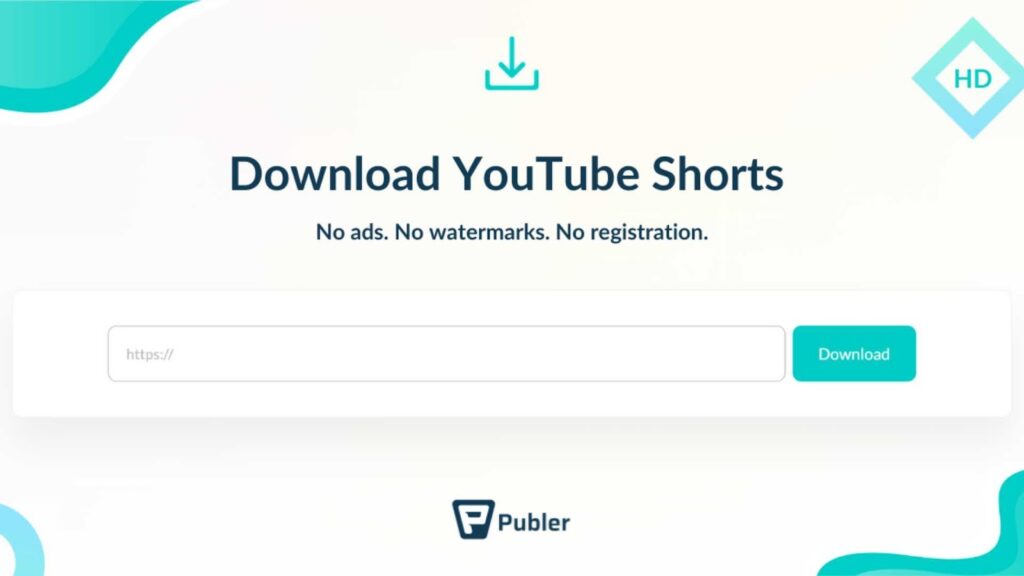
Publer YouTube Downloader
Publer offers a cleaner interface than many other online tools. It is designed with social media managers in mind, which makes it appealing for businesses handling short-form content regularly.
It supports HD downloads and performs well with vertical formats.
Clipto AI Shorts Downloader
This tool focuses specifically on Shorts. It optimizes the downloading process for vertical videos, reducing errors and improving compatibility.
For creators who only work with Shorts, this specialization can save time.
Tools Designed for Batch and Professional Workflows
Professional teams often manage dozens or hundreds of Shorts. For them, efficiency matters more than simplicity.
JDownloader
JDownloader is a powerful download manager that can process multiple links at once. It is widely used in technical environments and supports automation.
Although it has a steeper learning curve, it is ideal for agencies or studios that regularly perform youtube video shorts download operations at scale.
VideoProc Converter
VideoProc combines downloading, conversion, and editing features. Users can trim videos, adjust resolution, and compress files after downloading.
This all-in-one approach appeals to professionals who want fewer tools and a more streamlined workflow.
Key Features Buyers Usually Compare
When users evaluate tools for youtube video shorts download, they often look for specific features that directly impact daily work. The most common comparison points include:
- Download speed and stability
- Video quality retention
- Support for vertical format
- Batch downloading capability
- Ease of use
- Security and ad-free experience
These factors influence whether a tool is suitable for casual creators or professional editing studios
How Downloaded Shorts Are Used in Professional Editing
Downloading is only the first step. The real value comes from what happens next.
Many businesses download Shorts to enhance them through professional video editing. This may include adding branded intros, animated captions, background music, transitions, or color correction. High-quality editing can dramatically improve viewer engagement and retention.
At Inside Editors, this is a common workflow. Clients download their Shorts using reliable tools and then submit the files for professional editing, optimization, and branding. This process transforms simple short clips into powerful marketing assets.
If you manage content for brands or influencers, combining youtube video shorts download tools with expert editing services can significantly raise the perceived quality of your output.
When to Choose Desktop Tools Over Online Tools
The choice between desktop and online tools often depends on how frequently you download videos.
Desktop software is better for:
- Regular content creation
- Batch downloads
- Higher quality control
- Stable performance
- Professional workflows
Online tools are better for:
- Occasional downloads
- Quick access without installation
- Lightweight tasks
Understanding this difference helps avoid frustration later.
How to Build a Complete Shorts Workflow from Download to Publishing
Downloading a video is only the starting point. A structured workflow transforms simple clips into high-performing content.
A practical workflow usually begins with selecting a reliable tool for youtube video shorts download. Once the file is saved locally, the next step is reviewing the content for visual or audio issues. After that, the video enters the editing phase where branding, captions, transitions, and audio improvements are applied.
Finally, the edited version is exported in platform-optimized resolution and uploaded across social channels such as YouTube, Instagram, TikTok, and Facebook.
This workflow ensures consistency and professionalism, especially for businesses building long-term content strategies.

Features That Matter Most to Buyers Comparing Tools
When users compare tools for youtube video shorts download, decision-making often comes down to a few critical features.
Top features buyers look for
- High-definition and 4K support
- Fast download speed
- No watermark or forced branding
- Support for vertical Shorts format
- Batch downloading
- Minimal ads or distractions
These features directly influence productivity and content quality.
Detailed Comparison of Popular Tools
Let us take a more realistic view of how several tools perform in everyday use.
4K Video Downloader stands out for its balance between usability and power. It handles Shorts smoothly and rarely fails during downloads. It is especially valuable for creators who want to archive their content library.
ClipGrab remains a favorite for students and small creators because it is free and lightweight. While it lacks advanced automation, it reliably completes standard tasks.
JDownloader appeals to technical users and agencies managing high volumes of content. Its ability to queue dozens of links at once saves significant time.
SaveFrom and Y2Mate remain popular for quick one-time downloads, although heavy usage may expose limitations such as slower speeds or intrusive ads.
VideoProc Converter is ideal for creators who prefer a combined solution for downloading, editing, and format conversion without switching between multiple programs.
Each option fits a different profile, which is why no single tool dominates all use cases.
Why Editing Matters More Than the Download Tool
A perfectly downloaded Short still needs professional editing to truly perform well. Lighting, audio balance, subtitle placement, and pacing all influence whether viewers stay or scroll.
Many brands fail not because of weak ideas, but because of weak presentation. After completing a youtube video shorts download, professional editing can increase:
- Viewer retention
- Brand recognition
- Engagement rates
- Conversion potential
This is where outsourcing becomes attractive.

How Inside Editors Supports Short-Form Content Creators
Inside Editors specializes in video editing services for businesses and content creators who rely heavily on short-form videos. Instead of spending hours adjusting clips, clients send their downloaded Shorts and receive professionally edited content ready for publishing.
Services typically include caption styling, color correction, motion graphics, transitions, background music synchronization, and platform-specific formatting.
Many agencies combine youtube video shorts download tools with Inside Editors’ editing services to streamline production and maintain consistent quality.
You can explore services directly at:
Choosing the Right Tool Based on Your Use Case
The best tool depends on how you work.
If you are a solo creator producing a few Shorts per week, browser-based tools or lightweight desktop software may be sufficient.
If you manage brand accounts or client campaigns, professional desktop software with batch support is a better investment.
If you operate a content agency, pairing reliable downloading software with outsourced editing services like Inside Editors significantly reduces production overhead.
The Long-Term Value of Reliable Downloading Software
Choosing a dependable tool for youtube video shorts download is not just about convenience. It affects how quickly you respond to trends, how efficiently you repurpose content, and how consistent your branding becomes over time.
Creators who invest early in proper workflows gain a competitive advantage. They spend less time fighting technical issues and more time focusing on creativity and strategy.
Final Recommendations
There is no universal “best” tool, but there is always a best tool for your situation.
Casual users benefit from simple online platforms. Growing creators should consider desktop software like 4K Video Downloader or ClipGrab. Agencies and high-volume teams often rely on JDownloader or VideoProc Converter for automation and efficiency.
Regardless of your choice, remember that downloading is only step one. The real impact comes from professional editing and presentation.
Conclusion: Turn Downloads Into High-Impact Content
The market for short-form video continues to grow, and so does the demand for reliable youtube video shorts download tools. Whether you are preserving your own content, repurposing campaigns, or preparing videos for professional editing, the right software saves time and protects quality.
To truly stand out, combine efficient downloading with expert editing.
If you want your Shorts to look polished, branded, and ready for growth, consider working with Inside Editors. Their video editing services help creators and businesses transform basic clips into professional marketing assets.
and explore how professional editing can elevate your short-form content strategy.


