


In the modern digital landscape, video content reigns supreme. For creators, marketers, and researchers, the ability to save and reference video material is crucial for analysis, archival, and inspiration. While YouTube itself does not officially sanction direct downloads, a powerful ecosystem of tools has emerged to bridge this gap. Among the most convenient solutions are browser extensions.
Navigating the world of extensions requires caution. You need tools that are effective, secure, and respectful of copyright boundaries. This comprehensive guide cuts through the noise, detailing the top five choices for a Youtube Video Downloader Chrome extension. We focus on performance, safety, and features that truly matter to professionals. Understanding how to safely and efficiently acquire video assets is the first step toward better content creation.
Choosing a Reliable YouTube Video Downloader

Why do professionals look for a dependable way to download YouTube videos? The reasons extend far beyond casual viewing. Content creators often need source material for fair use commentary, educational purposes, or simply to analyze competitor strategies offline. Marketers require clips for internal training or mood boards. Reliability and speed are non-negotiable when deadlines loom.
Using a dedicated Youtube Video Downloader Chrome extension offers significant advantages over standalone software. Extensions integrate directly into your workflow. They eliminate the need to copy and paste URLs, often adding a simple download button directly beneath the video player. This seamless integration saves precious time and reduces friction in the content research process. However, the convenience must be balanced with security, as browser extensions can sometimes pose privacy risks if sourced improperly.
Understanding the Legal and Ethical Landscape
Before diving into the tools, it is vital to address the legal context. Downloading copyrighted material without permission is generally illegal. YouTube’s Terms of Service explicitly prohibit unauthorized downloading of content. The tools discussed here are intended strictly for downloading videos where you hold the copyright, where the content is explicitly licensed under Creative Commons, or for personal, fair use purposes like commentary or educational review, adhering strictly to local laws. Always respect the intellectual property rights of creators.
“Technology gives us the means to access information, but ethics must guide how we use that access.” – Vint Cerf, Internet Pioneer
The Security Imperative for Browser Extensions
When choosing any browser extension, security is paramount. Malicious extensions can track browsing history, inject ads, or even steal sensitive data. Because of YouTube’s strict policies, many downloaders are not available on the official Chrome Web Store. This means users must often install them from external sources, increasing the risk profile. We prioritize extensions with strong reputations and transparent privacy policies when evaluating the best Youtube Video Downloader Chrome options.
Top 5 Youtube Video Downloader Chrome Extensions
Selecting the best downloader involves evaluating installation difficulty, video quality support (up to 4K), format options (MP4, WEBM, MP3), and, most importantly, user experience. These five extensions represent the current gold standard for efficiency and feature set.
| Rank | Extension Name | Key Feature | Max Resolution | Installation Method |
| 1 | Video DownloadHelper | Comprehensive Format Support | Up to 4K | External Source |
| 2 | Addoncrop YouTube Downloader | Direct YouTube Integration | Up to 1080p | External Source |
| 3 | CocoCut Video Downloader | Clean Interface, High Speed | Up to 8K | Chrome Web Store (Limited) |
| 4 | SaveFrom.net Helper | Simplicity and Speed | Up to 1080p | External Source |
| 5 | FVD Video Downloader | Versatile Platform Support | Variable | Chrome Web Store (Limited) |
1. Video DownloadHelper: The Feature King

Video DownloadHelper consistently ranks highly due to its robust feature set and compatibility with numerous video platforms beyond YouTube. While the Chrome version often faces restrictions regarding direct YouTube downloads due to Google’s policies, it remains the most powerful tool for capturing embedded videos across the web. For YouTube specifically, users often need to install a companion application to handle the proprietary streaming protocols.
Pros and Cons of Video DownloadHelper
- Pros:
- Supports a massive range of formats and resolutions.
- Includes conversion features (e.g., converting video to audio).
- Excellent performance and stability across different sites.
- Cons:
- Requires a separate companion app for full YouTube functionality.
- Can be complex for novice users to set up initially.
- Free version sometimes watermarks converted files.
This extension exemplifies the power of a versatile Youtube Video Downloader Chrome tool, offering professional-grade controls over the downloaded media.
2. Addoncrop YouTube Downloader
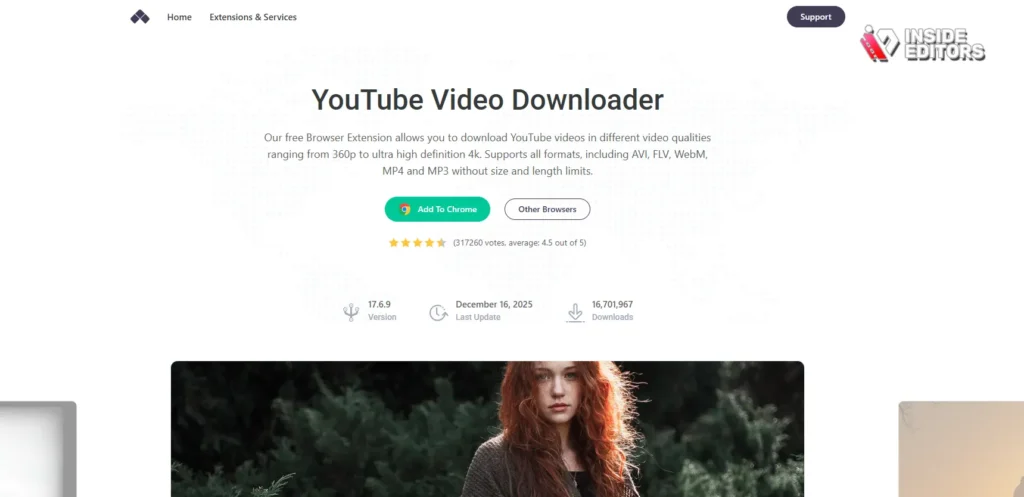
Addoncrop focuses specifically on the YouTube experience. Once installed, it seamlessly injects a dedicated download button directly into the YouTube interface, often appearing right next to the “Like” and “Share” buttons. This level of integration makes the downloading process incredibly intuitive. It supports various quality levels and allows for easy audio extraction (MP3).
“User experience is not just about ease of use; it’s about making the technology disappear.” – Don Norman, Cognitive Scientist
Installation typically involves downloading the extension file directly from the developer’s website and manually installing it in Chrome’s extension management page, a common process for non-Web Store downloaders.
3. CocoCut Video Downloader: Speed and Simplicity
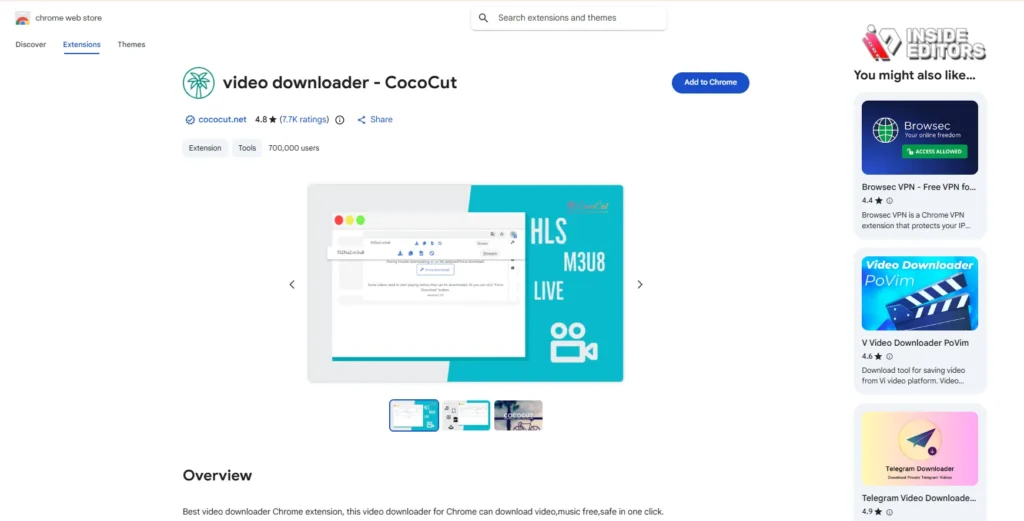
CocoCut is often praised for its clean, minimalist interface and exceptional download speeds. While its presence on the official Chrome Web Store might be intermittent or limited (often due to policy changes regarding YouTube downloads), when available, it offers a straightforward, one-click solution. It is particularly effective for users who prioritize speed and simplicity over advanced format manipulation.
CocoCut excels at detecting various streams, making it a reliable choice for capturing content from diverse sources, solidifying its position as a top-tier Youtube Video Downloader Chrome option.
4. SaveFrom.net Helper: The Classic Choice

SaveFrom.net has been a staple in the downloading community for years. Its helper extension is known for its reliability and ease of use. Like Addoncrop, it integrates a “Download” button directly onto the YouTube page. Its primary strength lies in its simplicity; it requires minimal configuration and works instantly upon installation.
The service also offers a web-based downloader, but the Chrome extension provides the fastest workflow. For creators who need quick, reliable 1080p downloads for reference material, SaveFrom.net remains a highly effective choice.
5. FVD Video Downloader: Platform Versatility
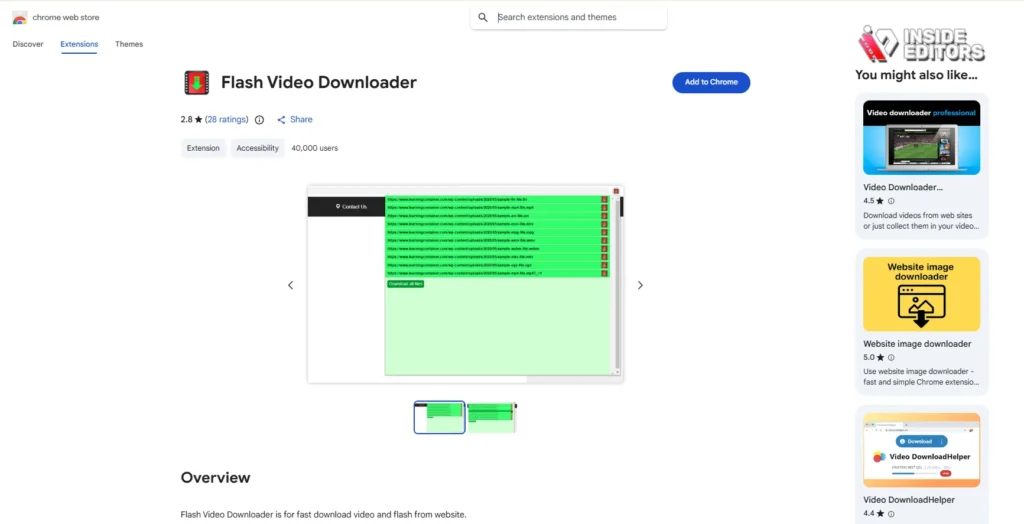
FVD (Flash Video Downloader) is another robust multi-platform downloader. While its name suggests a focus on Flash, it handles modern HTML5 video streams with ease. Its versatility means it can capture content from sites where other dedicated YouTube tools might fail, offering a strong backup solution.
The interface is straightforward, presenting detected video streams in a clean dropdown menu with quality indicators. This makes FVD a valuable asset for content researchers who pull material from various sources, not just YouTube.
Deep Dive: Installation and Security Protocols

Since most effective Youtube Video Downloader Chrome extensions are not hosted on the Chrome Web Store, the installation process requires manual intervention and heightened security awareness. This process is often called “sideloading.”
Step-by-Step Sideloading Guide
- Download the CRX/ZIP File: Obtain the extension file directly from the developer’s official website. Avoid third-party repositories.
- Enable Developer Mode: Open Chrome, navigate to chrome://extensions, and toggle the “Developer mode” switch in the top right corner.
- Install the Extension: Drag and drop the downloaded .crx file onto the extensions page. Alternatively, use the “Load unpacked” button if the file is in a .zip format.
- Review Permissions: Crucially, review the permissions the extension requests. A downloader should primarily need access to read and change data on the websites you visit. If it asks for access to your files or operating system, proceed with extreme caution.
Maintaining Security Post-Installation
A great Youtube Video Downloader Chrome extension should be regularly updated. Developers often release patches to maintain compatibility with YouTube’s constant interface changes and to address security vulnerabilities.
- Regular Audits: Periodically check the permissions of all your extensions. If an extension suddenly requests new, unnecessary permissions, disable it immediately.
- Use a VPN: When downloading content, using a Virtual Private Network (VPN) adds an extra layer of privacy and security, masking your IP address from potential trackers. According to a report by the Global Cyber Alliance, proactive security measures like VPNs significantly reduce exposure to online threats.
- Limit Usage: Only enable the downloader extension when you actively need to use it. Disabling it when browsing other sensitive sites minimizes potential data exposure.
Using Downloaded Videos for Professional Use
Acquiring video content is only the first step. For professional creators, the real work begins during the editing process. Analyzing downloaded clips, extracting soundbites, or integrating them into larger projects requires skilled post-production work.
This is where specialized expertise becomes invaluable. If your goal is to transform raw downloaded footage-whether it’s competitor analysis, educational material, or licensed stock footage-into polished, high-impact content, professional editing is essential.
The Role of Professional Video Editing Services
Many creators find that the time spent meticulously editing videos detracts from their core task: content creation. Outsourcing this complex and time-consuming process ensures professional quality and consistency.
Inside Editors offers comprehensive professional video editing services designed for YouTube creators, businesses, and marketers. Our service model is built on efficiency and quality assurance:
- Expertise: Our professional editing team has 10+ years of experience, ensuring every cut, transition, and color grade meets industry standards.
- Speed: We offer fast turnaround times (24-72 hours), allowing you to maintain a consistent publishing schedule without delays.
- Flexibility: We provide unlimited revisions until you are completely satisfied, guaranteeing the final product aligns perfectly with your vision.
- Value: Affordable pricing starting at $29/video makes professional quality accessible to growing channels and small businesses.
We handle everything from color grading and audio enhancement to complex motion graphics. By partnering with Inside Editors, you save time and ensure your content looks professional, building trust and authority with your audience. Learn more about how we can elevate your content production workflow:
Optimizing Downloaded Assets for Editing
Once you have used your preferred Youtube Video Downloader Chrome extension to acquire the files, proper preparation is key for a smooth editing workflow.
Key Optimization Steps:
- Format Conversion: Ensure the downloaded files (often MP4 or WEBM) are compatible with your editing software (e.g., Premiere Pro, DaVinci Resolve). While MP4 is standard, sometimes converting to a lossless format like ProRes or DNxHR is necessary for intensive color grading.
- Audio Separation: If you are only using the audio track, use the extension’s built-in MP3 extraction feature or a dedicated audio converter to isolate the sound file, reducing file size and complexity.
- Metadata Tagging: Rename the downloaded files clearly (e.g., Competitor_Review_Intro_Clip_01.mp4). Good file organization prevents headaches later in the editing suite.
“The difference between a good video and a great video is often found in the meticulous details of the post-production process.” – Casey Neistat, Filmmaker and Creator
YouTube Video Downloader Mistakes to Avoid
The search for the perfect downloader is fraught with potential issues. Being aware of these pitfalls can save you time, frustration, and protect your digital security.
1. The Disappearing Extension Act
YouTube and Google constantly update their security protocols and policies. This often leads to extensions being removed from the Chrome Web Store or breaking functionality overnight. A reliable Youtube Video Downloader Chrome solution often requires the developer to be highly responsive to these changes. Always have a backup solution ready.
2. Misleading Quality Claims
Some downloaders claim to support 4K or 8K resolution but only deliver upscaled 1080p footage. When testing a new extension, always verify the actual resolution and bitrate of the downloaded file using media inspection tools like MediaInfo. True high-resolution downloads require the extension to correctly capture the separate video and audio streams that YouTube uses for high-quality playback.
3. Excessive Permissions and Privacy Risks
As mentioned, permissions are critical. If a downloader asks for access to your entire browsing history or the ability to read your cookies, it is likely gathering more data than necessary. Always prioritize tools with minimal, clearly defined permissions.
Comparison Table: Feature Deep Dive
To help you decide which Youtube Video Downloader Chrome extension best fits your needs, here is a detailed feature comparison:
| Feature | Video DownloadHelper | Addoncrop | CocoCut | SaveFrom.net Helper | FVD Downloader |
| Direct YouTube Button | Requires Companion App | Yes | Intermittent | Yes | No (Toolbar Icon) |
| MP3 Extraction | Yes (Built-in Converter) | Yes | Yes | Yes | Yes |
| 4K/8K Support | Yes (With Companion App) | Limited to 1080p | Yes | Limited to 1080p | Variable |
| Batch Downloading | Yes (Advanced Feature) | No | No | No | No |
| Ease of Installation | Medium (Sideloading + App) | Easy (Sideloading) | Easy (If Available) | Easy (Sideloading) | Medium (Sideloading) |
| Ad Injection Risk | Low | Low | Very Low | Moderate | Low |
Final Thoughts on Maximizing Your Content Workflow

Choosing the right Youtube Video Downloader Chrome extension is a strategic decision. It impacts your efficiency, the quality of your source material, and your digital security. Whether you opt for the robust functionality of Video DownloadHelper or the seamless integration of Addoncrop, the goal remains the same: acquiring the necessary assets quickly and reliably.
For creators who use these downloaded assets as part of a larger content strategy-be it for educational modules, marketing campaigns, or complex video essays-the next step is professional polish.
Inside Editors stands ready to transform your raw footage into professional, engaging videos. We understand the demands of modern content creation and offer a scalable solution that ensures professional quality that builds trust. Our services include:
- Professional editing team with 10+ years experience
- Fast turnaround (24-72 hours)
- Unlimited revisions until satisfied
- Affordable pricing starting at $29/video
- Color grading and audio enhancement included
By focusing on content creation and letting us handle the meticulous editing, you maximize your ROI and maintain a consistent, high-quality brand presence. Don’t let post-production bottlenecks slow you down. Explore how our expertise can benefit your channel or business today:
The digital video world moves fast, but with the right tools-a reliable Youtube Video Downloader Chrome extension and expert editing support-you can stay ahead of the curve.
Frequently Asked Questions
Are YouTube downloaders safe to use?
The safety of a Youtube Video Downloader Chrome extension depends heavily on its source. Since most are not on the official Chrome Web Store, you must download them from trusted developer sites. Always check user reviews and strictly review the permissions requested by the extension to mitigate security risks.
Why are these extensions not on the Web Store?
Google’s policies prohibit extensions that facilitate the unauthorized downloading of copyrighted content, especially from YouTube. Therefore, most high-performing Youtube Video Downloader Chrome tools must be installed manually via sideloading from external developer websites.
Can I download 4K video quality?
Yes, but it often requires advanced extensions like Video DownloadHelper, sometimes necessitating a companion application to correctly merge the separate high-resolution video and audio streams that YouTube uses. Always verify the actual resolution post-download.
What is the easiest downloader to install?
Extensions like SaveFrom.net Helper or Addoncrop are generally considered the easiest to install and use, as they integrate a direct download button onto the YouTube page, offering a streamlined experience for users seeking a simple Youtube Video Downloader Chrome solution.
How can I edit the downloaded videos professionally?
Once you have the video file, professional editing is crucial. Services like Inside Editors specialize in taking raw footage and applying expert color grading, audio enhancement, and precise cuts to produce high-quality, polished content ready for publication.


