


As a creator, you pour hours into scripting, shooting, and Youtube Video Editing your videos. Once you hit publish, the most pressing question emerges: Is anyone watching? More specifically, you might wonder, Can You See Who Viewed Your YouTube Video? It’s a common inquiry, often driven by the desire to understand your audience on a personal level.
The short answer is complex, but crucial for any serious content creator: YouTube’s analytics are incredibly powerful, but they prioritize privacy. While you cannot see the names or profiles of individual viewers, you gain access to rich demographic and behavioral data that is far more valuable for growth. This article dives deep into how YouTube protects viewer identity while providing you with the necessary tools to understand who is watching, even if you can’t know whom. We will explore the top five proven tools and methods to maximize this data, ensuring your content strategy is always optimized.
Why You Can’t See Individual YouTube Viewers
Before diving into the tools, we must address the core limitation: privacy. YouTube, owned by Google, adheres to strict global data protection regulations. This means they will never expose the personal identity of a viewer to a creator. If you are asking, Can You See Who Viewed Your YouTube Video by name, the definitive answer is no. This policy protects user anonymity and encourages honest engagement across the platform.
“Data privacy is paramount in the digital age. Platforms like YouTube must balance the creator’s need for audience insights with the fundamental right of users to browse anonymously.” – Dr. Anya Sharma, Digital Privacy Expert
This protection extends across all standard viewing metrics. Whether someone watches your video for five seconds or the entire duration, their identity remains private. This is a fundamental difference between public video platforms and closed social media groups. However, this limitation doesn’t mean you are flying blind. YouTube replaces individual data with powerful aggregated statistics, which are the true key to scaling a channel.
The Difference Between Views and Viewers
It is vital to distinguish between a “view” and a “viewer.” A view is counted when a user watches a video for a minimum duration (usually around 30 seconds). A viewer is a unique, logged-in user who watched the video.
Definition Box: Unique Viewers Unique viewers represent the estimated number of distinct individuals who watched your video during a specified time period. This metric is far more valuable than total views because it tells you the actual size of your audience base, helping you understand reach and saturation.
Understanding the unique viewer count is the closest you get to answering the question, Can You See Who Viewed Your YouTube Video? It confirms how many different people engaged, rather than how many times the video was replayed by the same person.
Tool 1. YouTube Studio Analytics: Your Core Insights
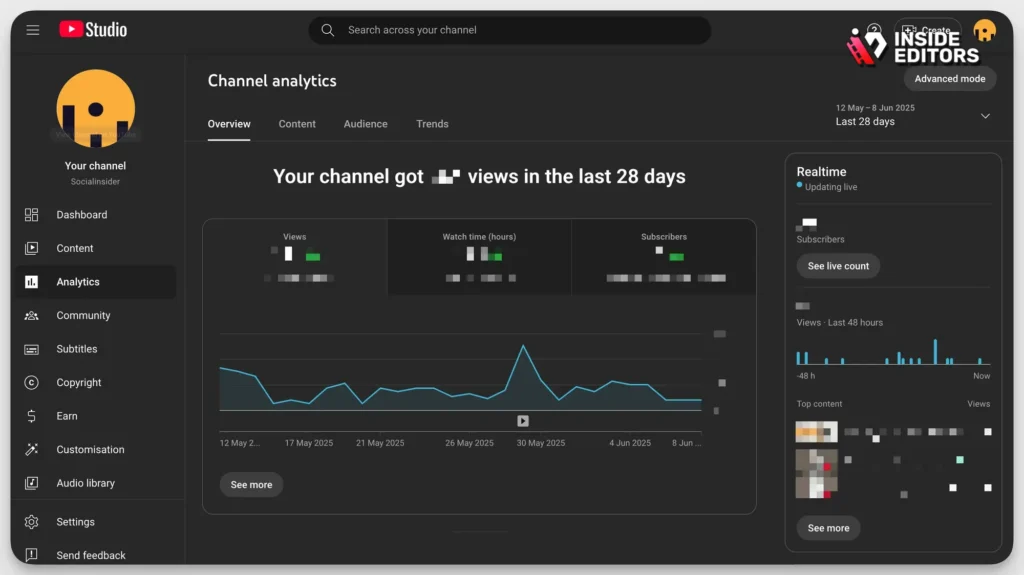
The primary and most essential tool for any YouTube creator is YouTube Studio Analytics. This free, built-in dashboard provides a comprehensive suite of metrics that effectively answers the question of who is watching, even without providing names.
Deep Diving into Audience Demographics
YouTube Studio offers extensive data on the characteristics of your audience. This information is critical for tailoring content and marketing efforts. You can access detailed reports on:
- Geography: Where in the world are your viewers located? Knowing if your audience is primarily in New York, London, or Mumbai helps localize content and scheduling.
- Age and Gender: Are you hitting your target demographic? If you create content for young professionals but your audience is predominantly teenagers, you need to adjust your strategy or niche.
- Traffic Sources: How did viewers find your video? Was it through YouTube Search, Suggested Videos, External Websites, or Direct Links? This helps optimize titles, tags, and promotion strategies.
- Subscriber Status: Are your viewers already subscribed, or are they new visitors? High engagement from non-subscribers indicates strong potential for channel growth.
By analyzing these metrics, you gain a deep, actionable understanding of your audience. While you still cannot see who viewed your YouTube video specifically, you know the collective profile of those who did.
“The magic of modern analytics isn’t in tracking individuals, but in identifying patterns and segments within the crowd. YouTube Studio provides the map; creators just need to learn how to read it.” – Sarah Chen, Digital Content Strategist
Key Metrics for Audience Behavior
Beyond demographics, YouTube Studio provides behavioral metrics crucial for content refinement:
- Watch Time: The total accumulated time viewers spent watching your videos. This is the single most important metric for YouTube’s algorithm.
- Audience Retention: This graph shows exactly when viewers drop off. A sharp dip at the 30-second mark means your intro needs work. A gradual decline is normal, but identifying specific moments of disengagement allows for precise editing adjustments.
- Impressions Click-Through Rate (CTR): The percentage of people who clicked on your video after seeing its thumbnail. A high CTR means your title and thumbnail are compelling.
If you find your audience retention is low, it might be time to invest in professional editing. Inside Editors offers professional Youtube Video Editing services designed specifically for YouTube creators and businesses. Our team of expert editors, with over 10 years of experience, can enhance your pacing, color grading, and audio quality. We offer fast turnaround times (24-72 hours) and unlimited revisions until you are completely satisfied, ensuring your videos keep viewers engaged longer.
Tool 2: Google Analytics 4 (GA4) Integration
For creators who embed their YouTube videos on external websites (like a blog or company landing page), integrating Google Analytics 4 (GA4) offers a powerful secondary layer of insight. While GA4 still respects individual privacy, it provides richer context about the viewing environment.
Tracking Viewer Journeys Off-Platform
When a user watches an embedded video, GA4 can track their journey before and after the view. This helps answer a slightly different version of the question, Can You See Who Viewed Your YouTube Video: What else did they do on my website?
GA4 allows you to track specific events related to the video player, such as:
- Video Start/Pause/Complete: Measure the interaction rate.
- Scroll Depth: Did the viewer scroll down the page after watching?
- Conversion Paths: Did watching the video lead to a purchase or sign-up?
This integration is invaluable for businesses using YouTube for marketing. It connects video performance directly to business outcomes, providing a clear ROI picture that standard YouTube analytics cannot offer alone.
Tool 3: Third-Party SEO and Keyword Research Tools
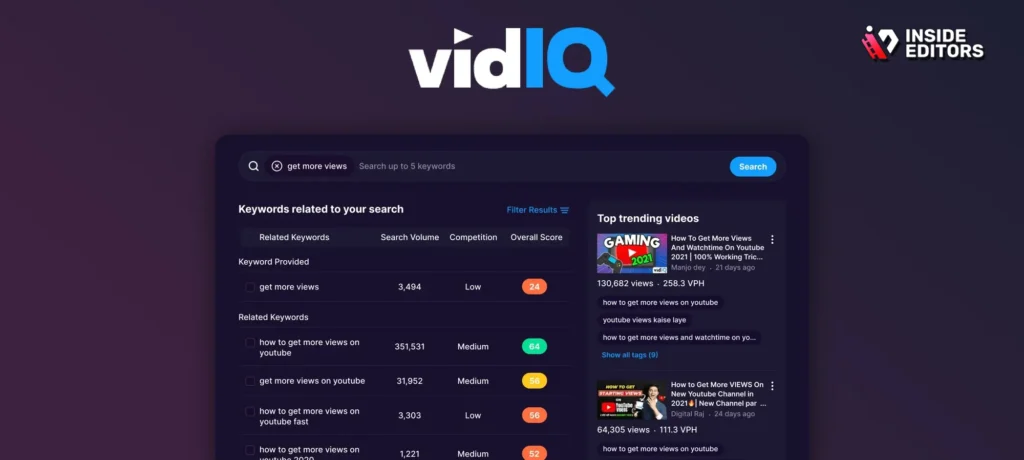
While not directly focused on viewer identity, tools like TubeBuddy and VidIQ are essential for understanding why people found your video, which is a crucial step in understanding who they are. These tools specialize in YouTube SEO, helping you optimize metadata to attract the right audience.
Feature Comparison: TubeBuddy vs. VidIQ
| Feature | TubeBuddy | VidIQ | Primary Benefit for Creators |
|---|---|---|---|
| Keyword Research | Excellent, detailed scoring | Excellent, trending topics | Attracting the right viewer demographics. |
| A/B Testing | Thumbnail and title testing | Thumbnail and title testing | Optimizing presentation to increase CTR. |
| Competitor Analysis | Strong monitoring tools | Robust comparison features | Understanding what similar audiences watch. |
| Bulk Processing | Efficient for large channels | Good for quick edits | Saving time on metadata updates. |
These tools help you refine your targeting. If you use a tool to discover that a highly searched keyword is “best beginner video editing software,” and you optimize your video for that term, the people who watch your video are highly likely to be beginners seeking software advice. This indirect profiling is the closest most creators get to knowing Can You See Who Viewed Your YouTube Video and what their intent was.
The Power of Intent Data
Intent data-what the viewer was searching for-is often more valuable than demographic data. Knowing that 80% of your viewers searched for “DIY home repair” tells you they are homeowners or renters with practical needs, guiding your next content piece far better than knowing 80% are men aged 35-44.
Tool 4: Comment and Community Engagement

The most direct, albeit manual, way to connect with your audience is through the comments section. While you still cannot see who viewed your YouTube video anonymously, the people who choose to comment and engage reveal themselves voluntarily.
Analyzing Active Viewers
Active viewers-those who comment, like, or share-are your most valuable audience segment. They are the ones who build community and drive organic growth.
Strategies for Maximizing Comment Insights:
- Ask Direct Questions: End videos with a specific call to action, prompting viewers to share their experiences or opinions.
- Pin and Reply: Pin thoughtful comments to the top to encourage further discussion. Always reply to comments to foster a sense of community and show appreciation.
- Use Comment Filtering: YouTube Studio allows you to filter comments by subscriber status, member status, and language, giving you a quick overview of your most loyal and engaged fans.
“Engagement is a two-way street. When creators actively participate in the comments, they convert anonymous viewers into recognizable community members. This feedback loop is essential for content iteration.” – Jake Paulsen, Creator Economy Consultant
This engagement provides qualitative data that complements the quantitative data from analytics. A comment like, “I loved this tutorial, but I wish you had covered X,” is a direct instruction for your next video.
Tool 5: Custom Surveys and External Forms
For advanced creators or businesses, running custom surveys or using external forms (like Google Forms or SurveyMonkey) linked in the video description is a powerful way to gather specific, self-reported data directly from your audience.
Gathering Specific Audience Data
Since YouTube limits the data you can collect, asking viewers directly for information they are willing to share bridges the gap. You can ask targeted questions like:
- What industry do you work in?
- What is your biggest challenge related to [Topic]?
- How often do you watch YouTube videos?
By offering a valuable incentive (e.g., a free PDF guide, entry into a giveaway), you encourage viewers to complete the survey. This method allows you to collect highly specific, personalized data that YouTube analytics simply doesn’t provide.
Pros and Cons of External Surveys
| Pros | Cons |
|---|---|
| Collects highly specific, personalized data. | Requires effort and time to set up and analyze. |
| Allows for open-ended, qualitative feedback. | Participation rates are often low (requires incentive). |
| Directly connects content consumption to viewer needs. | Viewers must leave the YouTube environment. |
| Bypasses the privacy limitations of YouTube Studio. | Data may be skewed toward highly engaged viewers. |
This blend of quantitative analytics and qualitative survey data provides the most complete picture of your audience, making the question, Can You See Who Viewed Your YouTube Video, almost irrelevant because you understand their needs so thoroughly.
Optimizing Content Based on Viewer Data
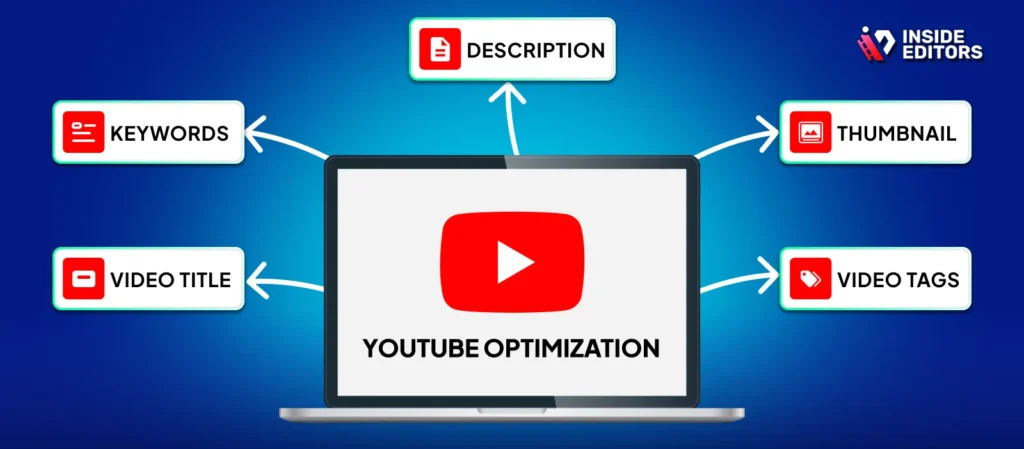
Knowing the answer to Can You See Who Viewed Your YouTube Video is less important than knowing how to act on the data you do have. The goal of using these five tools is to create a feedback loop that continually improves your content quality and relevance.
1. Adjusting Pacing and Flow
If audience retention drops sharply at the 1:30 mark, review your script and editing. Perhaps the segment was too long, or the transition was jarring. This is where professional editing becomes a game-changer. A poorly edited video, regardless of how good the content is, will lose viewers quickly.
Inside Editors specializes in transforming raw footage into polished, high-retention videos. Our professional editing team understands the nuances of YouTube pacing and can implement advanced techniques like dynamic cuts, sound design, and color correction to keep viewers glued to the screen. We offer affordable pricing starting at $29/video and guarantee professional quality that builds trust and consistency for your brand.
2. Refining Titles and Thumbnails
If your Impressions CTR is low (below 5-7% for most niches), your video isn’t attracting enough attention. Use the data from TubeBuddy or VidIQ to A/B test new titles and thumbnails. The goal is to maximize the number of people who click when they see your video suggested in their feed.
3. Targeting New Demographics
If your analytics show an unexpected surge in viewers from a specific country or age group, consider creating content specifically tailored for them. This might involve translating subtitles, addressing culturally relevant topics, or adjusting your tone. This proactive approach ensures you are always serving the audience that is actually watching.
The Role of Professional Editing in Audience Retention
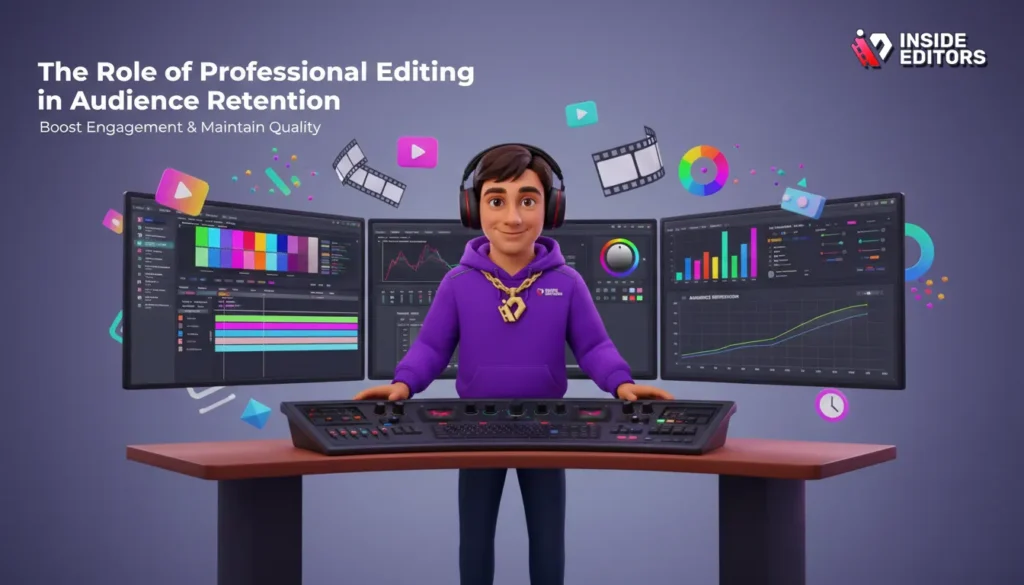
Many creators struggle to maintain consistency and quality as their channels grow. The effort required to film, edit, optimize, and analyze can quickly lead to burnout. This is why outsourcing the editing process is often the most strategic move for scaling.
When you partner with a professional service like Inside Editors, you gain several critical advantages:
- Consistency: We ensure a consistent brand style across all your videos, which helps viewers recognize and trust your channel instantly.
- Quality Assurance: Our editors provide professional color grading and audio enhancement, eliminating common distractions that cause viewers to click away.
- Time Savings: By handing off the time-consuming editing process, you save time and can focus entirely on content creation, scripting, and audience engagement-The activities that directly generate views and revenue.
- Scalability: Whether you produce one video a month or five videos a week, our scalable solution ensures fast delivery (24-72 hours) without compromising quality.
Choosing Inside Editors means investing in the professional quality that keeps your unique viewers coming back for more.
Final Verdict: YouTube Viewer Privacy Explained
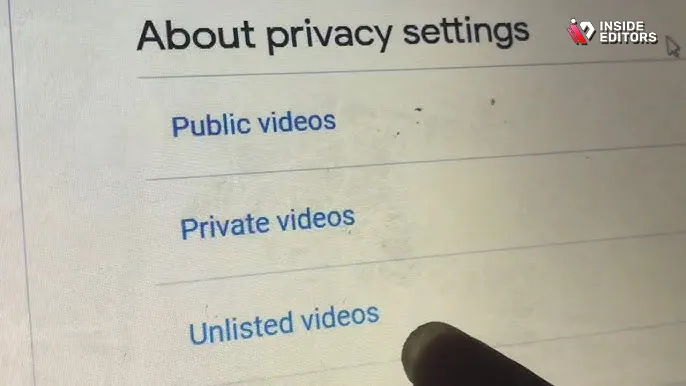
To reiterate the core finding: No, you Can You See Who Viewed Your YouTube Video by name or profile link. YouTube’s commitment to user privacy prevents this.
However, the five tools and strategies outlined above-YouTube Studio, GA4 integration, SEO tools, community engagement, and external surveys-provide a far more valuable answer. They help you understand the collective profile, intent, and behavior of your audience. This comprehensive data allows you to create highly targeted, engaging content that maximizes watch time and drives channel growth.
Focus less on the individual identity and more on the collective data. By mastering YouTube Studio and leveraging external tools, you move beyond the simple question of Can You See Who Viewed Your YouTube Video to the more powerful question: How can I create the best possible content for the audience I already have?
Frequently Asked Questions
Can I download a YouTube video to watch later?
Yes, there are several methods and tools available to download YouTube videos for offline viewing, though YouTube’s terms of service often restrict direct downloads.
How do I upload a video to YouTube?
You can upload videos directly through the YouTube website or mobile app by clicking the “Create” or “Upload” button and following the prompts to select your file and add metadata.
Is there a way to loop a YouTube video automatically?
Yes, on desktop browsers, you can right-click the video player and select “Loop.” On mobile, you can add the video to a playlist and set the playlist to repeat.
Can I get a transcript of a YouTube video?
Yes, YouTube automatically generates closed captions, which can often be viewed as a full transcript by clicking the three dots below the video player and selecting “Show transcript.”
What is the best framerate for YouTube video editing?
The standard framerate for YouTube is 24fps, 30fps, or 60fps. Higher framerates (like 60fps) are recommended for fast-action content like gaming or sports for smoother playback.
Can I download a YouTube video to my iPhone?
Yes, if you have a YouTube Premium subscription, you can download videos directly within the YouTube app for offline viewing. Third-party apps or websites may also offer this functionality.
What is the best video editing software for YouTube?
Popular options range from free tools like DaVinci Resolve and iMovie to professional paid software like Adobe Premiere Pro and Final Cut Pro, depending on your budget and skill level.


