


Welcome to Inside Editors. If you are serious about growing your YouTube channel, you know that simply uploading great content isn’t enough. You need data. Specifically, you need to understand where your videos rank in search results. Mastering YouTube Video Rank Tracking is the secret weapon for optimizing your content strategy. It tells you exactly which keywords are driving traffic and which videos need a performance boost.
In this comprehensive guide, we dive deep into the best free tools available for effective YouTube Video Rank Tracking. We will evaluate their features, discuss their limitations, and help you choose the perfect solution for your channel’s needs. Whether you are a solo creator or a marketing team, tracking your position is essential for competitive analysis and sustained growth.
YouTube Rank Tracking for Content Strategy
Understanding your video rankings is more than just a vanity metric; it is the foundation of successful YouTube SEO. When you know where your videos appear for specific search terms, you can refine your titles, descriptions, and tags to maximize visibility. This process of YouTube Video Rank Tracking allows you to identify quick wins and address underperforming assets efficiently.
Why Tracking Your Position Matters
Think about the sheer volume of content uploaded every minute. To cut through the noise, you need precision. Manual checks are time-consuming and often inaccurate due to personalized search results. Dedicated rank tracking tools provide objective, consistent data. They help you monitor your progress against competitors and spot emerging keyword opportunities before they become saturated. Effective tracking transforms guesswork into a data-driven strategy.
“Data is the new oil. Understanding where your content ranks is the map that leads you to the reserves.” – Brian Dean, Founder of Backlinko
Setting the Stage: Requirements for Free Rank Tracking
While many powerful tools exist, they often come with steep subscription fees. For creators just starting out or those managing smaller budgets, free tools offer immense value. However, free often means limitations. We look for tools that offer reliable data, track a reasonable number of keywords, and provide actionable insights, even on their zero-cost tiers. The best free tools are those that give you a taste of robust YouTube Video Rank Tracking without compromising on data integrity.
Best Free YouTube Rank Tracking Tools
Choosing the right tool depends heavily on your workflow and specific needs. We have analyzed seven leading options, focusing on their free offerings, ease of use, and the quality of their ranking data.
1. TubeBuddy (Free Version)
TubeBuddy is arguably the most recognized browser extension for YouTube management. Its free version provides a strong entry point into YouTube Video Rank Tracking and optimization. It integrates directly into the YouTube interface, making it incredibly convenient for daily use.
Key Features and Usability
The free tier allows users to perform basic keyword research and competitive analysis. While it doesn’t offer continuous automated rank tracking on the free plan, its “Keyword Explorer” feature is invaluable. You can see the search volume, competition score, and optimization difficulty for any keyword. This helps you target phrases where you have the best chance of ranking. The “Search Rankings” feature, though limited, gives you snapshots of how your videos are performing for specific terms you manually input.
TubeBuddy excels in user experience. Its interface is intuitive, and the learning curve is minimal. It’s perfect for creators who want immediate, on-page optimization suggestions while uploading or editing videos.
- Pros: Excellent keyword research tool, direct integration with YouTube, strong community support.
- Cons: Automated rank tracking is highly limited on the free tier, data exports are restricted.
2. vidIQ (Basic Plan)
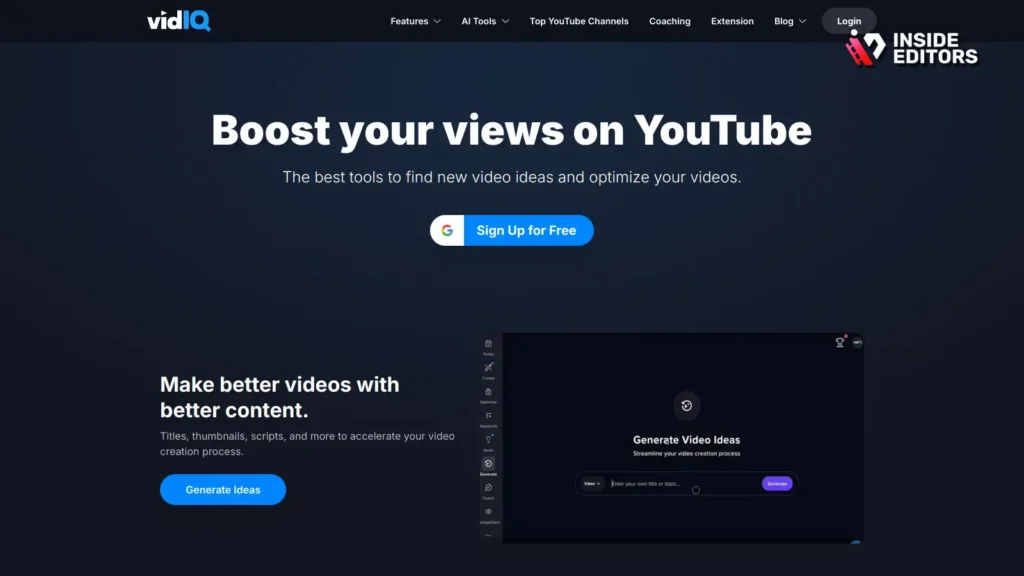
vidIQ is TubeBuddy’s main competitor, offering a similarly powerful browser extension and dashboard. The Basic (free) plan provides excellent fundamental tools for YouTube Video Rank Tracking and channel auditing.
Deep Dive into vidIQ’s Free Rank Monitoring
vidIQ’s free plan shines with its “Daily Ideas” feature, which suggests content based on trending topics relevant to your niche. Crucially, it offers limited rank tracking, allowing you to monitor a few key search terms. The real power of the free tool lies in the “Scorecard” overlay, which appears when you watch any video. This scorecard instantly shows you the keywords that video is ranking for, offering immediate competitive insights. This is a powerful, indirect form of YouTube Video Rank Tracking.
The tool also provides a comprehensive Channel Audit feature, highlighting areas for improvement, like missing end screens or cards. This holistic approach ensures that ranking is supported by overall channel health.
“Consistency in tracking and applying insights is what separates successful channels from stagnant ones.” – Tim Schmoyer, YouTube Strategist
- Pros: Strong competitive analysis, daily content ideas, robust channel audit features.
- Cons: Limited number of tracked keywords (usually 1-3), some advanced data is paywalled.
3. Google Search Console (GSC)
While not exclusively a YouTube tool, Google Search Console is the most authoritative free source for understanding how your videos rank on Google Search-which often includes YouTube video snippets.
Leveraging GSC for YouTube Visibility
GSC tracks impressions, clicks, and average position for all content indexed by Google. Since YouTube videos frequently rank directly in Google SERPs, GSC provides crucial data on this external visibility. You can filter the “Performance” report by “Video” to see exactly which queries your videos are appearing for and their average ranking position. This is vital for understanding cross-platform YouTube Video Rank Tracking.
This tool requires setting up your YouTube channel as a property in GSC, which can be done easily if your channel is linked to your Google account. The data is raw and highly reliable, coming directly from Google.
- Pros: 100% free and authoritative data, shows rankings on Google SERPs, unlimited keyword tracking.
- Cons: Does not track rankings within YouTube search specifically, data reporting can have a 48-hour delay.
4. Ahrefs Free YouTube Keyword Tool

Ahrefs is renowned for its SEO suite, and while the full platform is premium, they offer several excellent free tools. The Ahrefs Free YouTube Keyword Tool is a fantastic resource for initial YouTube Video Rank Tracking research and volume estimation.
Researching Potential Ranking Opportunities
This tool doesn’t track your existing rankings, but it helps you identify high-potential keywords that you should be targeting. By entering a seed keyword, the tool generates hundreds of related terms, showing estimated search volume and difficulty scores specifically for YouTube. This proactive approach to optimization is crucial for improving future rankings.
By combining the insights from Ahrefs’ free tool with the actual performance data from GSC, you create a powerful, zero-cost strategy for YouTube Video Rank Tracking.
- Pros: Excellent for discovering new, high-volume keywords, provides specific YouTube search data.
- Cons: No direct rank tracking functionality, focused purely on research.
5. Rank Tracker by SEO PowerSuite (Free Version)
For users who prefer a dedicated desktop application and require comprehensive data, the free version of SEO PowerSuite’s Rank Tracker is an excellent choice. This tool is robust and allows for deep customization of your tracking parameters.
Desktop Power for Detailed Rank Tracking
While the free version restricts saving your projects, you can run manual, unlimited checks for YouTube Video Rank Tracking. You simply input your video URLs and the list of keywords you want to monitor, and the software scrapes the YouTube search results instantly. This provides a snapshot of your current rankings without the daily limits imposed by browser extensions.
This tool is ideal for power users who manage multiple channels or need to run large, periodic audits. It offers a level of depth and customization that most browser extensions reserve for paid tiers.
- Pros: Unlimited manual rank checks, highly customizable search parameters, tracks local rankings.
- Cons: Cannot save projects in the free version (must export data manually), requires desktop installation.
6. YTCockpit (Free Trial/Limited Access)
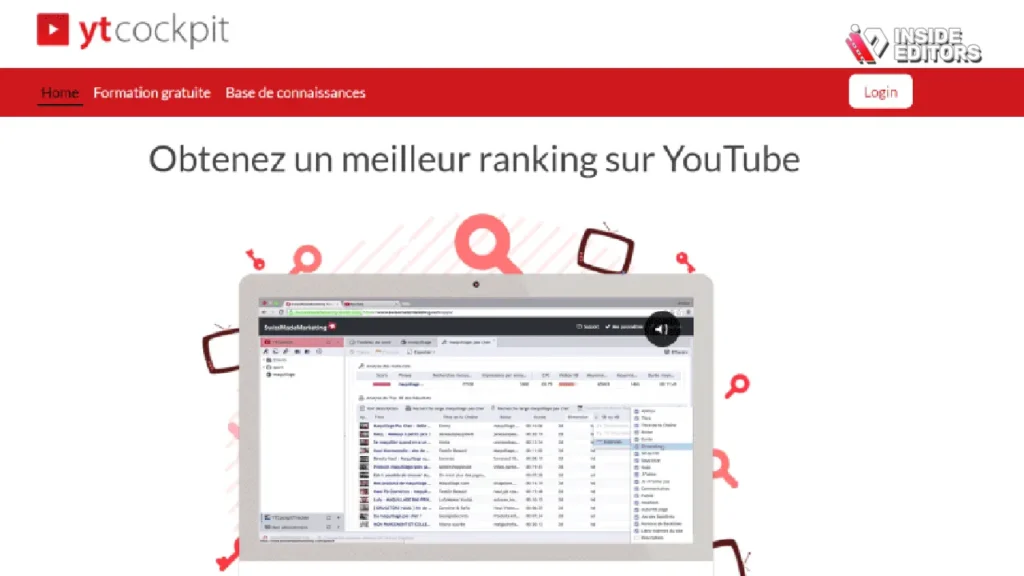
YTCockpit is designed specifically for YouTube SEO, focusing heavily on finding low-competition, high-volume keywords. While it operates on a subscription model, its free access often provides enough functionality for initial YouTube Video Rank Tracking and strategy formulation.
Targeting Low-Competition Keywords
The platform excels at analyzing the difficulty of ranking for a specific term on YouTube. It pulls data on the top 20 videos for any search query, providing metrics like views, age, and channel authority. This allows you to perform highly targeted YouTube Video Rank Tracking research, identifying keywords where you can realistically break into the top spots.
This tool is best suited for creators who are focused on long-tail keywords and niche dominance, requiring a detailed competitive overview before committing to content creation.
- Pros: Excellent competitive analysis for specific keywords, focuses solely on YouTube data, strong difficulty scoring.
- Cons: Free access is often time-limited or severely restricted in the number of searches.
7. Keyword Tool Dominator (Free Daily Searches)
Keyword Tool Dominator is a straightforward, no-frills tool focused on generating massive lists of long-tail keyword suggestions derived from YouTube’s autocomplete feature.
Generating Massive Keyword Lists
While it doesn’t directly track your rankings, its value lies in providing the raw material for effective YouTube Video Rank Tracking: a comprehensive list of search terms. The free version allows a limited number of searches per day, but each search yields hundreds of highly relevant, long-tail variations. You can then take these variations and input them into a tool like Rank Tracker or GSC to monitor performance.
This tool is a fundamental resource for ensuring your video descriptions and tags are fully optimized, maximizing the potential for improved rankings.
- Pros: Generates hundreds of long-tail keywords quickly, very easy to use, based on real user search data.
- Cons: No actual rank tracking, limited daily searches on the free plan.
YouTube Rank Tracking: Free Tool Comparison
| Tool Name | Primary Focus | Free Rank Tracking Capability | Keyword Research | Integration | Easiest Use Case |
|---|---|---|---|---|---|
| TubeBuddy | Optimization | Limited manual checks | High | Browser Extension | Daily video optimization |
| vidIQ | Competitive Analysis | 1-3 tracked keywords | Medium | Browser Extension | Spotting competitor keywords |
| Google Search Console | Google SERP Visibility | Unlimited (external SERP) | Low | Web Interface | Tracking Google video snippets |
| Ahrefs Free Tool | Keyword Discovery | None (Research only) | High | Web Interface | Planning new content strategy |
| Rank Tracker by SEO PowerSuite | Desktop Tracking | Unlimited (Manual checks) | Medium | Desktop Software | Comprehensive long-term tracking |
| YTCockpit (Free Trial) | Niche Keyword Finding | Limited during trial | High | Web Interface | Deep niche analysis |
| Keyword Tool Dominator | Keyword Generation | High volume suggestions | High | Web Interface | Brainstorming tag ideas |
Expert Tips for Free Rank Tracking Tools

Having the tools is only half the battle. To truly leverage these free resources, you need a smart, integrated strategy. Successful YouTube Video Rank Tracking involves combining the strengths of multiple tools.
Combining Tools for Comprehensive Data
No single free tool offers a complete solution. The smartest approach is to use them in tandem:
- Research (Ahrefs/YTCockpit/Dominator): Use these tools to identify 10-20 high-potential keywords relevant to your existing or planned videos.
- Implementation (TubeBuddy/vidIQ): Use the browser extensions during the upload process to ensure your title, description, and tags are fully optimized for those chosen keywords.
- Tracking (GSC/Rank Tracker): Use Google Search Console to monitor your overall performance on Google SERPs, and use the free desktop Rank Tracker for periodic, deep dives into your YouTube search rankings.
This layered approach ensures you cover keyword discovery, on-page optimization, and performance monitoring without spending a dime.
The Importance of Long-Term Monitoring
YouTube Video Rank Tracking is not a one-time task; it’s a continuous process. A video might rank #15 today, but with slight optimization-perhaps a better thumbnail or a refined description-it could jump to the top 5 next week. Use your tracking data to identify videos that are “on the cusp” (ranking between positions 6 and 20). These are the videos that offer the highest return on optimization effort.
“The difference between ranking #1 and #10 on YouTube can be millions of views. Optimize ruthlessly for those top spots.” – An Industry Study on Video SEO Performance
Using Rank Data to Improve Video Content
Tracking your rankings reveals what works. But to truly dominate your niche, you need to ensure the content itself is professional, engaging, and high-quality. This is where many creators hit a bottleneck: they lack the time or expertise to produce polished, high-ranking videos consistently.
The Challenge of Professional Video Production
Even with perfect YouTube Video Rank Tracking, a poorly edited video will fail to retain viewers. Low retention signals to YouTube that the content is not satisfying search intent, causing the video to drop in rankings. High-quality editing-including sharp cuts, professional color grading, seamless transitions, and clear audio-is non-negotiable for high performance.
Think about the time commitment. After filming, you might spend 8-10 hours editing a single 10-minute video. This time could be better spent on keyword research, content planning, or engaging with your audience.
Partnering with Inside Editors for Quality Assurance
This is why many successful creators and businesses choose to outsource their post-production. Inside Editors specializes in providing professional video editing services designed specifically for content creators, marketers, and businesses. We understand that your videos need to look professional to build trust and maintain those high rankings you’ve worked hard to achieve.
Our service offers a professional editing team with over 10 years of experience, ensuring every video meets broadcast-quality standards. We guarantee a fast turnaround, typically between 24 and 72 hours, so you can maintain your crucial upload schedule. We offer unlimited revisions until you are completely satisfied, ensuring the final product perfectly aligns with your brand style. Best of all, our affordable pricing starts at just $29 per video, making professional quality scalable for growing channels.
By trusting Inside Editors with your color grading, audio enhancement, and overall editing, you save time and can focus entirely on creating the next piece of highly rankable content. Professional quality builds trust, and consistency drives long-term YouTube Video Rank Tracking success.
Final Verdict and Recommendation
The landscape of YouTube Video Rank Tracking is rich, even for those operating on a zero budget. The key takeaway is that you must use these tools strategically.
For the vast majority of creators, the combination of TubeBuddy and Google Search Console offers the best balance of convenience, competitive insight, and authoritative data. TubeBuddy provides the quick, on-page optimization suggestions, while GSC gives you the raw, reliable ranking data from the world’s largest search engine.
If you are a power user needing periodic, deep audits, the free desktop version of Rank Tracker by SEO PowerSuite is an unparalleled asset for manual, unlimited YouTube Video Rank Tracking.
Remember, tracking is just the first step. To capitalize on high rankings, your content must deliver exceptional quality. If you want to ensure your videos look as professional as your data strategy, consider leveraging our expertise. Let Inside Editors handle the post-production, giving your videos the professional polish they need to stay at the top of the search results.
Frequently Asked Questions
What is YouTube Video Rank Tracking?
YouTube Video Rank Tracking is the process of monitoring where your videos appear in search results for specific keywords. This data helps creators refine their titles, tags, and descriptions to improve visibility and drive more organic traffic. Effective tracking is foundational to any successful YouTube SEO strategy.
How often should I track video rankings?
You should check your primary rankings at least once a week, especially after optimizing a video. For critical, high-volume keywords, daily checks using a tool like vidIQ or TubeBuddy can provide immediate feedback. Consistent YouTube Video Rank Tracking helps spot trends quickly.
Why use free tools for rank tracking?
Free tools are excellent for creators with limited budgets or those just starting out. They provide essential data, like keyword difficulty and competitive analysis, without the commitment of a paid subscription. Combining several free tools offers a robust, zero-cost solution for YouTube Video Rank Tracking.
Can I track my video rankings on Google?
Yes, you can track your video rankings on Google Search Engine Results Pages (SERPs) using Google Search Console (GSC). This is important because many users discover YouTube videos directly through Google search results, making GSC vital for external visibility tracking.
Does video quality affect my ranking?
Absolutely. While SEO gets you ranked, video quality ensures viewer retention. If a video is poorly edited or has bad audio, viewers leave quickly. Low retention signals poor quality to YouTube, negatively impacting your long-term YouTube Video Rank Tracking performance.


