

In today’s fast-paced business environment, effective training is not just a necessity-it’s a competitive advantage. Traditional methods often struggle to capture attention, but the modern solution lies in dynamic, engaging visual content. A well-produced corporate training video is the single most powerful tool for standardizing knowledge, ensuring compliance, and accelerating employee development across an organization.
This comprehensive guide, written by senior editors specializing in high-performance video content, breaks down the critical components that transform a simple instructional clip into an essential learning asset. We will explore the ten foundational elements necessary to ensure your next corporate training video is not only informative but truly impactful, meeting the rigorous demands of adult learning theory and modern digital consumption habits.
1. Defining the Core Objective

The effectiveness of any corporate training video hinges entirely on its clarity of purpose. Before scripting a single line or capturing any footage, the producer must definitively answer: What specific, measurable outcome must the learner achieve after watching this video?
The Power of Single-Focus Learning Goals
Many organizations make the mistake of trying to cram too much information into one video, resulting in cognitive overload. A high-performing corporate training video focuses on a single, narrow learning objective. This ensures that the content remains targeted and the viewer can easily retain the core message.
For instance, instead of a video titled “Onboarding Procedures,” focus on “How to Submit Your First Expense Report.” This specificity allows the video to be short, sharp, and highly actionable. Defining this objective early informs every subsequent decision, from scripting to visual style.
“If you confuse, you lose. Clarity of purpose is the bedrock of instructional design; without it, even the most visually stunning video is just noise.” – Dr. Michael Chen, Instructional Design Consultant
Aligning Video Goals with Business Outcomes
A successful corporate training video must directly support a wider organizational goal. Is the goal to reduce safety incidents, improve customer service scores, or accelerate product adoption? Understanding the business impact allows the content creator to structure the video around real-world scenarios and measurable results.
This alignment also makes the video creation process more efficient. When the objective is clear, unnecessary tangents are eliminated, saving valuable production and editing time. If your team needs assistance streamlining complex footage into a concise, goal-oriented final product, professional services can help. We often see clients benefit from expert help to find professional video editors who specialize in educational content, ensuring the final output is polished and focused.
2. Strategic Scripting and Storyboarding

A corporate training video is only as good as its script. Unlike marketing videos, training scripts must balance technical accuracy with engaging narrative structure. This requires a meticulous approach to writing and visualization.
Writing for the Ear, Not the Eye
Training scripts should be conversational, using active voice and simple language. Avoid overly complex jargon unless it is explicitly defined within the video. The goal is to simulate a one-on-one coaching session. Read the script aloud during the drafting process to check for natural flow and pacing. The average adult attention span dictates that key information must be delivered efficiently.
Key Scripting Principles:
- The Hook (First 15 Seconds): Immediately state the problem the video will solve and why the viewer should care.
- The Core Content: Break down complex topics into digestible, sequential steps.
- The Summary/Call to Action: Reiterate the main learning points and instruct the viewer on the next steps.
The Importance of Storyboarding
Storyboarding is the visual roadmap that ensures continuity and efficiency during production. It maps out the visual representation of every line of the script. This step is crucial for identifying potential visual gaps, confirming that the visuals support the narration, and ensuring the final corporate training video maintains a consistent tone and style.
A detailed storyboard saves time and money by preventing costly reshoots. It is the bridge between the written word and the final visual product. When developing a comprehensive content strategy, it’s beneficial to know that specialized services exist to help create a video marketing strategy that incorporates these detailed planning stages.
3. High-Quality Visuals Branding
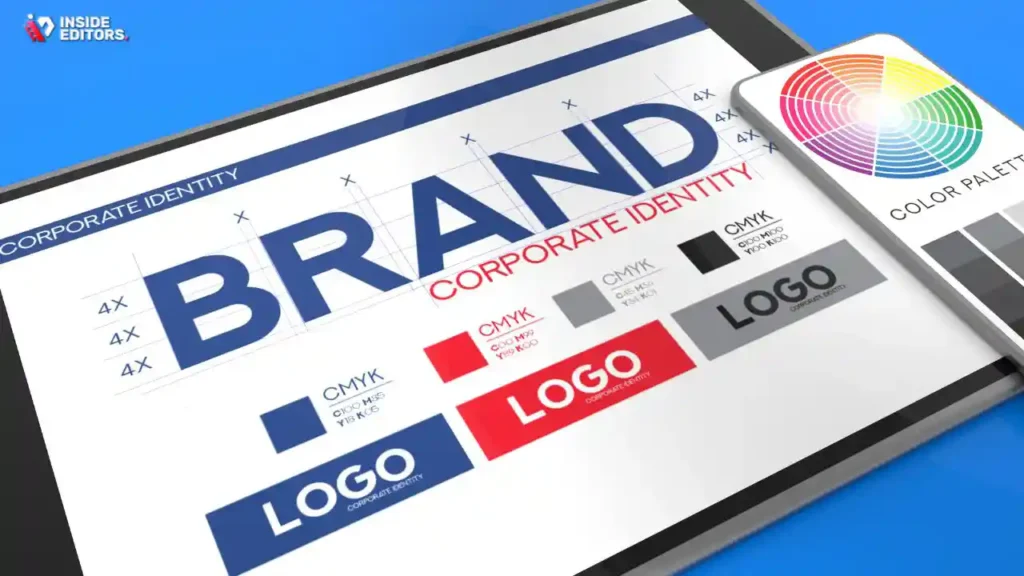
Visual quality is non-negotiable for a modern corporate training video. Poor resolution, shaky footage, or inconsistent lighting immediately undermines the professionalism and credibility of the content.
Achieving Professional Production Value
While not every training video requires a Hollywood budget, attention to detail is paramount. This includes proper lighting, clear focus, and stable camera work. Consistency in visual style-whether using live-action, animation, or screen capture-reinforces the brand and aids retention.
For businesses that produce large volumes of training content, maintaining high standards across all videos can be challenging. This is where professional video editing services become invaluable. They ensure color grading is consistent, transitions are smooth, and the overall look and feel align with corporate standards.
Integrating Brand Identity Subtly
The visual identity of the organization should be subtly woven into the corporate training video. This includes using corporate colors, logos (sparingly and appropriately), and consistent font styles for on-screen text. However, the visuals must serve the content, not overwhelm it. The focus remains on instruction, not overt marketing.
A strong visual identity also helps reinforce the video’s authority. Learners are more likely to trust and internalize information presented in a polished, professional format. If you are struggling with the final polish, remember that professional editors can handle the technical aspects, including video editing for YouTube or internal platforms, ensuring every frame looks professional.
4. Clear Audio and Voiceover

In the hierarchy of video production elements, audio quality often surpasses visual quality in importance, especially for a corporate training video. Viewers may tolerate slightly imperfect visuals, but poor audio-muffled, echoey, or too quiet-will cause immediate disengagement and frustration.
The Voice of Authority and Clarity
The voiceover artist or on-screen presenter must speak clearly, at a moderate pace, and with an authoritative yet encouraging tone. Monotone delivery is the enemy of engagement. The voice should convey confidence and enthusiasm for the subject matter.
Audio Best Practices:
- Eliminate Background Noise: Record in a quiet, acoustically treated environment.
- Use High-Quality Microphones: Lavaliers or professional condensers are essential.
- Consistent Volume: Ensure the voiceover volume remains constant throughout the video, especially when mixing with background music or sound effects.
The Role of Sound Design
Beyond the voiceover, sound design enhances the learning experience. Subtle sound effects can draw attention to on-screen actions (e.g., a click sound when demonstrating software) or provide positive reinforcement (a chime for a correct answer). Background music should be unobtrusive, instrumental, and complement the video’s mood without distracting from the narration.
A professional editing team can perform crucial audio enhancements, including noise reduction, equalization, and mastering, guaranteeing that the audio track of your corporate training video is flawless. This level of detail is often what separates amateur content from truly professional learning materials.
5. Effective Chunking and Pacing
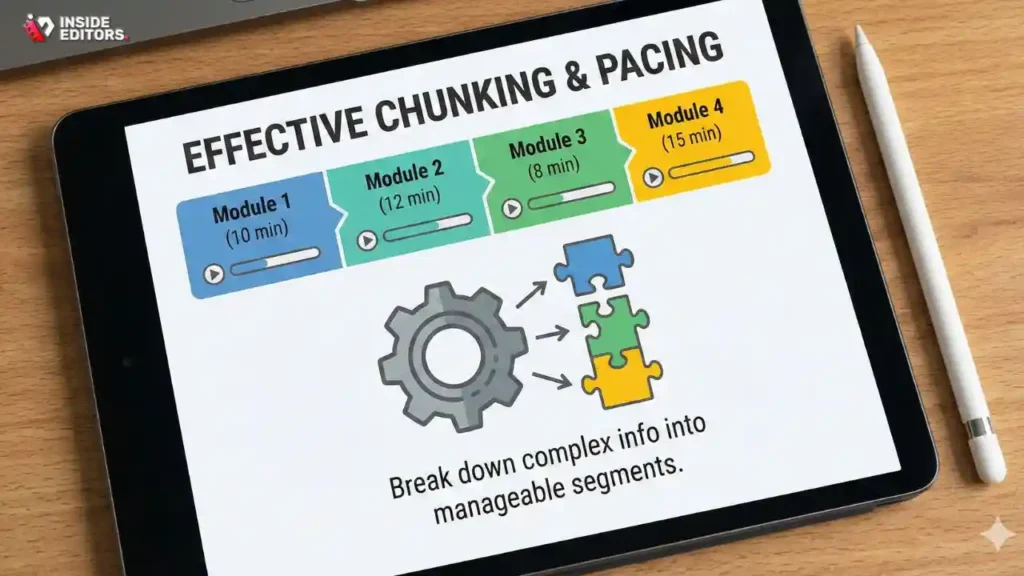
Adult learners have limited attention spans, making the structure and pacing of a corporate training video paramount. The concept of “chunking” involves breaking down complex information into smaller, manageable segments.
The Optimal Length for a Training Module
While there is no universal rule, most instructional designers recommend keeping individual training videos short-ideally between 3 and 7 minutes. If a topic requires more time, it should be broken into a series of interconnected videos, creating a playlist or module.
Comparison Table: Video Length vs. Learning Objective
| Video Length (Approx.) | Ideal Learning Objective | Engagement/Retention Rate |
|---|---|---|
| 1-3 Minutes | Single concept, quick tip, policy update, micro-learning | Very High (Ideal for reinforcement) |
| 4-7 Minutes | Step-by-step process, software demonstration, compliance overview | High (Requires strong visuals) |
| 8-12 Minutes | Complex theory, detailed case study, introductory module | Moderate (Requires frequent engagement checks) |
Pacing and Visual Variety
Pacing refers to the rhythm of the video-how quickly scenes change, how long text remains on screen, and the speed of the narrator. A fast pace keeps viewers engaged, but it must not compromise comprehension. Use visual variety (switching between the presenter, screen capture, graphics, and B-roll) every 5-10 seconds to maintain visual interest.
To ensure your content is paced perfectly for platforms like Instagram Reels or TikTok, consider leveraging services focused on video editing for social media. Even internal training videos can benefit from the engagement techniques mastered in short-form social content.
6. Interactive Elements Knowledge Checks

A passive viewer is a disengaged learner. The most effective corporate training video incorporates elements that require the viewer to actively participate and confirm their understanding. This is crucial for retention and compliance verification.
Integrating Quizzes and Polls
Modern learning management systems (LMS) allow for the seamless integration of interactive elements directly within the video player. These “knowledge checks” should appear immediately after a critical piece of information is delivered.
Types of Interactive Checks:
- Multiple-Choice Questions: Test recall of facts or steps.
- Drag-and-Drop Activities: Require the learner to sequence steps correctly.
- Scenario-Based Decisions: Present a real-world problem and ask the learner to choose the best course of action.
The Power of Practice and Feedback
The interactivity should not just test; it should also provide immediate, constructive feedback. If a learner answers incorrectly, the system should explain why the answer was wrong and optionally direct them back to the relevant section of the corporate training video for review.
“Learning is not a spectator sport. The moment you introduce a decision point or a required action, you transition the viewer from passive observer to active participant, exponentially increasing the likelihood of behavioral change.” – Jane K. Holloway, Corporate Learning Specialist
This active engagement is key to proving that the training was effective, moving beyond simple completion rates to actual knowledge acquisition.
7. Accessibility and Inclusivity Features
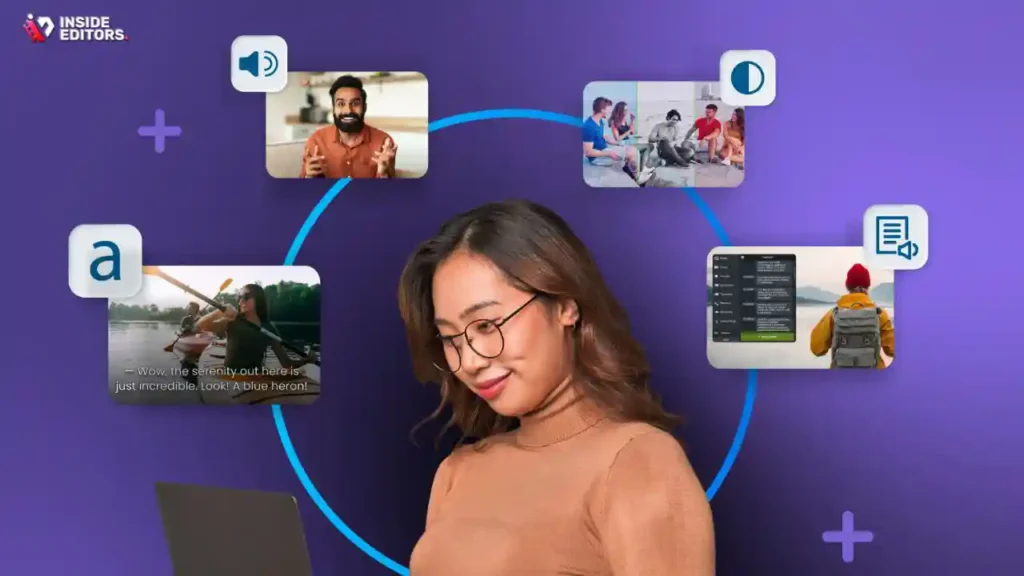
An essential, often legally mandated, element of a professional corporate training video is ensuring it is accessible to all employees, regardless of physical or sensory limitations. Accessibility is a sign of a mature, responsible organization.
Comprehensive Subtitles and Closed Captions
All training videos must include accurate, synchronized closed captions. This is not only vital for employees who are hearing impaired but also incredibly useful for those watching in noisy environments (e.g., factory floors) or silent settings (e.g., public transport).
When preparing content for a global audience, providing translations and subtitles in multiple languages is also critical. A professional video editing service can ensure the video translation and localization process is accurate and culturally appropriate, broadening the reach of your training material.
Visual Descriptions and Transcripts
For visually impaired learners, a detailed audio description track (describing on-screen actions, graphics, and text) is necessary. Furthermore, providing a full, downloadable text transcript of the video allows learners to review the material offline or use screen readers effectively.
Pros and Cons of Prioritizing Accessibility
| Aspect | Pros | Cons |
|---|---|---|
| Compliance | Meets legal requirements (e.g., ADA, WCAG standards) | Requires dedicated time and resources for implementation |
| Inclusivity | Ensures all employees receive equal training opportunities | May slightly increase initial production cost |
| SEO/Search | Captions and transcripts improve searchability within LMS and internal systems | None-this is a net positive for content discoverability |
Prioritizing accessibility demonstrates a commitment to the entire workforce, making the corporate training video a truly universal tool.
8. Real-World Scenario Relevance

The fastest way to lose a learner is to present abstract concepts without practical application. A powerful corporate training video grounds its instruction in relatable, real-world examples that mirror the employee’s daily tasks.
Show, Don’t Just Tell
Instead of simply stating a policy, show an employee successfully implementing that policy in a scenario. If the video is about customer service, feature a realistic interaction, including common challenges and the correct, desired response. This contextual learning dramatically improves recall and application.
For example, a video on data privacy should not just list rules; it should demonstrate a scenario where an employee encounters a suspicious email and walks through the steps of reporting it, showing the immediate, positive outcome of their action.
Leveraging Case Studies and Testimonials
Incorporating short “mini-case studies” or brief testimonials from senior staff or successful peers can lend significant credibility to the training. Hearing from someone within the organization who has successfully applied the training principles provides motivation and proof of concept.
To ensure these testimonials are captured and edited professionally, utilizing services that specialize in professional video editing can guarantee high production value and emotional impact.
9. Integration and Distribution Strategy

The best corporate training video is useless if employees cannot easily find and access it. A robust distribution strategy is the final piece of the puzzle, ensuring the content reaches the right audience at the right time.
Choosing the Right Platform
Organizations typically use a Learning Management System (LMS) for distribution, as these platforms track completion, scores, and engagement metrics. However, accessibility must extend beyond the LMS. Consider making short, reinforcing clips available on internal communication channels or company intranets.
Key Distribution Considerations:
- Mobile Optimization: The video must play flawlessly on smartphones and tablets.
- Searchability: Use clear titles, metadata, and tags so employees can easily search for specific topics (e.g., “how to reset password”).
- Version Control: Ensure that only the most current version of the corporate training video is accessible, especially for compliance topics.
Continuous Content Management
Training content, particularly related to technology, compliance, or products, becomes outdated quickly. A successful strategy includes a plan for regular review and updates. This might involve creating short “update” videos rather than re-shooting the entire module.
If your organization produces a high volume of content, managing the editing workflow can become overwhelming. Services offering bulk video editing provide a scalable solution, ensuring that updates are applied quickly and consistently across your entire training library.
10. Measurement and Feedback Loops
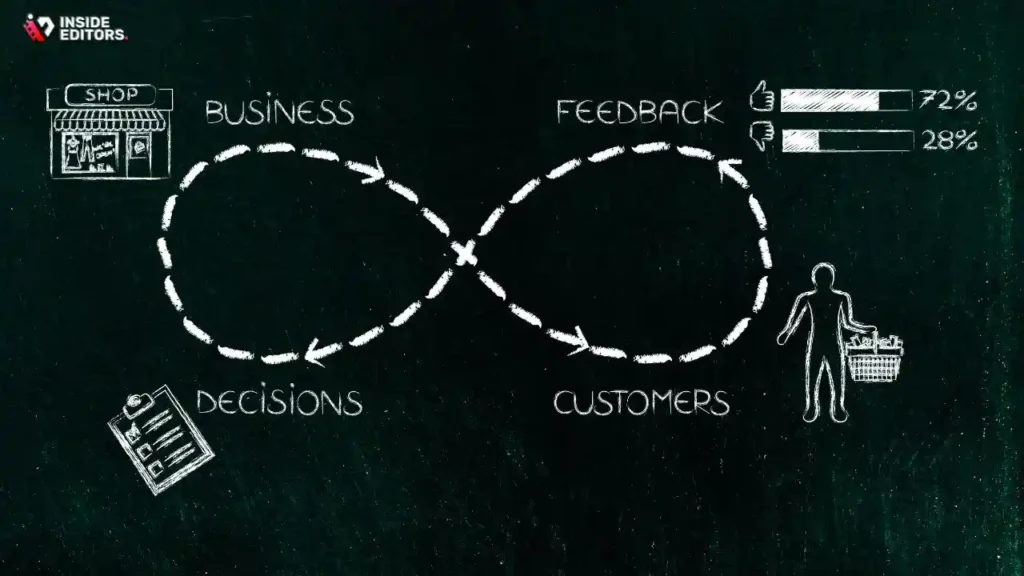
The final, and perhaps most critical, element is the ability to measure the video’s impact and use that data to refine future content. A corporate training video should be treated as a performance tool, subject to continuous improvement.
Key Performance Indicators (KPIs) for Training Videos
Beyond simple completion rates, organizations must track metrics that reflect actual learning and behavioral change:
- Retention Rate: How often do learners need to rewatch the video? (Lower is better, indicating strong initial comprehension.)
- Assessment Scores: Performance on post-video quizzes and knowledge checks.
- Time-to-Competency: How quickly do new hires achieve proficiency in the skill taught?
- Behavioral Change: Measured by changes in real-world metrics (e.g., reduction in errors, increase in efficiency).
Establishing a Feedback Mechanism
Encourage learners to provide direct feedback on the video itself. Was the pacing too fast? Were the examples clear? Did the audio quality interfere? This qualitative data is invaluable for iterative improvement.
“Data is the voice of the learner. If your training video isn’t moving the needle on key business metrics-whether it’s safety, sales, or satisfaction-then it’s time to revise the content or the delivery method.” – Harvard Business Review, Instructional Technology Study
When revision is required, having a reliable partner for fast video editing ensures that outdated information is corrected and redeployed quickly, maintaining the integrity and relevance of your entire training curriculum.
The Role of Professional Editing
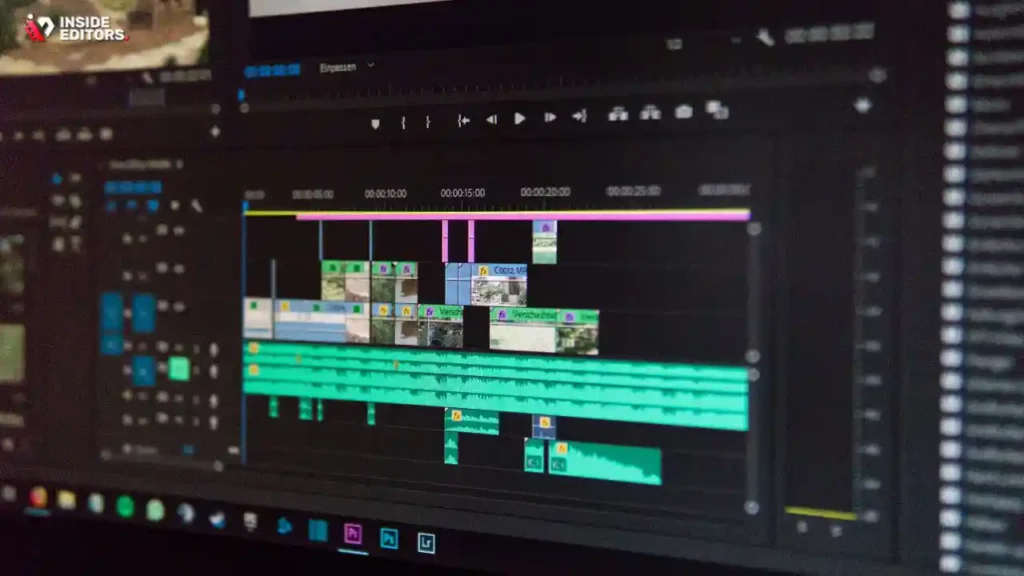
Creating a high-impact corporate training video requires a blend of instructional design expertise, technical production skills, and meticulous post-production. While your internal team possesses the subject matter knowledge, the technical execution often benefits from specialized external support.
Why Outsource Post-Production?
Post-production-the editing, color correction, audio mastering, and graphic integration-is where the raw footage is transformed into a polished, professional learning tool. This phase is time-consuming and requires highly specialized software and expertise.
By partnering with professional services like Inside Editors, organizations can ensure their corporate training video meets the highest standards without overburdening internal resources. We offer professional video editing services designed specifically for businesses, course creators, and marketing teams.
Inside Editors: Your Partner in High-Quality Training Content
Our service model is built around speed, quality, and reliability, addressing the common pain points of corporate content creation:
- Expertise and Quality Assurance: Our professional editing team has over 10 years of experience transforming complex instructional content into engaging videos. We ensure consistent brand style and technical excellence across all your training assets.
- Efficiency and Speed: We understand the urgency of training deployment. We guarantee a fast turnaround (24-72 hours) for most projects, allowing you to deploy your corporate training video faster.
- Risk-Free Collaboration: We offer unlimited revisions until you are completely satisfied, ensuring the final product perfectly aligns with your learning objectives.
- Scalable Solutions: Whether you need a single compliance video or continuous editing for a massive onboarding curriculum, our affordable pricing model and dedicated editors provide a scalable solution for your growing content needs.
We believe that professional quality should be accessible. By allowing us to handle the complex post-production workflow-from ensuring seamless transitions to mastering the audio-your internal team can focus entirely on creating high-value subject matter content. We also provide specialized services such as video editing for documentaries and corporate video editing that require a keen eye for narrative and factual accuracy.
Common Corporate Training Pitfalls

Even with the ten elements above in mind, producers frequently encounter specific challenges that can derail the effectiveness of a corporate training video. Being aware of these pitfalls allows for proactive planning and mitigation.
Pitfall 1: Over-Reliance on Talking Heads
A video featuring only a person speaking directly to the camera quickly becomes static and boring. While a presenter is essential for establishing rapport, the visual narrative must constantly shift to B-roll, screen captures, graphics, and text overlays to illustrate the concepts being discussed. Remember that the corporate training video is a visual medium.
Pitfall 2: Ignoring Pre-Testing
Never deploy a major corporate training video without testing it first. Gather a small focus group of the target audience and observe their reactions. Do they understand the jargon? Are they confused by the sequence of steps? Pre-testing reveals clarity issues that were invisible to the creators.
Pitfall 3: Inconsistent Tone
The tone must match the subject matter. A compliance video requires a serious, professional tone, while a video on company culture can be lighter and more engaging. Mixing tones within a single corporate training video can confuse the learner about the content’s seriousness.
Pitfall 4: Poor Quality Graphics and Animation
If using motion graphics or animated explainers, they must be professional and high-resolution. Amateur graphics look cheap and undermine the message. Investing in quality motion graphics, or having a partner who can provide motion graphics video editing, is essential for complex topics.
Pitfall 5: Neglecting the Call to Action
Every corporate training video must end with a clear instruction on what the learner should do next. This might be taking a quiz, downloading a resource, or applying the skill immediately. Without a clear next step, the learning process feels incomplete. For those looking to create content for platforms like Udemy or Coursera, ensuring a strong call to action is vital, and our services include specialized online course video editing.
Conclusion: Mastering Training Videos
The modern corporate training video is a sophisticated tool that demands attention to detail across instructional design, technical production, and post-production. By focusing on the ten essential elements-from defining a clear objective and ensuring crystal-clear audio to integrating interactivity and measuring results-organizations can create learning assets that truly drive performance.
A high-quality corporate training video is an investment that pays dividends in employee competency, compliance adherence, and overall business efficiency. If the complexities of video editing and post-production are slowing down your content pipeline, consider leveraging professional expertise.
Inside Editors is ready to help you transform your raw footage into polished, high-impact training modules. Visit our dedicated service page to learn more about how our professional editing services can streamline your workflow, guarantee quality, and accelerate the deployment of your next corporate training video: Video Editing Services.
Frequently Asked Questions
What is the most crucial element of a training video?
The most crucial element is clear learning objectives. Without defined goals, the corporate training video lacks focus and measurable outcomes. Objectives should be stated upfront, ensuring learners know exactly what skills or knowledge they will gain by the end of the 5-10 minute module.
How long should a corporate training video be?
Ideally, corporate training videos should be concise, typically ranging from 3 to 7 minutes. Studies show attention spans drop significantly after this point. Longer, complex topics should be broken down into microlearning modules to maximize retention and engagement with the training material.
Why is storytelling important in training videos?
Storytelling helps contextualize abstract concepts and makes the information relatable. Using realistic scenarios or case studies allows learners to see how the training applies to their daily work. This emotional connection significantly boosts memory recall compared to simply presenting facts.
When should I use animation versus live action footage?
Use animation when explaining complex, abstract concepts, internal processes, or software interfaces, as it simplifies visualization. Live-action footage is better for demonstrating physical skills, soft skills, or when establishing a personal connection with company leadership. The choice depends on the specific learning objective.
Does a high production value always mean better results?
Not necessarily. While professional sound and clear visuals are essential, overly high production value can sometimes distract from the content. Focus on clarity, accuracy, and strong instructional design over cinematic flair. A well-structured video with simple graphics often yields better learning outcomes than a glossy but confusing one.


